Inspiration
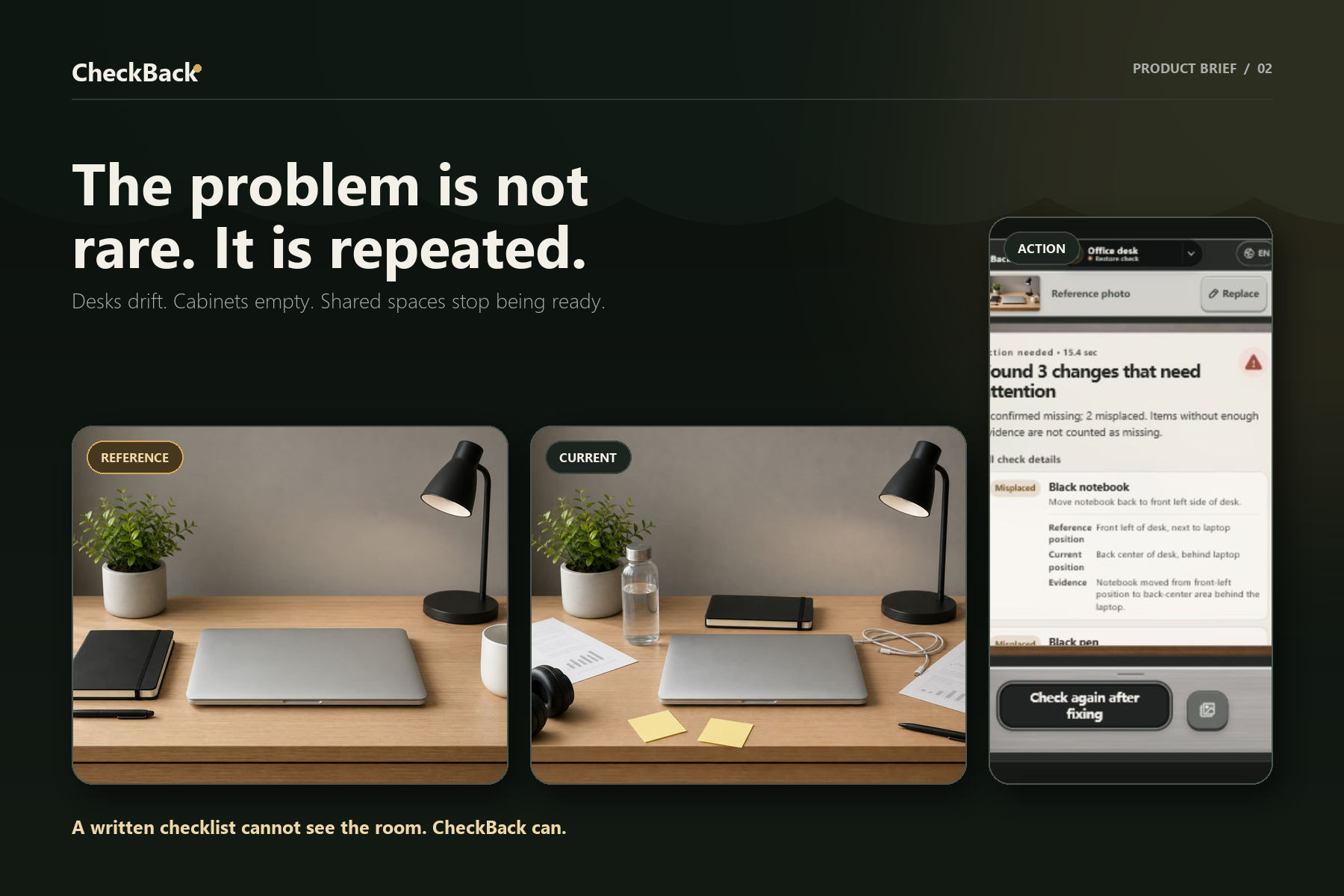
Shared spaces rarely fail in dramatic ways. They fail through small, repeated moments: a desk is left cluttered, a meeting room is missing an adapter, supplies disappear from a cabinet, or a first-aid item is not replaced. The usual solution is a written checklist, but checklists are slow to maintain and easy to ignore. I built CheckBack to make the expected state visual: show the system what “ready” looks like once, then let it help people restore that state later.
What it does
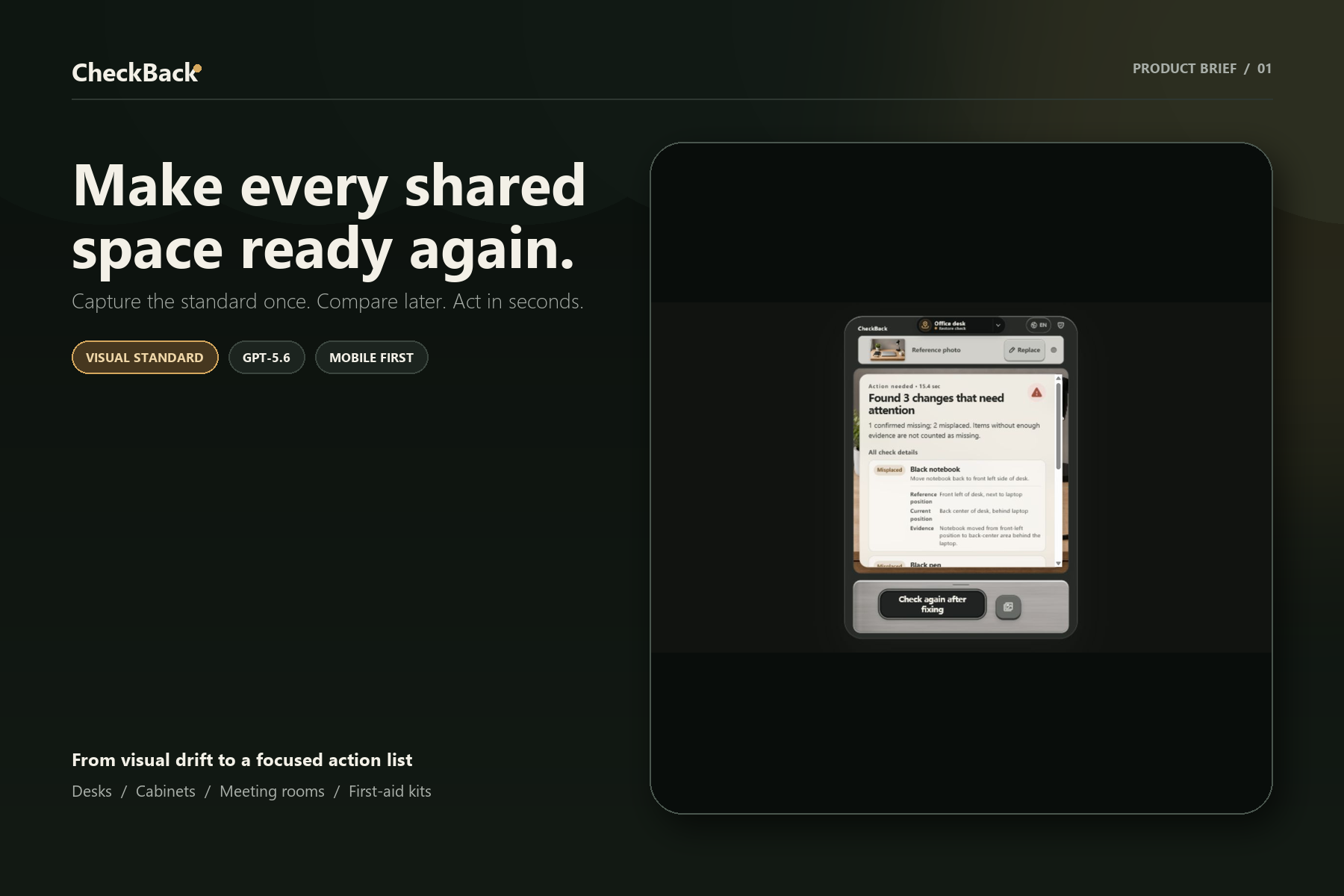
CheckBack turns a reference photo into a reusable visual standard for a real place.
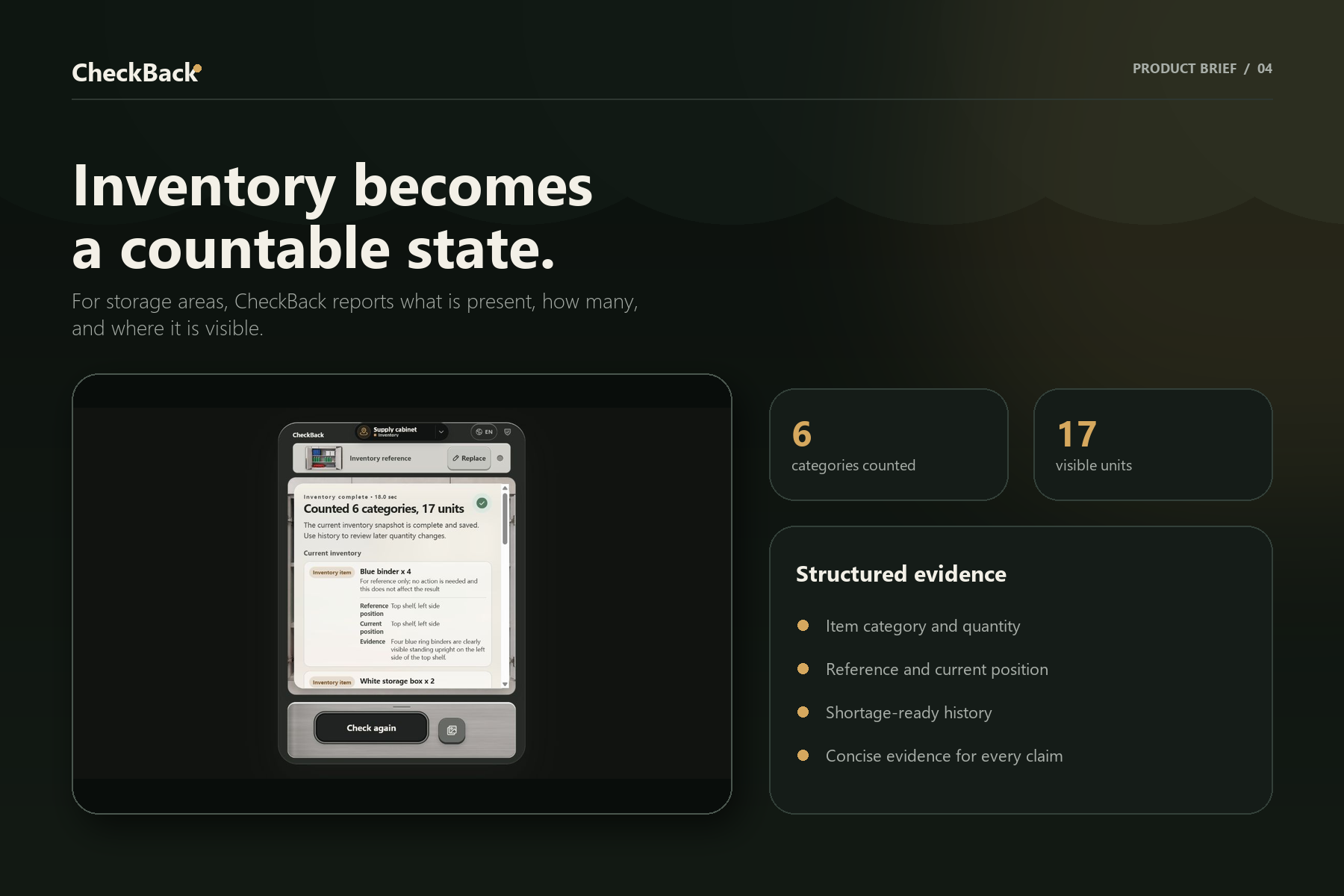
A user creates an area, captures the organized reference state, and later captures the current state. GPT-5.6 compares the two images and returns a focused, structured result instead of a generic scene description.
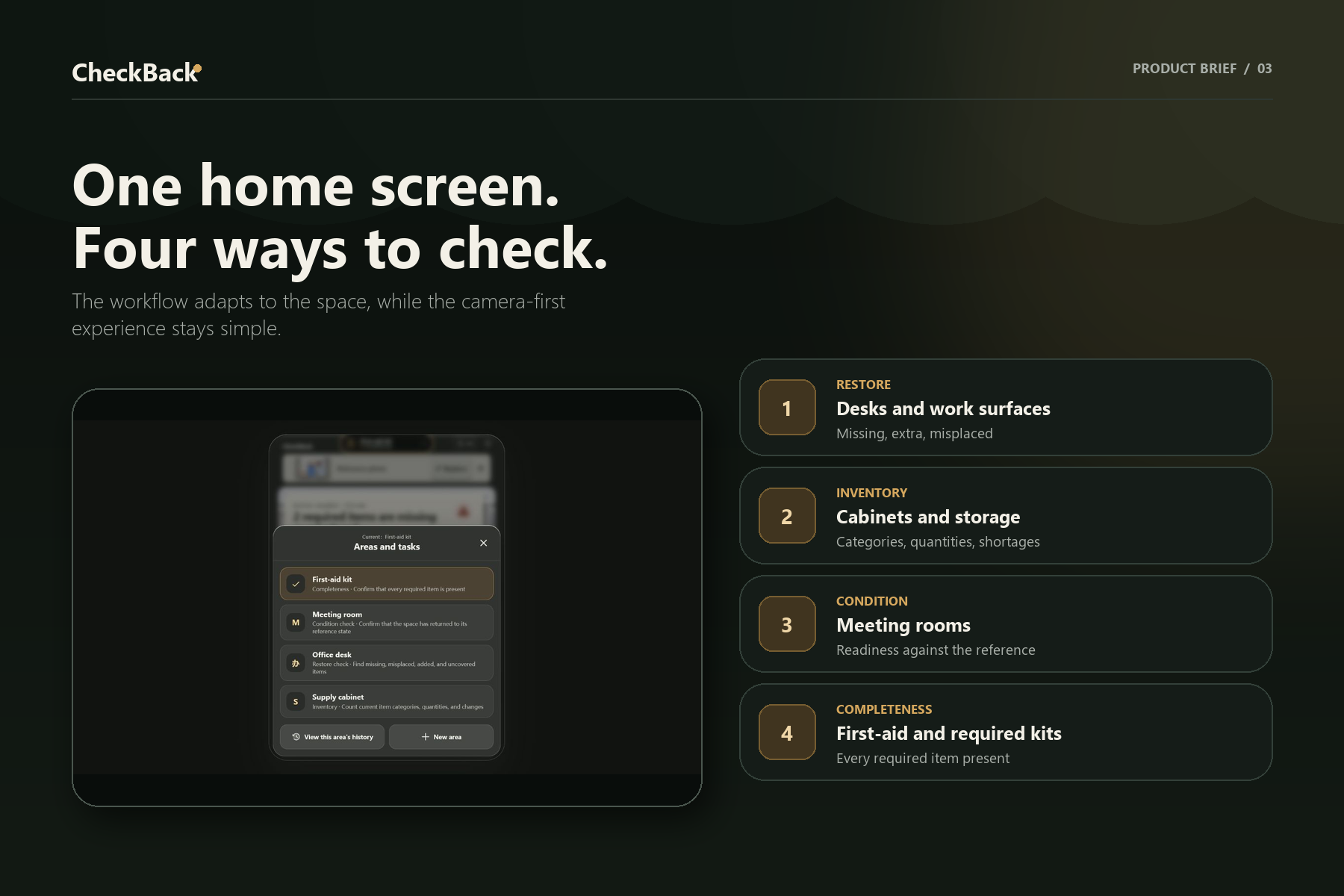
The workflow adapts to the area:
- Desks and work surfaces focus on missing, extra, or misplaced objects.
- Cabinets and storage areas focus on inventory counts and shortages.
- Meeting rooms and first-aid areas can verify readiness and required supplies.
- Multiple areas can be managed from a compact “island” without turning the camera-first home screen into a dashboard.
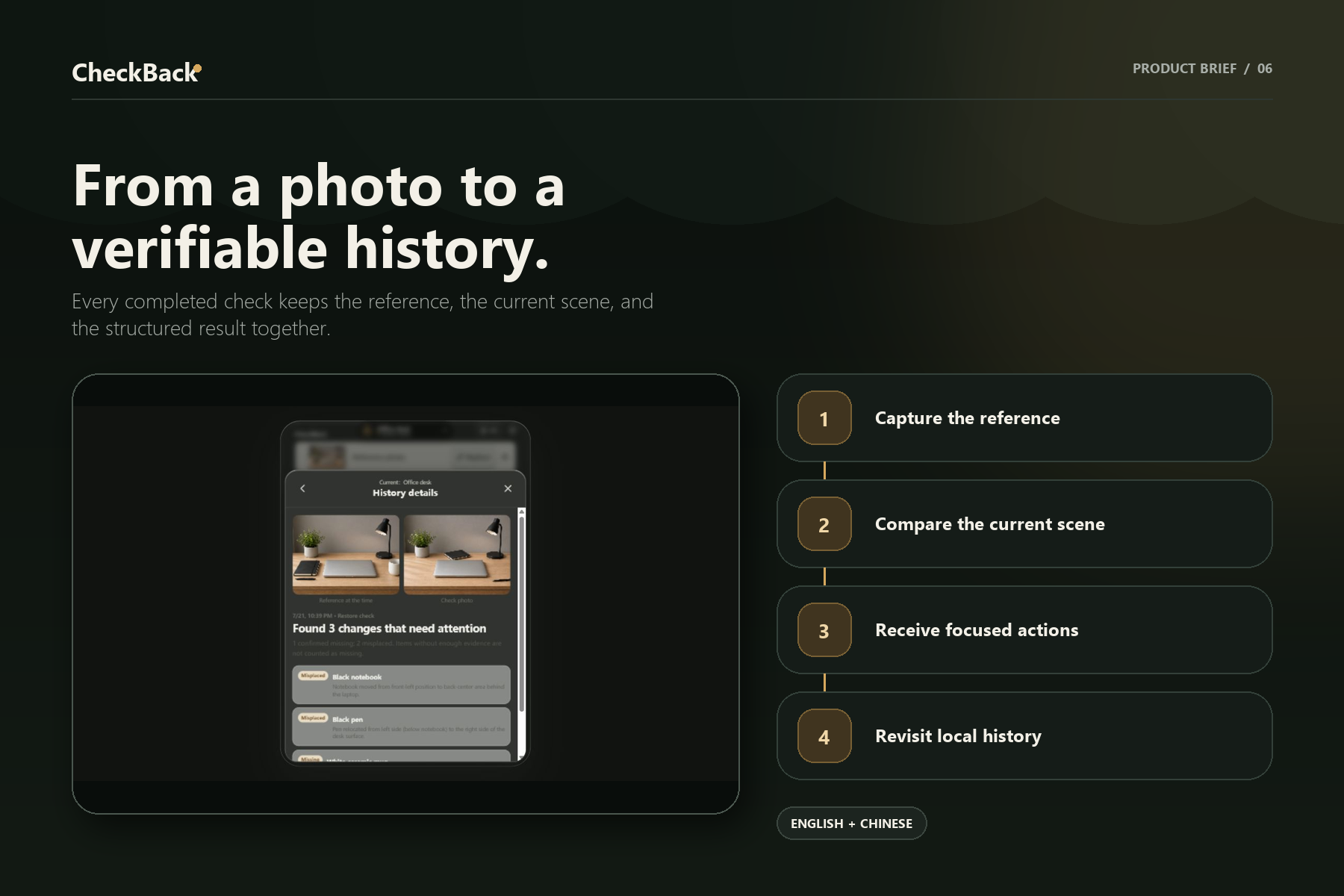
- Local history makes completed inspections easy to revisit.
- English and Chinese are supported in both the interface and AI-generated findings.
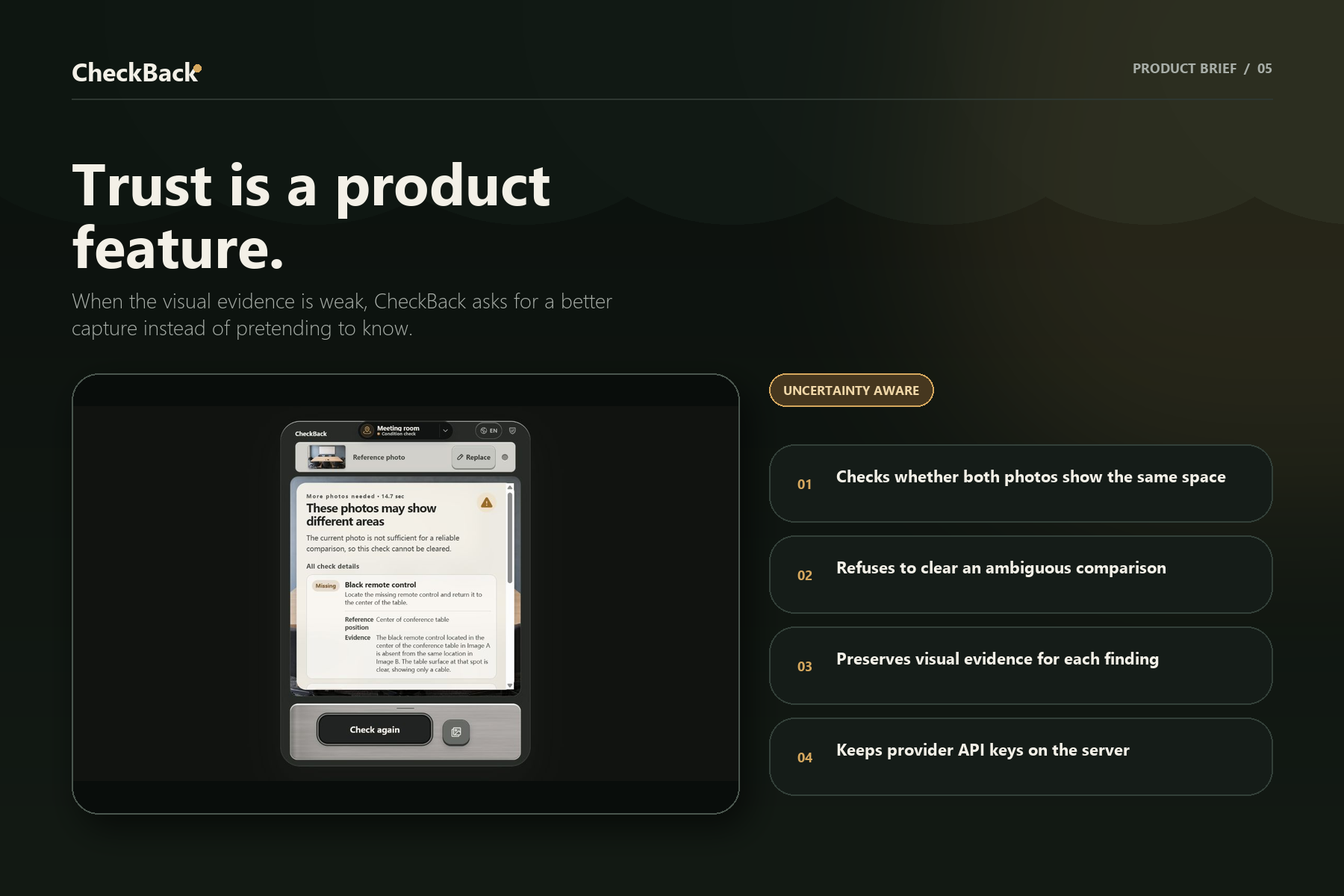
CheckBack is intentionally uncertainty-aware. When the image is ambiguous, it avoids pretending to know more than it can see and guides the user toward a better capture.
How I built it
The product is a TypeScript and React application with a server-side vision route. The browser sends the reference and current images to the server, where GPT-5.6 receives mode-specific instructions and returns structured findings validated before they reach the UI. Provider credentials never ship to the client.
The self-hosted deployment uses Docker and Nginx. Language selection follows a privacy-conscious fallback: a saved manual choice, browser language, a local GeoIP country lookup, then Chinese. The visitor IP is not sent to a third-party geolocation service.
How I used Codex
Codex was my development partner across the full build, not just an autocomplete tool. I used it to:
- turn the initial pain point into a working camera-first product;
- implement the multi-area model and different desk/cabinet inspection modes;
- design and refine the compact area island through real-browser feedback;
- build bilingual UI and locale-aware model instructions;
- keep API keys server-side and add guarded uploads, rate limits, and concurrency limits;
- create regression tests, synthetic evaluation cases, and uncertainty safeguards;
- prepare the Docker/Nginx self-hosted deployment and verify the production build.
The most valuable Codex work happened at decision points: preserving the simple camera workflow while adding multiple areas, separating “restore this layout” from “count this inventory,” and refusing confident results when visual evidence is weak.
How I used GPT-5.6
GPT-5.6 is the visual reasoning layer. It compares the reference and current scenes, follows the selected area's inspection mode, and produces concise structured findings in the active language. The result is not “what is in this image?” but “what changed relative to the standard, and what should the user do next?”
Challenges
The hardest part was reliability. Real photos change in lighting, angle, occlusion, and framing. A convincing demo is easy; a useful product must also know when not to make a claim. I addressed this with structured outputs, image and request guards, conservative prompts, deterministic validation, and evaluation fixtures for missing-object and inventory scenarios.
The second challenge was adding power without adding clutter. Multi-area management, history, language switching, and adaptive workflows all exist, but the default screen still opens directly to the camera task.
What I am proud of
CheckBack is a complete, runnable product rather than a one-off vision demo. It has a coherent mobile-first experience, multiple real use cases, bilingual behavior, local history, production deployment configuration, and a tested server-side AI boundary.
Most importantly, it targets a frequent problem with a low-friction interaction: capture the standard once, then check the space in seconds.
What's next
Next I would add shared team spaces, scheduled inspection reminders, role-based access, trend reporting, and optional integrations for facilities and inventory systems. I also want to expand the evaluation set with more real-world lighting, occlusion, and camera-angle variation before enabling faster verification paths in production.
Built With
- codex
- docker
- gpt-5.6
- next.js
- nginx
- node.js
- openai-api
- react
- typescript
- vite
- zod


Log in or sign up for Devpost to join the conversation.