-
-
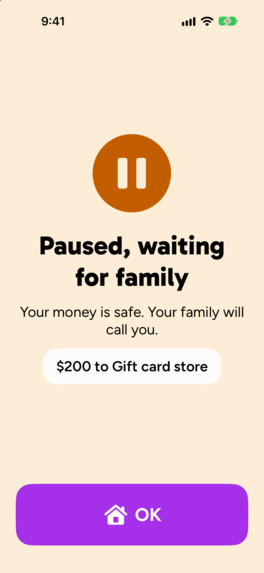
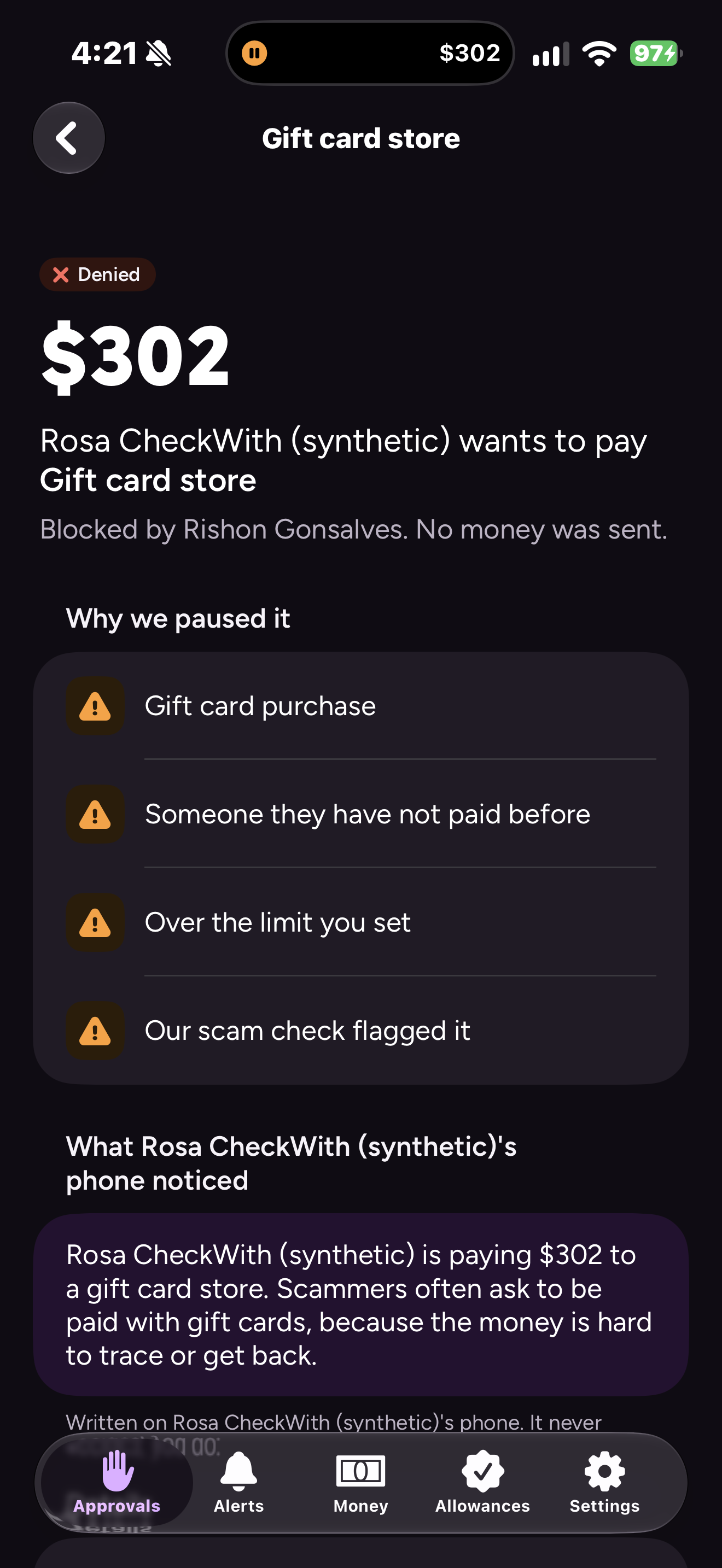
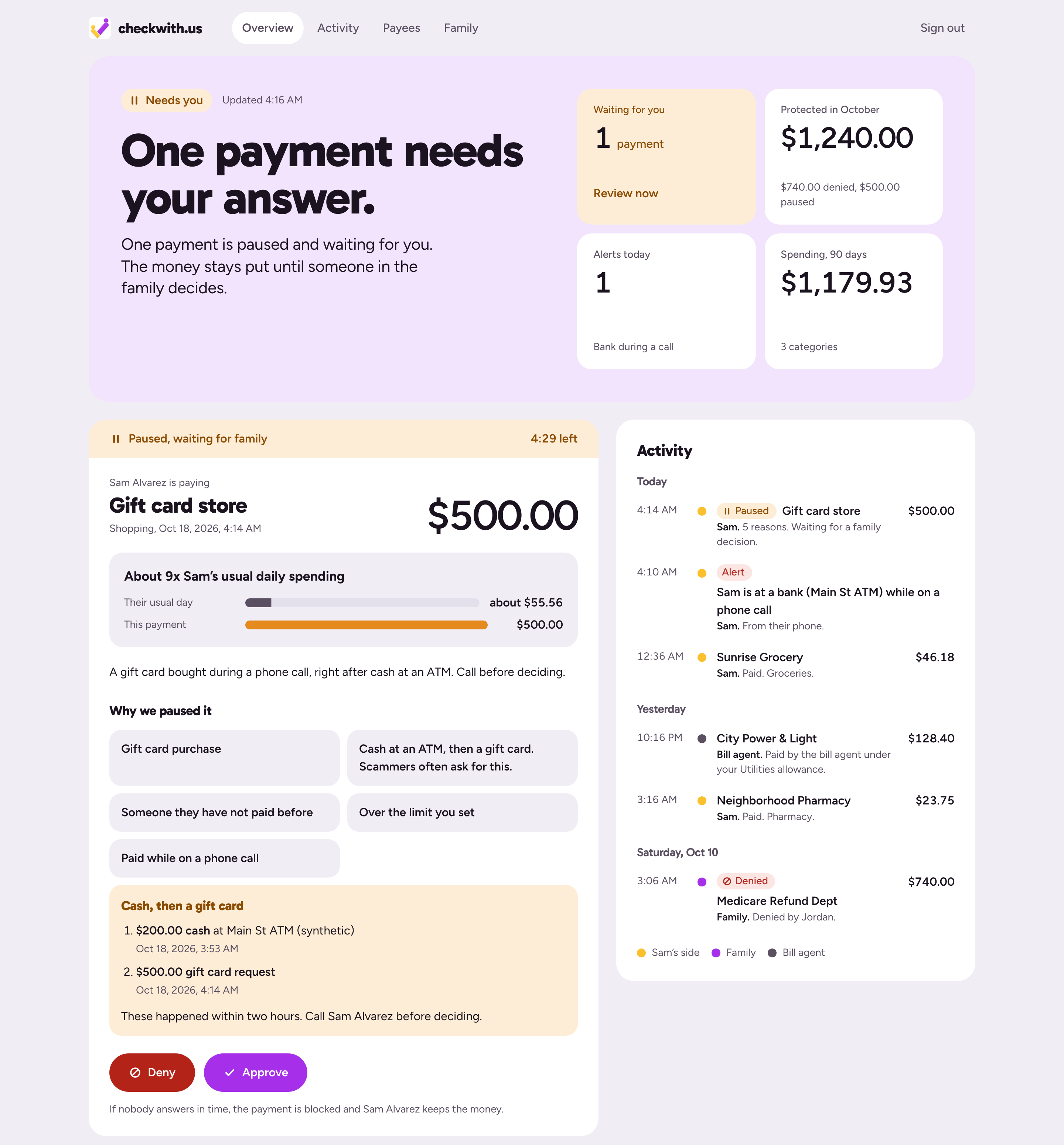
Grandma Under Review Screen
-
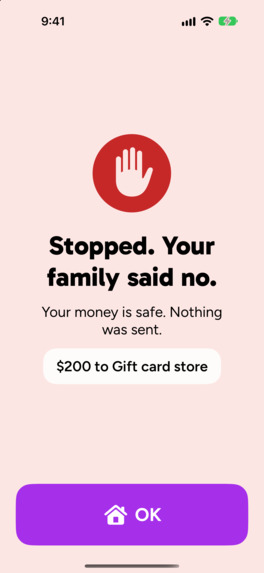
Grandma Rejection Screen
-
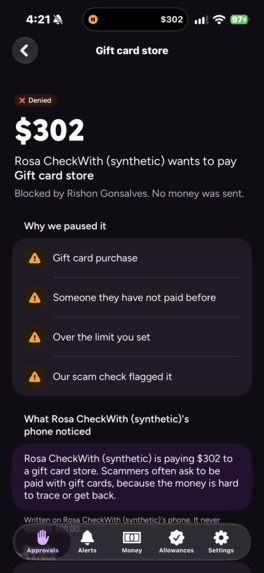
Family Rejection Screen
-
-
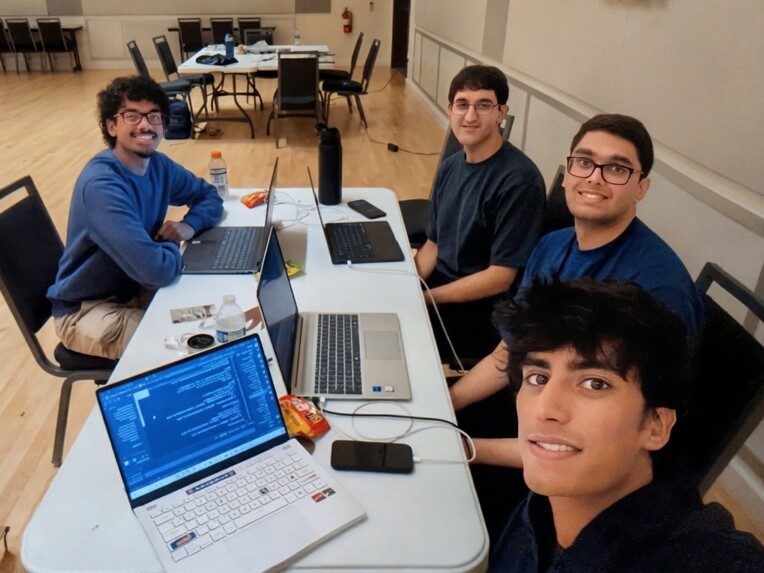
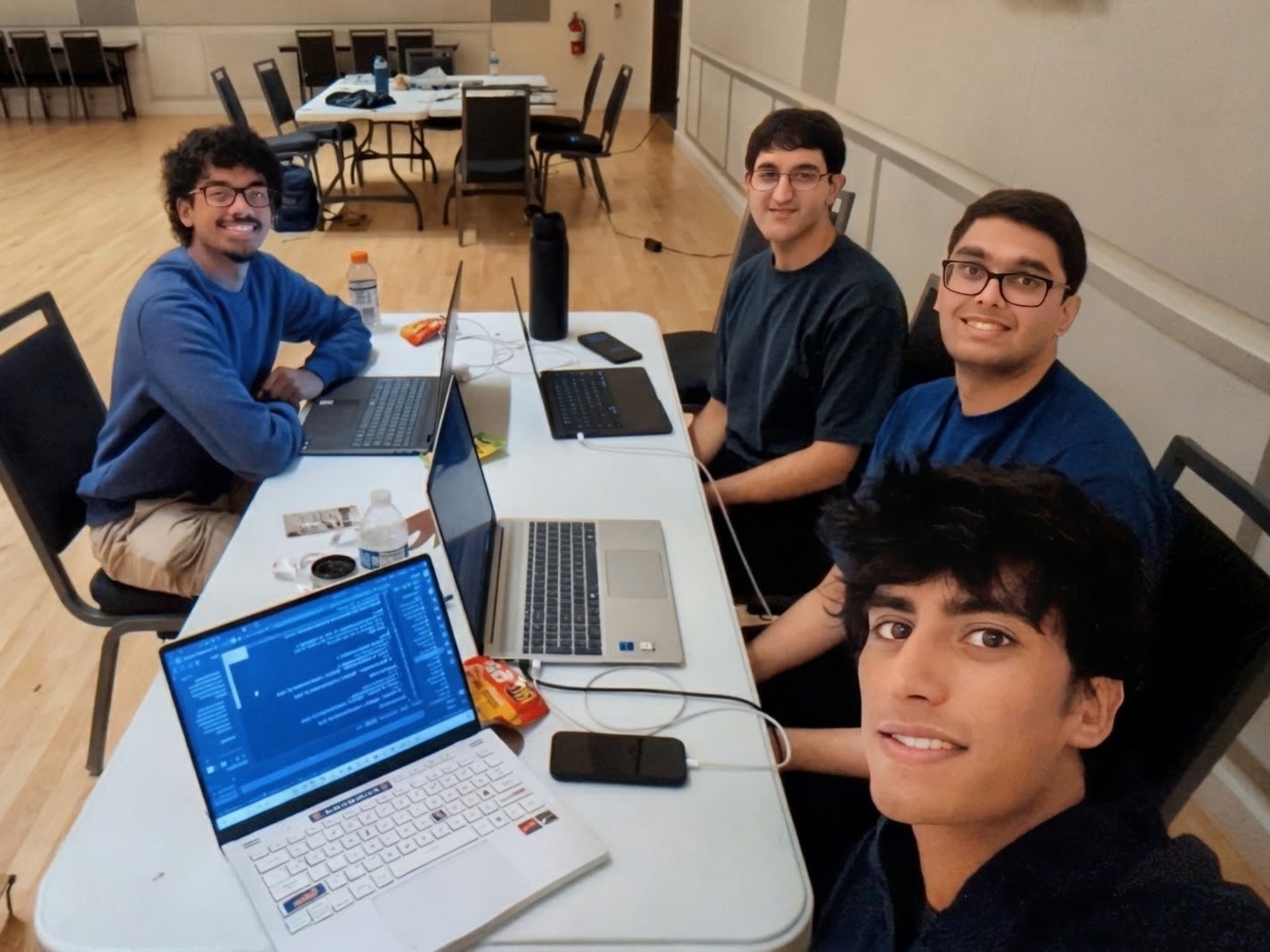
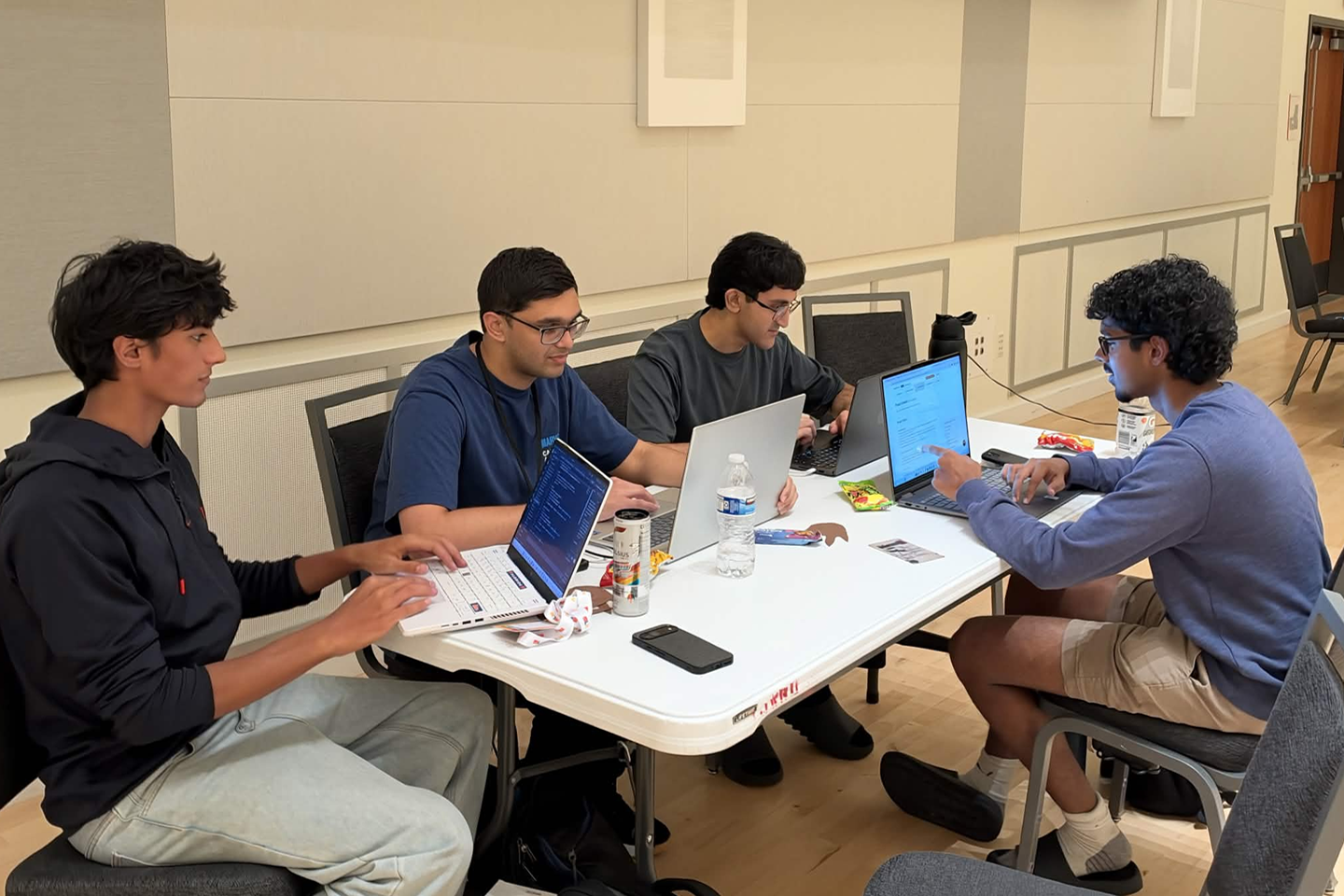
The Team
-
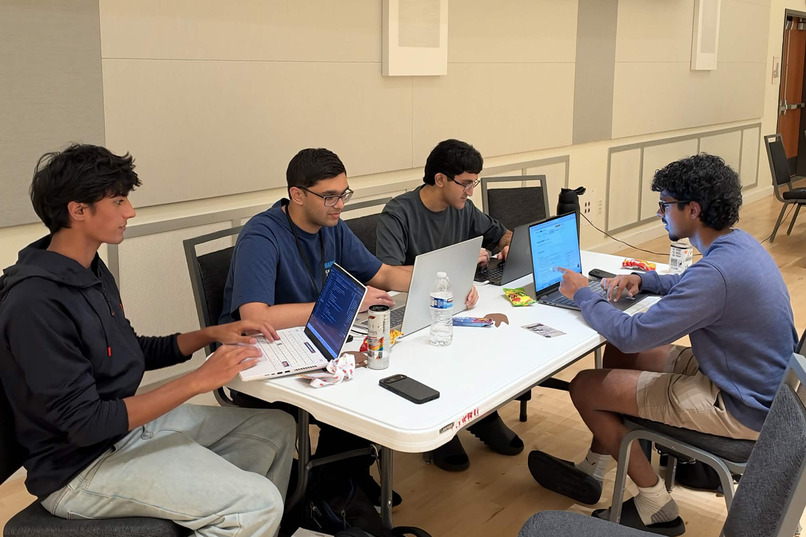
Locked in
Inspiration
This one is personal. Rishon's grandmother, who lives in India, was targeted by a scam that went after her banking information. She lives with family, but she spends most of her day alone. The scammer told her they needed her details to help her make her payments. It sounded like help, so she believed it, and nobody was next to her to say "wait, let's check first."
That's the moment we built checkwith.us for. It also reminded us that this isn't only an American problem. Older adults everywhere spend long stretches of the day alone with a phone.
Her story is far from rare. In 2025, people over 60 in the U.S. reported \$7.7 billion in fraud losses to the FBI across 201,266 complaints, an average of \$38,500 per person (FBI, 2025 IC3 Annual Report).
When we read through the FTC and FBI reports, almost every scam followed the same script. Create urgency. Isolate the victim ("don't tell your family"). Ask for money that can't be taken back, like gift cards, crypto, wires or cash. Older adults told the FTC that the threats made them act before they could think or call anyone.
Most scam tools respond with a warning and leave the decision to the person being pressured. Scammers are very good at talking people past warnings, and the bank can't step in because the victim is the one making the payment. So we moved the decision. The call to family is built into the payment itself.
What it does
checkwith.us is an iPhone app with two sides, one for the older adult and one for their family, plus a web dashboard for the family.
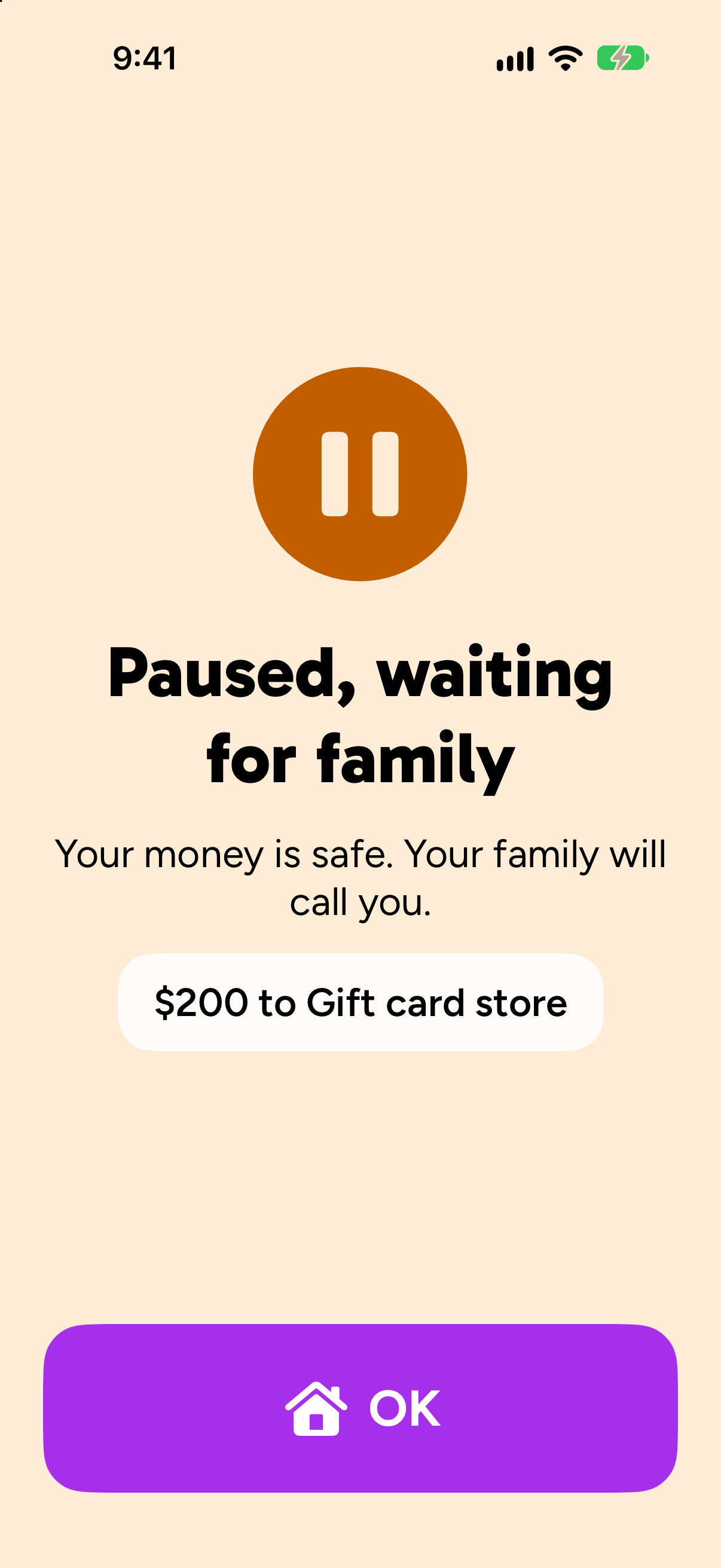
The older adult doesn't learn anything new. Scam texts get filtered into Spam before they read them, by a model we trained that runs on their phone. Calls from known scam numbers show up as "Possible scam." If they try to make a risky payment, it pauses, and their screen says "Paused, waiting for family. Your money is safe." There's also one big button on the home screen: "Ask my family."
Payments pause for things like:
- gift cards, crypto and wire transfers
- someone they've never paid before
- anything over the family's limit, or spending way above their usual
- a payment made while they're on a phone call
- the classic move of pulling cash from an ATM and then buying a gift card
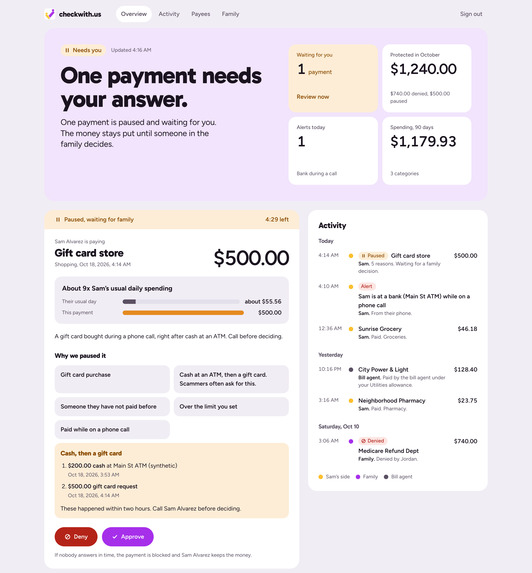
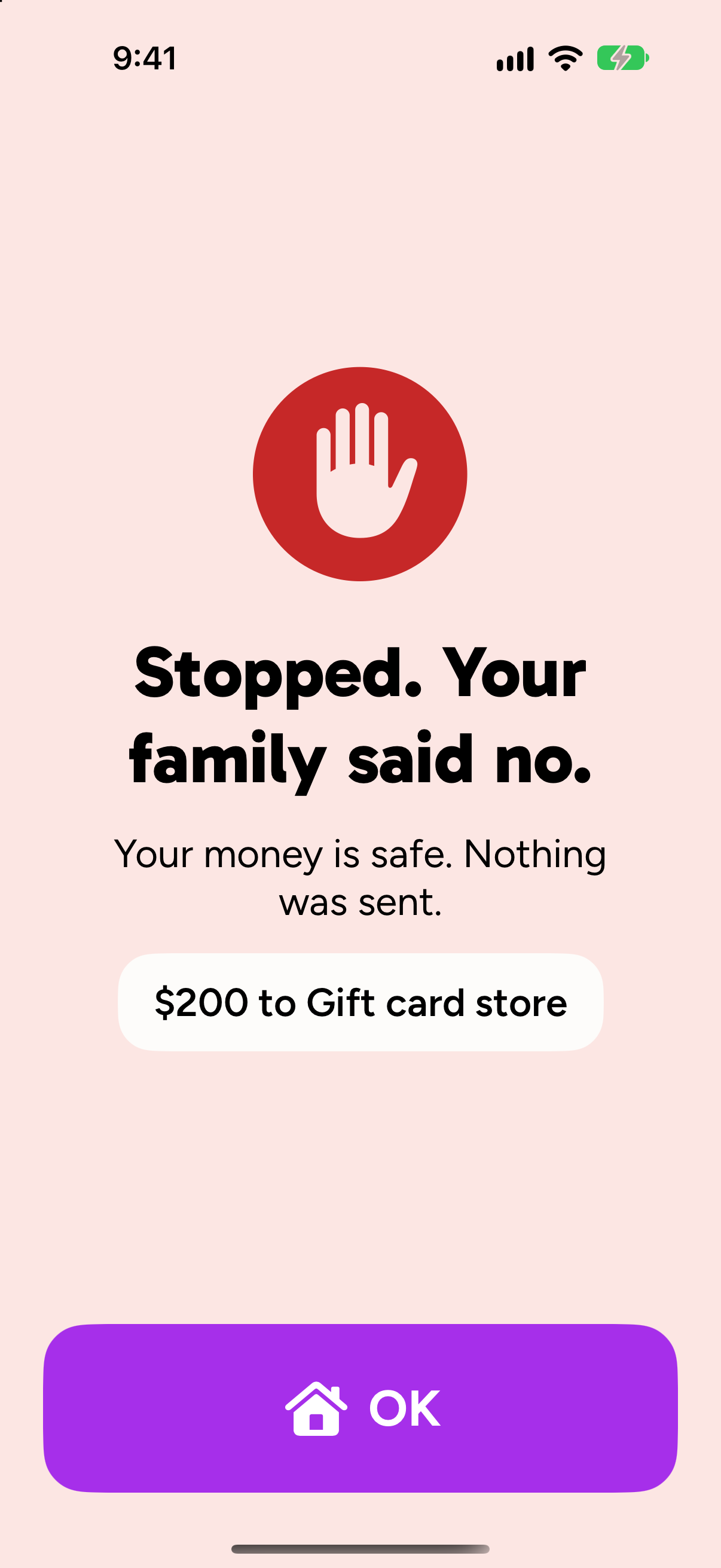
The family gets the other half. They see the amount, who it's going to and every reason it paused, in plain words. Approving takes Face ID, and denying takes one tap. If nobody answers within 5 minutes, the payment doesn't go through. By default, over \$1,000 two family members have to approve, and a single no stops it. A Freeze button moves the whole balance into a safe account. The family can also pre-approve things like "utilities up to \$400 until Nov 30," so normal bills keep getting paid.
Here's the scam we demo with our made-up older adult:
- A fake toll text lands in Spam, not the inbox.
- A scammer calls. The phone says "Possible scam," and they pick up anyway.
- With the scammer still on the line, they try to buy a \$200 gift card. It pauses. The family sees "Gift card" and "Paid while on a phone call," and taps Deny. The lock screen changes to "Stopped."
- They pull \$200 from an ATM and then try another gift card. Each step looks fine on its own, but together it's a scam pattern, so it's held.
- The family hits Freeze, and the balance moves to the safe account.
- Their \$350 power bill falls inside the utilities allowance, so it just pays.
How we built it
The phone. The iOS app is written in Swift and SwiftUI. Scam texts are handled by a Message Filter extension, scam calls by a Call Directory extension, and the lock-screen status by a Live Activity. Family members sign in with Auth0 (PKCE) and approve with Face ID. The scam scoring lives in GuardKit, a Swift package we wrote. It has a tokenizer, 10 rules about what a text is asking you to do, and a small n-gram model.
The rules. The server decides whether to hold a payment with one plain function, decideHold, and there's no AI inside it. It builds a set of hold reasons from fixed rules. The phone's scam score can add one more reason ("scam check flagged", at a score of 0.5 or higher), but it can never remove one. If the set has any reason in it, the payment is held.
So a model that gets fooled can make us more careful, never less. Our one rule for the whole project was: AI suggests, code decides money. A payment counts as "unusual spending" when it's more than 3 times what they typically spend in that category on a day they spend in it at all, over the last 90 days, with a \$50 floor.
Capital One Nessie is the bank, and we use ten of its resource types:
- Accounts: a spending account and a vault account.
- Merchants: every payee is a Nessie merchant tagged with a category, which is how the rules tell a gift card store from the power company.
- Purchases, bills and withdrawals: approved payments go out as real ones. ATM withdrawals are the first half of the cash-then-gift-card pattern.
- ATMs and branches: their locations power an alert when the older adult is at a bank during a call. Only the bank's name is sent, never their location.
- Transfers and deposits: Freeze is a transfer, and the monthly pension comes in as deposits.
All money is stored as whole cents.
Auth0 decides who can say yes:
- Tokens: every request from the family app carries a signed Auth0 token that the server checks.
- Roles: approvers and viewers are separate roles, and with RBAC on, approving needs the
approve:paymentspermission. - Fresh sign-in: unfreezing, topping up, granting an allowance or changing roles needs a sign-in from the last 5 minutes.
- Bill-pay agent (Auth0 for AI Agents): it signs in as its own machine client with exactly one scope,
pay:bills. Every family route rejects machine tokens, so it can never approve anything. On the live tenant, it paid a \$350 water bill under the family's allowance. - Guardian push (CIBA): we built a push with the payment details, but we've only tested it against a fake Auth0 so far, so it's off by default.
Tiger Data keeps the spending history in a hypertable with 7-day chunks, compressed into the columnstore after 30 days. Three real-time continuous aggregates sit on top: daily (used by the hold rules), weekly (the family's chart) and per payee (the "about 4x their usual" line). The cash-then-gift-card check is a time-window query: a gift card is held if there was ATM cash in the two hours before it.
We benchmarked it on 1,000,000 rows (200 families, 3 years of data). Weekly totals for every family dropped from 2,077 ms to 150 ms, about 13.8 times faster. The per-family queries the app runs are 2.2 to 3 times faster; for example, the unusual-spending check drops from 2.57 ms to 1.18 ms. Compression shrank the table from 163.3 MiB to 50.3 MiB, about 3.2 times smaller. Those aggregate times are a best case with everything materialized. The dashboard also has a speed card that times the real chart query live.
The design. For the older adult, the best interface is no new interface, so most of the protection lives inside iOS itself. When they do open the app, every screen has one thing to read and one big button. Text works at the largest Dynamic Type sizes, tap targets are at least 56 pt, and colors are darkened for contrast. VoiceOver reads the family's answer aloud, and Reduce Motion turns off the animations. The family's side is built for deciding quickly, with every reason in plain words and no risk scores.
The name is the promise. checkwith.us is our brand and our live site, registered through the MLH GoDaddy Registry offer: before money moves, it checks with us.
Challenges we ran into
The best model didn't fit. Our fine-tuned DistilBERT model is 67 MB, and iOS killed the Message Filter on a real iPhone while it was loading, because the extension only gets about 25 to 30 MB. So we shipped a much smaller model instead: character and word n-grams with logistic regression, 1 MB of weights and 2.6 MB in memory. On 884 real test texts (248 scams, 636 legit), it catches 96.0% of the scams and flags only 2.4% of legit texts.
Our first data split leaked. The same scam campaigns showed up almost word for word in both training and test data, which made our scores look better than they were. We grouped similar texts by character 5-gram Jaccard similarity,
$$ J(A, B) = \frac{|A \cap B|}{|A \cup B|} \ge 0.75, $$
kept each group in a single split, and switched test and validation to real texts only.
Money has to move exactly once. Phones retry, and two family members can tap at the same moment. So every request carries an idempotency key, every state change happens under a row lock, and if we can't tell whether a payment reached Nessie, we look it up instead of sending it again.
Nessie had some surprises. Some payees only take whole dollars, and the stored balance never changes after a payment. So our own ledger in Tiger Data is the real balance, and every payment is still a real Nessie call.
The on-device language model made things up. When we asked Apple's on-device model to explain a hold, it once wrote "the caller asked for gift cards" when there was no call at all. Now our code picks the facts, the model only rewords them, and if the rewrite drops a fact, the family sees the plain facts instead.
Accomplishments that we're proud of
- A scam model we trained runs inside the iOS Message Filter on a real iPhone, in 1 MB.
- The bill-pay agent worked on the live Auth0 tenant with a single scope.
- A live dashboard card that measures our Tiger Data speedup on real queries.
- We published real numbers with the caveats included, not just the best-looking ones.
Two first-time hackers
This was the first hackathon for two of our four teammates, Rishon and Hitesh.
- Rishon did the design research that Dev turned into the app and dashboard design.
- Hitesh wrote the pitch script and planned the demo video.
What we learned
- Where a model has to run matters as much as how accurate it is.
- Give a language model facts to reword, not decisions to make.
- Honest numbers beat impressive ones. We picked our 97% validation target after seeing one test result, so our scores are slightly optimistic. And on a blind test set written by a separate AI agent, the text filter caught none of the 10 "wrong number" investment-scam openers. That's why the payment hold, not the text filter, is the real safety net.
- A second set of eyes on every change catches bugs the first one misses.
What's next for checkwith.us
- A real scam-number feed for call labels instead of our demo list.
- Server push for the family. Today the family app checks every 10 seconds and shows iOS banners while it is open or recently used.
- Testing it with actual older adults and their families.
For sponsor judges
- Capital One Nessie: Nessie is the bank. Ten resource types each have a job: real purchases, bills and ATM withdrawals, and a one-tap Freeze that moves the balance to a vault account.
- Auth0: Auth0 decides who can say yes: PKCE sign-in, approver roles with RBAC, two approvers over \$1,000 by default, a fresh sign-in for risky changes, and a one-scope bill-pay agent (Auth0 for AI Agents) verified on the live tenant.
- Tiger Data: a compressed hypertable with three real-time continuous aggregates. The daily one checks every payment in about a millisecond while it waits. On 1,000,000 rows, the weekly rollup for all families is 13.8 times faster, and compression makes the table 3.2 times smaller.
- Easy On The Eyes: the older adult learns nothing new. One action per screen, the largest Dynamic Type sizes, 56 pt tap targets, darker colors for contrast and VoiceOver. The family gets plain reasons, never a risk score.
- GoDaddy Registry: Read our domain out loud: check with us. We didn't pick a name for the app. The domain is the instruction the app enforces: before a risky payment moves, it checks with us. And the .us isn't a country code here. It's the family. Every scammer says 'don't tell your family.' Our URL says the opposite. Before money moves, check with us.
- First Timers: two of our four, Rishon and Hitesh, are first-time hackers. See "Two first-time hackers" above.
AI tools we used
As the SwampHacks and MLH rules allow, we used AI tools and noted them in every pull request. Claude Code (Anthropic) wrote much of the code in the web app, the iOS app and the ML pipeline, and helped draft our docs. OpenAI Codex wrote parts of the web backend and the family dashboard, and ran read-only reviews of our changes, which caught real bugs. ElevenLabs made the voice, music and sound effects in our demo video, which we rendered with Remotion. Inside the app, Apple's on-device model only rewords facts our code picks. The scam models are our own, trained during the event, and every dataset license was checked on the dataset's own page.
Built With
- apple-foundation-models
- auth0
- auth0-ciba
- auth0-machine-to-machine
- core-ml
- godaddy
- nessie
- next.js
- postgresql
- python
- pytorch
- react
- swift
- swiftui
- tailwind-css
- tiger-data
- timescaledb
- typescript
- vercel


Log in or sign up for Devpost to join the conversation.