Inspiration
Traditional AI chat wrappers are often static and lack the visual feedback tools developers need. We wanted to build a premium, developer-centric environment that combines local model orchestrations (like Ollama) with a live workspace. Our inspiration was to build a developer dashboard that feels premium, highly interactive, and visually stunning—complete with real-time performance telemetry, interactive 3D elements, and actual utility integrations like a Google Stitch MCP screen builder.
What it does
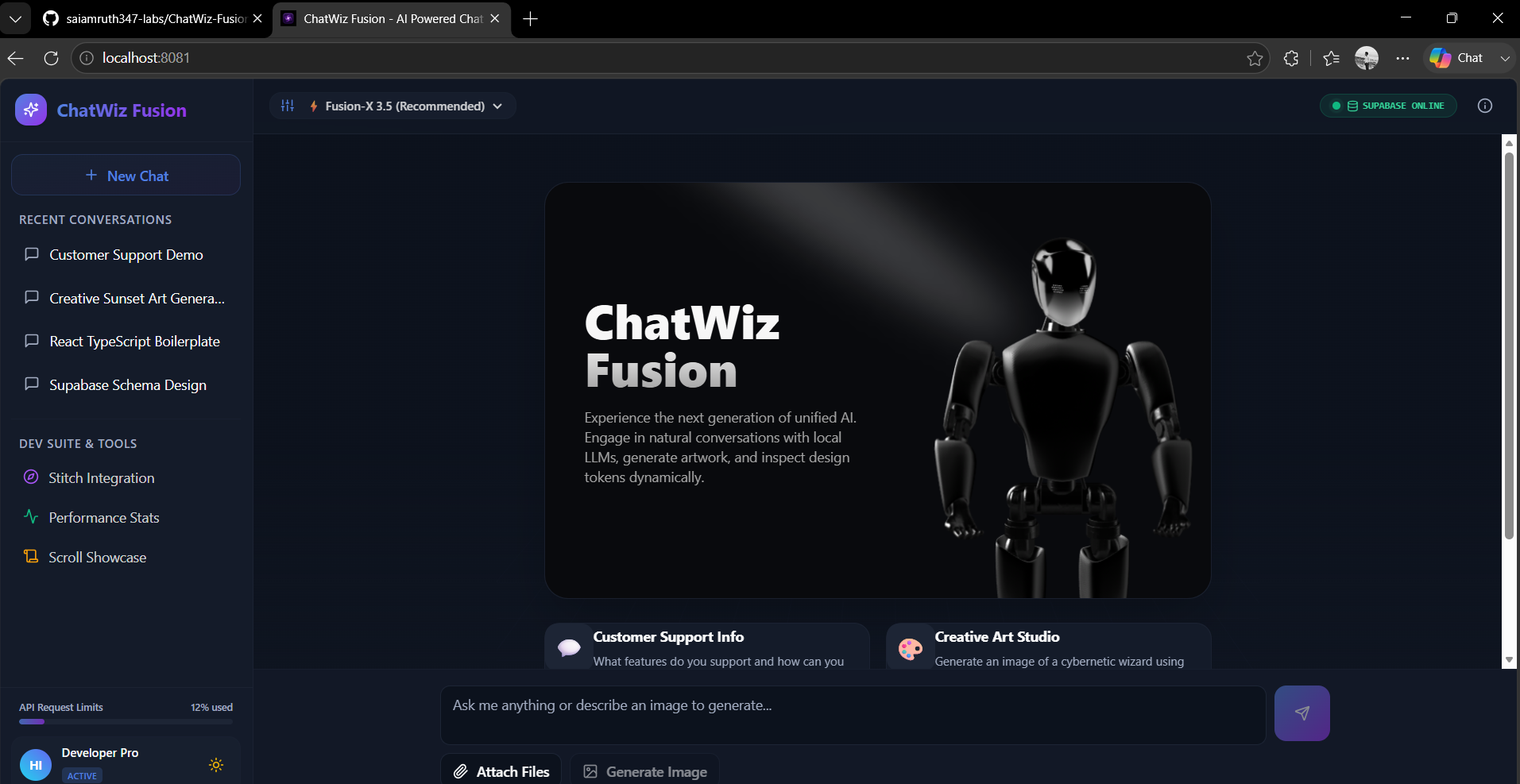
ChatWiz Fusion is a unified developer suite divided into four major hubs:
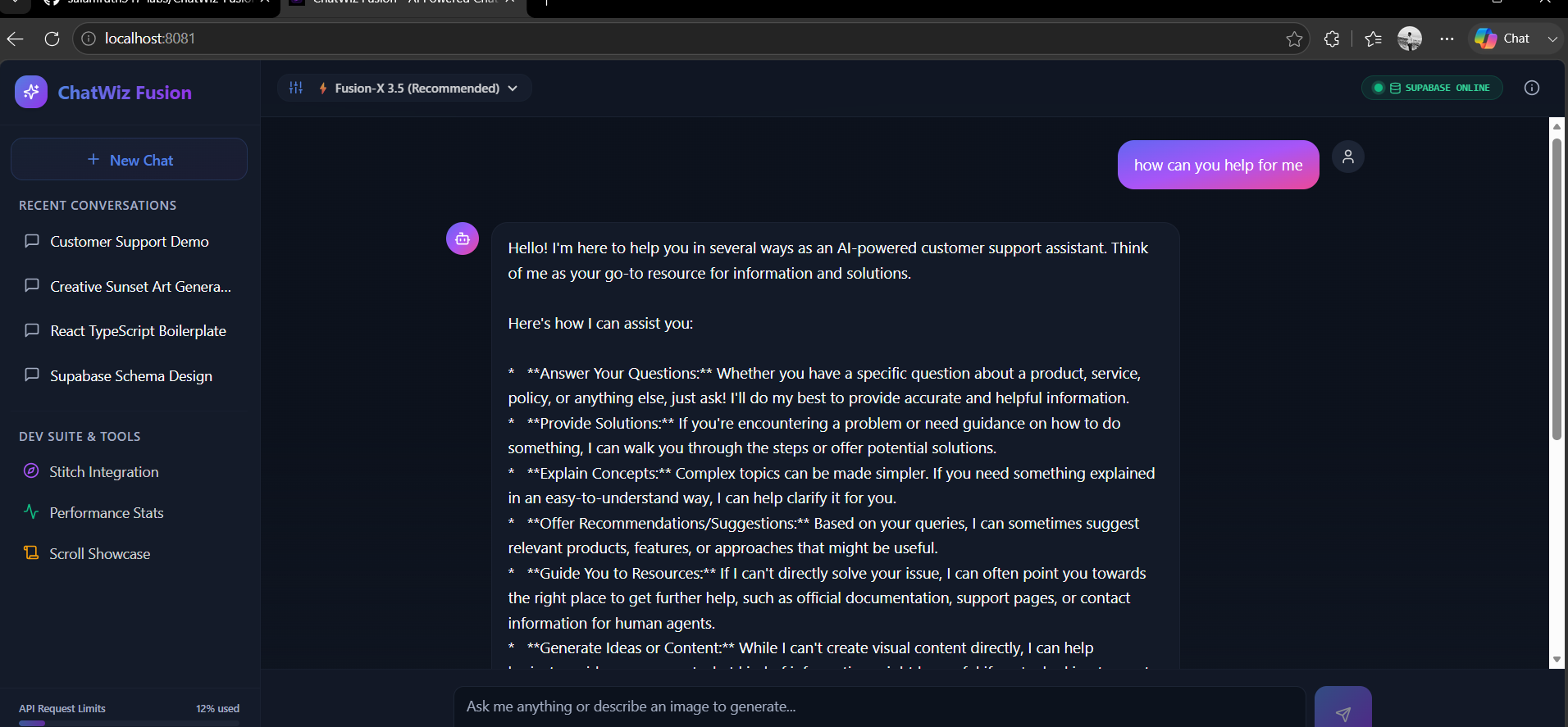
- Interactive AI Chat Hub: Features model selectors (e.g. Fusion-X, Vision-Multimodal, Creative-Art), real-time database connection indicators, customized code editor block formatting with instant copy tools, suggest cards with interactive 3D hover-depth tilt physics, and a gorgeous embedded interactive 3D Spline scene that rotates in real-time.
- Google Stitch MCP Panel: A dedicated local visualizer page that lets developers interface with local Stitch runs, pull active layout screens, preview UI elements, and extract ready-to-use React + Tailwind CSS code.
- AI Performance Stats Hub: A live telemetry command center featuring Recharts charts (AreaChart for token speed, PieChart for model utilization, BarChart for request load) along with a scrolling, live mock server request console.
- Scroll Showcase: A scroll-linked 3D perspective animation showcase using Aceternity-style viewport rotation.
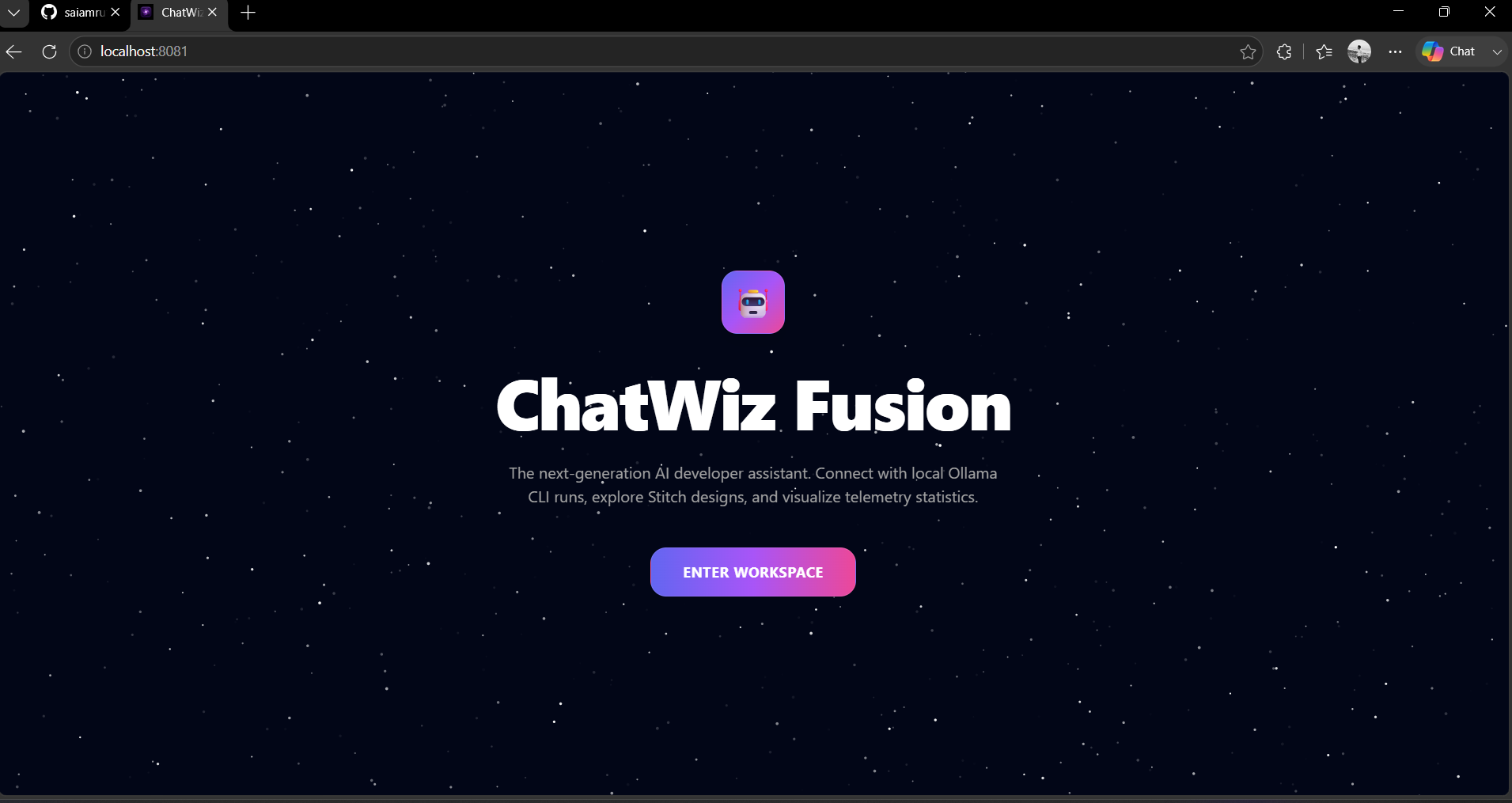
The entire app is wrapped behind an immersive Sparkles Core landing page with custom particle physics. Users land on a gorgeous dark-gradient screen, click "Enter Workspace", and transition smoothly into the developer dashboard.
How we built it
- Framework & Tooling: Built using Vite + React + TypeScript for lightning-fast hot-reloads and strict type safety.
- Styling & Components: Customized Shadcn UI components styled with Vanilla Tailwind CSS, utilizing custom HSL color tokens, dark mode gradients, and glassmorphic panels.
- Animations: Powered by Framer Motion for card tilts/transitions and tsParticles (v4) for the interactive background particles. We implemented a global single-instance
ParticlesProviderwrapper to optimize memory and performance. - 3D Assets: Embedded real-time interactive 3D assets using Spline Tool React wrapper (
@splinetool/react-spline). - Telemetry Charts: Powered by Recharts to display responsive, glowing stats.
Challenges we faced
- tsParticles Version 4 Migration: The template was designed for older versions of tsParticles that used
initParticlesEngine. Upgrading to version 4 caused compile errors because that method was deprecated. We resolved this by re-architecting the component to run a single globalParticlesProviderroot instance inApp.tsxand accessing the load status via theuseParticlesProvidercontext hook. - Asset Optimization: Building high-end 3D graphics in Vite required careful chunking and image preloading adjustments so that the page load time remained under 20 seconds.
- Perspective Mathematics: Fine-tuning the mathematical values for the 3D grid grids, hologram rings, and cursor pointer tilt coordinate multipliers so they felt responsive and smooth across both high-refresh desktop monitors and mobile touch displays.
What we learned
- How to manage multi-level provider wrappers (Themes, Query clients, and Particles engines) without introducing render blockages.
- The importance of keeping UI components structured strictly inside
src/components/ui/so that Shadcn and TypeScript path aliases (@/*) align flawlessly. - Techniques for mixing 3D canvas instances, heavy SVG-path charts, and scrolling logs in a unified, single-page application without dropping below 60fps.
What's next for ChatWiz Fusion
- Native Ollama Local Integration: Adding direct TCP sockets to let users switch and pull weights for Ollama models directly from the chat prompt.
- Stitch Live Hot-Reloading: Syncing modifications made in the Stitch preview panel back to the source codebase in real-time.
- Shared Workspace Collaboration: Letting multiple developers connect to the same stats telemetry and chat server simultaneously.
Built With
- framer-motion
- lucide-react
- radix
- react
- recharts
- spline
- tailwind-css
- tsparticles-(v4)
- typescript
- vite


Log in or sign up for Devpost to join the conversation.