-
-
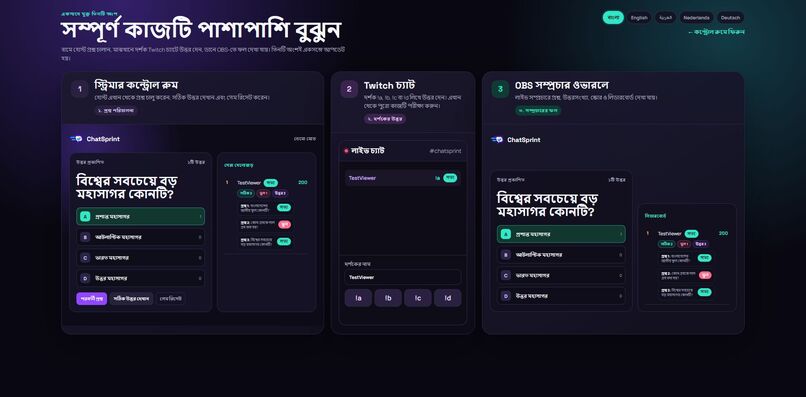
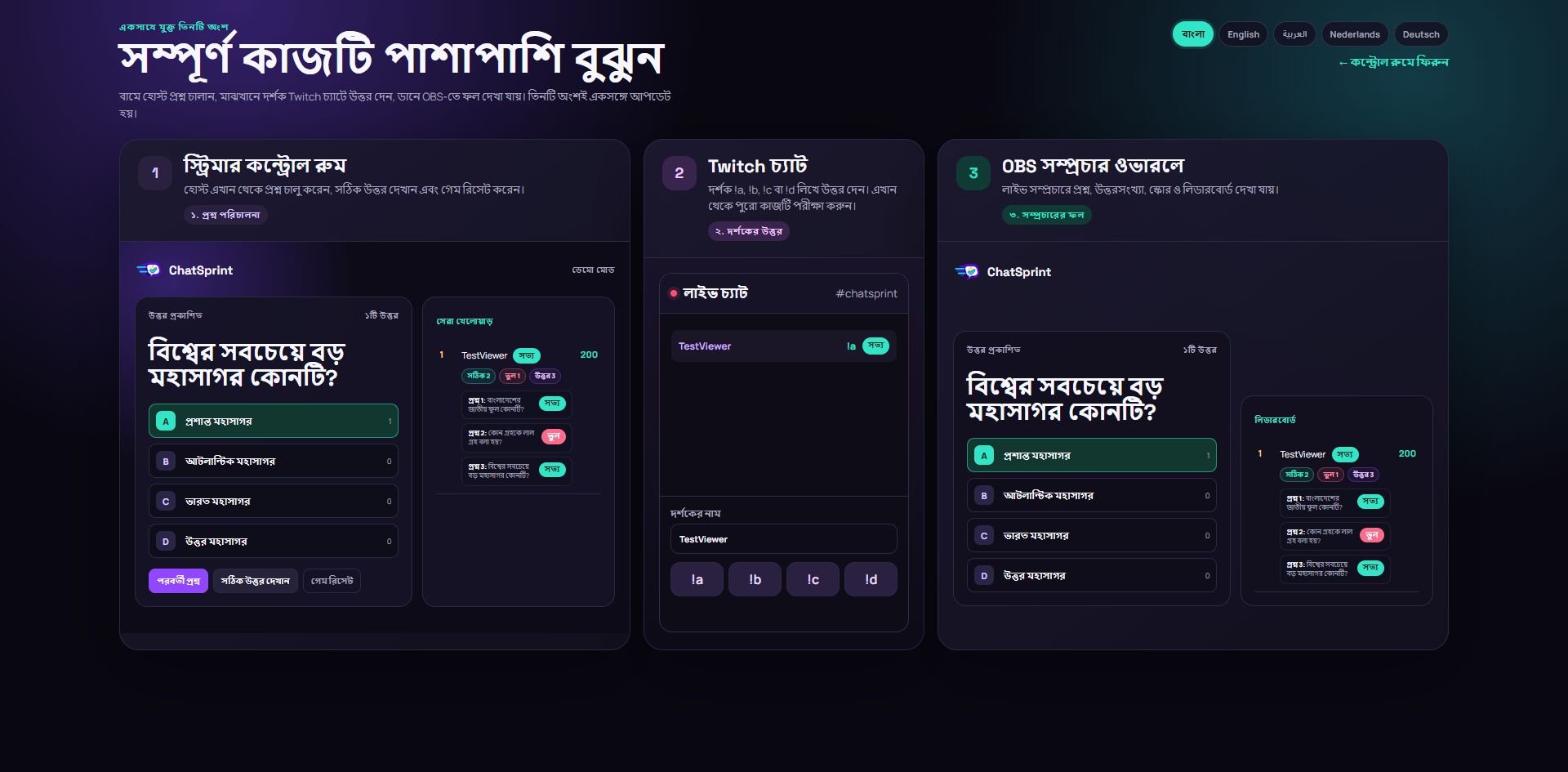
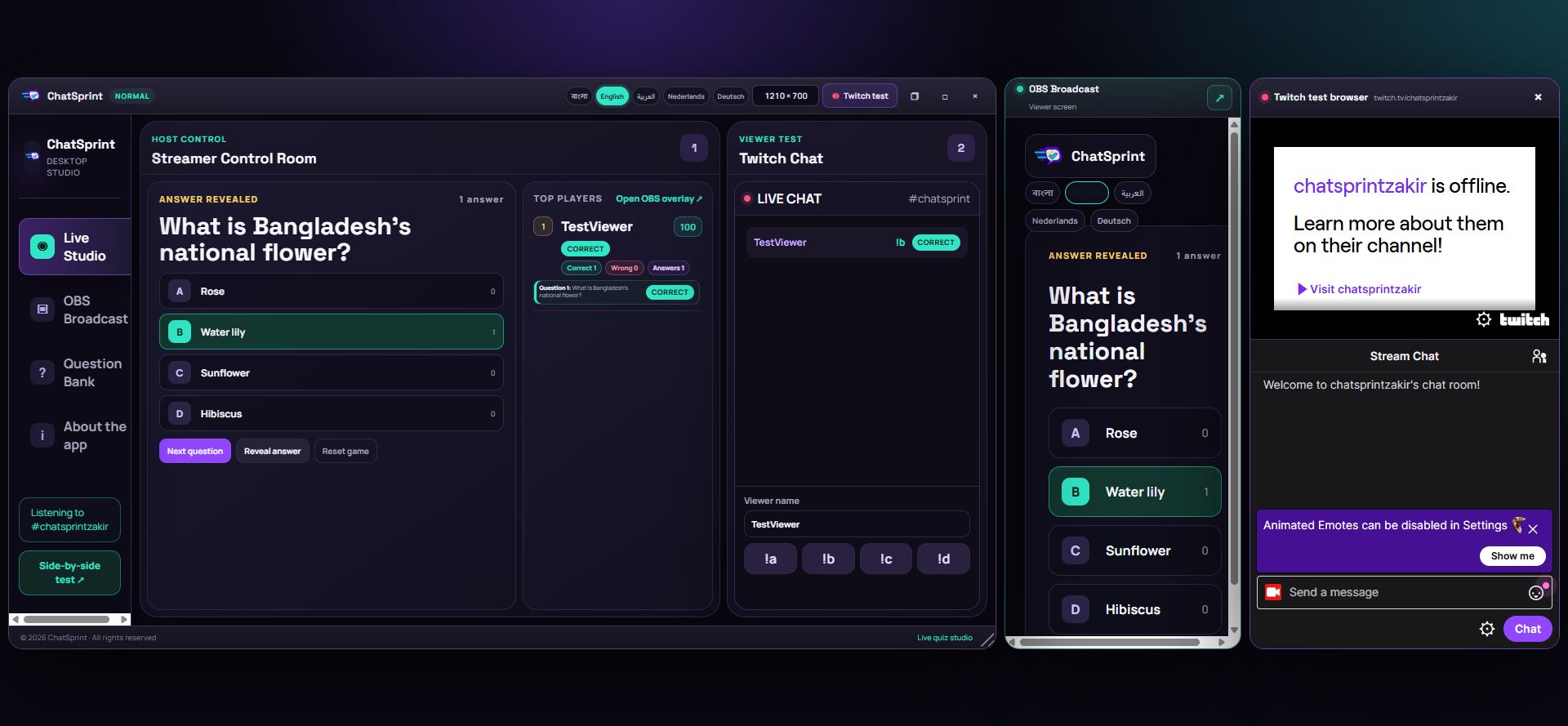
Correct and wrong answers with per-question history and the live leaderboard.
-
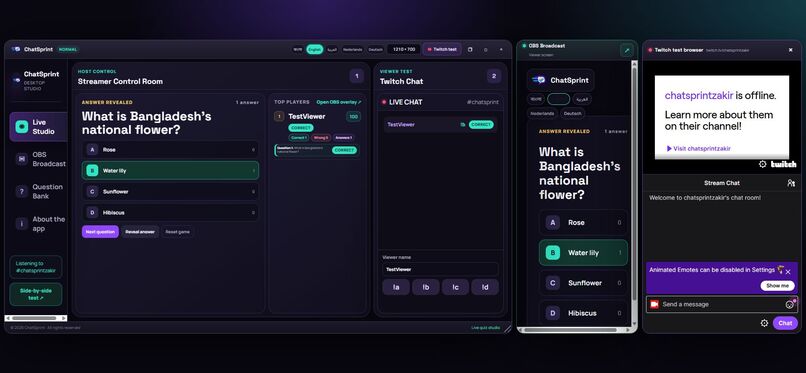
Live Twitch chat, streamer control room and OBS overlay running side by side.
-
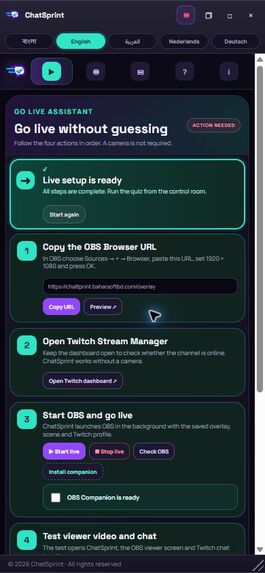
Responsive mobile layout for running and following the quiz on smaller screens.
Inspiration
The best livestreams feel like a shared event, but many audience-participation tools force viewers to open another site and streamers to manage disconnected windows. We wanted a game that works in the Twitch chat viewers already use and gives the streamer one clear place to run the show.
What it does
ChatSprint is a real-time multilingual quiz studio for Twitch. The host launches a multiple-choice question and viewers answer directly in Twitch chat with A, B, C, or D, with or without !. ChatSprint accepts each viewer's first answer per question, reveals correct or wrong verdicts, awards points and streak bonuses, and synchronizes the question, counts, results, and leaderboard to an OBS browser overlay.
Features include:
- Real Twitch EventSub chat participation for any signed-in viewer
- One answer per viewer per question
- Correct/wrong verdicts, scores, streaks, question history, and totals for questions, answers, unanswered rounds, correct, and wrong
- Independent auto-reveal and auto-next timers, plus full manual control
- Searchable question bank with add, edit, and delete
- Automatic language handling for questions
- Bangla, English, Arabic, Dutch, and German interface controls
- Responsive desktop and mobile layouts, including a compact three-panel live test view
- Embedded Twitch player/chat with OBS preview and a built-in viewer simulator for judges
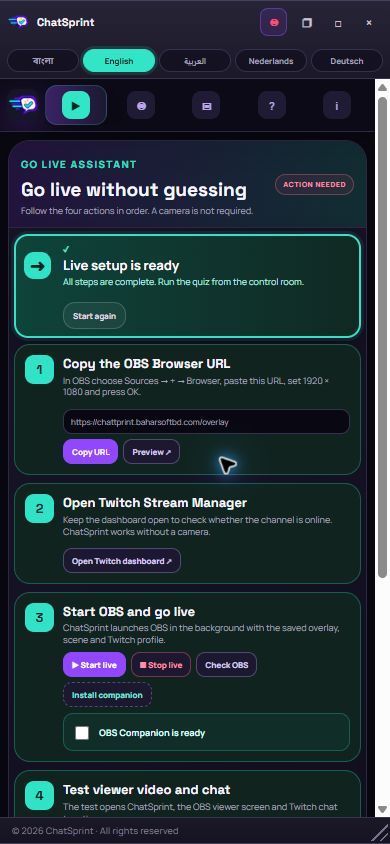
- Guided Twitch/OBS go-live setup with automatic readiness checks
- Optional Windows OBS Companion for one-click scene configuration and streaming control
- Camera-free operation: the quiz itself is the broadcast content
- Demo mode that exercises the complete scoring flow without Twitch credentials
- Reset and state synchronization across the control room, Twitch test view, and OBS output
How we built it
The Node.js server owns the quiz state, accepts host actions, validates Twitch chat events, and persists the question bank as JSON. Twitch integration uses the Helix API plus EventSub WebSockets with the channel.chat.message subscription. The browser client uses versioned short polling so the control room and OBS overlay stay synchronized and recover reliably on shared hosting.
The quiz engine enforces one answer per viewer, hides the correct option until reveal, records per-question verdict history, calculates streak bonuses, and publishes compact state for every view. The interface uses responsive HTML, CSS, and vanilla JavaScript. Automated Node tests cover 19 core behaviors.
How we used Codex
Codex was our primary build collaborator throughout the project. We used it to turn the initial product idea into a working state machine, implement and debug Twitch EventSub chat, build the OBS overlay and Windows companion, design the multilingual responsive UI, add question management and automatic language handling, create the automated test suite, deploy to cPanel, and run repeated live QA across the control room, Twitch chat, and OBS.
Codex also helped diagnose subtle live-state problems: preserving the configured correct answer after a viewer chooses another option, synchronizing reset across every screen, preventing stale browser cache from masking releases, and making automatic timers fire exactly once per round.
Primary Codex Session ID: 01a16deb-13cf-7051-946e-daaf110204e0
Challenges
The hardest part was synchronizing three experiences: the streamer's controls, real Twitch chat, and OBS output. Shared hosting made long-lived browser event streams unreliable, so we moved browser synchronization to versioned short polling while keeping Twitch itself on EventSub WebSockets. Keeping the control room readable beside Twitch and OBS previews also required careful responsive layouts and compact status components.
Accomplishments
- Real Twitch EventSub chat participation works live
- The correct answer stays private until reveal
- Every viewer receives per-question correct/wrong history and a cumulative score
- Two optional timers can run an entire quiz after the first question starts
- Streamers can manage multilingual questions without restarting or manually switching UI language
- OBS overlay, embedded Twitch test browser, and host controls can be tested together
- Judges can exercise the complete scoring flow without credentials
- Nineteen automated tests pass
What we learned
A live-stream tool needs more than correct business logic: every state change must be obvious to the host, safe to show on stream, recoverable after refresh, and testable without complicated setup. We also learned how Twitch EventSub identity and chat scopes fit together and how to design a browser-source UI that remains legible at broadcast resolution.
What's next
- Cloud-hosted question packs and community sharing
- Team-vs-team rounds and tournament brackets
- More streamer-controlled animation and sound themes
- Moderation roles and channel-point powered game actions
- Participation, retention, and question-difficulty analytics
Try it
- Live app: https://chattprint.baharsoftbd.com/
- OBS overlay: https://chattprint.baharsoftbd.com/overlay
- Twitch channel: https://www.twitch.tv/chatsprintzakir
- Demo video: https://youtu.be/8cbPZmnKqcE
Built With
- .net
- c#
- css3
- html5
- javascript
- node.js
- obs-browser-source
- obs-websocket
- openai-codex
- twitch-eventsub
- twitch-helix-api
- websockets

Log in or sign up for Devpost to join the conversation.