Inspiration
We stream on Twitch and play a lot of MMOs. In-game chat has personality, whether it's a gold-trimmed guild window, a classic RPG dialog box or the blocky chat of a sandbox game.
Our stream overlay looked like everyone else's. We wanted our Twitch chat to feel like part of the game we were playing.
We also wanted setup to be easy. A lot of streamers aren't technical, and customizing an overlay shouldn't require learning how to code. The goal was simple: pick a look, make it yours, paste one link into OBS.
What it does
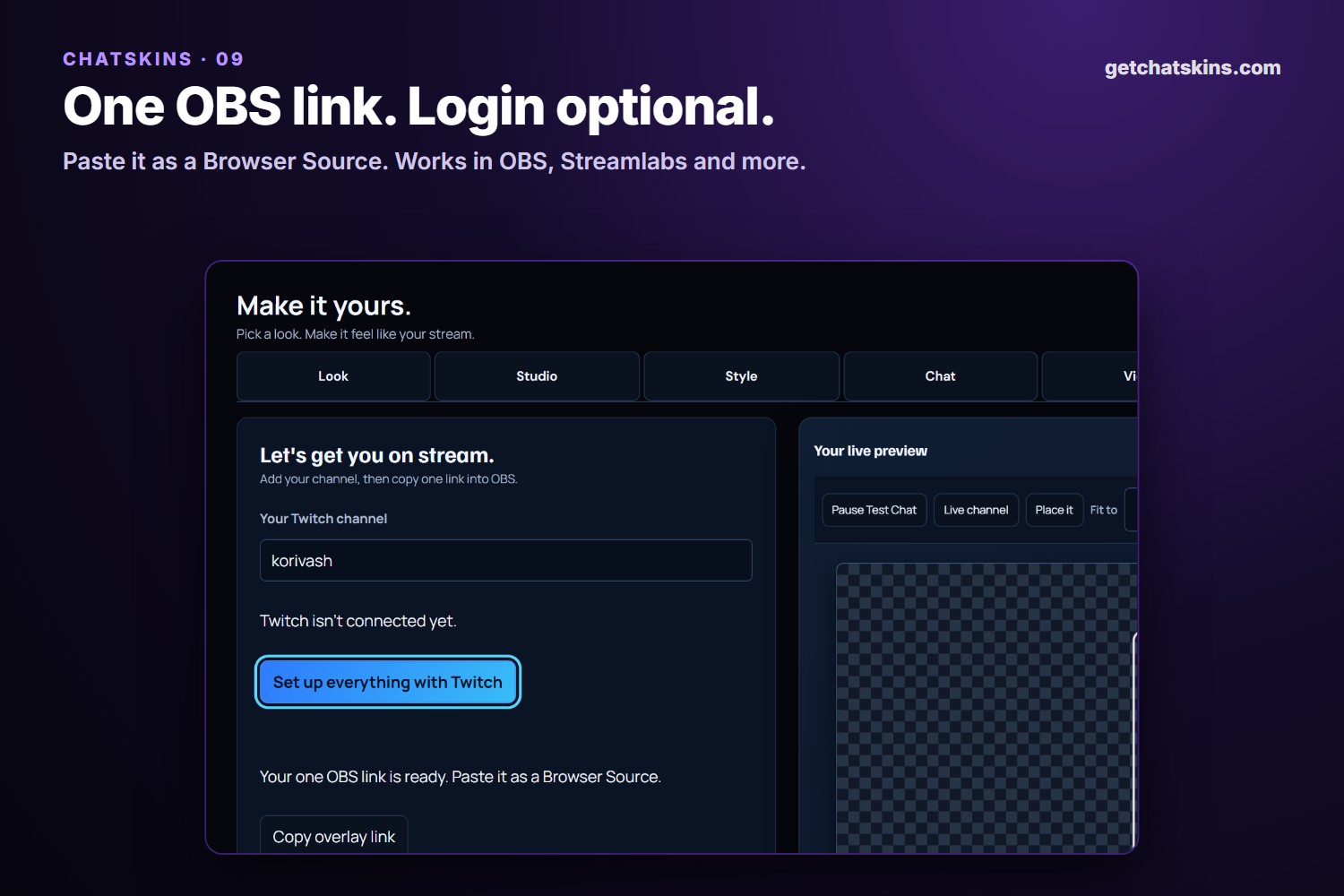
ChatSkins is a free, browser-based editor for Twitch chat overlays at getchatskins.com. Login is optional: basic chat only needs your channel name.
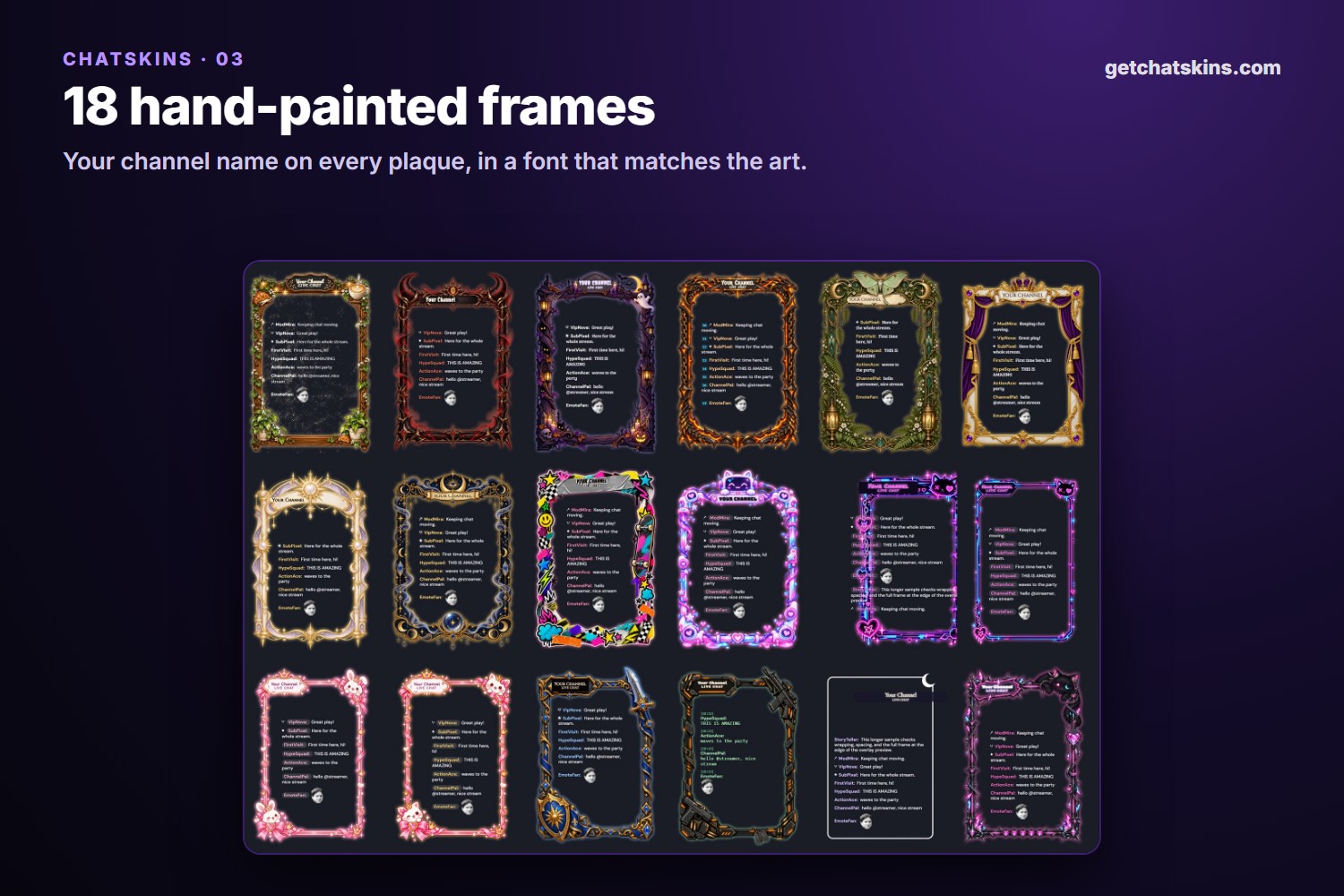
- 82 looks to start from: 24 game-inspired skins (Guild Chat, Retro RPG Dialog Box, Block Craft, Space Command…), 18 hand-painted frames, 12 illustrated skins, 12 animated skins (Aurora, Electric Storm, Starfall…) and more.
- Hand-painted frames with your name on them: your channel name sits on the frame's plaque in a font that matches the art. You can recolor the frame, add glow, and set the background behind chat.
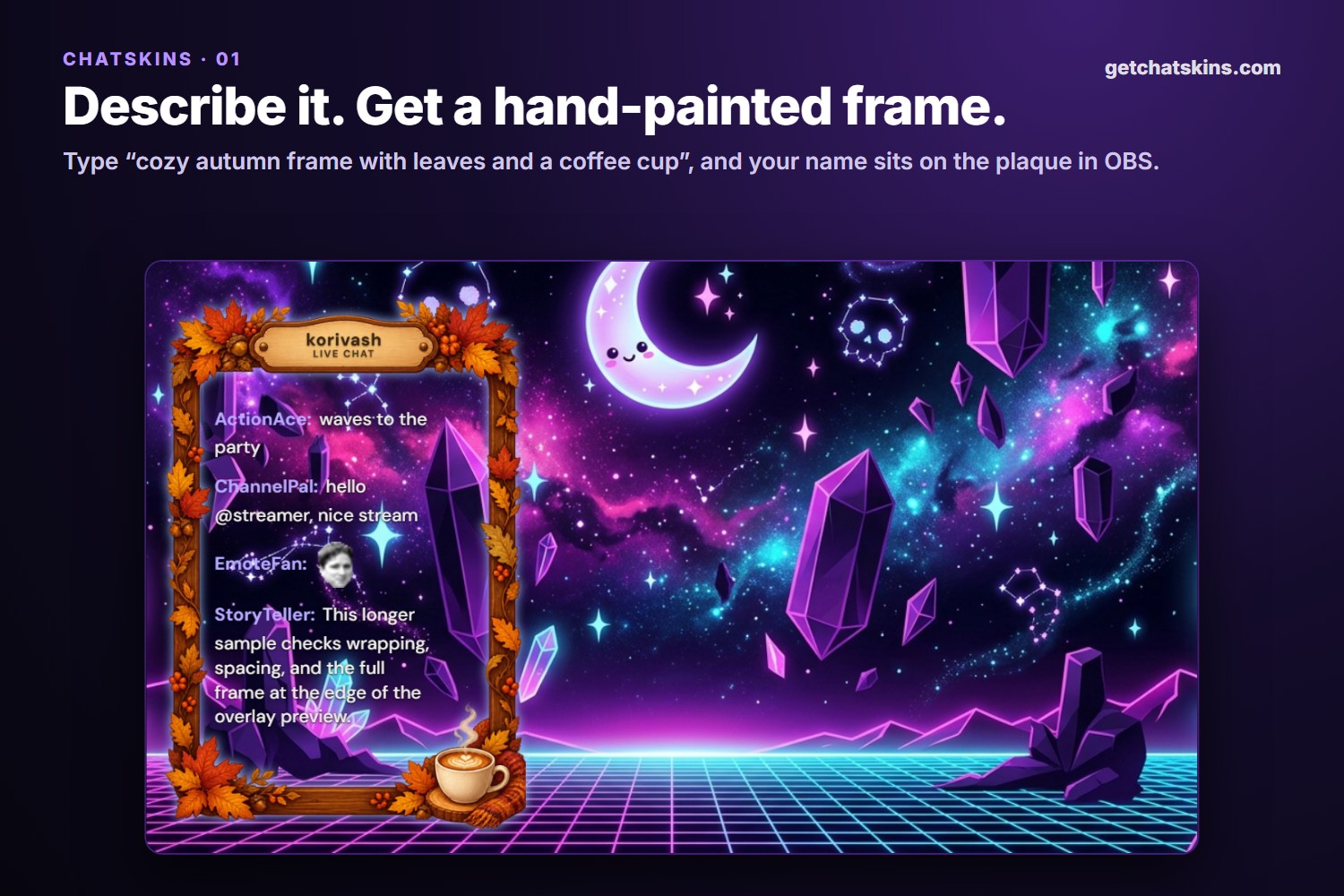
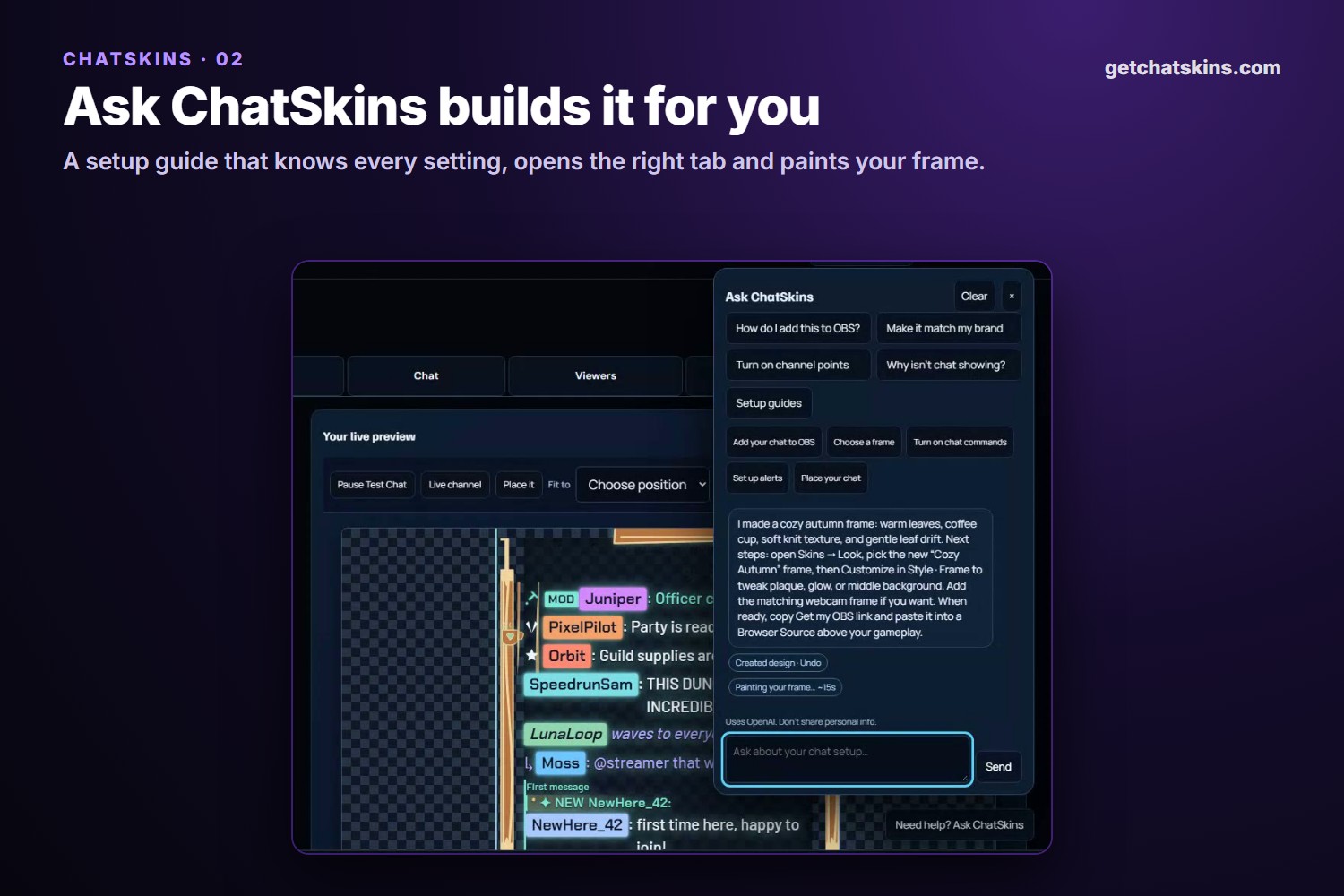
- Describe it, get it: type something like "cozy autumn frame with leaves and a coffee cup". A preview appears right away, and about 15 seconds later you get a frame painted just for you, with your name on the plaque and chat fitted inside. It's yours instantly and travels in your OBS link.
- Ask ChatSkins: a built-in guide that knows every setting. It opens the right tab, walks you through OBS, channel points and alerts, and can apply a style for you.
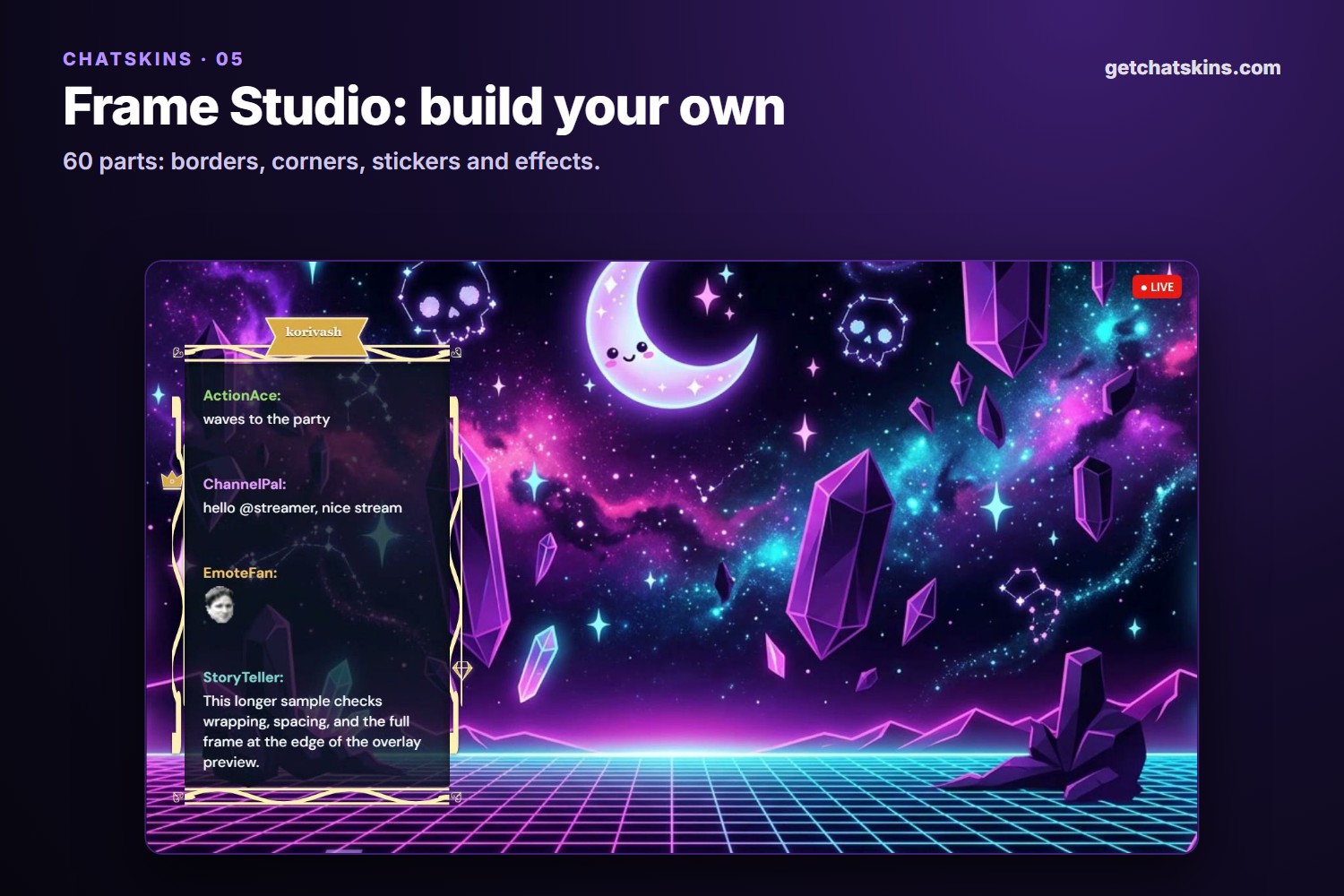
- Frame Studio: build your own frame from 60 parts (borders, corners, stickers and effects).
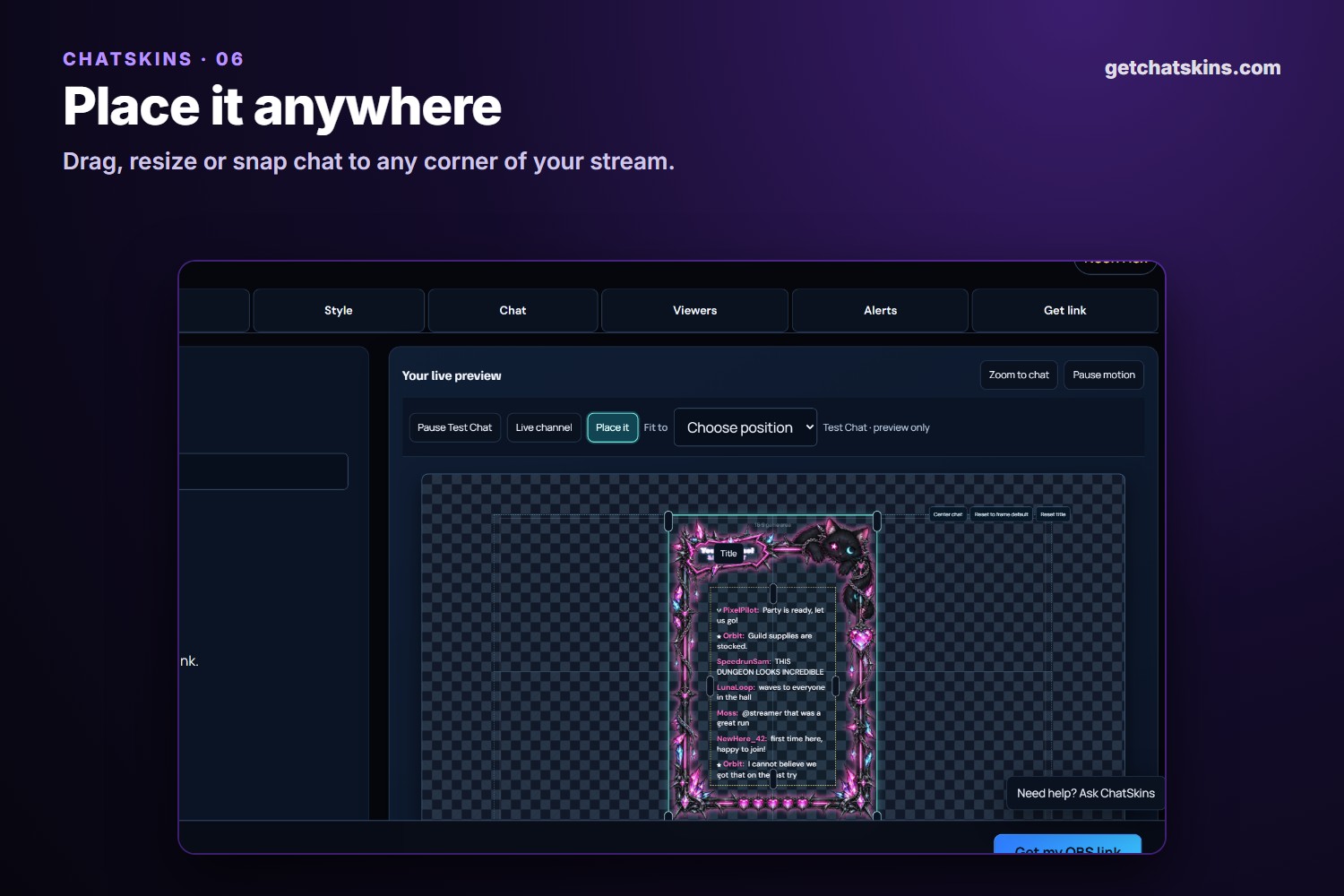
- Place it: drag, resize or snap the chat anywhere on your stream.
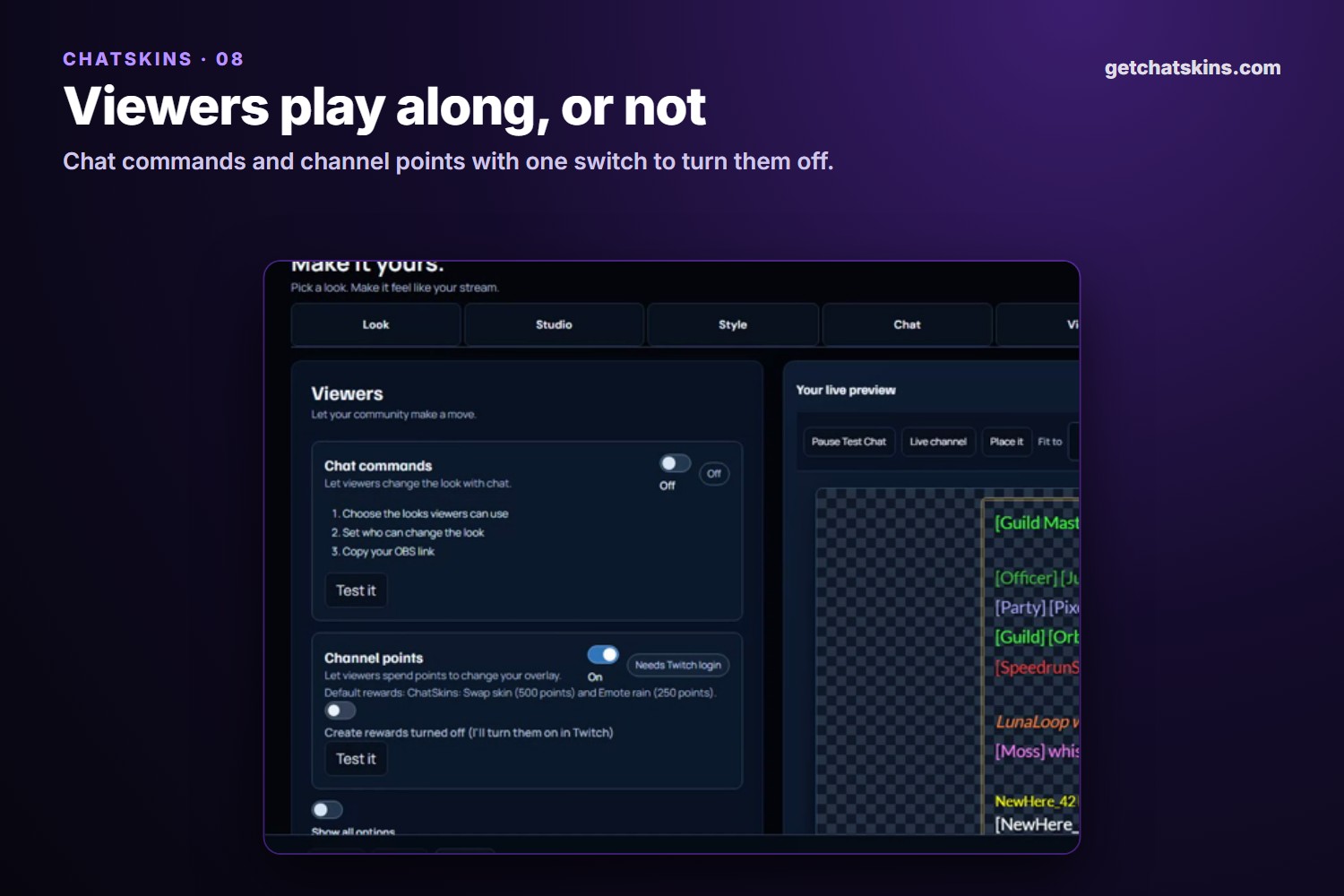
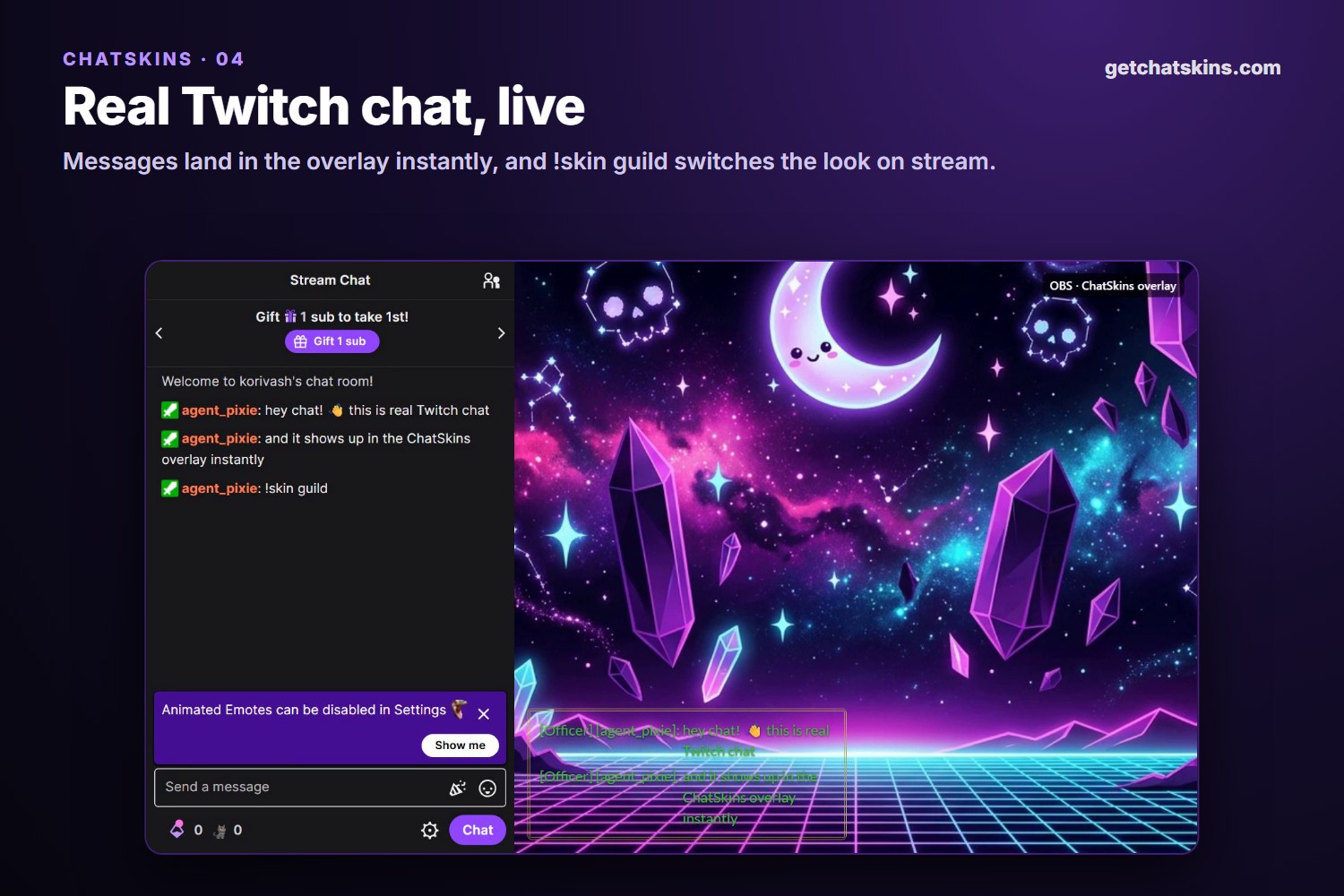
- Chat your viewers can play with: !skin guild switches the overlay live, !skinvote starts an on-screen vote, and channel point rewards can trigger effects like emote rain. The streamer decides what's allowed, and one switch turns chat commands off.
- Matching alerts: follows, subs, gifted subs, cheers and raids are styled to match your skin.
- Emotes: Twitch, 7TV, BTTV and FFZ.
- Works everywhere: OBS, Streamlabs and any app with browser sources. Backgrounds are transparent by default.
How we built it
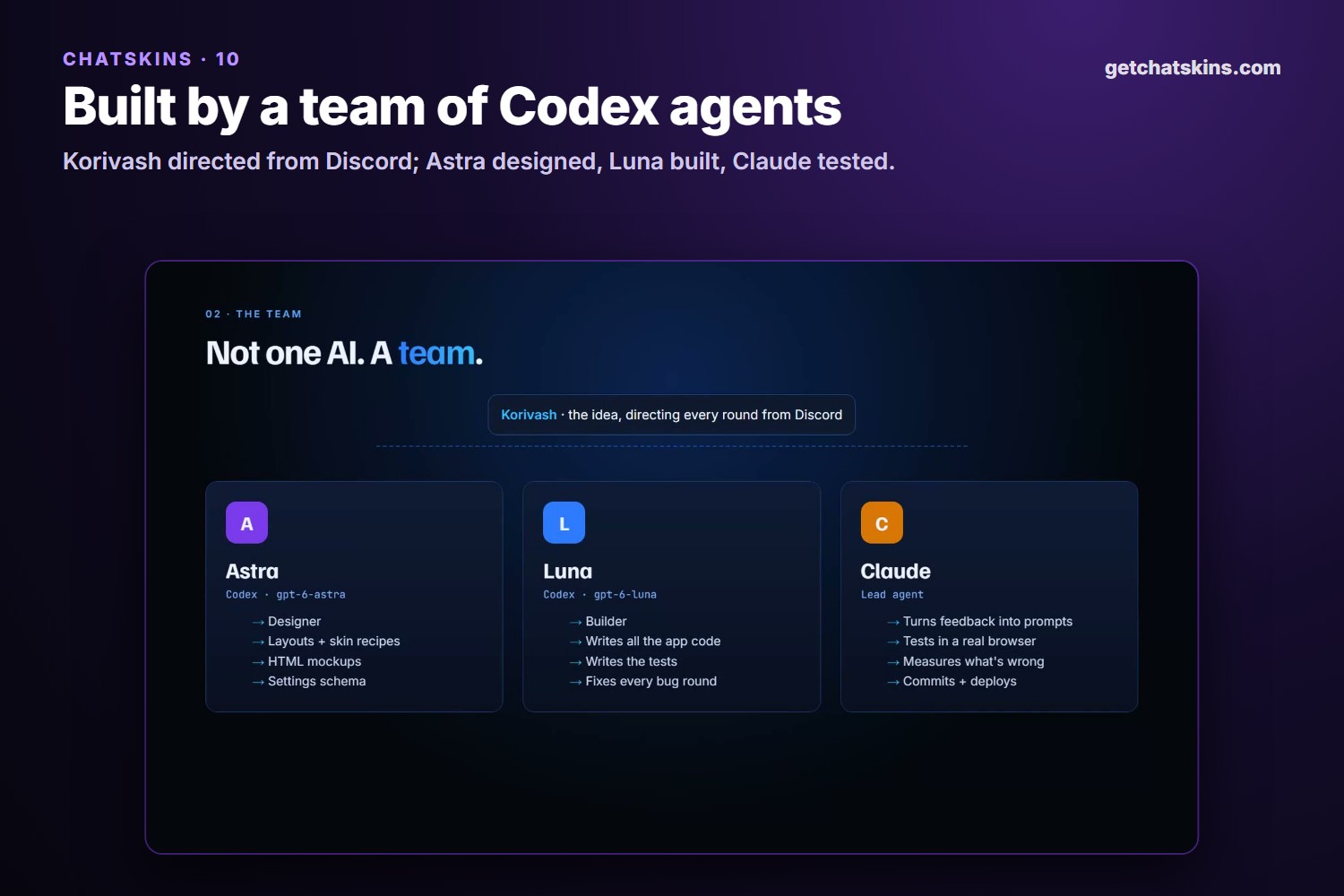
Korivash came up with the idea and directed every round from Discord: what to build next, what looked wrong, what to cut. OpenAI Codex did the building, with a small team of agents that each had one job:
- Astra (designer, gpt-6-astra) turned ideas, research and bug reports into layouts, skin recipes, the settings schema and mockups.
- Luna (builder, gpt-6-luna) wrote all the app code and the tests, in one long-running build thread so it kept the whole project in mind.
- Luna (researcher, gpt-6-luna with web search) surveyed the most popular Twitch chat overlays before the big redesign.
- Claude (lead agent) turned Korivash's feedback into prompts, tested every build in a real browser, measured what was wrong, and shipped each update.
The loop never changed: design → build → test → measure → fix. Every task is one prompt file in the repo (117 of them), and every Codex session ID is logged next to its prompt and its commit. That's 40 Codex sessions, 260+ commits and 75 test files.
The AI features use the OpenAI API. The setup guide and the "describe your chat" helper run on a small, fast model. The painted frames come from OpenAI image generation with a transparent background. The server then measures the painted window and the name plaque, so chat lands in exactly the right spot.
Your settings live inside your overlay link, so basic use needs no account. Older links keep working as new options are added.
Challenges we ran into
- Fitting chat inside painted art. Every painted frame has a different window. Guessing the inner window by eye was always a little off, so we built a measuring tool that finds the largest empty area in each frame and the exact spot for the plaque. Chat still overlapped or spilled out in a few cases: web fonts loading late, rows rounding to whole pixels, and preview scaling all had to be handled before messages fit at any text size.
- Making AI frames actually usable. The first AI frames were assembled from parts and didn't look good. Switching to painted images raised new problems: the center had to come out see-through (we check it and repaint once if it doesn't), and the window and plaque had to be measured automatically for every new image.
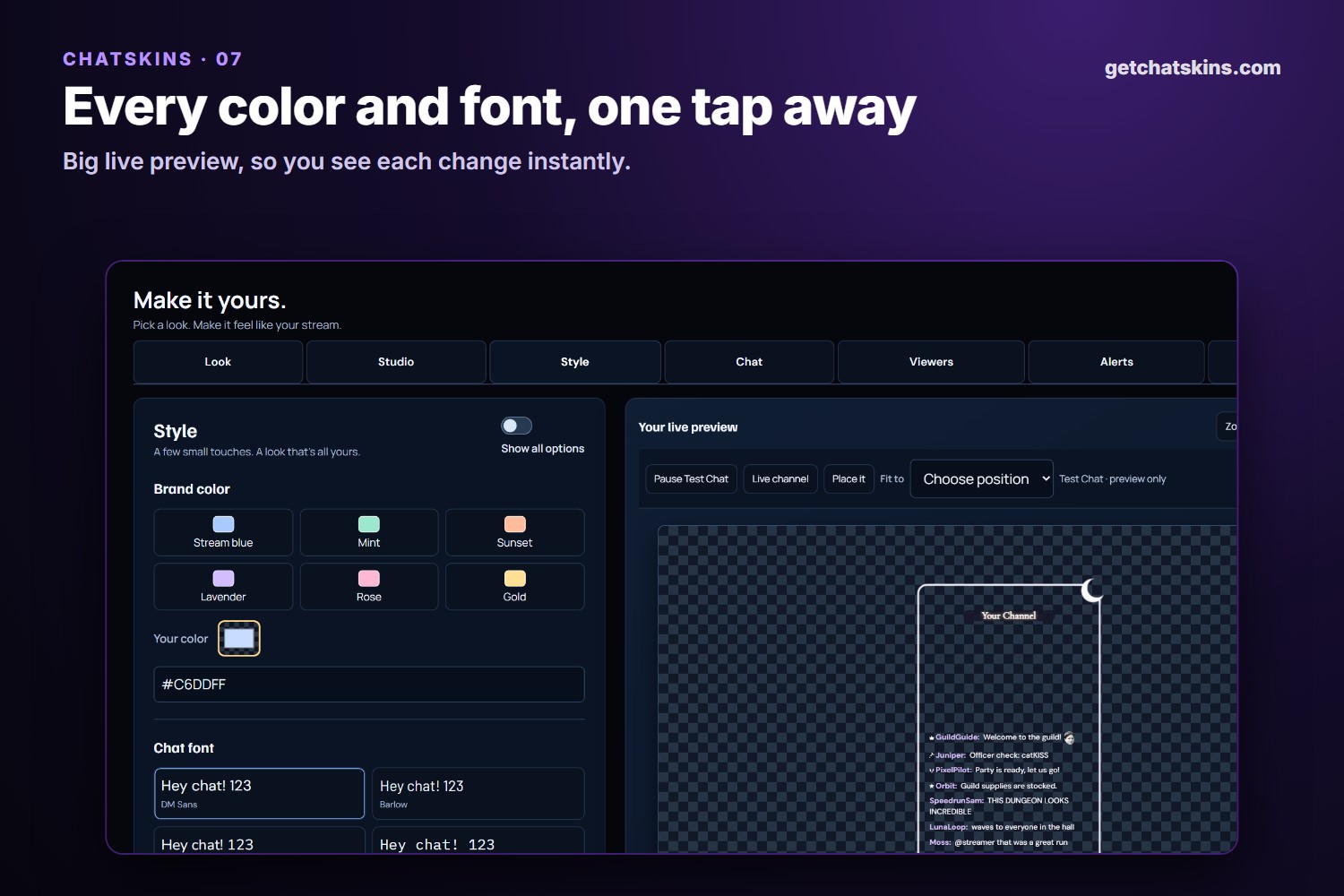
- Keeping it simple. Every feature we added made the menu harder to read. We redesigned the options twice. The end result is short tabs (Look, Studio, Style, Chat, Viewers, Alerts, Get link), a "Show all options" switch for power users, and one-click setup for channel points.
- Real Twitch, not just test chat. Channel points, alerts and chat commands had to work on a live channel, so we tested with a real moderator bot in our own chat.
- Caching. A missing image type on our server got cached by our CDN as "not found", so frames vanished for some visitors. Version-tagging every asset URL fixed it for good.
- Safety. The guide is not allowed to reveal API keys, tokens, logs or code. Painting has daily limits, and designs only reach the public gallery after review.
Accomplishments that we're proud of
- A streamer can go from "cozy autumn, leaves, a coffee cup" to a painted, named frame in their OBS in under a minute.
- A team of Codex agents built it with clear roles, and every step can be traced from prompt to session to commit.
- It's genuinely easy: one link, login optional, and a guide that answers questions.
What we learned
- Measure, don't guess. The biggest jumps in quality came from rendering every skin through the real overlay and measuring it, not from eyeballing screenshots.
- One prompt per task. Small, written-down tasks made the agents far more reliable than long conversations, and made every change easy to review.
- Give each agent one job. Keeping design (Astra) separate from building (Luna) gave us better designs and cleaner code than one agent doing everything.
- Streamers want "one click and go." Every setting we made simpler got used more.
What's next for ChatSkins
More frames and illustrated skins, a public gallery of community-made designs, and more of the guided setup that makes ChatSkins easy for streamers who aren't technical.


Log in or sign up for Devpost to join the conversation.