-
-
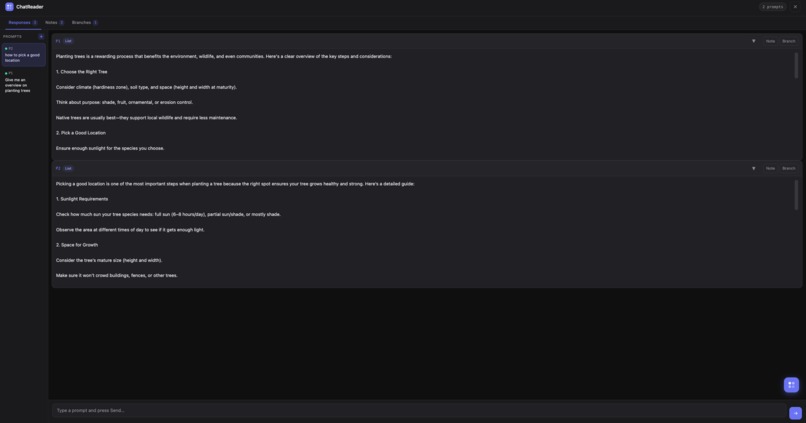
Response Tab
-
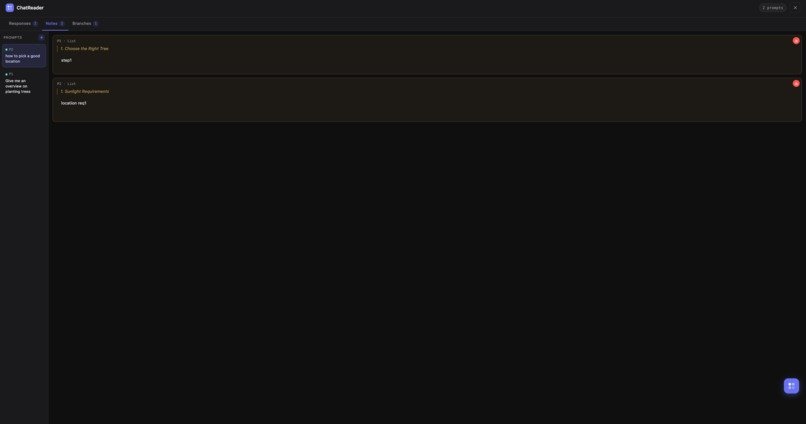
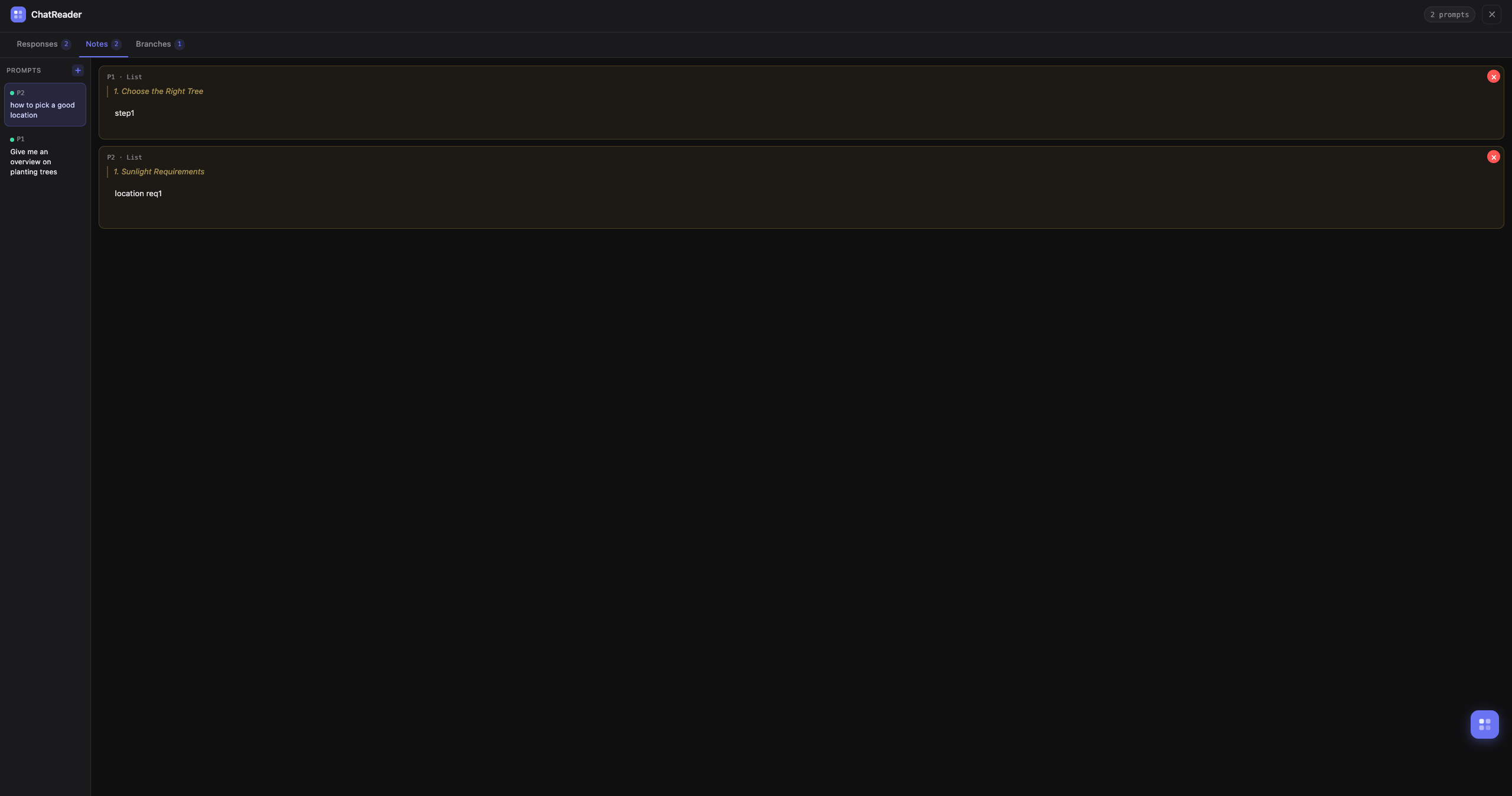
Notes Tab
-
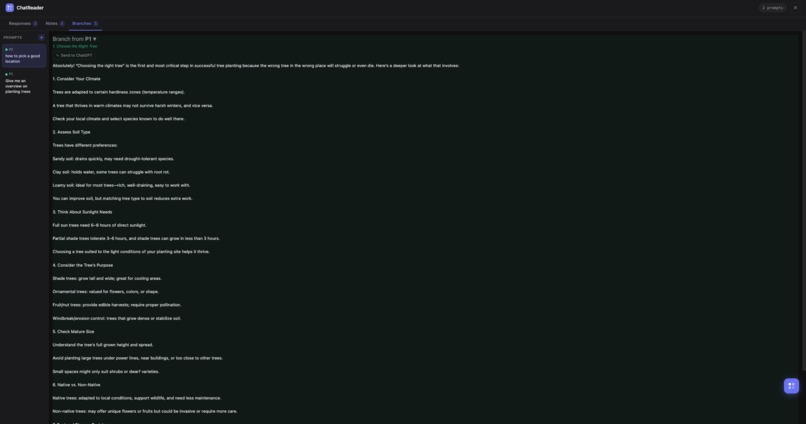
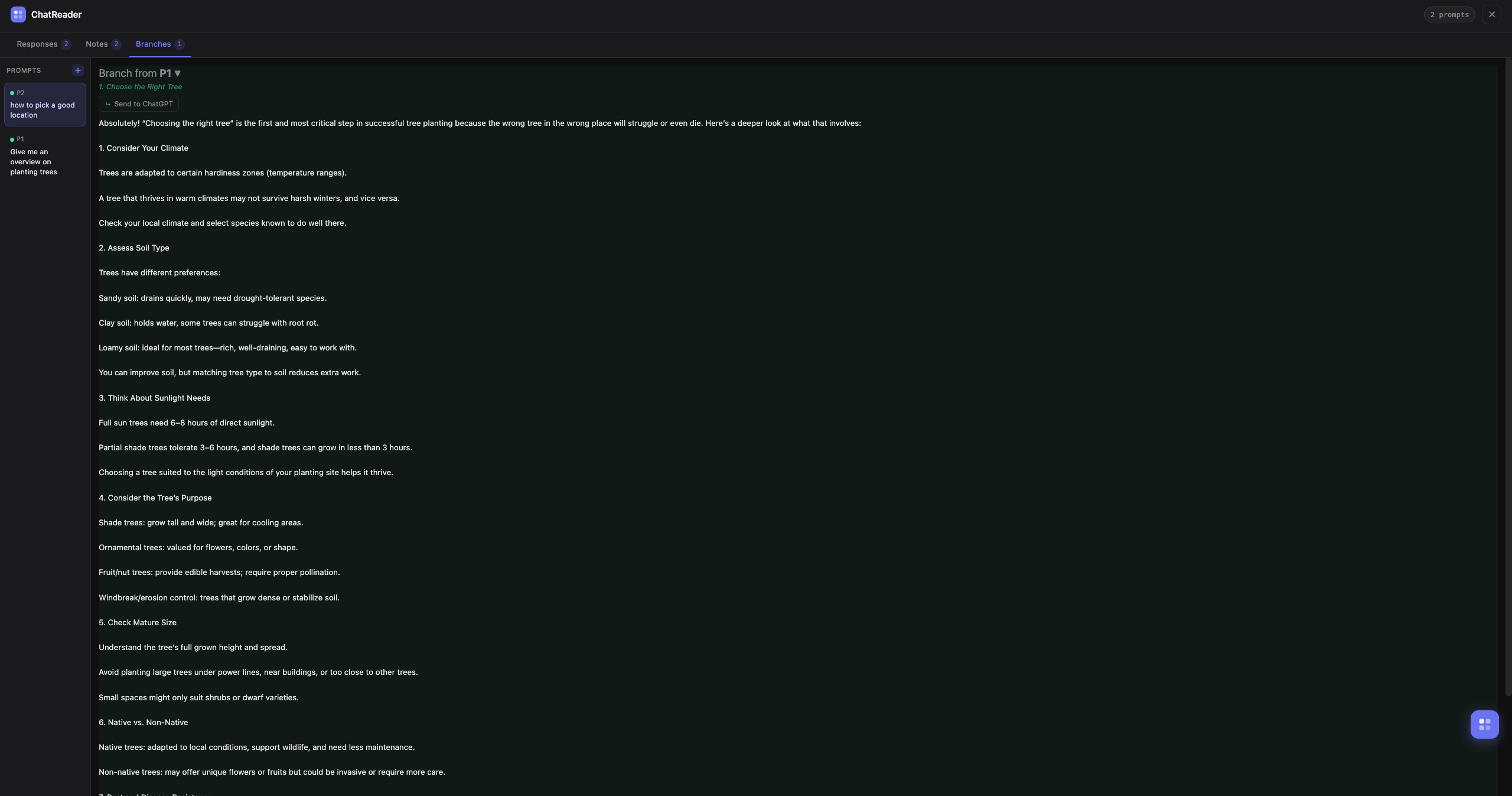
Branch Tab
Inspiration
AI conversations are powerful but usually with a linear format. When exploring ideas, it’s easy to lose track of insights, follow-up questions, or interesting directions within long chats. We wanted to make interacting with AI feel more like working in a research workspace rather than scrolling through a long conversation.
What it does
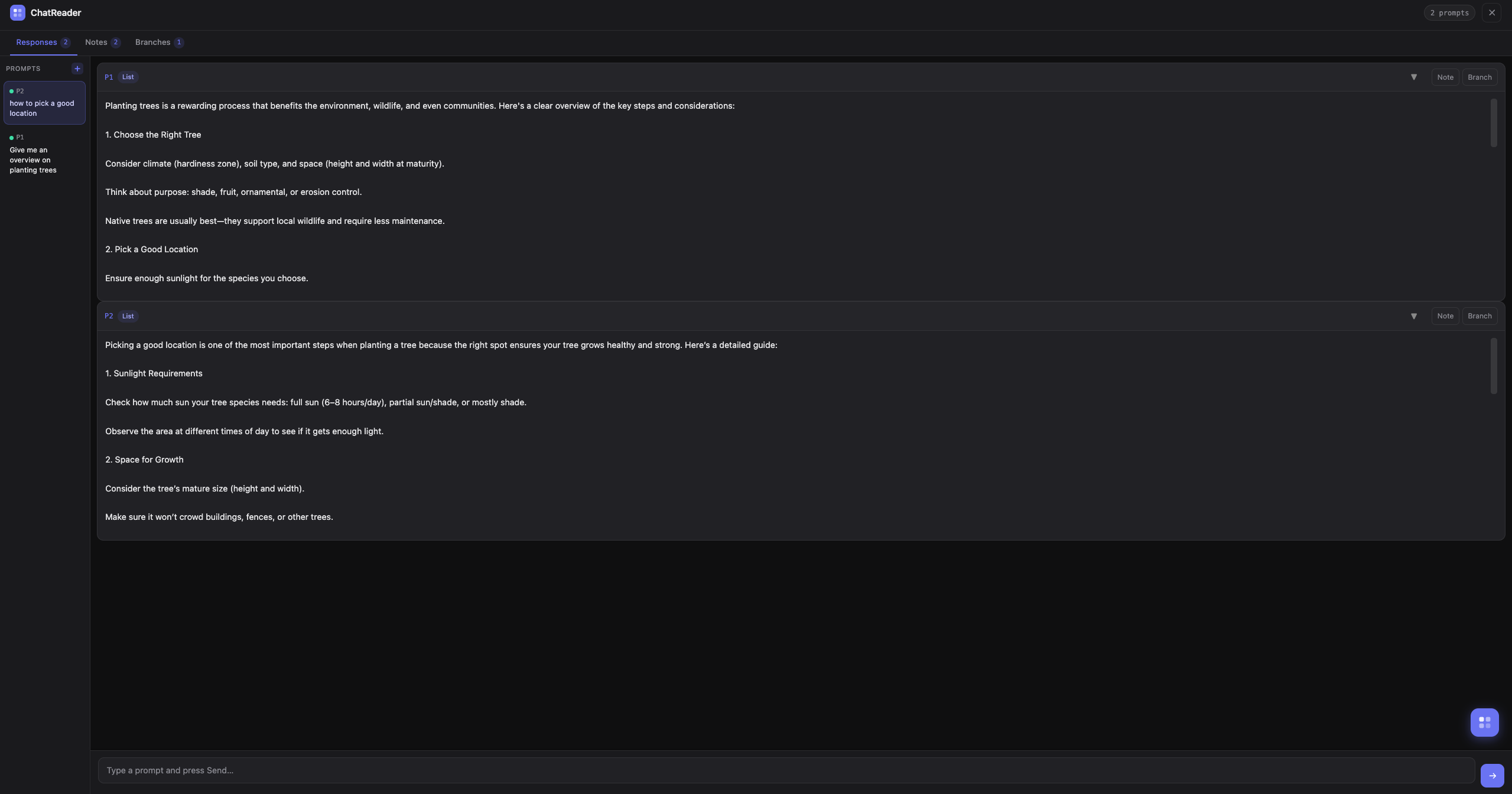
ChatReader turns AI chats into a structured workspace. Users can send multiple prompts, annotate responses, and create branching threads to explore ideas more deeply. It helps students, researchers, developers, and curious minds organize AI-generated knowledge more effectively.
How I built it
I built ChatReader as a Chrome web extension using JavaScript, HTML, and CSS with the help of AI tools like Claude Sonnet 4.6, GPT 4, Copilot. The extension injects a custom interface into the ChatGPT webpage and interacts with the page’s DOM to send prompts and capture responses. It's implemented with state management for prompts, notes, and branches, along with dynamic UI components for organizing conversations and displaying AI responses in a structured format.
Challenges I ran into
One challenge was deciding how branches should work. While it’s useful for users to have the same features on branch responses as new prompts, it was tricky to maintain the original context when branching. In the end, branch responses don’t include note or branch functionality to keep things simple.
Accomplishments that I'm proud of
I’m proud of creating a tool that turns linear AI chats into an interactive, structured workspace. It allows users to explore ideas, save insights, and revisit conversations in a more organized way than standard chat interfaces.
What I learned
I learned how to design a user-friendly interface that supports branching ideas and annotations while keeping the conversation readable. It also helped me to develop my Javascript and knowledge about DOM manipulation.
What's next for ChatReader
In the future, I’d like to add persistent storage so users can save their conversations and notes across sessions. We also want to improve the visualization of conversation branches, add search and tagging features, and potentially integrate with external tools like note-taking apps or knowledge management systems.

Log in or sign up for Devpost to join the conversation.