-
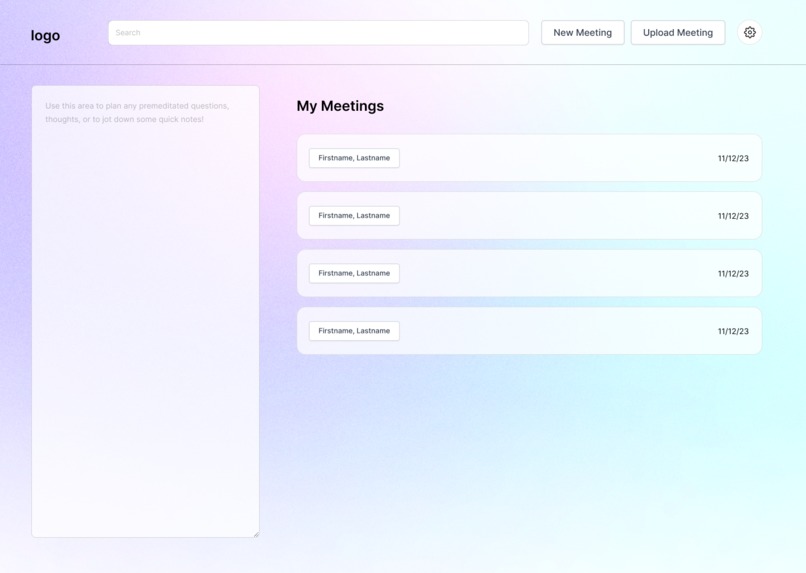
Dashboard
-
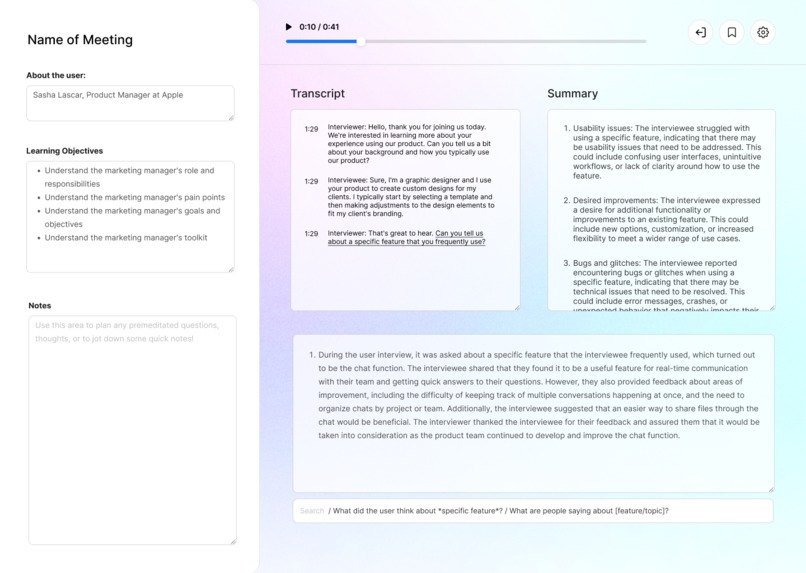
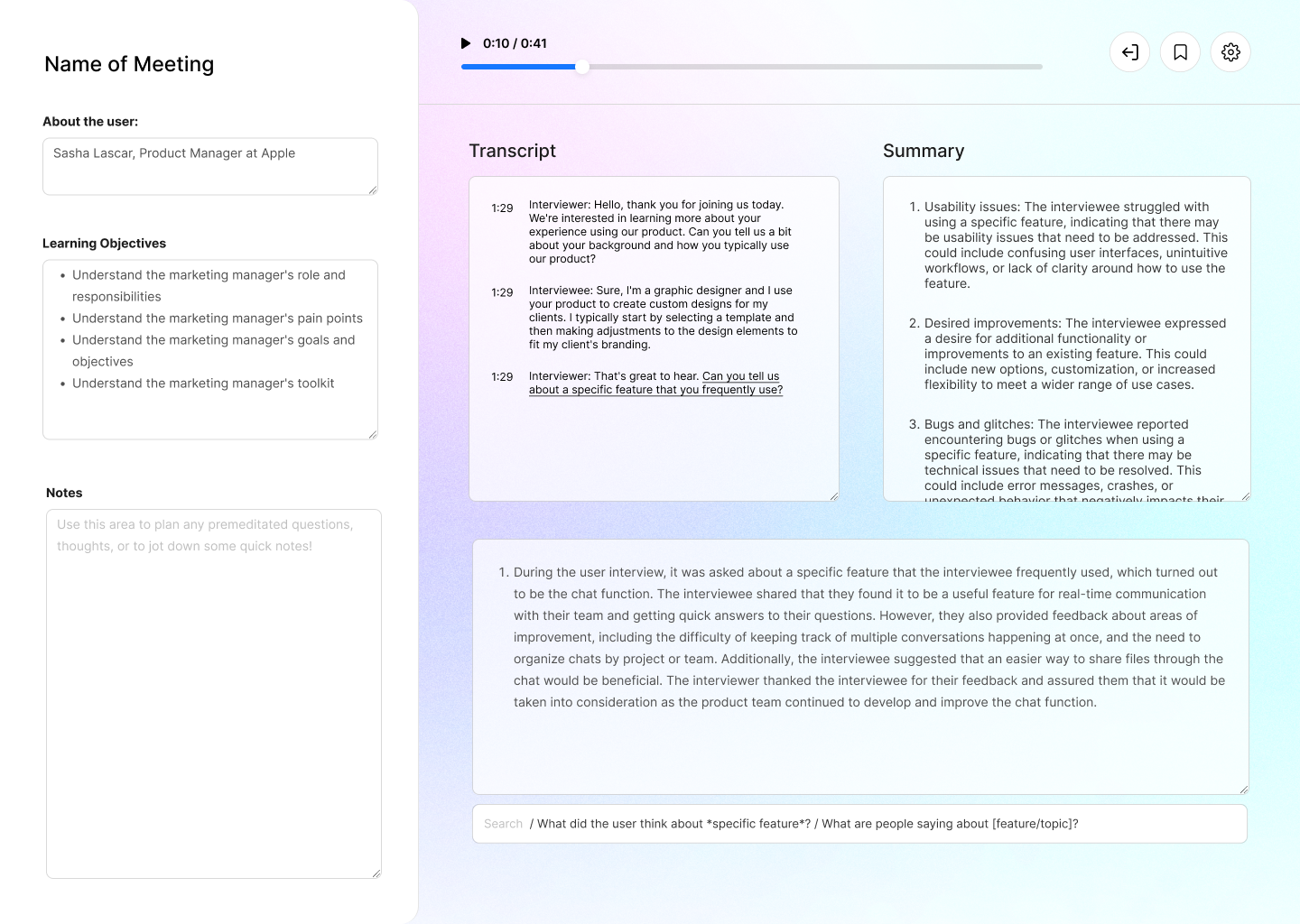
Post Interview: single meeting analysis
-
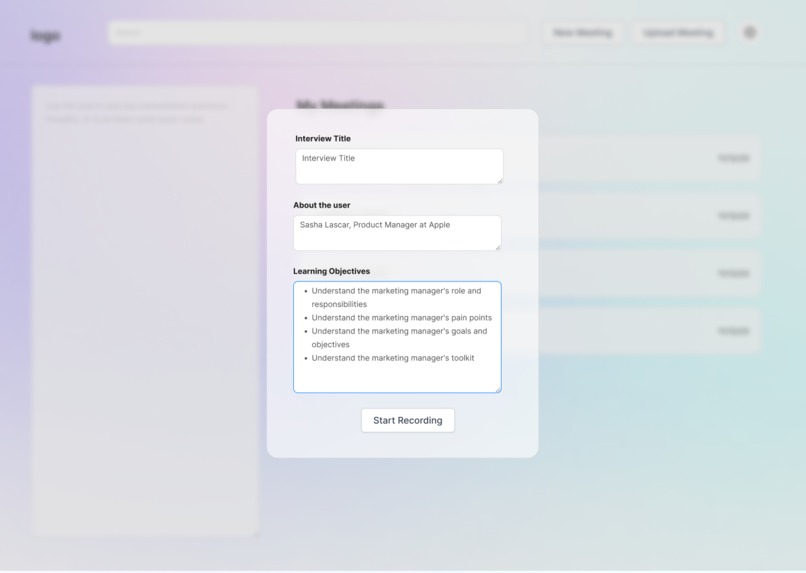
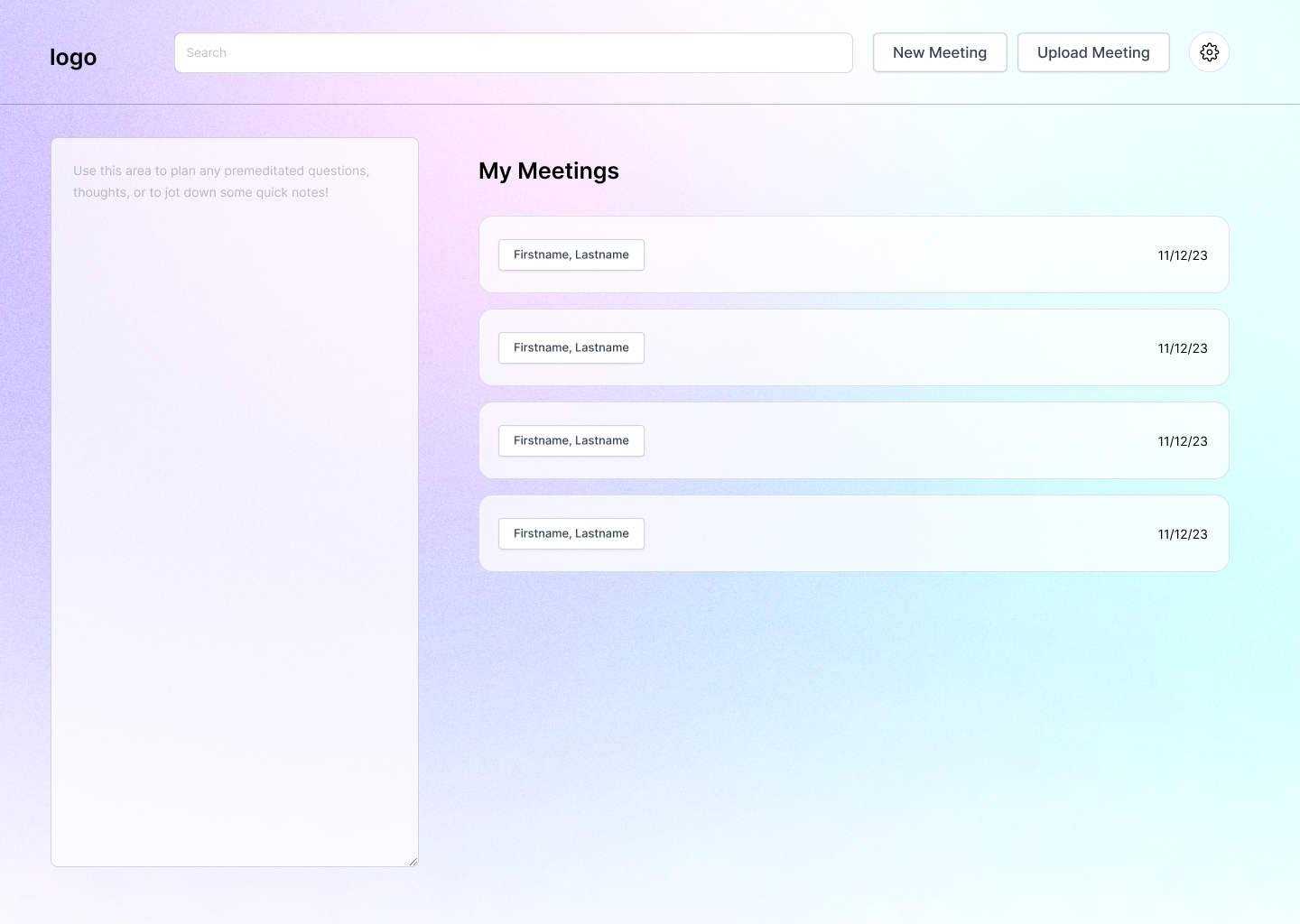
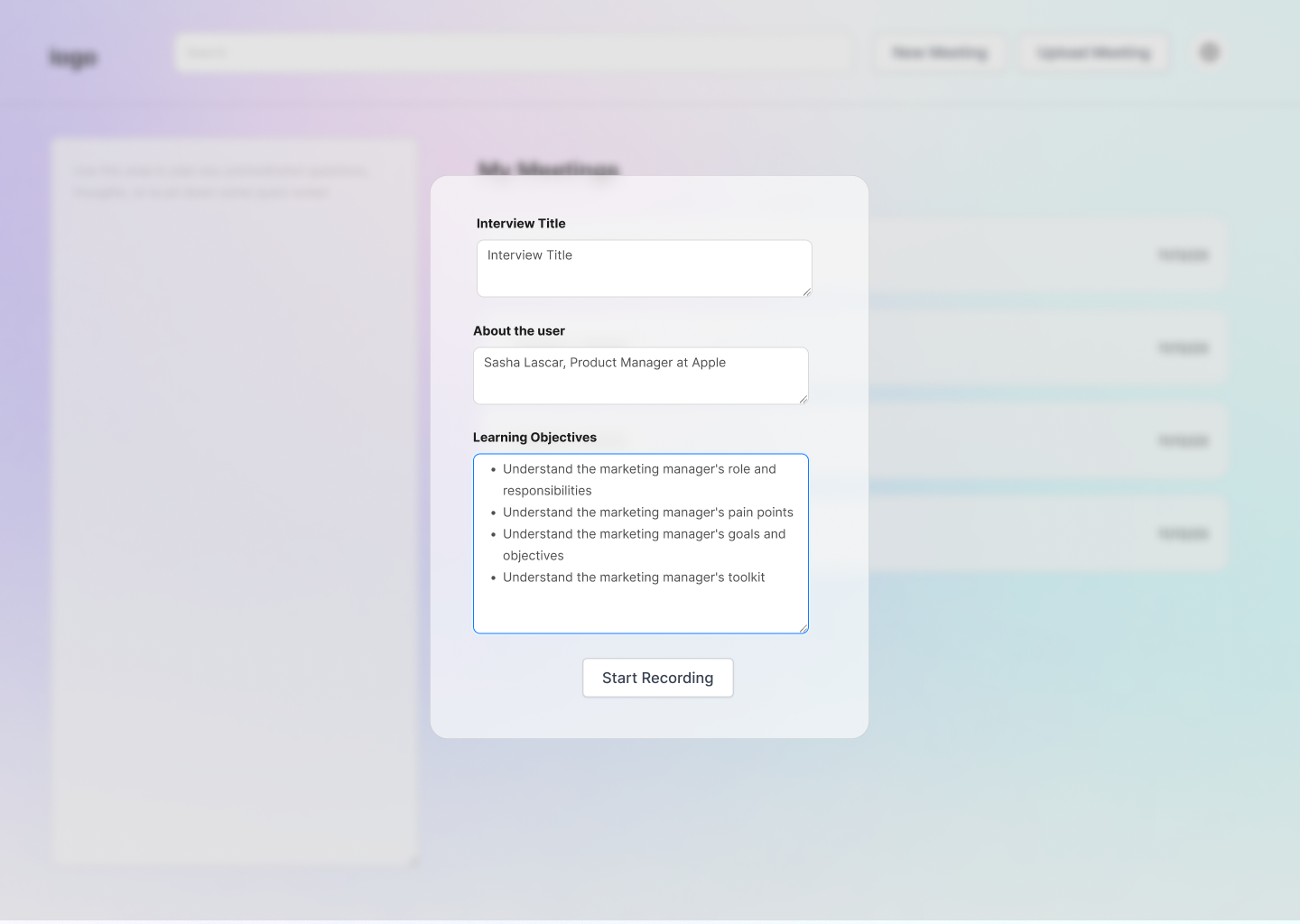
Dashboard: New meeting
-
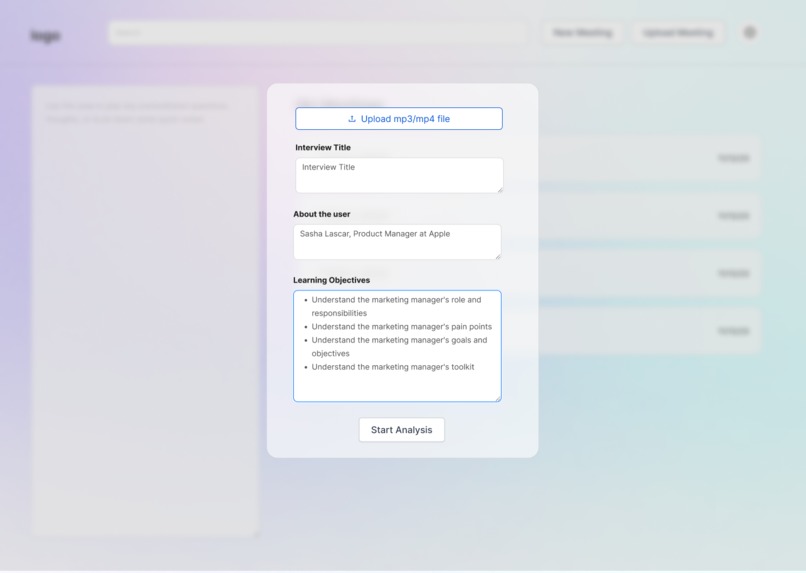
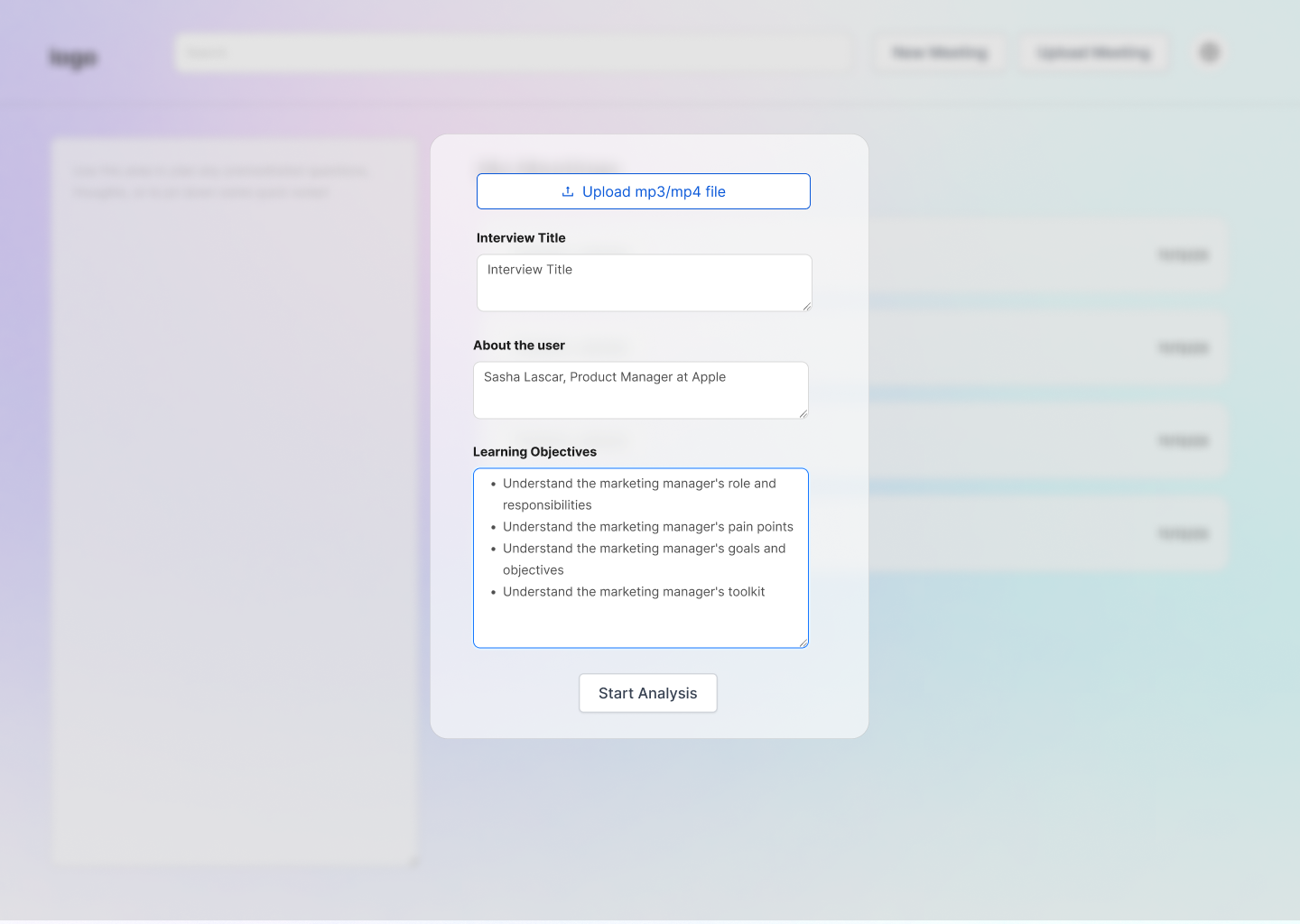
Dashboard: Upload meeting
-
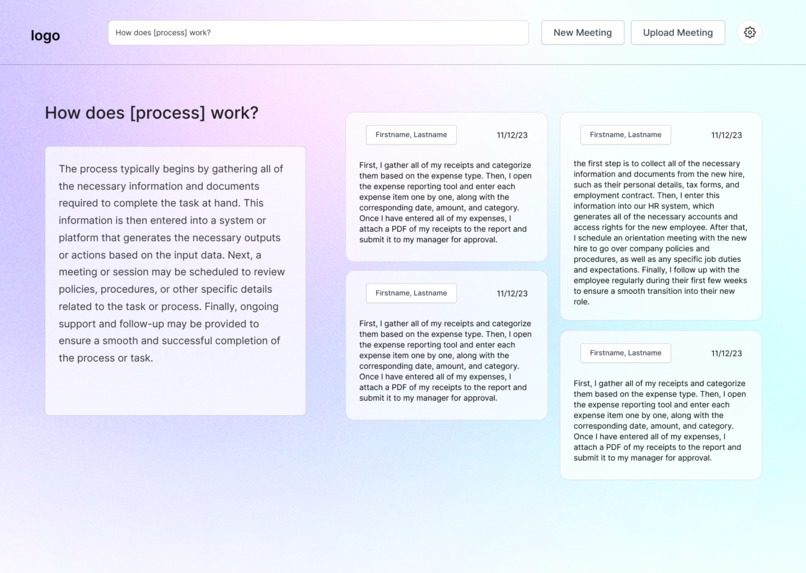
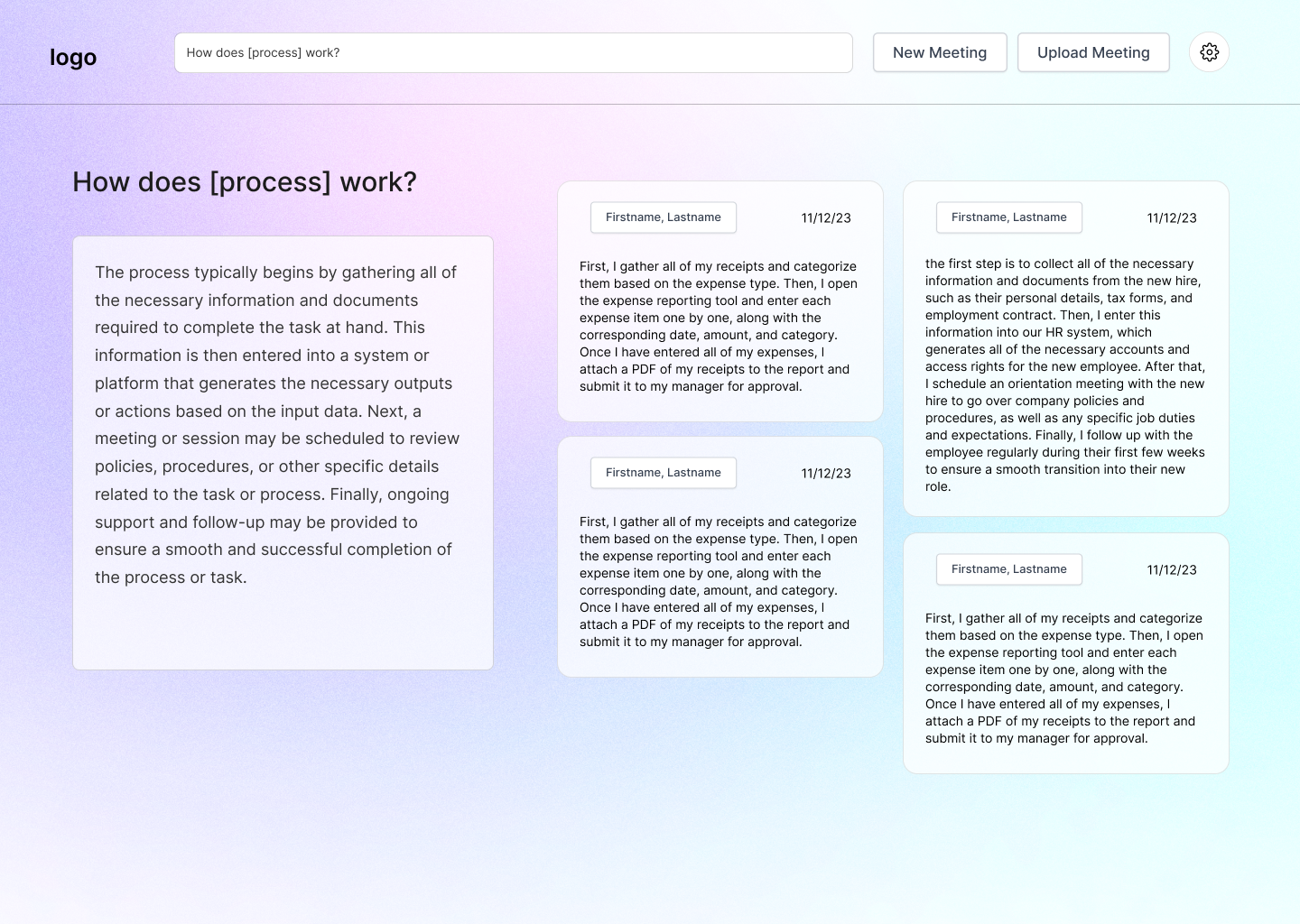
Dashboard: Search Engine
-
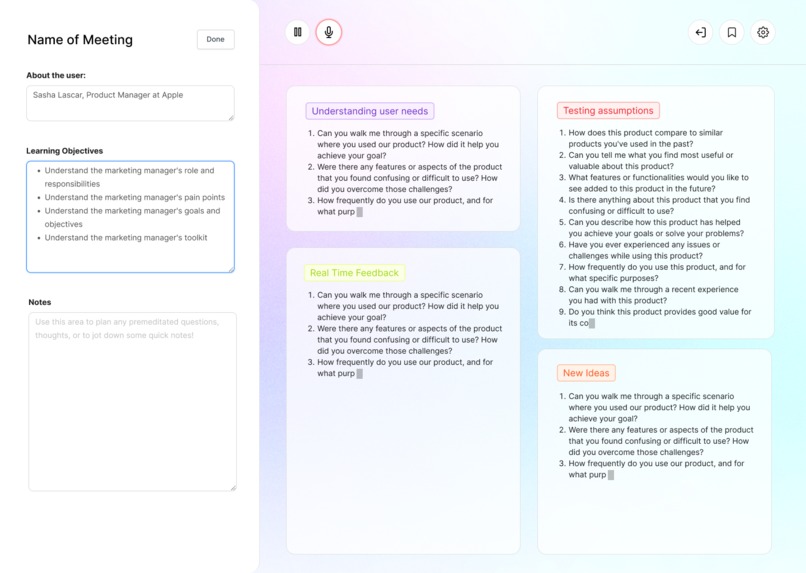
User Intv Buddy
Inspiration
As founders, we know that user interviews are an essential step for any early-stage startup. We have also experienced first-hand how challenging it can be to conduct interviews effectively, keep track of learning goals, and organize data, quotes, and insights. Recognizing that many people struggle with this process, we decided to create "FeedbackGenie: A User Interview Assistant". Our goal is to simplify the user interview process by providing real-time feedback, suggestions for follow-up questions, interview analysis, and a search engine to help you uncover customer pain points, needs, and insights. With "FeedbackGenie", we want to help startups and businesses unlock the power of user interviews to drive growth and success
What it does
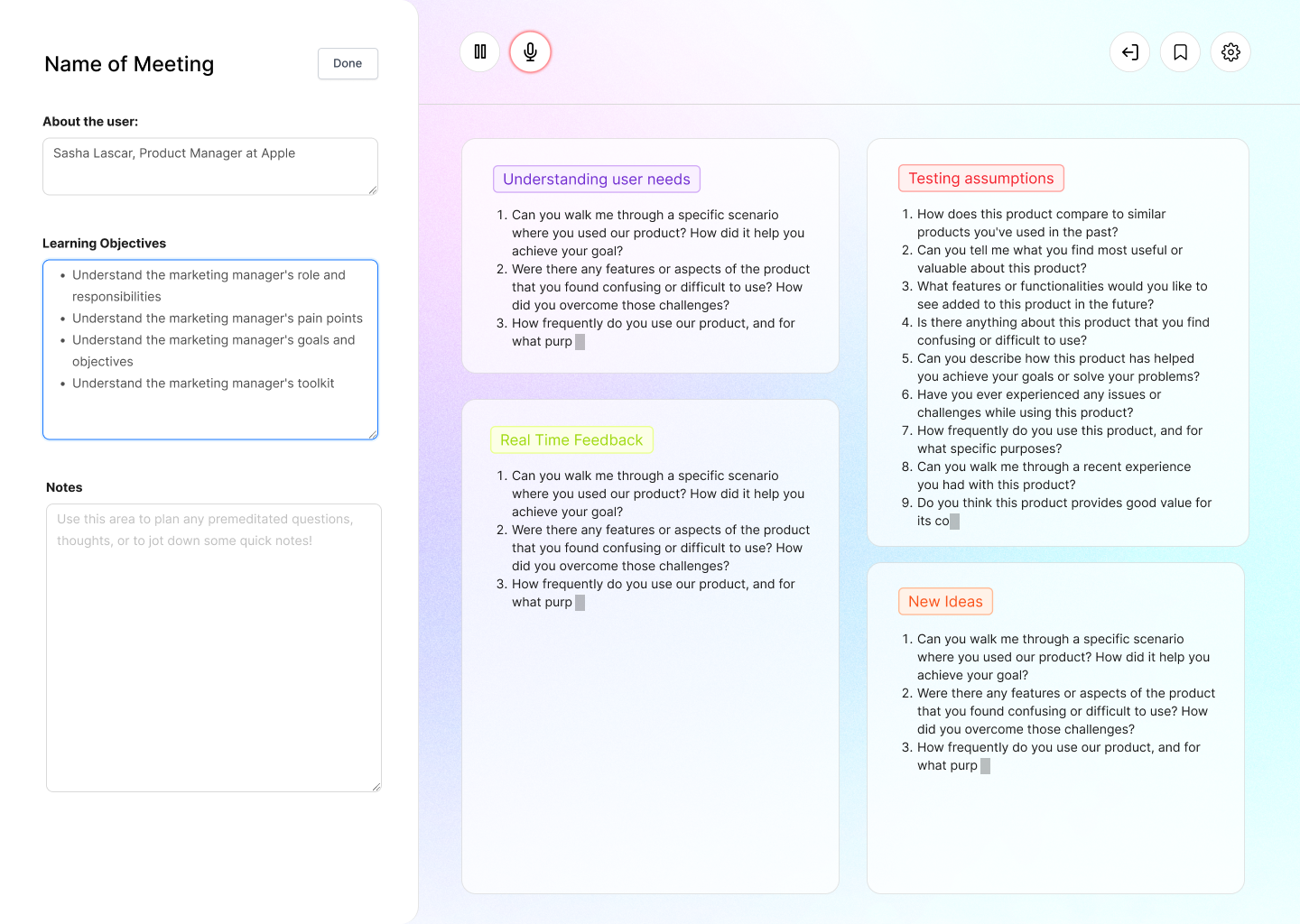
We dove into the user interview process and how we can use automation to provide feedback by separating the process into three sections: the pre-interview inputs, interview, and post-interview process. The pre-interview asks the user to input who the customer they're interviewing is and learning objectives. The actual interview phase takes in this input along with recording the interview to gain a greater context of what prompts are generated to provide specific follow-up questions (ex. additional questions to ask based on user pain points and needs). The post-interview provides an analysis with a transcript of the recorded meeting, three bullet point summary with main insights from the interview, as well as a search assistant of the interview.
Specific features:
- Note-taking: The tool allows interviewers to take notes on a single interview, where they can make observations.
- Suggested follow-up questions: The tool analyzes the conversation in real time and automatically suggest follow-up questions or topics to explore based on the responses given by the interviewee. This can help the interviewer to explore relevant topics in-depth and get a more comprehensive understanding of the user's perspective.
- Keyword search: The search engine allows you to search for specific keywords within the interview transcripts, making it easy to find relevant information. 3a. Advanced search filters: The search engine offers advanced search filters that allow you to narrow down your search results by various criteria, such as date, interviewee name, or interview location. 3b. Related interviews: The search engine suggests related interviews based on the content of the interview transcripts, helping you find additional insights and perspectives on a particular topic.
How we built it
Brainstormed in Notion, prototyped & designed in Figma. Various sentence transformer models from huggingface text-davinci-003 from OpenAI Whisper Large v2 Hugging face diarization (pyannote/speaker-diarization) Frontend (ReactJs, Tailwind CSS)
Challenges we ran into
One value prop challenge that we ran into was the specific feedback for questions that were asked during the interview, and whether or not the feature was necessary for the MVP in the single meeting analysis. The challenge was whether to hold onto a feature that didn’t bring enough value to the MVP and if we should put the feature that we were emotionally tied to on the backend.
Accomplishments that we're proud of
For two members of our team, this was their first hackathon! We learned new frameworks and technologies on the spot to create this product. This was also the first time we worked as a team on a project, so we are proud of how well that went too!
What we learned
What's next for FeedbackGenie: A User Interview Assistant
Some additional features:
- Timekeeping: One useful form of real-time feedback is a timer that helps interviewers keep track of time. This feature could remind them when it's time to move on to the next topic or when the interview is about to end.
- Tone and Sentiment Analysis: The tool could use natural language processing to analyze the tone and sentiment of the interviewee's responses. This feature can give interviewers insights into the emotional response of the user towards certain topics, and help them tailor their questions to elicit more meaningful feedback.
- Remind Topic Reminders: This will ensure the interviewer covers all the topics they inputted into the pre-interview section of the tool. This will help the interviewer stay on track.
- Word cloud or topic map: As the interview progresses, the tool could create a real-time word cloud or topic map of the interviewee's responses, which gives the interviewer an immediate visual representation of key themes and topics emerging from the conversation. This can help them stay on track and see patterns that might not be immediately obvious.
- Collaboration Notes: The tool could allow multiple interviewers to collaborate on a single interview, and real-time feedback can be shared through collaborative notes, where they can make observations, suggest follow-up questions, or indicate agreement or disagreement.
- Color-coded bias flags: The tool could use a color-coded system to flag any potentially biased language used during the interview. For example, if a question is identified as biased, the tool could highlight it in red, making it easy to identify and correct. OR a red border could frame your screen as a subtle flag.
Built With
- figma
- natural-language-processing
- openai
- react-native
- tailwind


Log in or sign up for Devpost to join the conversation.