-

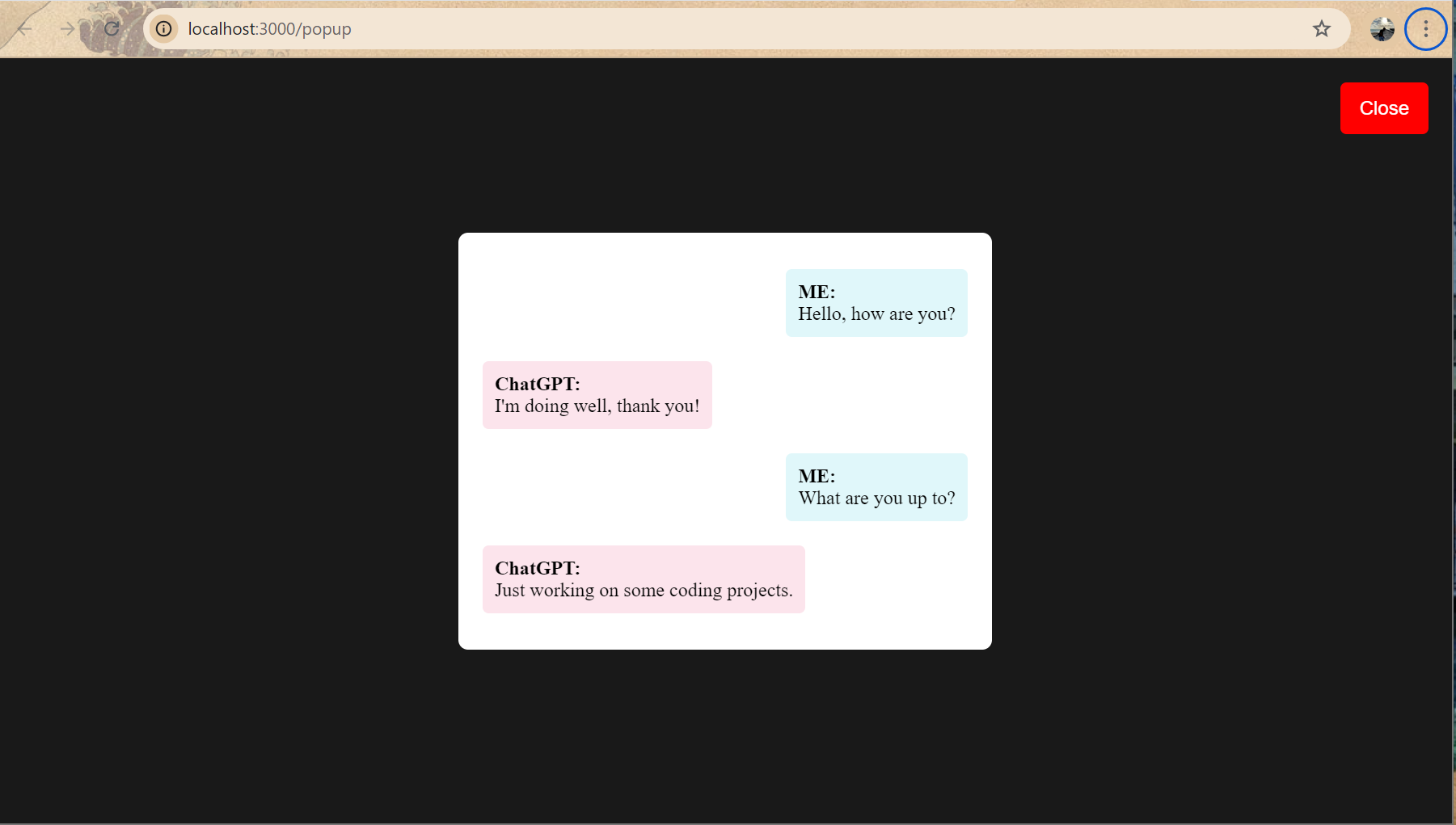
A sample text display on Google Chrome
Inspiration
The inspiration for this project came from the need to enhance accessibility in voice-based interactions with AI systems like ChatGPT. While ChatGPT’s voice mode offers a seamless conversational experience, there’s no built-in tool for real-time transcription of voice interactions. We wanted to bridge that gap and provide users with an easy way to see live text transcriptions during voice conversations with ChatGPT, improving both accessibility and user experience.
What it does
Our project provides real-time transcription of voice-based conversations in ChatGPT’s voice mode. As users engage in a voice conversation with ChatGPT, the tool continuously monitors and extracts the live chat history, presenting it in a user-friendly HTML pop-up window for the user to see. The transcription updates in real-time, making the conversation visible as it happens.
How we built it
We used a combination of technologies and tools to bring this project to life:
• AppleScript was utilized to traverse the ChatGPT Mac app’s UI elements and extract the live conversation data. By learning how the app organizes its interface, we were able to target and extract the text from voice-based interactions. • The Express framework was used to create a server that could launch an HTML pop-up window where the real-time transcription would be displayed. • We used JavaScript as the logic behind the transcription display, and CSS to style the pop-up window, ensuring the transcript is presented in an intuitive and aesthetically pleasing way.
Challenges we ran into
One of the major challenges was navigating through the ChatGPT app’s UI structure using AppleScript. The UI elements were not always labeled clearly, and the roles and types of elements were sometimes difficult to identify. We had to experiment with different approaches to correctly extract the live conversation data.
Another challenge was integrating the AppleScript logic with the HTML/JavaScript frontend. Making sure the real-time updates were smooth and synced between the AppleScript and the HTML pop-up required careful coordination of technologies that don’t often work together.
Accomplishments that we’re proud of
We are proud of successfully creating a system that transcribes voice conversations in real-time. By navigating a complex UI, extracting live data, and displaying it in an intuitive pop-up window, we were able to provide a solution to a real-world problem. Additionally, learning to bridge technologies like AppleScript, Express, JavaScript, and CSS was a rewarding accomplishment.
What we learned
We learned a lot about:
• UI element traversal and the complexity of a production application’s structure, particularly in how to interact with and extract data from native macOS apps using AppleScript. • Express.js for launching web components from a local server. • Integrating JavaScript logic with AppleScript to create a seamless real-time experience. • Styling and presenting real-time data in a user-friendly format using CSS.
What’s next for ChatGPT Voice Mode Real-Time Transcript: Incorporate more accessibility function. Containerize and incorporate into the App Store with the goal being to run simultaneously with ChatGPT.

Log in or sign up for Devpost to join the conversation.