-
-
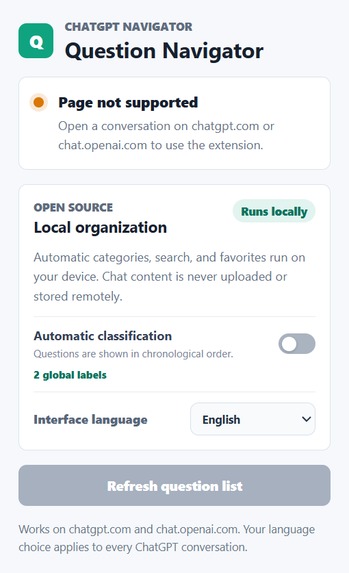
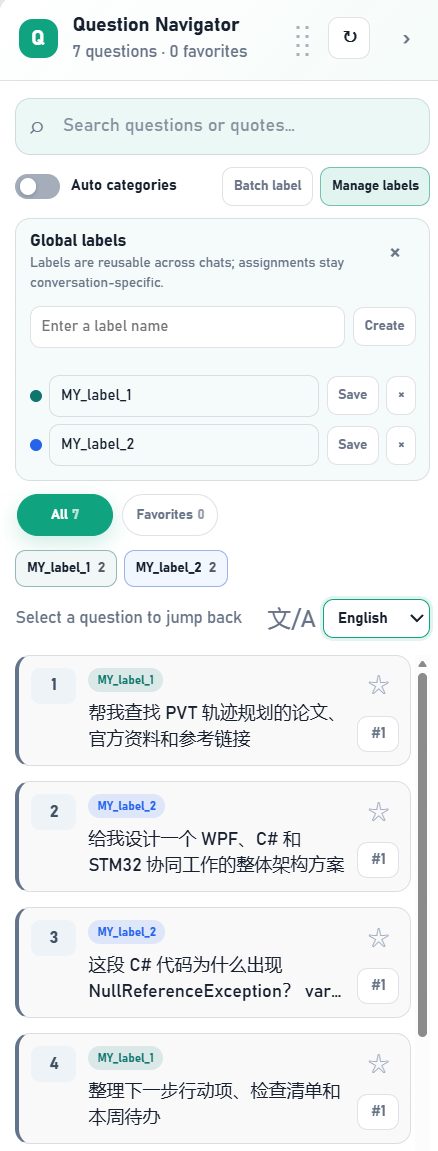
Global classification and language controls
-
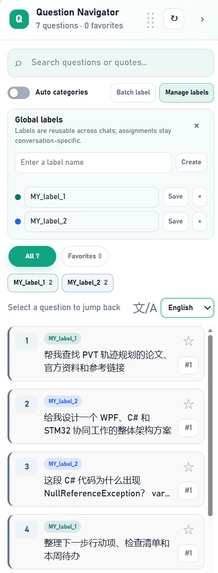
Reusable custom labels and batch organization
-
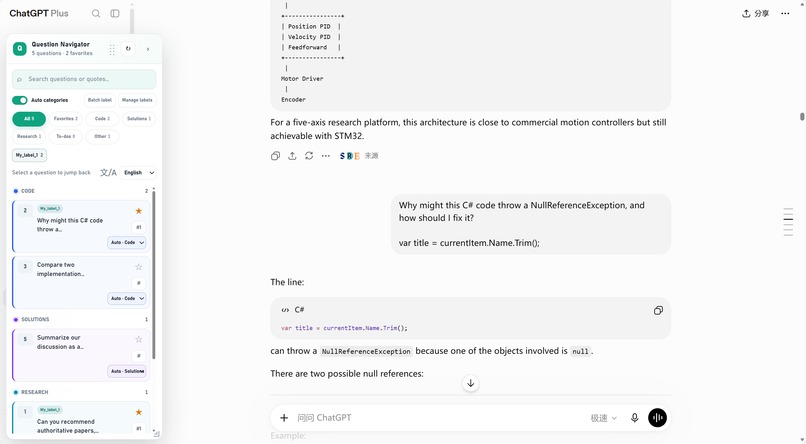
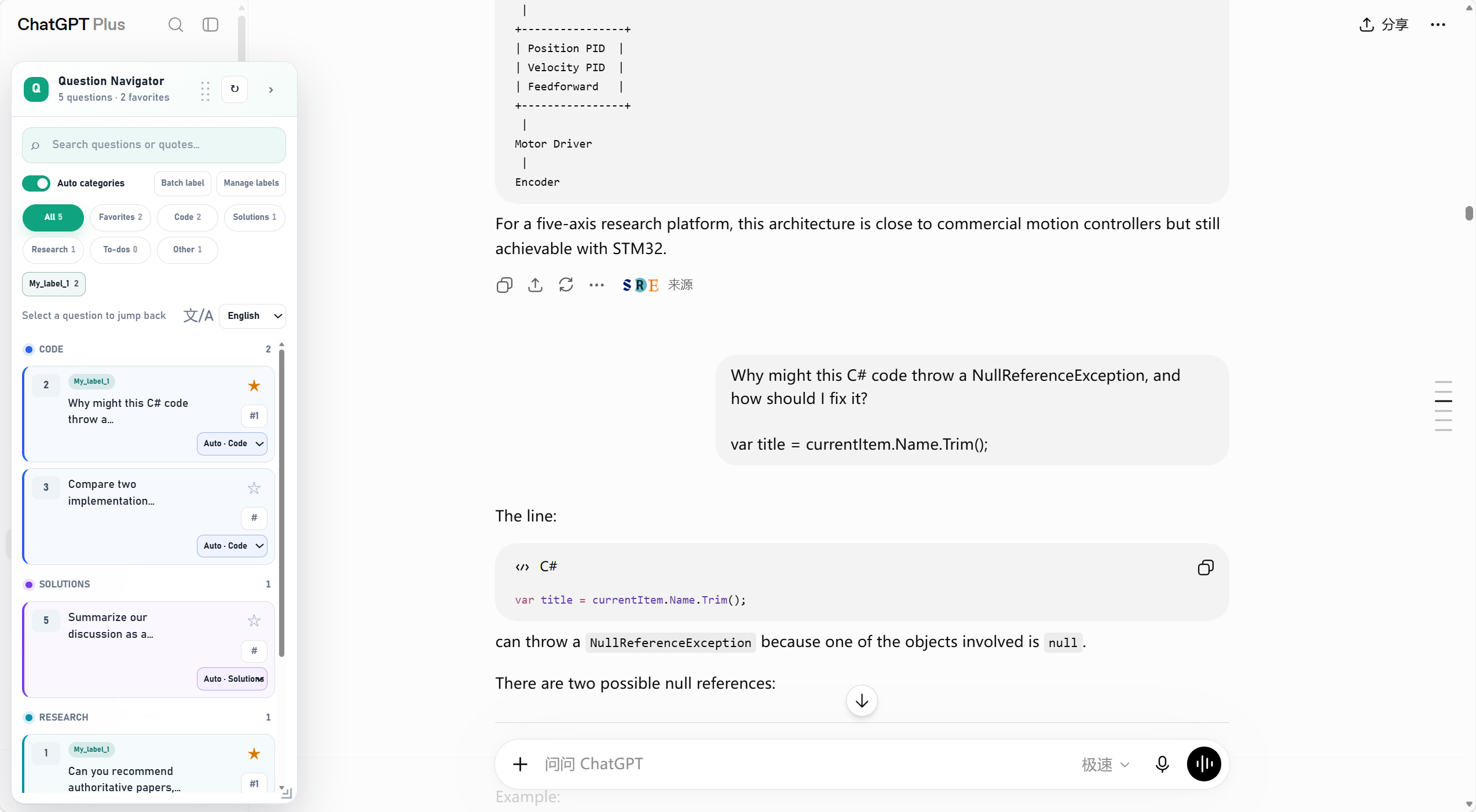
Automatic categories, search, favorites, and one-click jump-back
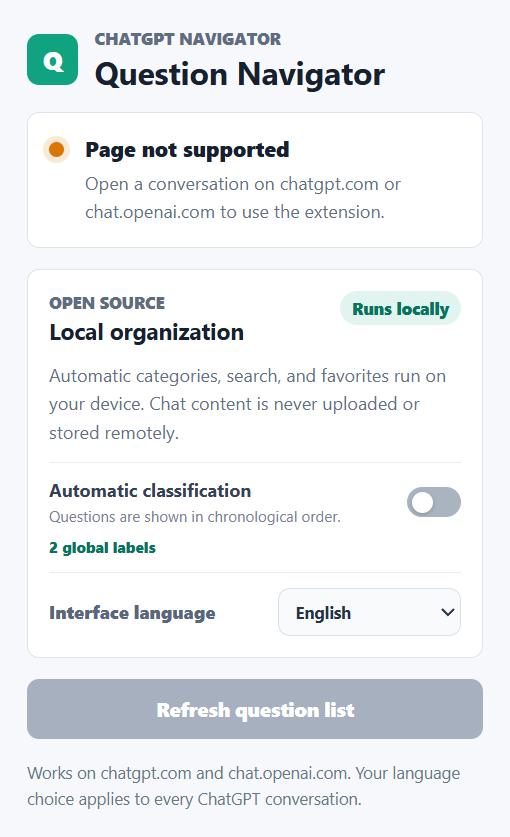
Inspiration
Long ChatGPT conversations become valuable working documents, but returning to one earlier question usually means scrolling through hundreds of messages. I wanted a private index that makes a long conversation feel like a navigable research notebook without sending the conversation to another service.
What it does
ChatGPT Question Navigator is a Chrome and Edge extension that builds an in-page index of the questions in the current ChatGPT conversation.
It can:
- automatically organize questions into Code, Solutions, Research, To-dos, and Other;
- switch automatic classification off for a chronological view;
- search question text and quoted assistant snippets;
- favorite important turns;
- manually correct a category;
- create reusable custom labels and assign several labels to one question;
- batch-label the current visible results;
- switch between Simplified Chinese and English; and
- jump back to the original message in one click.
The extension is local-first. It never uploads or remotely stores question text, quoted snippets, or search terms.
How I built it with Codex and GPT-5.6
I built and iterated on the project in Codex using GPT-5.6 as the coding model. Codex accelerated the work in four especially important areas:
- Live interface investigation. I used Codex with the browser open on ChatGPT to inspect the changing message structure and test selectors against real conversations.
- State reconciliation. Codex helped design and implement stable-ID reconciliation so questions loaded late return to their real conversation position instead of being appended incorrectly.
- Product iteration. Screenshot-driven feedback was converted into focused fixes for narrow layouts, clipped quote previews, multi-row filters, custom-label menus, and stacking-context bugs.
- Verification. Codex ran syntax checks, unit tests, manifest and localization validation, storage audits, and real-browser visual regression checks.
GPT-5.6 and Codex were used to build, reason about, debug, and validate the extension. They are not called by the extension at runtime: automatic organization is deterministic and runs entirely on the user's device, so no API key is required.
Technical implementation
The extension uses Manifest V3 with plain JavaScript, HTML, and CSS. A content script observes the ChatGPT page, identifies stable user-message elements, preserves original ordering during delayed history loading, and renders a draggable, resizable navigator.
Deterministic bilingual classification uses weighted local signals such as code blocks, file names, error text, research terms, planning language, and action-item phrases.
chrome.storage.local stores only organizer metadata: stable message identifiers, favorites, category overrides, label IDs, panel preferences, and global label definitions. It does not persist conversation content.
Challenges
The hardest problem was ChatGPT's dynamic and virtualized page structure. Older messages can load late or disappear from the DOM. A simple append-only list creates incorrect order and loses context. The final implementation combines stable message IDs, DOM-order anchors, and placeholder completion so delayed history returns to its correct location without losing favorites, categories, or labels.
Another challenge was fitting powerful organization controls inside a compact floating panel. Menus, checkboxes, labels, quote previews, and category selectors all needed to remain usable at narrow widths and in both light and dark themes.
Accomplishments
- Local-first organization with no conversation upload
- Deterministic bilingual automatic categories
- Search across questions and quoted snippets
- Favorites and manual category correction
- Reusable multi-label workflows and batch labeling
- Stable ordering across delayed history loading
- Simplified Chinese and English UI with live global switching
- Chrome and Edge support with no external runtime dependency
- GPL-3.0 open-source repository with installation and testing instructions
What I learned
Reliable browser extensions must treat the page as changing state, not static HTML. Stable identity, reconciliation, graceful storage fallback, accessibility, and a clear privacy boundary were as important as the visible interface.
What's next
Next I would add exportable conversation maps, user-defined classification rules, more languages, automated compatibility checks for ChatGPT UI changes, and packaged Chrome and Edge store releases.
Built With
- chatgpt
- chrome
- chrome-storage-api
- codex
- css3
- gpt-5.6
- html5
- javascript
- manifest-v3
- microsoft-edge

Log in or sign up for Devpost to join the conversation.