Inspiration
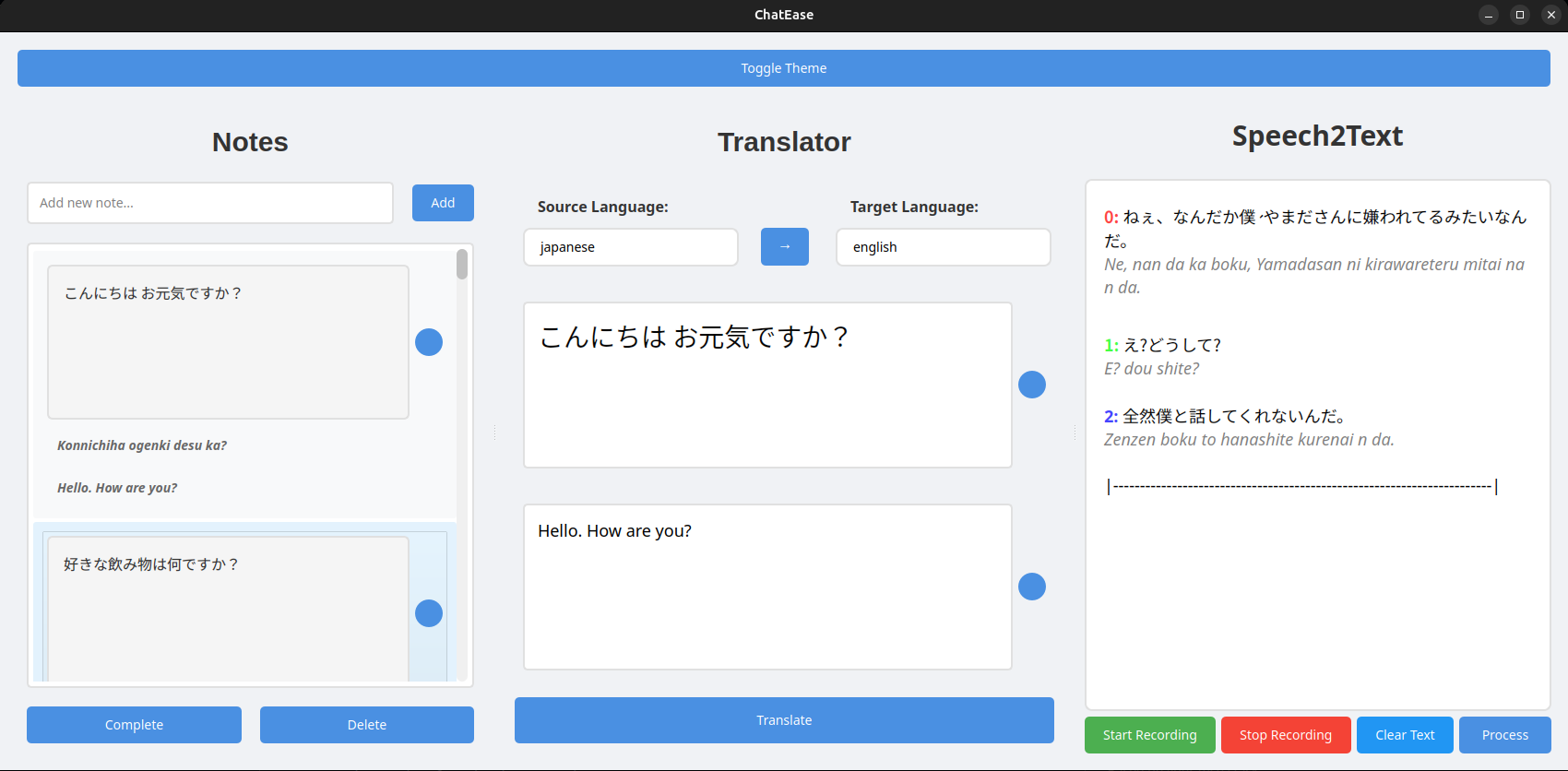
ChatEase was inspired by the need for a simple and effective way to practice speaking in a foreign language. Many language learners struggle with active listening, real-time speaking, and remembering new phrases during conversations. We wanted to build a tool that makes it easier to take notes, understand what others are saying, and support multi-language interaction—all in one place.
Since OpenAI Whisper is multilingual and I'm using the tiny version for performance reasons, the results aren't perfect—but it is certainly usable and reliable enough for practical use.
What it does
ChatEase is a desktop application that allows users to:
- Take notes during conversations (Japanese notes are automatically converted to romaji)
- Translate between two languages (using Helsinki-NLP for EN-JA, JA-EN and Google Translate for others)
- Convert speech to text using Whisper, capturing what the other person says in real time
It is especially useful for language practice on platforms like Discord.
How we built it
We used the following tools and technologies to build ChatEase:
- Python 3.12.3 – main programming language
- PyQt5 – for the graphical user interface
- OpenAI Whisper – for accurate speech recognition
- deep-translator – to access Google Translate API
- langdetect – to automatically detect language of the input
- Cutlet – to convert Japanese text into romaji
- soundcard, soundfile, audioop – for audio recording and processing
- gTTS – to generate text-to-speech responses (optional)
Challenges we ran into
- Ensuring smooth real-time audio streaming and transcription
- Managing language detection and routing text to the correct translation pipeline
- Designing a user-friendly interface with multiple active components
- Handling Japanese text processing accurately and reliably
Accomplishments that we're proud of
- Seamlessly integrated Whisper with a PyQt GUI
- Built a robust note-taking and translation workflow
- Implemented real-time romaji conversion for Japanese learners
- Created a practical tool that is already being used in real-time language practice
What we learned
- How to process and transcribe audio streams in real-time using Whisper
- Effective ways to integrate multiple NLP and translation tools
- PyQt GUI development and asynchronous signal management
- The importance of responsive, minimal UI in productivity tools
What's next for ChatEase
- Implement live speech translation
- Improve UI/UX with better layout and dark mode
- Add chat history and exportable notes
- Support more languages and dialects
- Develop a web or mobile version for cross-platform use
Built With
- pyqt
- pytorch

Log in or sign up for Devpost to join the conversation.