-
-
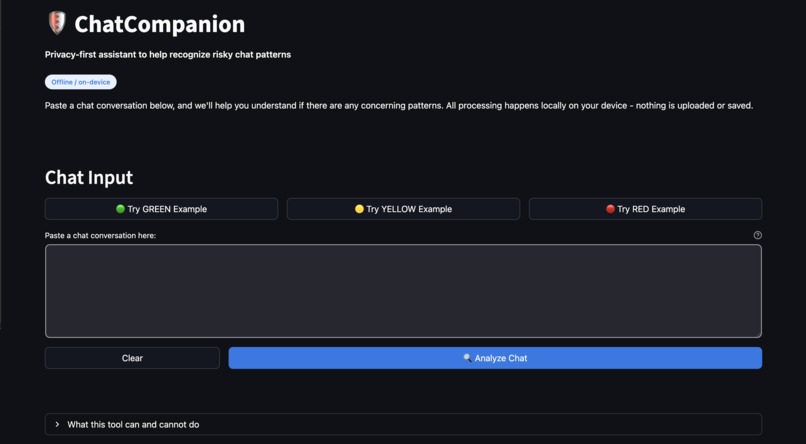
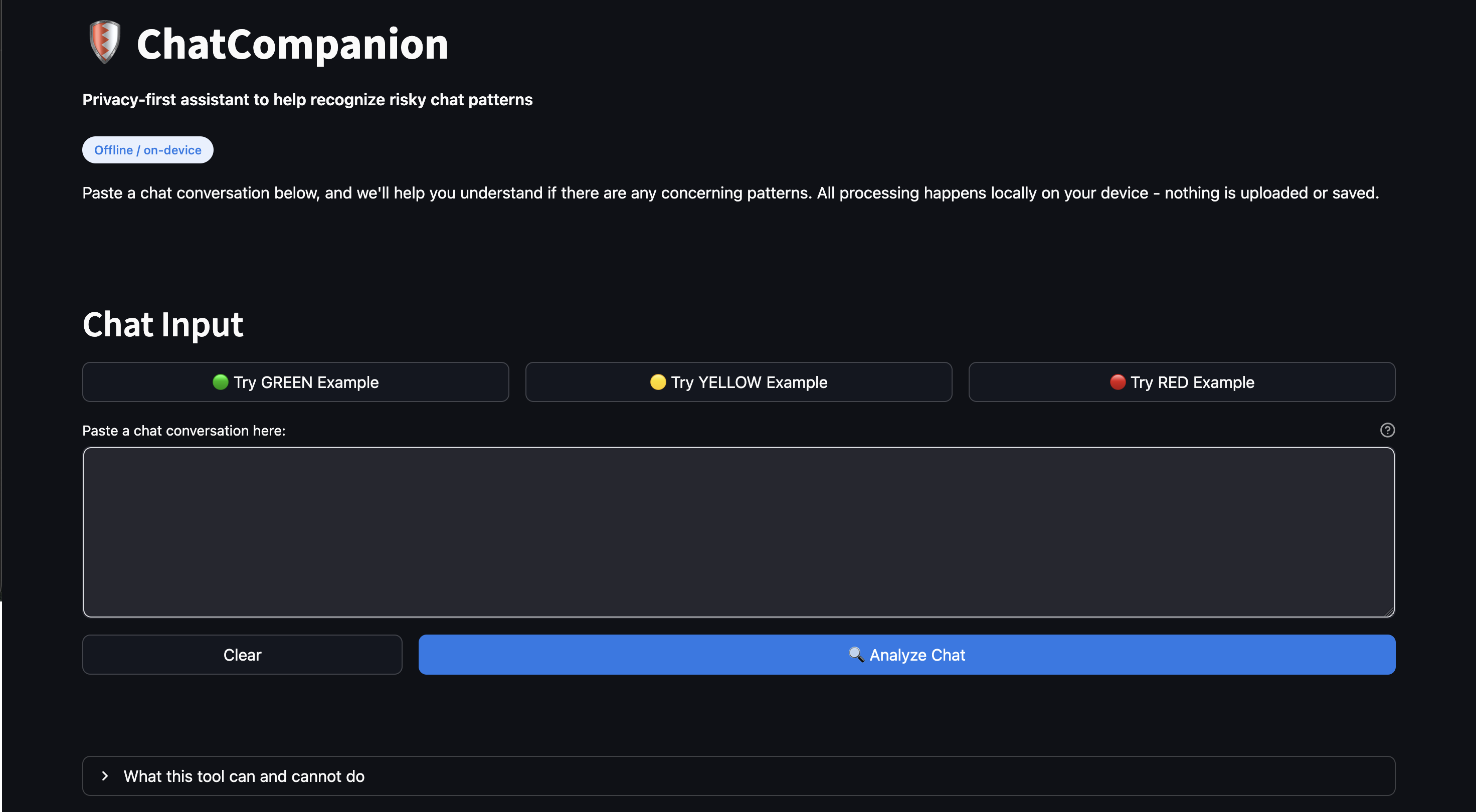
ChatCompanion's main interface: Paste a chat conversation and click "Analyze Chat" to get instant, offline analysis.
-
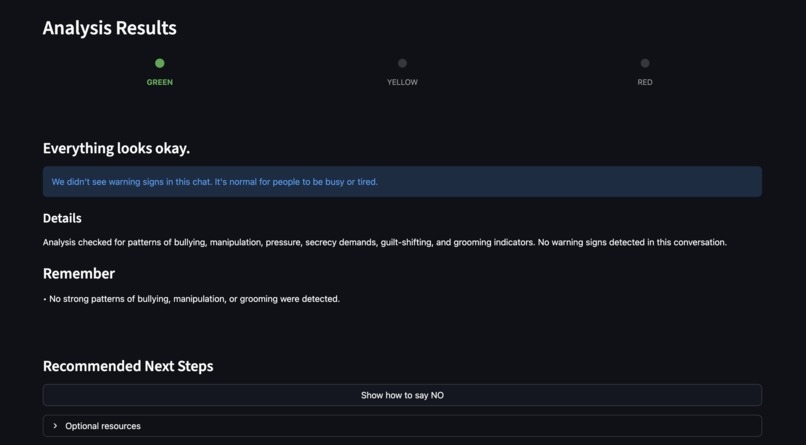
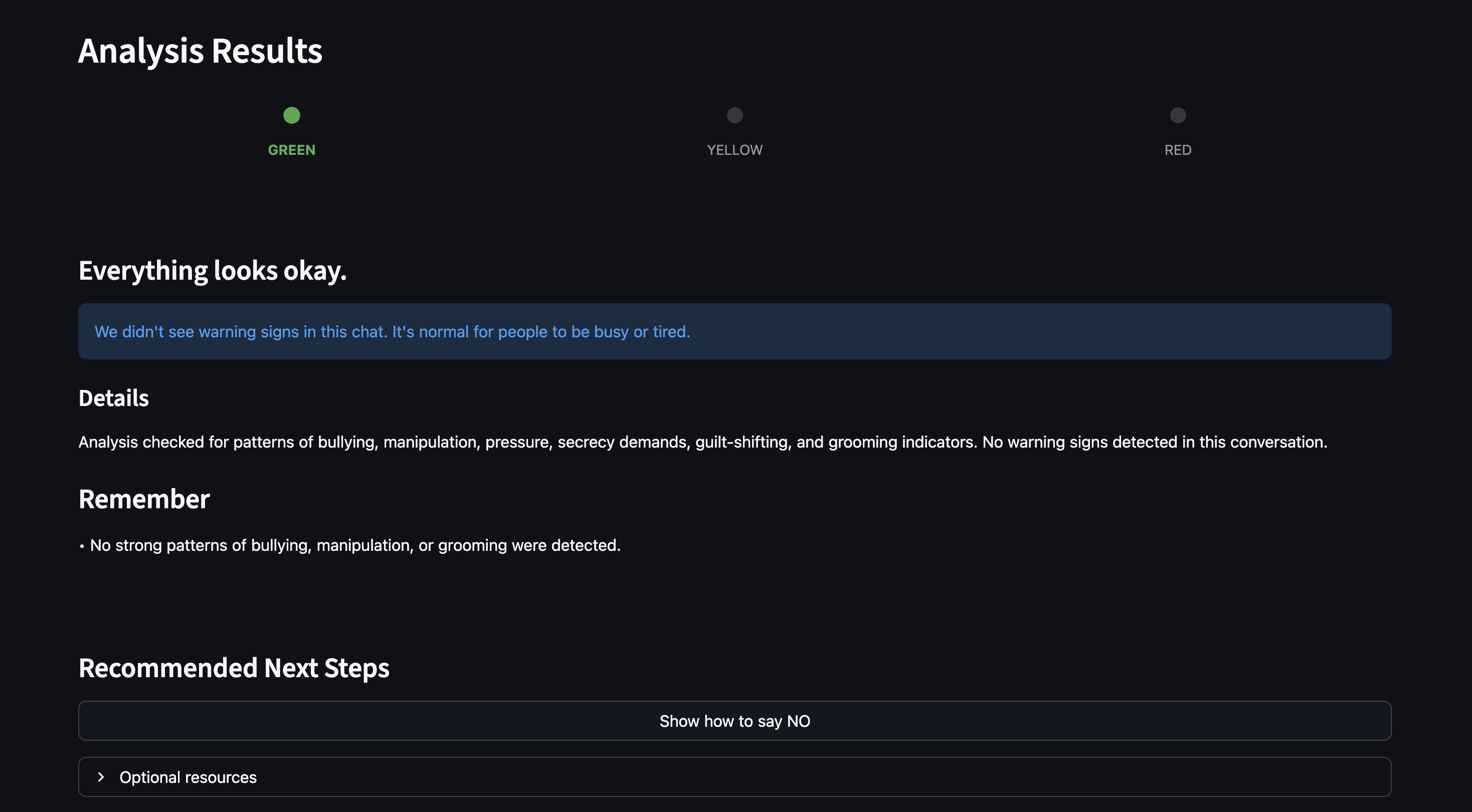
GREEN indicator: Safe conversation—no warning signs detected.
-
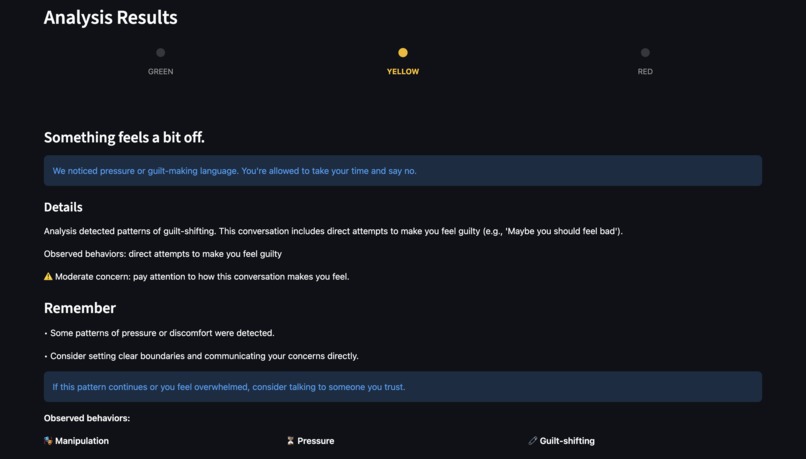
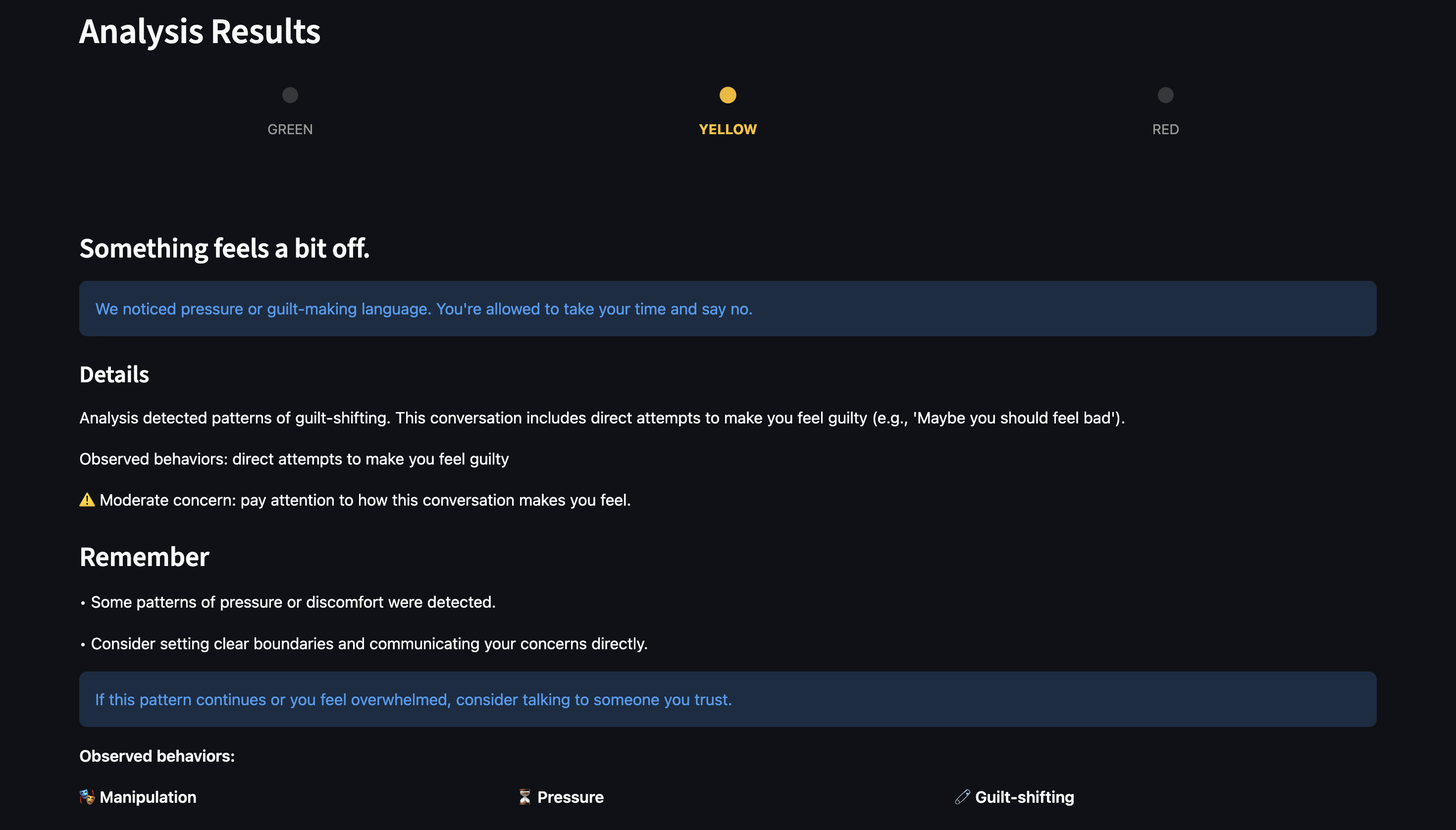
YELLOW indicator: Some concerning patterns detected with evidence-based explanations.
-
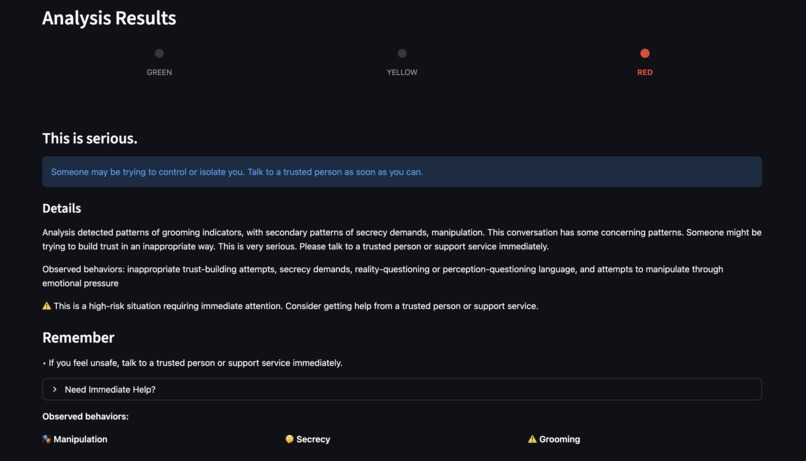
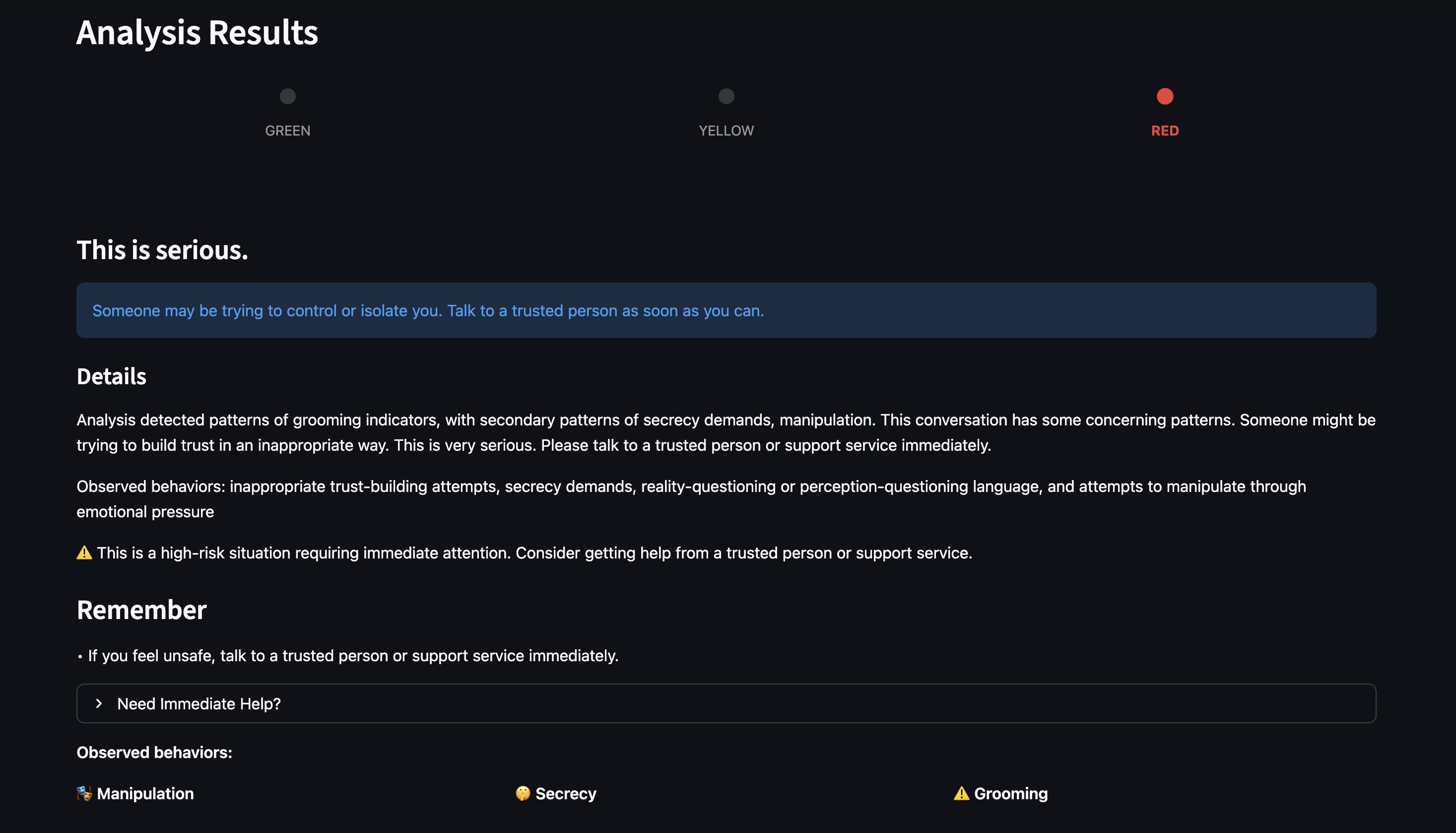
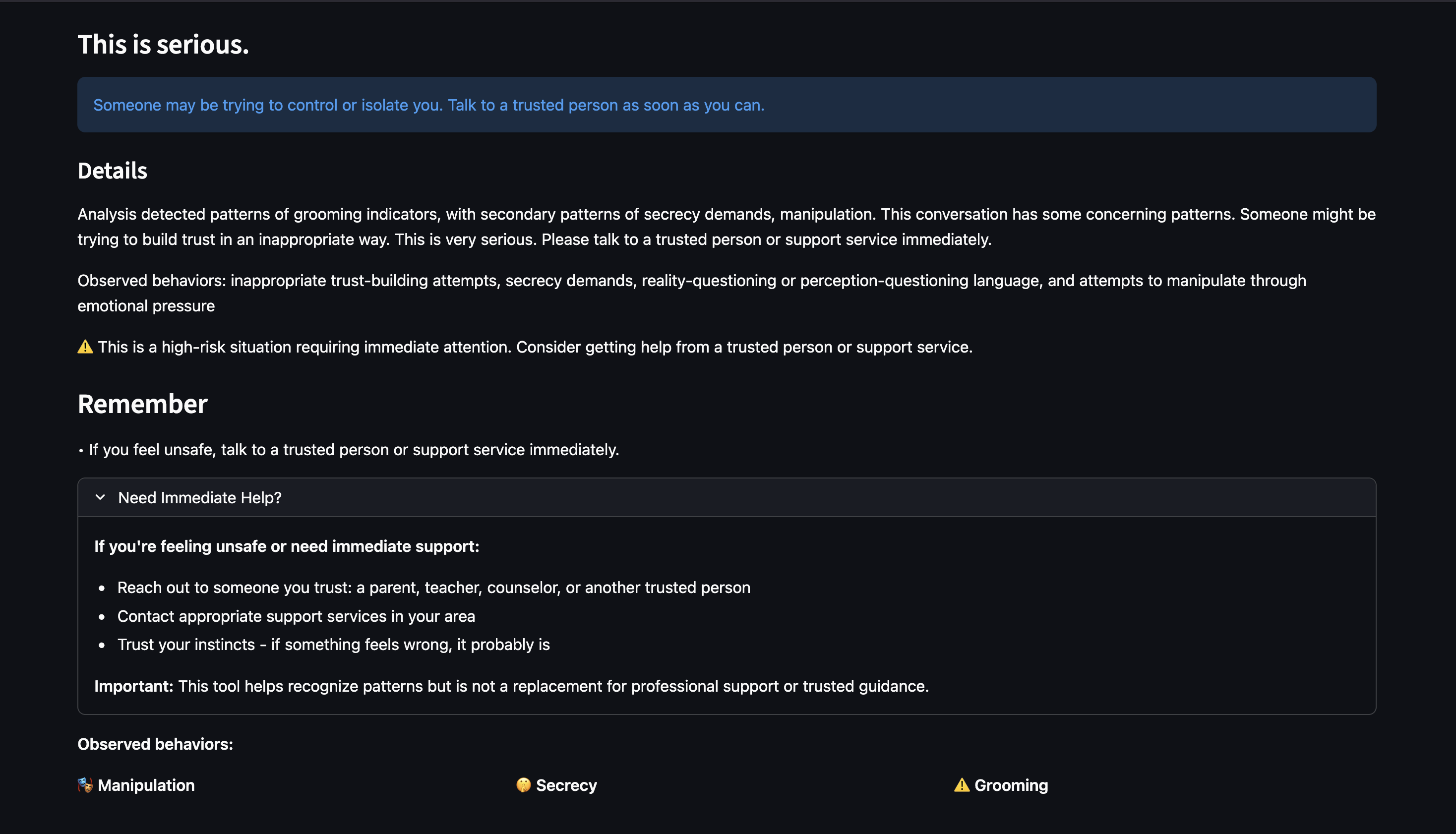
RED indicator: High-risk situation detected with detailed pattern explanations.
-
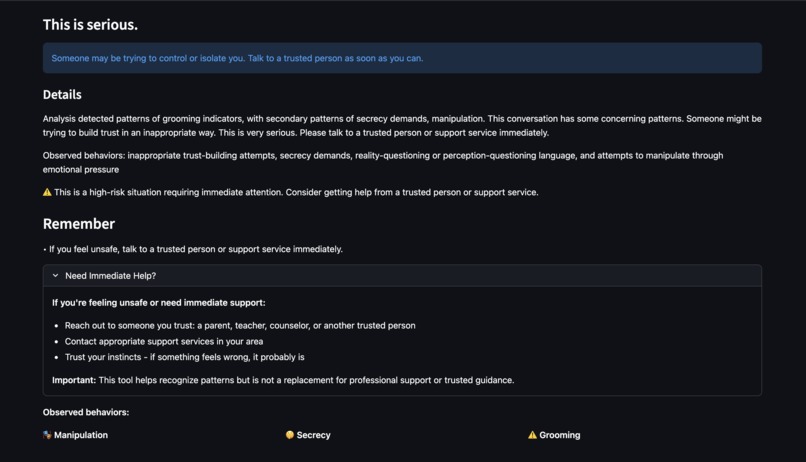
"Need Immediate Help?" section—appears only for RED risk levels, providing immediate support resources.
-
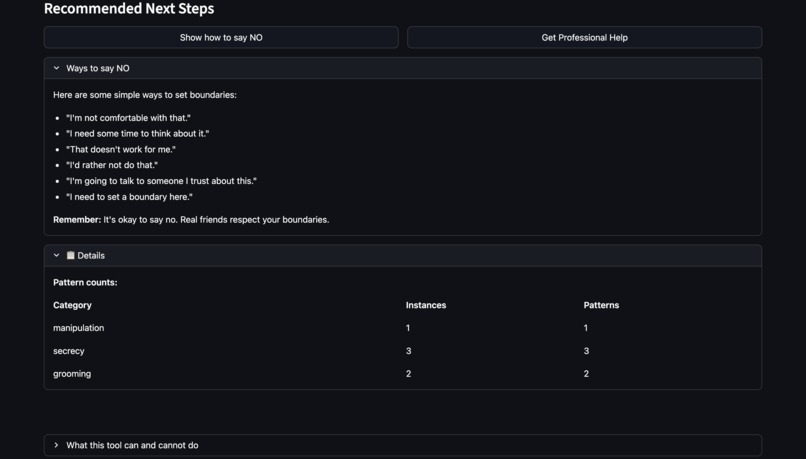
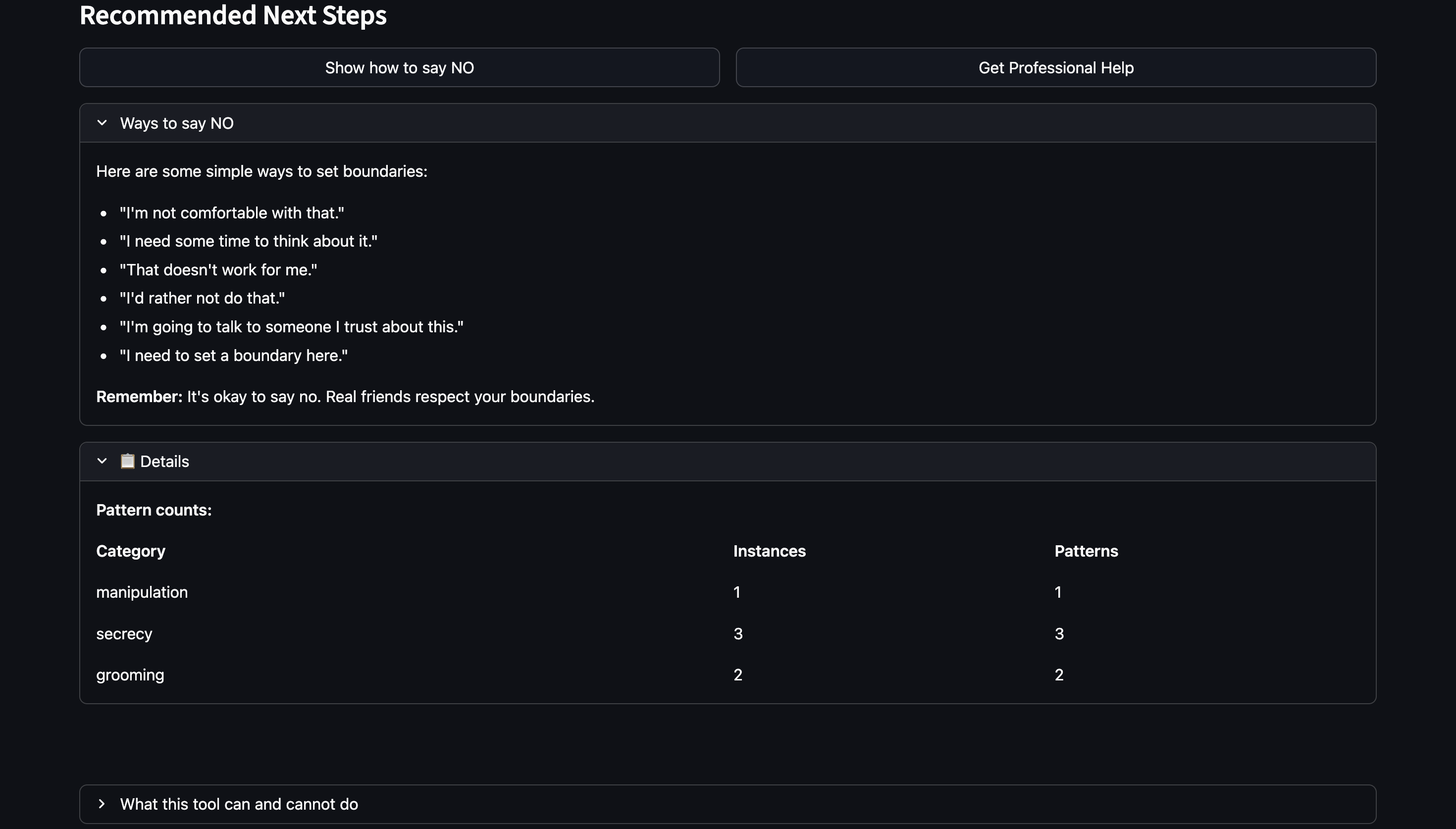
Practical guidance: "Ways to say NO" helps children set boundaries confidently.
-
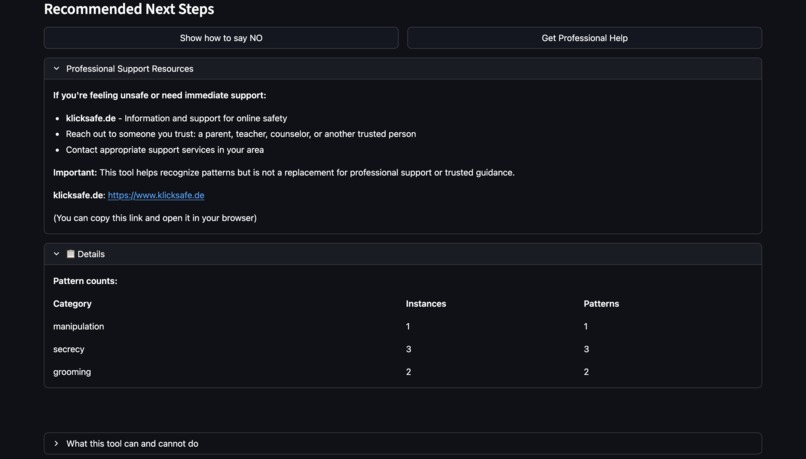
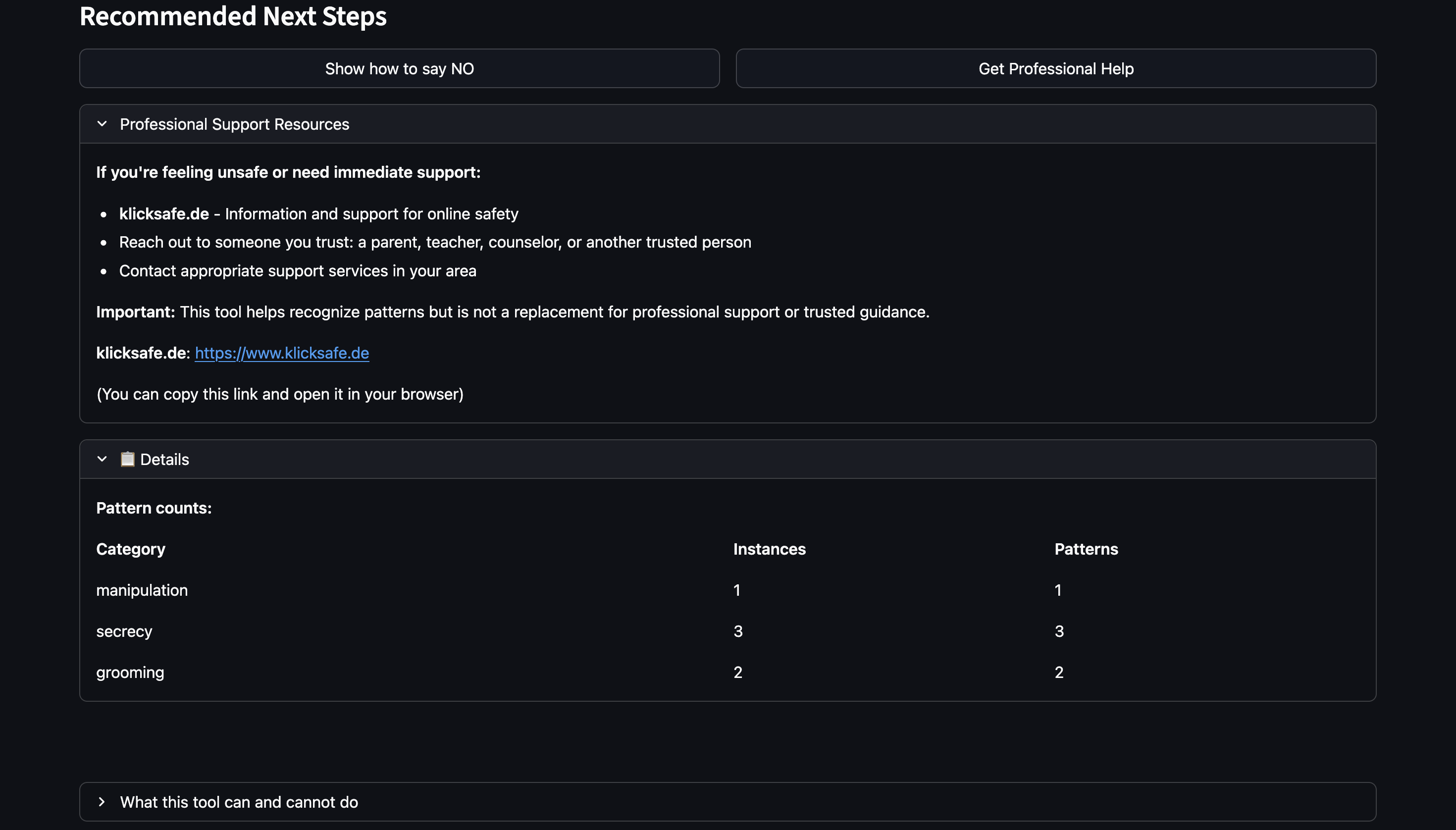
Professional help section: Links to trusted resources and guidance on seeking adult support.
-
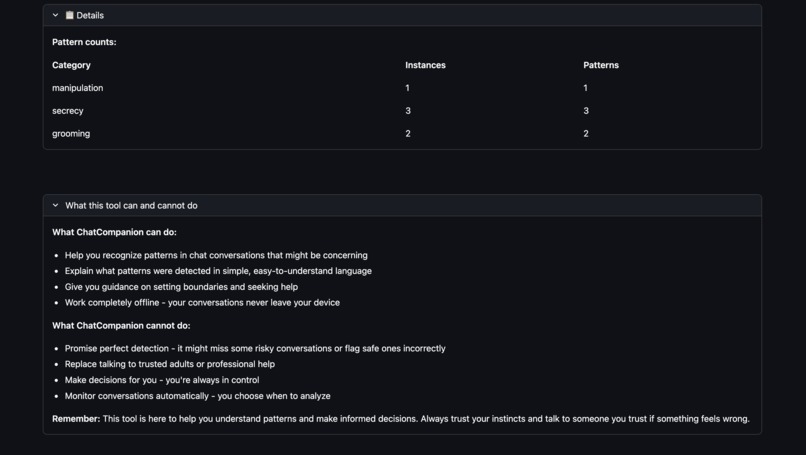
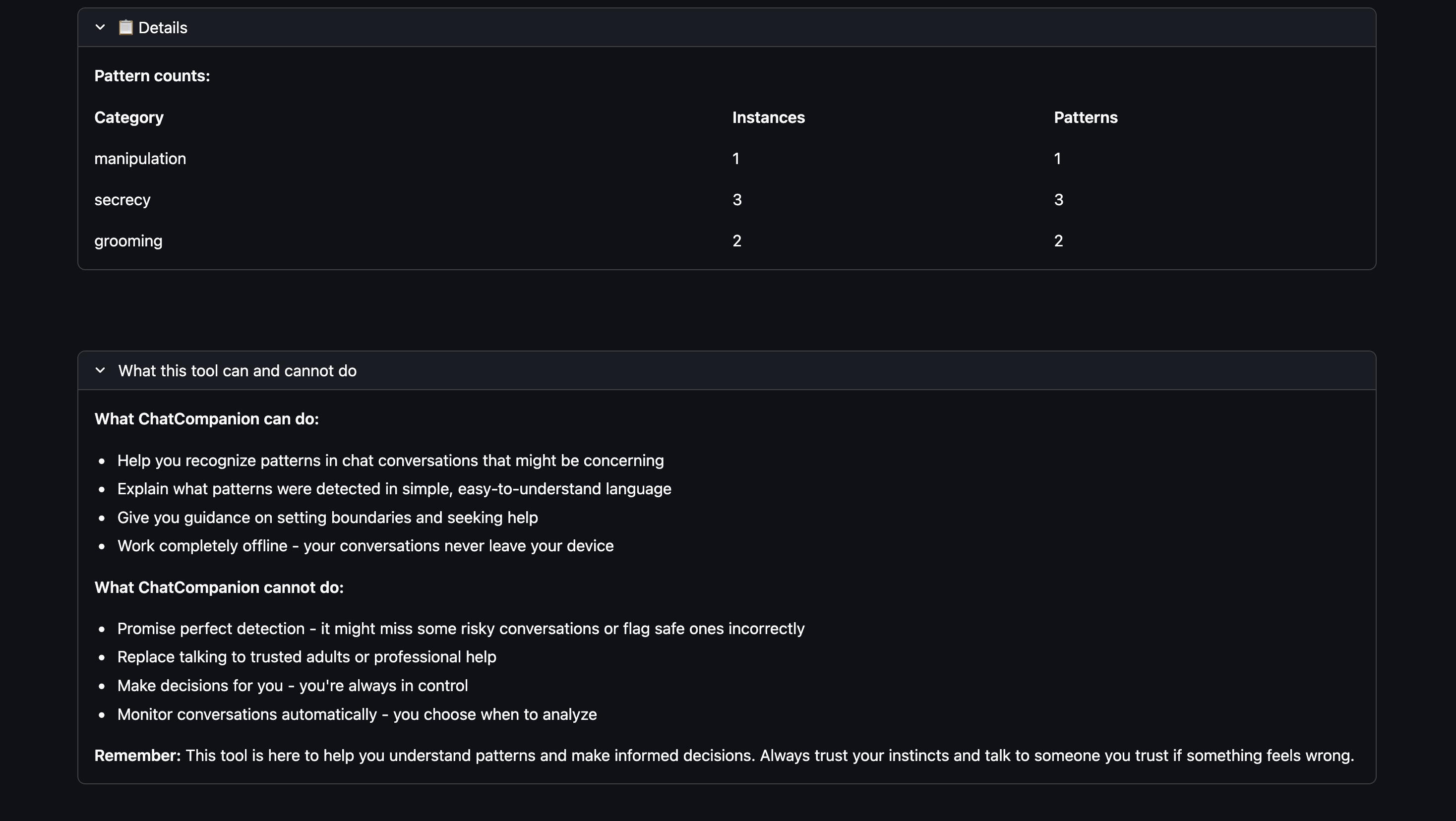
Transparent capabilities: Clear explanation of what ChatCompanion can and cannot do.
Inspiration
The statistics are sobering: 89% increase in online grooming crimes over six years (Source: NSPCC, 2024), 55% of teens experiencing cyberbullying (Source: Cyberbullying Research Center, 2023), and over half of young people staying silent when something feels wrong online (Source: NCES, 2022).
I realized that many existing tools rely on cloud processing or focus on monitoring rather than empowerment. The gap was clear: young people need tools to recognize manipulation, bullying, and grooming patterns themselves, in a way that respects their privacy and autonomy.
ChatCompanion was born from a simple question: What if children could recognize risky chat patterns themselves, without anyone watching over their shoulder?
What it does
ChatCompanion is a privacy-first tool that helps children and teenagers (ages 10-16) recognize risky chat patterns in their online conversations. It runs offline after one-time setup (including model download). No network calls during analysis.
How it works:
- Users paste a chat conversation into the app
- The system analyzes it locally (no cloud uploads, no network calls during runtime)
- Results are displayed using a simple green/yellow/red traffic light system:
- 🟢 GREEN: "No warning signs detected"
- 🟡 YELLOW: "Something feels a bit off" (mentions specific patterns detected)
- 🔴 RED: "This is serious" + "Need Immediate Help?" section appears
What it detects:
- Bullying patterns (one-sided hostility, escalating insults)
- Manipulation tactics (pressure, guilt-shifting, isolation)
- Secrecy demands ("don't tell anyone")
- Grooming indicators (rapid trust-building, boundary-pushing requests combined with secrecy/pressure patterns)
- Coercive control (proof-of-compliance demands, threats)
Key features:
- Explainable: Every detection includes evidence and reasoning in child-friendly language
- Evidence-based: Observed behaviors are listed only when patterns actually match—no false accusations
- Privacy-first: All processing happens on the user's device—no uploads, no tracking by design
- Offline-capable: Works completely offline after initial setup
How I built it
As a solo developer, I built ChatCompanion using a hybrid detection approach that combines rules-first detection with ML-assisted signals (offline fallback).
Tech Stack:
- Python 3.10+ with Streamlit for the web-based UI
- sentence-transformers (all-MiniLM-L6-v2, ~80MB) for local NLP embeddings
- scikit-learn for semantic similarity matching
- YAML for configurable rule definitions
- pytest for comprehensive testing
Architecture: The system follows a modular architecture with clear separation of concerns:
- Slang Normalization: Handles English youth/online slang and abbreviations (e.g., "u" → "you", "rn" → "right now") before pattern matching
- Context Gating: Reduces false positives by analyzing sentence context (e.g., time urgency only counts as pressure in demand contexts)
- Hybrid Detection: Rules engine scans for patterns while ML models provide semantic analysis
- Threat-Gating: Threat language appears in explanations only when threat patterns are actually detected
- Evidence-Based Explanations: Uses raw text for quotes, lists observed behaviors only when supported by matched patterns
Privacy Architecture:
- All processing happens in-memory during analysis
- No chat data is saved by default
- No network calls during runtime
- ML models run locally (downloaded once during setup)
- Rules-only fallback mode if ML models are unavailable
Development Process: I started with a rules-only system, then added ML capabilities for semantic understanding. The biggest architectural decision was ensuring the system works fully offline while maintaining accuracy—this required careful design of the hybrid detection system and local model integration.
Challenges I ran into
1. Balancing Detection Accuracy with False Positives Youth language is full of slang, irony, and banter that can be misinterpreted. Friendly teasing between friends could be flagged as bullying, or hostile language masked with abbreviations could be missed.
Solution: I implemented context gating, banter detection heuristics, and evidence-based explanations that only show behaviors when patterns actually match. The slang normalizer handles common abbreviations and masked attempts to hide hostile language.
2. Privacy vs. Functionality Many detection tools require cloud APIs for better accuracy, but this conflicts with the privacy-first goal.
Solution: I built a hybrid system that works fully offline using local ML models (sentence-transformers). The system gracefully falls back to rules-only mode if models aren't available, ensuring it always works while maintaining privacy.
3. Child-Friendly Explanations Technical detection results need to be translated into language suitable for ages 10-16, without being scary or shaming.
Solution: I created an explainability layer that uses child-friendly language, supportive tone, and evidence-based descriptions. The system avoids false accusations by only showing behaviors when patterns actually match, and threat language only appears when threats are actually detected (threat-gating).
4. Slang and Obfuscation Young people use abbreviations, masked slang, and creative spelling to hide hostile language (e.g., "r n" → "right now", "stf*u" → "shut up").
Solution: I built a comprehensive slang normalizer that handles common patterns, typos, and obfuscation while preserving hostility markers. The normalizer runs before pattern matching to ensure patterns match normalized text.
5. Testing Edge Cases Real-world conversations are messy, context-dependent, and culturally nuanced. How do you test for accuracy without real user data?
Solution: I created synthetic test fixtures covering various scenarios (bullying, grooming, manipulation, safe banter) and implemented regression tests for false positives. All tests pass in CI (see GitHub Actions).
Accomplishments that I'm proud of
✅ Offline-by-design: Runs offline after one-time setup; no network calls during analysis
✅ Explainable AI: Every detection includes evidence and reasoning, so children understand what was detected and why—not just a black-box result
✅ Child-Friendly Design: Created explanations in language suitable for ages 10-16, with a supportive, non-shaming tone that empowers rather than scares
✅ Evidence-Based Accuracy: Implemented strict evidence-gating so observed behaviors are listed only when patterns actually match—no false accusations
✅ Comprehensive Testing: Built a robust test suite covering detection accuracy, false positives, slang handling, and UI components—all passing with CI/CD integration
✅ Modular Architecture: Designed a clean, maintainable codebase with clear separation of concerns that makes future enhancements straightforward
✅ Complete Documentation: Created extensive documentation (architecture, ethics, installation guides) that makes the project accessible to judges, developers, and users
✅ Real-World Impact Potential: Addressed a critical problem (child safety online) with a solution that respects privacy and empowers users—exactly what's needed in today's surveillance-heavy landscape
What I learned
Technical Learnings:
- Local ML is powerful: You don't need cloud APIs for good NLP—local models like sentence-transformers work well for semantic analysis
- Hybrid approaches win: Combining rules (explainable, fast) with ML (semantic understanding) gives better results than either alone
- Context matters: Simple pattern matching isn't enough—understanding sentence context and cross-sentence relationships is crucial for accuracy
- Slang normalization is hard: Youth language evolves quickly, and building a normalizer that handles edge cases requires extensive testing
Design Learnings:
- Explainability is essential: Users (especially children) need to understand why something was flagged, not just that it was flagged
- Evidence-based explanations prevent false accusations: Only showing behaviors when patterns actually match builds trust and accuracy
- Child-friendly language is different: Technical terms need translation, tone matters (supportive vs. scary), and simplicity is key
Ethical Learnings:
- Privacy and functionality aren't mutually exclusive: You can build powerful detection tools that work fully offline
- Empowerment beats surveillance: Tools that help users make informed decisions are more ethical than tools that make decisions for them
- Transparency builds trust: Being honest about limitations (not 100% accurate, not a replacement for professional help) is essential for ethical AI
Process Learnings:
- Testing edge cases early saves time: Synthetic test fixtures helped catch false positives before they reached users
- Documentation is part of the product: Good docs make projects accessible to judges, users, and future contributors
- CI/CD catches mistakes: Automated testing and code quality checks prevent regressions and improve code quality
What's next for ChatCompanion
Immediate Next Steps:
- User Testing: Get feedback from the target age group (10-16) to refine explanations and UI
- Accuracy Improvement: Continue refining detection patterns based on real-world usage and feedback
- Multi-language Support: Extend beyond English to help children worldwide
Short-Term Enhancements:
- Standalone Executable: Create a one-click installer for non-technical parents and children
- Browser Extension: Direct integration with messaging platforms (Discord, WhatsApp Web, etc.)
- Mobile App: Native iOS/Android apps for on-the-go analysis
- Advanced ML Models: Fine-tuned models trained specifically on youth language and risky patterns
Long-Term Vision:
- Custom Risk Categories: Allow users to configure detection patterns based on their specific concerns
- Community Contributions: Open-source rule definitions that can be shared and improved by the community
- Research Collaboration: Partner with child safety organizations to improve detection accuracy and reduce false positives
- Educational Integration: Work with schools and youth organizations to teach pattern recognition alongside the tool
Impact Goals:
- Help children recognize risky patterns before harm occurs
- Reduce the reporting gap (currently over 50% don't tell an adult)
- Empower children with tools that respect their privacy and autonomy
- Contribute to a future where child safety tools prioritize empowerment over surveillance
ChatCompanion is built for the Code Spring Hackathon. Open source. Privacy-first. Empowerment over surveillance.
Built With
- pytest
- python
- pyyaml
- scikit-learn
- streamlit

Log in or sign up for Devpost to join the conversation.