-
-
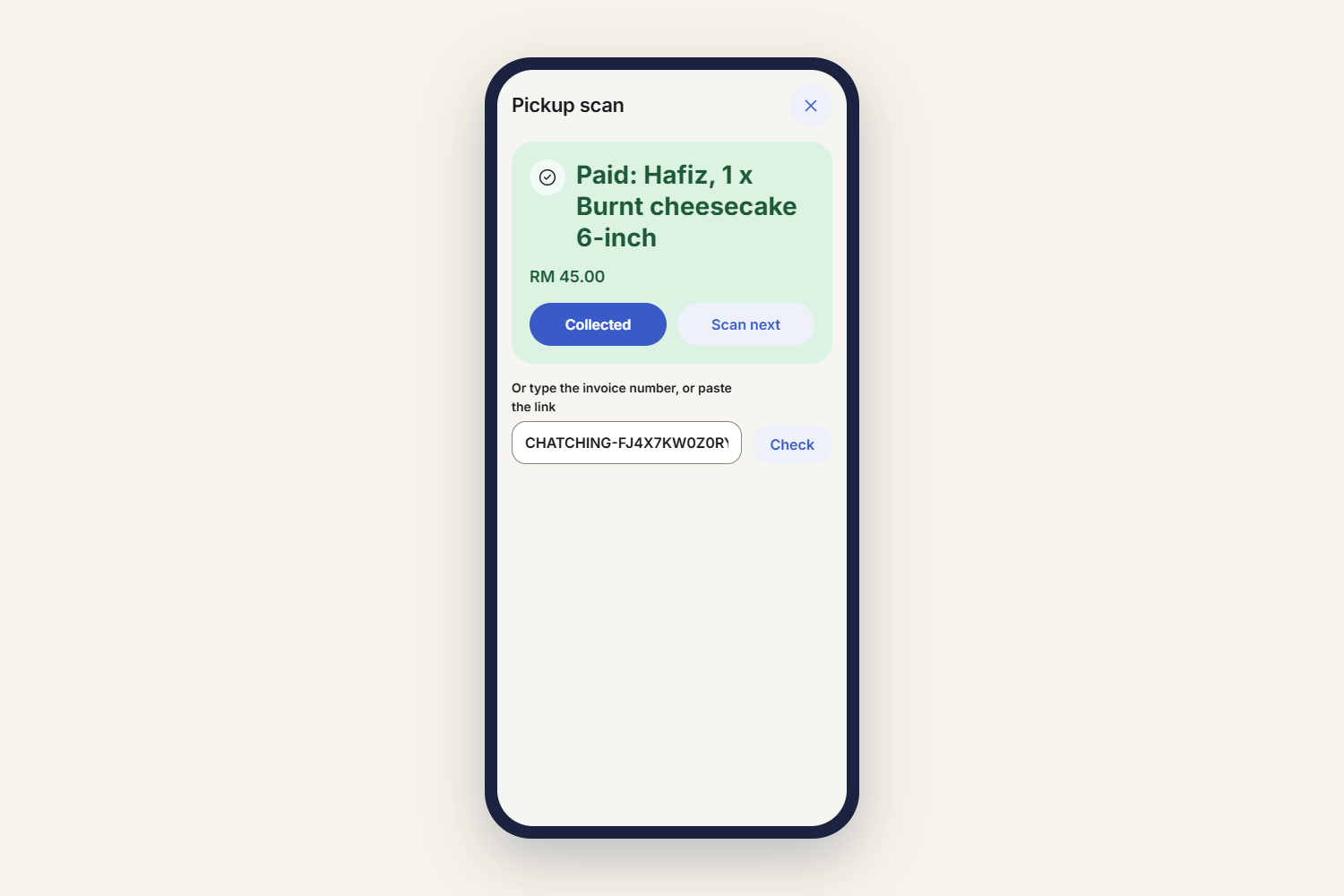
pickup-scan-on-phone
-
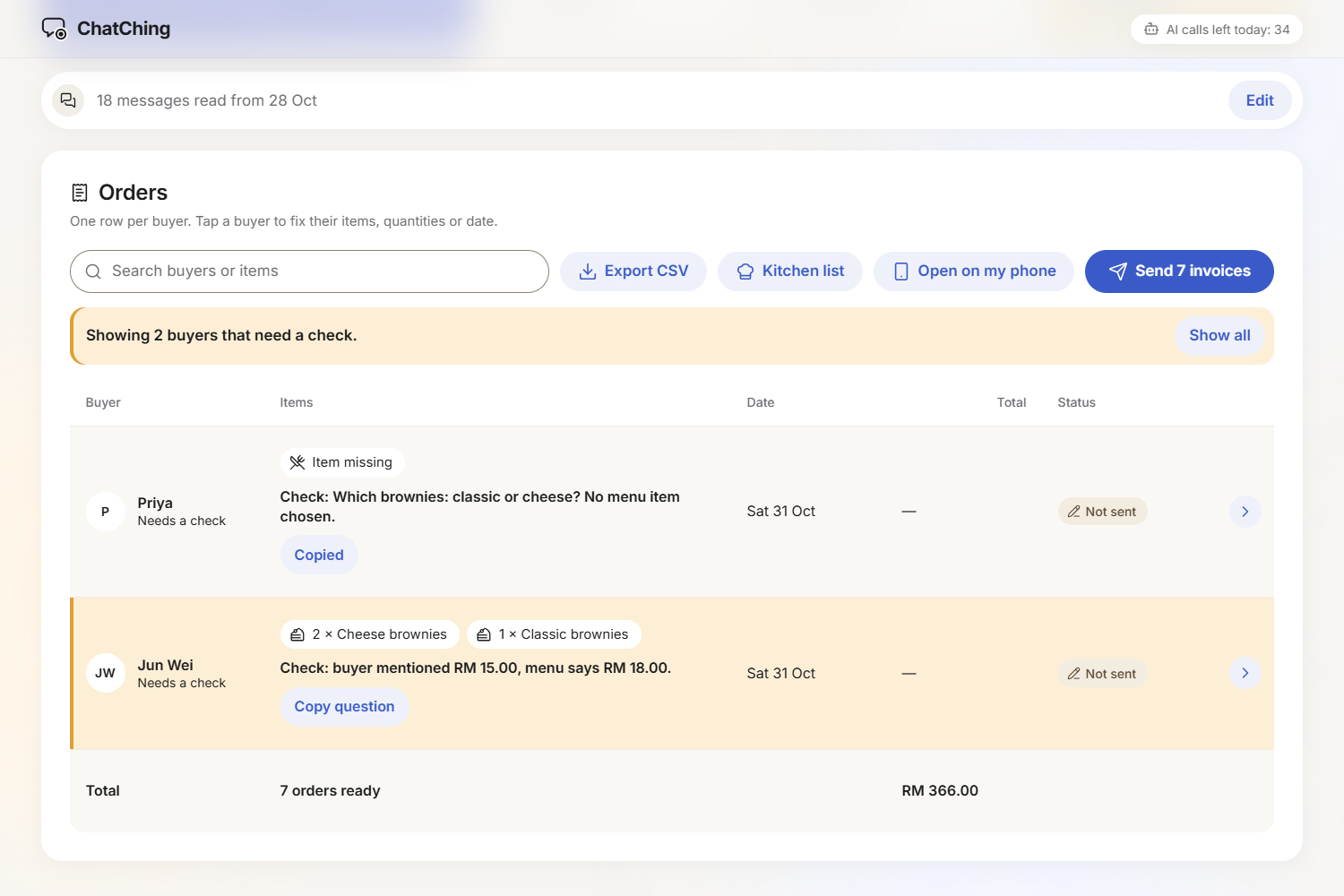
check-row-copy-question
-
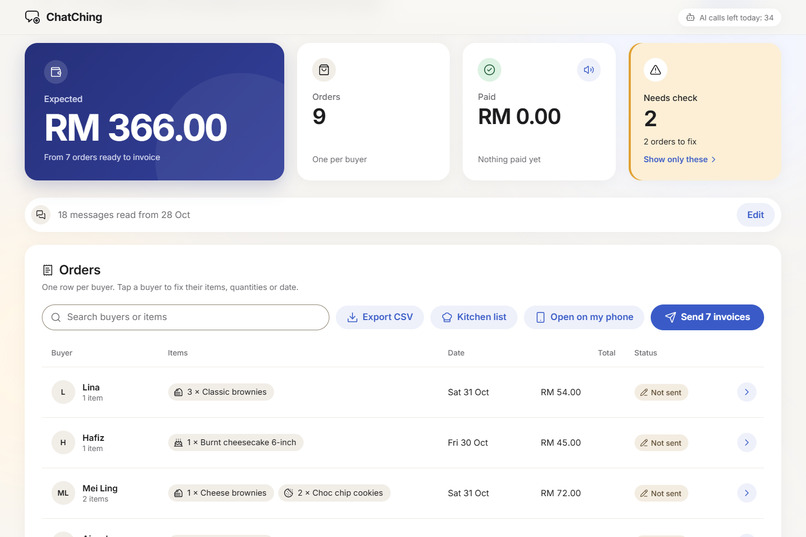
table-after-reading
-
kitchen-list
-
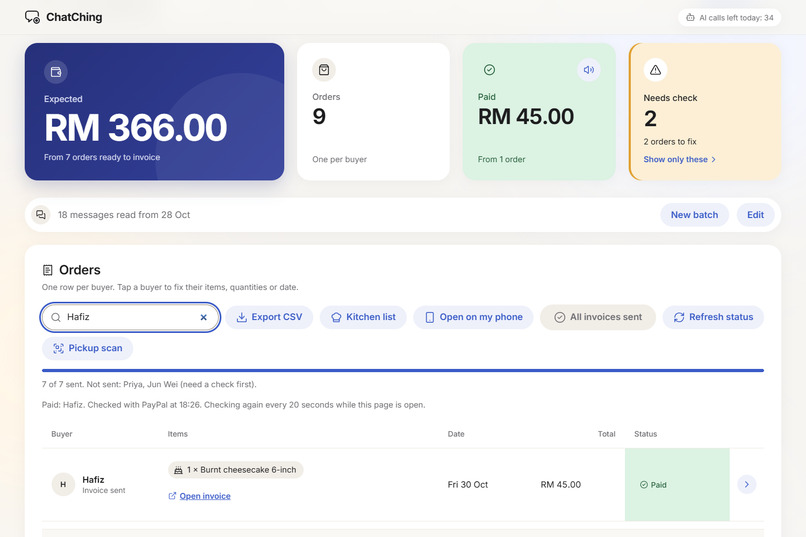
paid-row
-
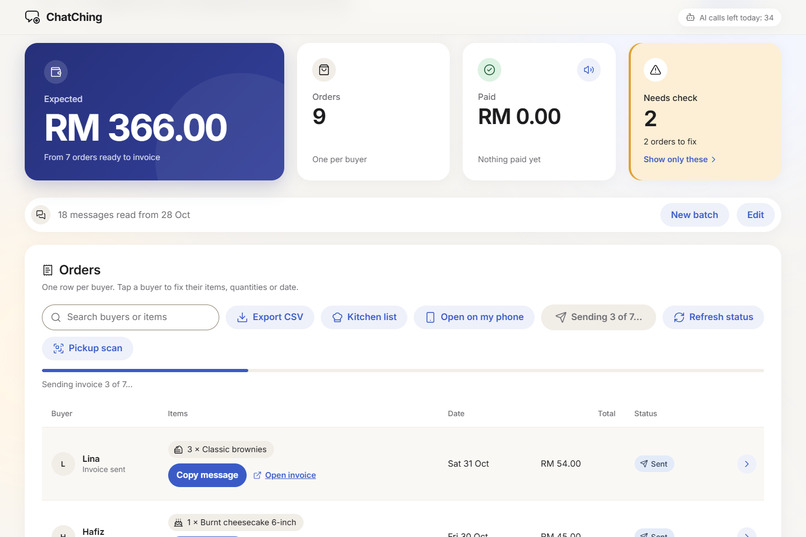
send-invoices-progress
Inspiration
I'm a first-year student at UTP in Malaysia. A friend of mine takes orders by chat and copies every order into Excel by hand: who ordered what, who changed their mind, who has paid. In my dorm, sellers of bubur ayam, shawarma and matcha take orders through group chats and Google Forms. At the end of the day someone scrolls back through dozens of messages to work out the final orders and chase payments. I wanted to turn a messy chat into clean PayPal invoices in one click, without ever letting an AI decide what someone pays.
What it does
For many online sellers, business happens in the chat — but managing orders and collecting payments is still a headache. ChatChing turns a full day of messy conversations into a clean, reviewable order list using AI. With one click, sellers can generate PayPal payment links for every buyer. No more digging through endless chats, manually tracking orders, or chasing payments one by one. Just chat, confirm, and get paid.
In more detail:
- Read orders: the seller pastes a day of chats. Gemini returns the final order per buyer, with later changes and cancellations applied, and a one-line note on what it did.
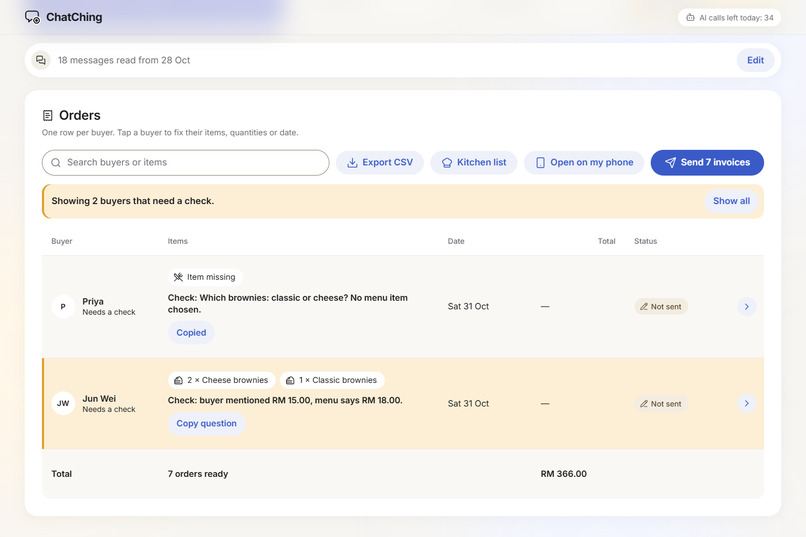
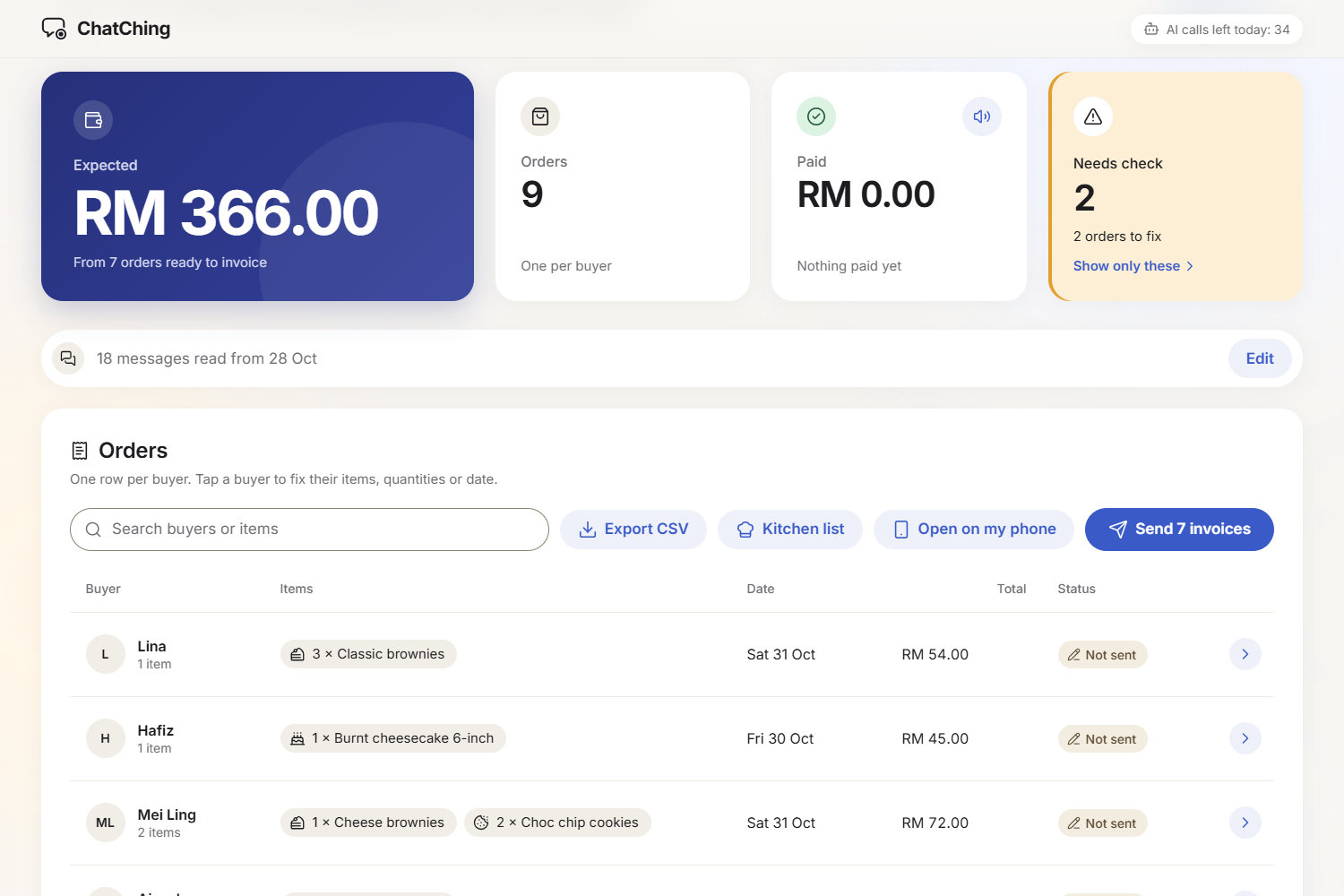
- Review: the orders appear in a table. Prices come from the seller's menu, never from the AI. Anything unclear is amber with its reason, and clicking a buyer shows their own messages highlighted.
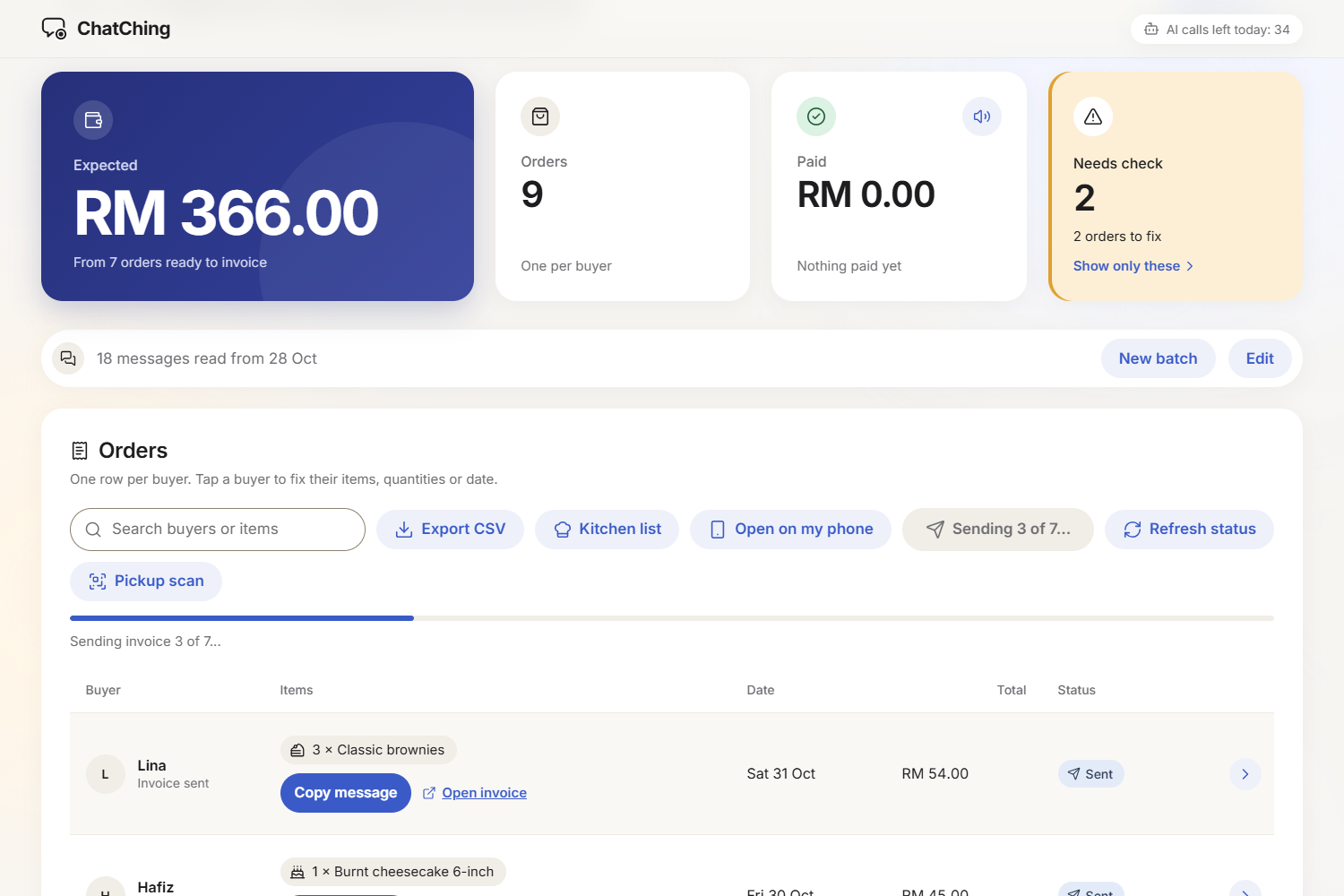
- Send invoices: one click creates and sends a PayPal invoice for each buyer, with a ready-to-send message to paste into the chat. The message links to the buyer's own private order page.
- The buyer confirms: the order page shows the buyer what ChatChing understood from their messages: items, quantities, the total from the menu, the day, pickup or delivery, and their own messages with the parts that mattered marked. One tap says Looks right, or Something's wrong with a short note. The buyer pays with PayPal's own Pay button on the same page, sees the live status (Not paid, Paid, Collected) and gets their pickup QR once paid. The buyer can never change items, quantities or prices: the seller's table shows "Confirmed by buyer" or the buyer's note in amber, and the seller decides.
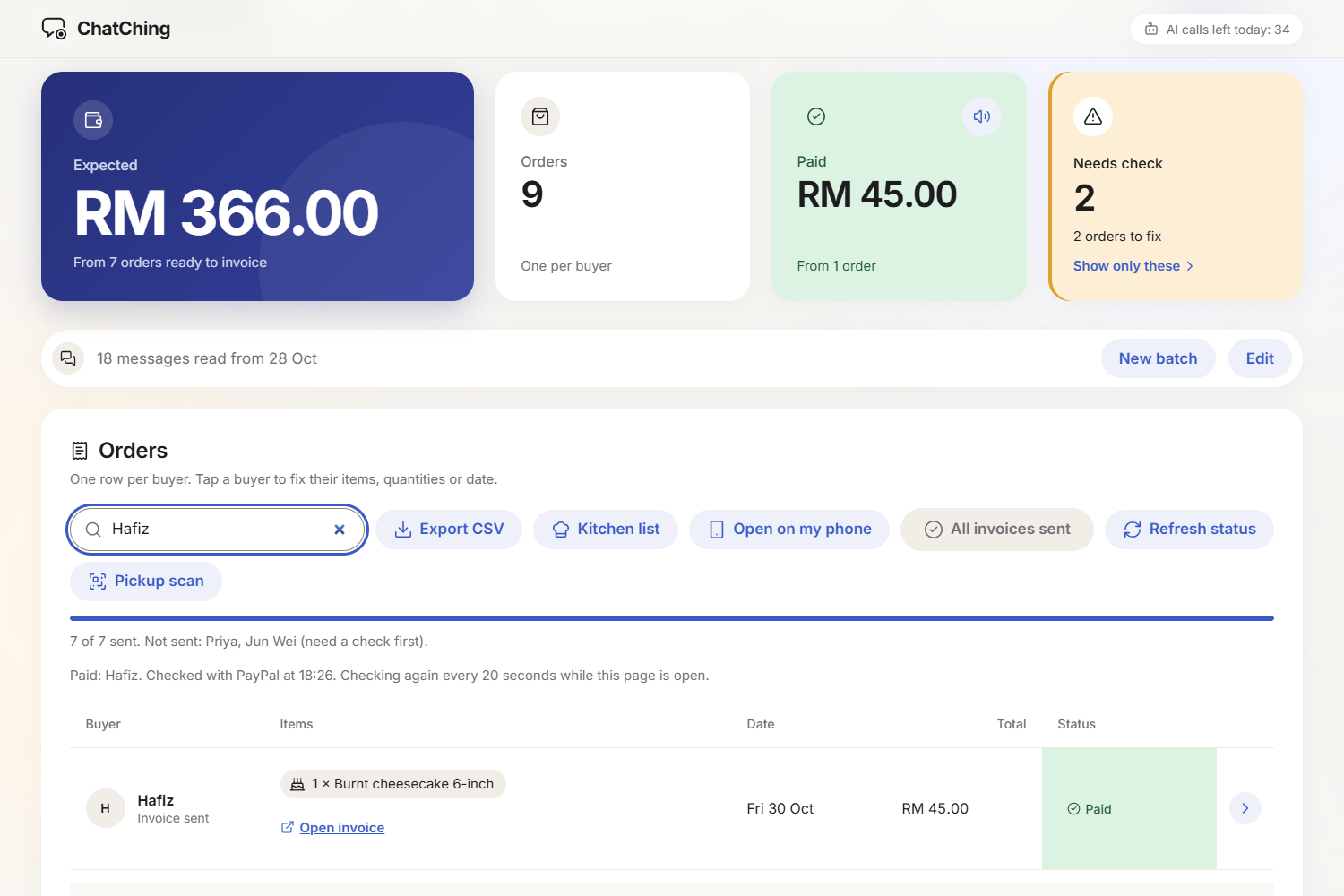
- Get paid: the status updates from PayPal (Sent, Paid). The seller can record cash or bank payments in PayPal, so PayPal holds the full record.
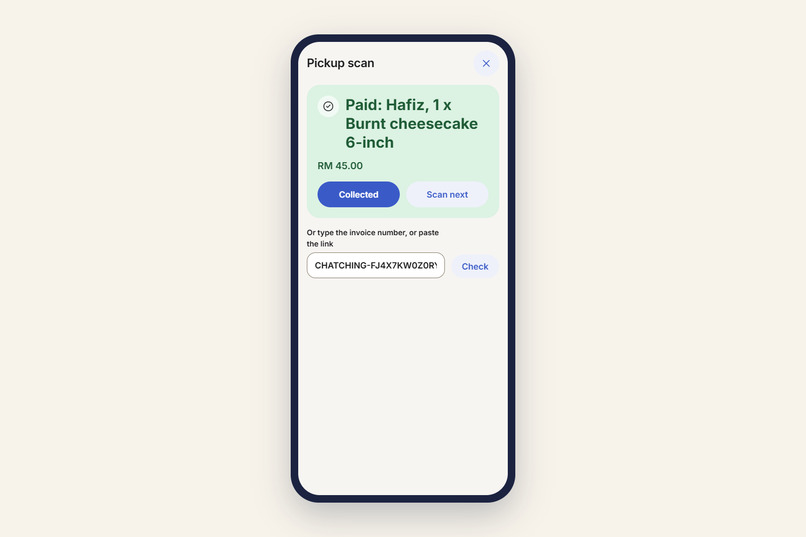
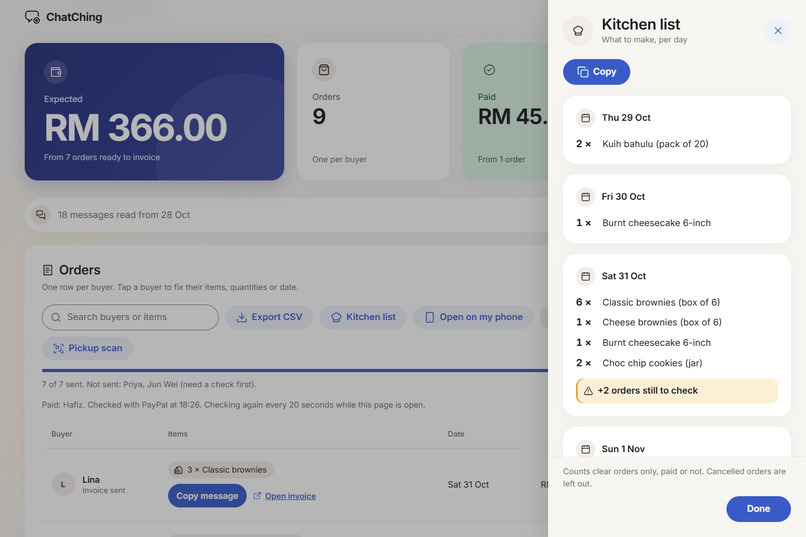
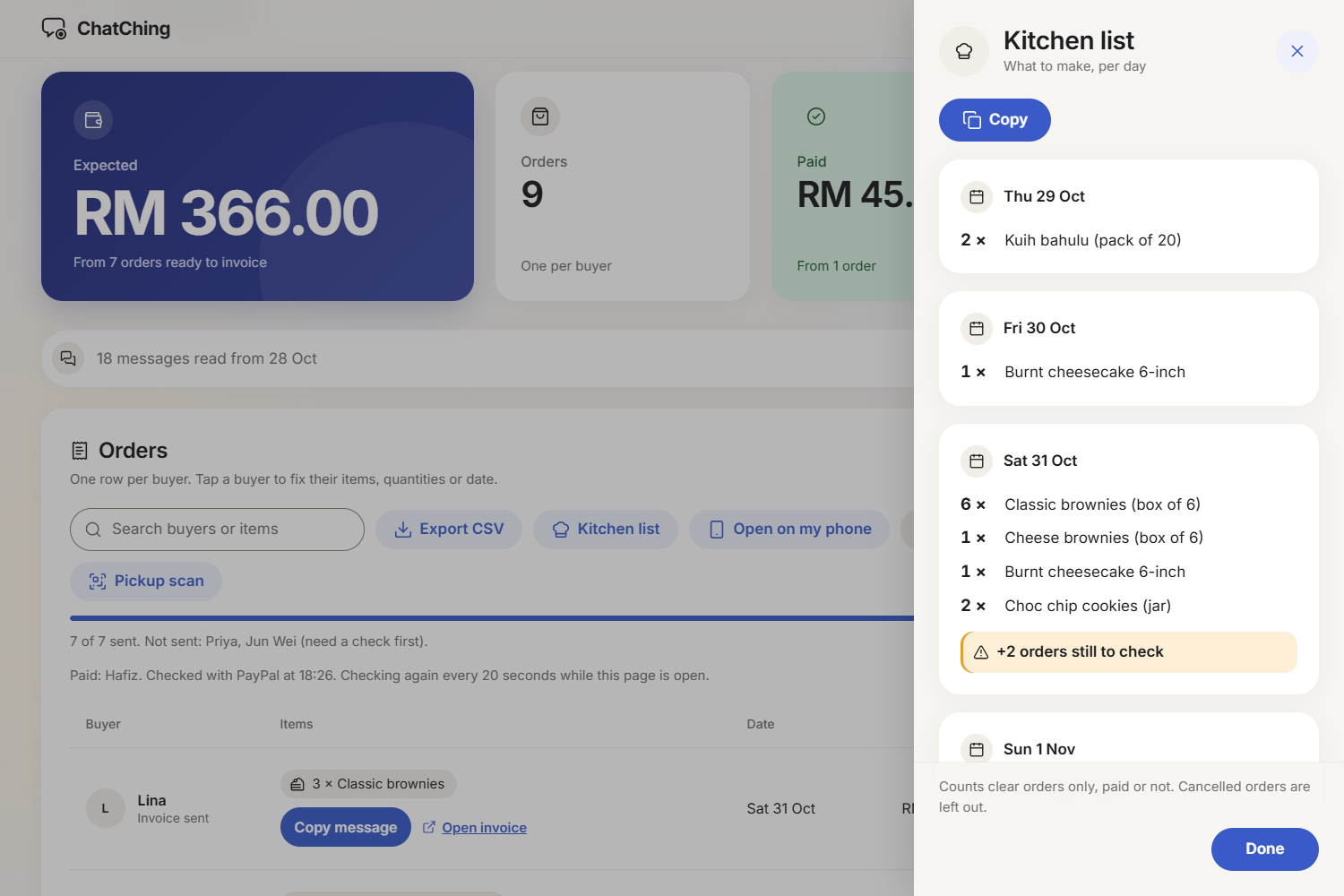
- Make and hand over: a Kitchen list shows how many of each item to make per day. At pickup, the seller scans the buyer's PayPal QR on their phone and sees green (paid) or amber (not paid yet).
- Your own menu: My menu lets a seller add their own items, prices and the words their buyers use ("pz", "pizzas"). Everything follows it: the AI's list of allowed items, the prices and totals, the invoices and the buyer's page. It locks once invoices are sent, so an invoice always matches its menu. My friend asked for it in the user test: "what if the seller sells other food?"
- Always says what's next: one line under the three steps tells the seller the next action from the table's state (fix the amber rows, send invoices, send each buyer their message, watch for Paid, pickup), with Show me to jump to the right button. I added it after a user test: my friend didn't know what to do in which order, or that each buyer needs their message.
How we built it
- One small Node.js server (Express) with plain HTML and JavaScript. No database and no build step, so it is simple to run and to host.
- PayPal Invoicing API v2, sandbox: create, send (without emailing anyone), get status, record payment, generate the QR, and search by invoice number.
- Google Gemini (
gemini-3.6-flash, withgemini-3.8-flashas a backup): one call reads all the chats and returns JSON in a fixed shape. The app's code checks every reply before it is used. - AG Grid Community for the order table: pagination, custom cells, highlighted rows, a totals row, search, CSV export and a green flash when an invoice turns Paid.
- Hosted on Render's free plan. Each visitor gets their own table through a cookie, with no login.
- Tested as I went: 695 automated tests, browser checks at phone and laptop sizes, and a check of the whole flow on the live site with real sandbox invoices.
I am a first-year student. I directed the project and made the decisions; the code was written with Claude Code. Every decision and prompt is logged in the repo (DECISIONS.md, PROMPT_LOG.md).
Challenges we ran into
- The free AI tier is busy. Gemini answered "high demand" at least once in every real session I ran, from 25 Oct to 1 Nov. So the app has a time budget (90 seconds per read), a backup model, a daily counter, a careful "Read without AI" mode, and a saved demo reply that always works.
- Never bill a buyer twice. PayPal's
PayPal-Request-Idheader didn't stop a repeat for invoices in my sandbox test. So every invoice gets its own number, which PayPal refuses to repeat, plus guards in the app's own code. A review later found a second way to bill twice (reading the same chats again in a new batch), and I closed that too. - The AI must never set a price. The AI only picks items and quantities from the menu. Prices come from the menu, and money is counted in whole cents so totals are exact.
- The free server forgets. Render's free plan clears its disk on every sleep or restart. Invoices are safe because they live in PayPal, and the page explains what happened when a table is cleared.
- Real browsers find what tests miss. My first security policy passed every unit test, then blocked the table's icons in Chrome. Only a real browser showed it.
Accomplishments that we're proud of
- The AI never touches money. Prices come from the menu, every AI reply is checked, and unclear orders are never invoiced until the seller fixes them.
- Honest accuracy results, each run once, with no prompt tuning on the test sets:
- Demo chats (written by me): 74/74.
- Real cafe orders, reformatted by AI, names added by me: 73/74. The one miss: oat milk, which is not on the menu, went into the note instead of being flagged.
- An AI-written third-party test set: 74/74.
- PayPal is central: invoices, payments, status and the pickup QR all go through the PayPal Invoicing API.
- A full review before submitting: a bug hunt and security audit found 18 issues (none critical). Each was fixed with a test written first; one rare Windows test-runner crash is worked around, not fixed.
- It works end to end on the live site, with real sandbox invoices.
- A real user test: a friend who tested ChatChing on 6 Nov said it is "more convenient than Excel".
What we learned
- Directing AI means deciding the limits up front. Twice I wished I had: which branch to push when "push" and "don't deploy yet" were both in one request, and a time limit on a low-priority bug before the hunt for its cause began, not half-way through. Both are in my prompt log.
- One good number isn't proof. A fix that looked perfect in 2,000 runs still failed 3 times in 100 full runs. I learned to test the whole thing, more than once.
- Label results honestly. A perfect score on chats I wrote myself says the pipeline works, not that the AI reads every seller well. Saying which is which makes the results more believable.
- Check the docs against reality. PayPal's docs say a cash payment makes an invoice
PAID; the sandbox really saysMARKED_AS_PAID. Testing on the real sandbox early saved me from building on the wrong word.
What's next for ChatChing
- Voice notes as input
- Chat screenshots as input
- Daily stock limits ("only 10 boxes on Saturday")
- More payment methods
- Order history across days
- Analytics (best sellers, busiest days)
- More languages
Built With
- ag-grid
- claude-code
- css3
- devpost
- express.js
- gemini
- html5
- javascript
- jsqr
- node.js
- paypal
- paypal-invoicing-api
- qrcode-generator
- render

