-
-
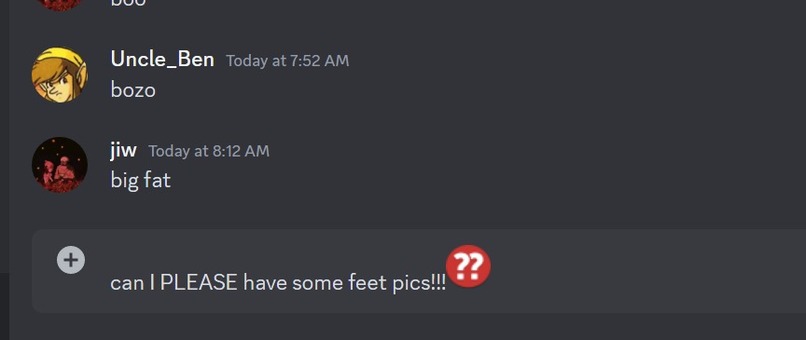
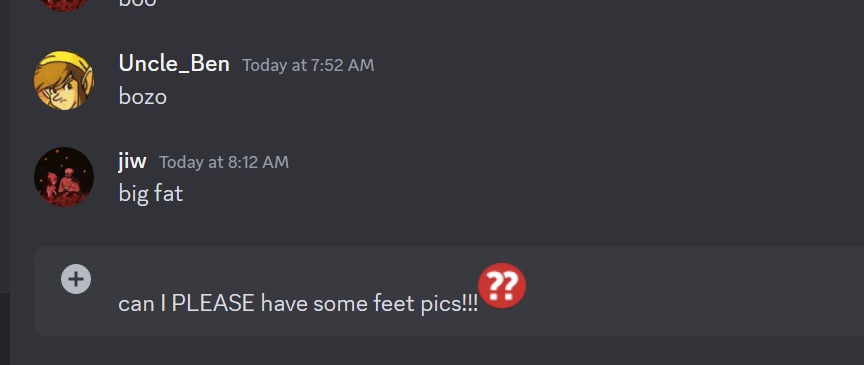
Blunder
-
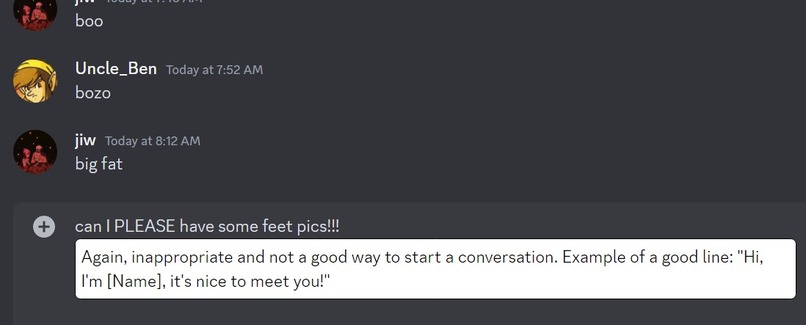
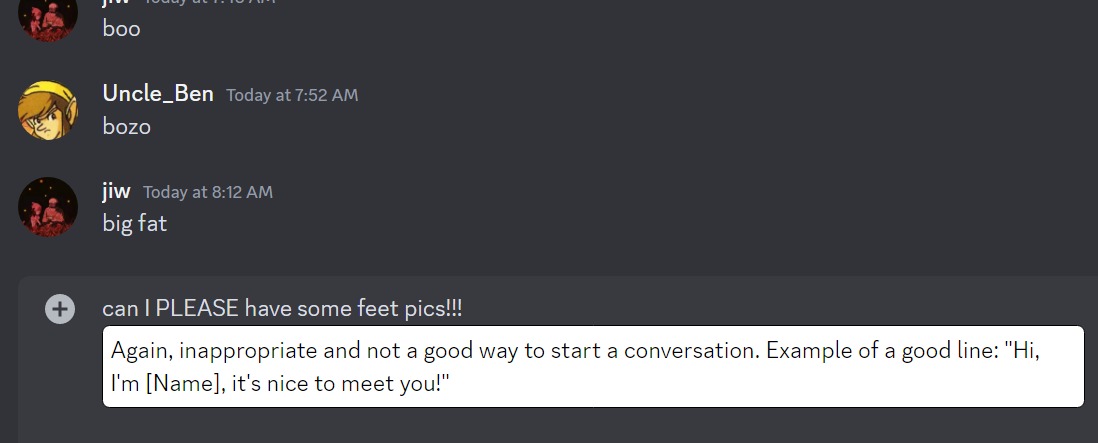
Suggested response for blunder
-
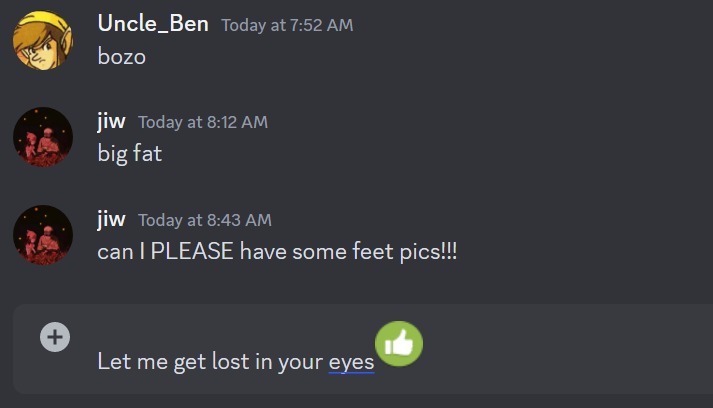
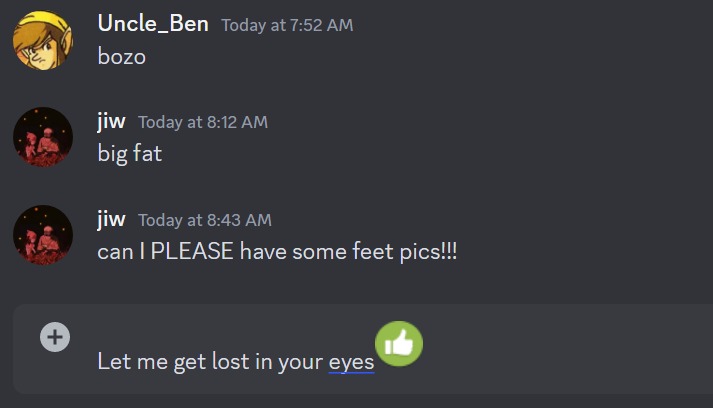
Good move
-
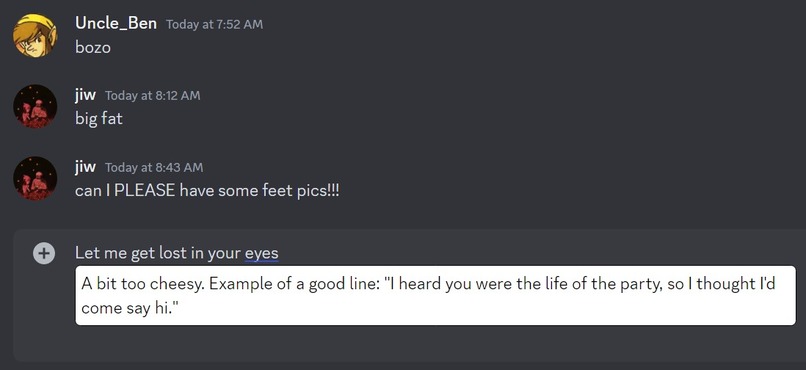
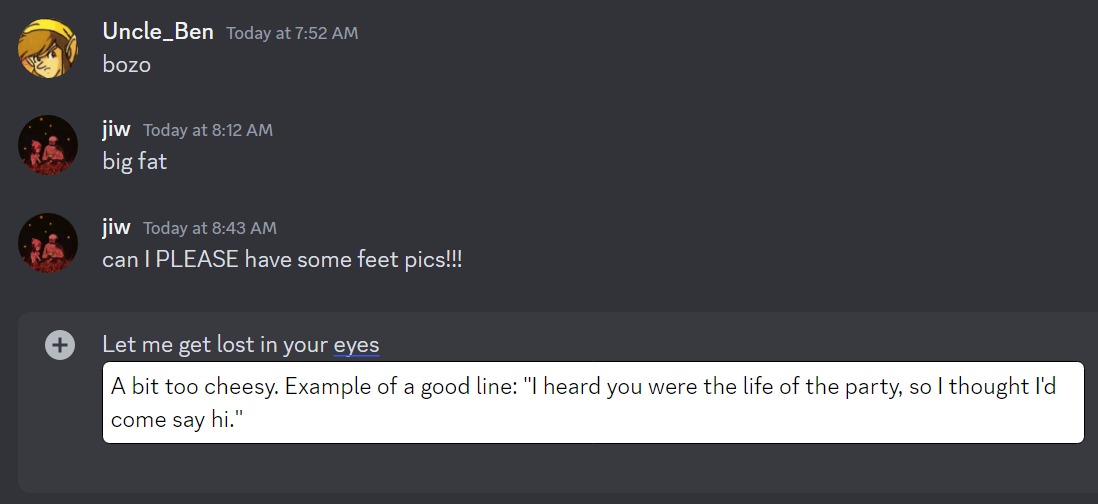
Description of good move
Inspiration
My friend Jim and I played way too much chess during winter quarter. So much so that we started using chess engine moves to describe everyday actions. Going climbing was a brilliant move and skipping class was a blunder. We thought it would be funny to use AI to assign text messages with these engine moves.
What it does
ChatCheck is a Chrome Extension that assigns a chess engine move to each text message response on Discord. It also provides short feedback to ensure each message results in a brilliant move.
How we built it
We built the chrome extension using JavaScript and deployed it using chrome for developers. To make an API call to OpenAI we hosted a Node.js server on Railway. In order to modify discord we used DOM manipulation. The popup for the extension was built using JavaScript as well.
Challenges we ran into
None of us had ever built a chrome extension, so everything was in uncharted territory. We initially made a popup bar in react but pivoted toward using DOM manipulation so the images could be next to the message bar. DOM manipulation was especially for a large dynamically loaded webpage like discord since the elements we were searching for were buried in divs and spans, constantly changing. The OpenAI was very well documented, however making an api call from a chrome extenstion required us to host a server. We initially hosted the Node.js server on DigitalOcean but pivoted to railway since it was better for our use case. Our project nearly fell apart when we realized we could not fetch the api from the Node.js server without running into issues with CORS. We brainstormed solution and ended up setting up a proxy server deployed on railway so the OpenAi API could be fetched.
Accomplishments that we're proud of
This was our first time building a chrome extension and it was quite successful. Hosting the Node.js and getting past the CORS policy was very rewarding.
What we learned
We learned how to use chrome for developers and its general work flow. Using a chrome extension to call the OpenAI was much more challenging than we anticipating and thus served as a great learning experience. We quickly learned how to deploy a Node.js as well as send and receive API requests from it. We used mutation observer, a JavaScript object that observes dynamic changes in the DOM.
What's next for ChatCheck
ChatCheck could expand to any online messaging service as an official chrome extension in the Chrome web store. We hope to also improve functionality by feeding message logs into the API call and creating a better user interface.
Built With
- css
- express.js
- github
- hml
- javascript
- node.js
- openai
- python
- railway


Log in or sign up for Devpost to join the conversation.