-
-
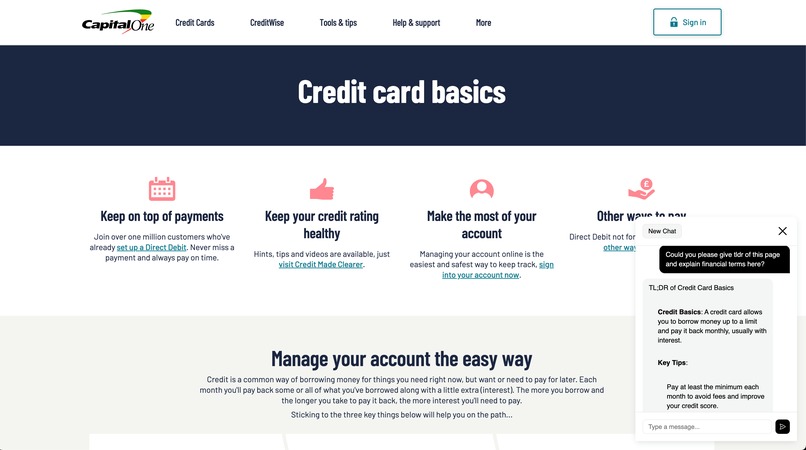
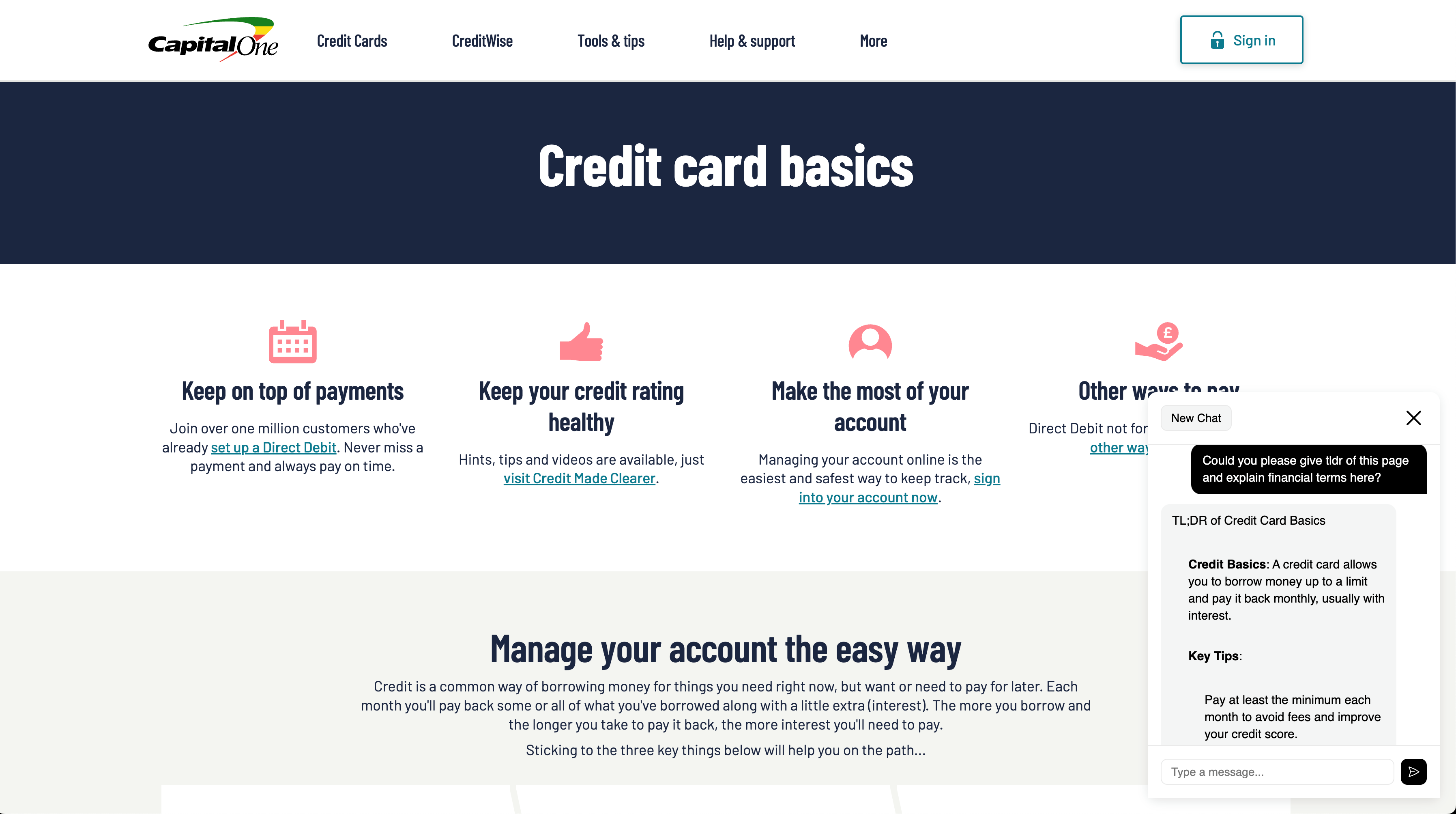
ChatBuddy in CapitalOne
-
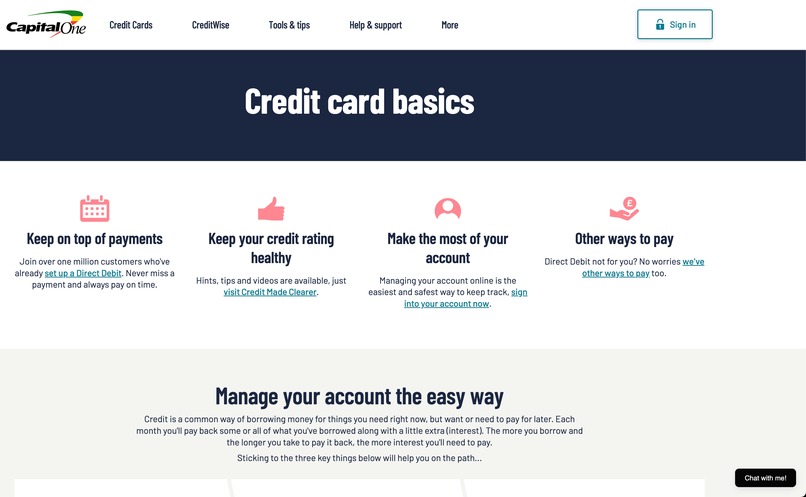
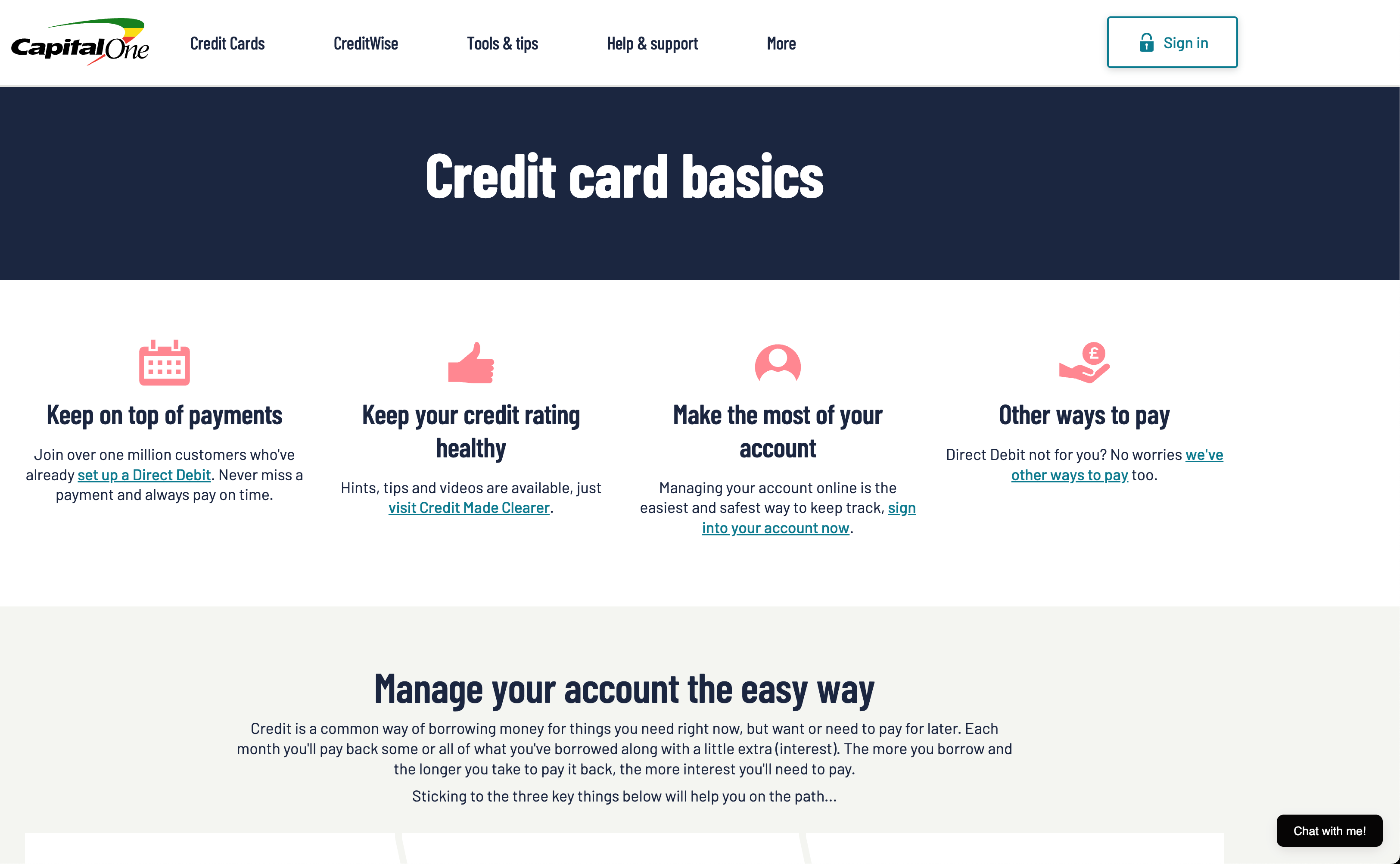
ChatBuddy collapsed in CapitalOne
-
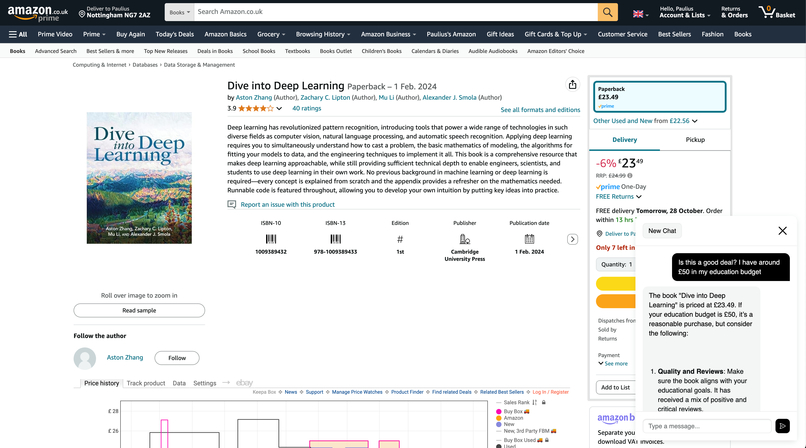
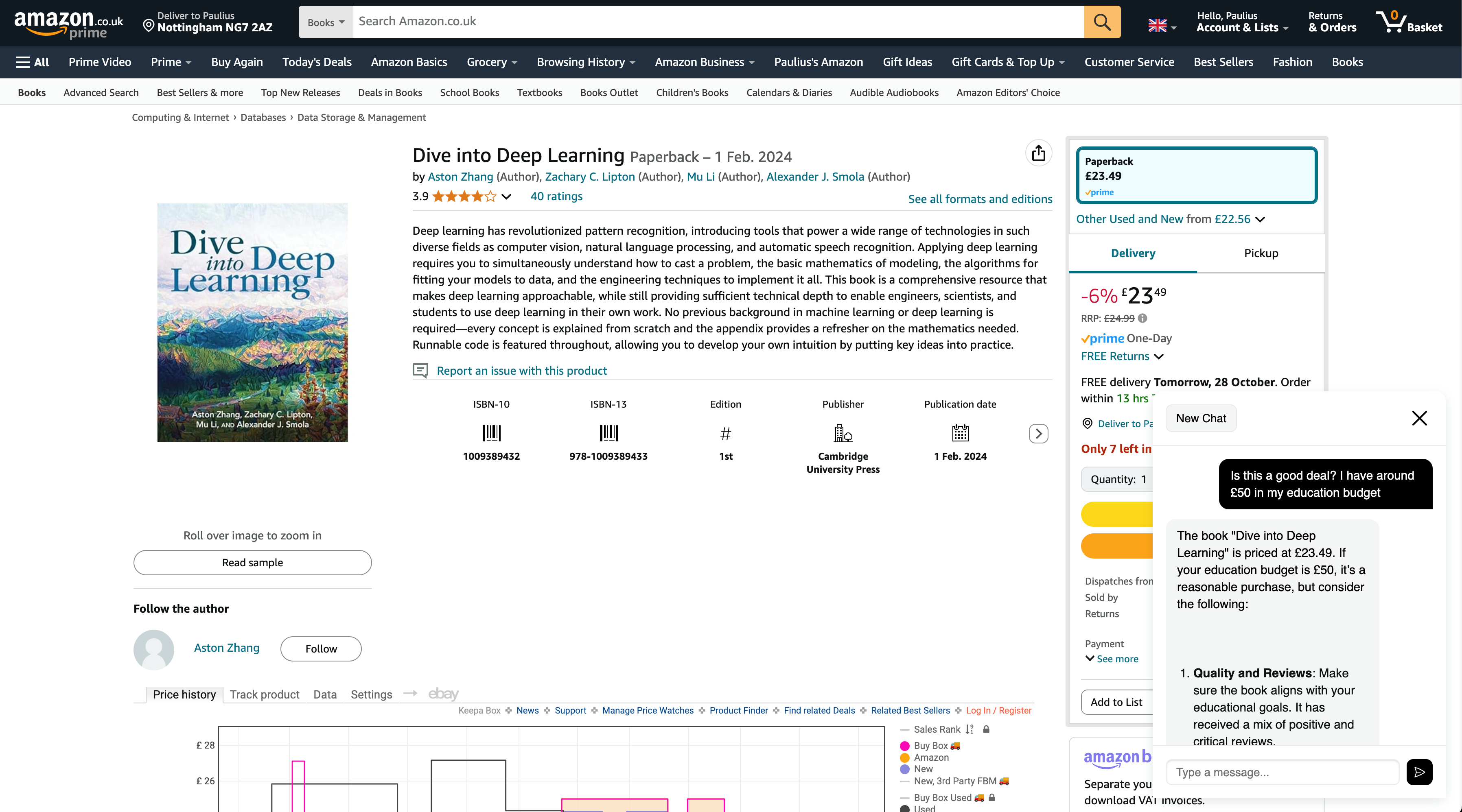
ChatBuddy in Amazon
-
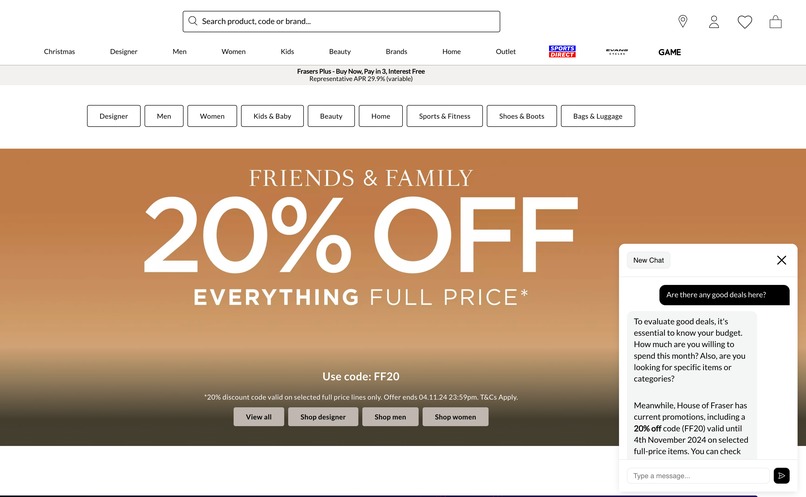
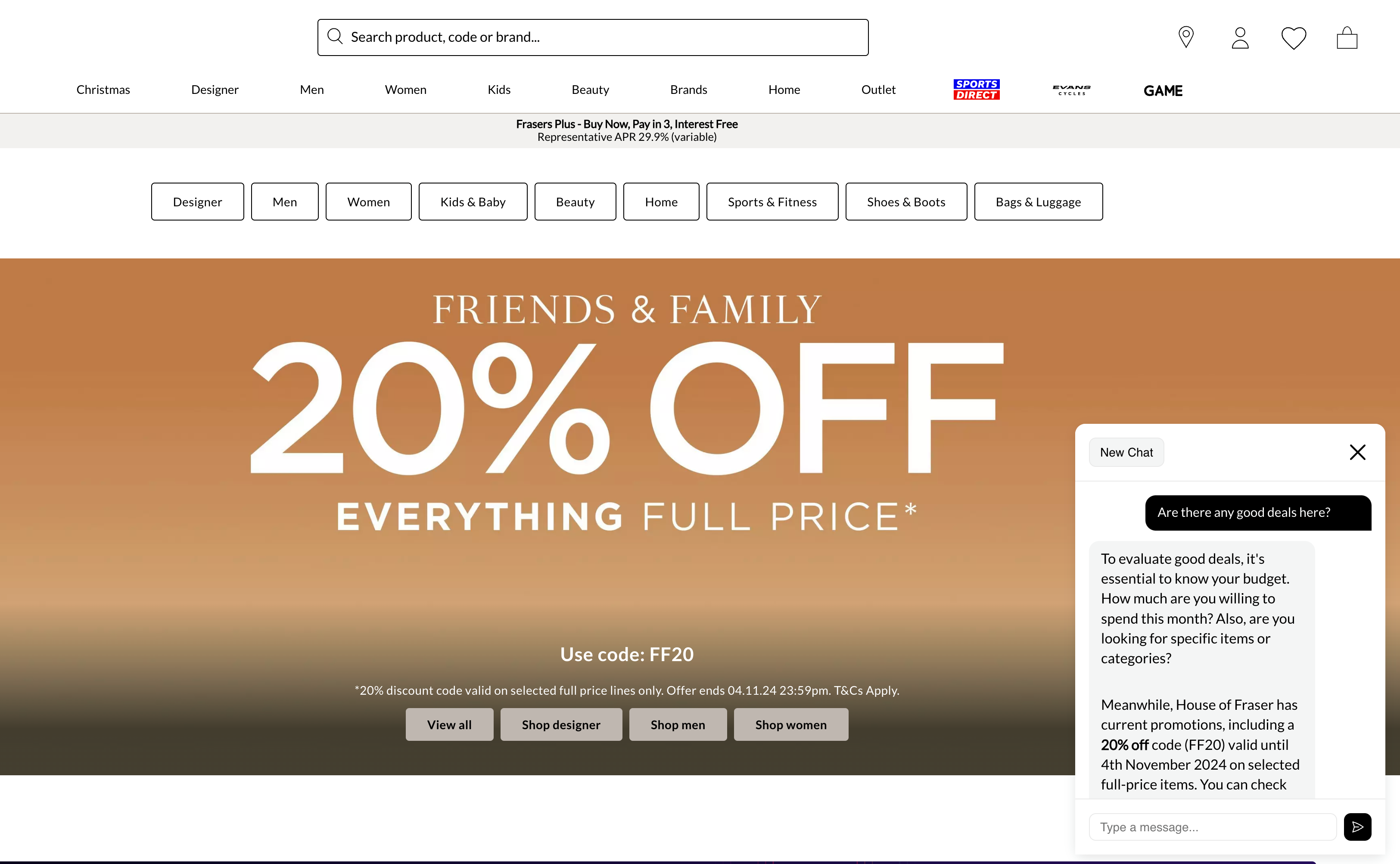
ChatBuddy in Frasers
Inspiration
Many of us make decisions when we are not fully informed or don't understand what we are buying, including all the buzzwords that appear on the page. So I created an extension that sits in the bottom right corner and is context-aware of the current page, allowing users to ask whether something is a good deal, what specific terms mean, and other relevant questions.
What it does
A context-aware AI assistant that helps you understand and evaluate financial decisions while browsing banking and shopping websites. It analyzes page content to provide relevant explanations, price comparisons, and personalized advice. A key feature is its context awareness - it analyzes the actual page content rather than relying on pretrained knowledge, which helps prevent hallucination and ensures accurate, page-specific responses.
Just ask:
- Is this a good deal here?
- What do the terms on this page mean?
- Is this reasonable APR%?
- How should I spell something
- What could be alternatives for this product?
Try it out:
- Press on this link to download it: chrome-extension.zip
- Unzip it
- Enable Developer mode in your browser
- Press Load unpacked
- Select
chat-buddydirectory - It should appear on websites like amazon.co.uk, capitalone.co.uk, houseoffraser.co.uk
How I built it
- Build a backend with Python and FastAPI
- Implemented backend logic with LLMs to make some recommendations based on user's context
- Created a bash script to bundle it up and zip it for lambda
- Configured CDK for deployment
- Bought a domain name,
- For extension I started with implementing simple chat with vanilla JS, html and css;
- Used
chrome.storage.localto store K number of previous chat messages (so they wouldn't be lost if you accidentally close a windows) - Configured SSL certificates with AWS Certificate Manager to use custom domains with API Gateway
- Created a bash script to zip it up
- Added additional endpoint in API to serve this .zip from lambda
Challenges I ran into
- CSS
- Serving .zip (At first it was sending it as ASCII instead of binary :D)
Accomplishments that I'm proud of
- Built a neat looking extension in under 24 hours
- Developed context-aware functionality that effectively interprets current window content
- Set up a complete deployment pipeline for extension distribution and AWS backend API
- Added local storage for chat history so your messages stay saved even if you close your browser
What I learned
- How to configure SSL certificates with AWS Certificate Manager and use custom domains with API Gateway
- How to serve files via AWS lambda
What's next for ChatBuddy
- Authentication!
Built With
- amazon-web-services
- bash
- cdk
- fastapi
- javascript
- lambda
- pydantic
- python


Log in or sign up for Devpost to join the conversation.