-
-
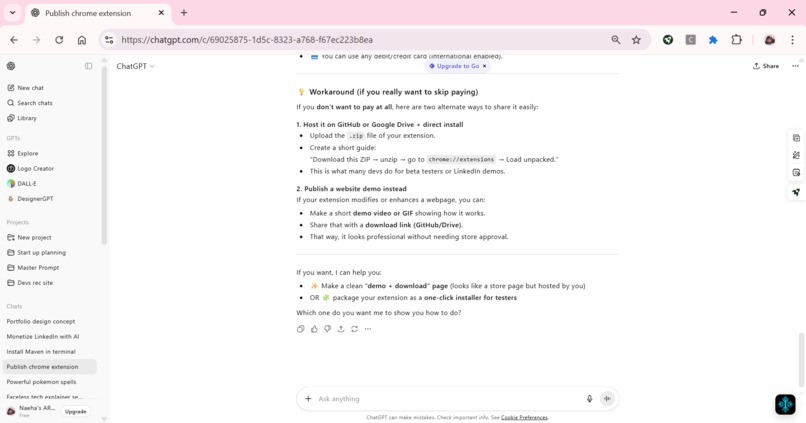
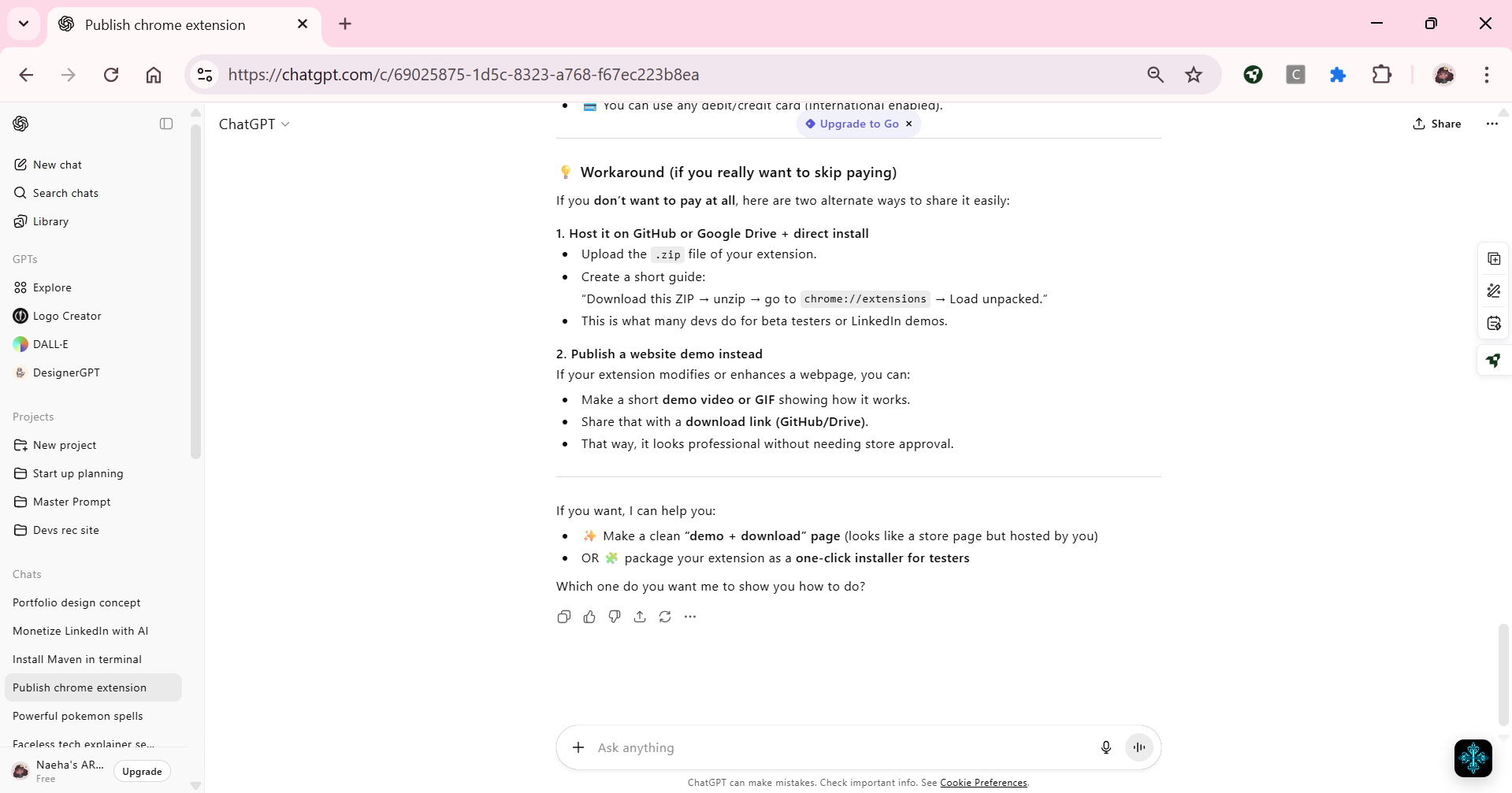
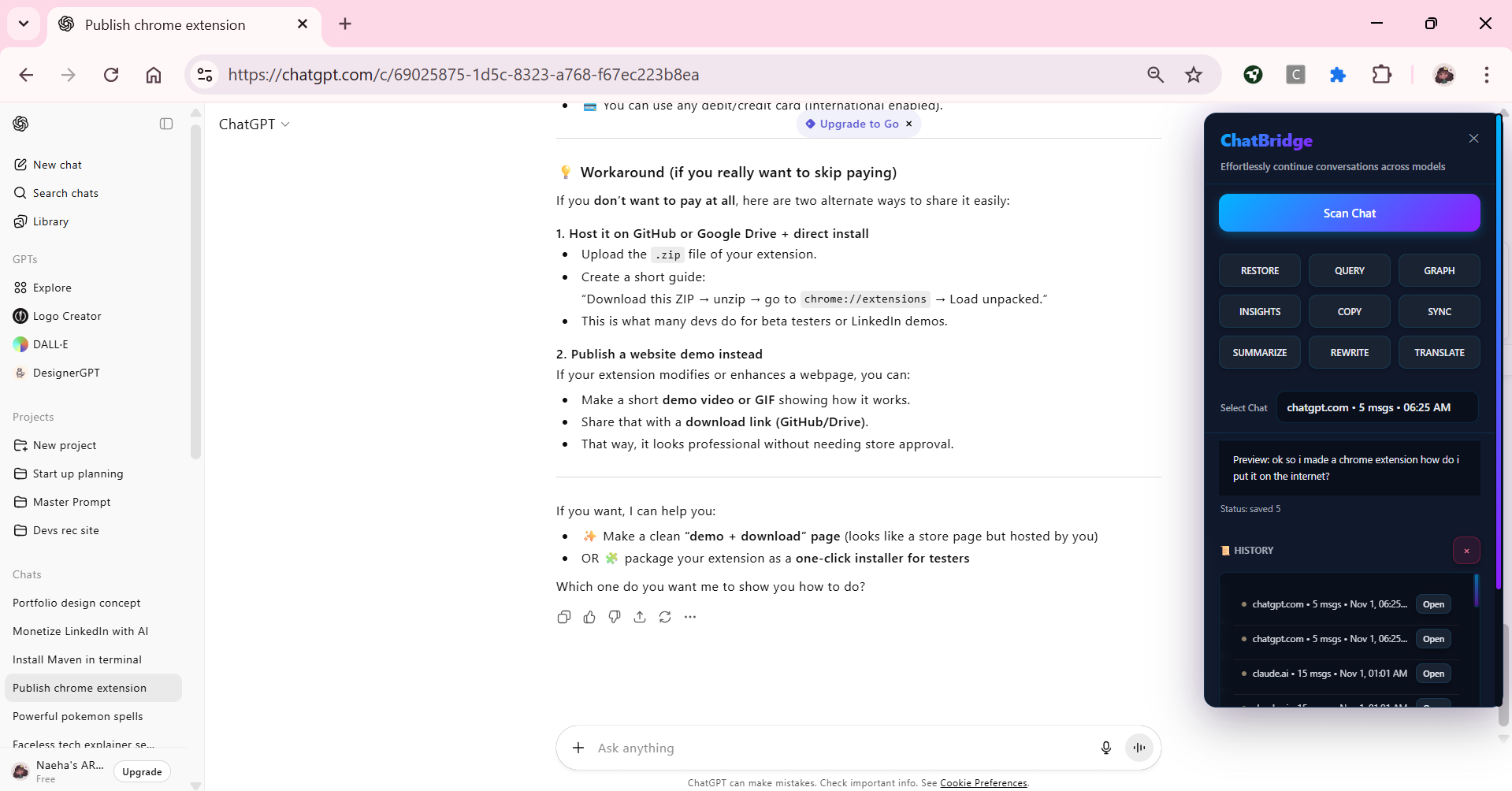
Floating Avatar
-
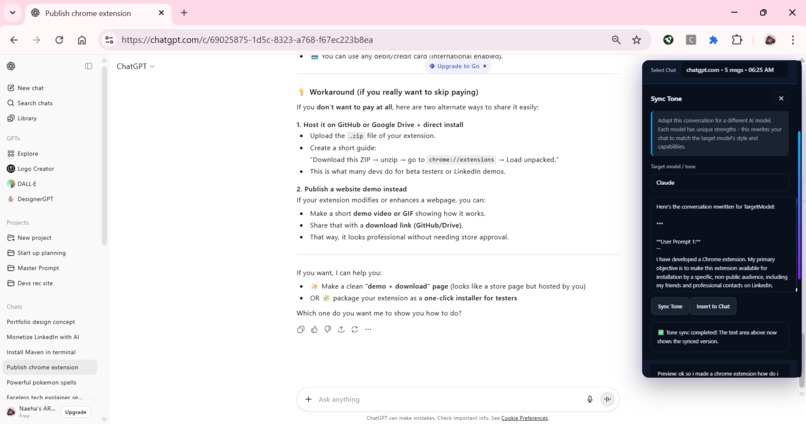
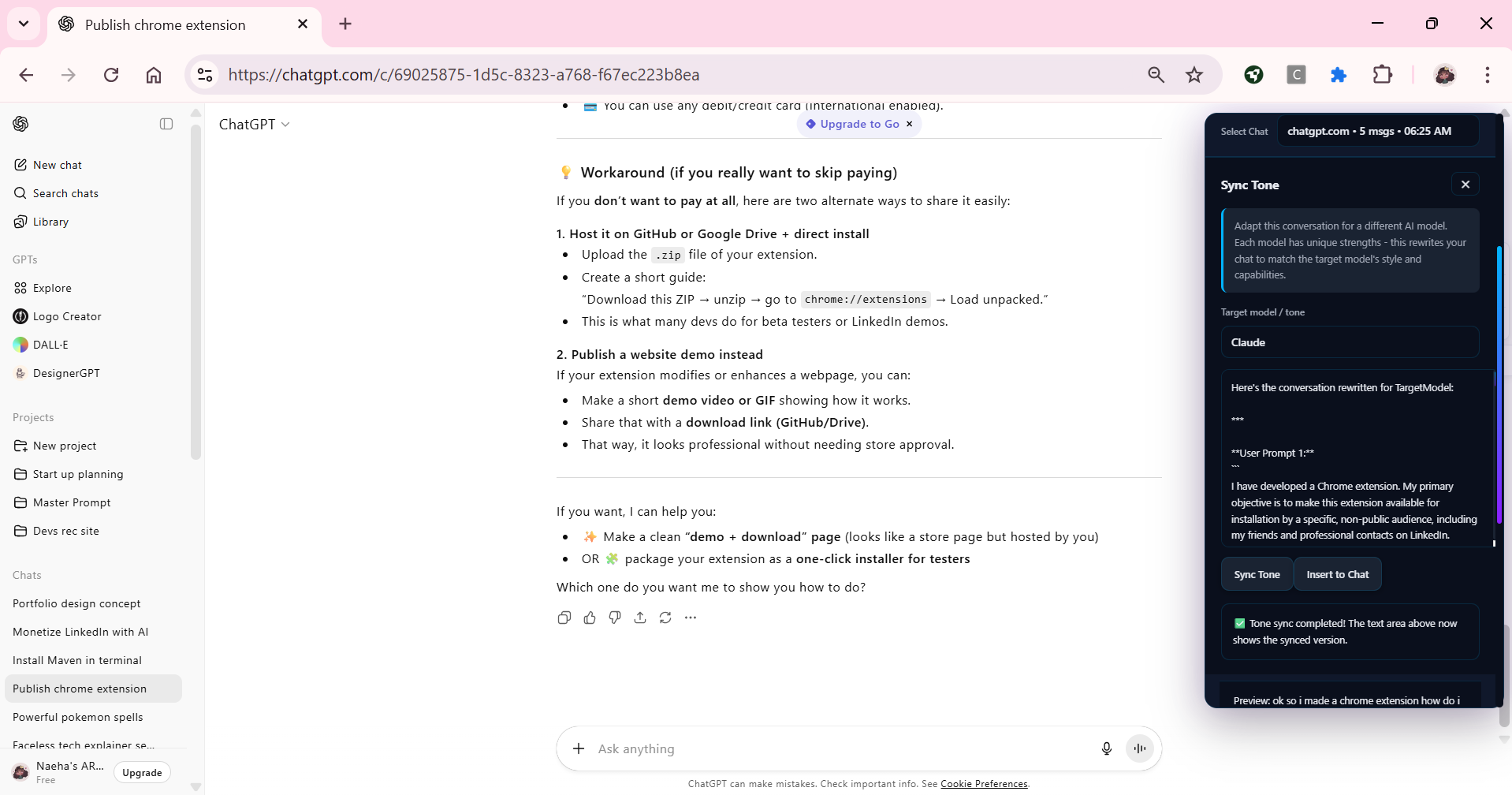
Sync tone
-
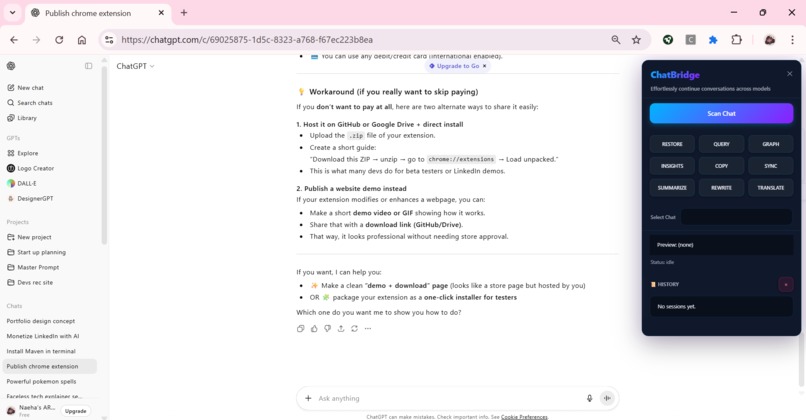
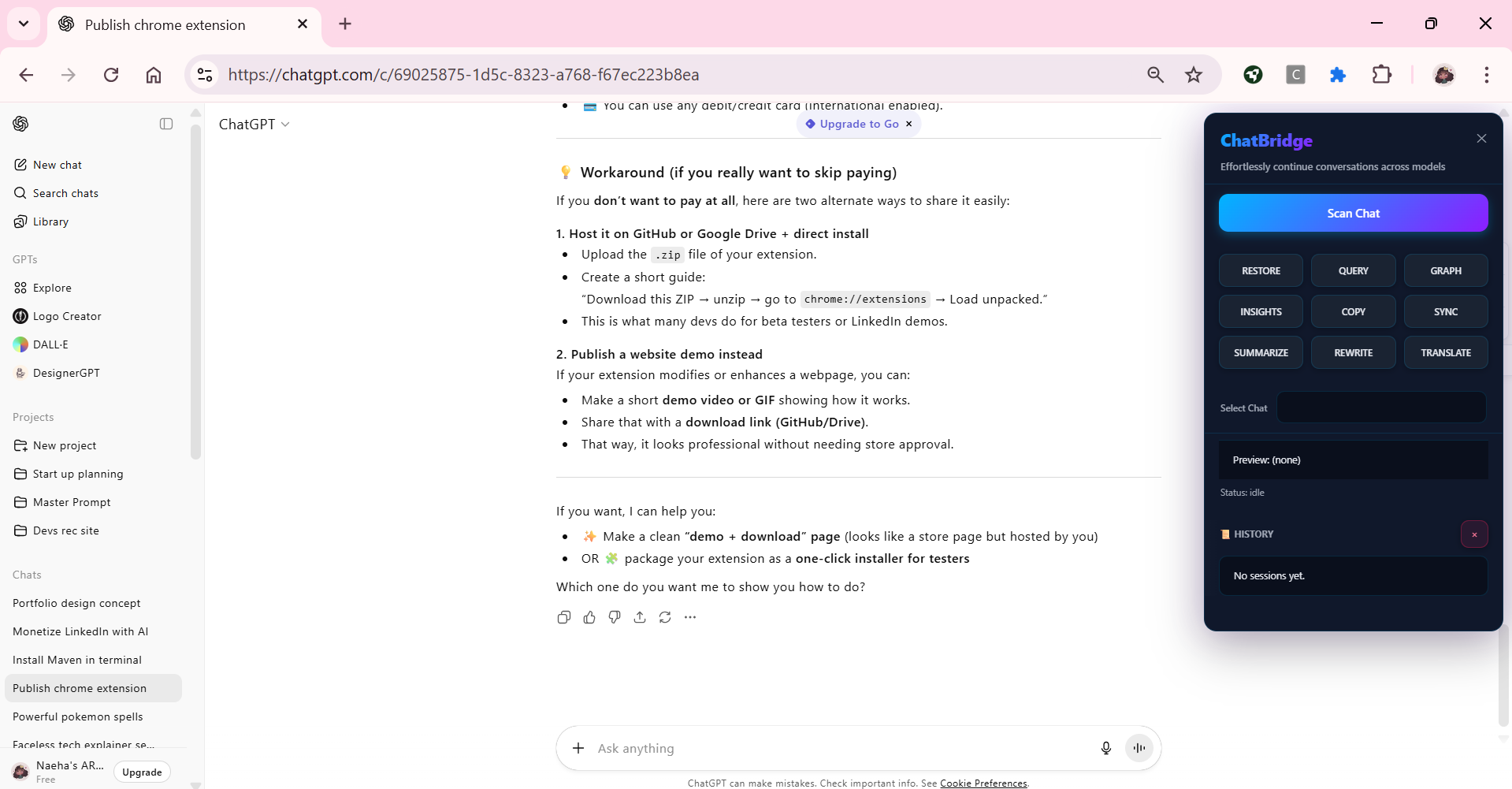
UI onboarding
-
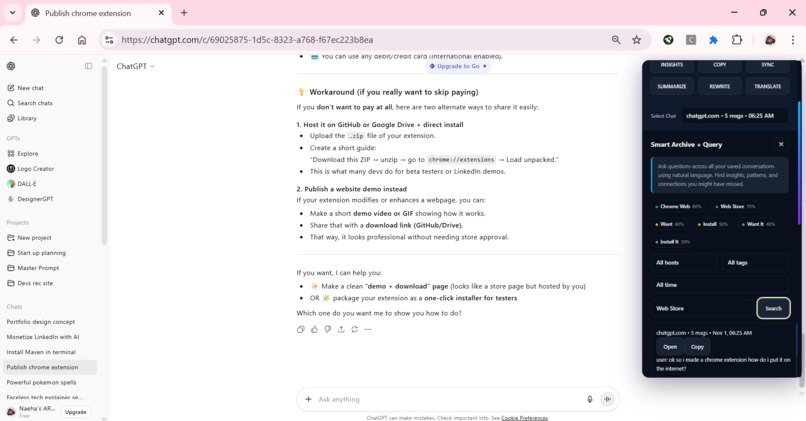
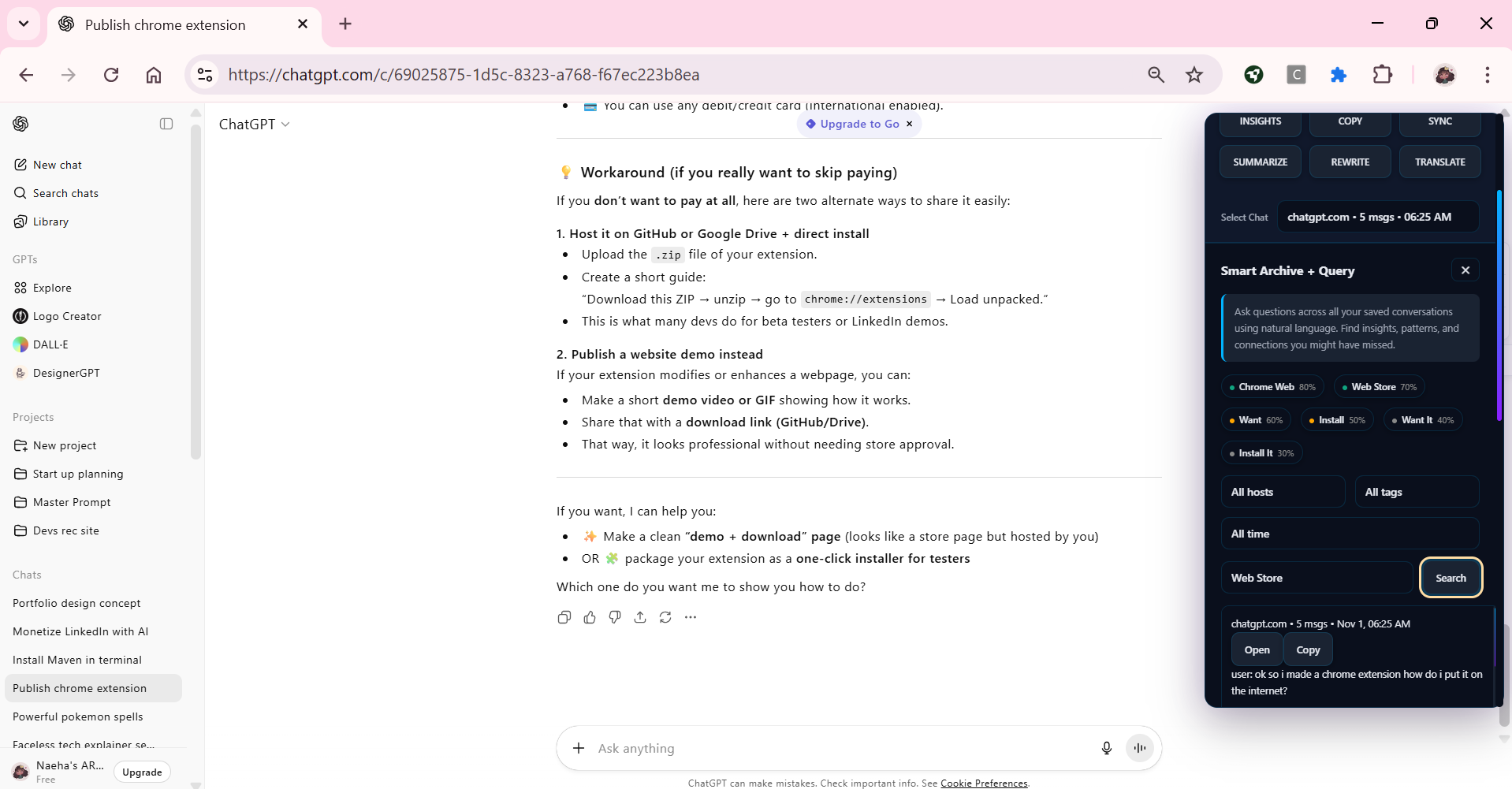
Smart Query
-
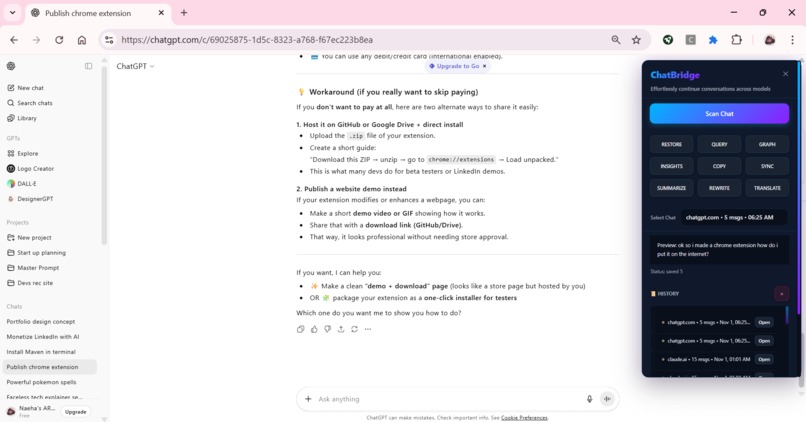
Scanning a chat
-
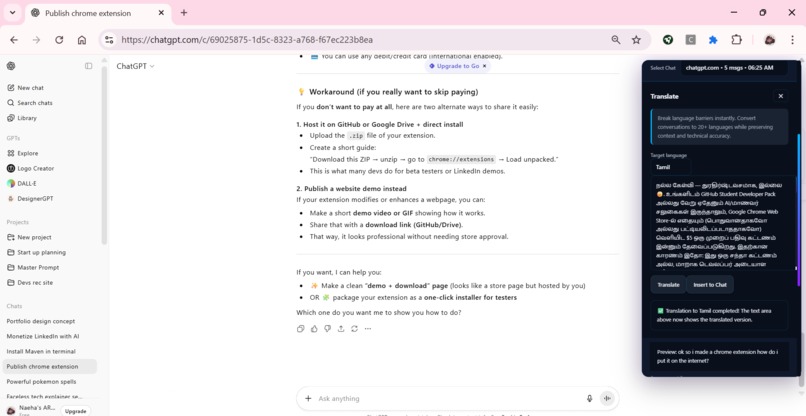
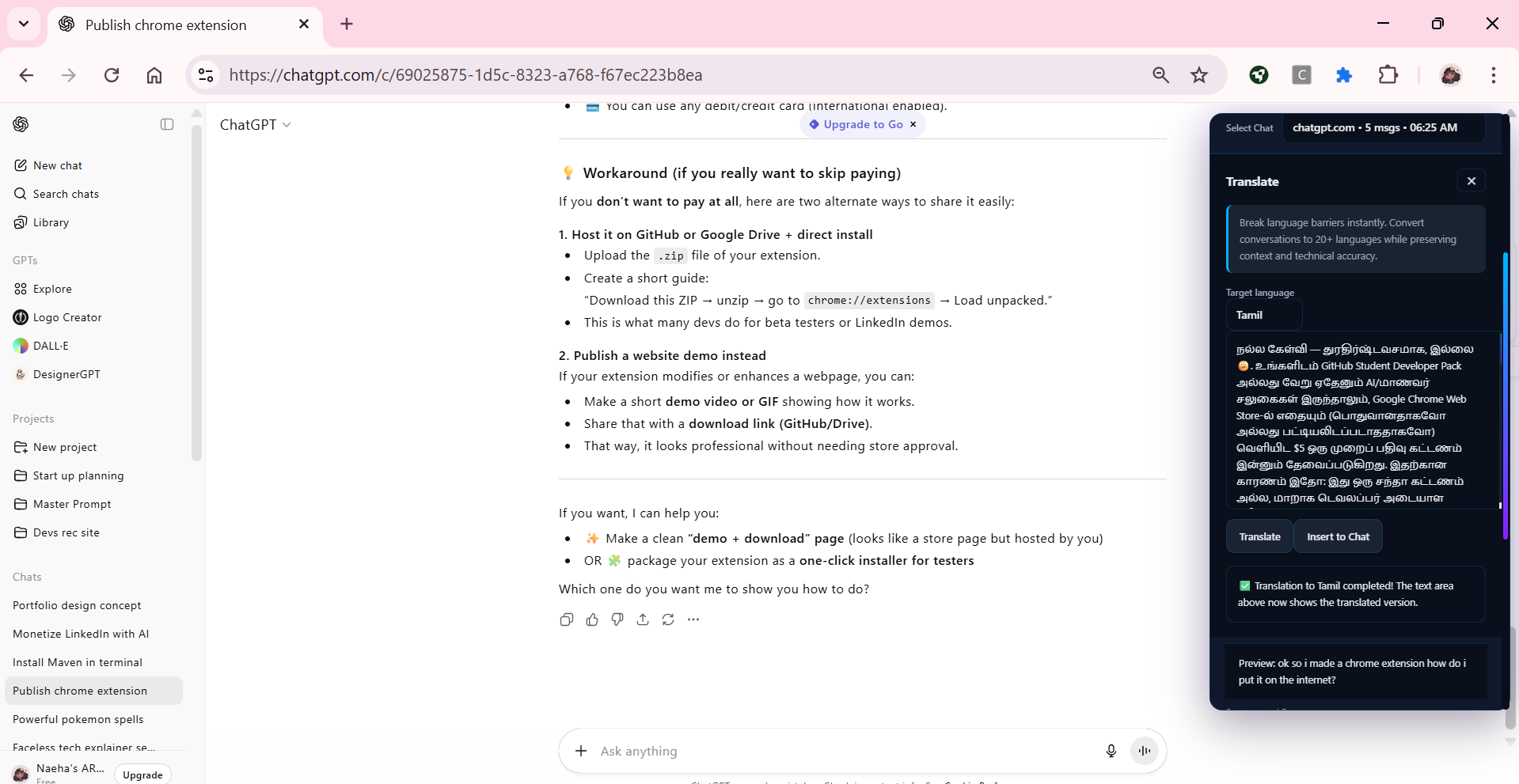
Translate
-
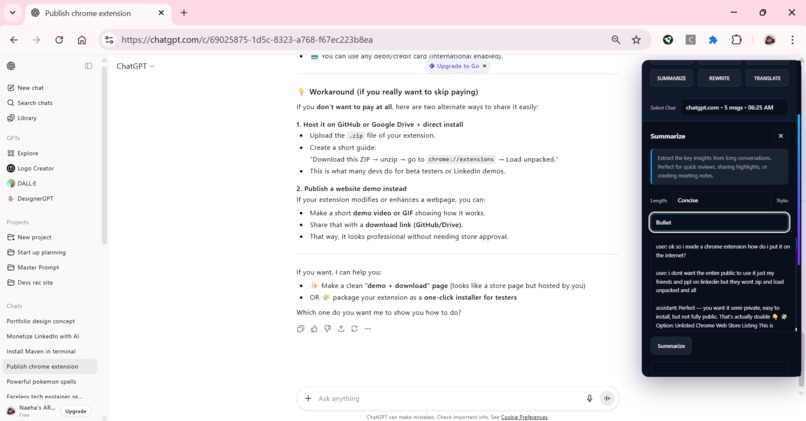
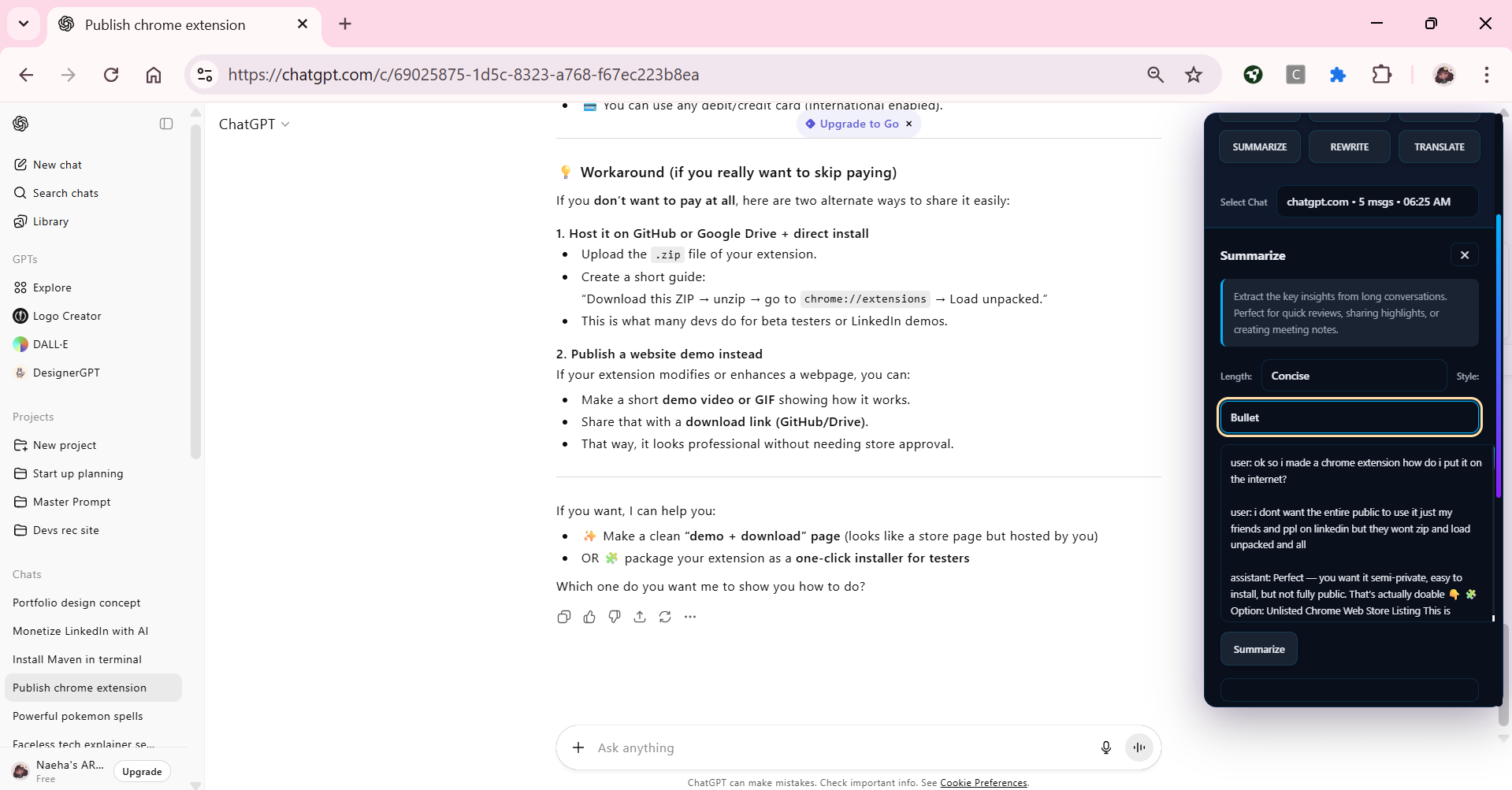
Summary
-
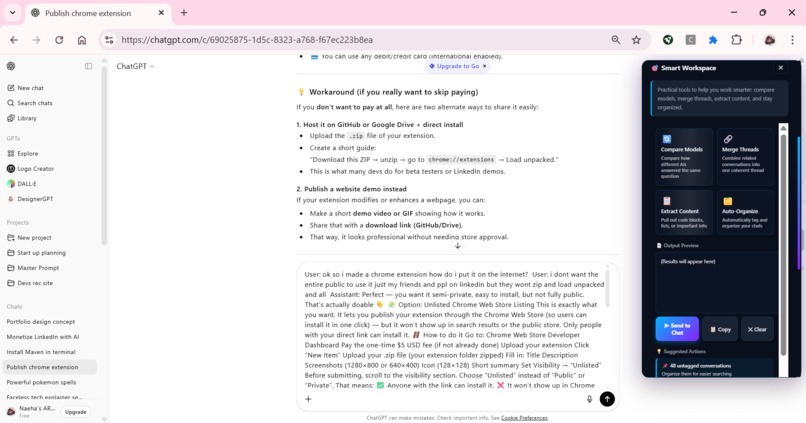
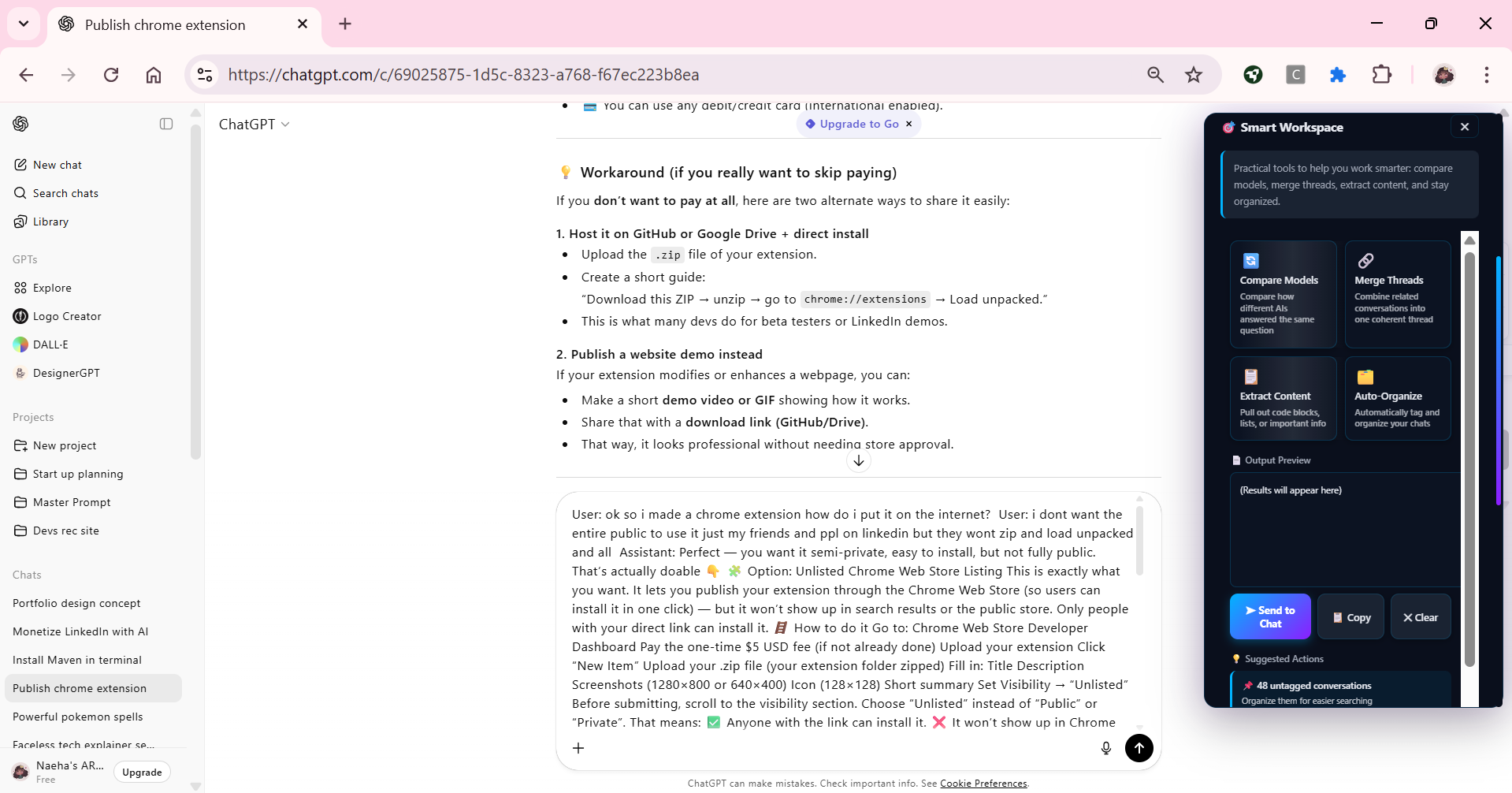
Smart workspace/insights
Project Story: ChatBridge
Inspiration:
It started with frustration , the kind that only comes when you’re deep in thought, your idea finally taking shape, and suddenly… the chat cuts off. One night, while brainstorming with ChatGPT, I had spent hours guiding the AI to fully understand my concept. It finally did. We were right on the edge of clarity, and then came the message: “Your credits have ended. Please wait a few hours.” I didn’t have hours. So I tried explaining the same idea again on another AI tool, but it was never the same. The flow was broken, the tone was off, and the model started hallucinating. That’s when the thought hit me , what if I could carry my chat across different AI platforms without losing context? I let the idea sit for a while. But when I saw this competition, I realized it was the perfect chance to make that half-forgotten idea real. I opened my notebook, wrote “ChatBridge” on top, and decided to build it an extension that could connect, remember, and continue conversations intelligently.
What it does:
ChatBridge is more than just a clipboard for chats it’s a conversation continuity engine. It allows users to carry over their AI interactions seamlessly across multiple chat platforms like ChatGPT, Claude, Gemini, and others. From basic chat scanning and storage, to generating visual graphs that show how ideas evolve across platforms, ChatBridge ensures that your thoughts and prompts don’t get lost in the void. It also offers intelligent tools to refine, summarize, and rebuild conversations, so you can revisit ideas or switch between AIs without restarting from zero. Essentially, it bridges not just chats but your entire thought process.
How I built it:
The entire project was built using HTML, CSS, and JavaScript, with the Gemini API powering advanced features.
My first goal was to integrate Gemini Nano, the on-device AI model that runs locally. It was the ideal choice for privacy and performance, but it turned into a battle. Despite trying Chrome Canary, Chrome Dev, and even signing up for Origin Trials, I couldn’t get the Nano model to run due to version incompatibility. I spent three days - nonstop - scouring forums, debugging flags, even attempting manual setup scripts. Nothing worked. So I pivoted to using the Gemini API instead, and that decision changed everything. With the API integrated, ChatBridge gained access to language understanding, structured parsing, and prompt transformation. I was still able to set it up, and only if Gemini Nano is unavailable will it fall back to Gemini API.
But that wasn’t the end, each website had its own HTML structure, so creating a universal scanning system became one of the hardest problems. I had to craft different logic branches for multiple AI platforms, detect chat structures dynamically, and ensure the scraping worked without breaking any site functionality.
Every visual element from the pop-up interface to the floating icons and summaries was designed extensively . I wanted the extension to blend with existing UIs, not dominate them. Designing a Chrome extension for the first time taught me how to work within invisible boundaries, the space between enhancement and intrusion.
🚧 Challenges we ran into
There was no single “big problem.” Every layer of ChatBridge came with its own war story.
Web Structures:
Each AI chat platform has unique DOM patterns. Scanning one site flawlessly meant breaking another. Balancing them all was a constant back-and-forth of trial and error.
Web Scraping without Selenium:
Since Selenium isn’t compatible with Chrome extensions, I had to build my own lightweight scraping logic entirely in JavaScript.
Gemini Nano Compatibility:
This became a nightmare. Even after days of testing, signing up for developer previews, and checking experimental builds, Nano refused to run.
API and Data Handling:
Connecting Gemini’s API to local extension logic was tricky. I had to ensure real-time message capture, JSON parsing, and proper memory mapping between the chat and local storage.
UI Design:
Making sure the extension didn’t overpower or distort any page design — especially on dynamic chat UIs — was an art of restraint.
Assistant Reply Extraction:
At first, only user messages were captured. Extracting assistant responses required rethinking the DOM traversal logic entirely.
Every single issue taught me something new. ChatBridge didn’t come together in a straight line it was a puzzle slowly solved piece by piece.
Accomplishments that I am proud of
The biggest accomplishment was simply making it work. There’s a quiet joy in watching something that only existed as frustration in your head turn into a working, living tool.
I’m proud that ChatBridge now:
Can scan, store, and restore entire AI conversations. Visualizes conversation flow with interactive graphs. Integrates Gemini’s language capabilities to enhance context. And bridges chats across multiple major AI platforms with a single click. Every successful test run, especially after endless debugging , felt like a small celebration. What began as “just a simple extension idea” turned into a system capable of understanding, retaining, and optimizing digital conversations.
What I learned:
This project reshaped how I think about both coding and problem-solving.
Technically, I learned:
How to work deeply with DOM parsing and dynamic site structures. How to integrate Gemini APIs and manage authentication within Chrome extensions. The nuances of local storage, runtime messaging, and event listeners in an extension environment. How to debug errors from the console, identify stack traces, and fix asynchronous issues logically rather than by trial.
Personally, I learned:
Patience - true debugging patience. How to design UI that respects the existing interface rather than fighting it. How to balance innovation with user comfort. And most importantly, how persistence can quietly build mastery.
What’s next for ChatBridge
The next version of ChatBridge will go beyond bridging - it will think with you.
My next big goal is to build a personal AI chatbot that learns directly from your scanned chats. Imagine asking it:
“What was my idea about optimizing chat flows from last week?” and it answers perfectly, because it remembers. This chatbot will be precise, context-aware, and powered by your real conversations. I also want to improve ChatBridge’s core features , ensuring the outputs are cleaner, faster, and more adaptive for everyday users.
Finally, I plan to explore agentic AI capabilities , giving ChatBridge the ability to not only assist but act intelligently on your behalf across tools and platforms.
ChatBridge started as a small idea born from a moment of frustration, but it’s grown into something much bigger a step toward an interconnected AI experience that truly understands continuity.


Log in or sign up for Devpost to join the conversation.