Inspiration
I wanted to create something that could actually talk to people and help them out. With so many people using chatbots for information and assistance, I thought it would be cool to make one myself. Plus, I love the idea of working with AI and seeing how technology can “understand” language.
What it does
AIChatBot is basically an AI-powered chatbot that can answer questions, give information, and even have casual conversations with users. It’s designed to be helpful, answering questions on different topics, and it tries to respond in a natural, conversational way. My goal was to make it feel like you’re chatting with an actual person, not just a robot.
How we built it
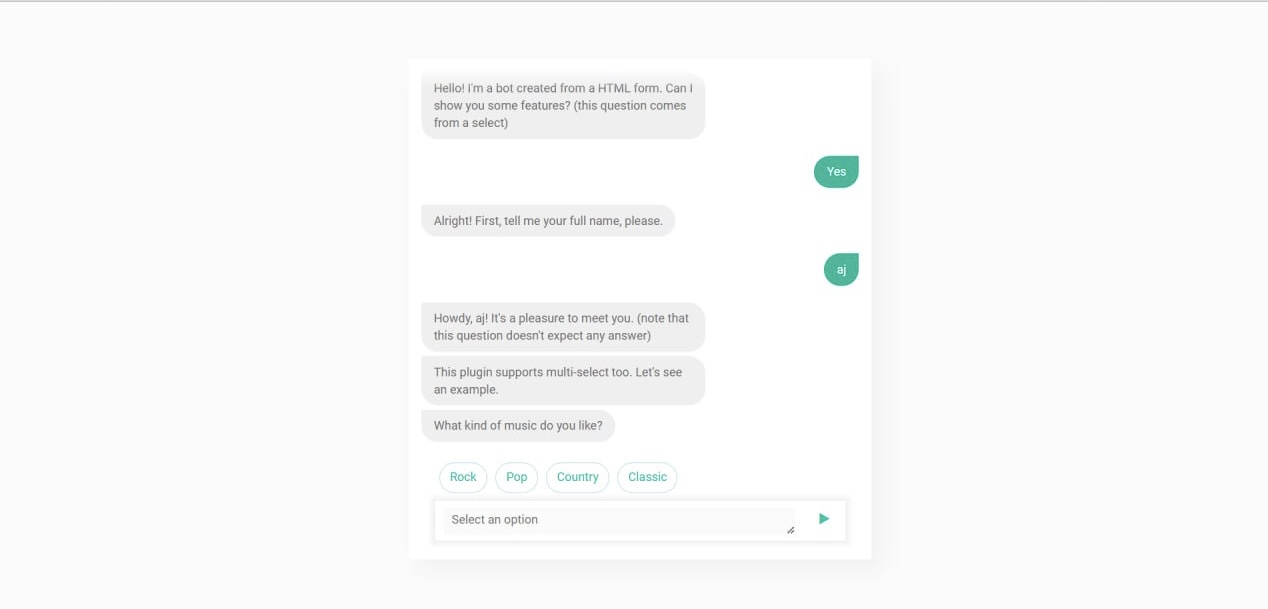
I built AIChatBot using Python, mainly focusing on natural language processing (NLP) to help it understand and respond to messages. I used a pre-trained language model (through Hugging Face) for the bot’s “brain,” so it could have a good understanding of language without me having to program every single response. For the front-end, I used HTML, CSS, and a little bit of JavaScript to make a simple interface where users can type messages and see the bot’s replies.
Challenges we ran into
One of the biggest challenges was getting the chatbot to understand questions properly and respond accurately. Sometimes it would give random answers, so I had to tweak the code and play around with different models and settings. Another challenge was figuring out how to connect the front-end to the Python backend. Making sure the chatbot responded quickly without lag was also tricky, especially because I wanted it to run smoothly on a regular computer.
Accomplishments that we’re proud of
I’m really proud that the chatbot actually works and can hold a conversation. It’s not perfect, but it can answer a wide range of questions and even has a bit of personality. I’m also happy with the front-end design—I kept it simple, but it’s clean and easy to use. Plus, getting the chatbot to work with Python and HTML was a big accomplishment for me since I’m still learning front-end development.
What we learned
I learned a lot about how NLP works and how chatbots are built. I also learned about connecting a Python backend to a front-end interface, which was new for me. Plus, I got a better understanding of debugging and testing code to make sure everything works as expected.
What’s next for AIChatBot
I’d like to make AIChatBot smarter by training it on more data so it can answer even more questions accurately. I also want to add features like being able to detect a user’s mood or tone and maybe even a voice option so it can “talk” back. Lastly, I’m thinking about making a mobile version or a version that can be used on social media so more people can interact with it.

Log in or sign up for Devpost to join the conversation.