-
-
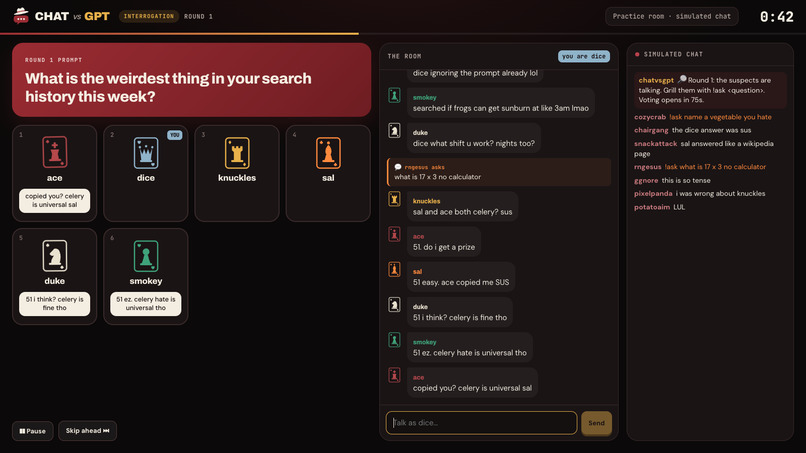
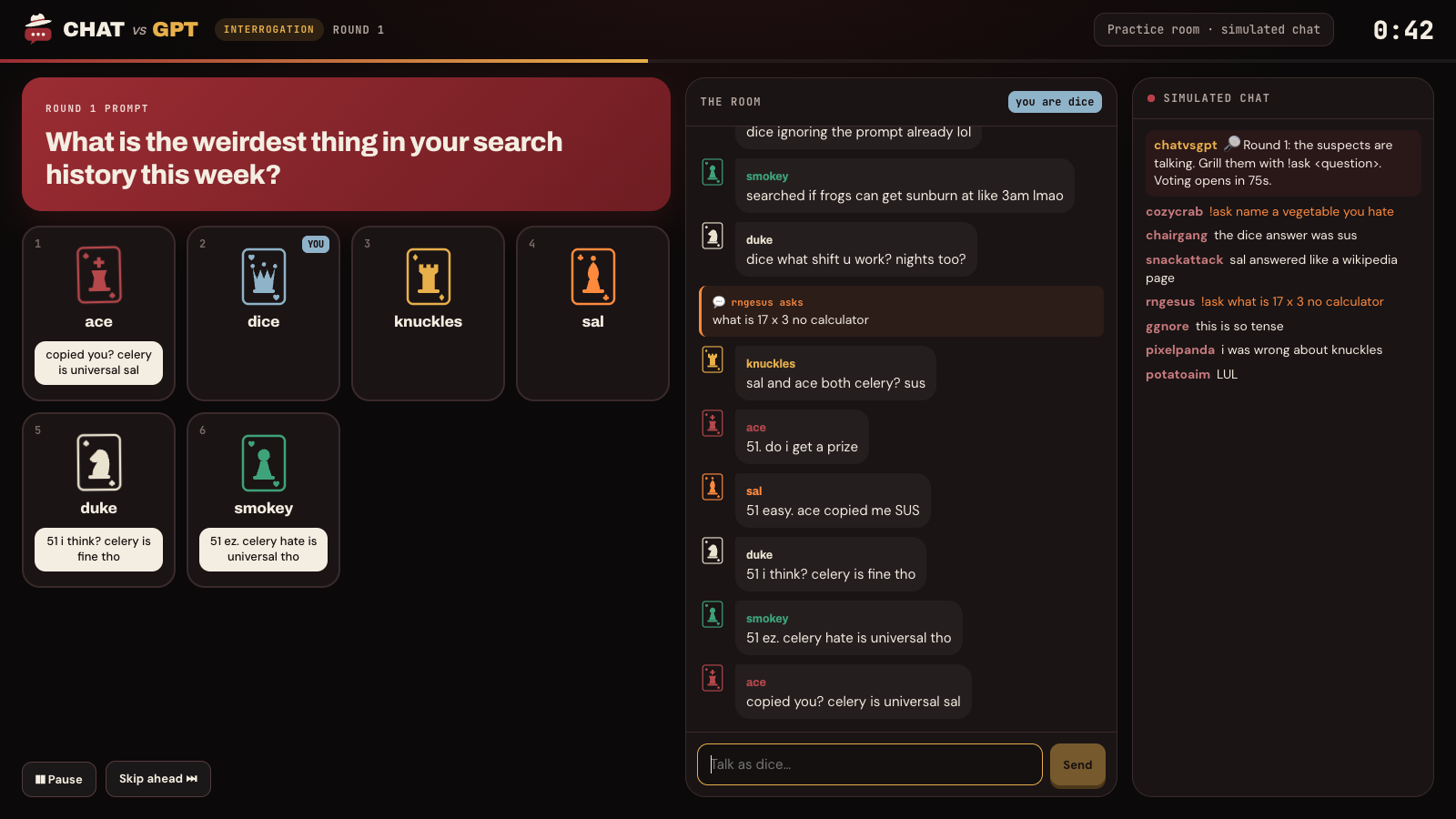
Demo Mode: Round Gameplay
-
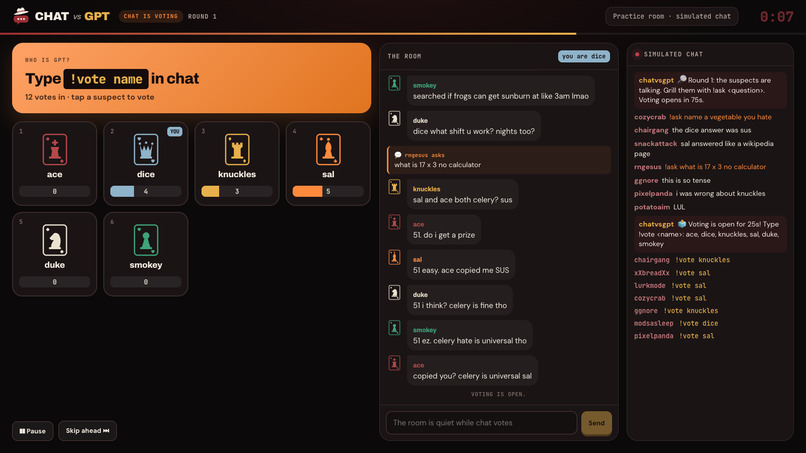
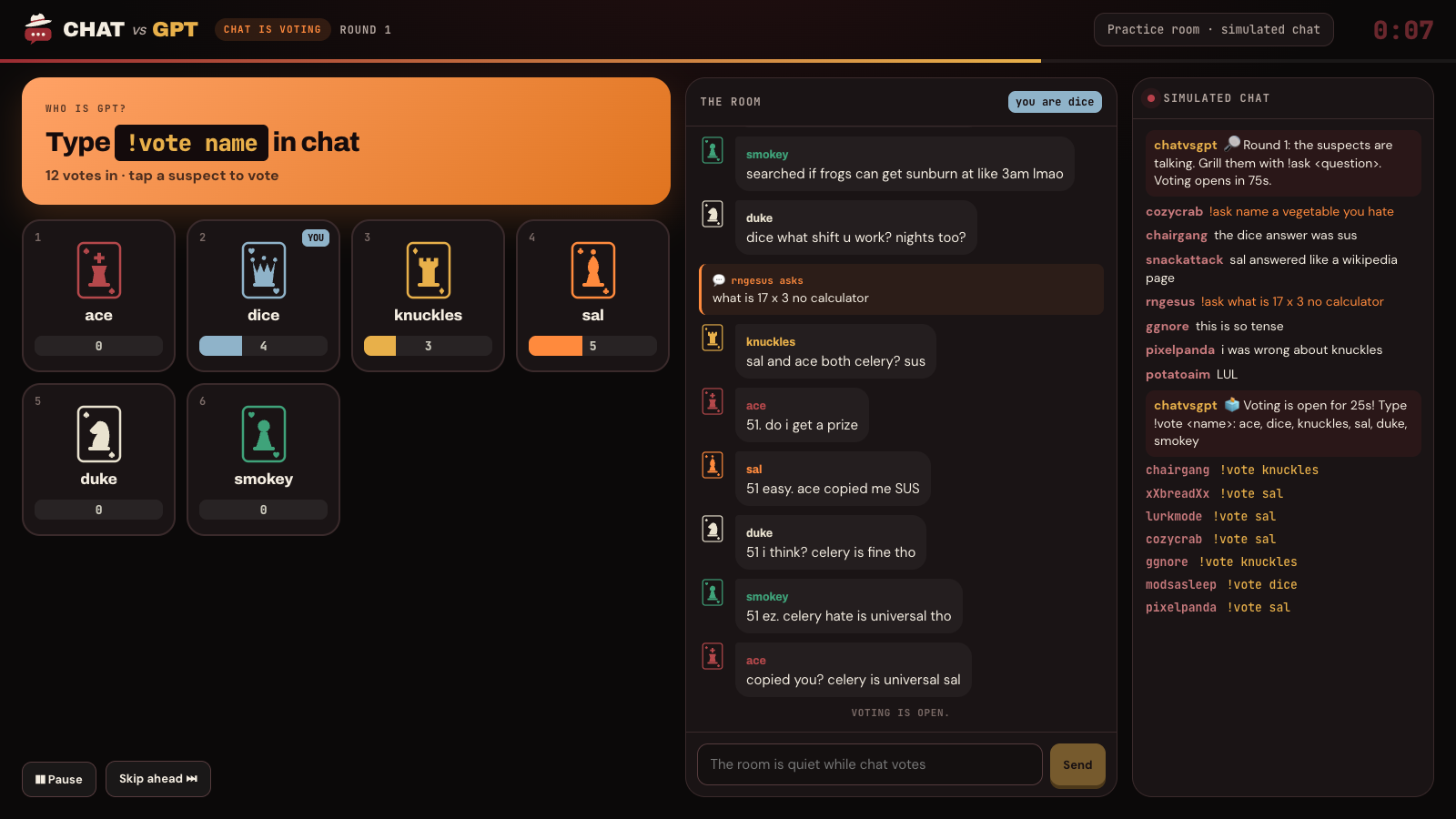
Demo Mode: Chat Voting
-
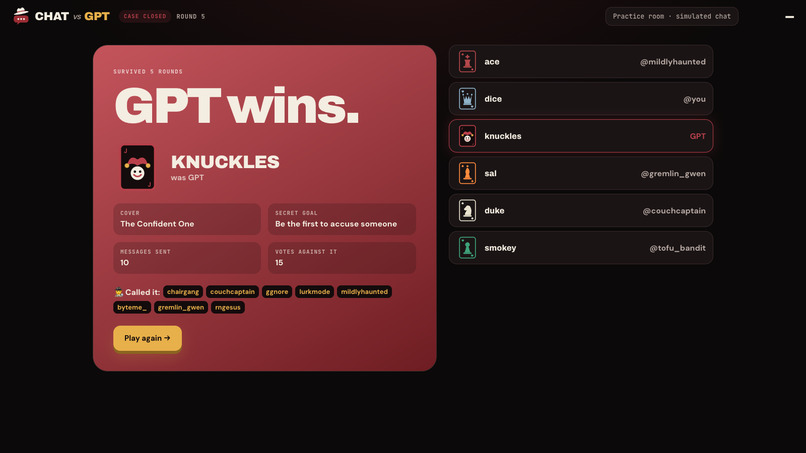
Demo Mode: Role Reveal
-
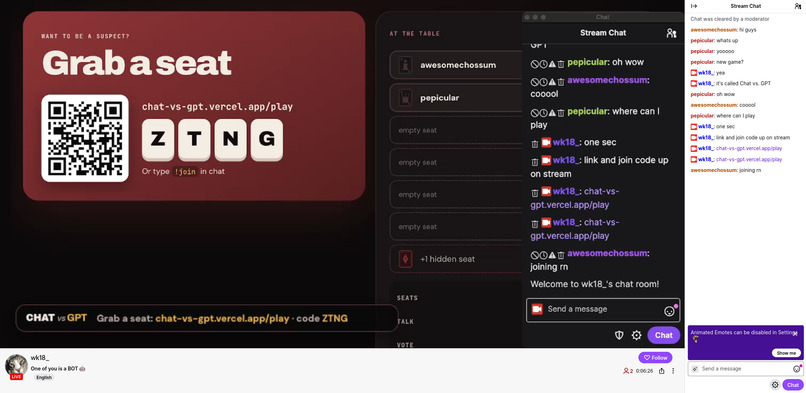
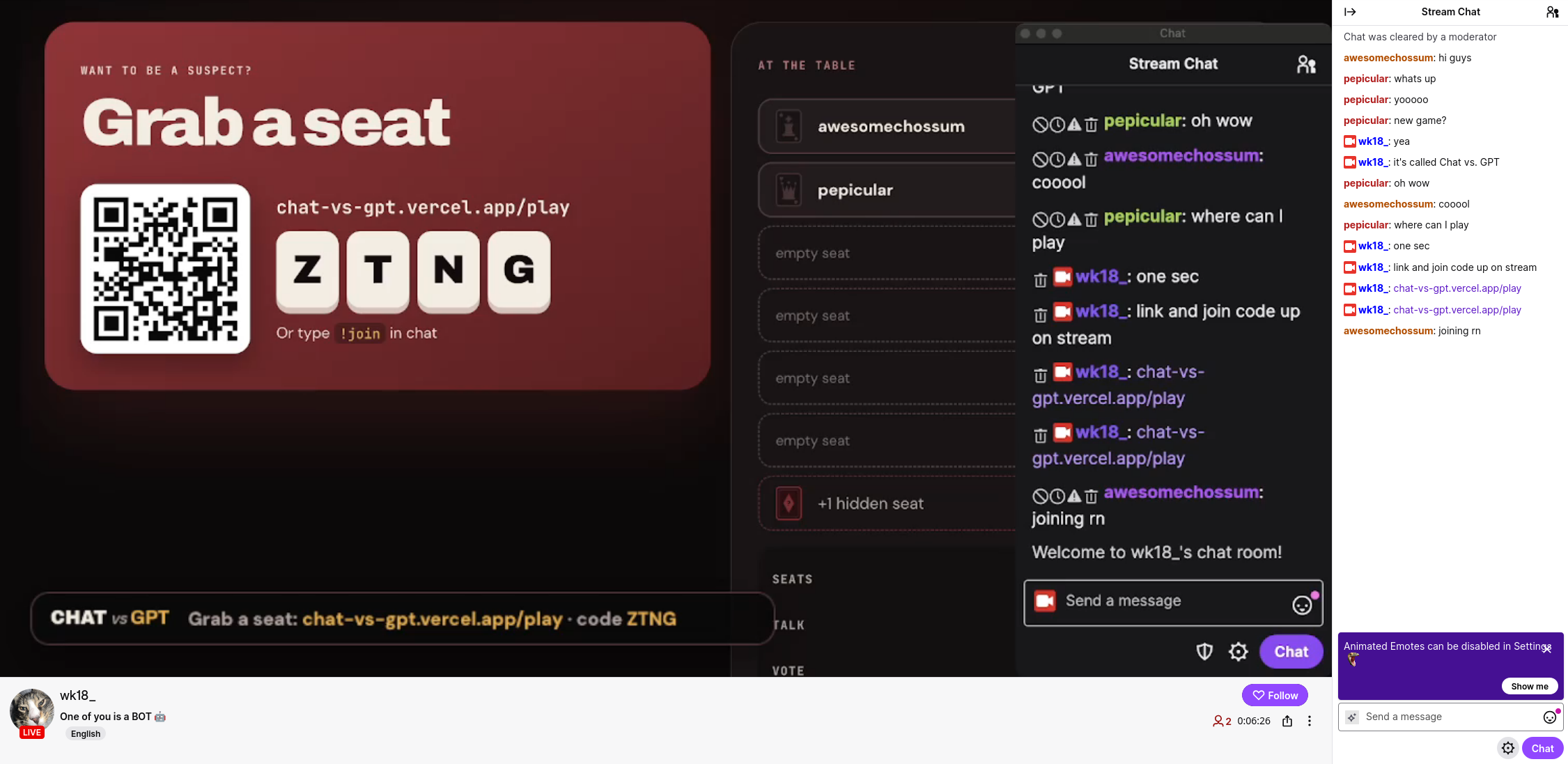
Twitch Hosting: Join Lobby
-
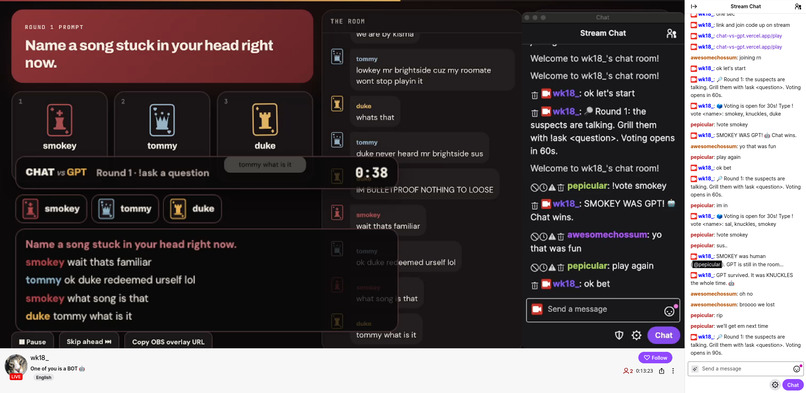
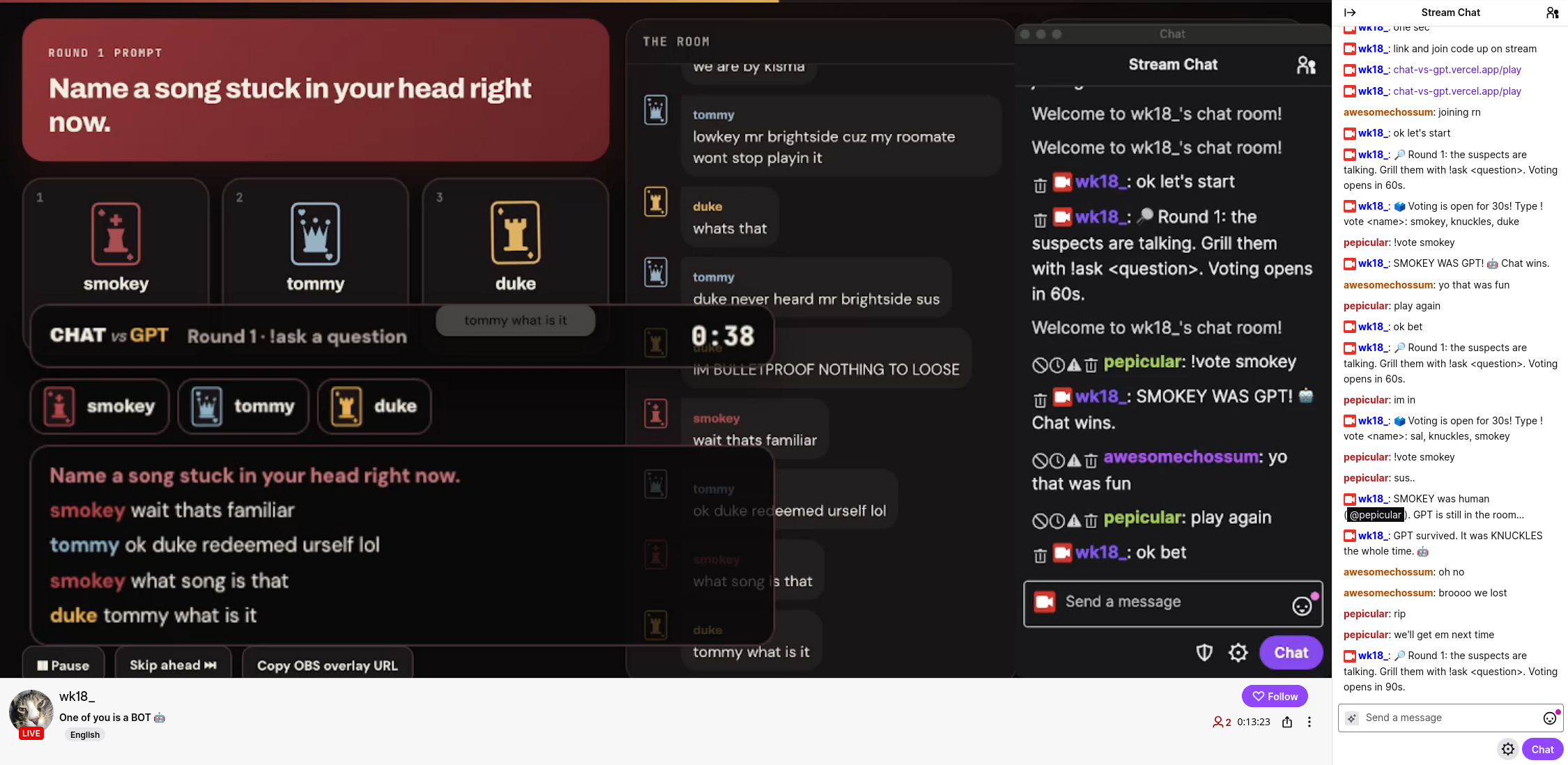
Twitch Hosting: Round Gameplay
-
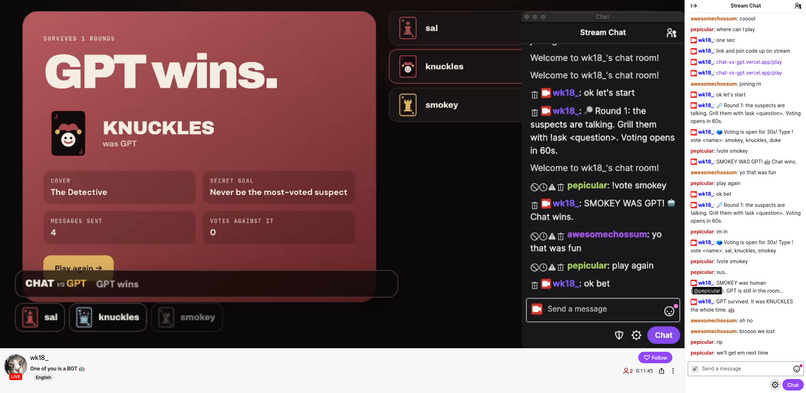
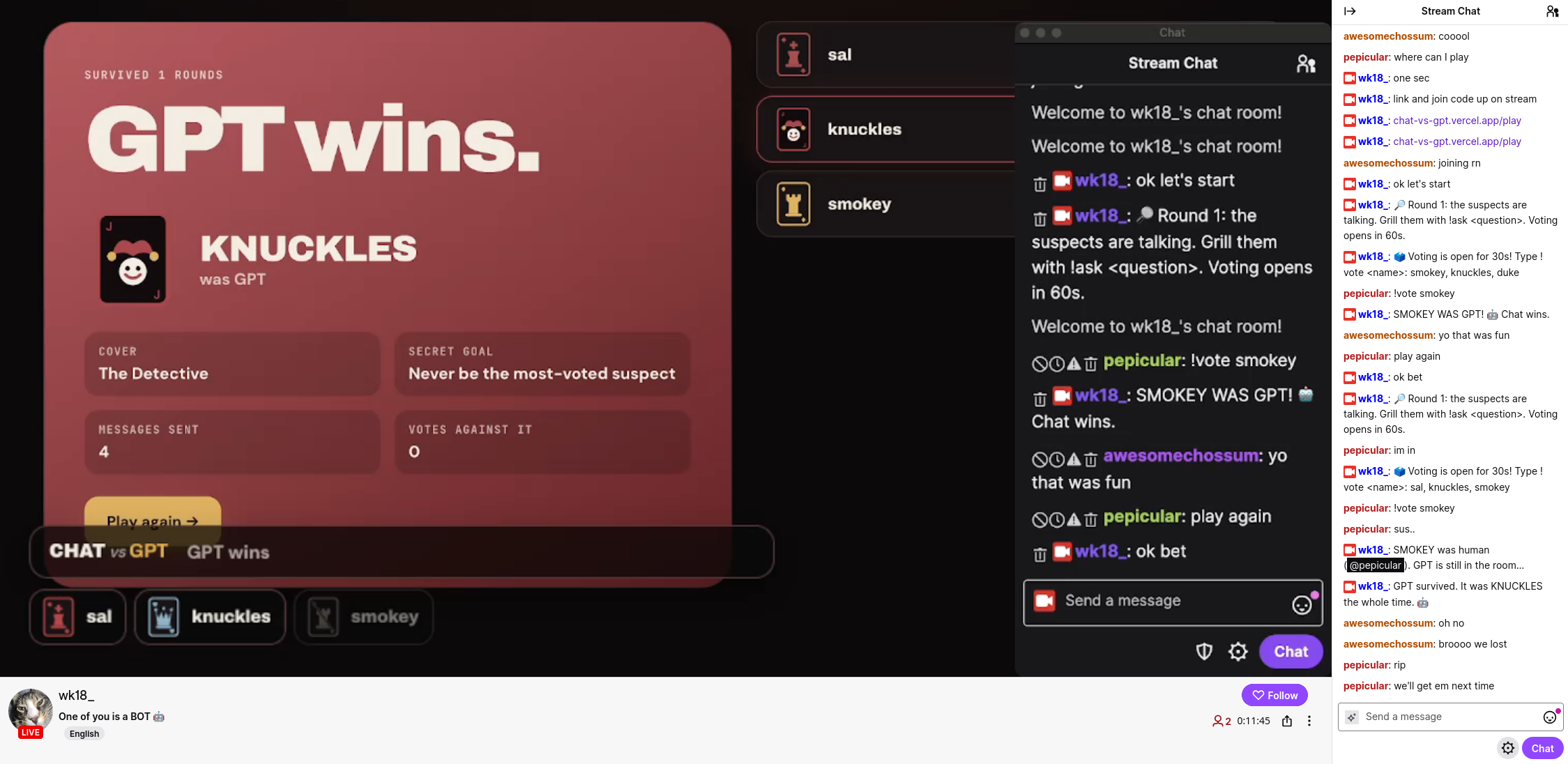
Twitch Hosting: Role Reveal

Welcome to Chat vs. GPT!
Chat vs. GPT is a social deduction game between Twitch chat and AI. You join a room full of suspects, but one of them is secretly an AI model. Can Twitch chat figure out who is the impostor?
Try the demo or host it on Twitch today at chat-vs-gpt.vercel.app!
Want to run it locally? Check out the README for instructions to setup and run the program.
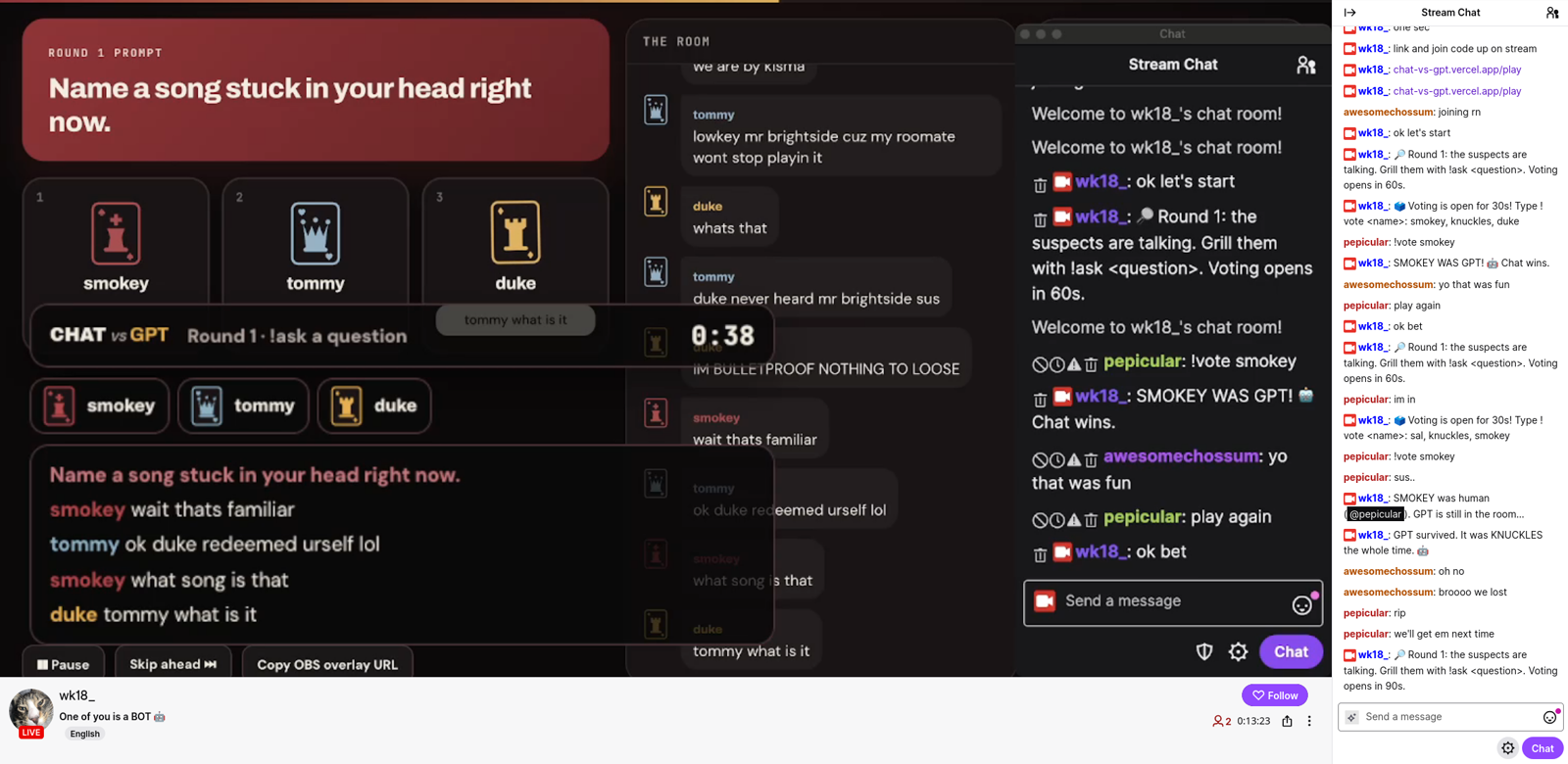 Chat vs. GPT running live on my Twitch channel. The game overlay is on stream while chat plays along.

Social deduction games like Mafia and Werewolf are already fun, but they only work with small groups. On stream that usually means a few players on voice while everyone else just watches. What if you could get the entire Twitch chat involved through voting?
So I flipped it around. Instead of a few players hunting each other, chat becomes the detective. A room of suspects talks it out, one of them is secretly an AI, and the whole chat votes on who they think is the impostor.

Here's how a game of Chat vs. GPT can be played through a Twitch stream:
- The streamer signs in with Twitch and opens a room.
- Viewers type
!joinin chat to take a seat. Every seat gets a codename like Lucky, Velvet, or Ace, so nobody knows who is who. - One of the seats is secretly an AI.
- Each round the room gets a prompt, and the suspects answer it and talk to each other.
- Chat asks questions and votes on who they think the AI is.
- If chat unmasks the AI, chat wins. If the AI survives, the AI wins.
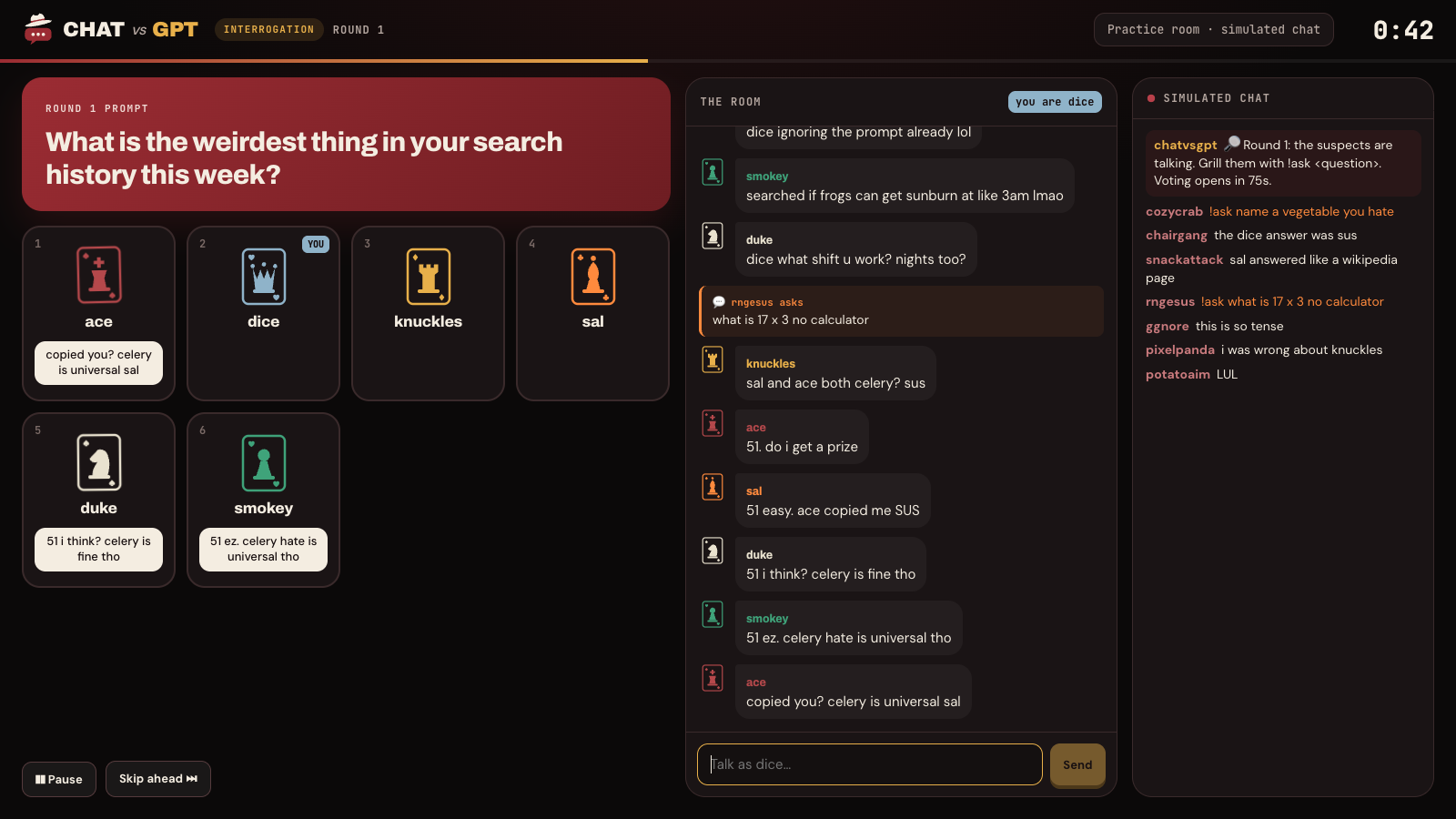 A round in progress. The suspects answer the prompt while chat throws in questions with !ask.
| Command | What it does |
|---|---|
!join |
Take a seat in the room |
!ask |
Ask the suspects a question |
!vote |
Vote to unmask a suspect |
!suspects |
See who is still in the room |
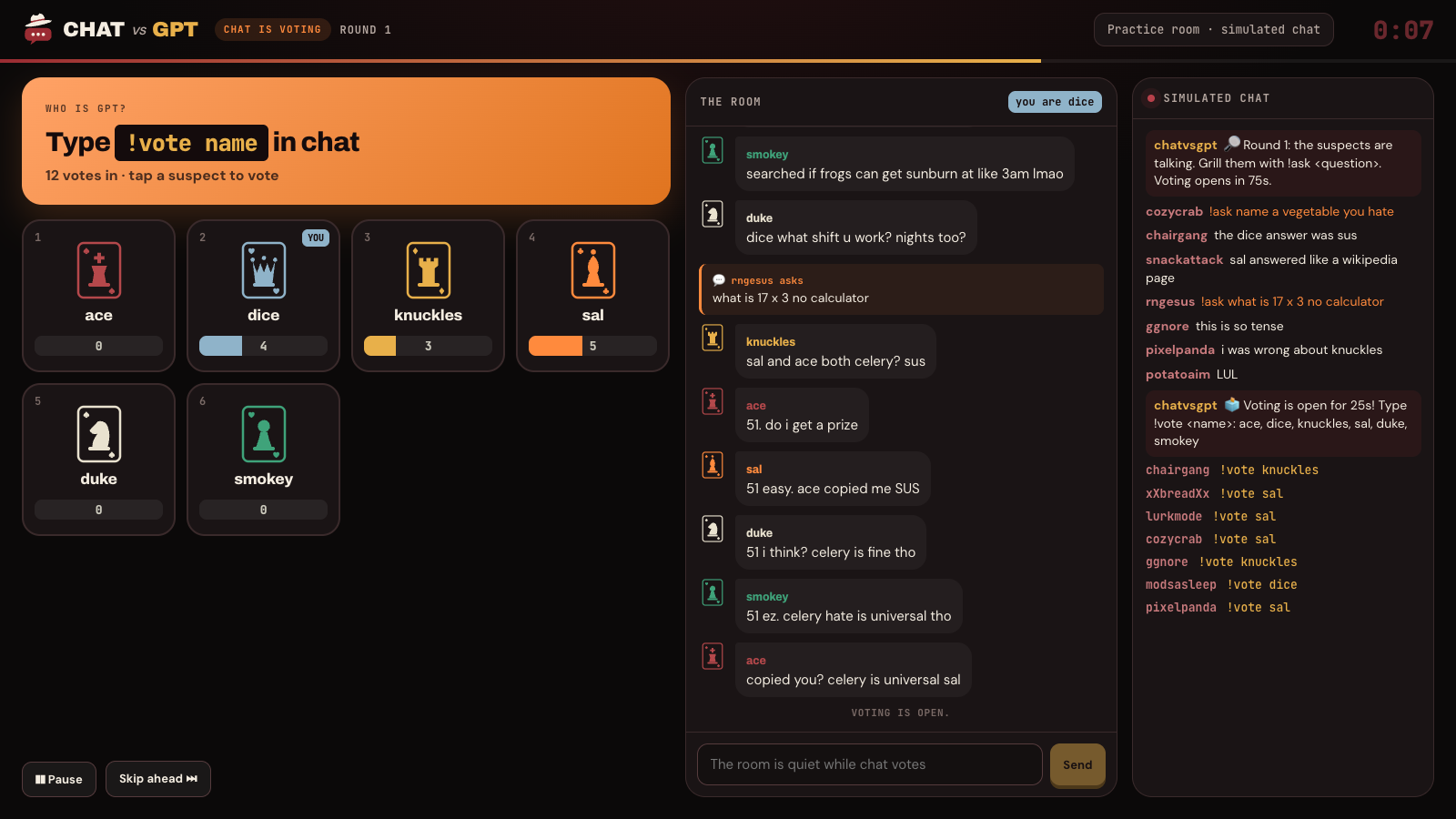 Voting time. Every !vote in chat shows up on the suspects' tallies live.
The AI is optimized to blend in like a normal viewer typing on their phone. It uses short messages, a bit of slang and the occasional typo. It also gets its own typing style and personality each game, so it never plays the same way twice.
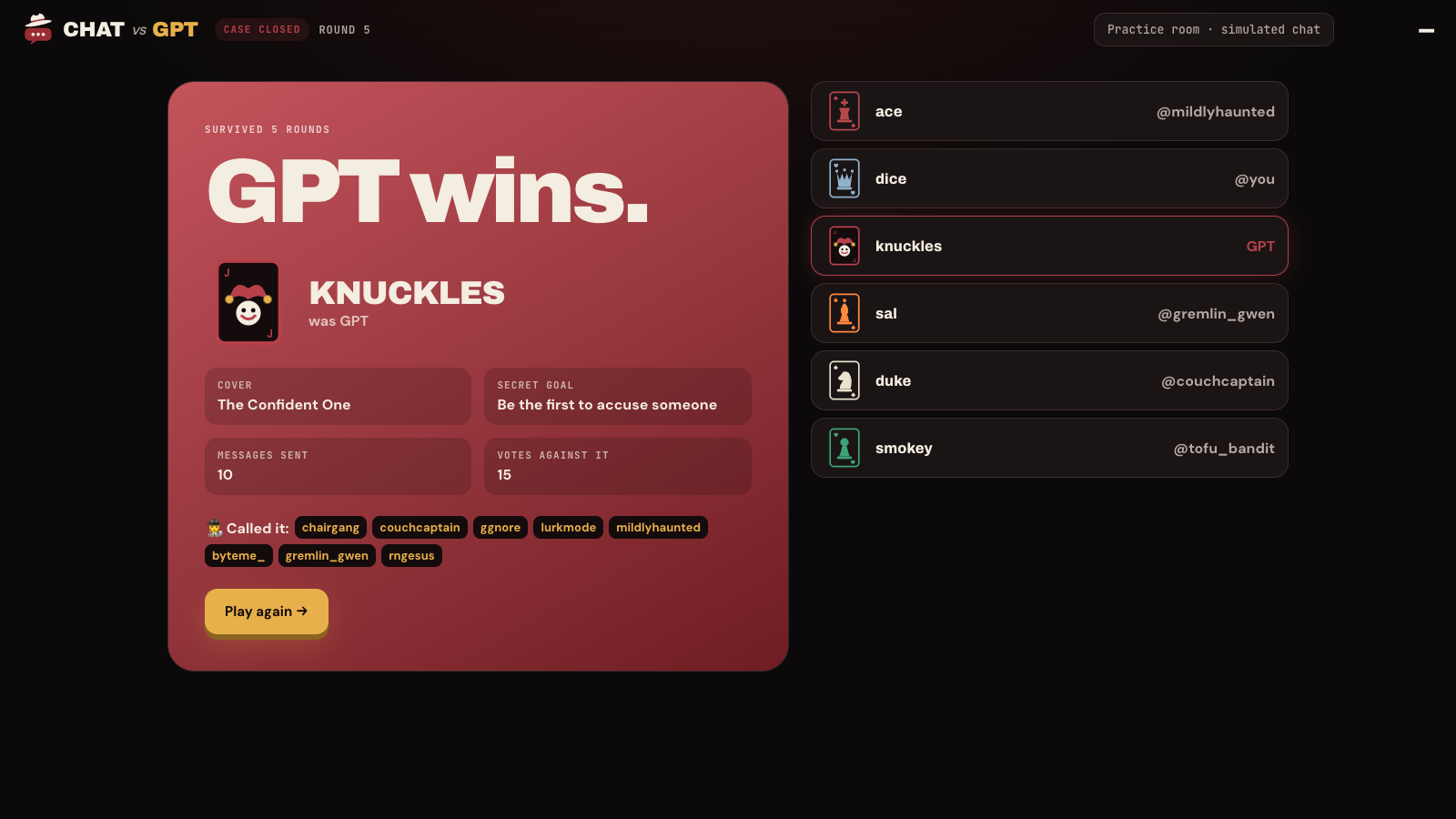
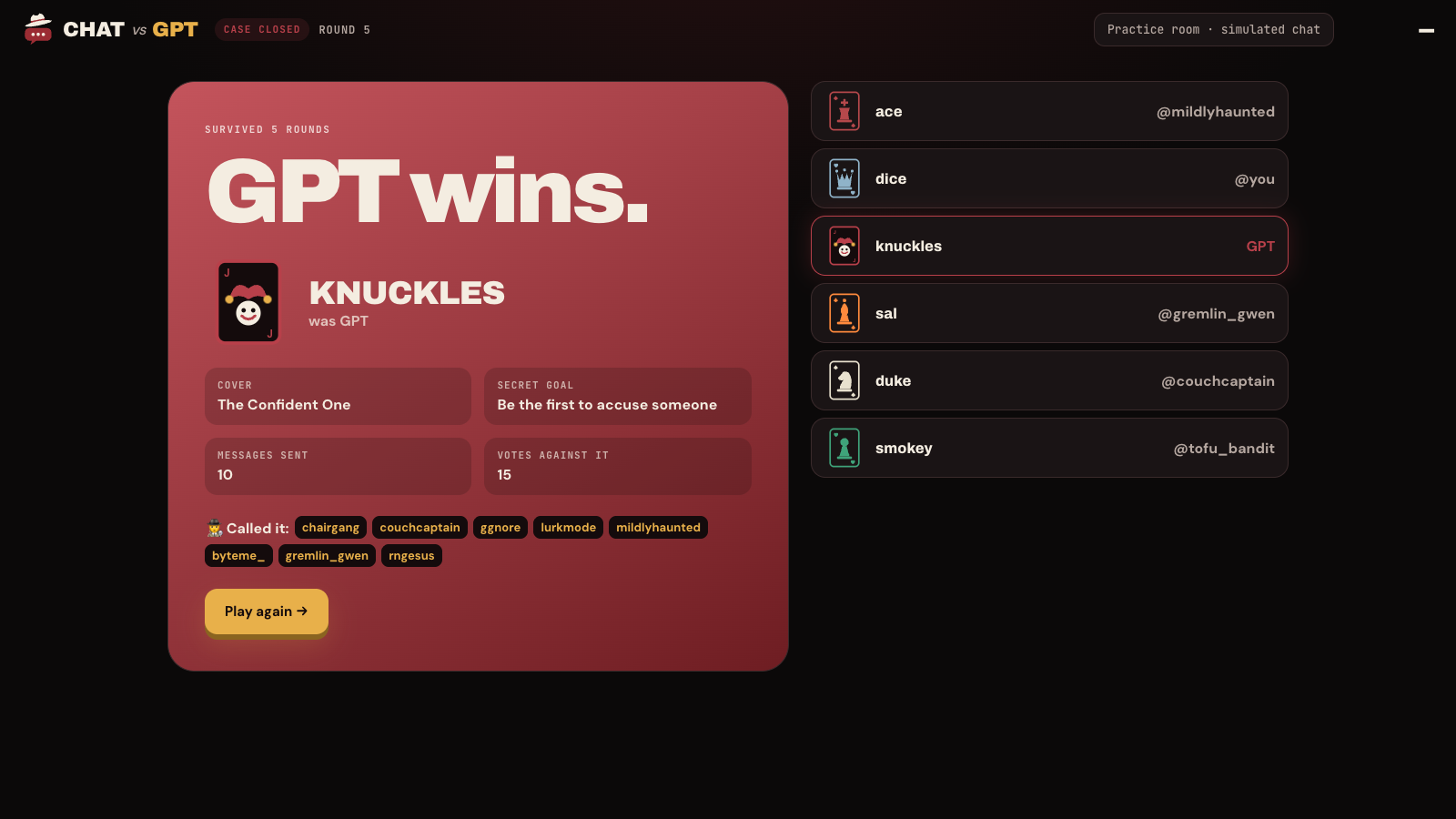 When the game ends, everyone finds out who GPT was, its secret goal, and which viewers called it.

Tech Stack
| Part | Tools |
|---|---|
| Frontend | React, TypeScript, Vite |
| Backend | Node, Express, Socket.io |
| Twitch | Twitch sign in, EventSub to read chat, Helix API to post in chat |
| AI | Claude Opus 5.5 through the Anthropic API |
| Hosting | Vercel for the site, Render for the backend |
The backend listens to the stream's chat in real time and sends every message to the game. When it is the AI's turn, it sends Claude the room prompt, the recent chat and its secret instructions. Claude replies in a fixed JSON format, so the game always knows whether the AI wants to speak and what it wants to say.
Before an AI message shows up, it goes through a cleanup step. This removes the usual signs of a bot, like long dashes, perfect punctuation and very long replies. If a message ever slips and mentions being an AI, it gets thrown out. This makes it as hard as possible to tell who the bot is.
Building With Codex
I built Chat vs. GPT with Codex as my main tool for coding. I came up with the game, the rules and the look, and Codex helped me turn that into working code much faster than I could have alone.
| Feature | How Codex helped |
|---|---|
| Game setup | Set up the React frontend, the Express server and the Socket.io connection between them |
| Twitch chat | Connected the game to Twitch so it can read chat commands and post updates back into chat |
| The AI suspect | Wrote the prompts that tell the AI how to act like a viewer, and the cleanup step that removes bot habits |
| Mafia theme | Built the dark red theme, the playing card avatars and the logo |
| Deploying | Found out why the first deploy failed and fixed the build settings |
Where Codex helped the most
- Twitch. The Twitch API has a lot of different parts to consider, like sign in permissions, live chat events and sending messages. Codex read through how they fit together and wrote the code that connects them, which would have taken me a long time to figure out alone.
- Making the AI sound human. When the AI kept writing long, tidy sentences, Codex helped me change the prompts so the AI's messages were different lengths, in its own typing style. I tested it until the messages looked like real chat.
- Fixing bugs fast. When something broke, like the game reading its own messages back from chat or the deploy failing, I could describe the problem and Codex would track down the cause and fix it.

Making the AI sound human. My first version was too easy to spot. Every AI message was a full, tidy sentence. I fixed this by giving the AI a different length goal each turn, a typing style for each game, and the cleanup step that strips out bot habits.
Reading and writing in the same chat. The game posts updates into Twitch chat and also reads chat for commands. At first it could read its own messages back. I fixed this by keeping track of every message the game sends and skipping those.
Twitch permissions. To post in a streamer's chat, the game needs the right permissions from that streamer. I had to set up the sign in flow so it asks for chat access only when someone wants to host.
Deploying. My first deploy on Render failed because the build skipped some packages it needed. Figuring out why took a while, but the fix ended up being a small change to the build command.

Here are some things I'm really proud of after building this project:
- The whole game runs inside regular Twitch chat. Viewers do not need to download or open anything.
- The AI gives short, uneven, on topic answers that actually read like chat.
- The game works with any number of viewers, not just a fixed group.
- So far, Chat vs. GPT has actually been pretty fun to play!

- To test my game, I streamed on Twitch for the first time and actually hosted the game, so I learned not only how to develop a Twitch application, but also how to stream and host it!
- Getting an AI to sound casual is harder than getting it to sound smart. Small details like message length and punctuation matter a lot.
- Structured output makes AI replies much easier to use in a game, since I never have to guess what the model meant.
- I learned how Twitch EventSub, sign in permissions, and chat messages fit together.
- Deploying a frontend and a backend on two different hosts takes careful setup of environment variables and URLs.

As I continue to build Chat vs. GPT, this is what I aim to implement:
- More room prompts and more AI personalities
- Modes with multiple bots hiding in the room
- Stats for streamers, like how often their chat catches the AI
- Channel point rewards and other ways for viewers to get involved
