-
-
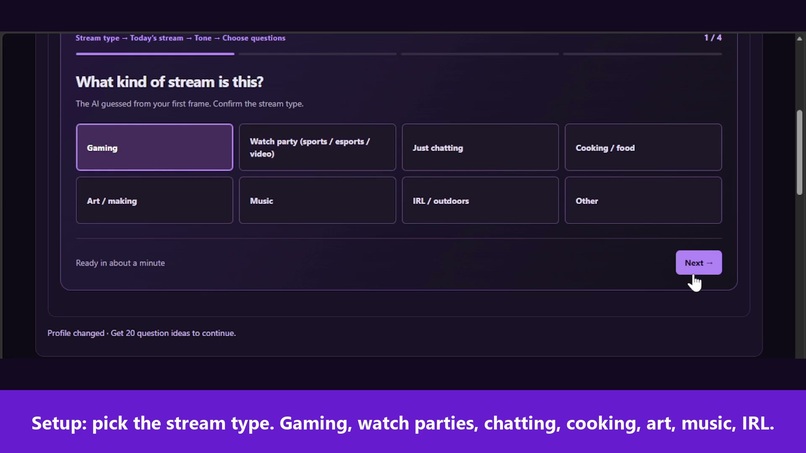
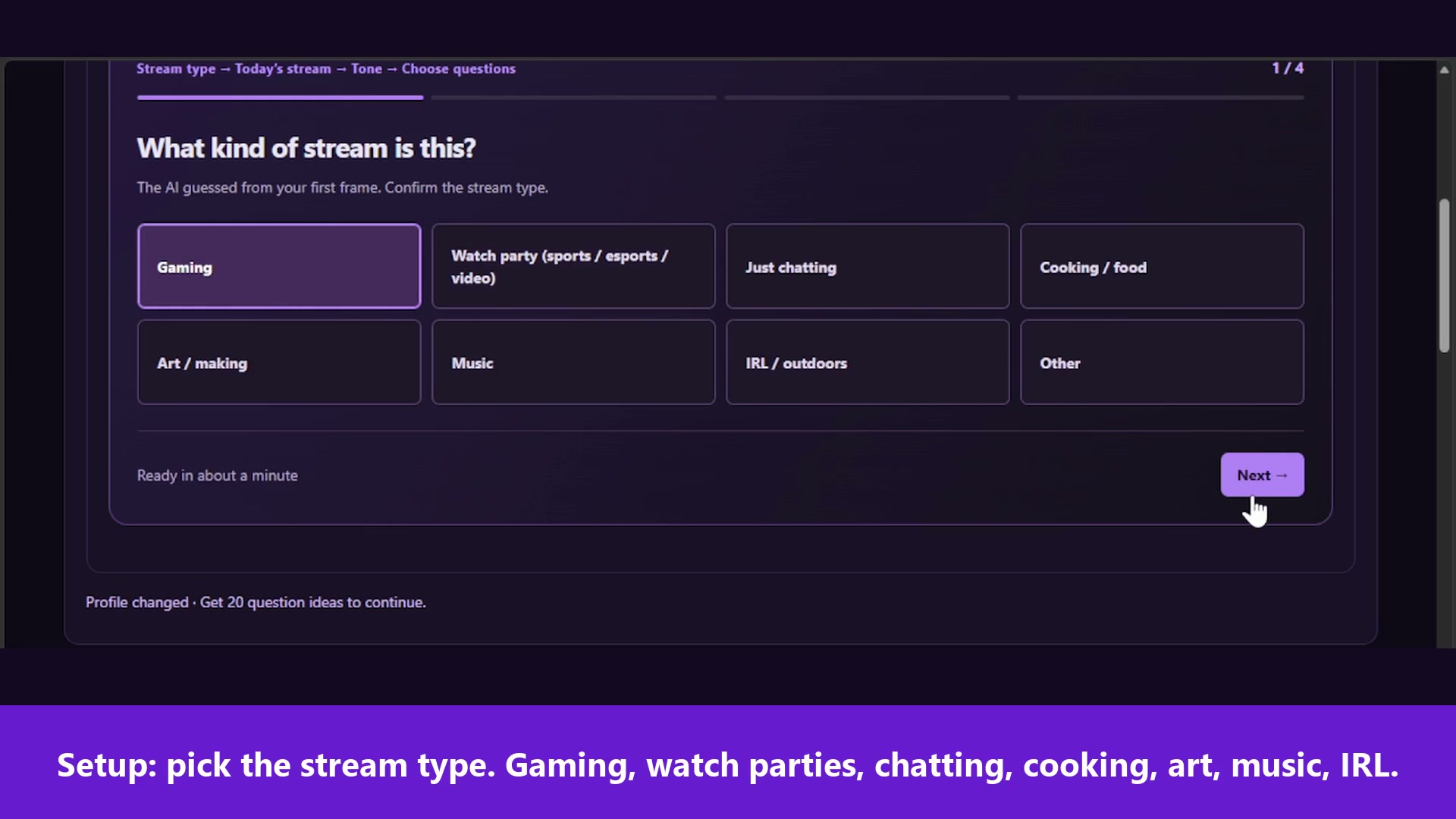
First, pick the stream type. Gaming works, and so do watch parties, chatting, cooking, art, music and IRL.
-
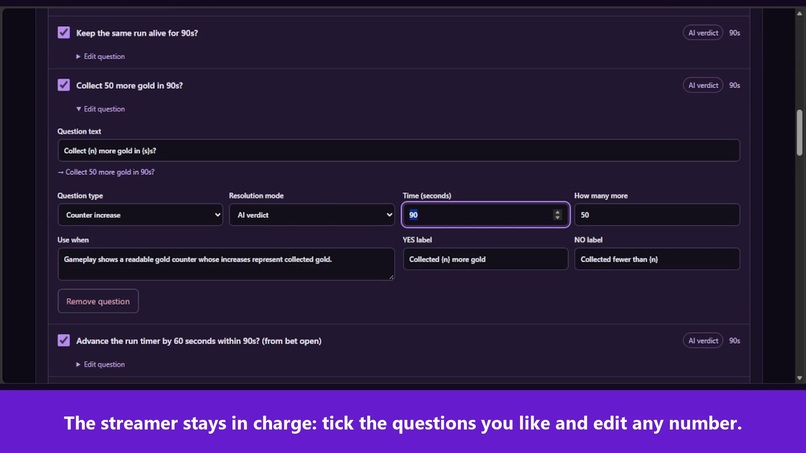
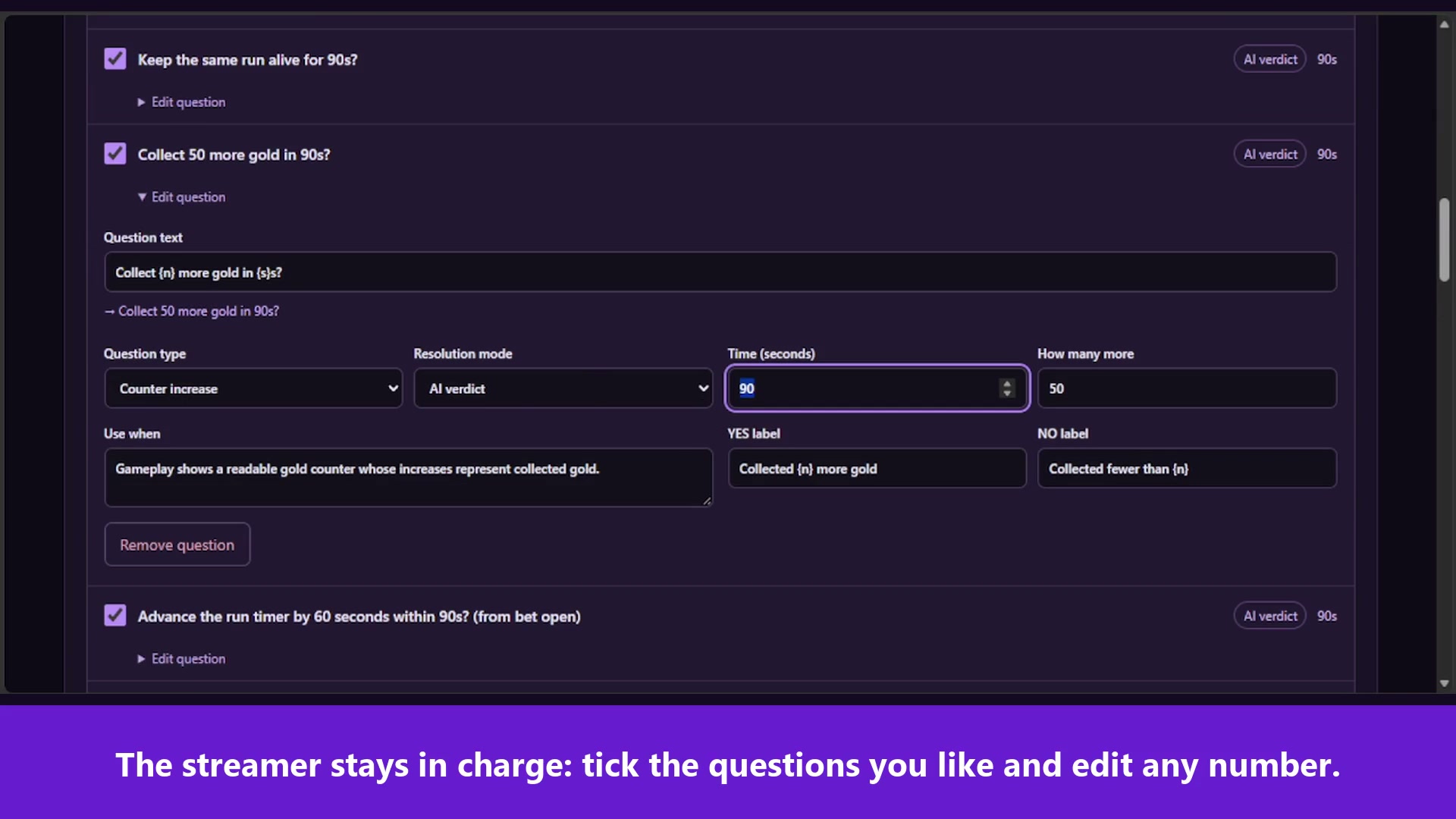
Keep the AI's suggestions you like and change any number, like the gold target here.
-
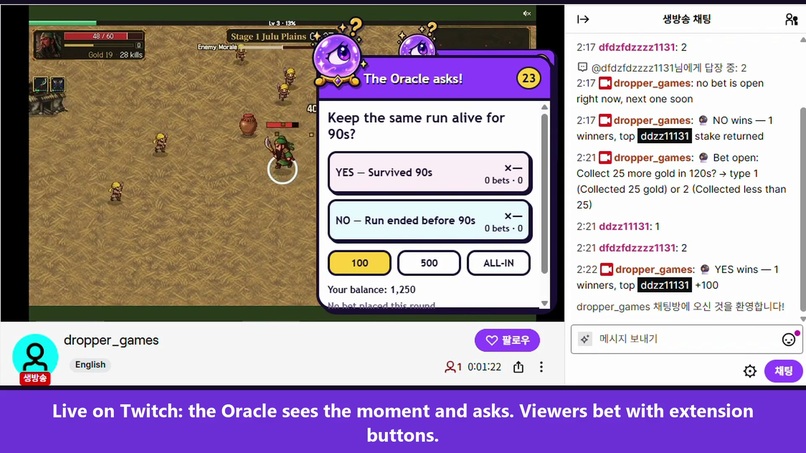
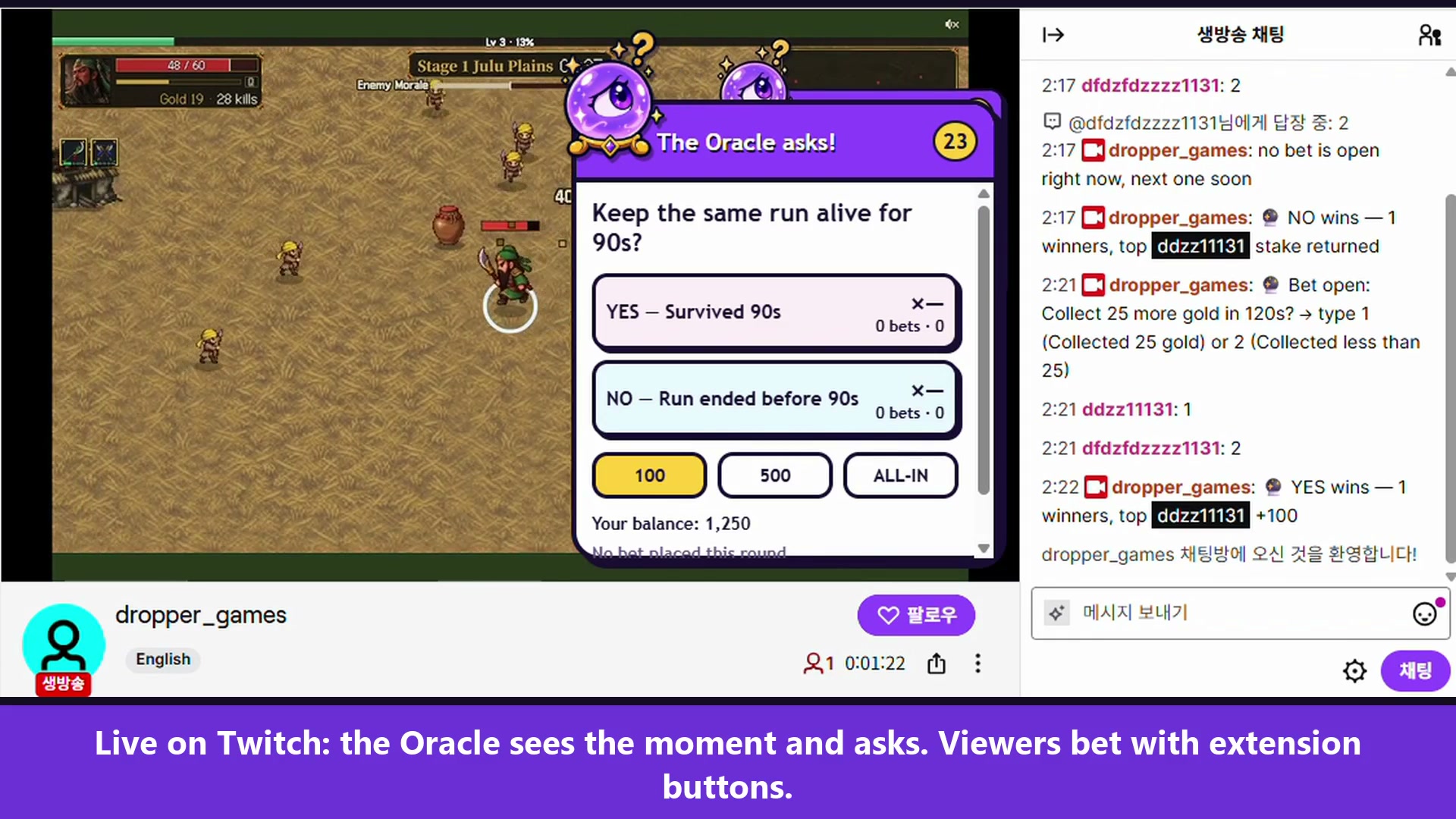
Live on Twitch: the Oracle asks about what's happening, and viewers bet from the extension or in chat.
-
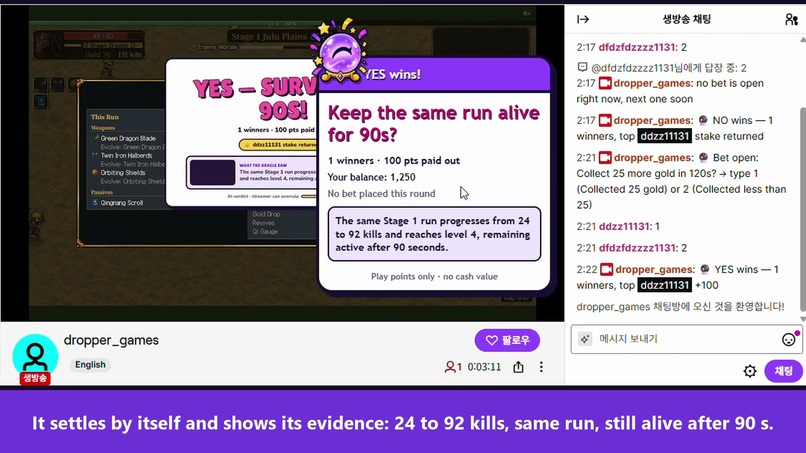
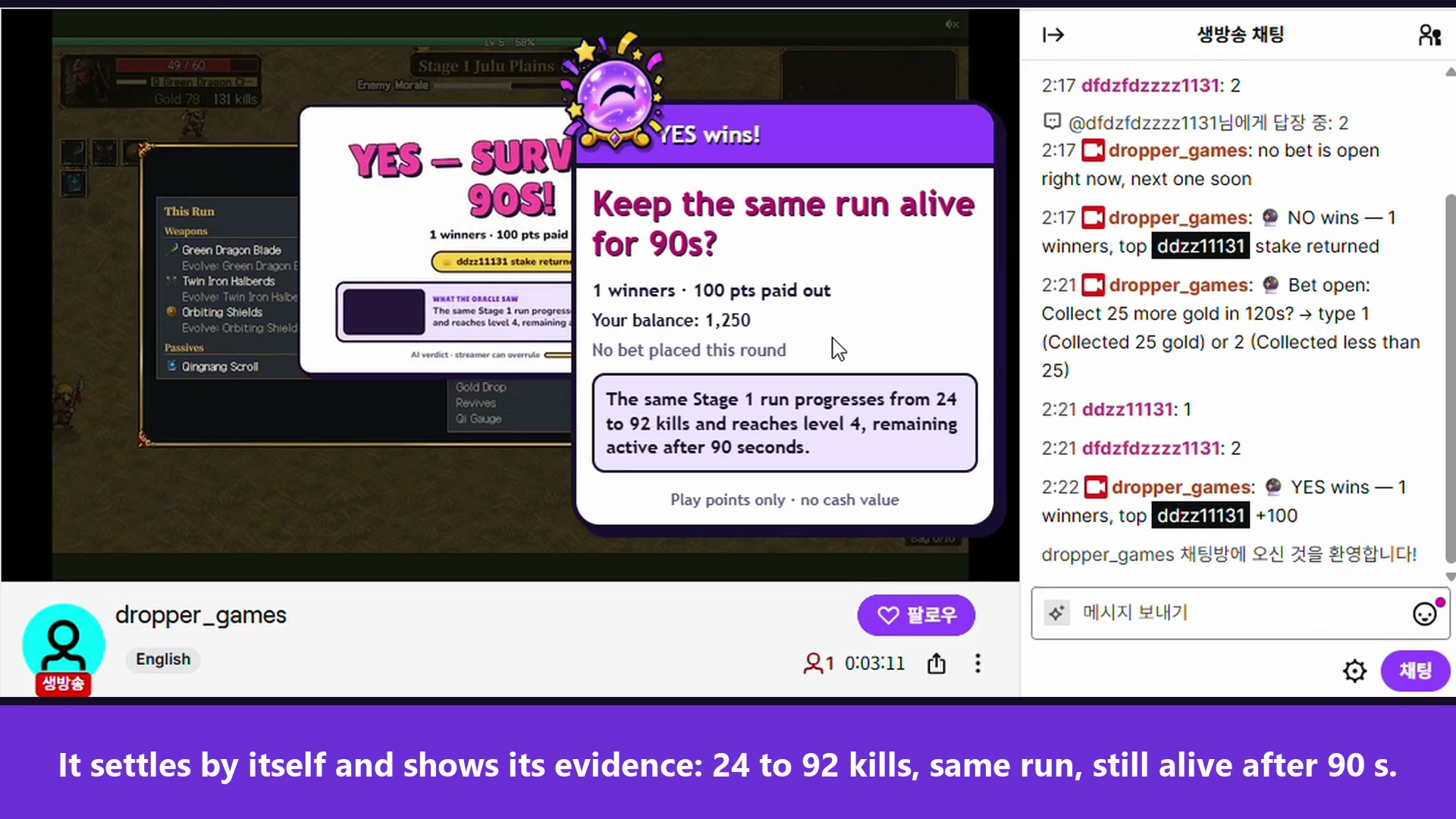
The AI settled this one from the frames: 24 to 92 kills, same run, still alive after 90 s.
-
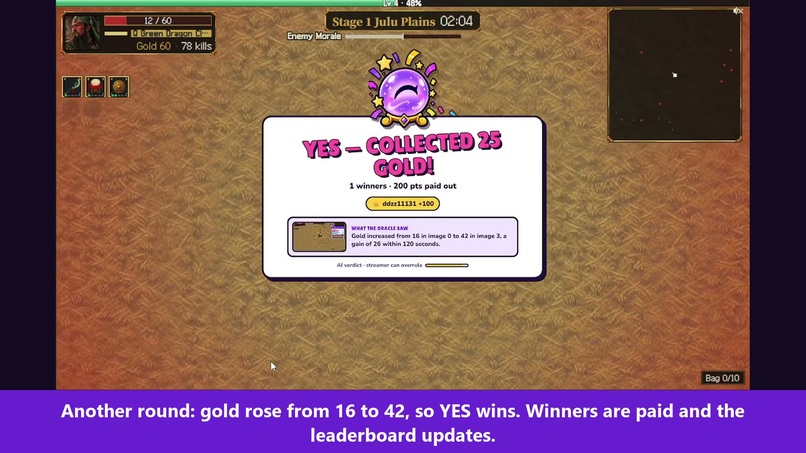
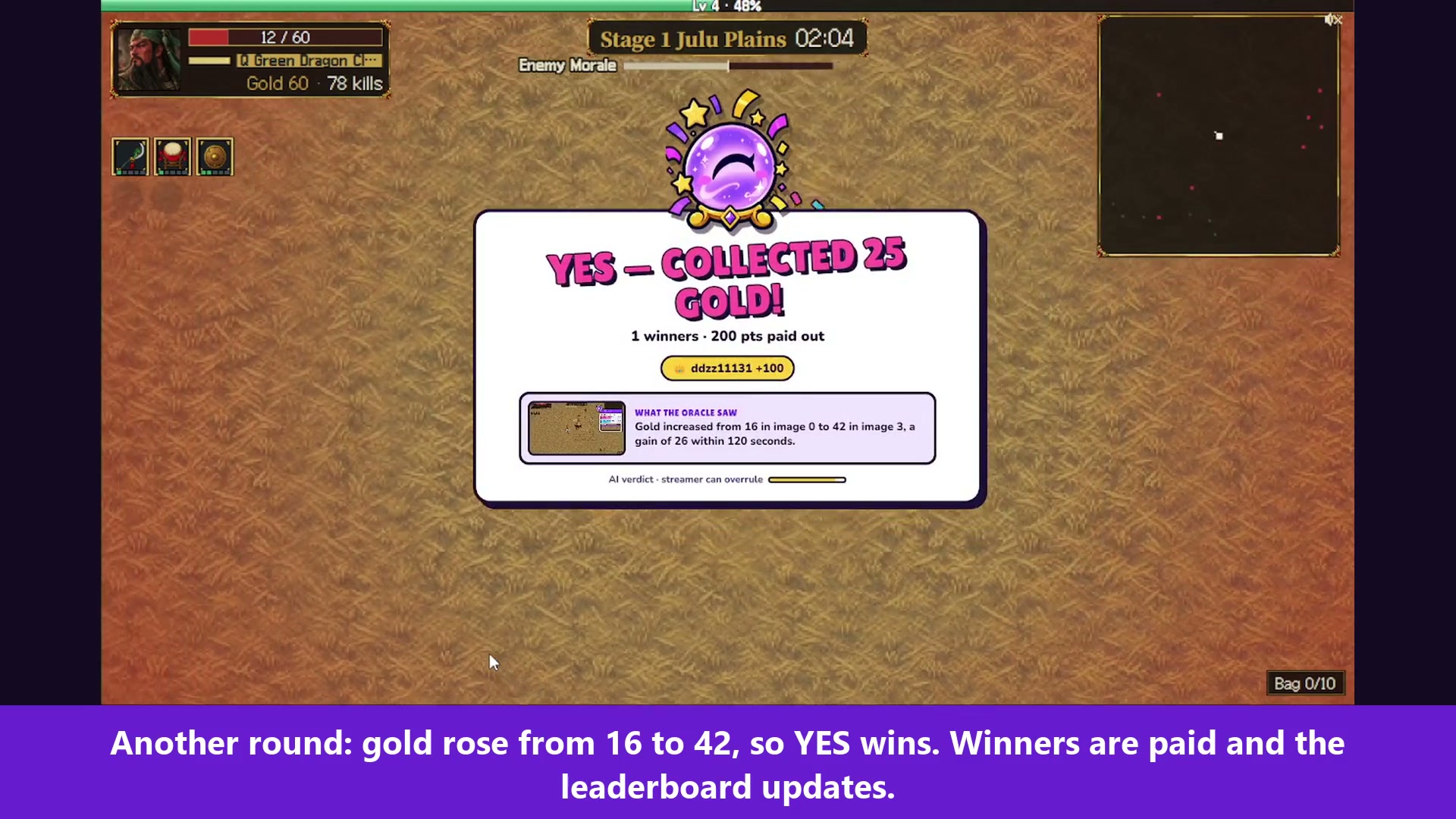
Another round. In the frames the AI compared, gold went from 16 to 42, so YES wins and the winner gets paid.
-
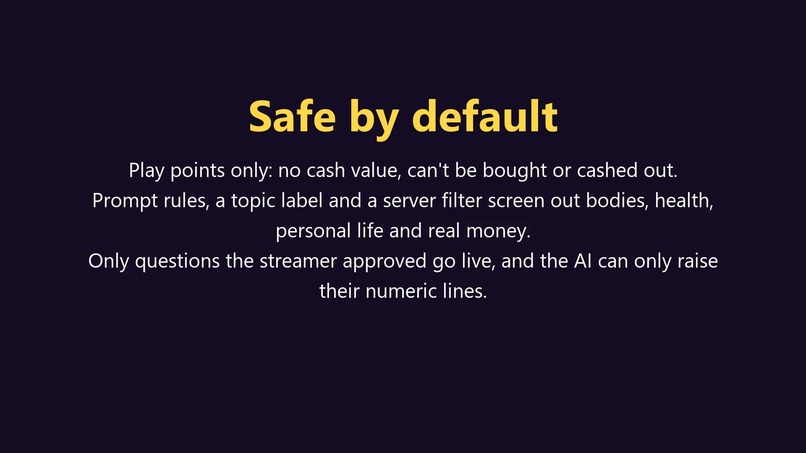
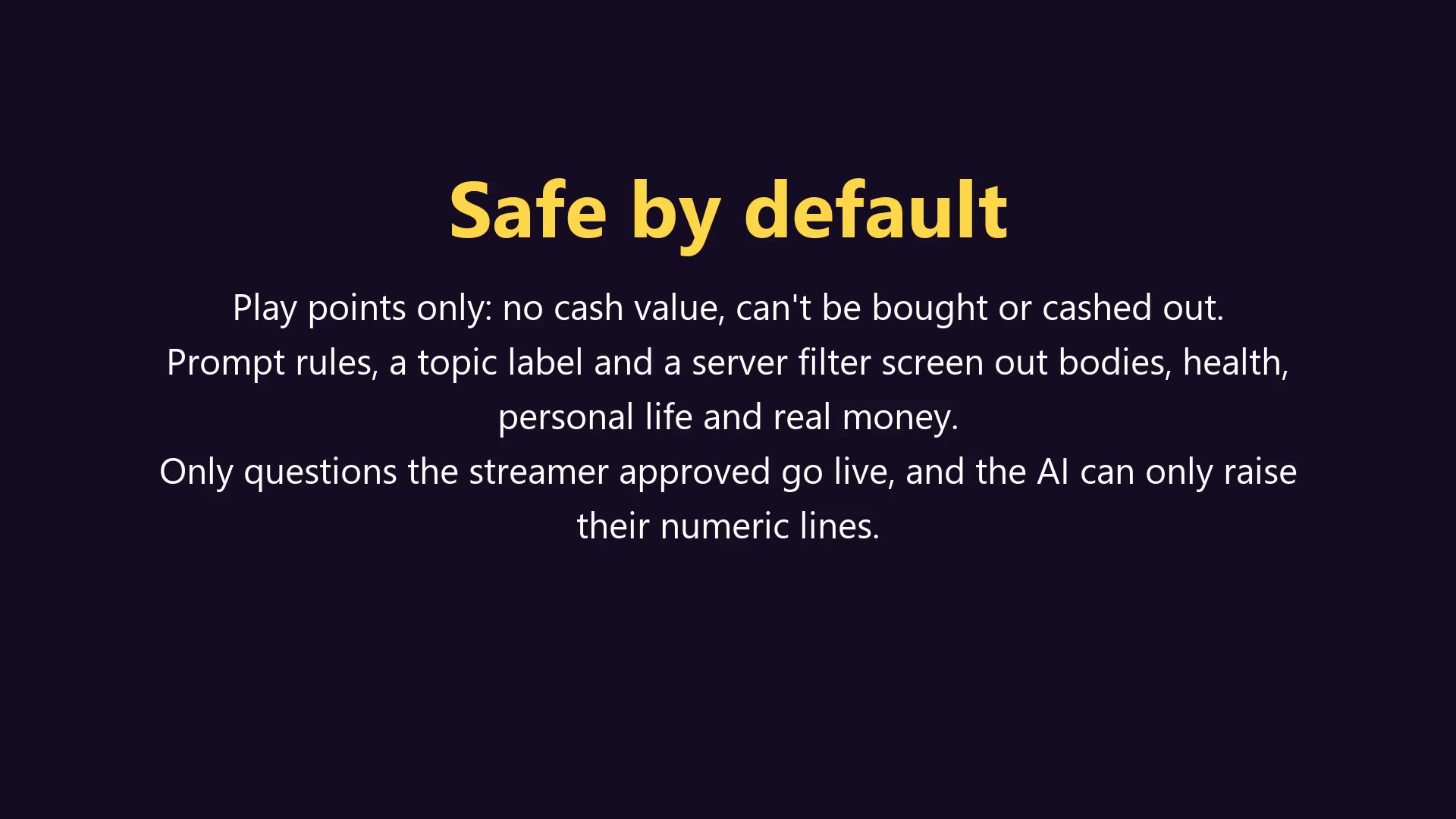
Points are play money. Sensitive topics are screened, and only questions the streamer approved go live.
-
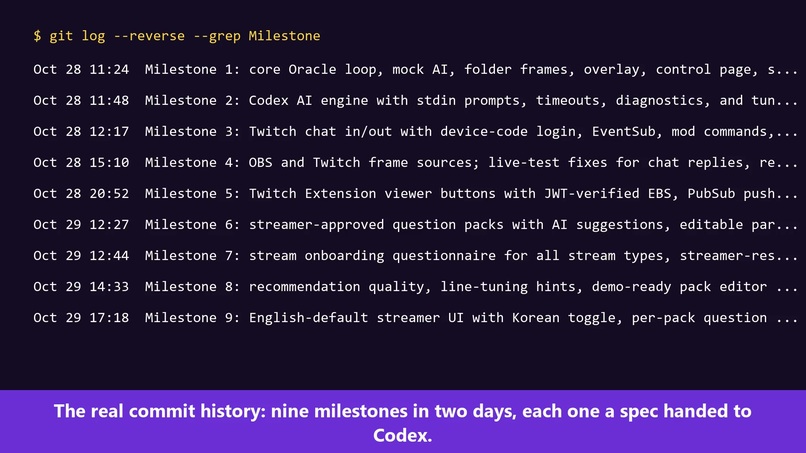
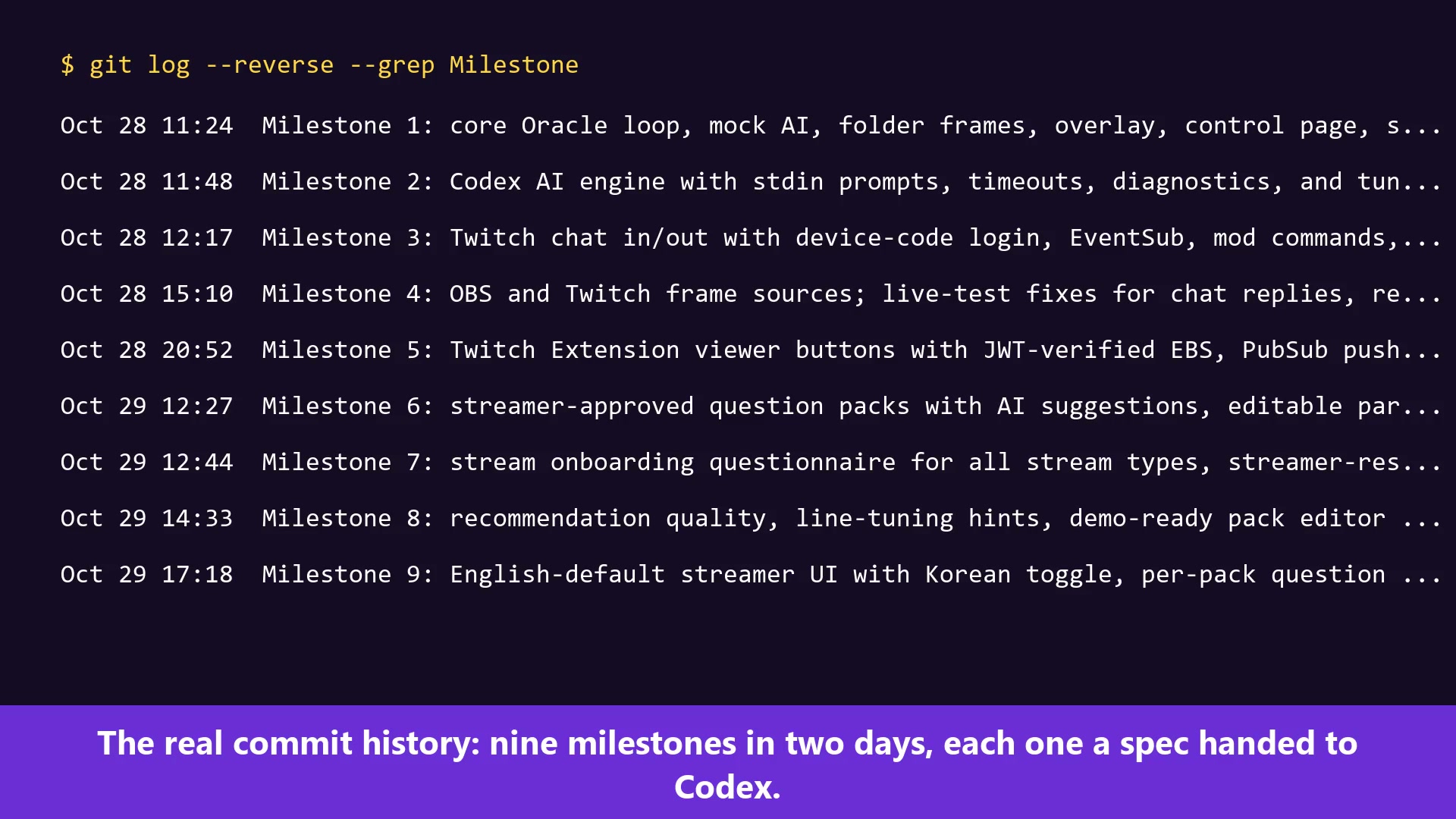
Nine milestones in two days, each one a spec I handed to Codex.
Inspiration
I make a small survivor game, Ten Thousand Foes, and I've been testing it live on Twitch. Twitch Predictions felt like a perfect fit for chat, but each one means stopping the game to type a question, open it, lock it and pick the winner. I wanted predictions that run themselves and are about what's on screen right now.
What it does
Chat Oracle sits next to OBS and watches the stream. When something worth betting on is happening, it picks one of the streamer's approved questions, like "Defeat 150 more enemies in 90 s?", and opens a YES/NO bet.
Viewers bet play-money points with buttons in a Twitch Extension overlay (100, 500 or all-in) or by typing 1 or 2 in chat. When time runs out, the AI compares the frame from when betting opened with later frames and settles the bet, with a short piece of evidence. If it can't tell, the round is voided and everyone gets their points back.
Setup is a short questionnaire: stream type, today's goal, which counters are visible, pace. The AI looks at the stream and suggests 20 questions, and the streamer keeps the ones they like as a pack. It isn't only for games. Just Chatting, cooking, art and IRL streams work too, and questions the AI can't judge from pixels can be settled by the streamer with one button.
Points have no cash value. Questions about the streamer's body, health, personal life or real money get screened, but no filter is perfect, so nothing goes live unless the streamer approved it. The AI can raise a question's number but never lower it.
How I built it
A plain Node.js server runs on the streamer's PC. It grabs frames from OBS (or from the live Twitch stream with yt-dlp and ffmpeg), keeps track of bets and payouts, and talks to Twitch through EventSub chat, an Extension with a JWT-checked backend, and Extension PubSub for live updates.
The vision model is the Codex CLI itself: codex exec, with the frames attached as images.
How I used Codex
I split the work into nine milestones over two days, October 28 and 29. For each one I wrote a short spec and handed it to codex exec. Codex wrote the code and its tests. A separate review pass then checked each milestone, and the fixes went in as follow-up commits. The Twitch login and chat code came from Chat Warlords, an earlier Codex prototype I built during this hackathon.
Most specs came from things that broke on a real stream:
- The AI asked "Will kills reach 25 in 90 s?" while the game already showed 39. Its frame was a minute old by the time betting opened. Now every numeric line is measured from a frame captured when betting opens.
- The AI didn't understand my game, so its questions were vague. That became streamer-approved question packs and the setup questionnaire.
- A reviewer got past the food-safety filter with slang. Codex added a topic label the model has to fill in, and every bypass phrase is now a regression test.
There are 220 tests, and npm test runs them offline. Claude Code helped me write specs, review diffs, and make one late settlement fix found in live testing.
Codex session for milestones 1–5: 01a18045-8a93-7ed1-a7cb-6a856530daf4. Milestones 6–9 ran in separate codex exec sessions.
Challenges
Lag was the big one. Twitch delay is around 15 seconds and the model takes another 30 to 60, so the AI always sees the past. Measuring from the moment betting opens fixed that.
Settling was harder than asking. My first AI-settled rounds on a live stream came back void: once because there was no fresh frame at the deadline, and once because the opening frame was a level-up popup, so it couldn't read the level.
What I learned
Free-form AI questions were mostly bad. The model got much better once I gave it a short list of approved templates and let it fill in only the numbers.
A setting that sounds fair on paper can still be lopsided. Per-question stats now show when chat keeps piling onto one side, and suggest a better line.
What's next
- Settle or void a bet from Stream Manager without opening the extension's config page
- A hosted backend, so streamers don't have to run a local server
Notes for judges
The extension hasn't been through Twitch review, so you can't install it yet. The video shows it running live. Chat bets plus the OBS overlay give the same flow without it.
npm install, thennpm testruns everything offline with fakes.- To run it locally, copy
.env.exampleto.env, setTWITCH_CLIENT_IDand followREADME.md.npm startserves the control page athttp://localhost:3000and the overlay at/overlay. npm run simreplays a folder of your own JPG frames (setFRAME_FOLDER). I didn't ship recorded frames because they would be other people's stream footage.
The game in the video is my own, Ten Thousand Foes. The Twitch UI is in Korean because of my account's locale, and the captions explain each step. The narration is an AI clone of my own voice, made with Soniox.
Links
- Repository: https://github.com/hwkim2000/chat-oracle (private, shared with [email protected])
- Demo video: https://www.youtube.com/watch?v=oNWhXqPEUdo
