-
-
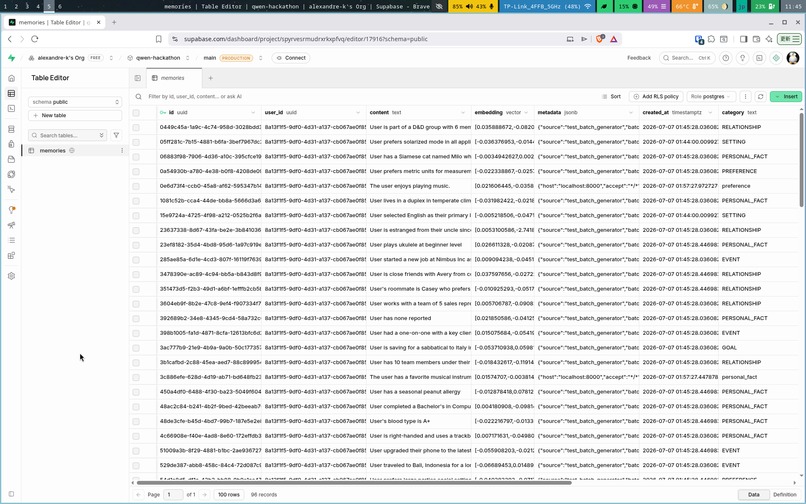
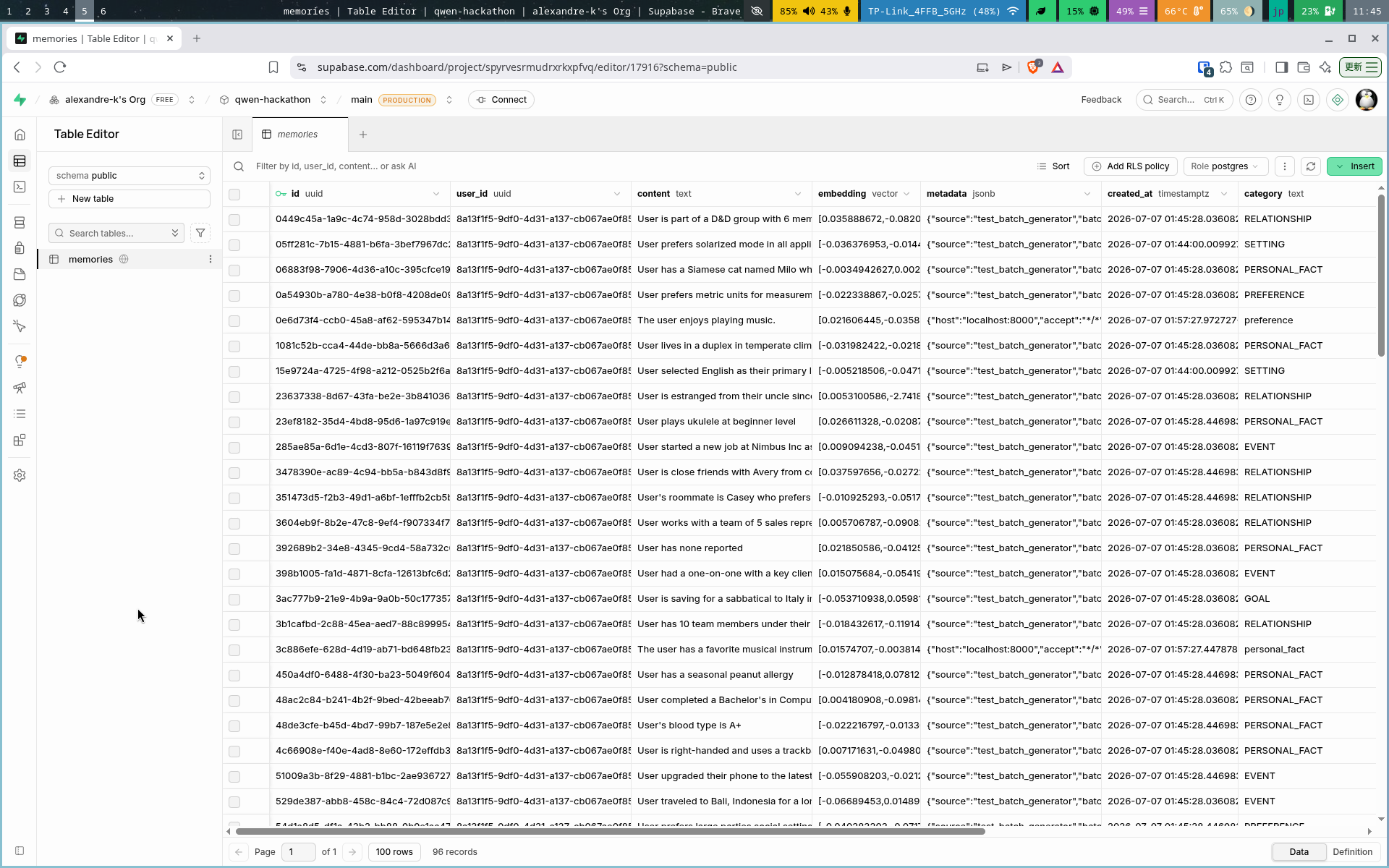
Table containing memories 1
-
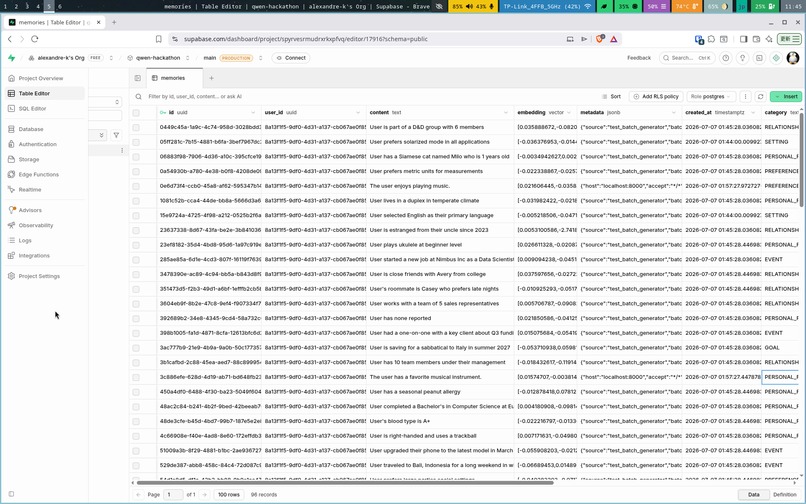
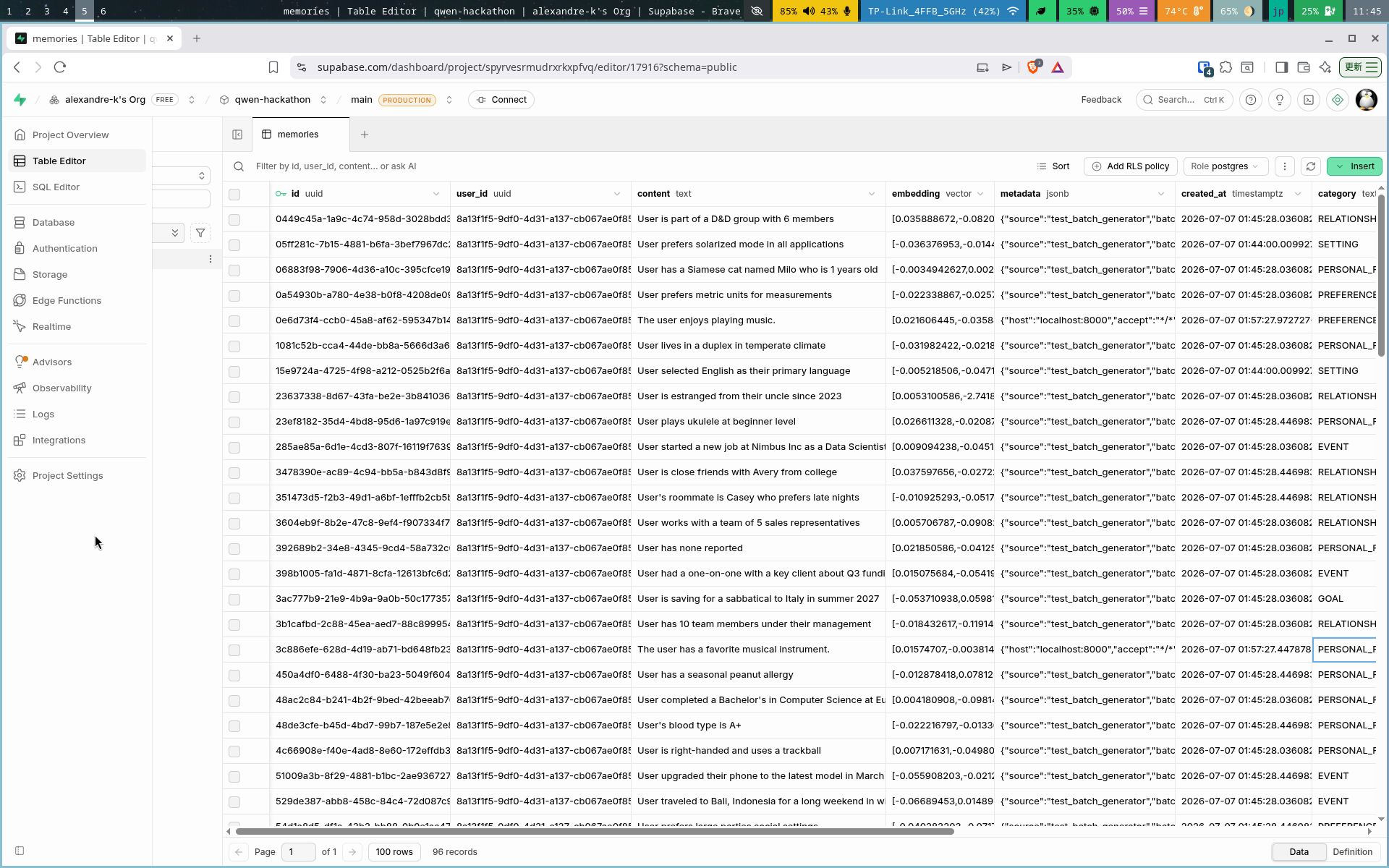
Table containing memories 2
-
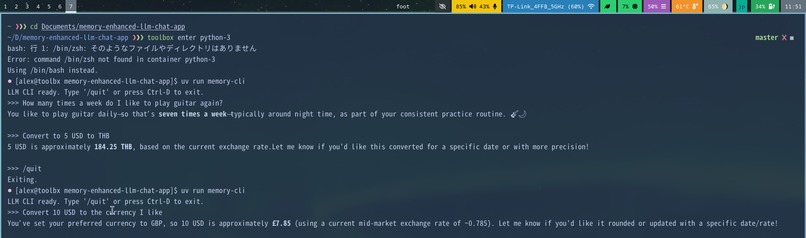
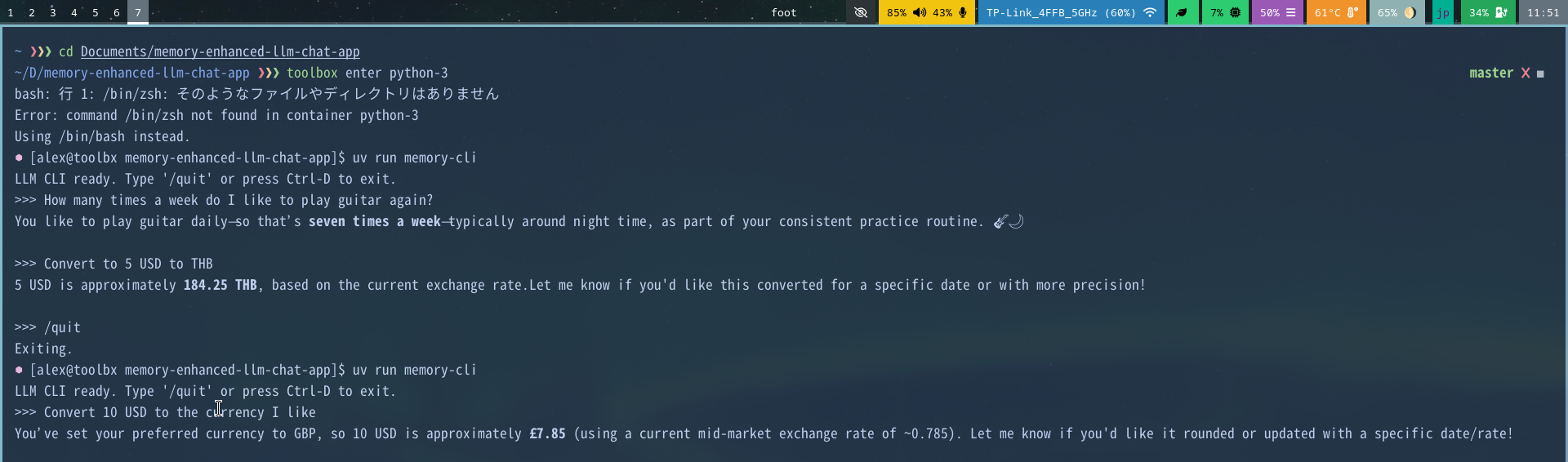
Example of conversation with the test user included in tests directory
-
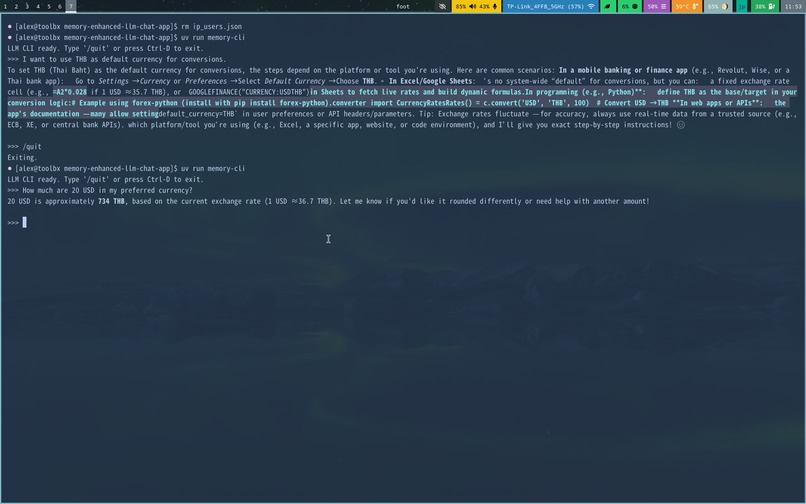
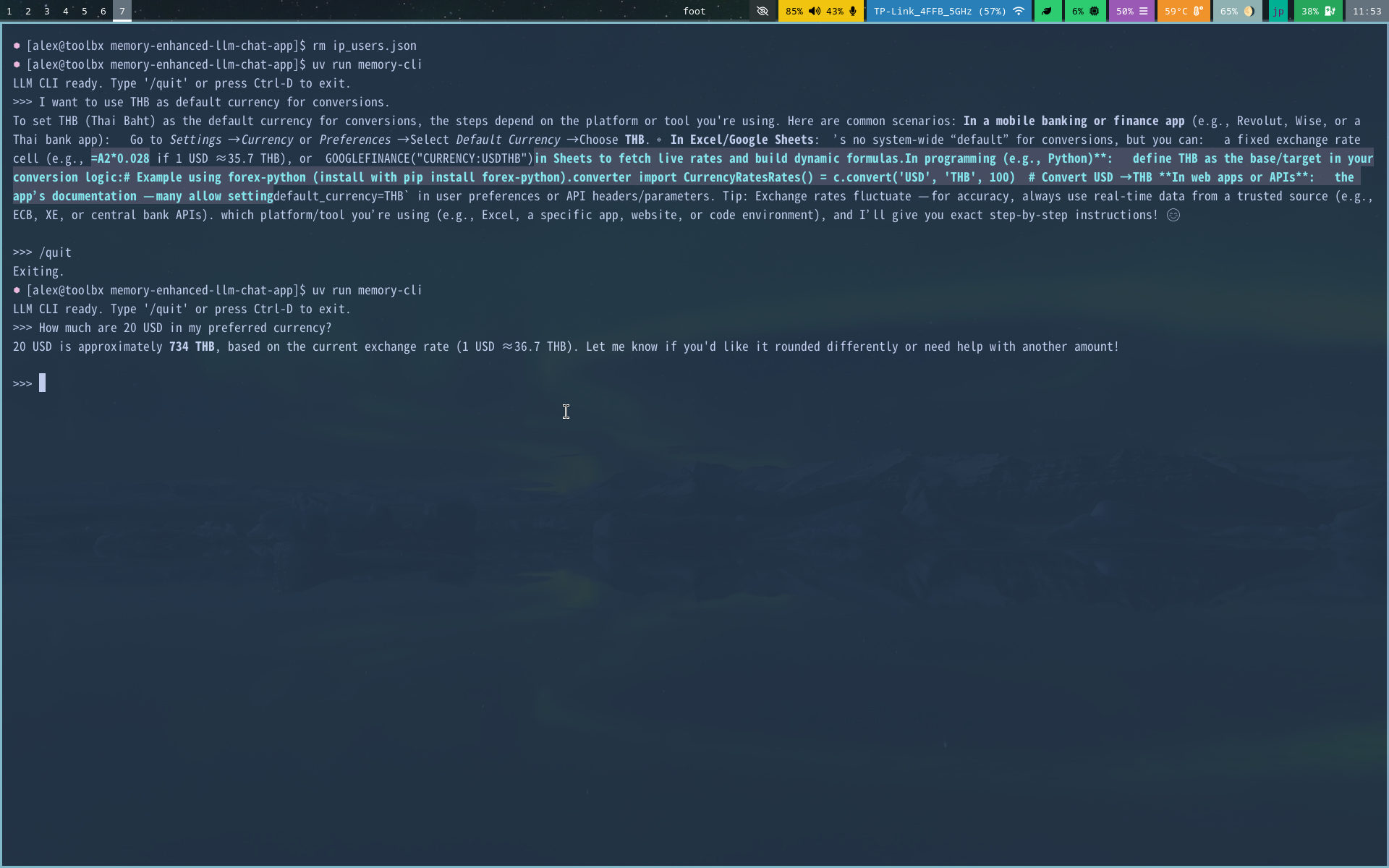
Example of a different user, where THB is memorized as a default currency for future conversions.
Inspiration
The inspiration for Chat Memorizer came from the desire to create more personalized and contextually aware AI interactions. Traditional chatbots often lack the ability to remember user preferences and past conversations, leading to repetitive interactions. We wanted to build a system that could maintain a long-term memory of user interactions to provide more meaningful and tailored responses over time.
What it does
Chat Memorizer is a memory-enhanced chat application that integrates long-term memory capabilities with large language models (LLMs). The system automatically extracts memorable facts from conversations and stores them in a vector database. When users interact with the chatbot, relevant memories are recalled and used to enhance the LLM's responses, making conversations more contextual and personalized.
Key features include:
- Automatic memory extraction and categorization from conversations
- Semantic search using sentence transformers for memory retrieval
- Integration with Supabase for persistent memory storage
- Real-time streaming responses with visual feedback
- Conflict resolution for managing conflicting memories
How we built it
We built Chat Memorizer using a client-server architecture with Python:
Client-side: A command-line interface built with Python's argparse, rich for enhanced text output, and requests for HTTP communication.
Server-side: A FastAPI application that handles:
- Memory extraction using LLMs to identify and categorize important information
- Vector embedding using sentence transformers for semantic search
- Supabase integration for persistent memory storage
- Streaming responses to the client
Memory System:
- Automatic extraction of memories from conversations using prompt engineering
- Classification of memories into categories (preferences, personal facts, settings, goals, relationships, events)
- Vector embedding for semantic similarity matching
- Conflict resolution to manage outdated or conflicting memories
Integration: The system uses Qwen models for language processing and Supabase for vector database storage.
Challenges we ran into
Memory Extraction Accuracy: Getting the LLM to consistently extract and categorize memories correctly was challenging. We had to fine-tune our prompts to get reliable JSON output.
Vector Database Integration: Setting up Supabase with proper vector similarity search required understanding both the Supabase API and vector similarity concepts.
Conflict Resolution: Determining when memories conflict and how to resolve them appropriately required careful threshold tuning.
Streaming Implementation: Implementing proper Server-Sent Events (SSE) for streaming responses while maintaining memory extraction in the background required careful asynchronous programming.
Model Caching: Managing the download and caching of embedding models for offline use presented some initial hurdles.
Accomplishments that we're proud of
Functional Memory System: Successfully implemented a working long-term memory system that enhances LLM responses with contextual information.
Seamless Integration: Created a cohesive system where memory extraction, storage, and recall work together smoothly without disrupting the chat experience.
Real-time Streaming: Implemented streaming responses that provide immediate feedback to users while processing memories in the background.
Conflict Resolution: Developed an intelligent system for handling conflicting memories that favors newer information.
Offline Capabilities: Implemented model caching so the embedding system works offline after initial download.
What we learned
Importance of Prompt Engineering: The quality of memory extraction heavily depends on carefully crafted prompts.
Vector Similarity Techniques: Gained practical experience with embedding models and semantic search techniques.
Asynchronous Programming: Learned how to properly handle asynchronous operations in Python, particularly for non-blocking memory processing.
Database Design for AI: Understood the importance of proper database schema design for AI applications, particularly vector databases.
System Integration: Learned how to integrate multiple components (LLMs, databases, client-server communication) into a cohesive application.
What's next for Chat Memorizer
Enhanced Memory Categories: Expand beyond the current six memory categories to capture more nuanced information.
Memory Forgetting Mechanism: Implement a system to automatically forget outdated or irrelevant memories.
Multi-user Support: Enhance the system to better handle multiple users with isolated memory stores.
Memory Visualization: Create a dashboard for users to view and manage their stored memories.
Advanced Conflict Resolution: Develop more sophisticated methods for handling memory conflicts.
Integration with More LLMs: Expand compatibility with different LLM providers and models.
Privacy Controls: Implement granular privacy controls for users to manage what memories are stored.
Memory Sharing: Allow users to share specific memories or memory collections with others.
Built With
- alibaba
- fastapi
- podman
- python
- qwen
- supabase


Log in or sign up for Devpost to join the conversation.