-
How it is being run
Inspiration
we felt we needed a bot that could translate images while participating in and managing an international chatting community.
What it does
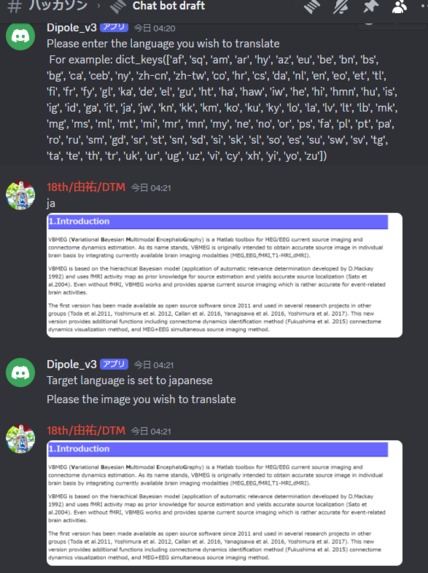
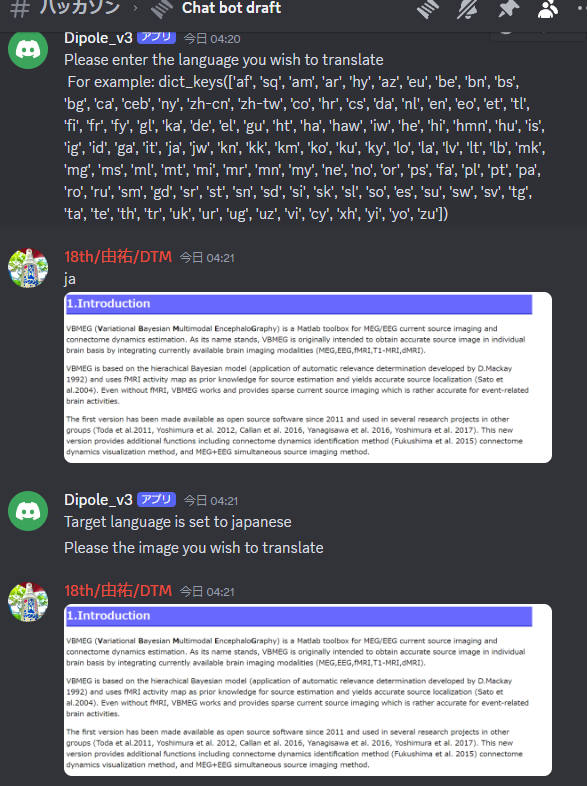
Send a certain word in the discord chat and it will translate the image and the text. "/translate" : When you send a sentence in a different language according to the bot's request, it will translate it and return at you. /image: translates the image you sent to the bot /search_language: you can see your languages suitable in LANGUAGES in googletranslation /help_dipole:you can see how to use this translate chat-bot.
How we built it
Development environment: Replit Development language: Python Libraries used: discord.py, googletrans, tempfile, pyocr, PIL, dotenv discord.py: I mainly used this library to create a Discord bot. To create the method, use @client.tree.command() in this library. I created a so-called slash command as a user interface. googletrans: A translation library. tempfile: A temporary storage library for images sent to Discord for processing and OCR analysis. pyocr: A library for character recognition from images obtained with the OCR library. PIL: A free library that provides functions for loading, manipulating, processing, and saving image files in various formats in the Python programming language. dotenv: Node.js library that sets environment variables using .env files
Challenges we ran into
1: When inputting a translated sentence, a processing delay caused by the await function occurred, causing a bug that caused the translation to be performed twice in a row. I dealt with this by bringing a bool variable before the await function and using it as a condition in the if statement. 2: While there are many paid server tools, we aimed to run the bot 24 hours a day by connecting at regular intervals to a server created with replit using GAS, but we were unable to do so by sending access to the URL of the server created with replit. Even after continuing, it crashed unless I had a web application open.
Achievements we are proud of
I created a program that can read text from an image and return the translated text.
What we learned
How to create a Discordbot using Discord.py and handle the library. Understanding the effects of @commands and intents.
Next steps for OCR translation for Discord bots
Translated text is displayed above the original text in the image. Improving character recognition from images through image processing.
Built With
- dicord.py
- discord
- dotenv
- googletrans
- pit
- python
- replit
- tempfile

Log in or sign up for Devpost to join the conversation.