Inspiration
The biggest screen in most homes, the TV, sits black most of the day. People who follow markets already glance at a phone or a second monitor dozens of times a day. We wanted to turn that idle TV into a glanceable, always-on market screen you can read from the couch or the kitchen, that only speaks up when something actually moves, and that you can control with whatever is in your hand.
What it does
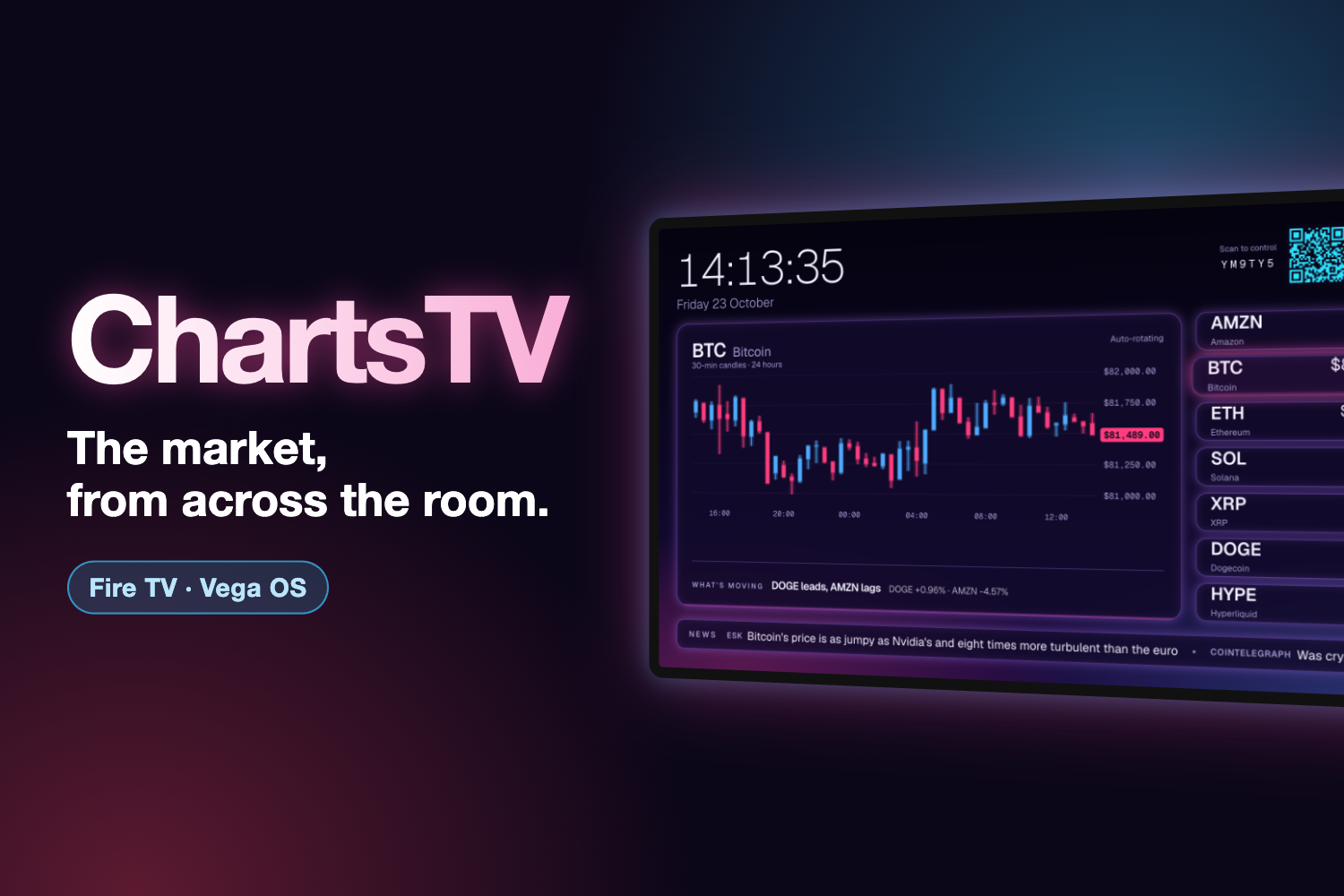
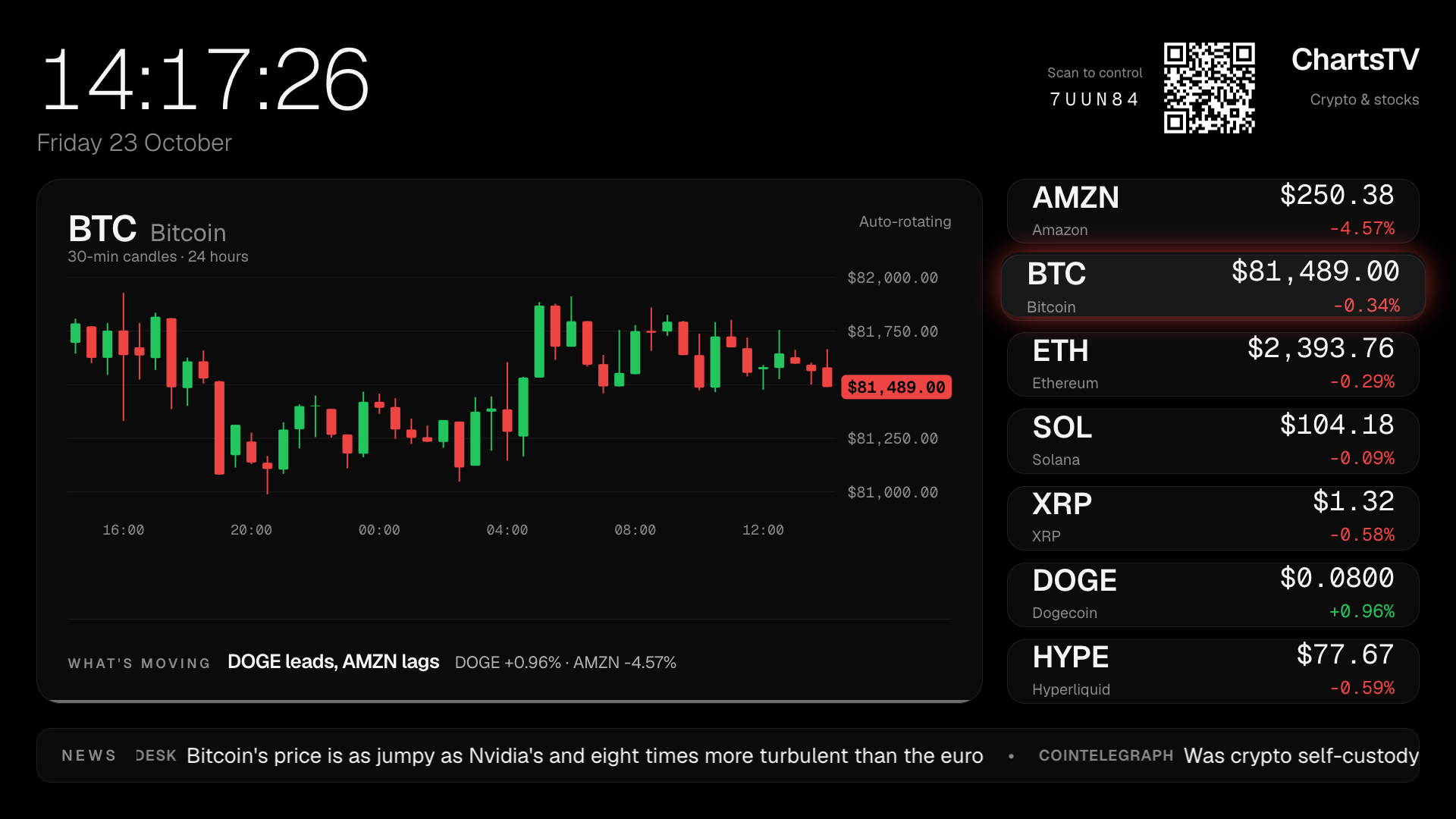
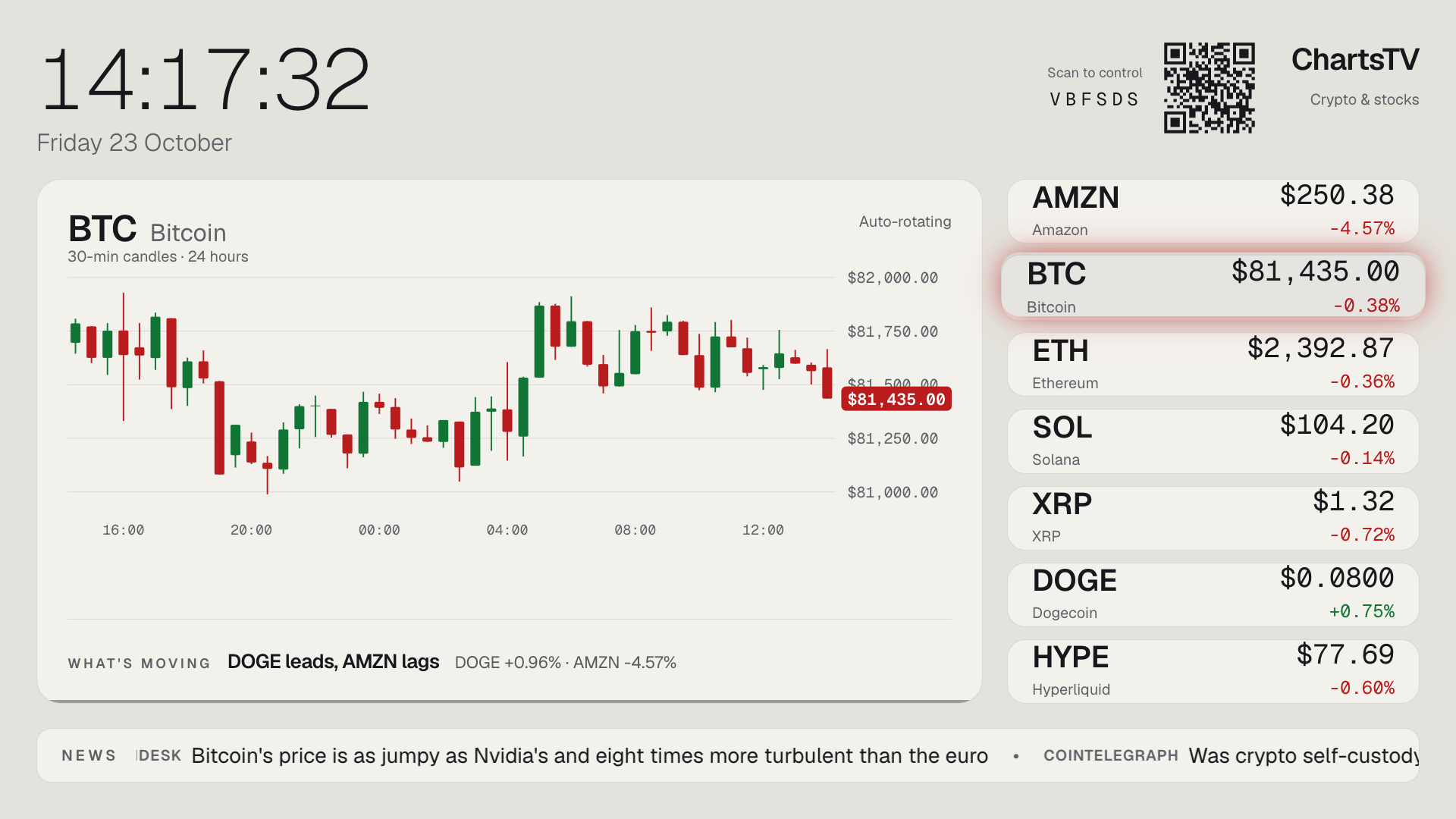
ChartsTV runs on Fire TV (Vega OS) and turns the TV into a live market dashboard:
- A live board. By default it shows AMZN and six major coins with live prices, refreshed every minute, and a live candlestick chart whose last candle tracks the live price, with time labels underneath: 30-minute candles, or 1-minute candles for the last hour. A single "What's moving" line names the day's leader and laggard.
- Always-on by design. It uses a pure black layout sized for a 10-foot view, a big clock, and a news ticker of live headlines, including Amazon's own newsroom. Left alone, it auto-rotates through the watchlist.
- Price alerts. Full-width green or red banners with a chime fire once when a price crosses a level or makes a big daily move.
- Multi-modal control in one flow:
- D-pad: a deterministic focus system with one springy highlight that's easy to see from across the room. OK puts a coin center stage.
- Remote media buttons: Play/Pause freezes the board, and fast-forward and rewind skip between coins. The same actions are wired to the Media Session API that Alexa voice commands use. The Vega Virtual Device can't inject voice, so the Alexa path is untested.
- Phone companion: the TV shows a QR code. Scan it, then type or speak naturally, for example "show solana", "pause", "neon lights" or "alert me if bitcoin hits 85,000". The TV reacts within seconds and confirms each alert with an "Alert set" banner. If a condition is already met, it fires right away.
- Make it yours, from the phone. A TV is a bad place to type, so the phone is the settings screen:
- Pick your watchlist: search any US stock, ETF, index or coin and send up to 10 to the TV. Lists of 8–10 switch to compact tiles so they still fit.
- Favorites: star symbols to pin them to the top of the board.
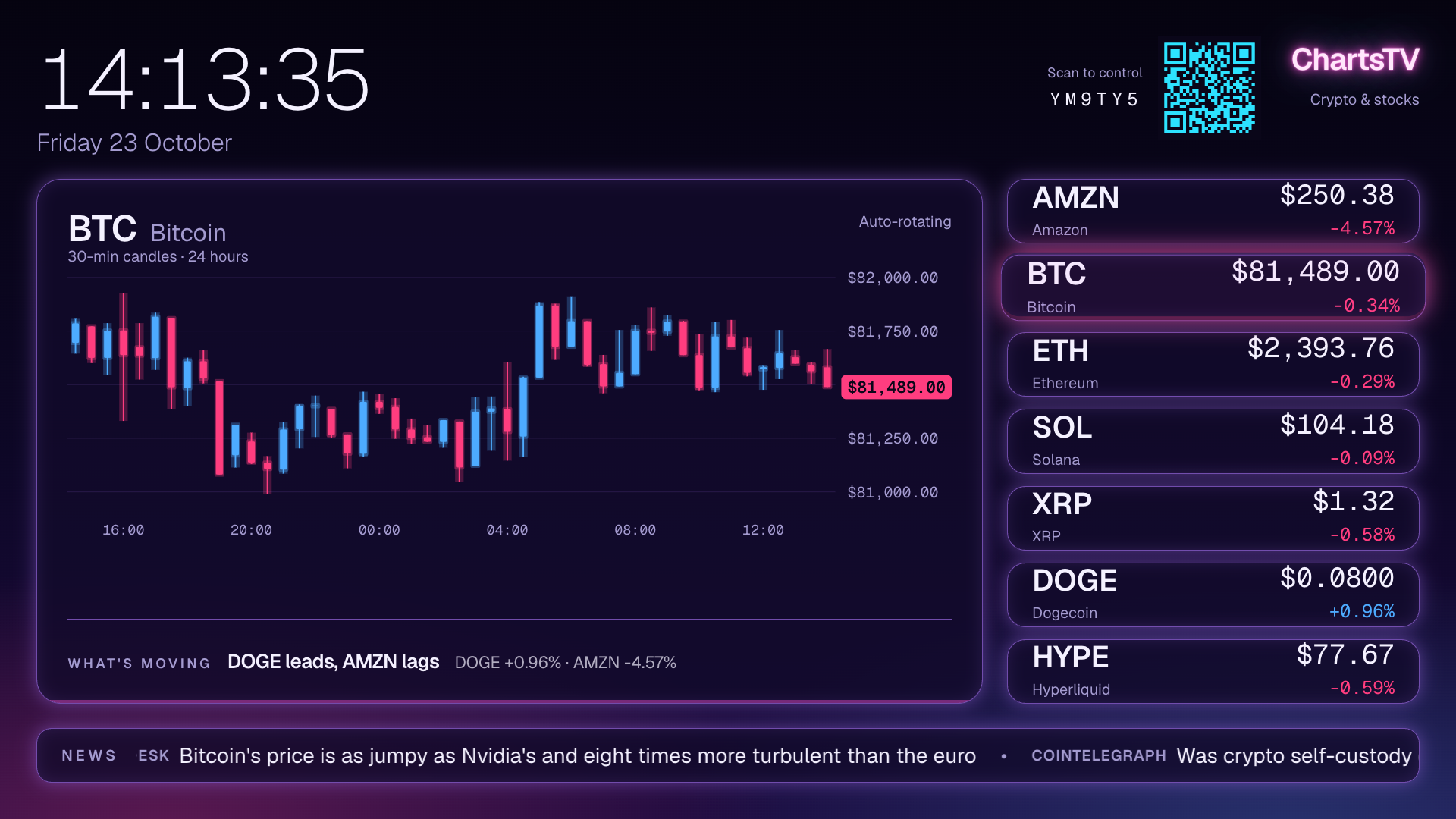
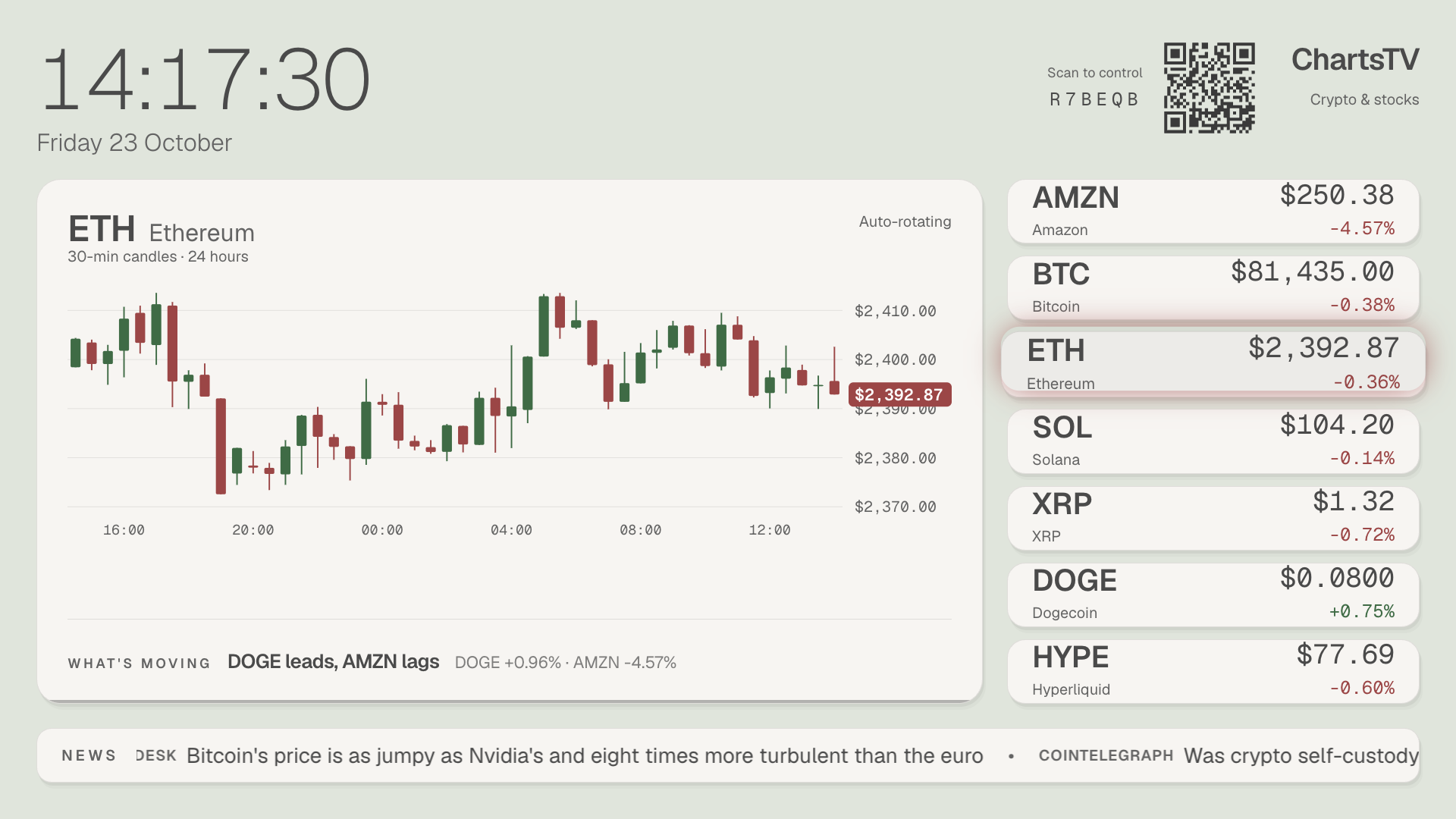
- Themes: dark (the default), light for bright rooms, auto (light by day, dark at night), a calm green-tea matcha theme, and a just-for-fun neon theme with glowing candles.
- Background photo: pick a photo to sit behind the board. The phone crops and shrinks it and strips location data, and the server deletes it as soon as the TV has it.
- Candle interval: switch the chart between 30-minute and 1-minute candles.
- The TV remembers all of it across restarts, and the QR code fades away when nobody is using the remote, so the board stays clean.
- Built to stay on. The screen dims itself at night (alerts still cut through) and the whole layout drifts a few pixels every 2 minutes to prevent burn-in.
How we built it
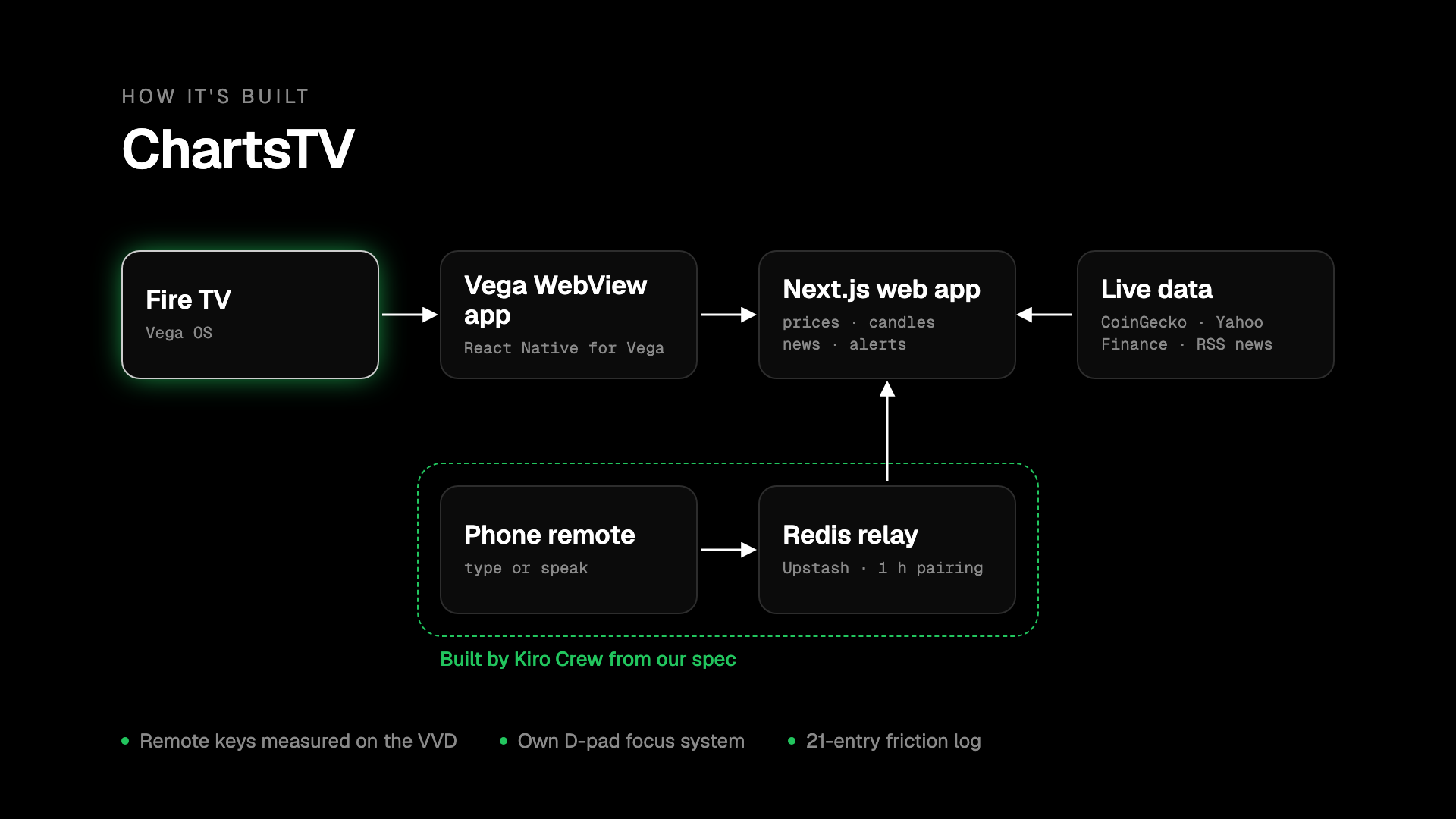
- Vega OS app: a Vega WebView wrapper (React Native for Vega) around our web app, built and tested on the Vega Virtual Device. The wrapper also forwards the page's console output into the device log, which made the web app debuggable on the VVD.
- Web app: Next.js 16 with Cache Components on Vercel.
- Server-side caching: API routes cache upstream data so every TV shares one fetch. Prices refresh every minute, candles every 5 minutes, and headlines every 10.
- Market data: prices and 30-minute candles come from CoinGecko for the default coins and Yahoo Finance for stocks and everything else; 1-minute crypto candles come from Kraken's public API, chosen after comparing four sources for freshness and spot accuracy. Picked symbols are cached per symbol, so TVs with overlapping lists share fetches.
- News: RSS from About Amazon, Yahoo Finance, CoinDesk and Cointelegraph.
- TV-first UI:
- Everything is sized in rem tied to the viewport.
- Remote focus is handled in app state instead of the WebView's spatial navigation, so it's predictable.
- The candlestick chart is plain SVG, with no chart library to load on the TV.
- Themes are CSS color tokens on one attribute, applied by a tiny inline script before first paint, so the TV never flashes the wrong theme. Glows are static shadows and layered SVG, never blur filters, which are costly on TV GPUs.
- Built for flaky free APIs: when a provider rate-limits, the TV keeps the last real price and chart instead of showing placeholders, and "What's moving" only summarizes live quotes.
- Phone companion:
- Pairing codes and a QR code are generated in the browser.
- A rule-based command parser handles symbols, navigation, percentage alerts and price-level alerts.
- Phone and TV talk through an Upstash Redis relay with a 1-hour TTL and rate limiting. The TV polls every 5 s when idle and every 1 s while you're using the phone.
- Voice input uses the phone browser's Web Speech API.
- The phone page also hosts the watchlist search, favorites, theme, candle and background-photo controls. Photo uploads are validated (type, size, real JPEG bytes) and pass through Redis only once.
- Built with Kiro Crew: we wrote a spec (
docs/specs/phone-companion.md) and Kiro Crew, running locally with Kiro CLI, implemented the phone companion end to end on a branch, with 104 tests. We reviewed it, fixed the runtime issues we found, and verified it on a real phone against the VVD. - Quality:
- 233 unit tests (vitest) on all the pure logic: alert engine, command parser, RSS, market, candle and symbol-search parsing, themes, upload validation and chart geometry.
- One feature per PR, each verified in the browser and on the VVD before merging.
Challenges we ran into
- Understanding the remote on Vega. The docs describe media commands reaching the page through Media Session, but on the VVD the remote's media buttons arrive as plain
keydownevents, and Next/Previous never arrive at all. We built a console bridge into the wrapper to measure exactly what reaches the page, then handled both paths. - Keeping an always-on app awake. The Fire TV screensaver starts 5 minutes after the last remote press. We tried the Wake Lock API, a looping video and a native Turbo Module calling the User Engagement API, and none of them worked for a non-video app. It's documented in detail in our friction log.
- Bedrock on a brand-new AWS account. We built a Bedrock-powered "What's moving" summary (Claude via the bedrock-mantle endpoint). Our new account was blocked from Anthropic models, and AWS support said it needs spend history first. The feature ships with a deterministic price-summary fallback and switches to Claude automatically on an account with access.
- Ten feature PRs in one night. Our teammate shipped watchlists, favorites, themes, photos and 1-minute candles in parallel. Several touched the same files, and two only worked together after real integration (for example, 1-minute candles for a picked watchlist, and a photo background that stays readable in the light theme). Reviewing each on a production build before merging caught both.
- Agent-written code needs integration tests. Kiro Crew's feature passed all its unit tests but failed against real Redis (a JSON auto-parsing behavior in the client library). We caught it in review and added a pure, tested parser.
Accomplishments that we're proud of
- A TV experience that feels designed for TV: readable from across the room, smooth on modest hardware, and pleasant to leave on all day.
- Real multi-modal control: D-pad, remote media buttons and natural-language phone input (typed or spoken) all drive the same screen, and the phone doubles as the settings screen a TV never has.
- A 23-entry friction log in the judges' format (task, steps, expected vs actual, severity, workaround, suggestion), plus detailed product feedback for every tool we used.
What we learned
- On TV, predictability beats cleverness: owning focus in app state was the single biggest UX win.
- Measure the platform instead of trusting assumptions. Our console bridge and headless key injection (
inputd-cli) turned guesswork into facts. - Agentic tools like Kiro Crew are great at turning a clear spec into a full feature quickly, but review and integration testing against real services are still essential.
What's next for ChartsTV
- Publish to the Fire TV Appstore.
- Saved alerts and watchlists that follow you across TVs, persisted per household instead of per screen.
- AI "What's moving" summaries on Bedrock once account access is in place (the code is already in the app).
- Keep-awake for always-on use, if Vega exposes a supported API.
- More timeframes on the chart, switched straight from the remote.
- POV-specific themes, minimal/advanced.
Built With
- amazon-bedrock
- api
- coingecko
- fire-tv
- kiro
- kraken
- next.js
- react-native
- speech
- tailwind-css
- typescript
- upstash-redis
- vega-os
- vercel
- vitest
- web
- webview
- yahoo-finance

Log in or sign up for Devpost to join the conversation.