Chaos to Clarity: From Messy Meeting Notes to Actionable Plans
Inspiration
Meetings generate ideas, decisions, responsibilities, and questions, but translating all that information into action is often a manual and frustrating process. Important details can get lost in lengthy notes, responsibilities remain unclear, and deadlines or dependencies may be overlooked.
I wanted to build an AI-powered application that could bridge this gap. Rather than creating another meeting summarizer, I wanted to develop a tool that transforms unstructured notes into a practical action plan while preserving the context needed to trust the results.
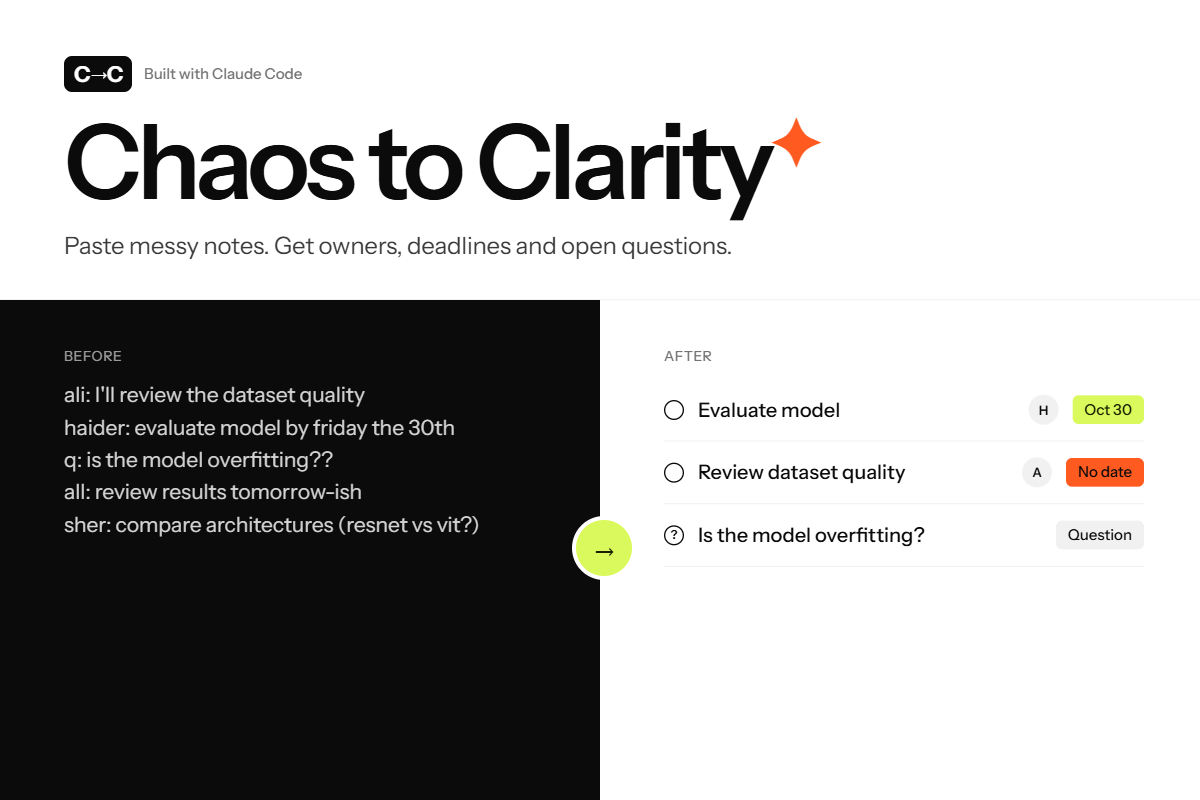
That idea became Chaos to Clarity: a full-stack AI application that helps users move from scattered information to organized, actionable work.
What It Does
Chaos to Clarity uses generative AI to organize unstructured meeting notes into a structured workspace containing action items, task owners, deadlines, dependencies, blockers, and open questions.
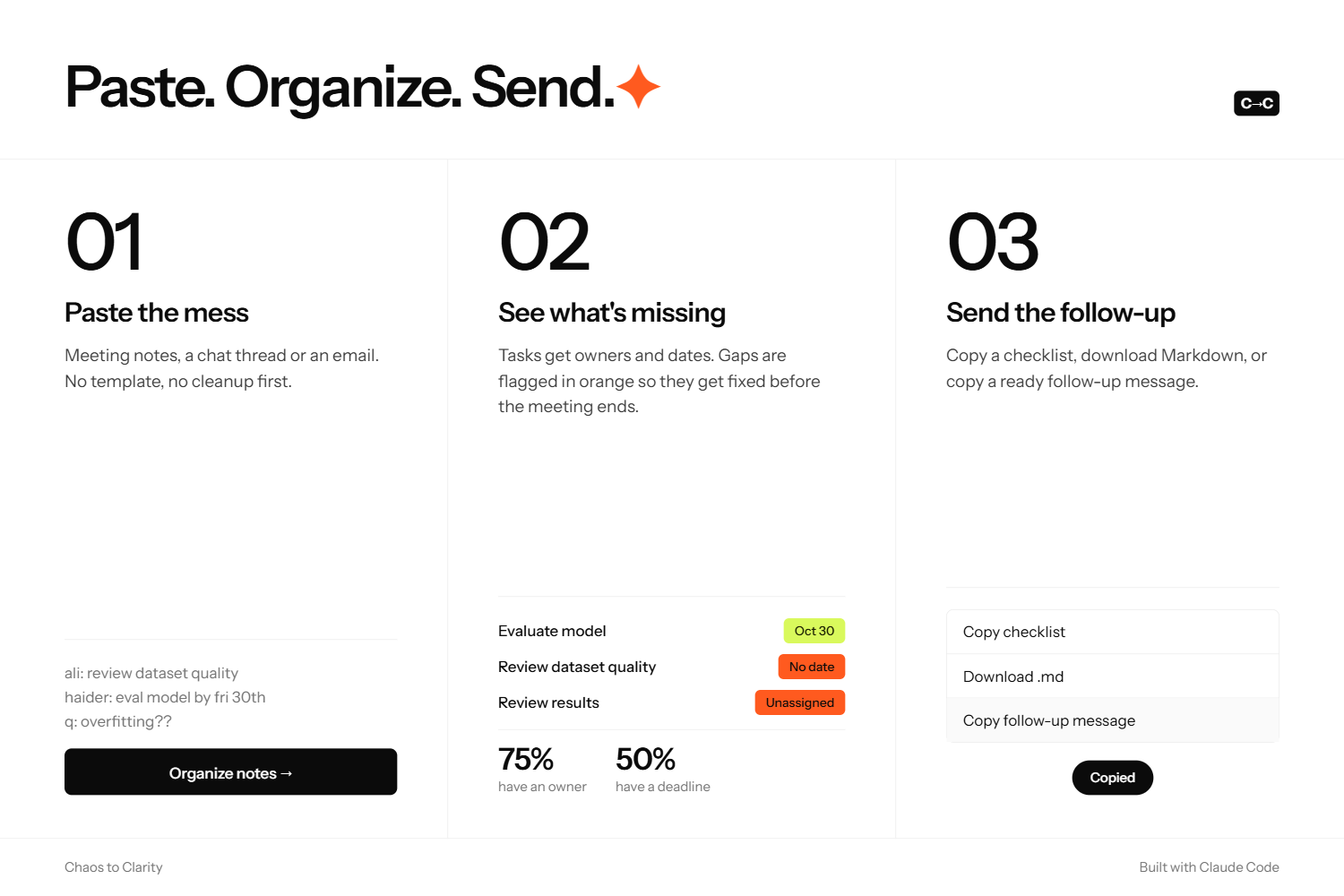
Users can review and edit generated tasks, add or delete items, search by task title, source, or owner, and manage unresolved questions. The application also supports Markdown export, allowing users to take their action plan into other tools or workflows.
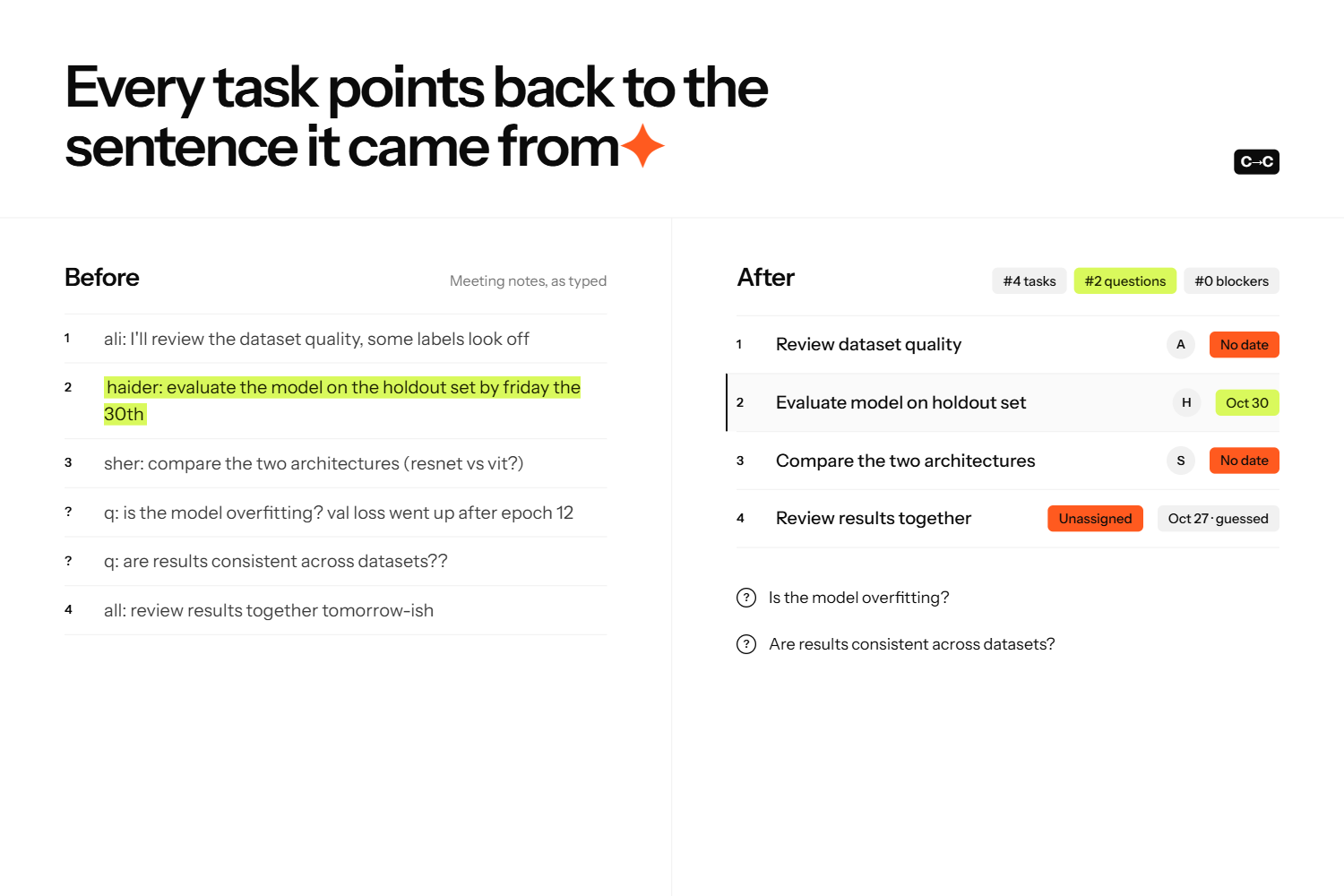
An important part of the application is its focus on reliability. It preserves source evidence, retains the original wording of deadlines, and flags missing or uncertain information instead of silently inventing details. This helps users distinguish what the notes actually establish from what still needs clarification.
Sample mode also makes it possible to explore the workflow without immediately submitting new notes.
How I Built It
I built Chaos to Clarity as a full-stack web application using React, TypeScript, and Vite for the frontend and Python and FastAPI for the backend. I integrated Google Gemini to extract structured information from unstructured meeting notes.
On the frontend, I applied skills in component-based development, TypeScript, state management, and user-interface design to create an interactive workspace. Instead of displaying a single AI-generated paragraph, the interface presents information in distinct categories so users can review tasks, dependencies, blockers, and open questions separately. Editing and export functionality make the result useful beyond the initial AI response.
On the backend, I used Python and FastAPI to build the API layer and connect the application to the extraction workflow. This required thinking about request handling, data structures, validation, and the boundary between AI-generated content and application logic.
For the AI component, I worked on structuring Gemini's output so it could be consumed by the application consistently. Extracting tasks was not enough: the system also needed to preserve context, handle incomplete information, and avoid presenting unsupported assumptions as facts. I incorporated structured output validation and source-grounding checks to make the resulting action plan easier to inspect and verify.
I also applied software engineering practices such as separating frontend and backend responsibilities, managing code with Git and GitHub, and testing features incrementally. These practices helped me develop the project as an integrated application rather than a collection of disconnected AI features.
Skills and the Devpost Learn Skill Pack
I used the Devpost Learn Skill Pack alongside an AI coding agent as part of a planning-first development workflow. I approached implementation by breaking the project into smaller, manageable tasks, establishing the intended behavior of each feature, and reviewing the results as development progressed.
This workflow helped me apply skills in requirements analysis, technical planning, full-stack development, debugging, testing, and iterative refinement. Instead of relying on a single large code-generation prompt, I used smaller implementation steps to make changes easier to review and verify.
The project brought together several practical skill areas:
- Full-stack development: Building an interactive React and TypeScript frontend connected to a Python and FastAPI backend.
- Generative AI integration: Using Google Gemini to extract structured information from natural-language notes.
- Data modeling and validation: Organizing tasks, owners, deadlines, dependencies, blockers, and open questions into consistent application structures.
- AI reliability and grounding: Preserving source evidence, checking generated output, and identifying missing information.
- Product and interaction design: Making generated results editable, searchable, and exportable.
- Software testing and debugging: Testing frontend and backend behavior and checking production builds.
- Version control: Using Git and GitHub to track and manage code changes.
- AI-assisted engineering: Using a coding agent to support implementation while reviewing requirements, changes, and test results.
The key lesson from this workflow was that AI-assisted development is most useful when paired with clear requirements, incremental implementation, verification, and human judgment.
Challenges I Faced
Extracting Reliable Information from Messy Notes
Meeting notes are inconsistent. They may combine confirmed decisions, tentative ideas, incomplete assignments, and unresolved questions in the same paragraph. Converting them into structured data without changing their meaning was one of the main challenges.
I addressed this by separating different types of information and validating the extracted structure before presenting it to the user.
Avoiding Hallucinated Details
A task may be mentioned without an owner or deadline. A conventional AI response might fill those gaps with plausible assumptions, making the output look complete while reducing its reliability.
I designed the workflow to highlight missing or uncertain information and preserve evidence from the original notes. Deadlines retain their original wording rather than being automatically converted into potentially incorrect dates.
Modeling Task Dependencies
A flat task list does not always communicate the order in which work must happen. Some tasks depend on others, and unresolved questions can prevent progress.
Representing dependencies and blockers in a structured way required careful data modeling and user-interface decisions. The goal was to help users understand relationships between tasks without introducing unsupported ones.
Making AI Output Editable
AI-generated results are not always perfect. Users need to correct mistakes, update tasks, add missing information, and manage open questions. Building these capabilities required coordination between frontend state, backend data structures, and the generated plan.
I treated the AI output as a starting point for user review rather than an unquestionable final answer.
Integrating and Testing the Full Stack
Connecting the frontend, API, and Gemini extraction workflow introduced integration challenges. I worked through these incrementally, testing individual features and verifying that existing functionality remained intact as the application evolved.
Testing and Validation
I used automated testing and production-build verification to check the application during development. At the final verification stage, the project recorded 57 passing frontend tests and 57 passing backend tests, and the frontend production build completed successfully.
These checks helped verify implemented functionality across the user interface and backend. They do not, by themselves, establish perfect AI extraction accuracy, which remains an important area for further evaluation.
What I Learned
This project strengthened my understanding of full-stack application development and the practical challenges of integrating generative AI into a real workflow.
I learned that reliable AI applications need more than a capable model. They also need structured outputs, validation, traceability, careful handling of missing information, and interfaces that let users inspect and correct results.
I also learned to approach coding agents as development assistants rather than replacements for engineering judgment. Clear planning, small implementation steps, testing, and code review make AI-assisted development more manageable and effective.
Most importantly, I learned that the quality of an AI product should be measured not only by how convincing its responses look, but also by how useful, transparent, and verifiable those responses are.
What's Next
I plan to expand Chaos to Clarity with meeting transcript and audio support, integrations with project management tools, collaborative review, and improved dependency visualization.
I would also like to develop a dedicated evaluation framework to measure task extraction accuracy, owner and deadline identification, dependency correctness, and source-grounding quality. This would make it easier to identify weaknesses systematically and improve the system using measurable results.
The long-term vision is to make Chaos to Clarity a dependable bridge between conversations and execution: an AI-powered tool that reduces the manual work of organizing information while keeping users informed and in control.
Conclusion
Chaos to Clarity combines full-stack engineering, generative AI, structured data validation, source grounding, and AI-assisted development to solve a practical productivity problem.
Its guiding principle is simple: AI should turn confusion into clarity without inventing certainty. By helping users transform messy notes into editable, evidence-grounded action plans, the project aims to make the transition from discussion to execution more reliable.
Built With
- ai
- fastapi
- generative-ai
- google-gemini
- llm
- pydantic
- pytest
- python
- react
- typescript
- vite
- vitest

Log in or sign up for Devpost to join the conversation.