🚀 Inspiration As online classes on social media marketing grew, it became harder to track challenge participation using tools like Google Sheets. We needed a better, more scalable way to manage learners and measure engagement at scale.
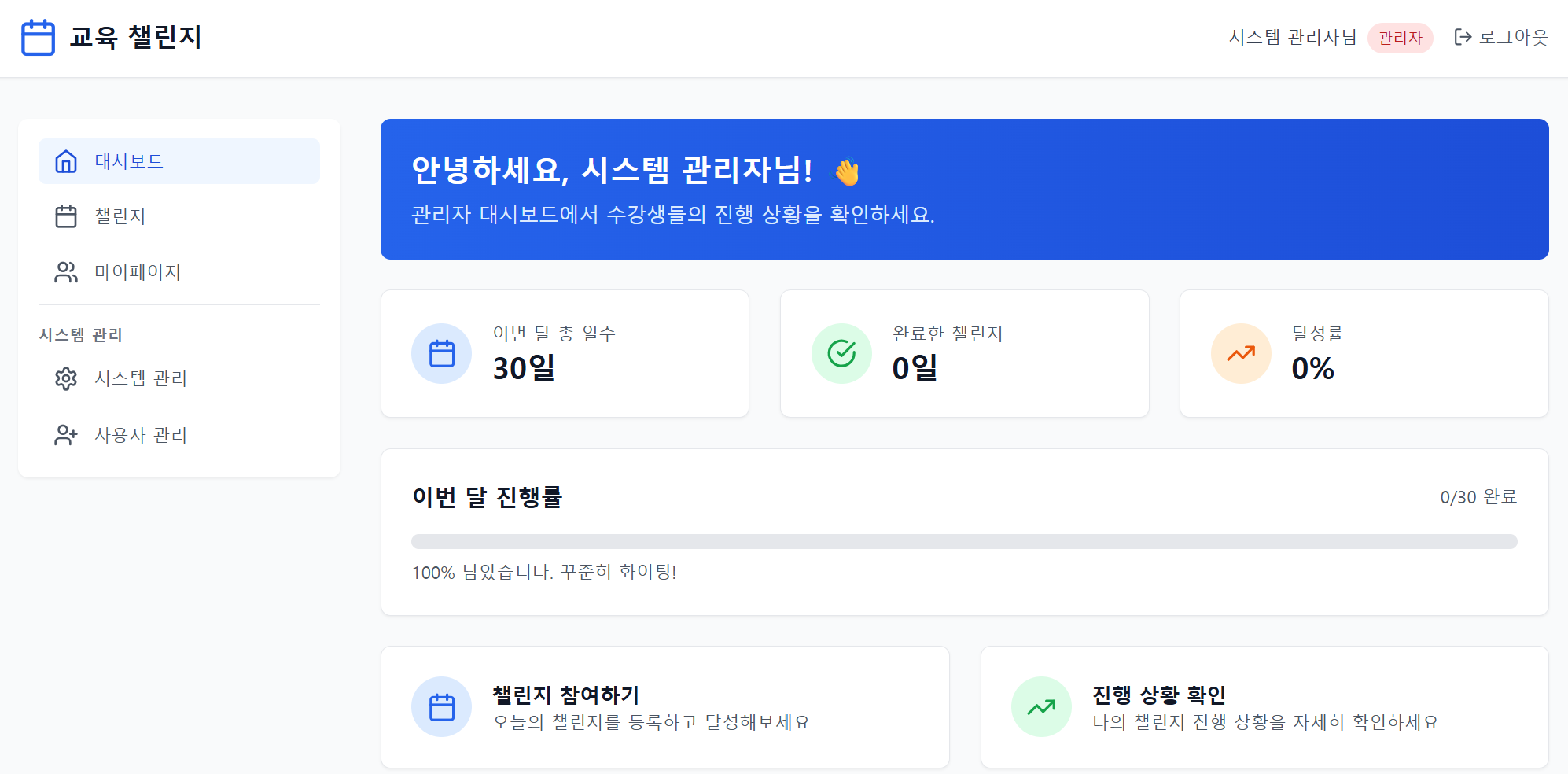
✅ What it does ChallengeTrack allows admins to assign roles, coaches to monitor progress, and learners to check off daily tasks, upload blog or community links, and view their challenge activity in a calendar-based dashboard.
🛠 How we built it We built ChallengeTrack using Bolt’s platform builder, focusing on role-based access (admin, coach, learner) and calendar-driven task tracking. Content upload, timestamp logging, and dashboard visualization were key components.
⚠️ Challenges we ran into Designing role-specific views and permissions was tricky, especially making coach access strictly read-only. Ensuring smooth user experience for learners checking and submitting tasks daily also took iteration.
🎉 Accomplishments that we're proud of We created a fully functional challenge-tracking flow within a short time, and tested it with actual course structures from our real-world teaching scenarios. The role logic works seamlessly!
📚 What we learned Simple tools like spreadsheets quickly become limiting at scale. A dedicated interface for challenges increases clarity, accountability, and user motivation — especially in online learning contexts.
🔜 What's next for ChallengeTrack We plan to offer this as a reusable builder template for other educators and operators who run challenge-based programs. Features like progress analytics, reminders, and community feeds are next.
Built With
- bolt
- realtime-database

Log in or sign up for Devpost to join the conversation.