Challenge.Chat · GitHub · Docs
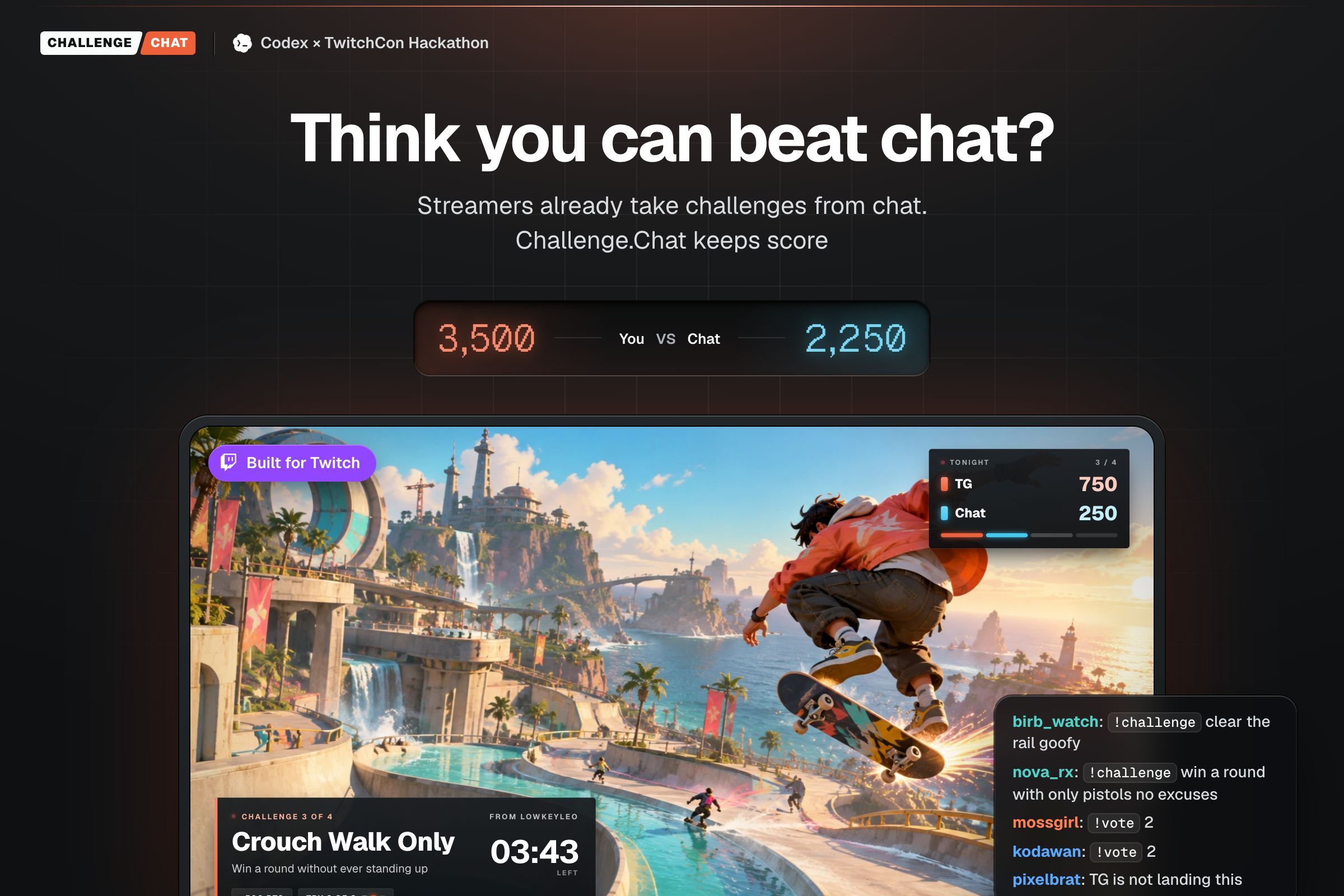
You vs Chat. Built for Twitch.
Inspiration
Every gamer invents their own challenges. I do it all the time. I'll give myself a rule, like only using one power-up, and see if I can still pull it off.
On Twitch it happens constantly. A streamer plays the same game for hours and starts making up challenges to keep it fresh, or chat suggests them. In a skateboarding game the streamer says "I'm going to clear that rail", and chat comes back with "do it goofy" and "full speed".
Then they land it or bail, chat reacts, and it's gone. Nothing keeps score. Nobody knows if the streamer or chat is ahead tonight, and the viewer whose challenge beat the streamer gets nothing for it.
So I built a scoreboard for it. Chat gets a real way to challenge the streamer. The streamer gets to prove they're the better player. And the viewers who send the best challenges get their name on the board.
What it does
Streamers already take challenges from chat. Challenge.Chat keeps score.
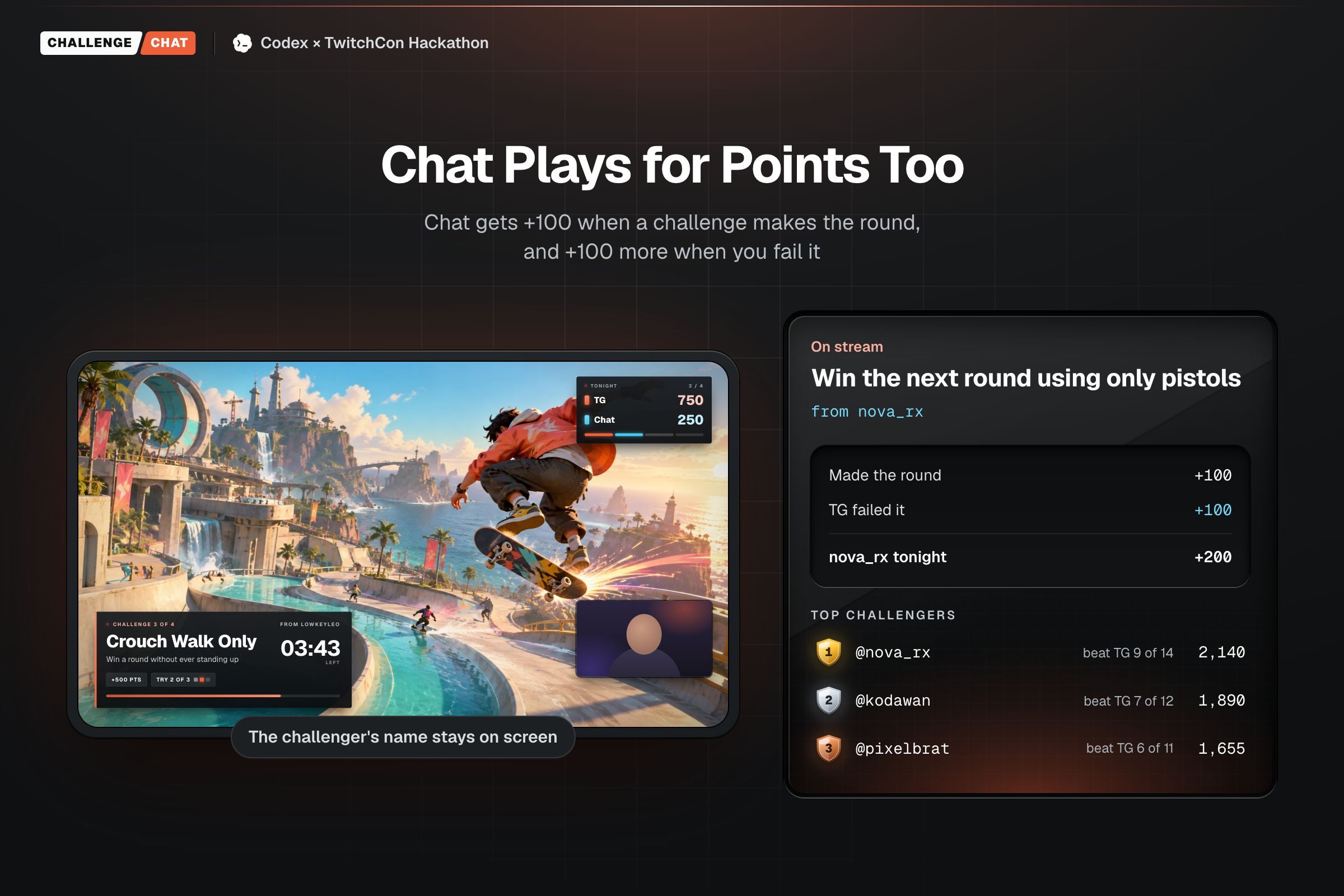
Chat sets the challenge. If the streamer beats it, the streamer scores. If they fail, chat scores, and the viewer who sent it climbs the leaderboard.
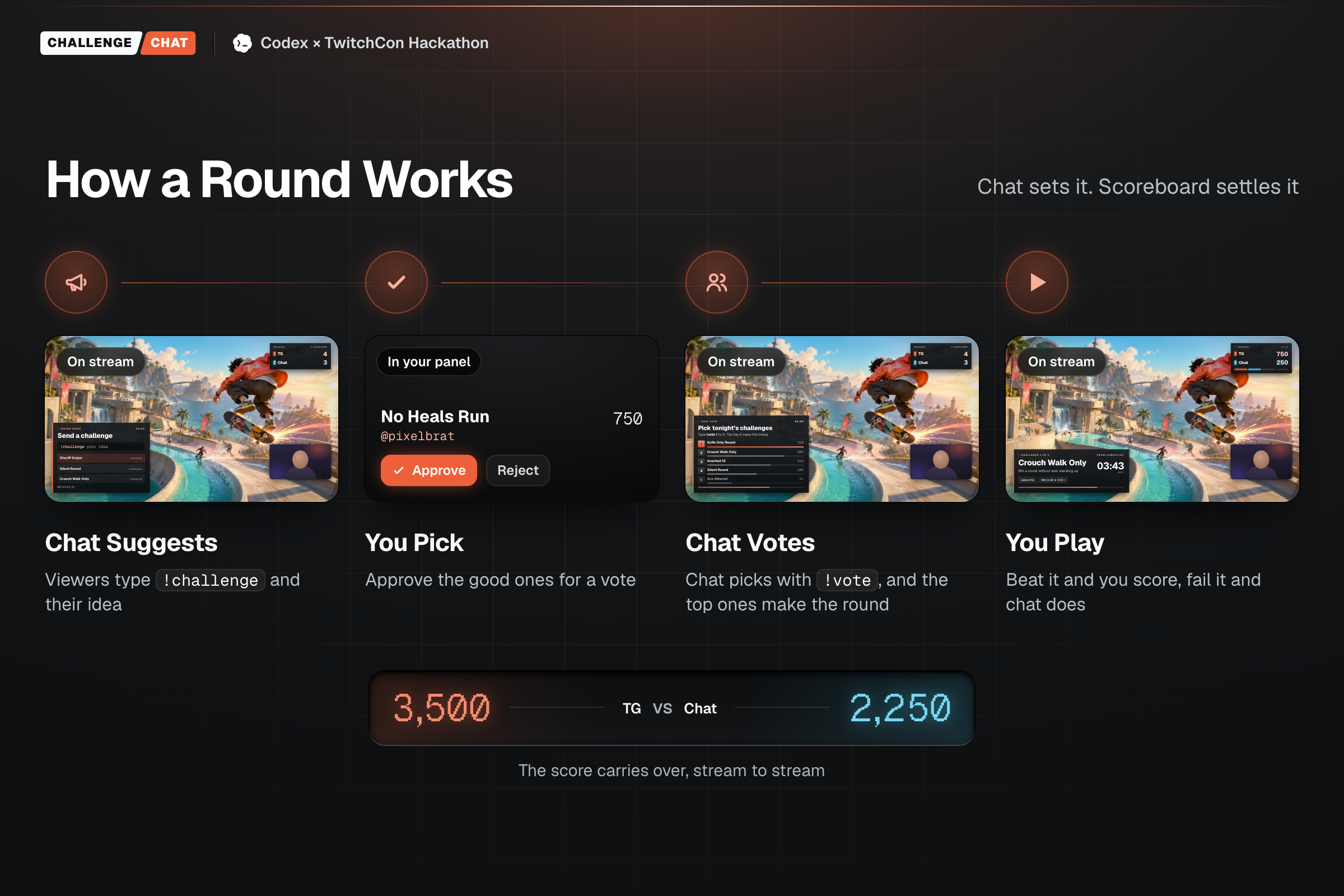
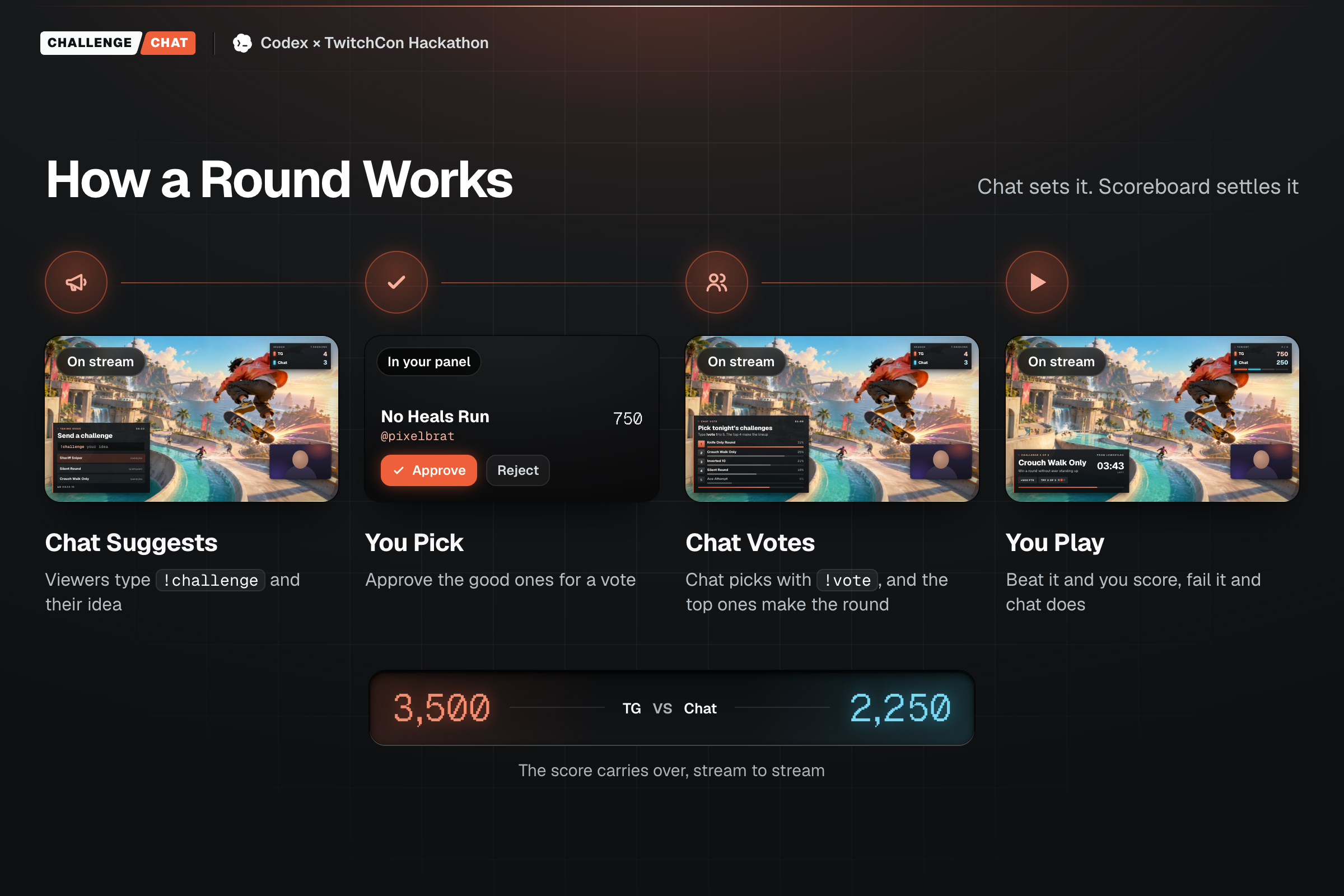
A round goes like this:
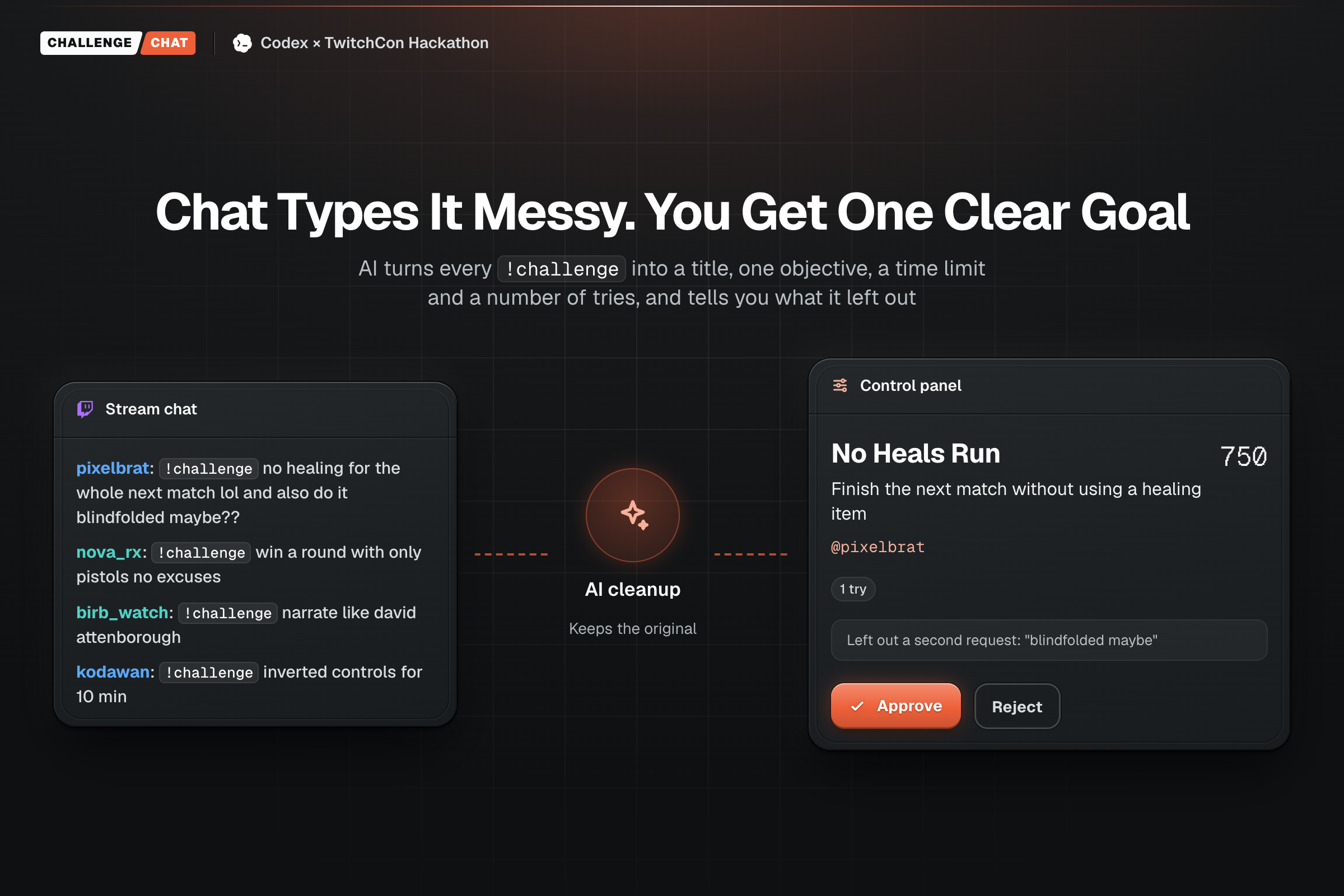
- Chat sends ideas. Someone types
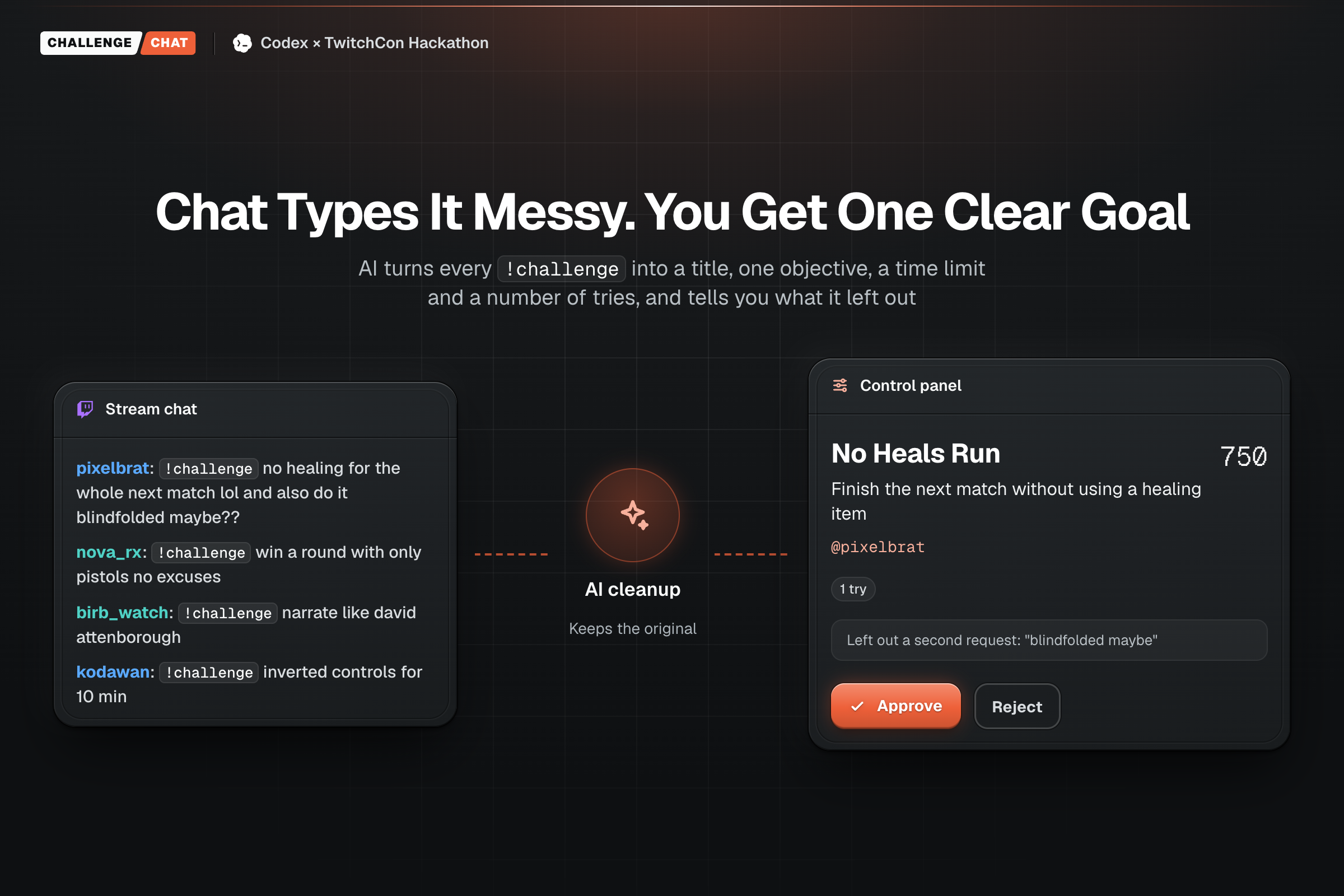
!challenge win a round with only pistols no excuses. - AI cleans them up. "no healing for the whole next match lol and also do it blindfolded maybe??" becomes "Finish the next match without using a healing item", with a note that it left out the blindfold.
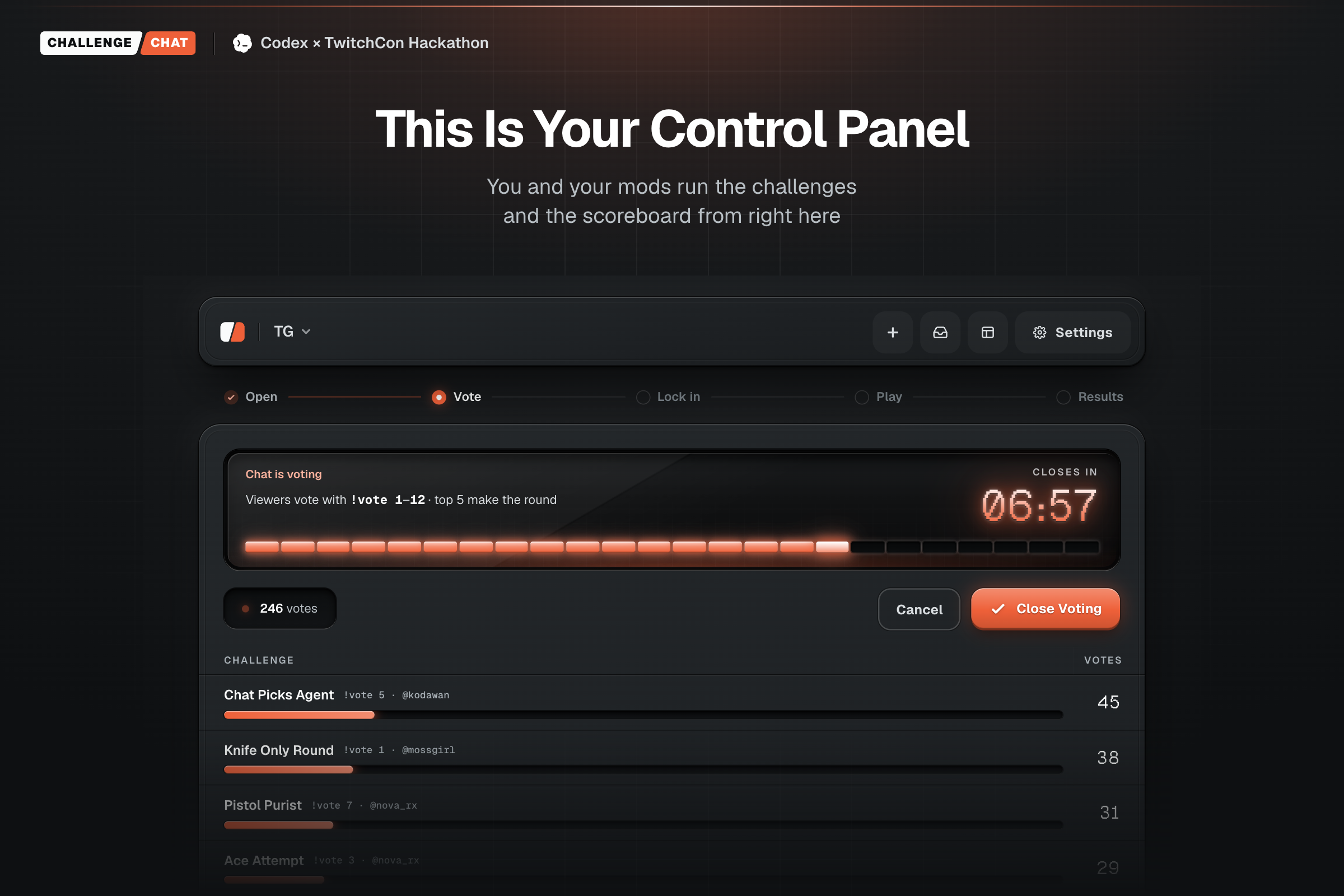
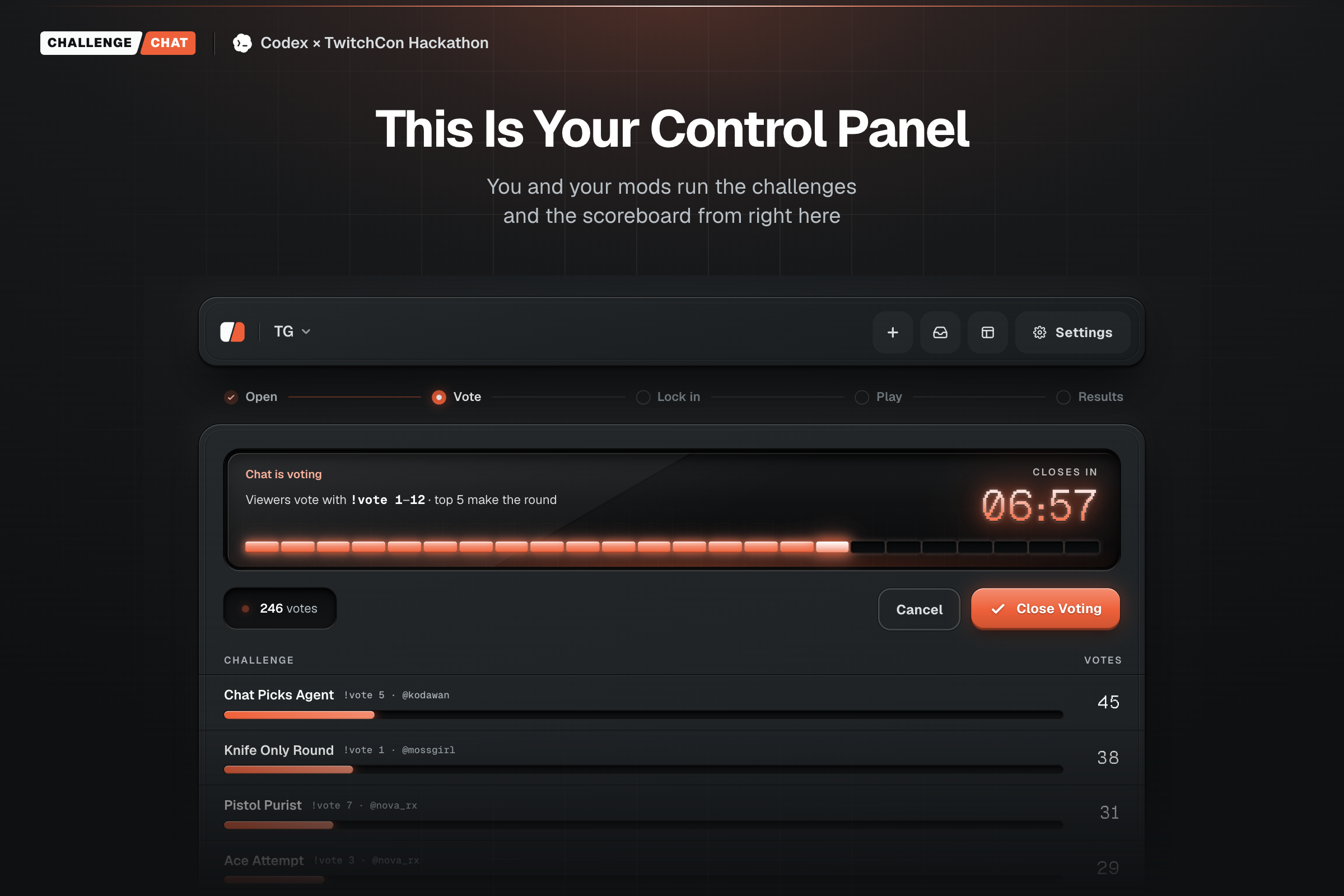
- The streamer or a mod approves the playable ones. Nothing reaches the vote until someone says yes, so trolls don't make it on screen.
- Chat votes with
!vote 1,!vote 2. - The streamer plays it live. The overlay shows the challenge, the timer and "from nova_rx" the whole time.
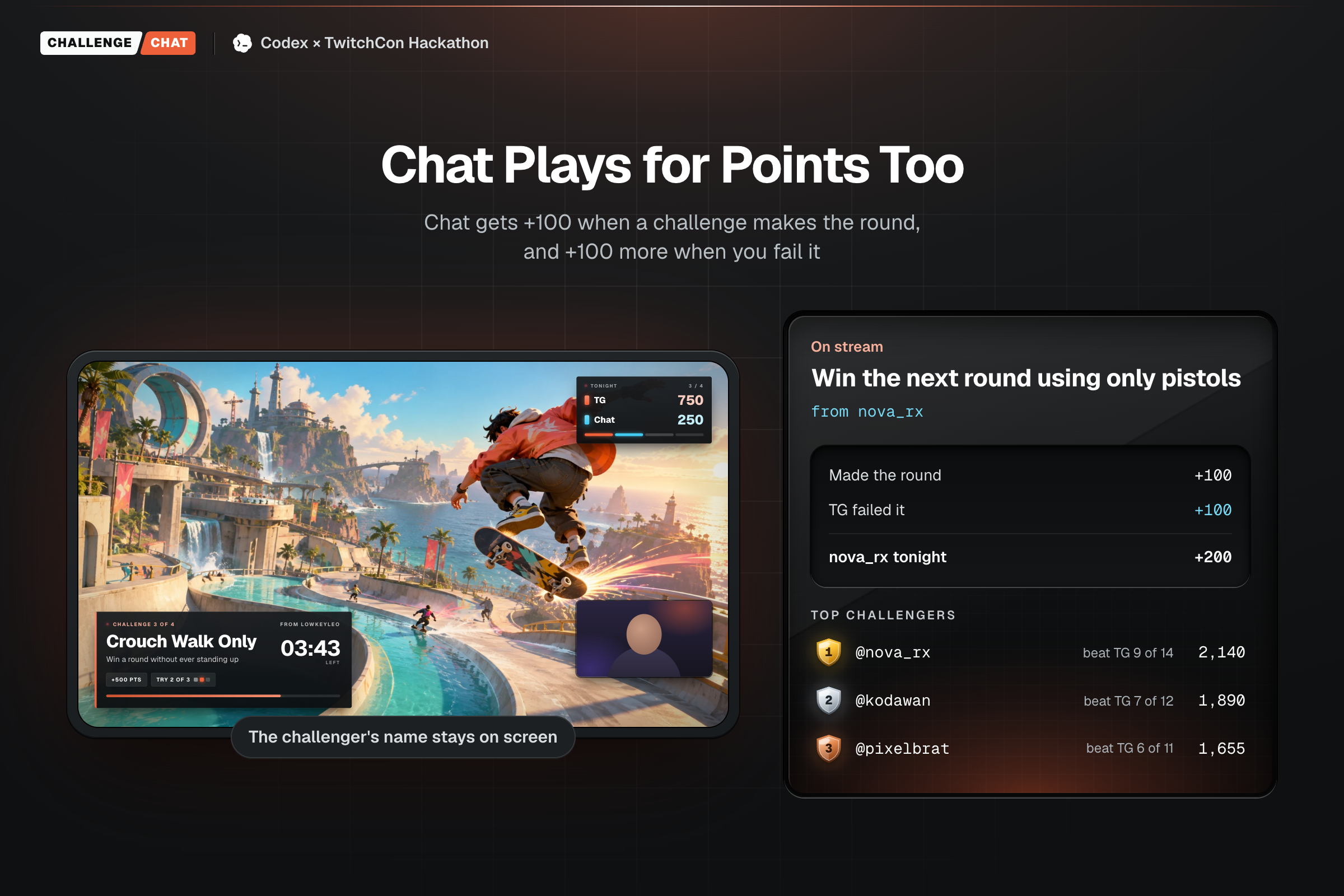
- Someone scores. Easy 250, Medium 500, Hard 750, Ridiculous 1,000. Beat it and the points go to the streamer. Fail it and they go to chat.
A Twitch poll ends when the vote closes. Here, that's when the round starts.
Twitch already lets chat get involved. Predictions let chat bet on whether you’ll win. Channel Points let chat ask for something, and then it’s gone. Crowd Control lets chat set off effects, but only in games it supports.
Challenge.Chat is the first to keep score. Chat writes the challenge, any game works, and the score carries over from one stream to the next.
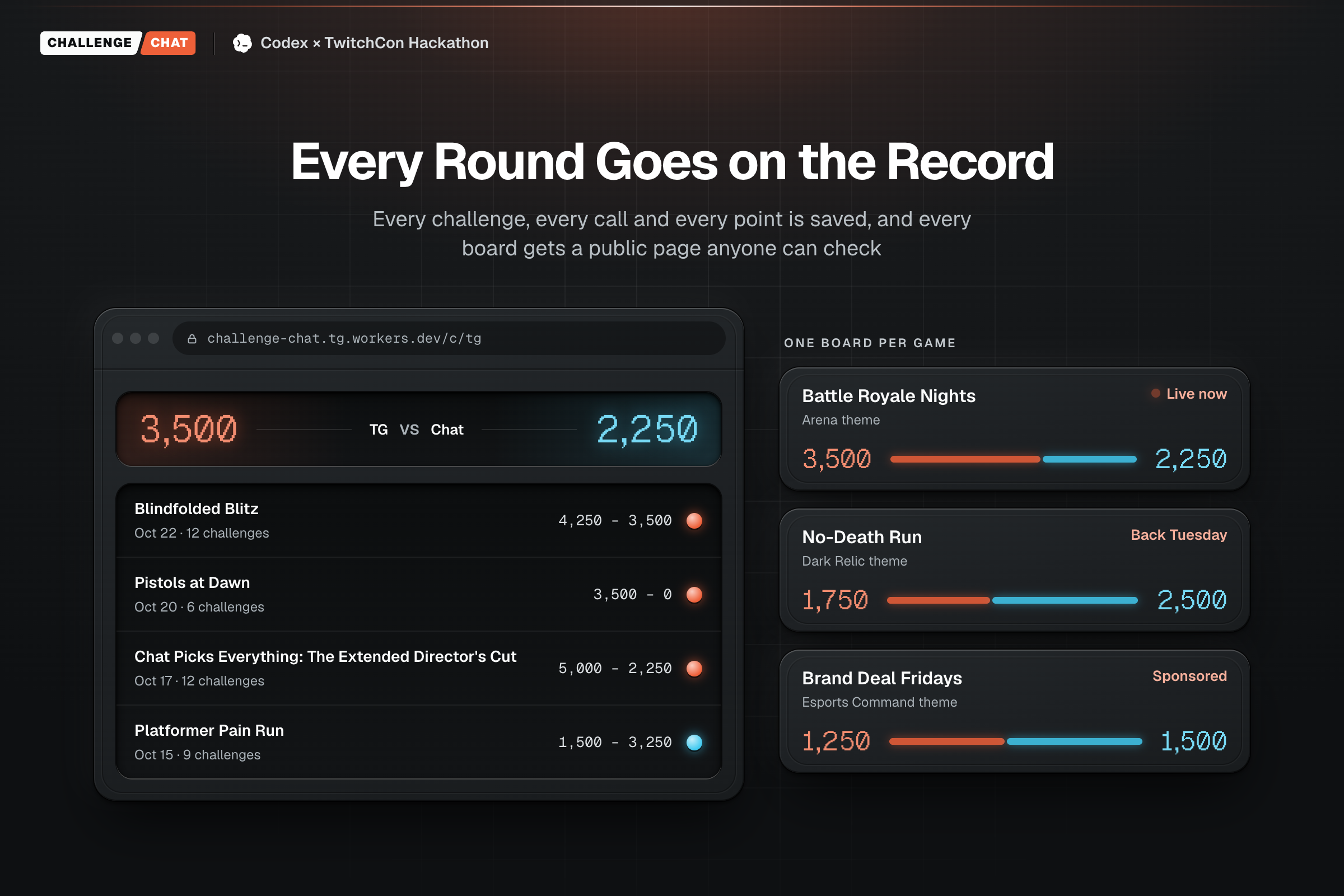
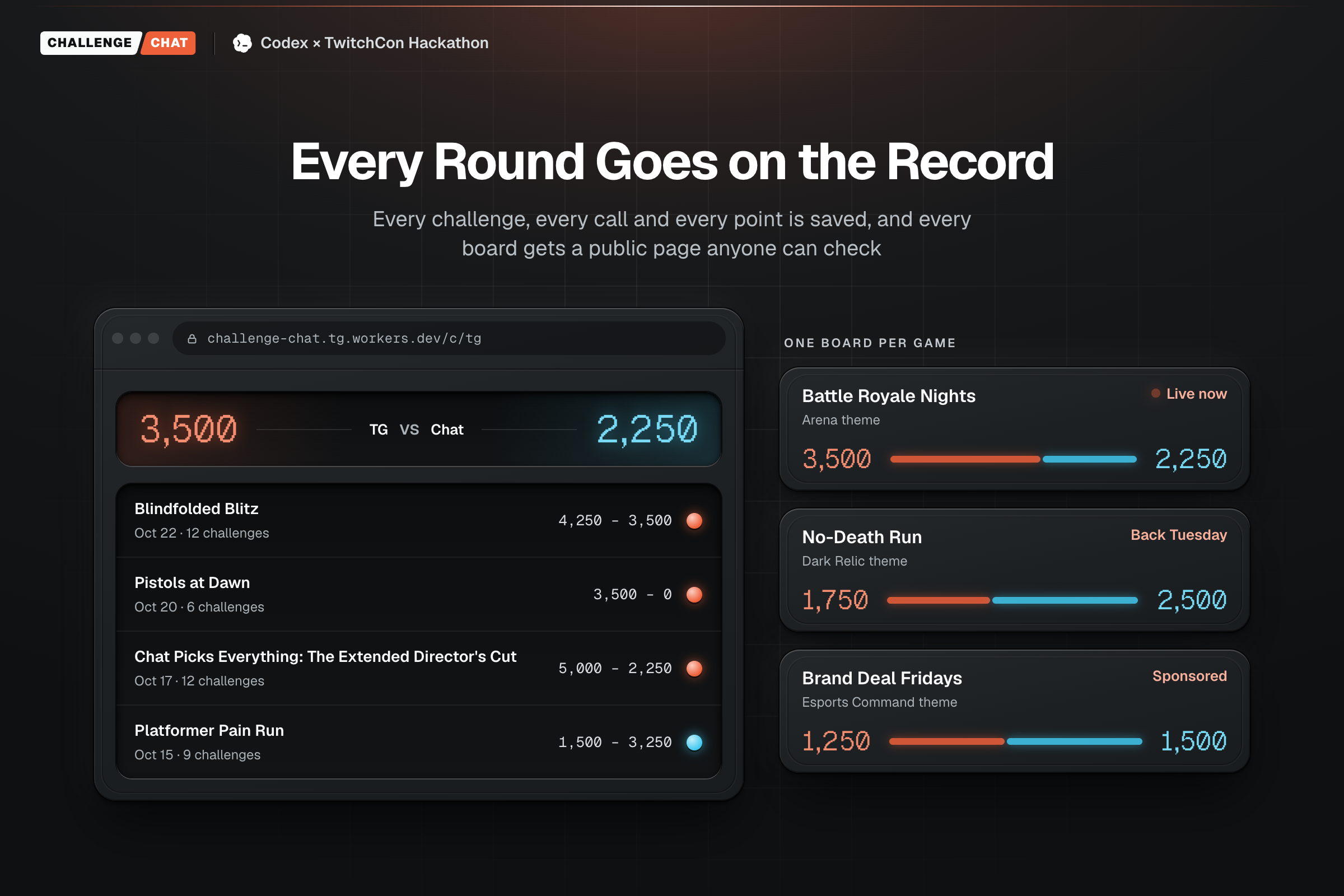
The score carries over. Season totals, streaks and every past round stay on the board from one stream to the next. A public page shows the standings to anyone with the link.
Chat gets its own board. Top Challengers ranks viewers by points. You earn some when your challenge makes the round, and more when the streamer fails it.
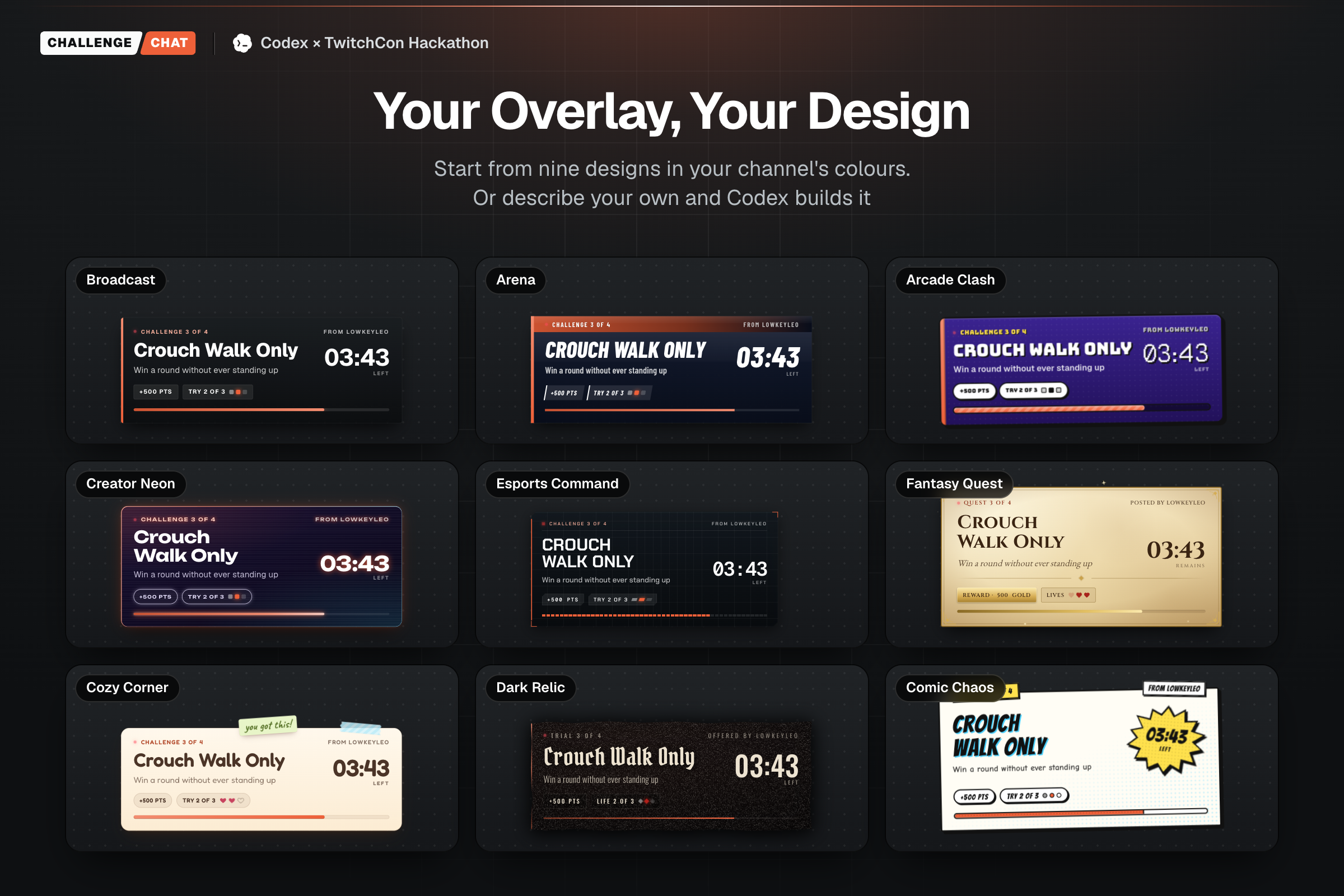
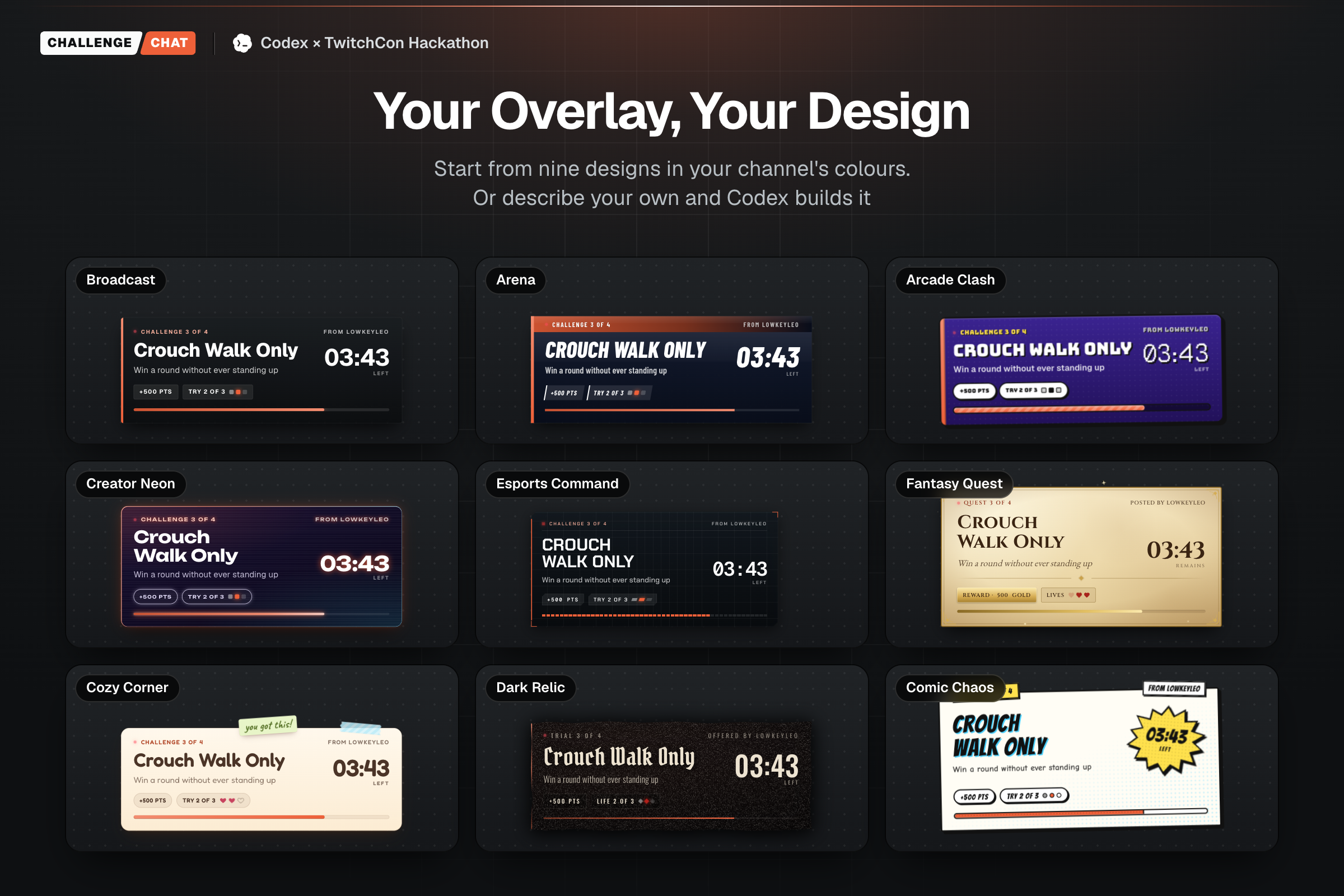
Any game, no plugin. A challenge is a sentence, so "narrate the next round like a wildlife documentary" needs nothing from the game. Setup is a board name, a Twitch channel and one browser-source link in OBS. Eight overlay themes, in the streamer's channel colours.
How I built it
Codex was my builder, my reviewer and my tester. I’d describe a piece of the show and it built it end to end. One ask, “hook it up to Twitch and give it a tab in settings”, got me signed EventSub webhooks, Twitch sign-in, !challenge and !vote, the settings screen, follow and raid moments on the overlay, and tests for all of it.
The review step mattered most. Codex connected to the live overlay and caught bugs before chat could: stale state after a new round started, Challenger points counted twice, and AI cleanup still spending credits with AI switched off. Each fix shipped with a test so it couldn’t come back.
It caught things I never asked about too: lineups shuffling order, a double-click making two rounds, and a “Clean sweep” banner showing up after skipped challenges.
I made the product calls. “Channel / Session / Challenge” didn’t feel right, so I changed it to “Board / Round / Challenge”. That fits themed weeks, different games and sponsors.
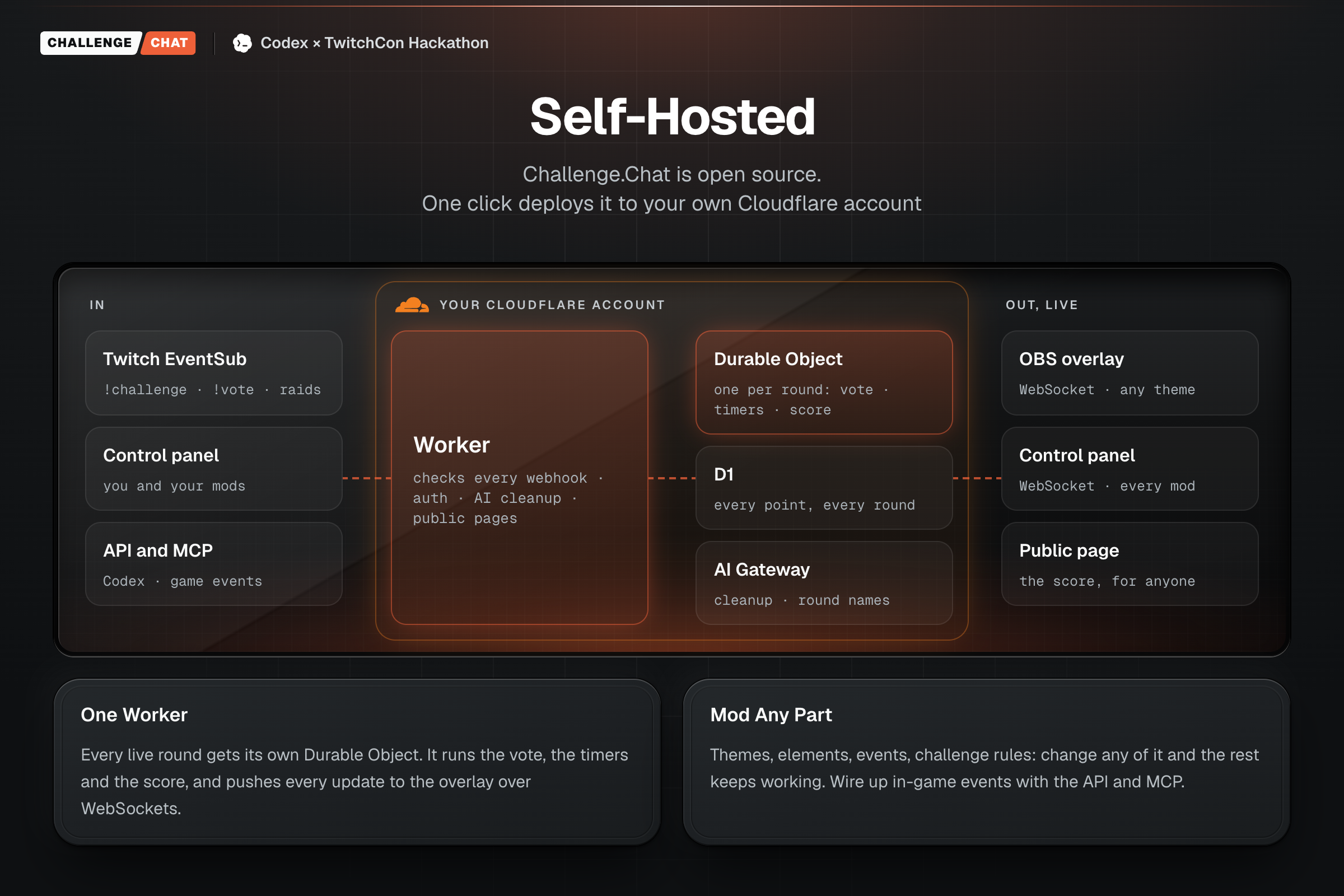
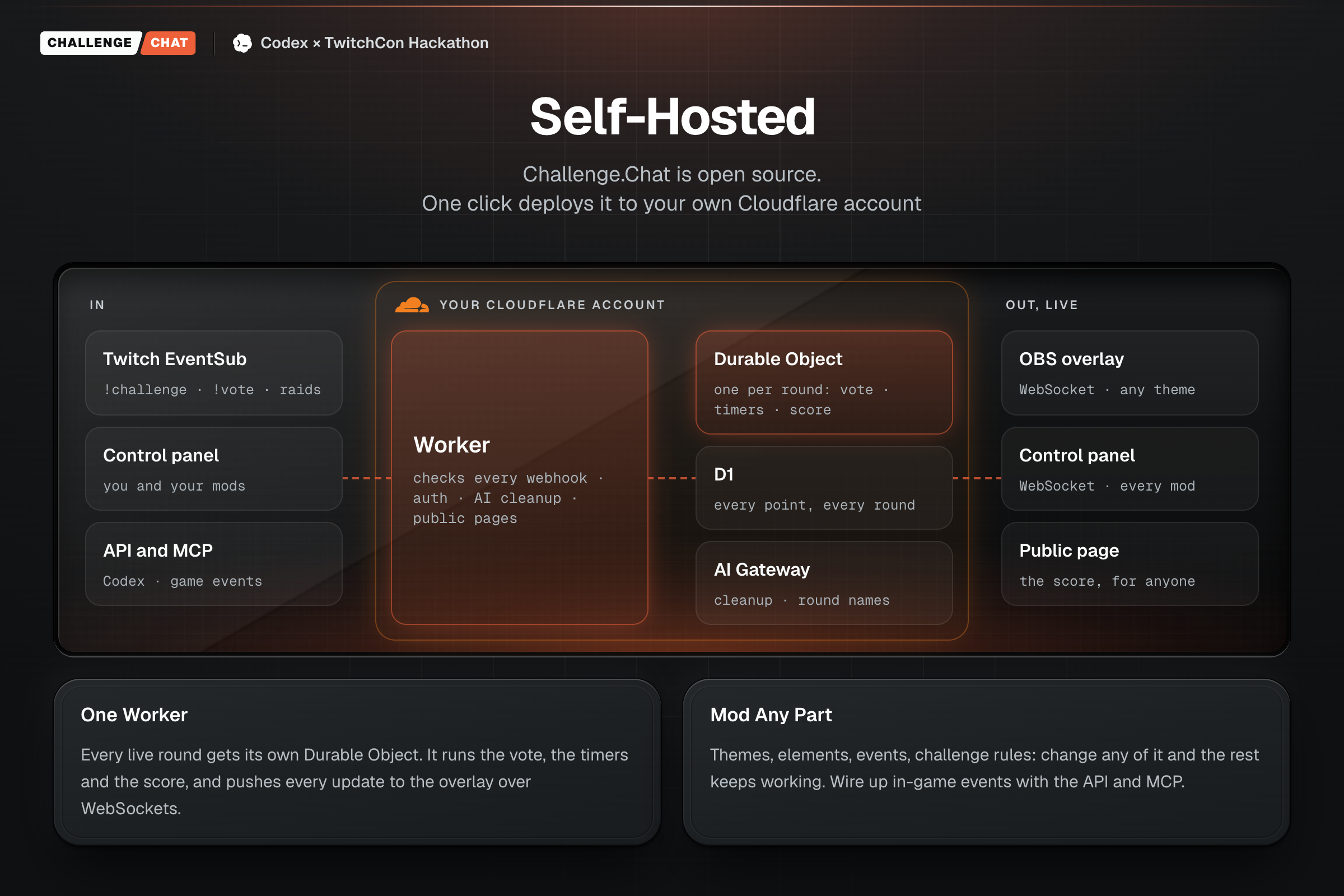
The app runs as one Cloudflare Worker:
- Twitch EventSub sends chat messages to the Worker. It checks the signature, timestamp and replay ID before a
!challengeor!votecounts. Follows, subs, gifts, raids and cheers go to the overlay as moments. - D1 stores boards, challenges, votes, results and history.
- Durable Objects run one coordinator per live round. It holds the timer and pushes state over WebSockets to the control room and the OBS overlay at the same time.
- AI Gateway (GPT-4.1 mini) does the challenge cleanup and round names. Both have a plain fallback, so everything still works with AI switched off.
- R2 holds uploaded branding.
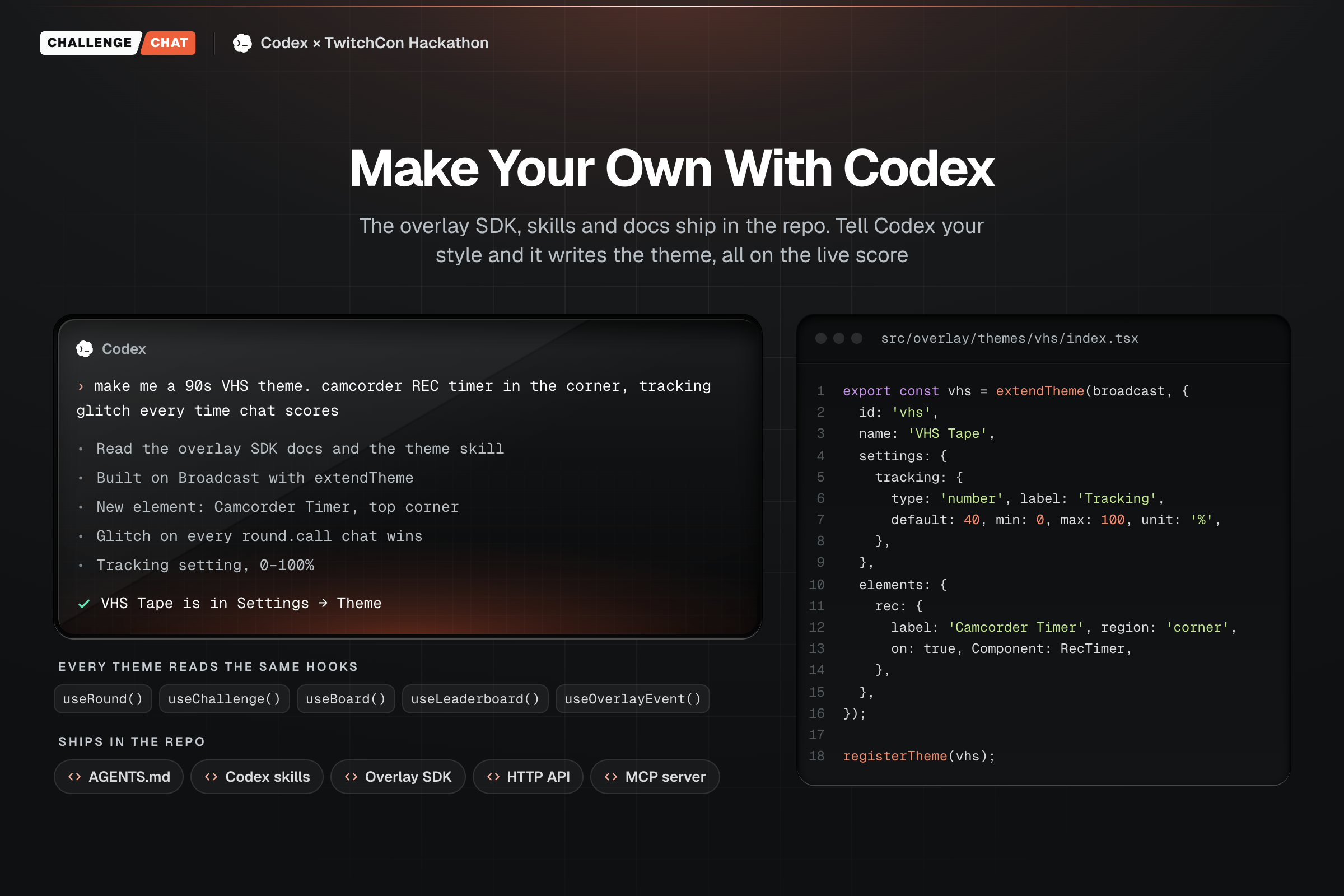
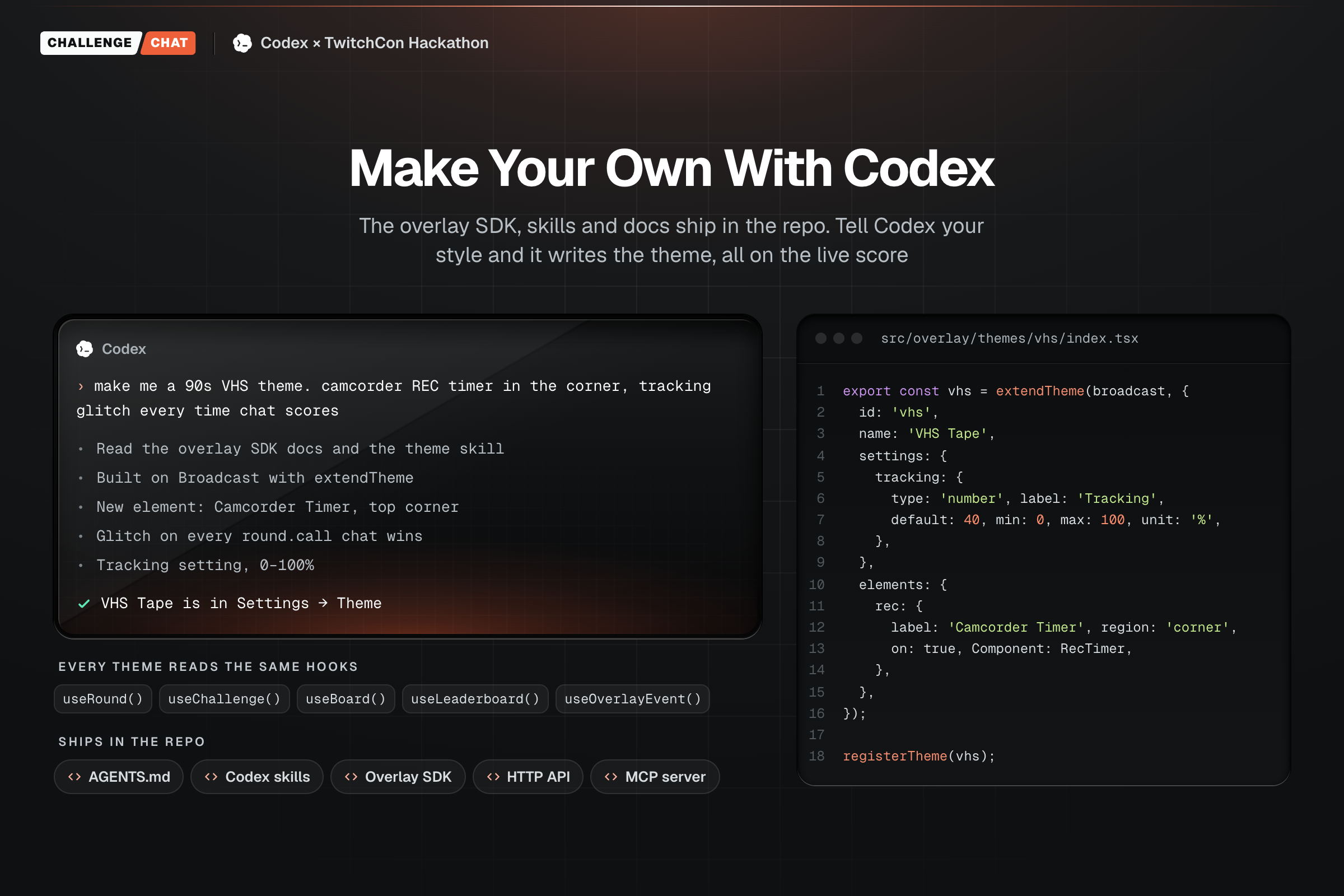
The overlay is a React SDK. Every theme reads the same hooks: the score, the clock, the lineup, the leaderboard and every moment worth animating. A theme is React and CSS with a settings schema, so all eight built-in themes run on one engine. The Studio previews any scene and fires test follows and raids, so you can try a theme without going live.
I also built it for Codex to extend. The repo ships with an AGENTS.md, Codex skills for restyling the overlay and adding game integrations, an HTTP API and an MCP server. A game integration reports facts, like a kill, and a rule calls the result: 10 kills and the streamer beats the challenge.
Challenges I ran into
The app can't see the game. I wanted it to work with any game, and nothing can watch a stream and tell whether someone won a round without saying a word. So the streamer or a mod calls every result from the control room. Game data is optional: where a game reports events, like kills, a rule can call it automatically.
Chat is messy. Real !challenge messages ramble, stack three ideas into one, or can't be played at all. The AI rewrites each one into a single objective and says what it cut. Nothing goes on screen until a person approves it.
Keeping the vote fair. Each viewer gets one vote per challenge going through, and each vote has to be for a different challenge. Sending !vote 2 twice counts once, and votes after the ballot closes are rejected.
Rounds ending mid-stream. Every round gets its own Durable Object. When a new round starts, the old one closes its sockets and the overlay in OBS reconnects to the new one, without the streamer touching it. Stopping stale state from flashing up on the overlay took a few passes.
Accomplishments that I'm proud of
- The whole loop runs live on Twitch.
!challengein chat, cleaned up, approved, voted on with!vote, played, scored on the overlay, and the challenger on the leaderboard. - Eight themes on one SDK. Arena puts a TV score bug on screen. Cozy Corner puts up a handwritten to-do note. Same hooks underneath.
- Viewers get the credit. Their name stays on screen while the streamer plays their challenge, and it lands on a board that carries over.
- Anyone can run it. It's open source and deploys to your own Cloudflare account. Codex can add a theme or a game rule, because the repo ships with the docs and skills that tell it how.
What I learned
- Getting noticed is the reward. At a big channel, chat moves too fast for any one viewer to be seen. Your name on screen while the streamer plays your challenge is the hook. Points are how you keep track.
- The score is what brings chat back. A single challenge is over in minutes. A running score against chat gives everyone a reason to come back next stream and settle it.
- Let a person make the call. Trying to judge every game automatically would have meant supporting none. A mod with a button works in every game today, and game data can plug in where it exists.
What's next for Challenge.Chat
- Put it in front of streamers. I want to know how small a chat can be before a vote feels empty, and whether streamers want to beat chat or want chat to win sometimes.
- Game integrations. Hook up games that report events, so a kill count or a lap time can call the result on its own.
- A hosted version, so a streamer can create a board without setting up Cloudflare.
- An undo button for when a mod calls it wrong.
- More themes, including ones streamers make themselves with Codex.
Built With
- cloudflare-ai-gateway
- cloudflare-d1
- cloudflare-durable-objects
- cloudflare-r2
- cloudflare-workers
- codex
- mcp
- obs-studio
- openai
- react
- react-router
- tailwindcss
- twitch
- twitch-chat
- twitch-eventsub
- twitch-helix-api
- twitch-oauth
- typescript
- vite
- vitest
- websockets
- zod

Log in or sign up for Devpost to join the conversation.