-
-
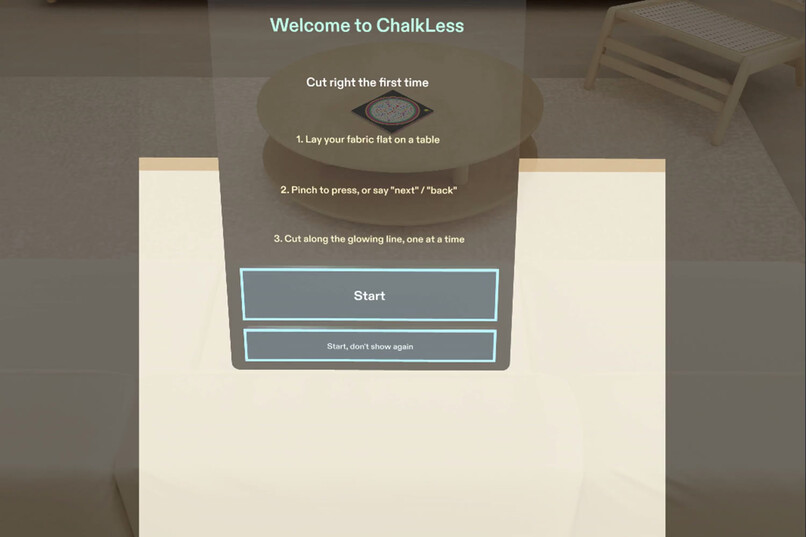
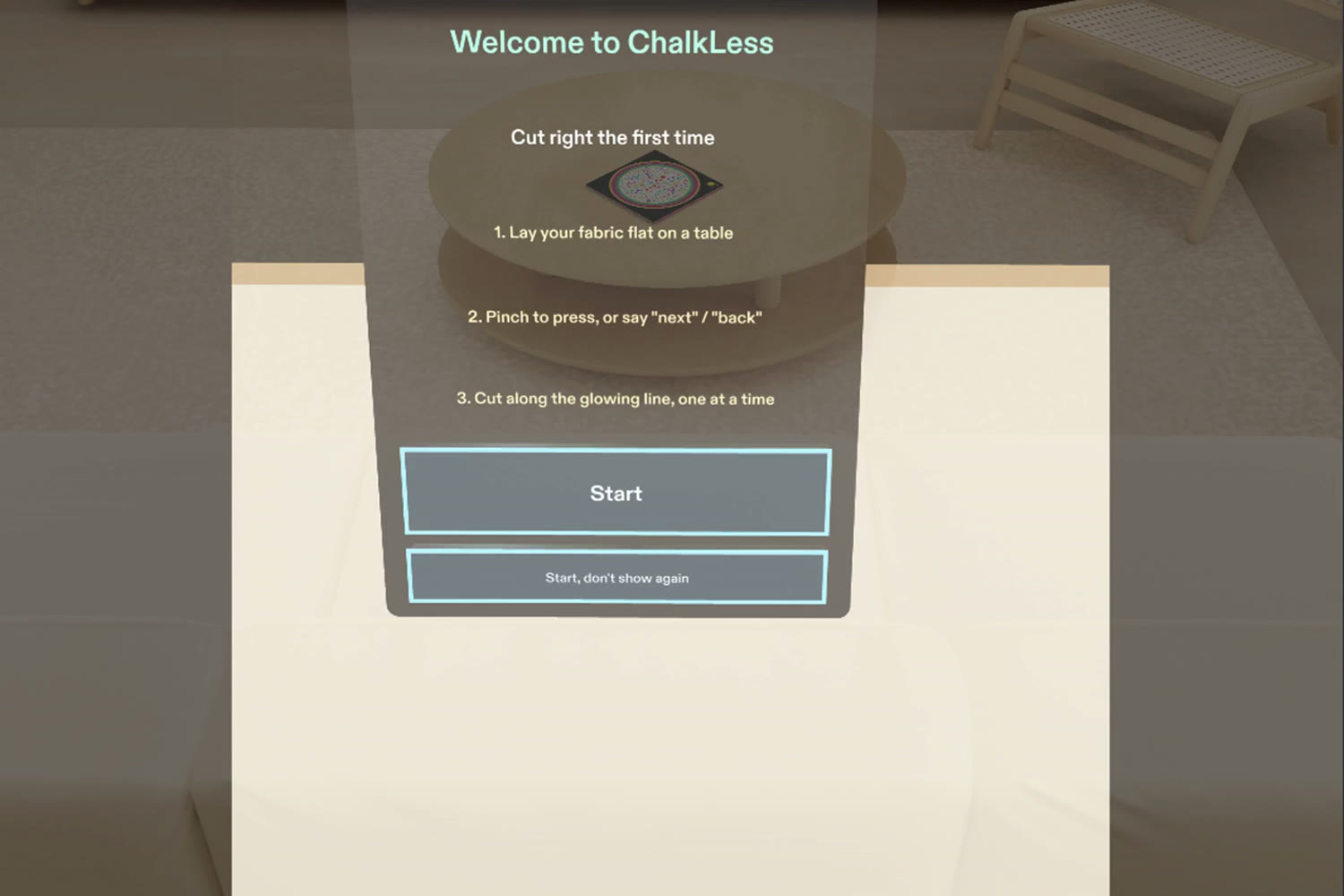
Welcome card: what ChalkLess does and how to use it
-
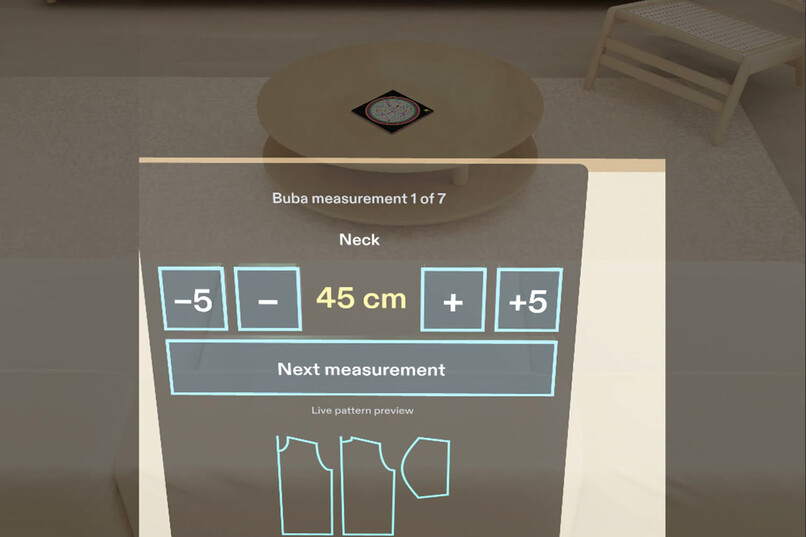
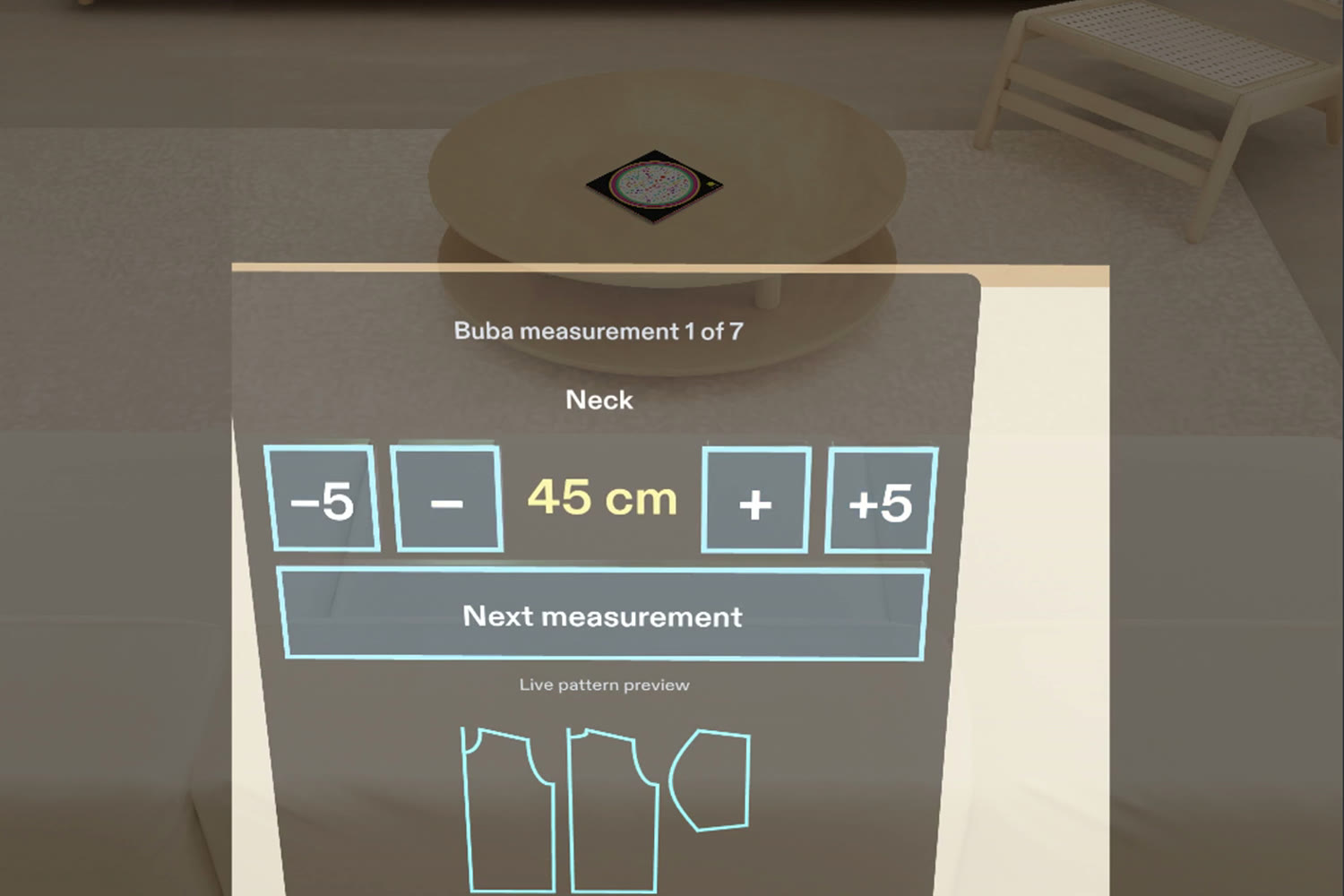
Enter measurements in big or small steps, with a live pattern preview
-
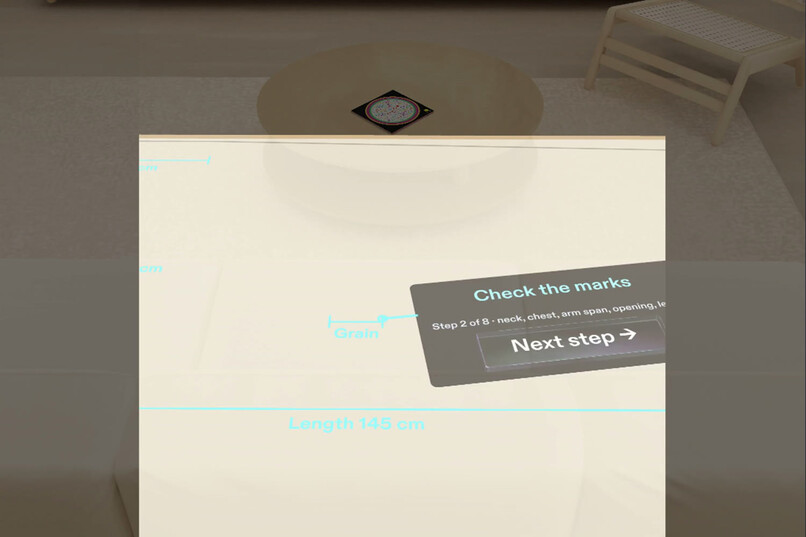
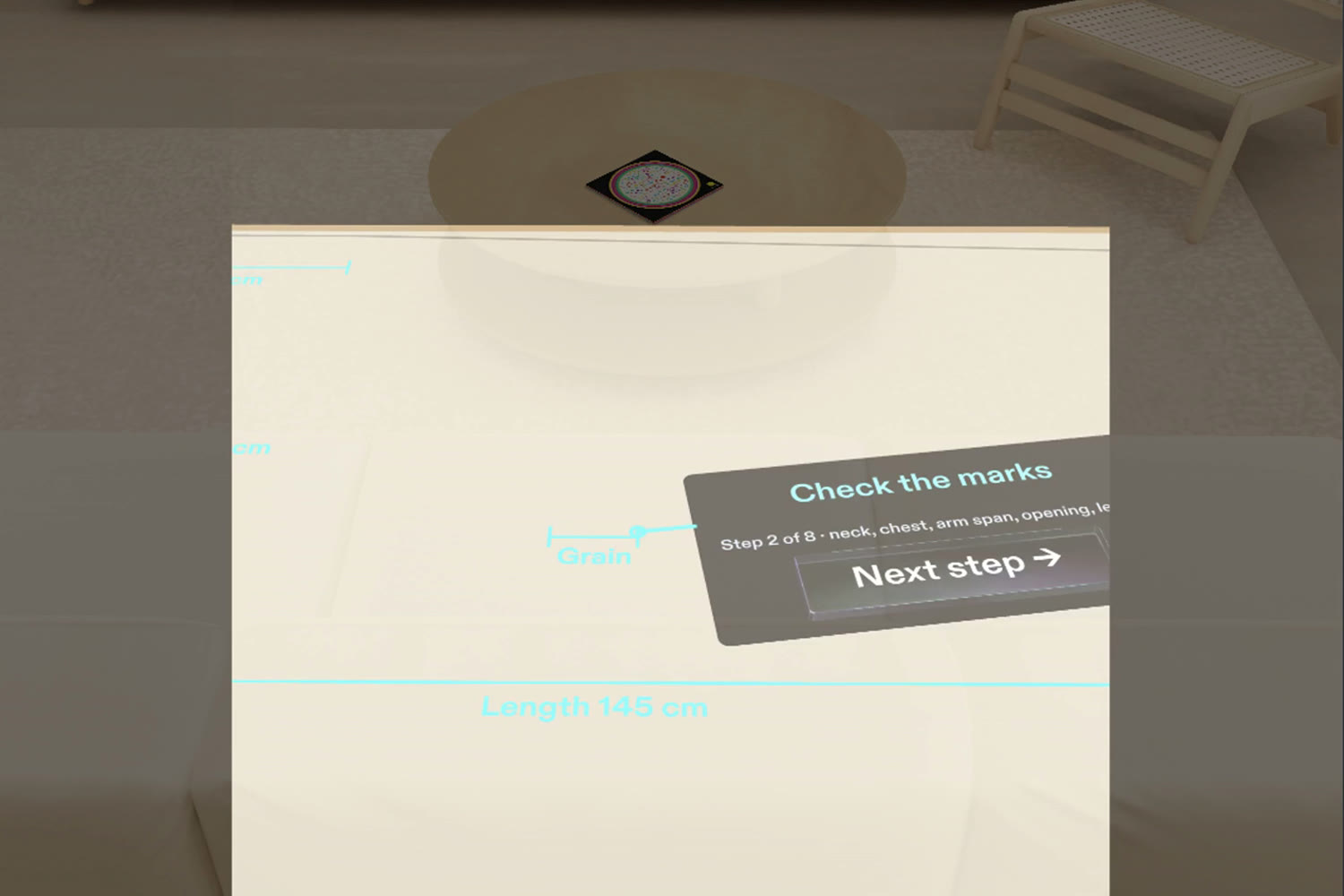
A big lay: the agbada laid along the table
-
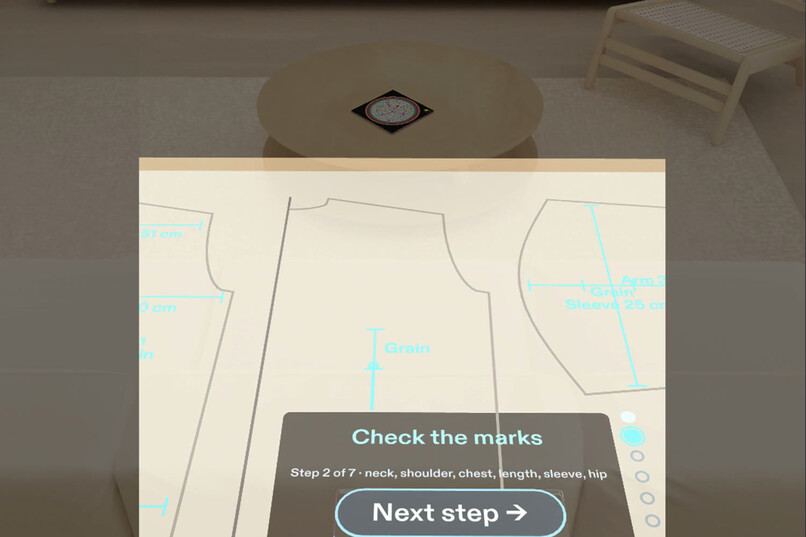
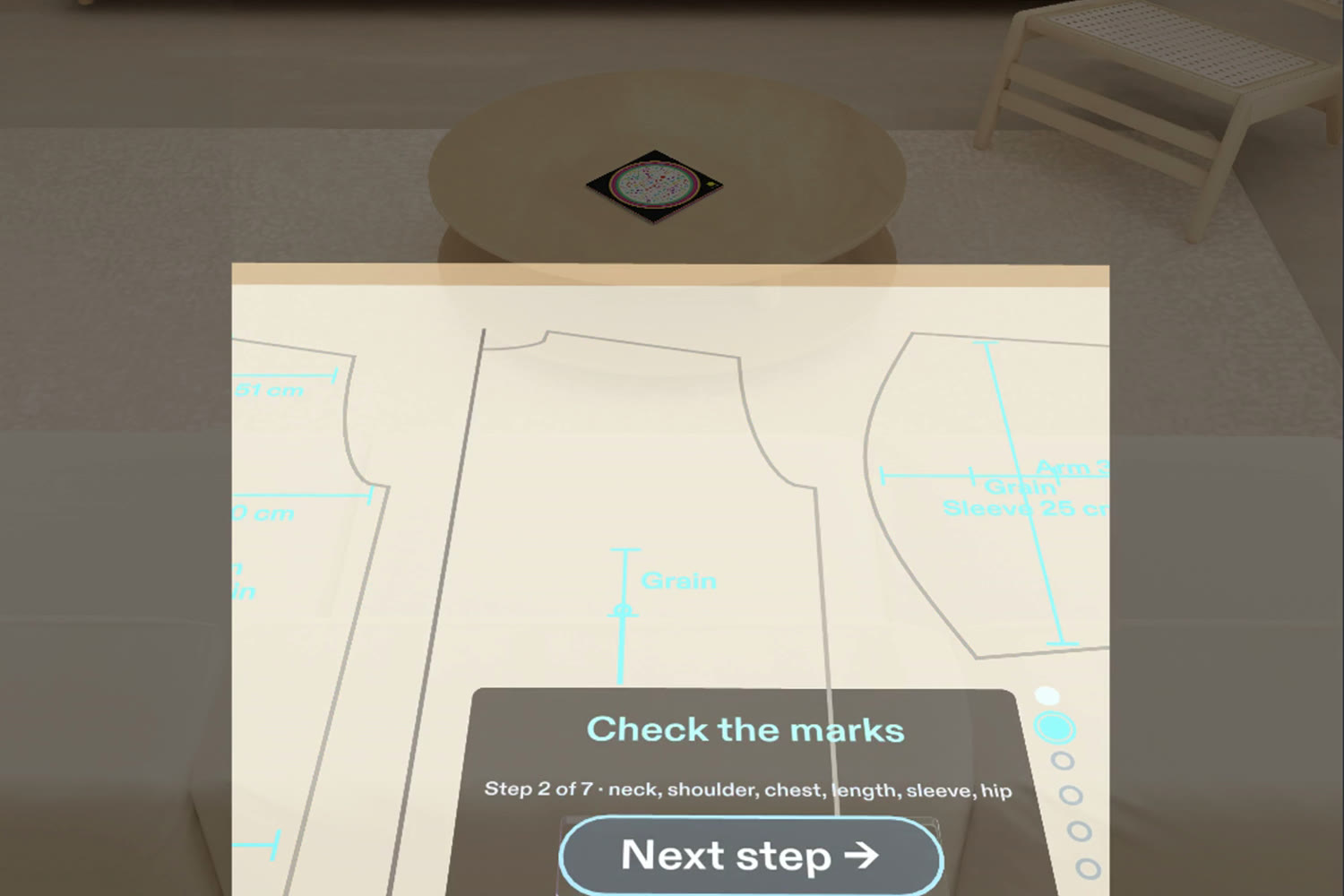
The buba pattern at real size on the fabric, with the step card
-
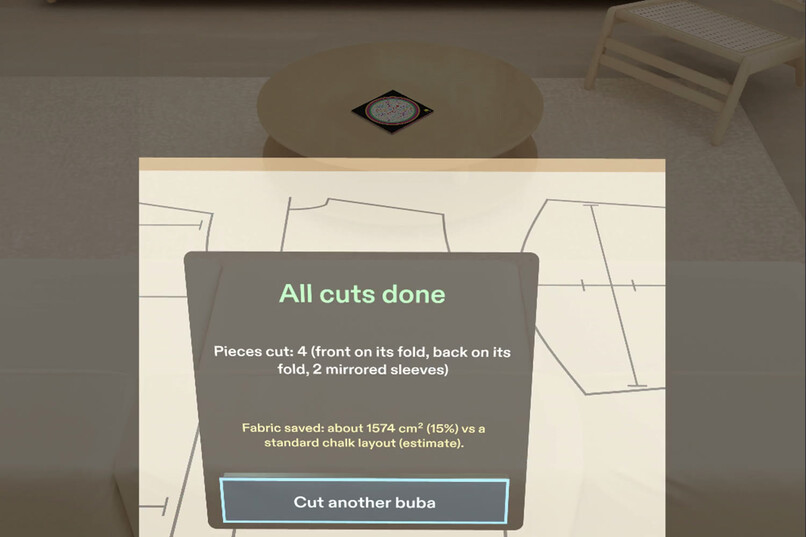
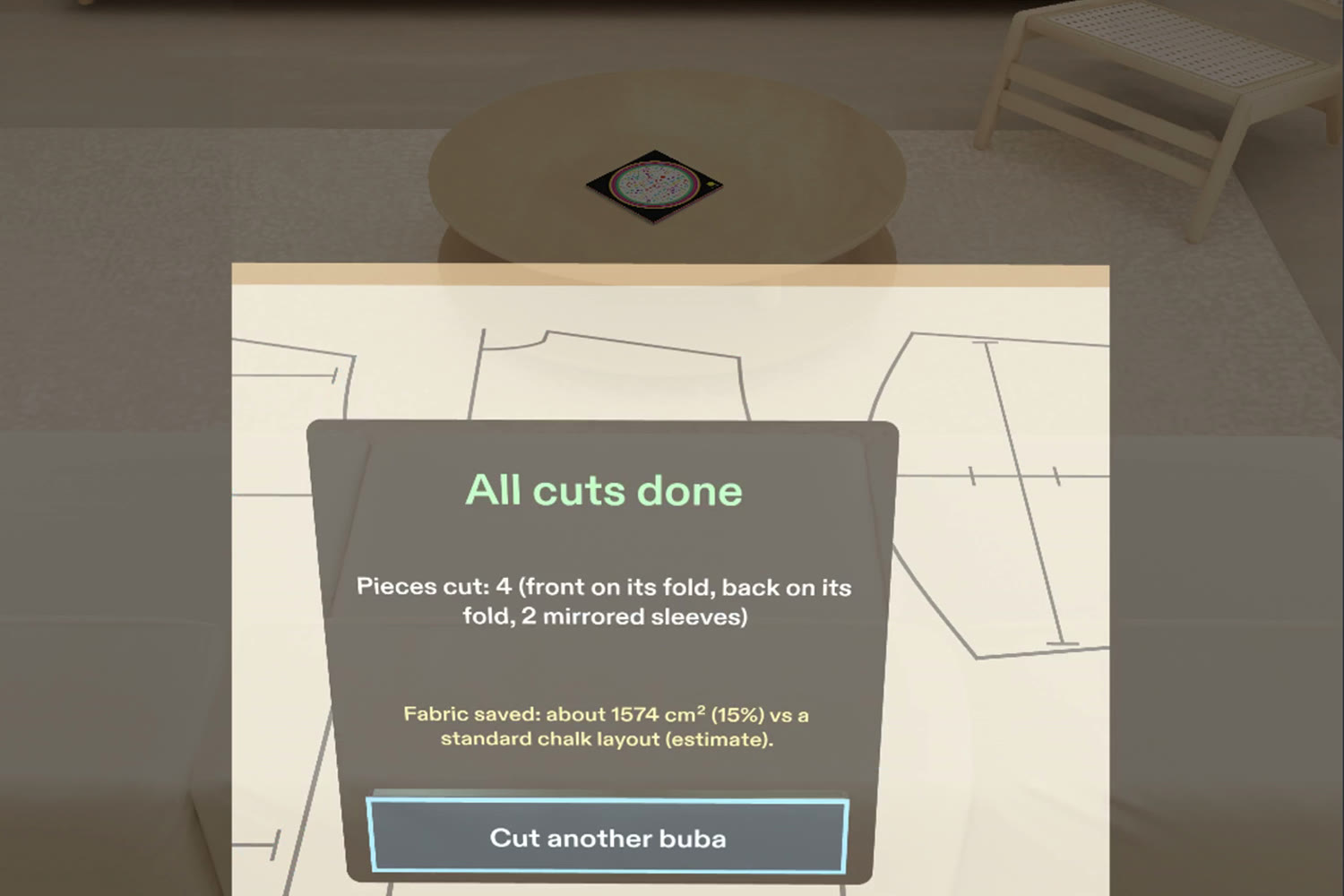
Summary: pieces cut and an estimate of fabric saved
-
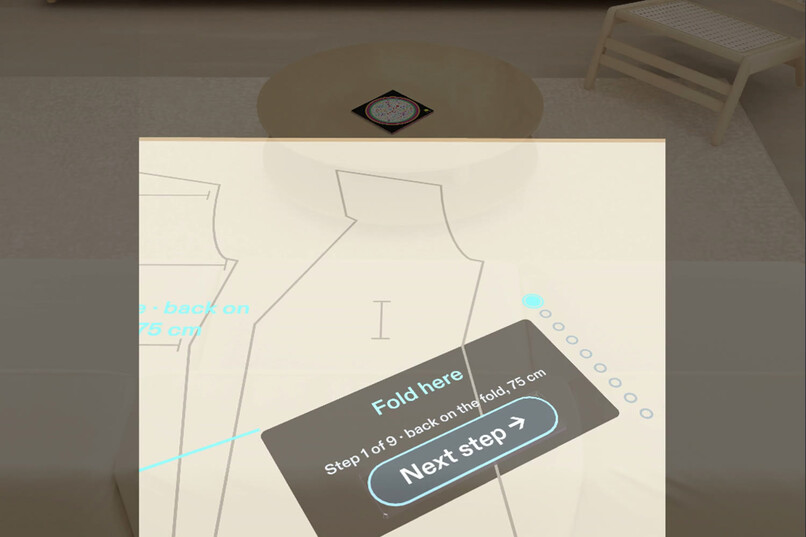
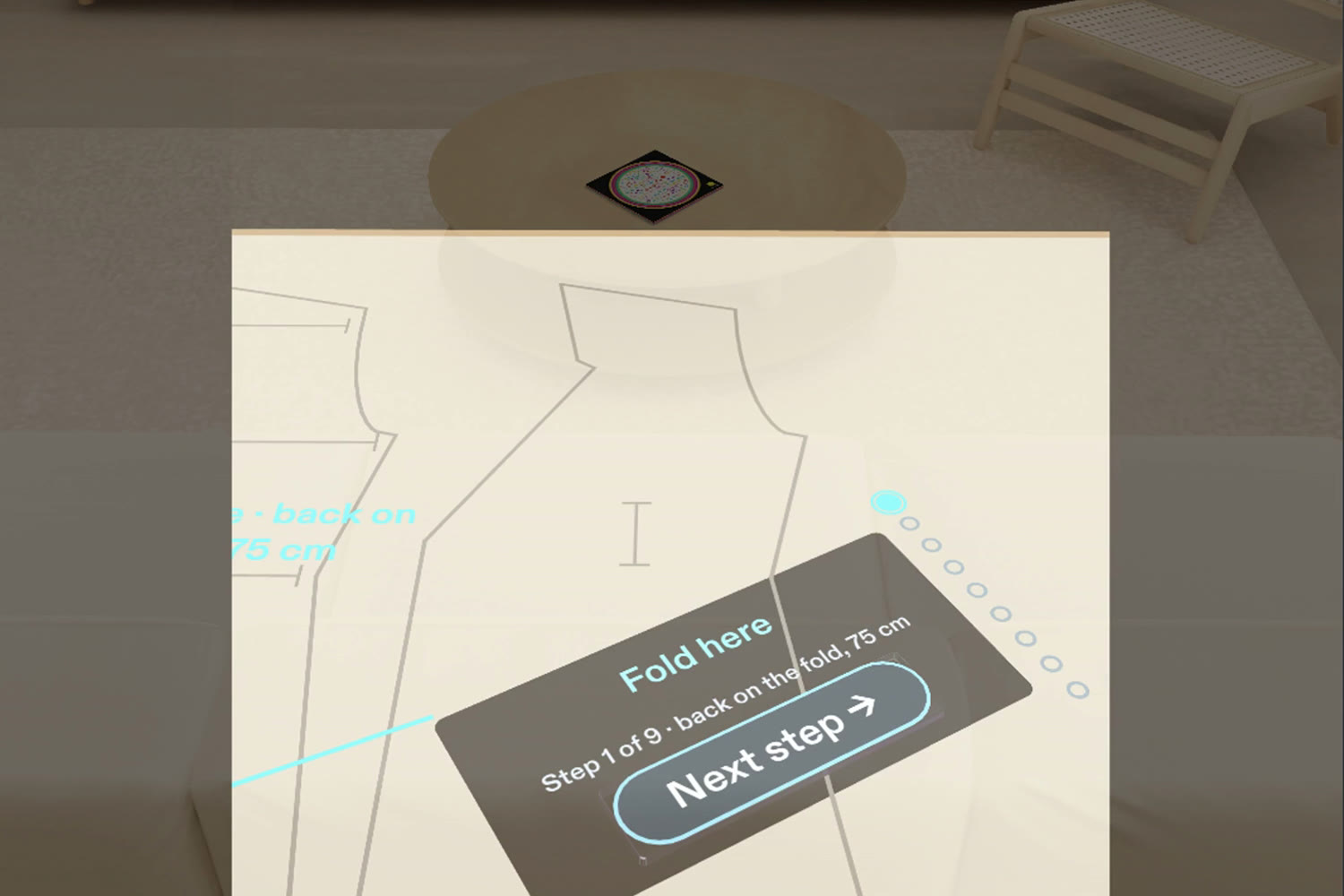
Big garments start with a fold step, then cut in parts
-
 GIF
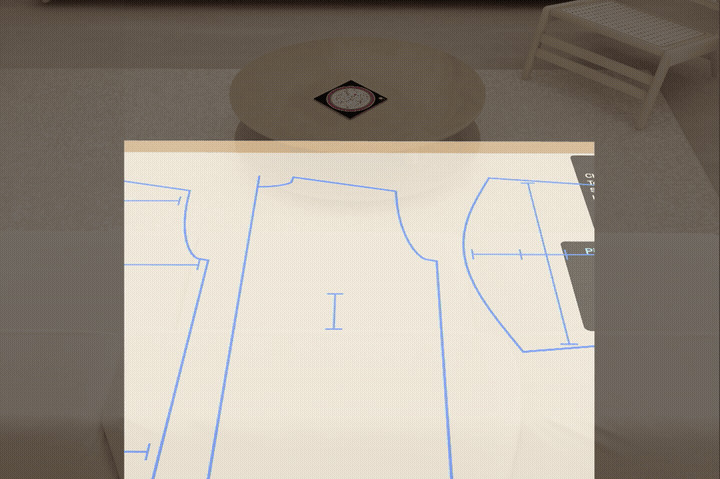
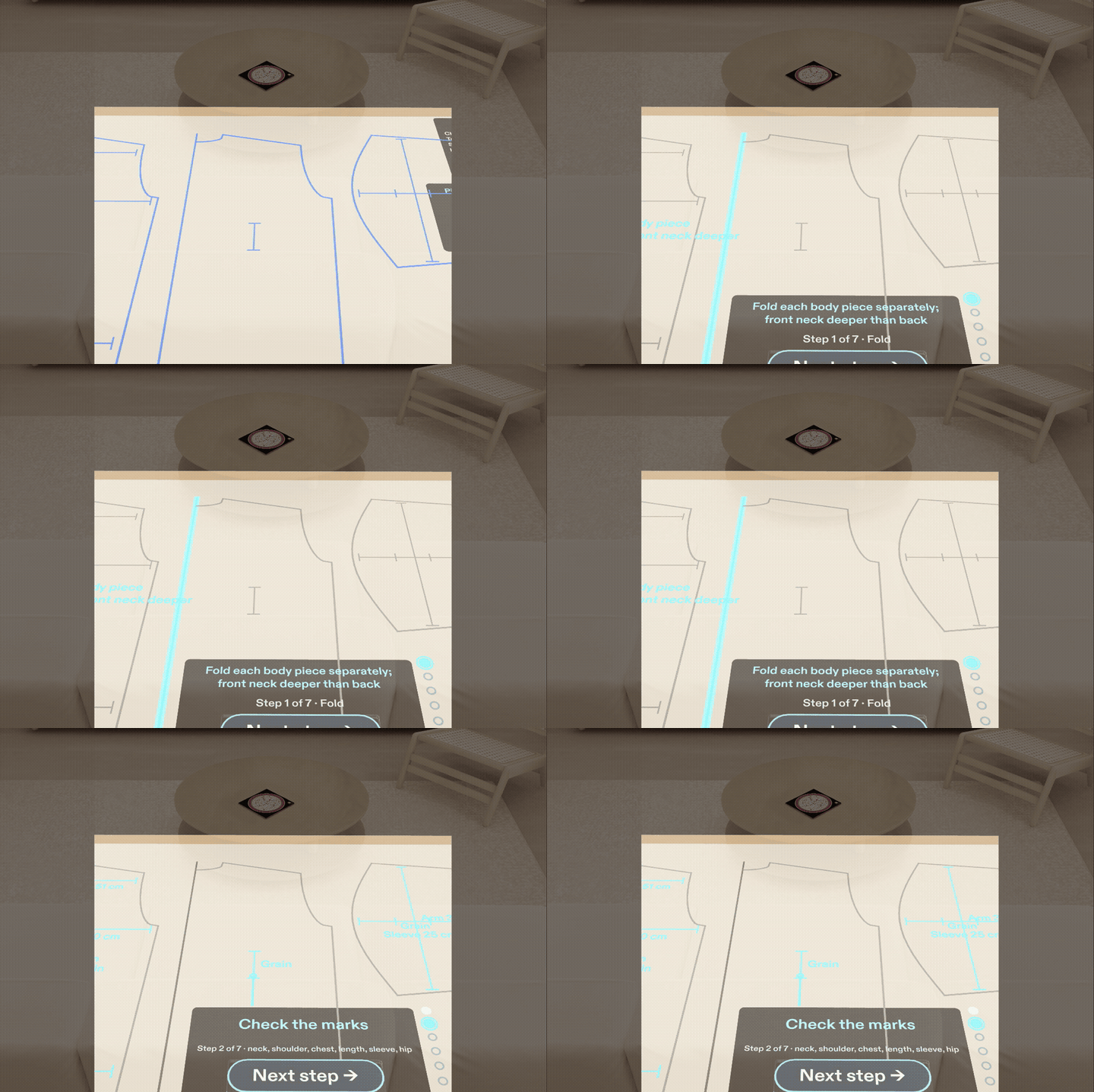
Cutting step by step: one glowing line at a time
Inspiration
Tailors still mark most cuts by hand. Some draw straight onto the cloth with chalk and a tape measure. Others pin and trace a paper pattern. Both take time, and both leave room for mistakes. One wrong cut on expensive cloth costs the tailor the fabric and costs the client their trust. We wanted the next cut to be obvious, without the tailor ever looking away from the cloth.
What it does
ChalkLess is a Lens for Snap Specs that guides a tailor through cutting a garment. It is for tailors and dressmakers everywhere: suits, dresses and trousers, and traditional styles like the agbada.
- Welcome. A short card explains the idea and the gestures. Returning tailors can skip it next time.
- Find the table. World Query looks for a level surface and the tailor confirms it with a pinch.
- Find the fabric, or align by hand. The camera finds the cloth's edges and snaps the pattern to the fold. If that is not possible, the tailor pinch-drags the pattern into place.
- Pick a style. 16 styles on a two-page menu.
- Enter measurements. Big and small steps (+/-5 and +/-1 cm), with a live preview of the pattern.
- The pattern appears at real size on the fabric.
- Cut step by step. One line glows at a time, with a label, direction arrows and a dashed stitching line inside the cut line. A step card shows "Step 3 of 7", progress dots and a Next button. The tailor can also say "next" or "back".
- Summary. A final card lists the pieces cut and an estimate of fabric saved against a typical chalk layout.
Why it belongs on glasses
- Both hands stay on the scissors and the cloth.
- The eyes stay on the fabric.
- The lines are at true size in the world, so there is no screen to look away to.
Walking around a big cut
Content is anchored to the world, and Specs tracks its position in the room. For a big lay like the agbada, the tailor walks to the other side of the table and the pattern stays locked to the cloth, like real chalk. The step card and labels turn to face the tailor wherever they stand. This works in the Lens Studio preview; it still needs to be felt on a real device.
How we built it
- Lens Studio 5.25 and TypeScript, planned with the Devpost Learn skill pack and built with CLAD and the Lens Studio MCP.
- Spectacles Interaction Kit and UI Kit for pinch, poke and drag with hand tracking.
- World Query hit testing to find the table.
- The Camera Module plus a small colour and texture segmentation to find the fabric's edges, projected onto the table plane.
- The ASR module for voice commands.
- A pattern recipe engine. Each style builds its pieces from the measurements using standard drafting rules (pieces on the fold, quarter chest or hip plus ease, per-edge seam allowances) and sets the cut order.
- 24 LEAF tests driven by real pinch and drag input: 20 full style flows, two detection tests, a voice test and a welcome card test.
Styles
- Everyday and tailoring: suit, blazer, joggers, palazzo trousers
- Dresses and skirts: A-line, sheath, wrap dress, maxi gown, ladies' corset, wrap skirt
- Traditional: kaftan (long and short sleeve), bubu, buba, agbada, dashiki
Challenges we ran into
- The additive display. Black is invisible on Specs, so everything had to be light and glowing.
- The narrow field of view. Controls stay close to the hands and the active line.
- Big lays. A suit or maxi gown does not fit on one table, so it is split into parts (jacket, then trousers).
- No real camera in the preview. The fabric finder was tested with synthetic images.
- Tooling. A Lens Studio plugin kept deleting a project folder until we moved our files.
Accomplishments that we're proud of
- The full flow, from welcome card to summary, works for all 16 styles.
- Every test is driven by real pinch and drag input, not by calling functions directly.
- The fabric finder lands within about a pixel of the true corners on test images.
What we learned
Designing for glasses is mostly about what to leave out. One line at a time, near the hands, with as little text as possible. And a testing setup that uses real input caught bugs we would never have found by reading the code.
Proven so far, and what still needs Specs
Proven in the Lens Studio preview: the full flow for all 16 styles, pattern sizes from measurements, one active line with labels, arrows and seam allowance, voice "next" and "back" logic, fabric edge finding on test images, and walk-around labels and card.
Still needs a real Specs device: comfort over a full cutting session, reading lines on real cloth in shop lighting, table detection on real tables, voice in a noisy workshop, fabric edge finding on real cloth, and how walking around a big lay feels.
What's next for ChalkLess
- Testing on a real Specs device with working tailors.
- Using the detected fabric angle to rotate the pattern automatically.
- Saved anchors, so the pattern is still there when the tailor takes the glasses off and comes back.
- More styles, and pattern tweaks for each tailor's own way of drafting.
Built With
- asr
- augmented-reality
- camera-module
- clad
- leaf
- lens-studio
- snap-spectacles
- spectacles-interaction-kit
- spectacles-ui-kit
- typescript
- world-query
