ChalkiTech: A Project Story
About the Project
ChalkiTech is an innovative, production-ready interactive teaching platform designed to revolutionize education in Kenya. Built with React, TypeScript, and Firebase, it combines a real-time collaborative whiteboard, an AI-powered exam system, and comprehensive analytics to empower educators and students. Tailored for the Competency-Based Curriculum (CBC), ChalkiTech addresses the unique needs of Kenyan schools, TVETs, and universities by offering secure, scalable, and engaging tools for teaching, assessment, and progress tracking.
Inspiration
As a software engineer from Kenya with a year of experience in the education sector, working on Learning Management Systems (LMSs) and educational platforms, I witnessed firsthand the challenges educators face in delivering and assessing learning. The introduction of the CBC curriculum in Kenya brought a progressive shift toward competency-based learning, but it exposed a critical gap: the lack of tools to effectively assess learners in a way that aligns with CBC’s practical and skill-focused approach. Traditional methods were time-consuming, lacked standardization, and often failed to engage students.
This gap inspired me to create ChalkiTech—a platform that not only addresses CBC assessment challenges but also scales to TVETs and universities, where similar needs exist. My passion for education innovation, coupled with Kenya’s growing edtech ecosystem, motivated me to build a solution that empowers teachers, engages students, and supports institutions in rural and urban settings alike. I envisioned a platform that blends the familiarity of a chalkboard with cutting-edge technology, hence the name ChalkiTech.
What I Learned
Building ChalkiTech was a transformative journey that deepened my technical and problem-solving skills while teaching me about the complexities of educational systems:
- Technical Growth: I honed my expertise in React and TypeScript for building dynamic, responsive interfaces, and mastered Firebase for secure, scalable backend services. Implementing real-time collaboration and AI integrations (e.g., OpenAI for question generation) pushed me to explore advanced web technologies.
- Educational Insights: I gained a deeper understanding of the CBC framework, Bloom’s taxonomy, and competency-based assessment. Engaging with educators helped me align ChalkiTech’s features with real-world classroom needs.
- User-Centric Design: Feedback from teachers and students taught me the importance of intuitive UX, especially for users with varying tech literacy. Accessibility and low-bandwidth optimization became key priorities.
- Project Management: Balancing feature development, testing, and iteration under tight timelines sharpened my ability to prioritize and manage complex projects.
- Cultural Context: Working in Kenya’s education sector highlighted the need for culturally relevant solutions, such as CBC alignment and affordability for rural schools.
How I Built ChalkiTech
ChalkiTech was designed to be a robust, user-friendly platform with a focus on scalability and security. Here’s how I brought it to life:
Tech Stack Selection:
- Frontend: React and TypeScript for a modular, type-safe UI with a modern, responsive design.
- Backend: Firebase for authentication, Firestore for data storage, Realtime Database for session management, and Storage for file handling.
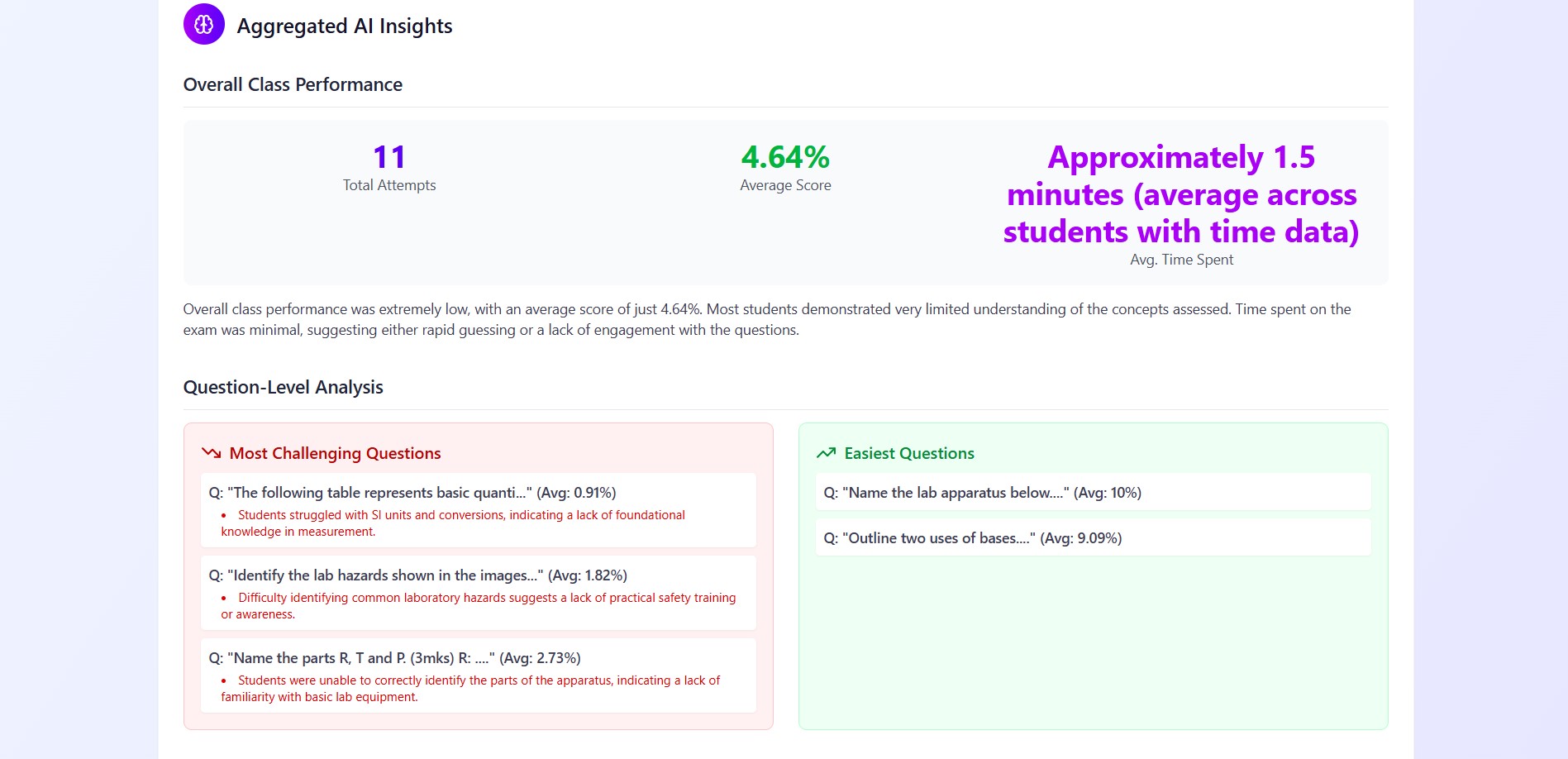
- AI Integration: OpenAI API (optional) for question generation, automated grading, and plagiarism detection.
- Styling: Tailwind CSS for rapid, consistent styling with Kenyan-inspired color schemes (e.g., green, red, black from the flag).
Core Features:
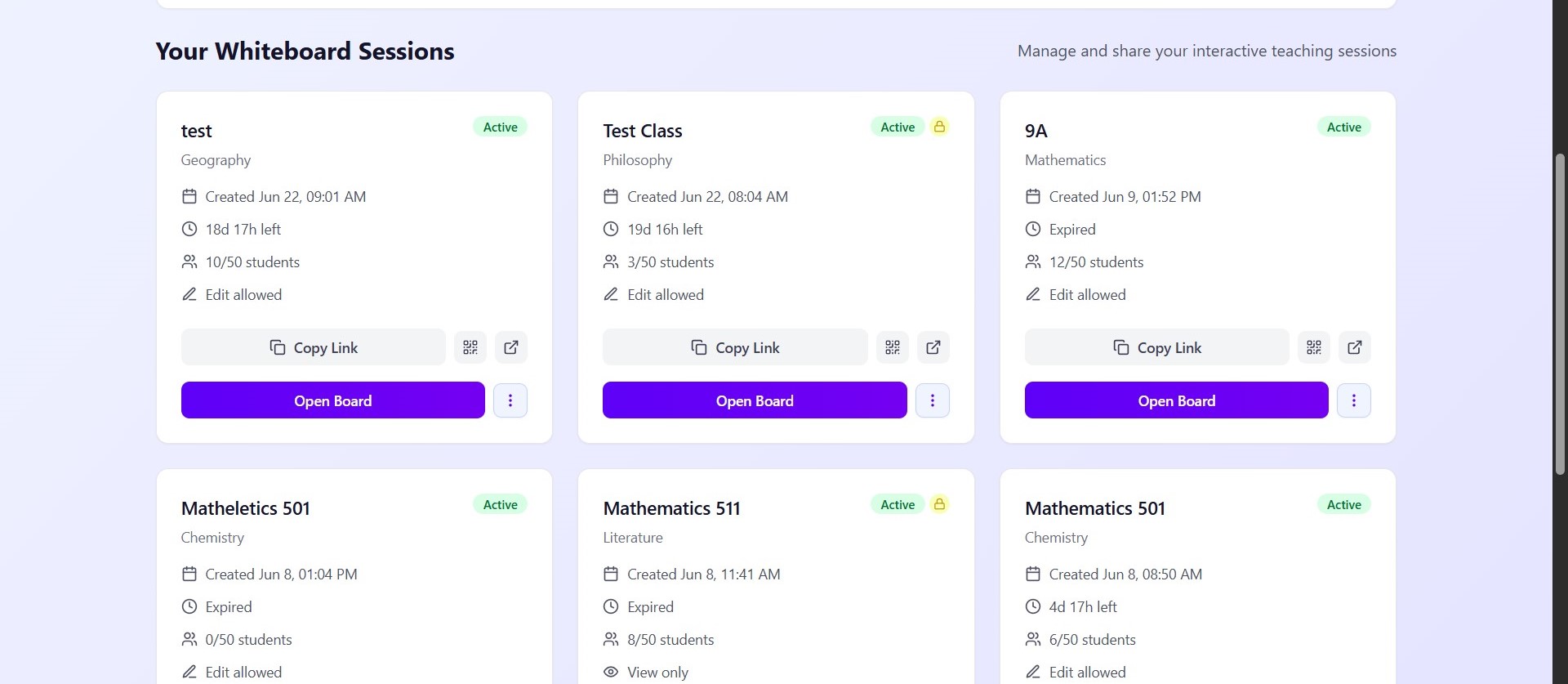
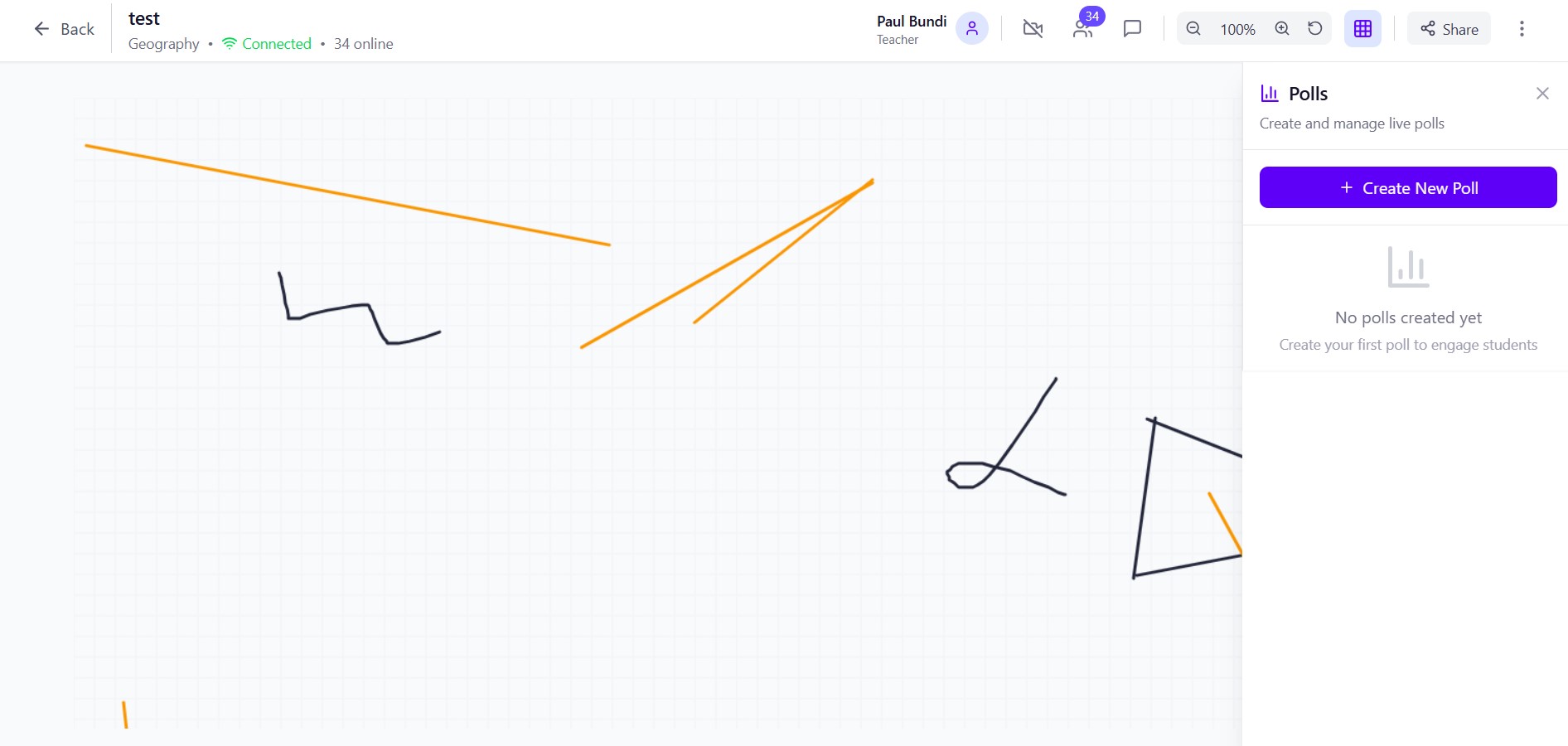
- Interactive Whiteboard: Built a real-time collaborative canvas using Firebase Realtime Database, supporting drawing tools, shapes, text, and sticky notes. Added permission controls for student access.
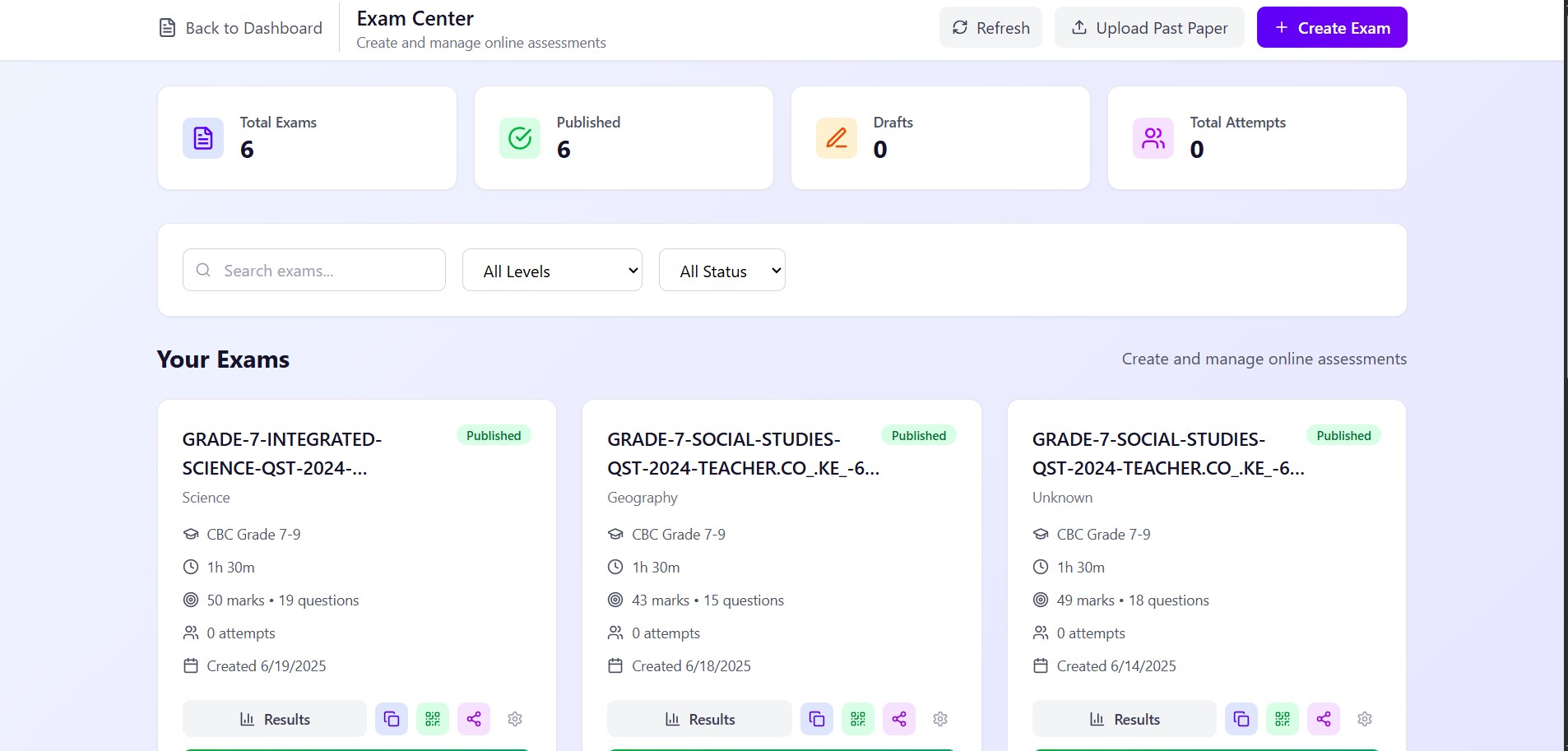
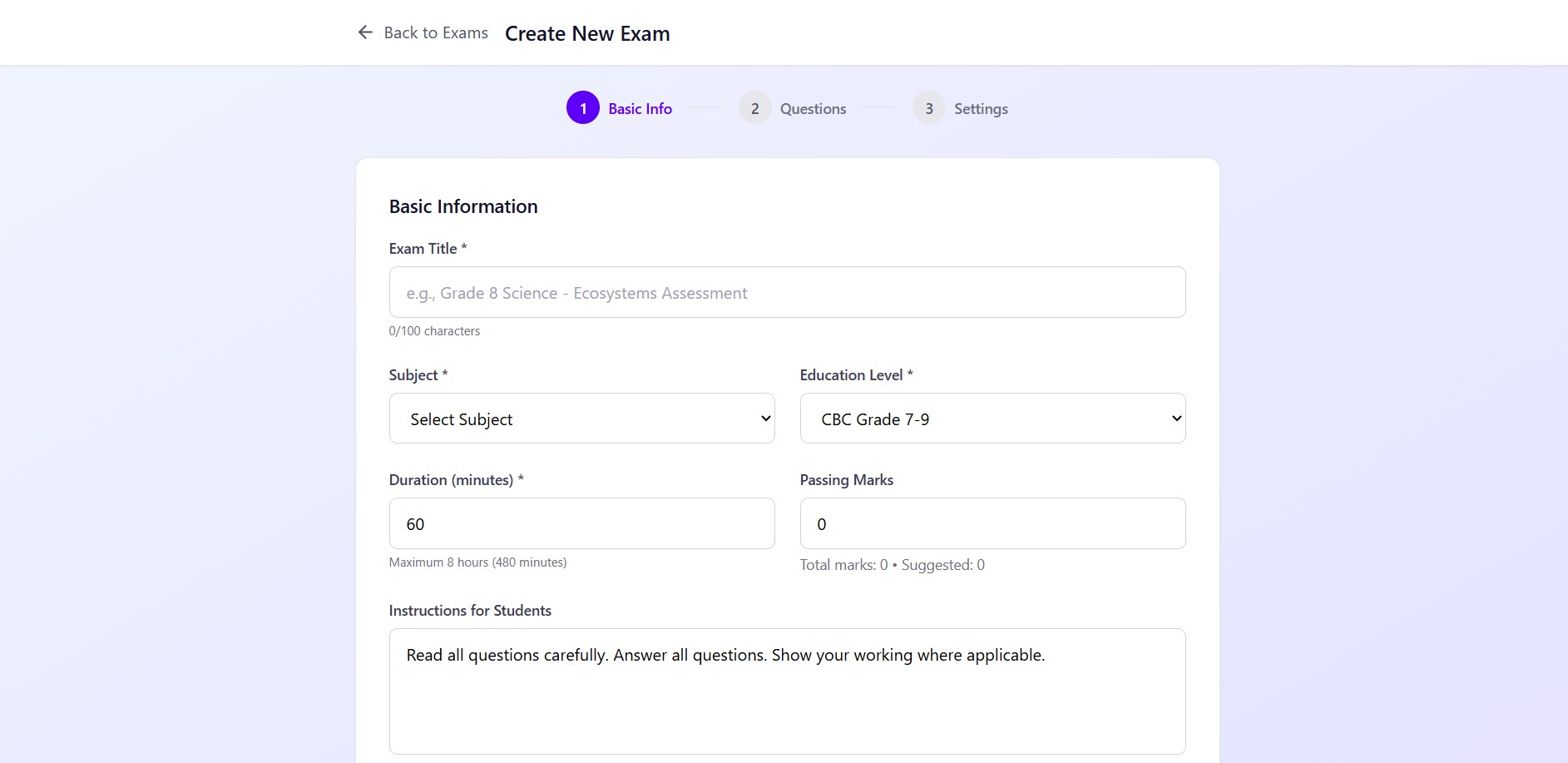
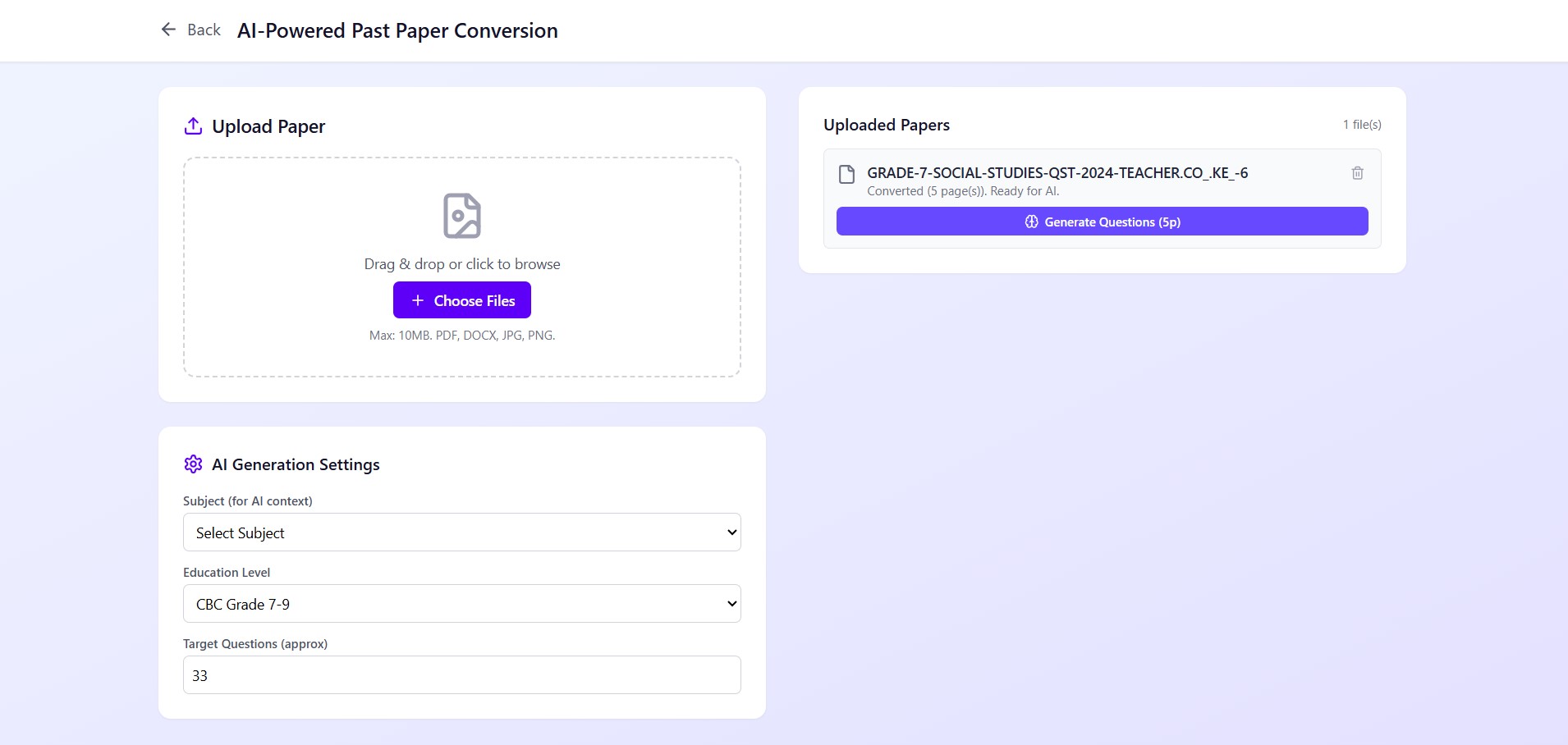
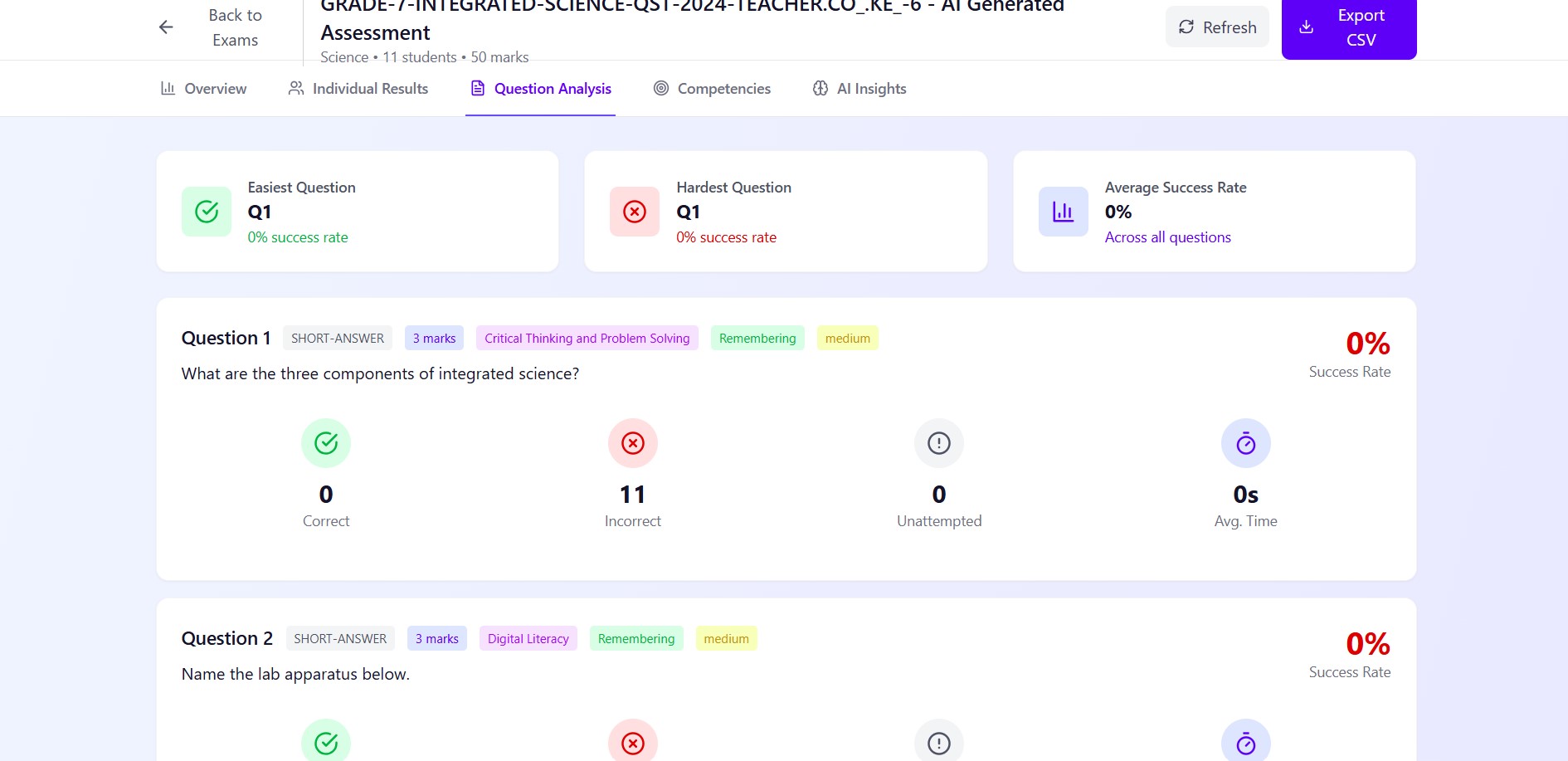
- Exam System: Developed an AI-powered module to generate CBC-aligned questions from past papers, with support for multiple question types (MCQs, essays, practicals). Integrated secure proctoring and automated grading.
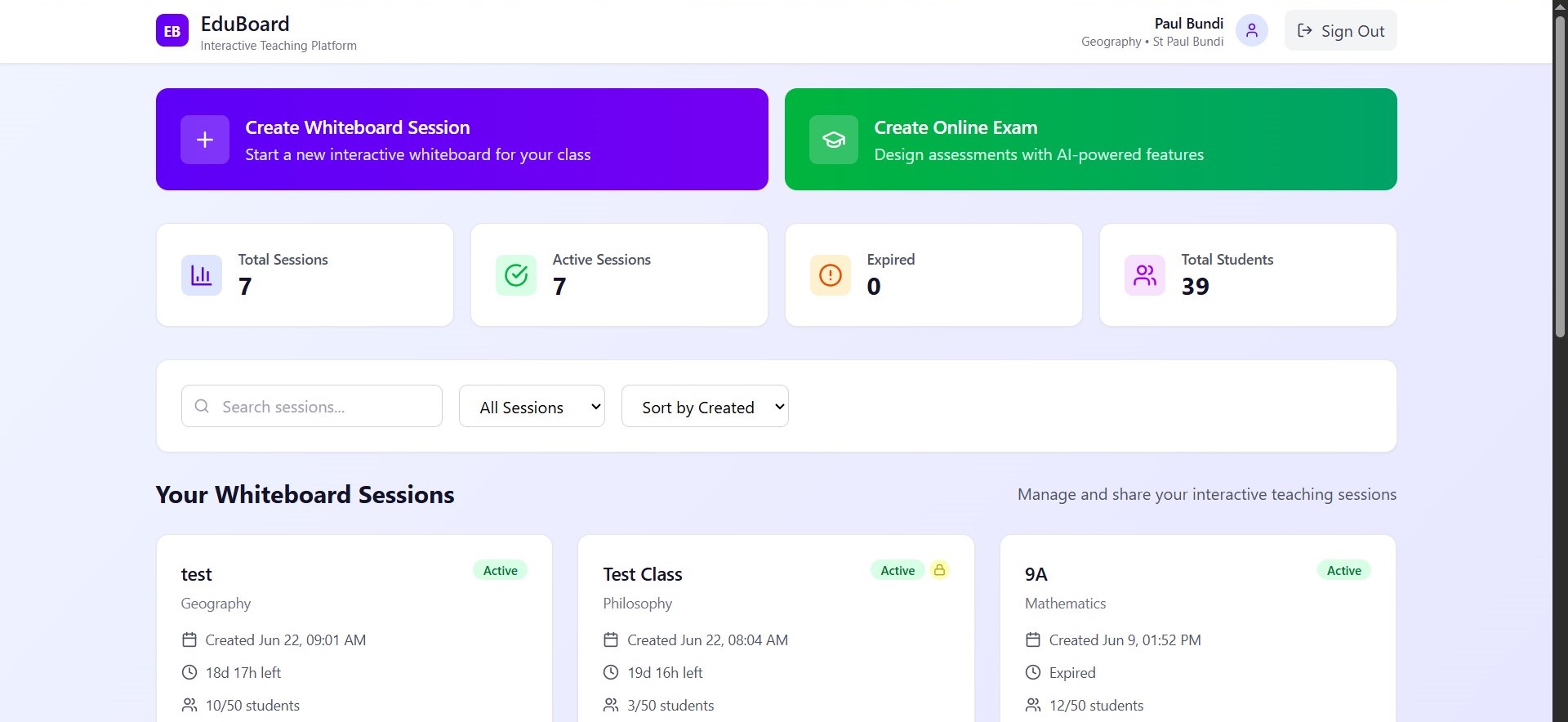
- Teacher Dashboard: Created a dashboard for session management, real-time monitoring, and analytics using Firestore queries and Chart.js for visualizations.
- Security: Implemented Firebase security rules for role-based access, GDPR-compliant data handling, and HTTPS-only communication.
Development Process:
- Prototyping: Started with wireframes and a proof-of-concept whiteboard to validate real-time collaboration.
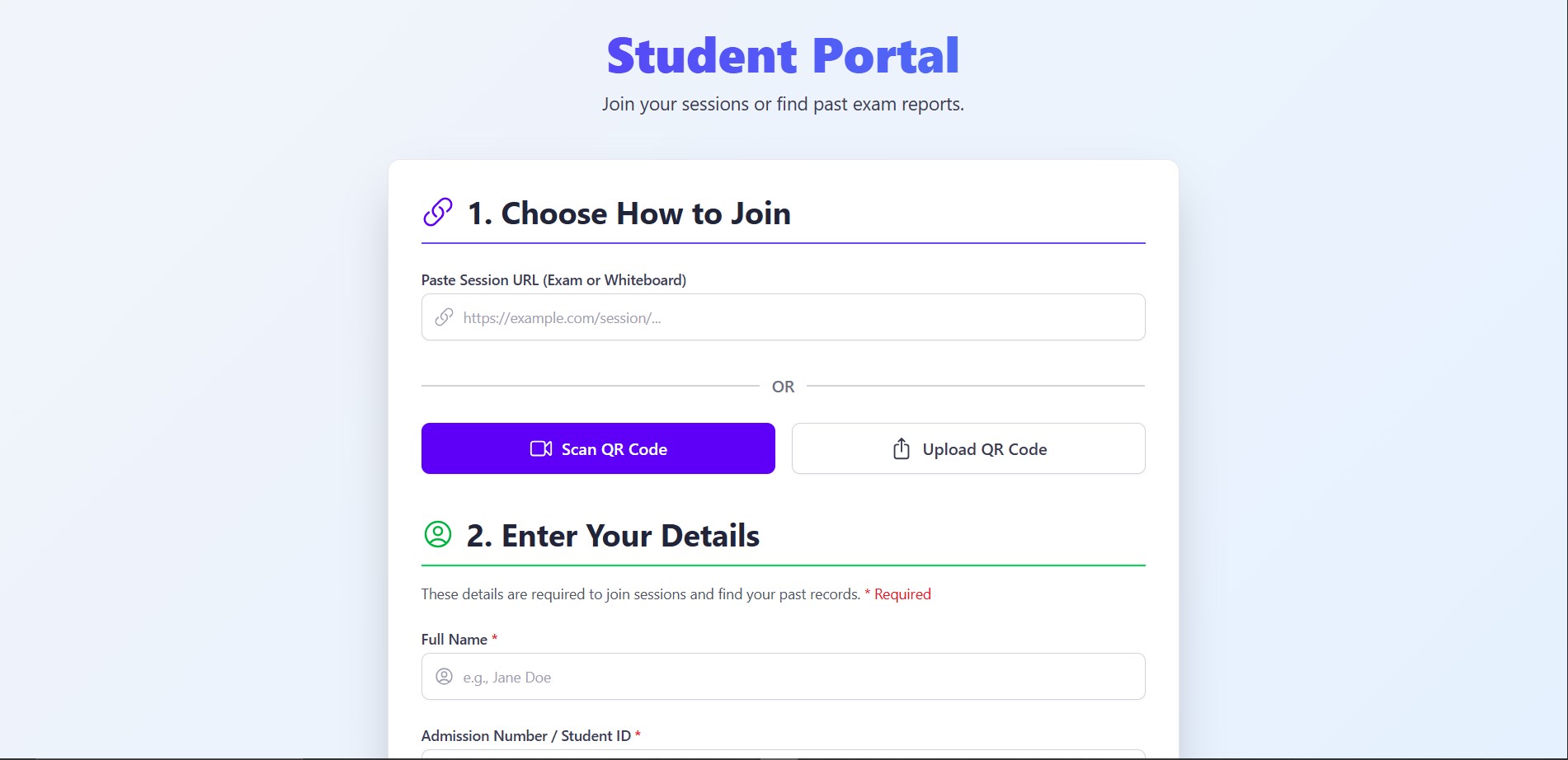
- Iteration: Conducted beta testing with Kenyan teachers to refine UX and add features like QR code access for students.
- Optimization: Ensured low-bandwidth performance by compressing assets and using lazy loading for media.
- Deployment: Hosted on Firebase Hosting for scalability and integrated CI/CD pipelines for updates.
Kenyan Context:
- Aligned features with CBC and Bloom’s taxonomy to meet curriculum standards.
- Optimized for low-bandwidth environments to support rural schools.
- Priced at KES 30,000 for up to 2,000 users, with plans for flexible pricing to suit diverse institutions.
Challenges Faced
Building ChalkiTech came with its share of hurdles, each teaching me resilience and adaptability:
Real-Time Collaboration Complexity:
- Challenge: Ensuring smooth, low-latency whiteboard collaboration across varying internet speeds in Kenya was technically demanding.
- Solution: Leveraged Firebase Realtime Database with optimistic updates and implemented conflict resolution for concurrent edits. Optimized data payloads to minimize bandwidth usage.
AI Integration Costs:
- Challenge: Integrating OpenAI’s API for question generation and grading added costs, which could limit adoption in budget-constrained schools.
- Solution: Made AI features optional, allowing basic functionality without an API key. Explored local AI models as a future cost-effective alternative.
Balancing Features and Simplicity:
- Challenge: Teachers with low tech literacy found the platform’s feature set overwhelming during early testing.
- Solution: Simplified the UI with guided onboarding tutorials and tooltips. Prioritized core features (whiteboard, exams) for initial use, with advanced tools (analytics, proctoring) optional.
Security and Compliance:
- Challenge: Ensuring GDPR compliance and exam integrity (e.g., anti-cheating) required rigorous security measures, which slowed development.
- Solution: Implemented Firebase security rules, client/server-side validation, and basic proctoring (e.g., activity logging). Planned for advanced proctoring (webcam monitoring) in future updates.
Market Fit in Diverse Settings:
- Challenge: Catering to both rural schools with limited tech and urban universities with high expectations was difficult.
- Solution: Designed a scalable architecture and tested with diverse institutions. Offered offline-capable features (e.g., PDF exports) for rural areas.
Looking Ahead
ChalkiTech is more than a platform—it’s a step toward bridging Kenya’s educational gaps. The project has fueled my passion for edtech innovation, and I’m excited to expand its impact. Future plans include:
- Adding offline functionality for remote areas.
- Integrating local payment systems (e.g., M-Pesa) for easier subscriptions.
- Partnering with the Kenyan Ministry of Education to align with national e-learning goals.
- Enhancing AI features with affordable, open-source models.
ChalkiTech’s journey reflects my commitment to empowering Kenyan educators and learners. Despite the challenges, seeing teachers embrace the platform and students engage with interactive lessons makes it all worthwhile. This is just the beginning of igniting Kenya’s learning revolution.
By a Kenyan Software Engineer passionate about transforming education.
Built With
- firebase-for-authentication
- firestore
- openai
- react-and-typescript-for-a-modular
- tailwind
- type-safe-ui-with-a-modern

Log in or sign up for Devpost to join the conversation.