
Inspiration
The idea for Chalkboard came from a simple problem: online collaboration often feels disconnected from the way we naturally think and communicate in person.
In a physical classroom, someone can walk to a board, draw a diagram, point at a specific part of it, explain an idea, ask a question, and immediately see how other people respond. The board becomes more than a place for writing. It becomes the shared context for the entire conversation.
Online, that experience is usually fragmented across multiple tools. A video call handles communication, a whiteboard handles diagrams, a document contains notes, chat contains links and messages, and another application might be needed for specialized activities such as mathematics or technical diagrams.
I wanted to bring those interactions together into one shared space.
The inspiration came from the traditional classroom chalkboard. There is something remarkably intuitive about standing in front of a board and explaining an idea visually. Rather than building another generic digital whiteboard, I wanted Chalkboard to preserve that feeling while adding the capabilities that are possible with modern web technology.
That led to the idea of Chalkboard: a real-time collaborative space for teaching, learning, brainstorming, explaining, and creating together.
What I Built
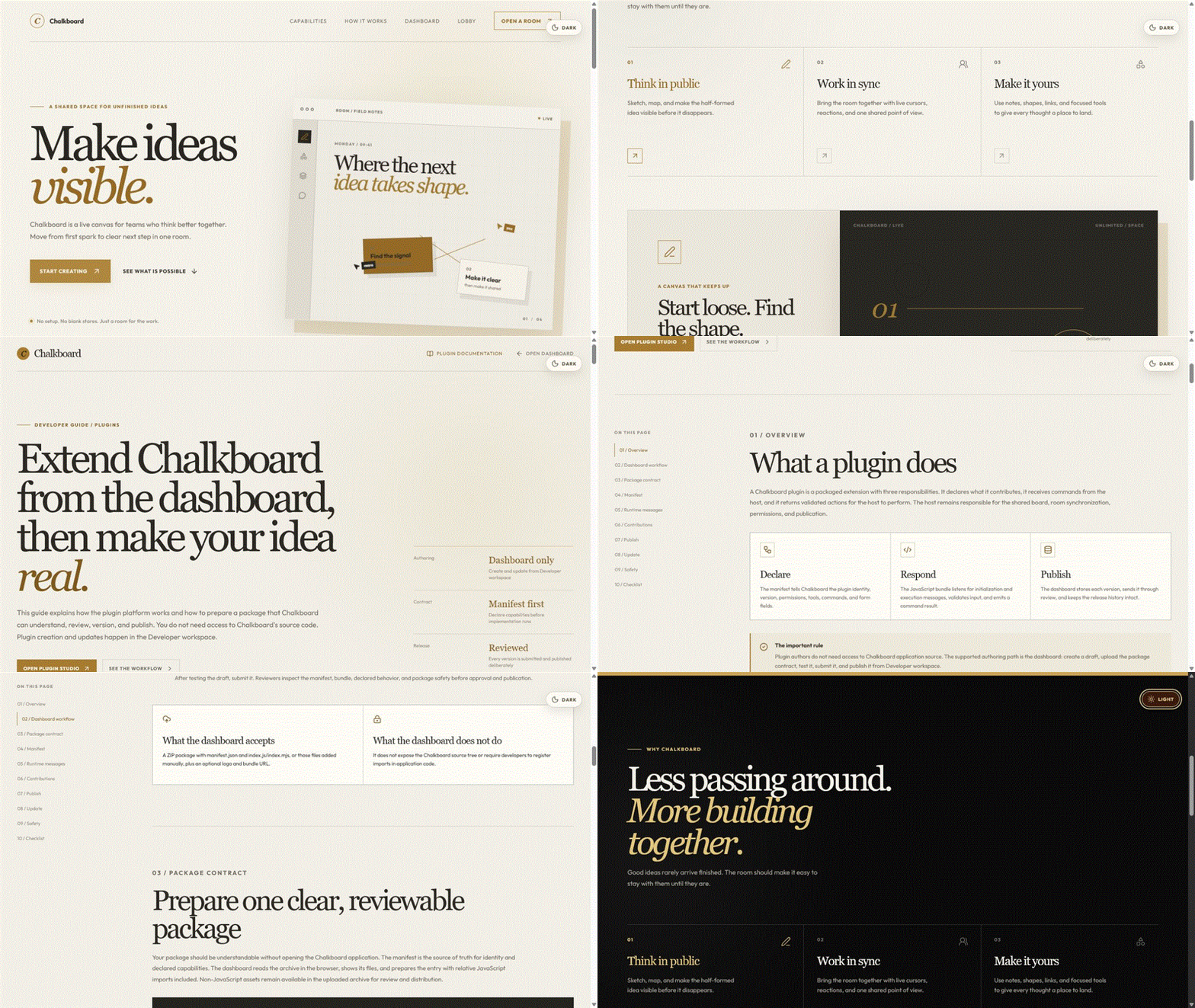
Chalkboard is a real-time collaborative canvas designed around the idea of a shared classroom or workspace.
Users can create rooms and invite other people to collaborate on the same board. Once inside a room, participants can draw together, write notes, create shapes, move objects, add links, react to each other, raise their hands, and communicate through voice.
The important part is that everyone is interacting with the same live canvas.
When one participant draws something, other participants see it appear in real time. When someone moves an object, changes the board, reacts, or joins the room, those changes become part of the shared experience.
This makes Chalkboard useful for much more than traditional online classes.
A room can become:
- A classroom where an instructor teaches students
- A workshop where participants work through an exercise
- A brainstorming space for a team
- A technical architecture board for developers
- A planning space for a project
- A collaborative design surface
- A mathematical workspace
- A creative studio
The underlying idea is that the board should adapt to the activity rather than forcing every type of collaboration into the same workflow.
The Collaborative Classroom
I designed Chalkboard around the concept of a room rather than simply a canvas.
Each room has its own participants, permissions, presence, activity, canvas state, and history.
Participants can see other users' cursors and activity, allowing the board to feel more like a physical room where everyone is present rather than a collection of isolated users editing the same document.
Rooms can also have different access models, including open rooms, approval-based rooms, and password-protected rooms.
Different roles can be assigned to participants, including owner, instructor, and viewer, allowing Chalkboard to support situations where an instructor controls the lesson while students participate.
This room-based architecture became important because it allowed me to think about Chalkboard as an actual digital classroom environment, not just a drawing application.
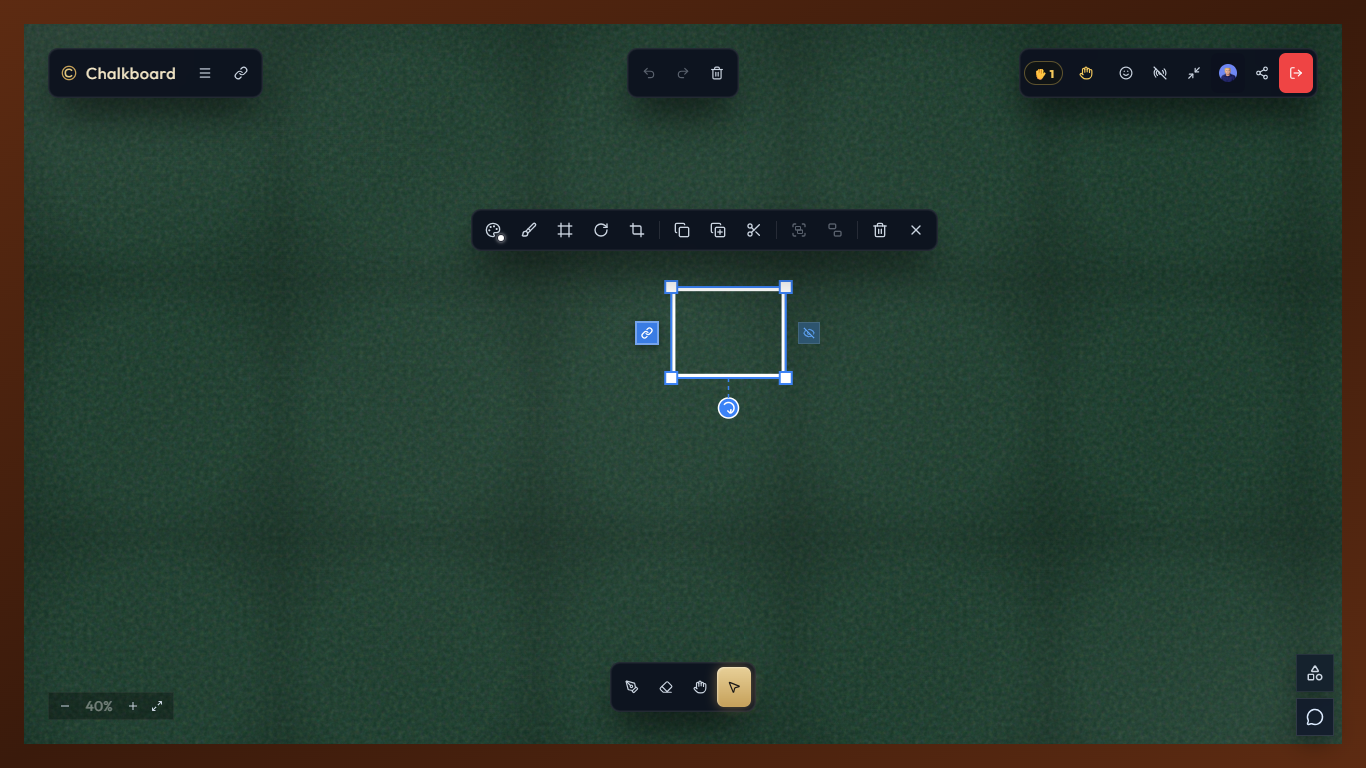
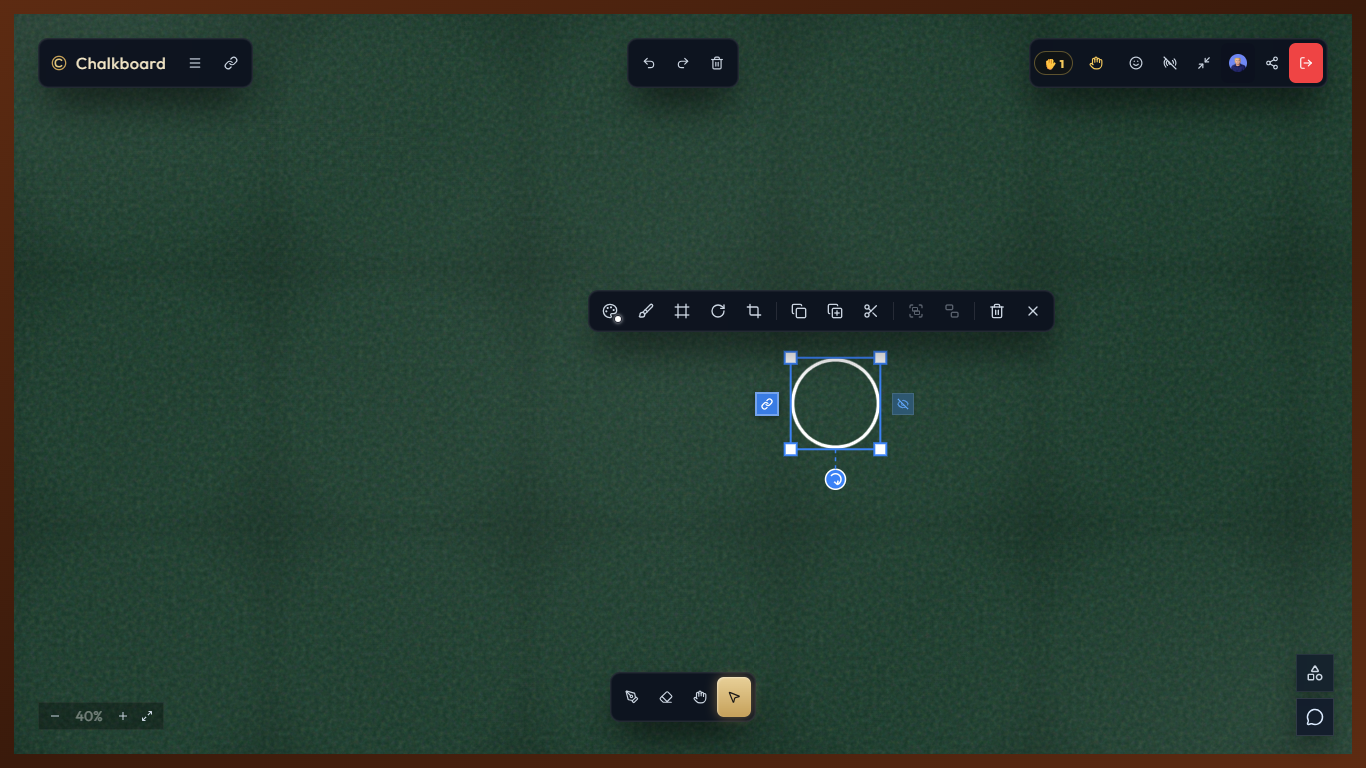
The Canvas
At the center of Chalkboard is its interactive canvas.
I wanted the canvas to retain the simplicity of a physical chalkboard while supporting the capabilities users expect from modern collaborative software.
Users can:
- Draw freehand with chalk-style strokes
- Create shapes
- Add text and notes
- Select and transform objects
- Move and resize content
- Copy and paste objects
- Group elements
- Zoom and pan around the board
- Add links
- Undo and redo actions
- Interact with mathematical visualization tools
Rather than treating the canvas as a static image, Chalkboard maintains a structured representation of the objects and actions taking place on the board. This becomes especially important for collaboration, plugins, and eventually AI agents because the system can understand that something on the board is a circle, text element, arrow, diagram, or other object, rather than simply seeing pixels.
Real-Time Collaboration
One of the most important engineering challenges was making the collaboration feel immediate.
A collaborative canvas generates a continuous stream of events. A user might draw a stroke, move their cursor, move an object, react to another participant, or change something on the board — all within a few seconds.
I therefore designed Chalkboard around real-time events rather than treating the canvas like a traditional CRUD application.
The real-time system synchronizes things such as:
- Canvas changes
- Drawing strokes
- Object transformations
- Cursor positions
- Participant presence
- Reactions
- Raised hands
- Room activity
- Collaboration state
This also introduced another challenge: connection reliability.
Users can temporarily lose their connection, refresh their browser, or reconnect from another device. I had to design the presence and synchronization system so that short network interruptions would not make the classroom feel unstable.
A short presence grace period helps prevent users from constantly appearing and disappearing when they briefly disconnect.
How I Built It
I built the frontend using React, TypeScript, Vite, HTML5 Canvas, and Zustand.
Rather than relying entirely on a canvas abstraction, I implemented much of the canvas interaction and rendering logic myself. This gave me more control over how strokes, objects, selection, transformations, zooming, and the chalkboard visual experience behave.
The backend is built with Node.js and Hono, with Socket.IO providing the real-time communication layer.
For persistent application data, I use PostgreSQL with Drizzle ORM. PostgreSQL handles durable data such as users, rooms, memberships, permissions, plugins, and other application records.
For fast-changing collaborative state, I use Redis. This allows active room state, presence information, real-time coordination, and other ephemeral data to be handled without constantly writing every interaction to the primary database.
I also use BullMQ for background jobs and cleanup tasks, while the Socket.IO Redis adapter allows the real-time architecture to work across multiple backend instances.
Authentication is handled through Google Identity Services, with the backend verifying authentication and creating secure sessions.
I also integrated LiveKit to provide voice communication inside rooms, allowing Chalkboard to combine the visual collaboration experience with real-time conversation.
The Plugin System
As I built Chalkboard, I realized that a collaborative canvas becomes much more powerful when developers can extend what can happen inside it.
Instead of putting every possible feature into the core application, I designed a plugin system that allows developers to create new tools and experiences for Chalkboard.
A plugin can introduce new capabilities to the board while remaining separate from the core application.
For example, Chalkboard can have plugins for:
- Mathematics
- Diagrams
- Notes
- Data visualization
- Learning activities
- Technical architecture
- Games
- Productivity tools
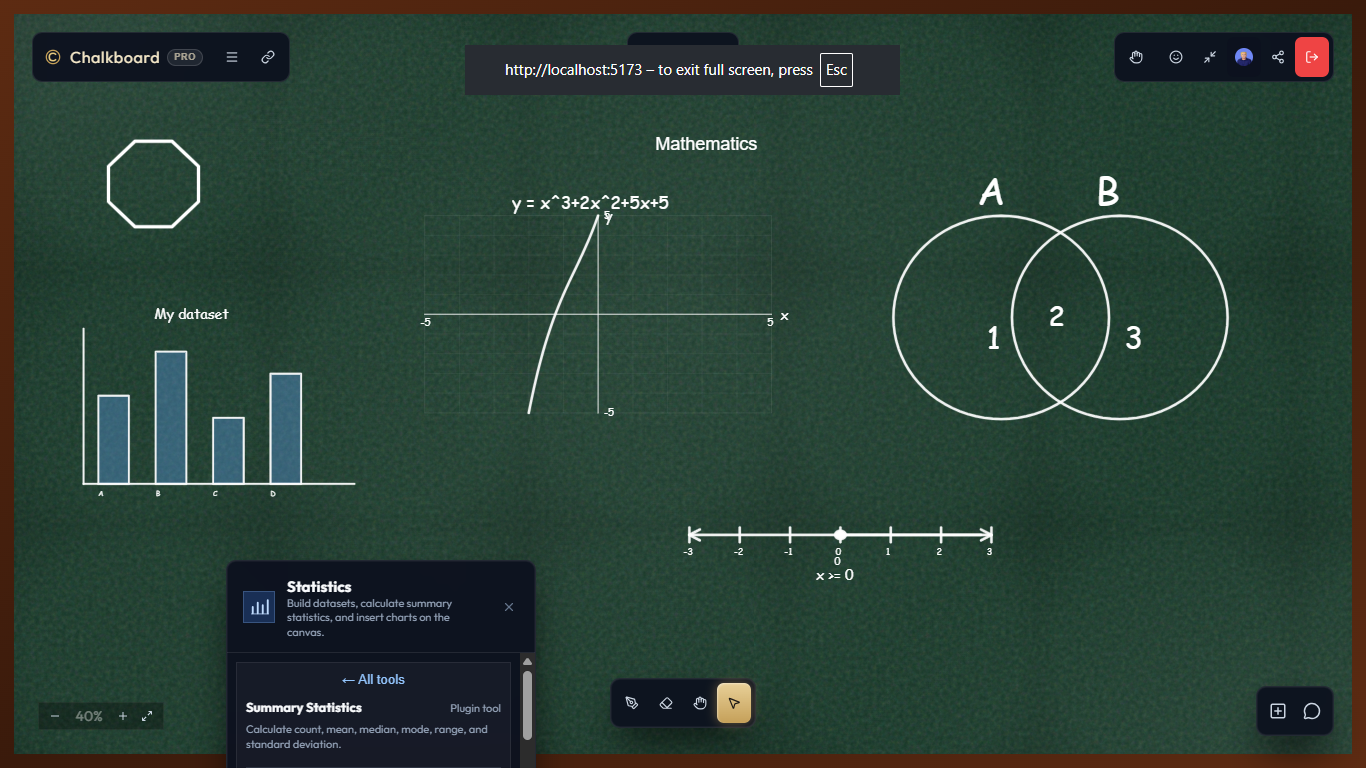
I have already experimented with mathematical capabilities that can generate things such as Venn diagrams, number lines, coordinate grids, and set visualizations directly on the canvas.
The plugin architecture also introduces a path for third-party developers to contribute to Chalkboard. Plugins can have their own identity, versions, permissions, commands, tools, and JavaScript bundles.
Plugins can move through a lifecycle of drafting, review, approval, and publication.
This means Chalkboard isn't intended to remain a fixed collection of features built by one developer.
It can become a platform where other developers build new ways to teach, visualize, and collaborate.
Making Chalkboard Agent-Native with WebMCP
The plugin system led naturally to another question:
What if the tools developers build for Chalkboard could also be used by AI agents?
This is where WebMCP becomes important.
Instead of building an AI that simply generates text beside the canvas, I wanted the AI to be able to actually interact with the environment.
Through WebMCP, Chalkboard can expose capabilities as tools that an agent can discover and invoke.
For example, an agent could have access to tools such as:
get_canvas_state
create_text
create_shape
draw_arrow
move_object
edit_object
delete_object
create_diagram
This changes the relationship between AI and the application.
The AI isn't simply telling the user what to draw.
The AI can actually draw.
It can inspect the current state of the board, understand what is already there, and use Chalkboard's capabilities to modify the shared environment.
That creates a much more interesting interaction between humans, applications, and agents.
The Chalkboard Master
This is where I am taking Chalkboard next.
I am building the concept of the Chalkboard Master — an autonomous teaching agent designed to behave less like a chatbot and more like a teacher participating in the classroom.
The Chalkboard Master can understand a lesson or learning objective, observe the state of a collaborative classroom, and dynamically decide how to teach.
Instead of simply responding to:
"Explain photosynthesis."
It can decide that the best way to teach the concept is visually.
It might draw a plant, label the components, illustrate sunlight entering the process, add arrows showing the flow of energy, and explain each step.
But the important part is that it can also observe what students are doing.
Imagine a teacher explaining a mathematical concept while several students are working on the same board.
A student draws an incorrect solution.
The Chalkboard Master can observe the board state, identify the mistake, and respond:
"You are close, but this step changes the sign."
It can then highlight the relevant part of the student's work and draw the corrected step.
If students are struggling, it can slow down and introduce a simpler explanation.
If they understand quickly, it can increase the difficulty.
If someone asks a question, it can incorporate the question directly into the lesson.
The agent can therefore move through a teaching loop:
Understand → Observe → Explain → Draw → Evaluate → Adapt → Repeat
This is fundamentally different from putting an AI chat window beside a whiteboard.
The AI becomes part of the classroom itself.
Humans and Agents Sharing the Same Board
The most important idea behind the Chalkboard Master is that the agent and humans operate in the same environment.
A student can draw something.
The teacher can modify it.
Another student can add an idea.
The AI can connect two concepts.
The teacher can correct the AI.
The AI can respond to the new state of the board.
Everyone is contributing to the same shared context.
This creates a feedback loop that looks more like a real classroom than a traditional AI assistant:
             ┌─────────────────┐
             │      Lesson     │
             └────────┬────────┘
                      ↓
              ┌───────────────┐
              │ Chalkboard    │
              │    Master     │
              └───────┬───────┘
                      ↓
              Observe classroom
                      ↓
              Understand state
                      ↓
             Draw / Explain / Ask
                      ↓
              Students respond
                      ↓
              Observe new state
                      ↓
                   Adapt
                      ↺
The board itself becomes part of the agent's context.
That is the direction I believe collaborative AI is heading toward: agents that don't just talk about the work, but participate directly in the environment where the work happens.
Why the Plugin System and WebMCP Matter Together
The plugin system and WebMCP are not separate features.
They form a larger architecture.
The plugin system allows developers to give Chalkboard new capabilities.
WebMCP allows agents to discover and use those capabilities.
That means a developer could build a specialized mathematics plugin, for example, and expose capabilities that the Chalkboard Master can use while teaching mathematics.
Another developer could create a chemistry visualization plugin.
Another could create a programming diagram plugin.
Another could create an interactive language-learning activity.
The ecosystem can therefore evolve from:
Developers → Plugins → Chalkboard
into:
Developers → Plugins → Chalkboard → AI Agents → Dynamic Experiences
The long-term vision is a collaborative environment where the capabilities available to an AI are not limited to what I personally build into the core application.
Challenges
One of the biggest challenges was real-time synchronization.
A collaborative canvas generates significantly more state changes than a conventional web application. I had to determine which information should be persisted, which should remain ephemeral, and which events needed to be broadcast immediately.
Another major challenge was building the canvas interactions.
A simple drawing demo is easy. Building a canvas that supports freehand drawing, shapes, selection, transformations, grouping, copying, pasting, undo/redo, zooming, and panning while maintaining a natural interaction model is considerably more difficult.
I also had to deal with reconnection and unreliable networks. A collaborative application cannot assume that every user will maintain a perfect connection throughout a session.
Scaling the real-time architecture presented another challenge. Using Redis for coordination and active state while keeping PostgreSQL responsible for durable data required careful separation between persistent and ephemeral state.
The plugin system introduced a different category of challenges. I had to think about how third-party code should be isolated, what permissions plugins should receive, how plugins should communicate with the application, and how plugins could be reviewed and published without compromising the core platform.
Finally, introducing autonomous agents creates an entirely new architectural challenge: how do you allow an agent to act inside a collaborative environment without giving it unrestricted control?
This is one of the areas I am continuing to explore with WebMCP, tool permissions, structured canvas state, and the plugin architecture.
What I Learned
Building Chalkboard taught me that real-time collaboration is fundamentally different from building a traditional web application.
I had to think in terms of events, state synchronization, presence, connections, concurrency, and recovery rather than simply requests and responses.
I also learned how different infrastructure components can work together. PostgreSQL provides durable relational storage, Redis handles fast-changing state and coordination, Socket.IO provides real-time communication, and background workers handle tasks that shouldn't block the main application.
The plugin system taught me to think beyond the features I personally want to build. Designing an extensible platform requires thinking about what another developer might want to build on top of your system months or years later.
Most importantly, the project changed how I think about AI applications.
I initially thought about AI as something that could answer questions about a canvas.
Now I think about AI as something that can participate in the canvas.
That distinction is significant.
What Comes Next
Chalkboard started with a simple goal: make online collaboration feel more like being in the same room.
It has evolved into something much larger.
I want Chalkboard to become a collaborative environment where people, developers, plugins, and autonomous agents can all contribute to the same workspace.
The immediate focus is making the Chalkboard Master capable of understanding lessons, observing collaborative classrooms, and dynamically teaching through the board — drawing explanations, correcting mistakes, asking questions, and adapting to students in real time.
The longer-term vision is an ecosystem where developers can build plugins that give both humans and agents new abilities.
Ultimately, I don't want Chalkboard to be another whiteboard with an AI chatbot attached to it.
I want it to be a place where learning happens collaboratively, where the board understands the work happening on it, and where AI can become an active participant in the classroom rather than simply a voice in a chat window.
Built With
- ai-agent
- css
- hono
- html
- html5canvas
- node.js
- typescript
- webmcp
- zustand

Log in or sign up for Devpost to join the conversation.