Inspiration
The idea for Chalkboard came from a simple problem: online collaboration often feels disconnected from the way we naturally think and communicate in person.
In a physical classroom or meeting room, someone can walk to a board, draw something, point at it, explain an idea, and have everyone immediately understand what they are referring to. Online, that experience is usually split across several different tools — a video call for conversation, a whiteboard for diagrams, a document for notes, and chat for sharing links.
I wanted to bring those interactions together into one shared space.
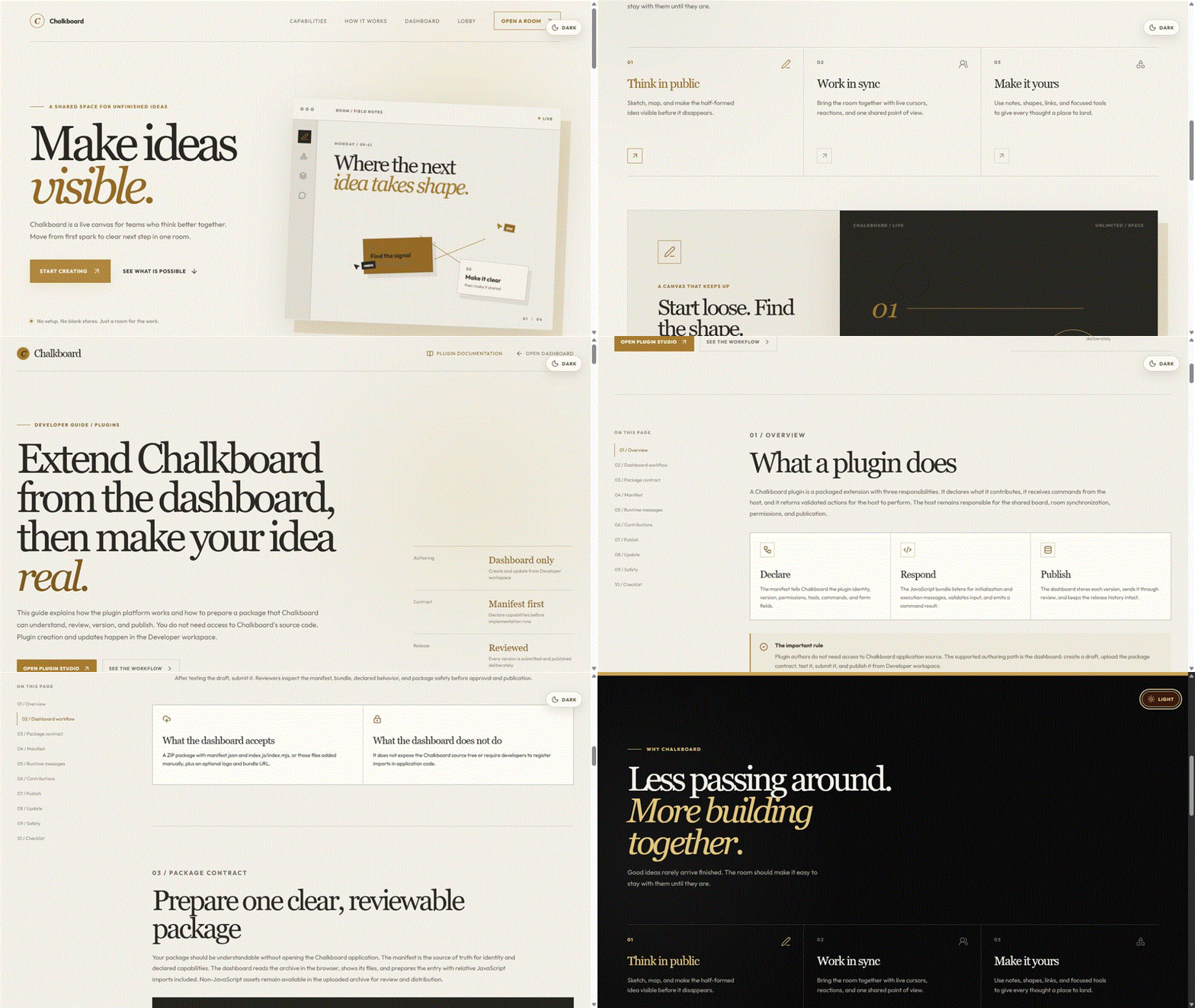
The inspiration was the traditional classroom blackboard. There is something very intuitive about being able to stand in front of a board and visually explain an idea. So instead of building another generic digital whiteboard, I wanted Chalkboard to feel familiar — like a physical chalkboard, but with the capabilities of a modern collaborative application.
That led to the idea of Chalkboard: a real-time shared space for thinking, teaching, brainstorming, and collaboration.
What I Built
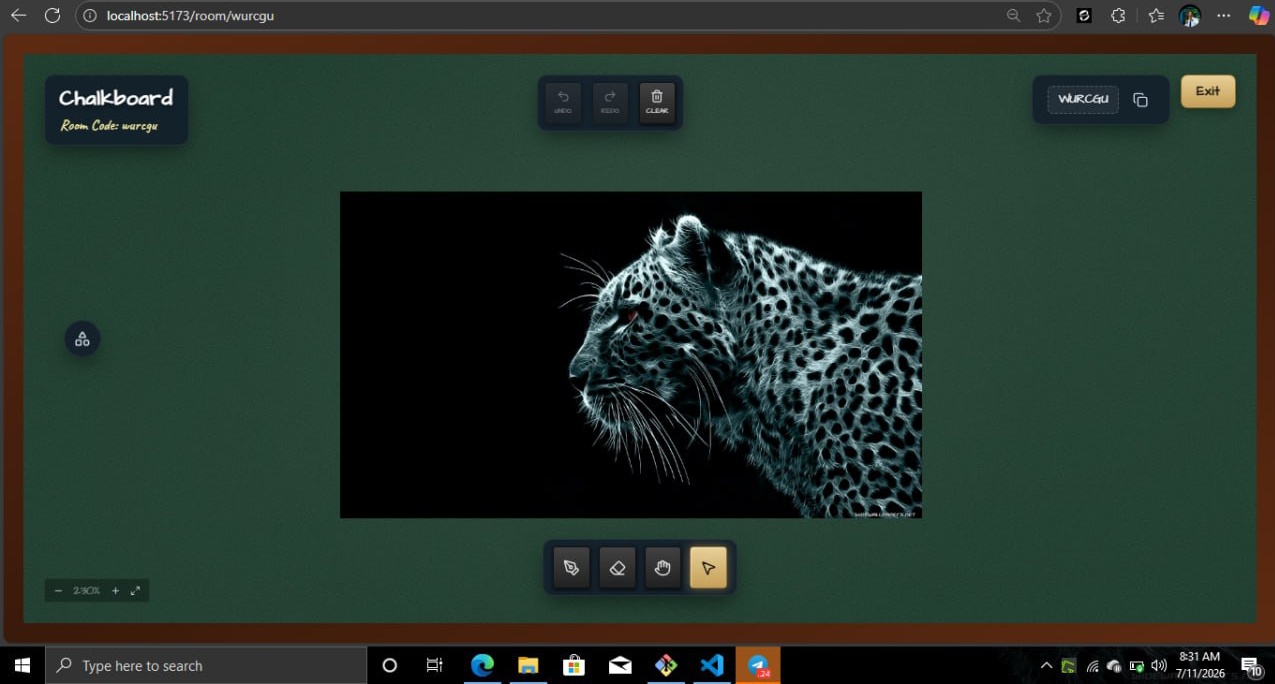
Chalkboard is a real-time collaborative canvas where multiple people can enter the same room and work together simultaneously.
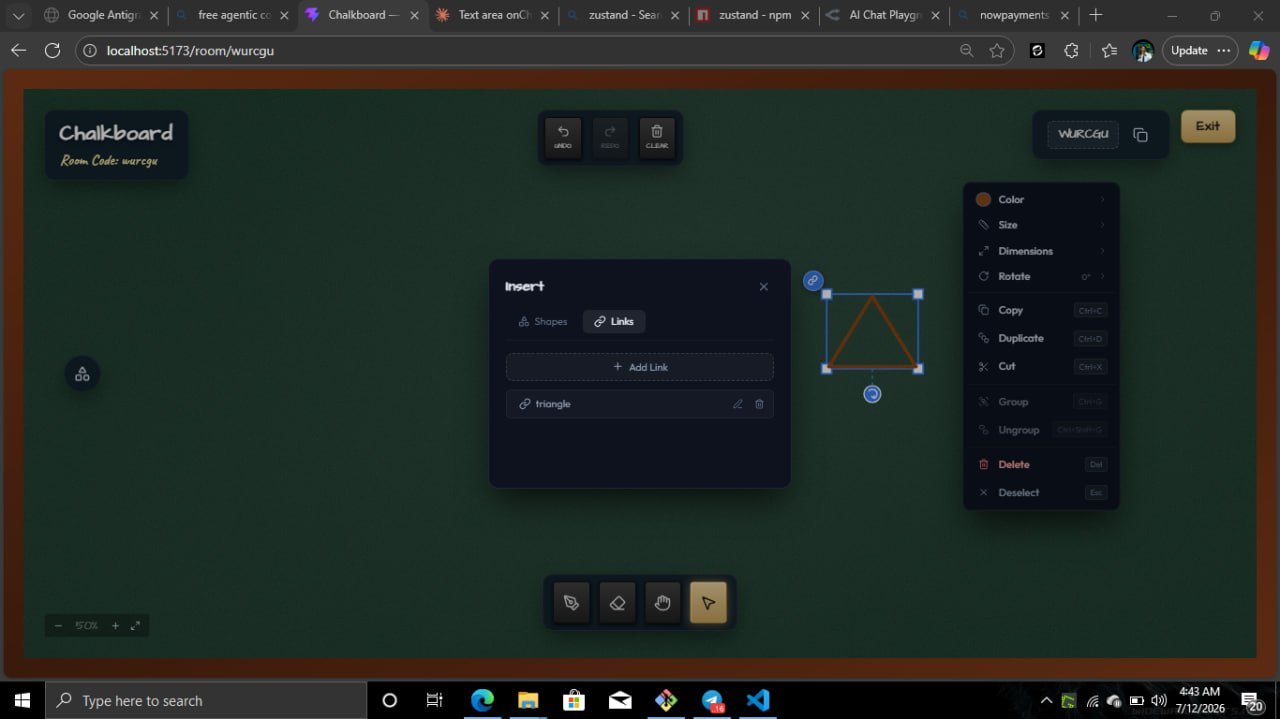
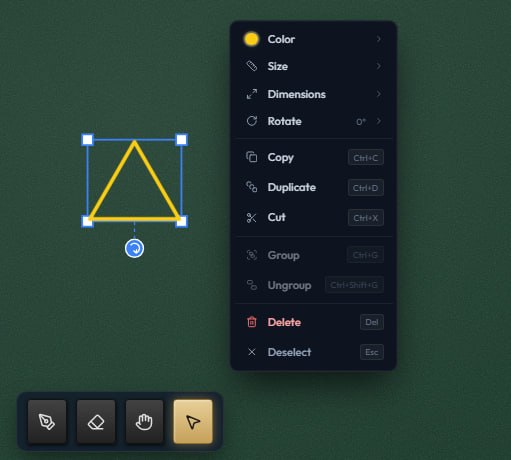
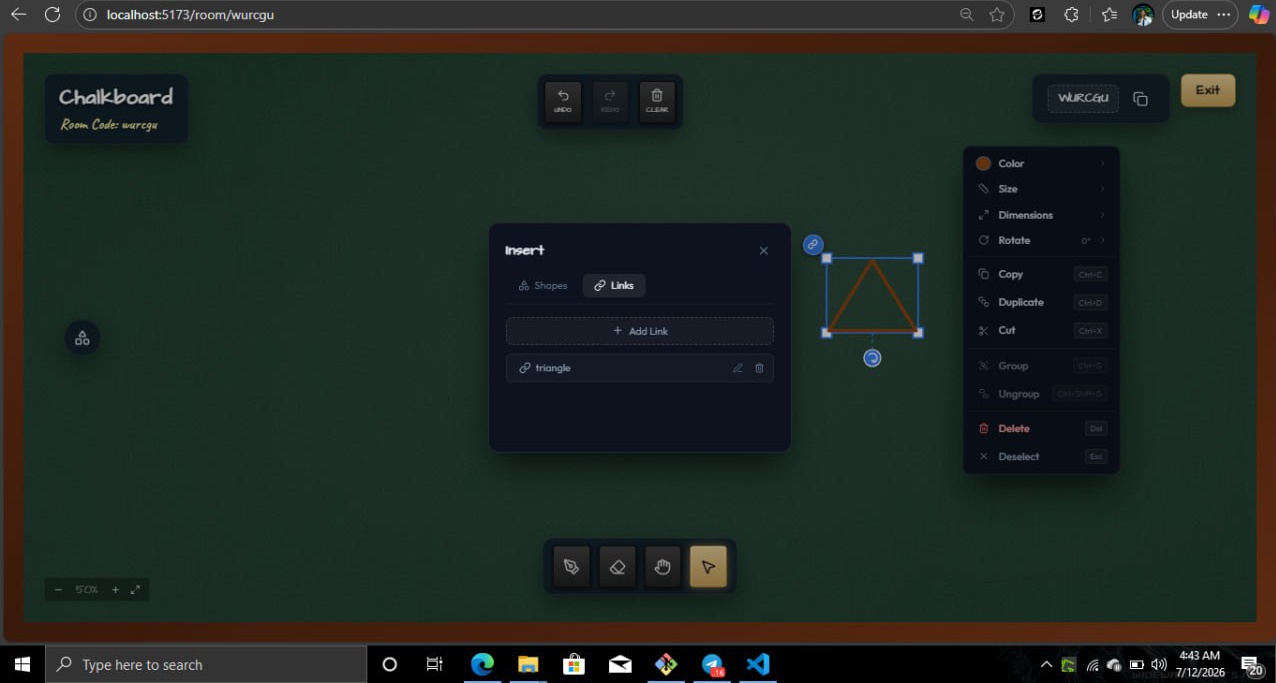
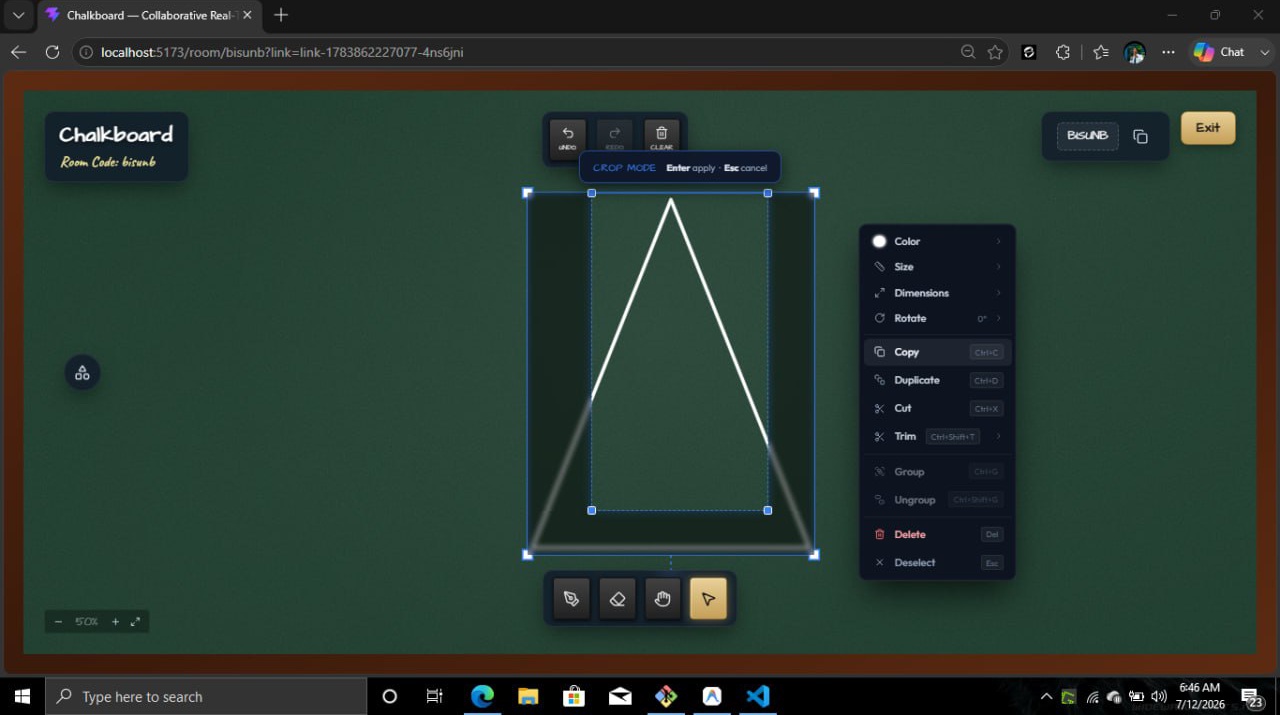
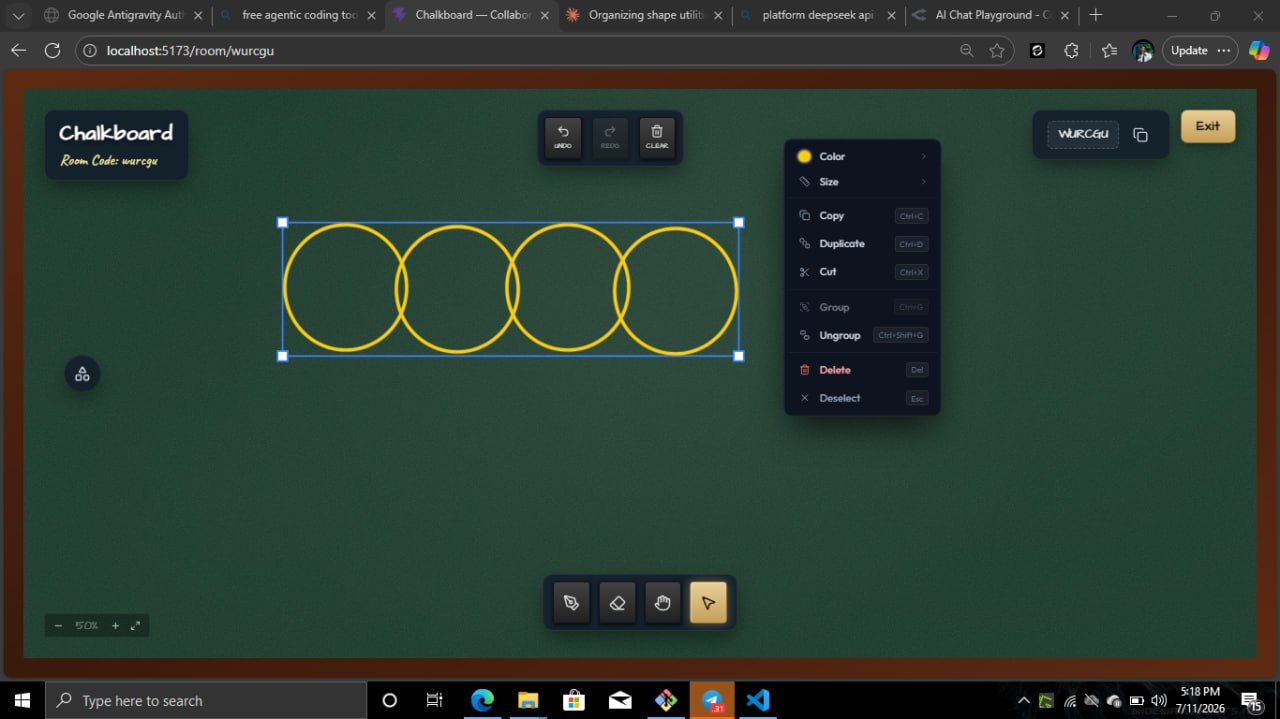
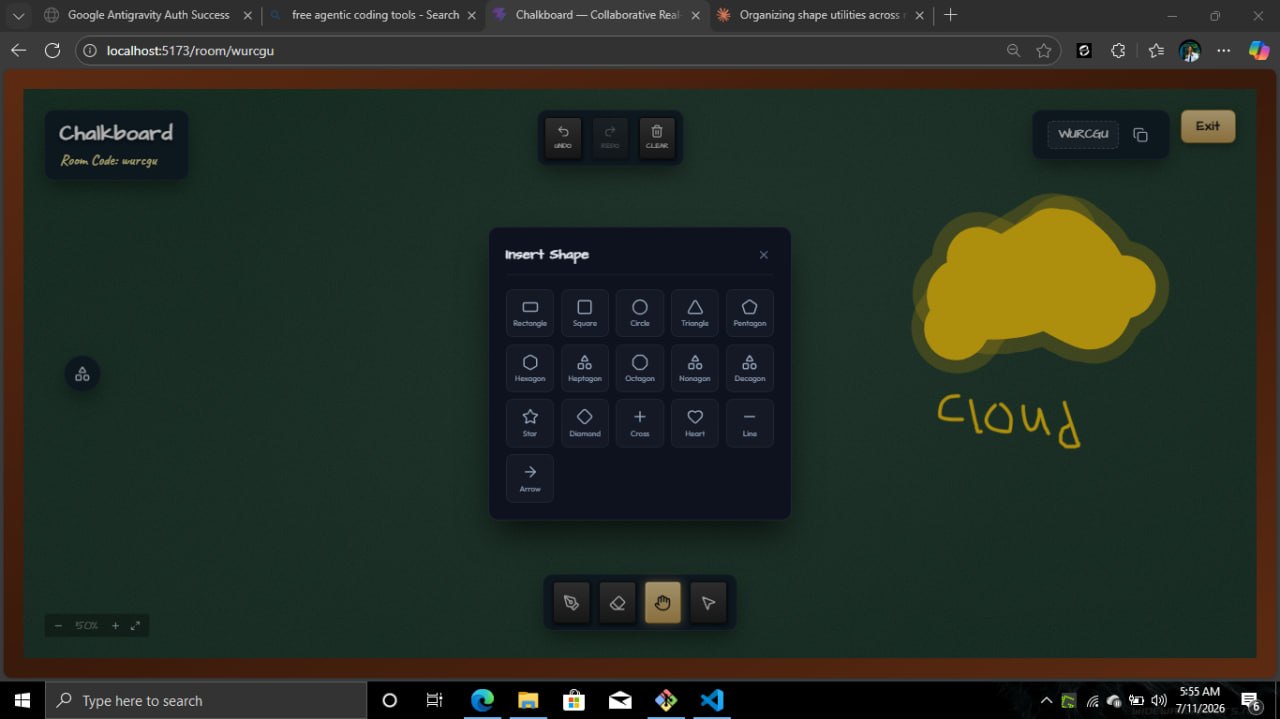
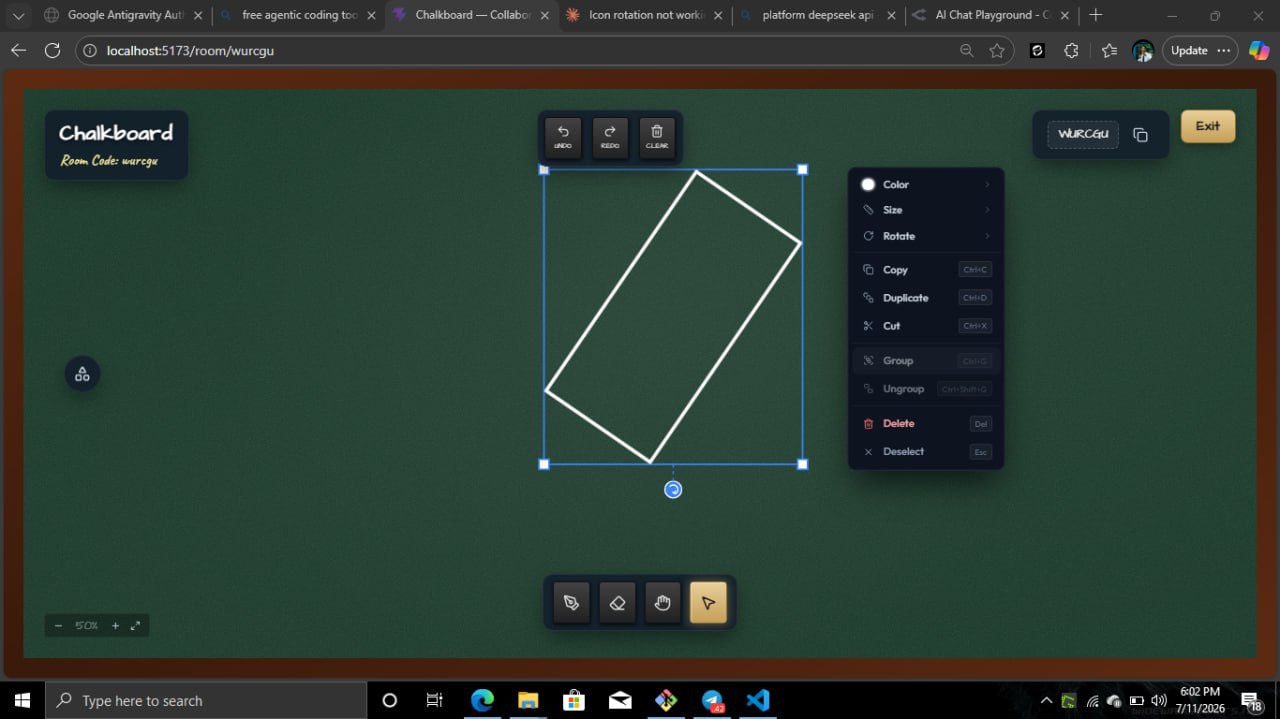
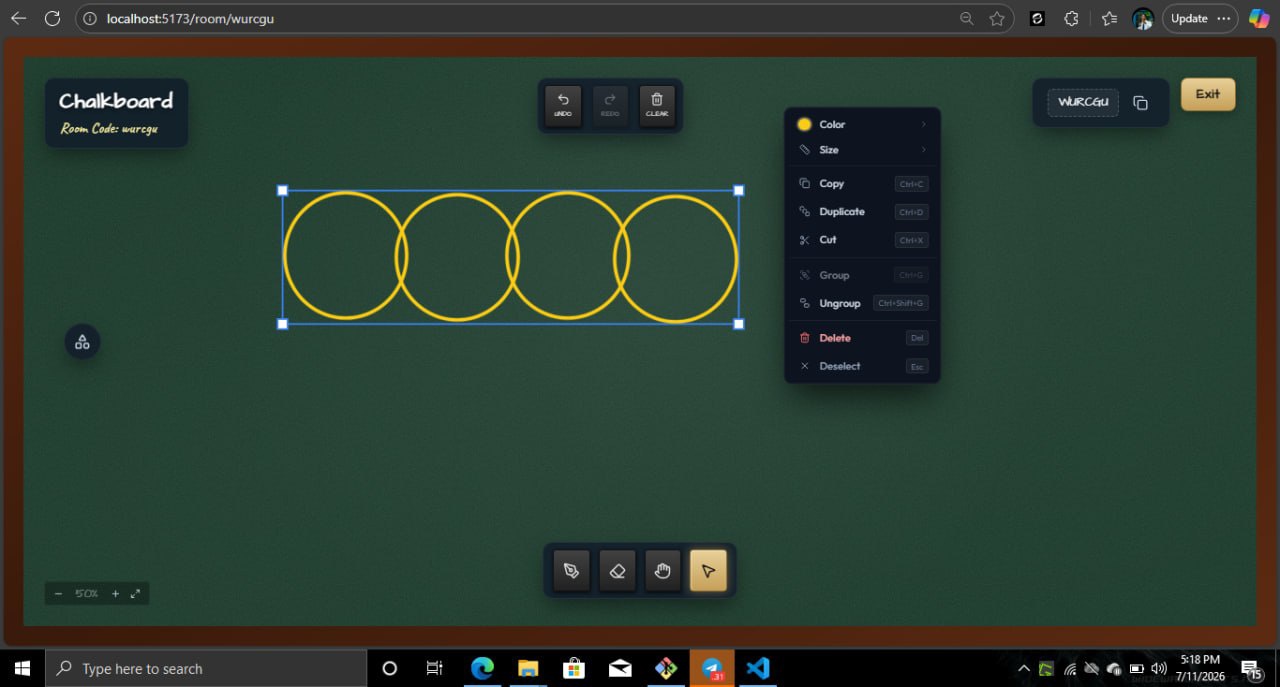
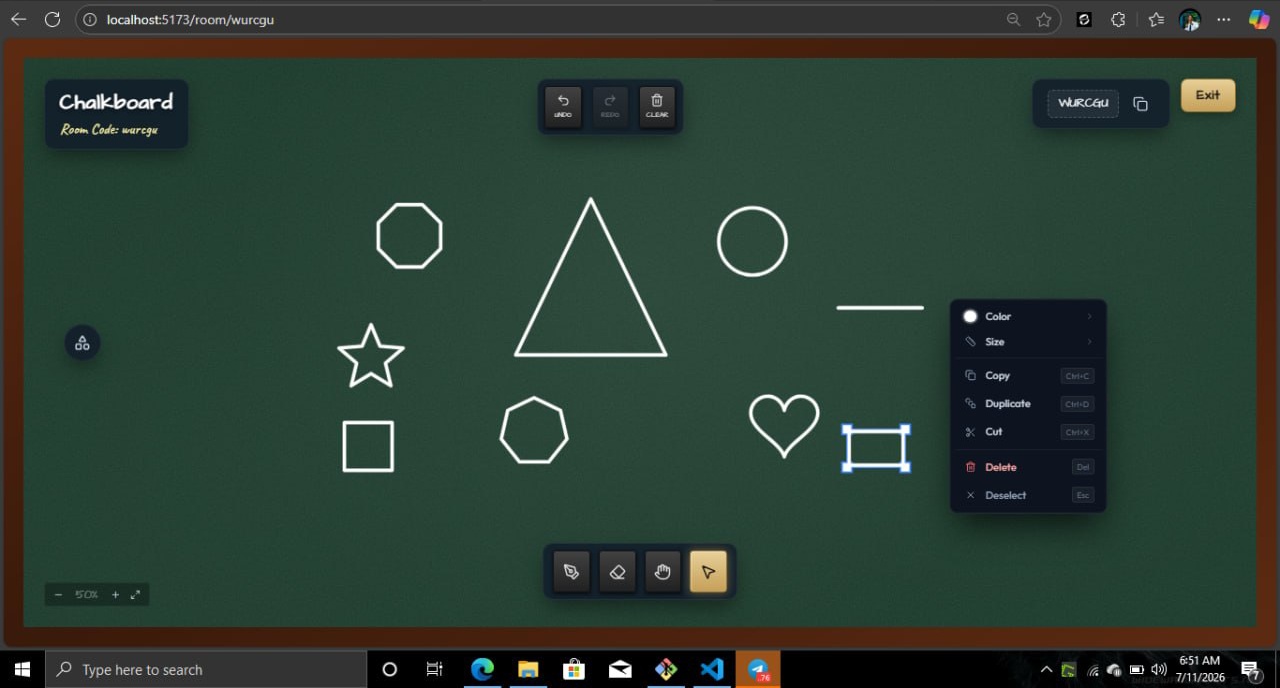
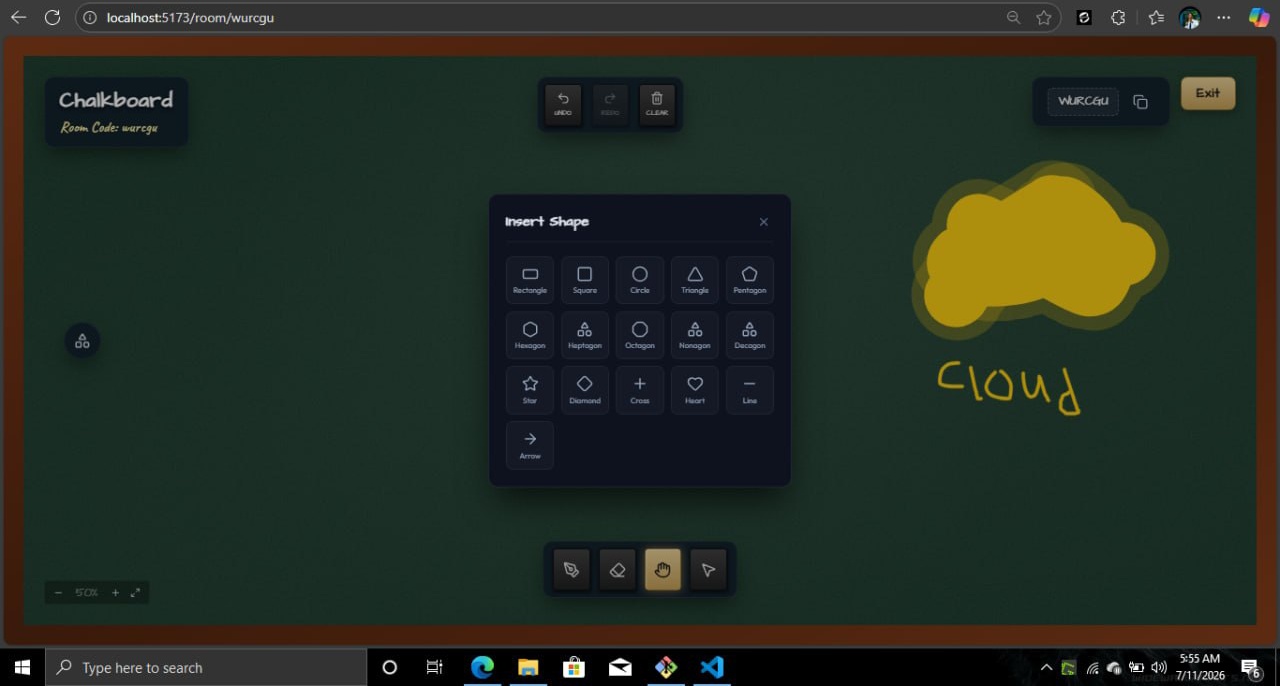
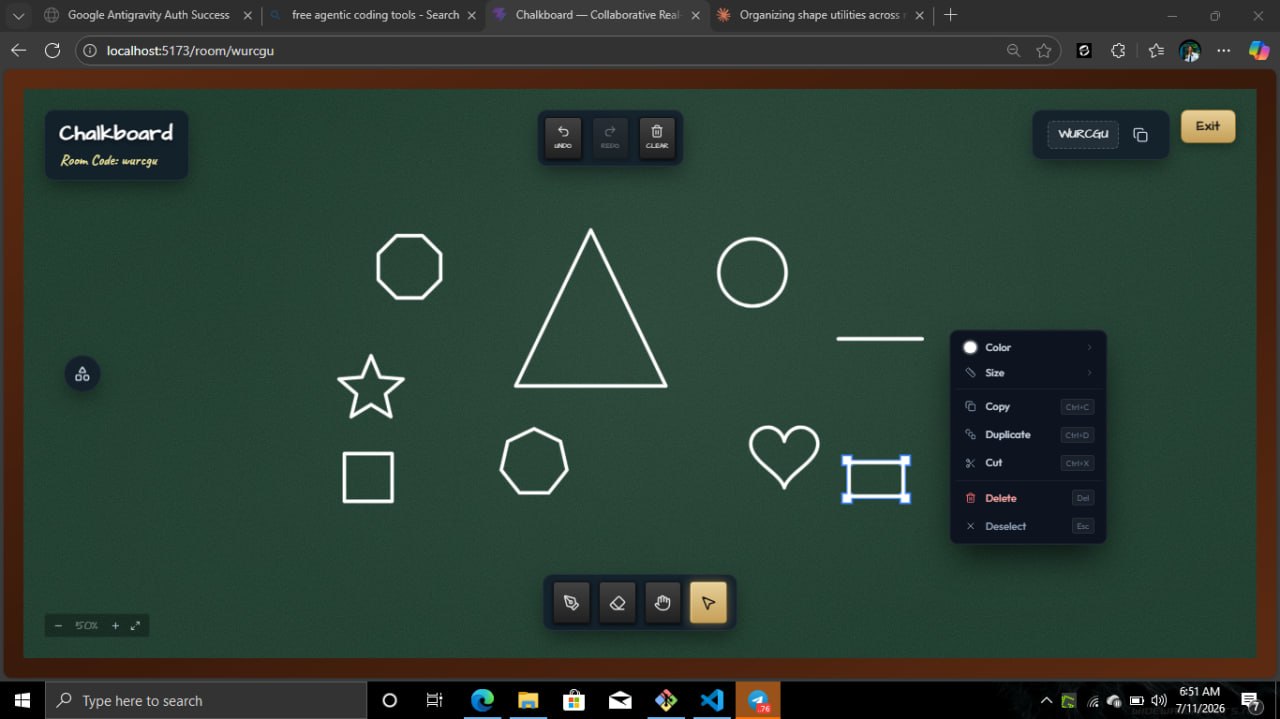
Users can draw freehand with chalk-style strokes, create shapes, move and transform objects, add links and notes, zoom and pan around the canvas, and use tools specifically designed for explaining and visualizing ideas.
But the canvas itself is only one part of the project.
I built the concept around the idea of a collaborative room. Each room has its own participants, permissions, presence state, canvas state, reactions, and history. Users can see other people's cursors and activity in real time, making the board feel like everyone is actually working on the same physical surface.
Rooms can also be configured for different types of collaboration, including classrooms, workshops, brainstorming sessions, meetings, planning sessions, and creative studios.
How I Built It
I built the frontend with React, TypeScript, Vite, HTML5 Canvas, and Zustand. Rather than relying on a canvas library to handle the entire experience, I implemented custom canvas interactions and rendering logic for strokes, shapes, selection, transformations, and the chalk-like visual effects.
For real-time communication, I used Socket.IO. Every room maintains a live connection between participants, allowing actions such as drawing, cursor movement, presence updates, reactions, raised hands, and canvas changes to be synchronized between users.
The backend is built with Node.js and Hono, with Socket.IO handling the real-time layer.
For persistent application data, I used PostgreSQL with Drizzle ORM. PostgreSQL stores things such as users, rooms, memberships, permissions, join requests, bans, plugins, and other durable application data.
For fast-changing collaborative state, I used Redis. Active canvas data, presence information, room state, Socket.IO coordination, and background-job data are kept there rather than constantly writing every real-time interaction to PostgreSQL.
I also added BullMQ for background jobs and cleanup tasks, and the Socket.IO Redis adapter allows the real-time system to scale across multiple backend instances.
Authentication is handled through Google Identity Services, with the backend verifying credentials and creating HTTP-only sessions.
I also integrated LiveKit so rooms can support voice communication, allowing the project to move beyond simply being a shared canvas toward being a complete collaboration space.
Real-Time Collaboration
One of the most important parts of Chalkboard is making collaboration feel immediate.
When one person draws something, other participants should not have to refresh the page or wait for a database update. The change needs to appear almost instantly.
This required designing the application around real-time events rather than traditional request-response interactions.
The system keeps track of:
- Canvas strokes and objects
- Cursor positions
- Participant presence
- Display names and participant colors
- Reactions
- Raised hands
- Room history
- Room membership and roles
I also had to think about what happens when users disconnect and reconnect. Instead of immediately considering a disconnected user completely gone, Chalkboard uses a short presence grace period to prevent the interface from constantly flickering when someone briefly loses their connection.
Permissions and Rooms
I wanted Chalkboard to work for more than casual drawing, so I built proper room access controls.
Rooms can be:
- Open to participants
- Approval-based
- Password-protected
Inside a room, users can have different roles such as owner, instructor, or viewer. Owners can manage members, update roles, remove participants, and control the room.
This makes the same application useful for very different scenarios — from a private brainstorming session to an online classroom where an instructor controls the board while students participate.
Plugin System
Another part of the project I found particularly interesting was building Chalkboard to be extensible.
Instead of making every future feature part of the core application, I created a plugin runtime that allows additional tools to be added to the board.
The project includes built-in tools for things such as notes, tags, statistics, and mathematical sets. The mathematical tools can generate things like Venn diagrams, number lines, coordinate grids, and set symbols directly on the canvas.
I also designed an external plugin system where plugins can declare their identity, version, permissions, commands, tools, selection tools, and JavaScript bundle.
Plugins can move through a lifecycle of drafting, review, approval, and publication.
This changed the way I thought about the project. Chalkboard wasn't just a whiteboard anymore — it became a platform that could potentially grow around different ways of thinking and teaching.
Challenges
One of the biggest challenges was real-time synchronization.
A collaborative canvas produces a lot of rapidly changing data. I had to think carefully about what should be persisted, what should live in memory, and what should be broadcast to other participants.
Another challenge was creating the canvas interactions themselves. Drawing is easy to demonstrate, but building a canvas that supports freehand strokes, shapes, selection, resizing, rotation, duplication, grouping, copying, pasting, undo/redo, zooming, and panning while still feeling natural is significantly more complex.
I also had to solve problems around connection reliability. Users can lose their connection, refresh their browser, or reconnect from another device. The application therefore needed to restore room state and handle reconnections without breaking the collaboration experience.
Scaling the real-time architecture was another important consideration. Since Redis is used for active room state and Socket.IO coordination, the architecture can support multiple backend instances instead of depending on a single server process.
Finally, I had to balance functionality with simplicity. It is easy to keep adding tools to a whiteboard until the interface becomes overwhelming. The challenge was deciding which features actually improve collaboration and how to keep them accessible without making the board feel like a complicated design application.
What I Learned
Building Chalkboard taught me much more than how to create a drawing application.
I learned how real-time applications are fundamentally different from traditional web applications. Instead of thinking only in terms of HTTP requests and responses, I had to think in terms of events, state synchronization, presence, connections, and eventual consistency.
I also gained a much better understanding of how different types of storage can work together. PostgreSQL is useful for durable relational data, while Redis is better suited for fast-changing collaborative state and real-time coordination.
The project also taught me a lot about designing APIs and validating data coming from both HTTP requests and WebSocket events. With multiple users interacting with the same room simultaneously, validating and controlling what clients are allowed to do becomes especially important.
Building the plugin system pushed me to think about software architecture beyond the immediate features of the application. I had to consider how other developers could extend Chalkboard without modifying the core codebase.
Most importantly, I learned that building a collaborative product is as much about the experience as it is about the technology. A technically impressive real-time system is not useful if collaboration feels confusing or unnatural.
What Makes Chalkboard Different
The goal was never to build another whiteboard with drawing tools.
The goal was to create a shared digital space for thinking.
Whether someone is teaching mathematics, brainstorming a startup idea, explaining a system architecture, running a workshop, or planning a project with a team, the board should become the place where the conversation and the visual thinking happen together.
That is why Chalkboard combines the familiar feeling of a physical classroom board with real-time collaboration, presence, permissions, voice, persistent rooms, and an extensible plugin system.
It started as an attempt to make online collaboration feel a little more like being in the same room.
It evolved into an experiment in building a complete collaborative workspace.
Built With
- hono
- html5-canvas-api
- node.js
- postgresql
- r2
- react
- redis
- sentry
- socket.io
- typescript
- userjot

Log in or sign up for Devpost to join the conversation.