-
-
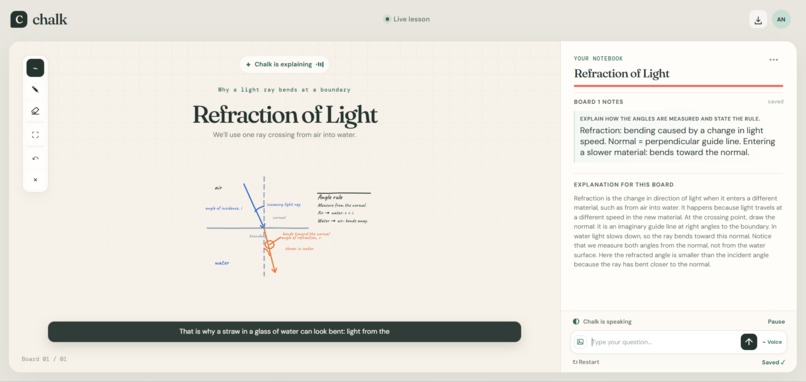
In app
-
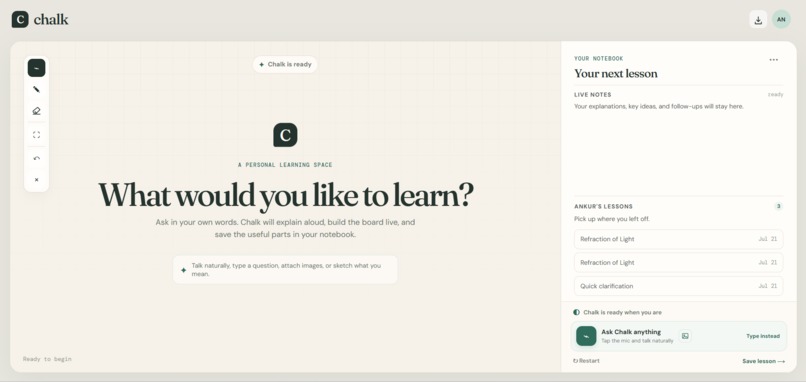
Homescreen
Chalk — Your personal teacher
Inspiration
Most AI tutors still feel like chat boxes. Real learning often requires a teacher who speaks, draws, adapts, and leaves useful notes behind.
I built Chalk to bring that classroom experience to AI—not just answering questions, but teaching them visually and interactively.
What it does
Learners can ask Chalk using voice, text, images, or sketches. Chalk then:
- Explains the topic aloud while building the whiteboard live.
- Draws diagrams, equations, labels, arrows, and notes.
- Understands references to selected or circled board content.
- Creates a synchronized notebook and lesson transcript.
- Saves lessons and remembers learning context.
- Reopens previous lessons or exports them as PDFs.
How I built it
I built the frontend with React, TypeScript, and Vite, using separate modules for the whiteboard, notebook, voice input, lesson playback, profiles, and persistence.
Voice conversations use the OpenAI Realtime API through WebRTC. A FastAPI backend securely coordinates structured lesson generation, transcription, and text-to-speech.
GPT 5.6 is the brain that plans everything.
Chalk streams narration and board operations progressively, allowing lessons to begin while later content is still being prepared. SQLite and SQLAlchemy persist profiles, lessons, transcripts, notebook entries, board history, and learning memory.
The frontend runs on Vercel, while the backend is deployed on AWS EC2 behind Caddy and HTTPS.
Challenges
The biggest challenge was synchronizing speech, drawing, captions, and notebook updates without making learners wait.
Early versions also produced overlapping board content. I developed a coordinate-based visual contract, layout constraints, and progressive stroke rendering so lessons feel intentionally taught rather than instantly pasted onto the screen.
I also needed to preserve context across voice, text, images, sketches, follow-up questions, and saved lessons while keeping the architecture modular.
What I learned
I learned that building an effective AI teacher involves much more than connecting a model to a chat interface. Streaming, pacing, multimodal interaction, visual structure, persistence, and interruption handling are equally important in order to make it real human style teaching.
I also learned how to combine OpenAI’s realtime voice, transcription, structured generation, text-to-speech, and multimodal capabilities into a production-style educational experience.
What's next
Next, I want to add collaborative classrooms, interactive simulations, multilingual teaching, progress tracking, teacher-created templates, and deeper personalization based on each learner’s history and preferred learning style.
Built With
- amazon-web-services
- api
- caddy
- fastapi
- gpt
- openai
- python
- react
- rest
- sqlite
- typescript
- vercel
- vite
- webrtc

Log in or sign up for Devpost to join the conversation.