
Inspiration
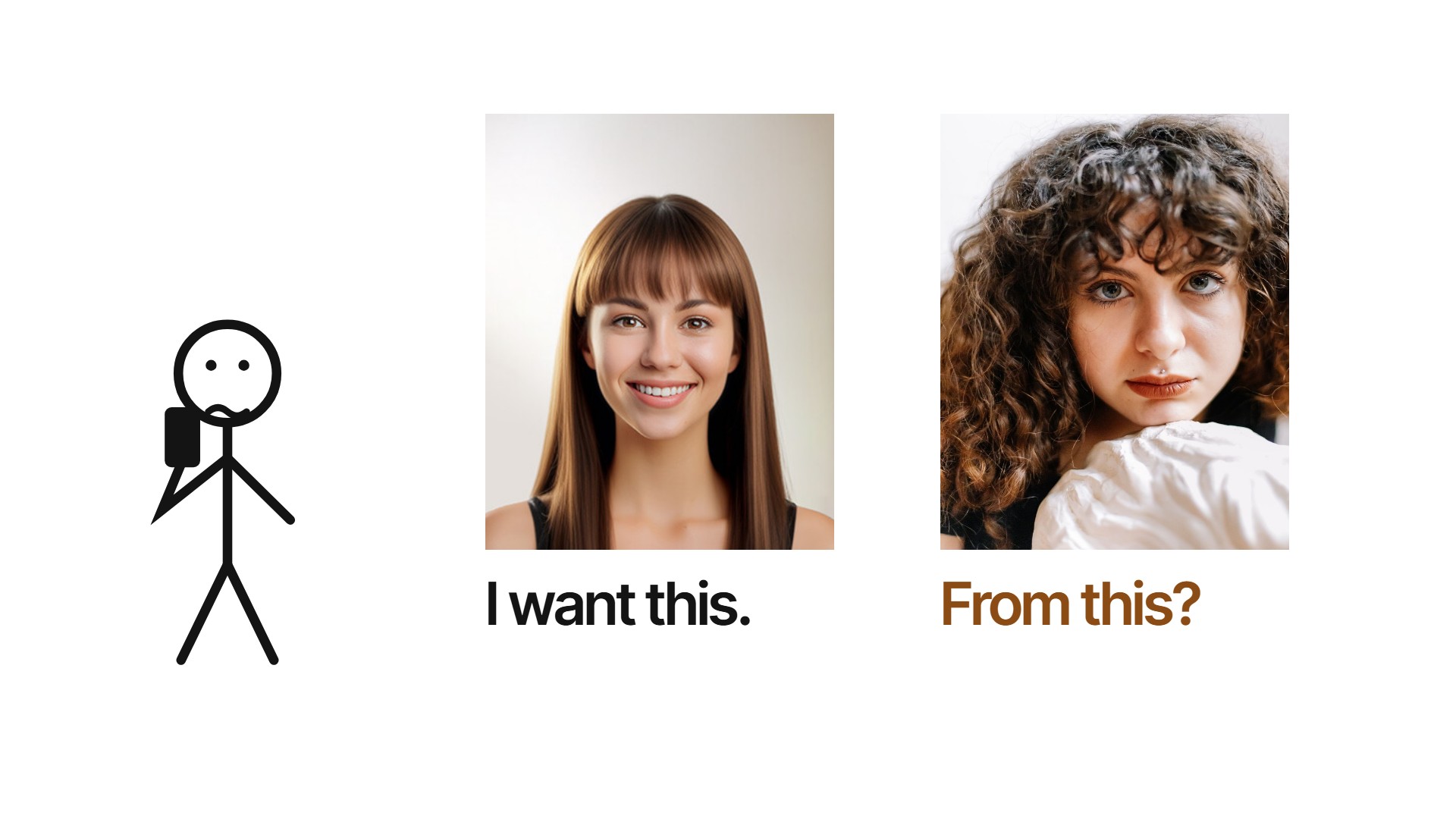
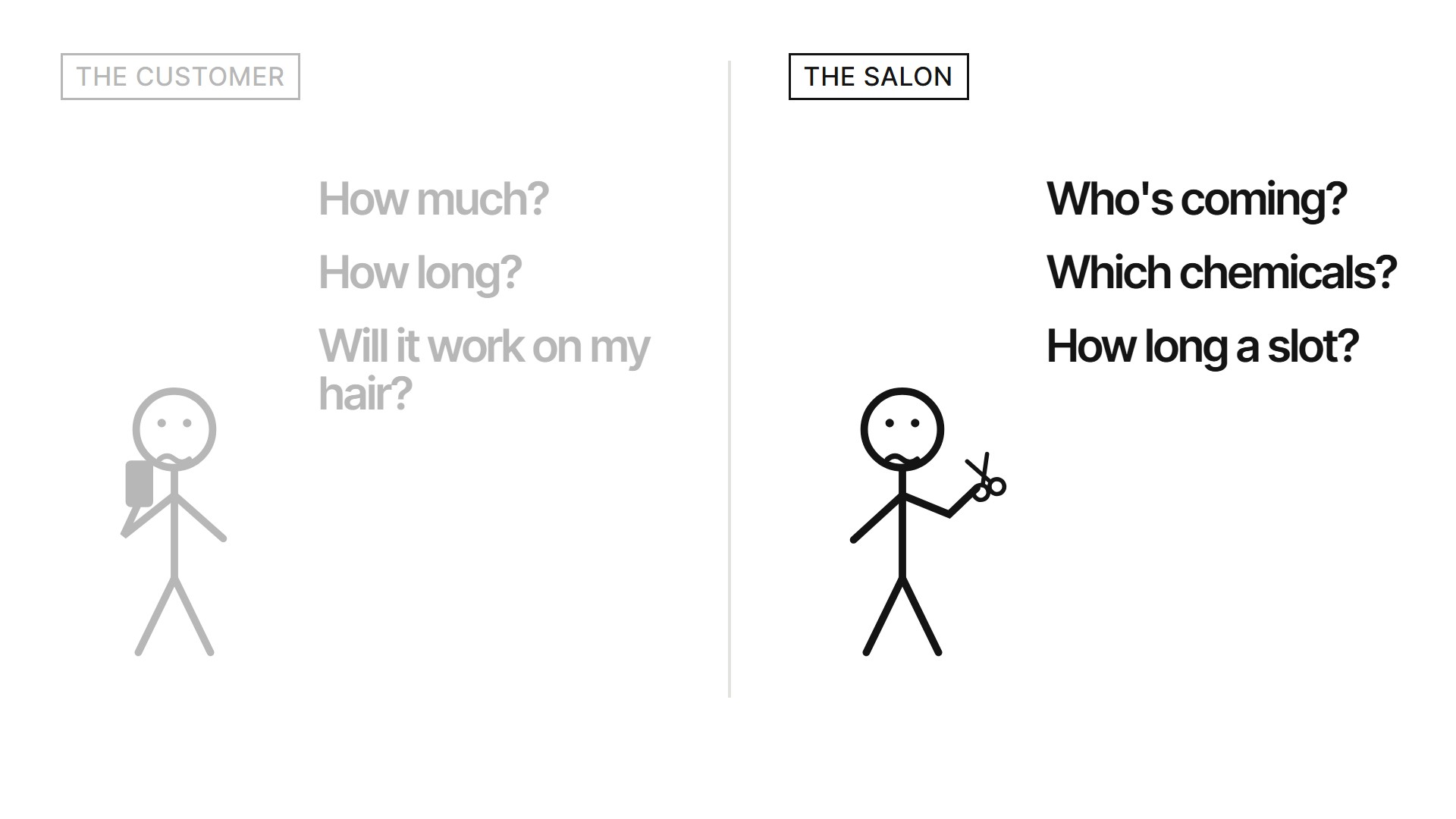
Every salon visit starts the same way: you show the stylist a photo of someone else. It's another face, with other hair, so nobody really knows if it'll work on you, how many services it takes, or what it'll cost, until you're already in the chair.
The salon is guessing too. They find out your hair type, how frizzy it is and how much length you have when you sit down. By then the slot is booked for the wrong length of time, the products may not be in, and the stylist on shift might not be the one who's best at the look.
When I looked through last round's 237 YouCam entries, 134 were clothes try-on and 110 were skin. Only 7 touched hair, and none used YouCam's hair analysis (type, frizz, length, density) to work out what it would actually take to get to a look. That's the gap Chairside fills.
What it does
Chairside is a widget a salon adds to its booking page with one line of HTML. It works for both sides.
For the person in the chair
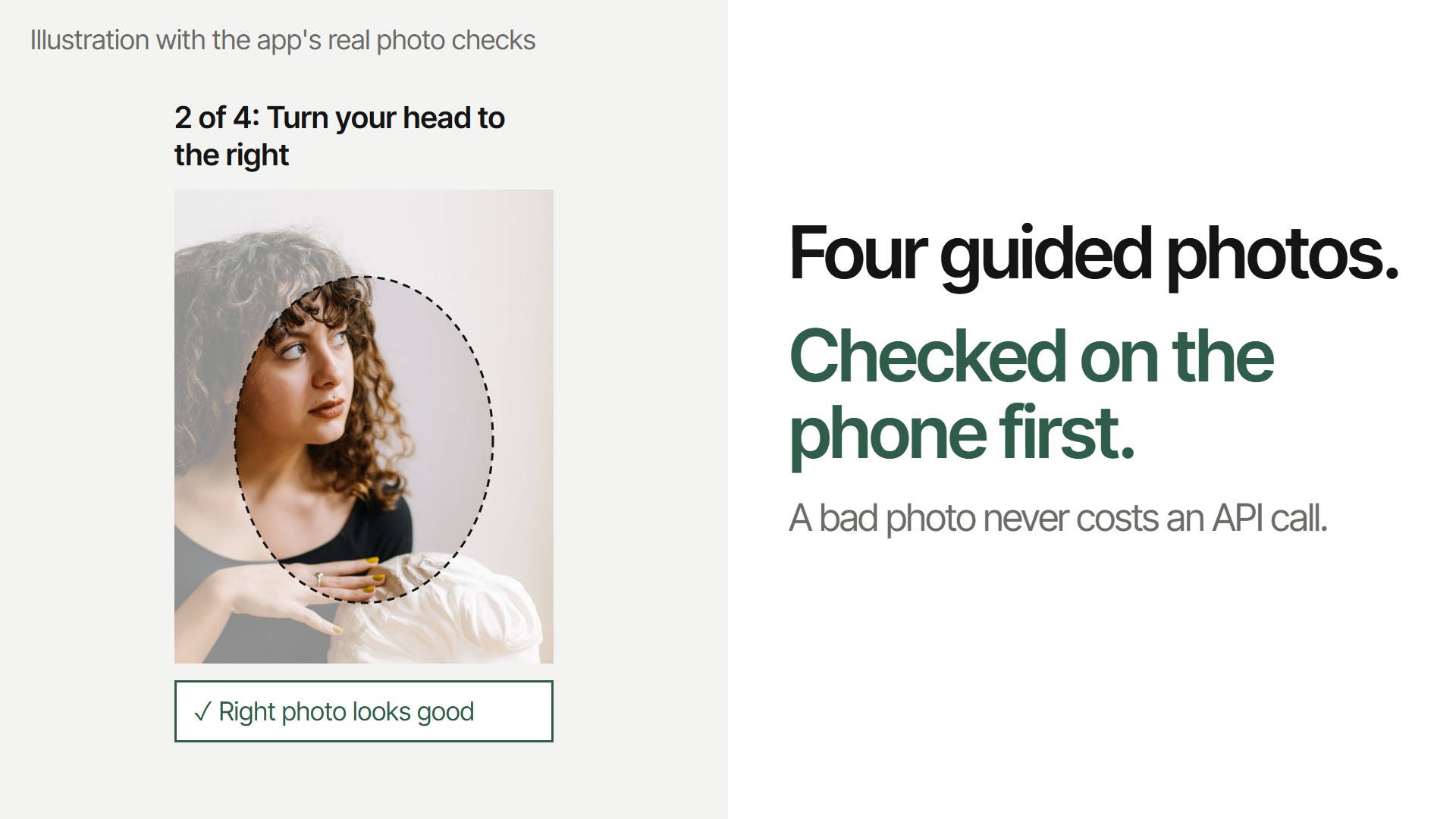
- Four guided photos on the phone: front, right, left and chin down. MediaPipe checks the angle and face size on the device first, and names the photo to retake, so a bad photo never costs an API call.
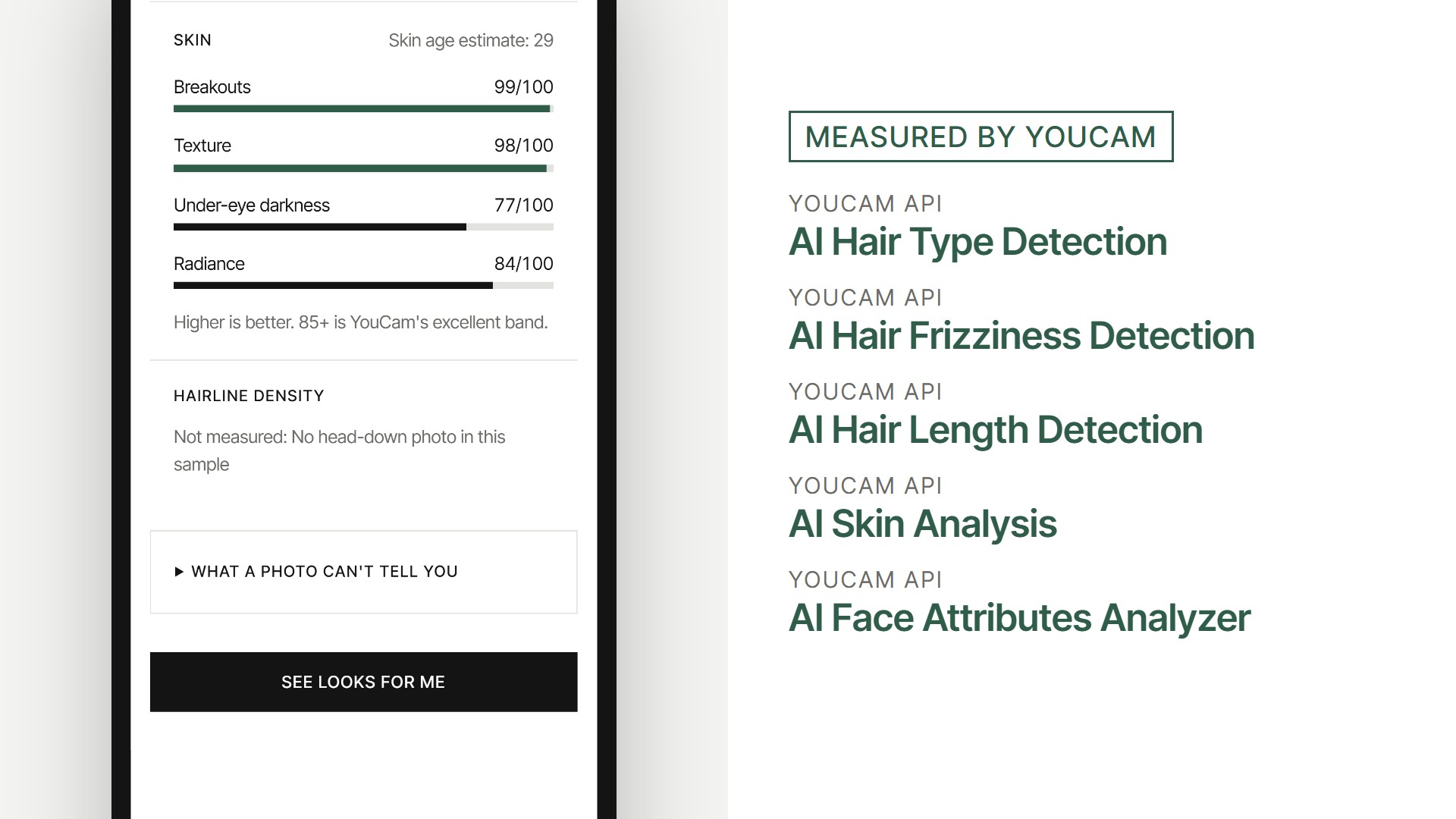
- Readings, each labelled "Measured by YouCam": curl pattern (1 to 4C) and frizz from three angles, length, density, skin (acne, texture, dark circles, radiance) and face shape.
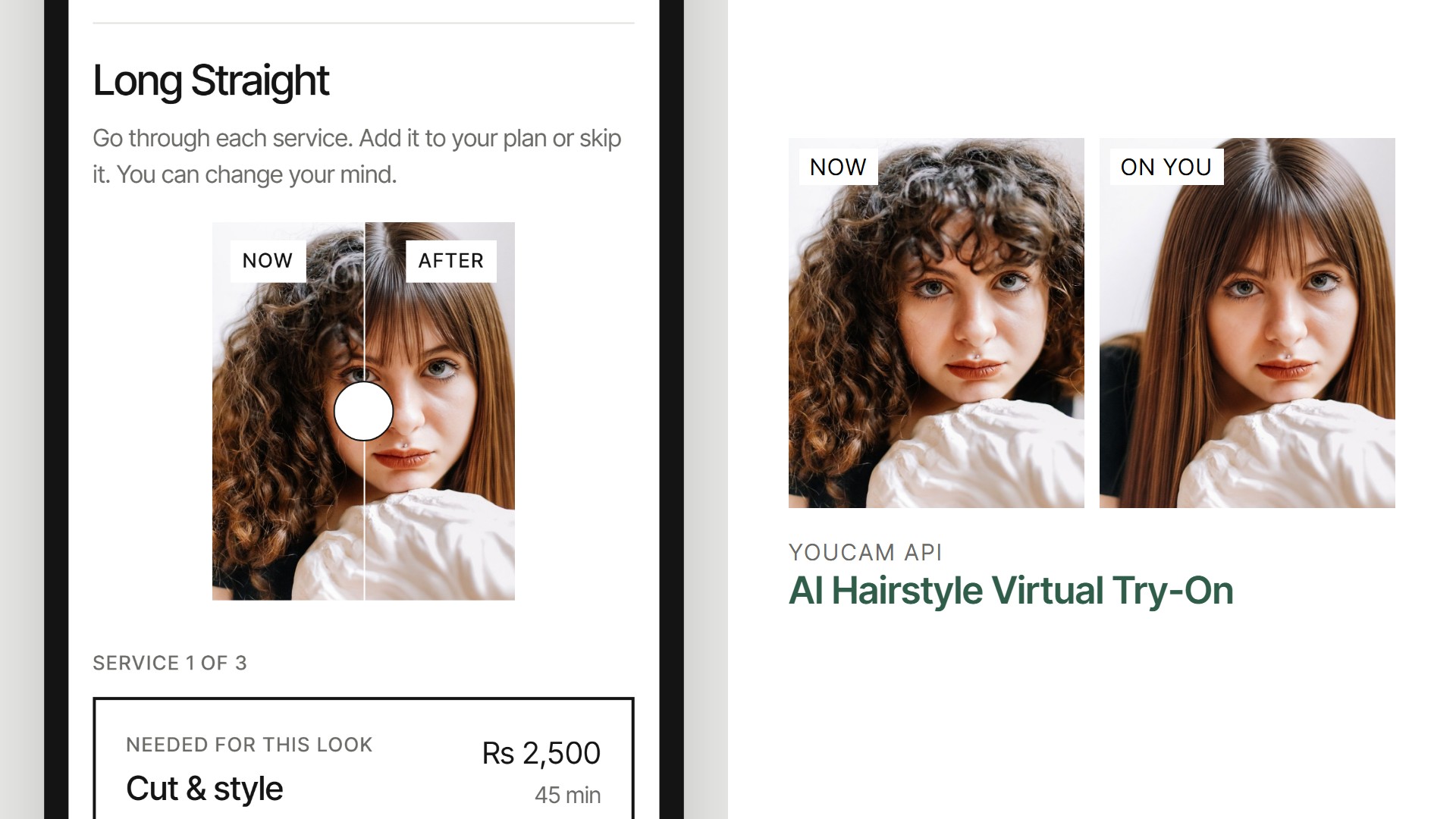
- Pick one of 40 looks. "Picked for you" puts the looks that suit your face shape first. The look is tried on your own face.
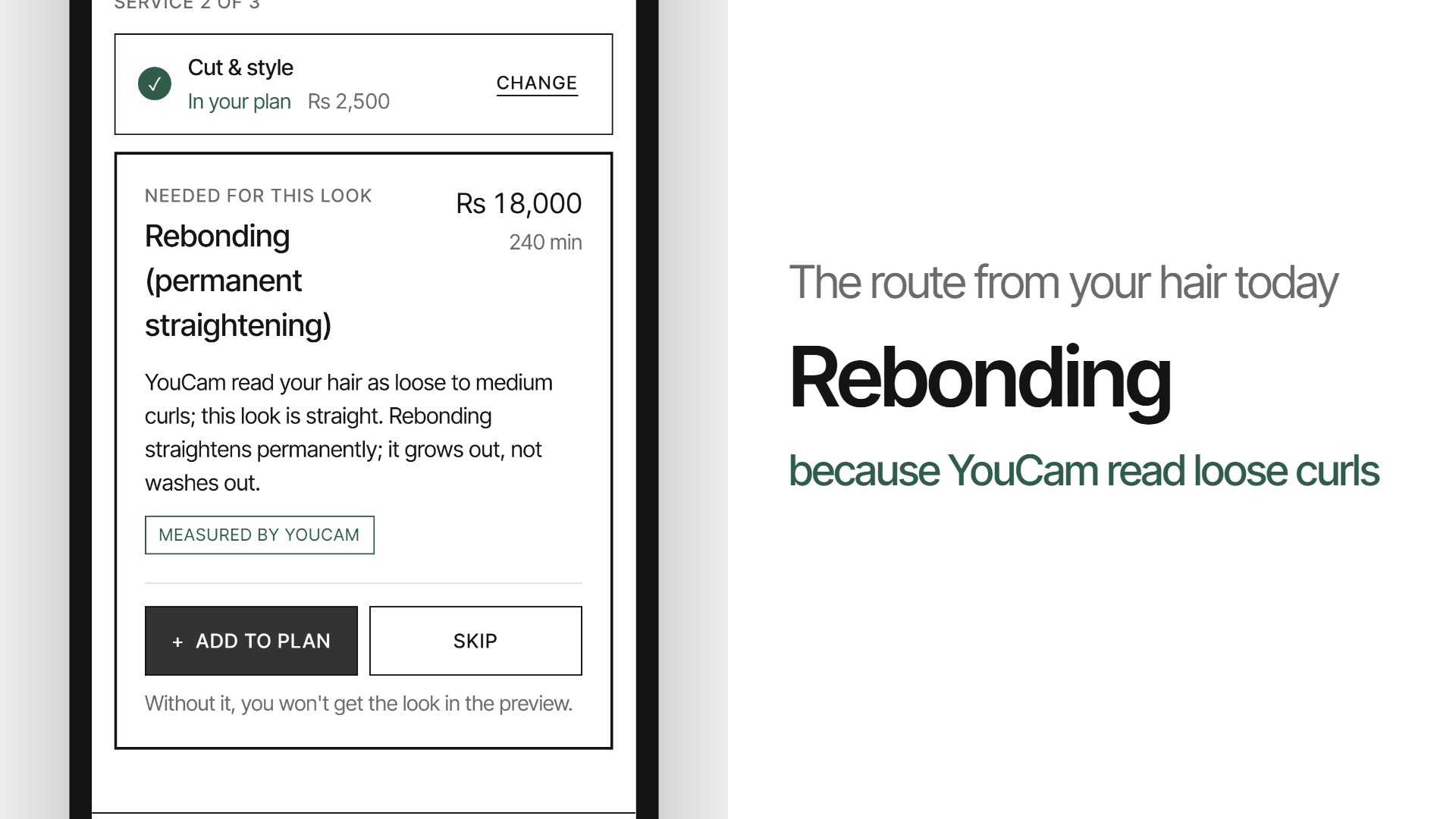
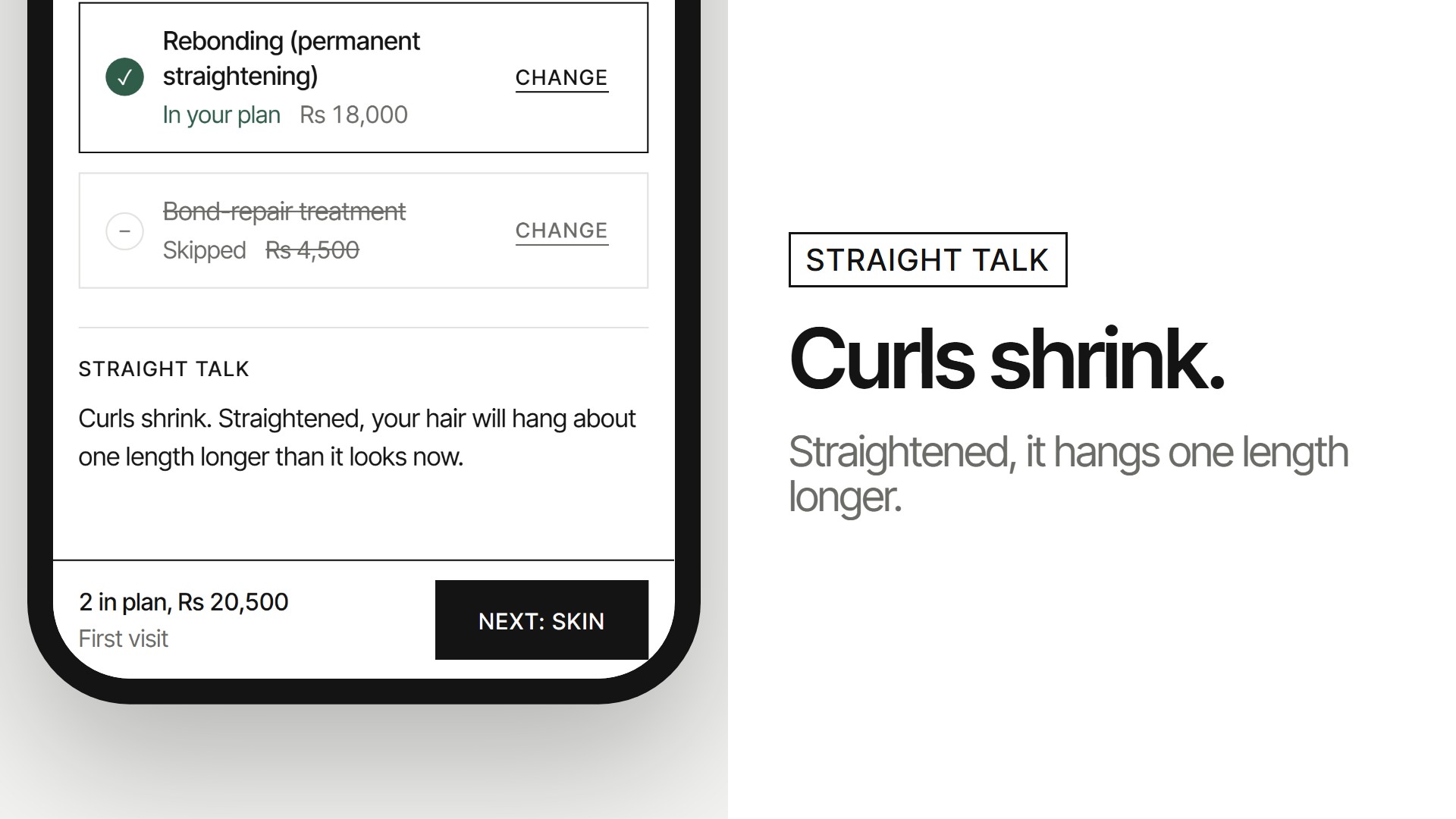
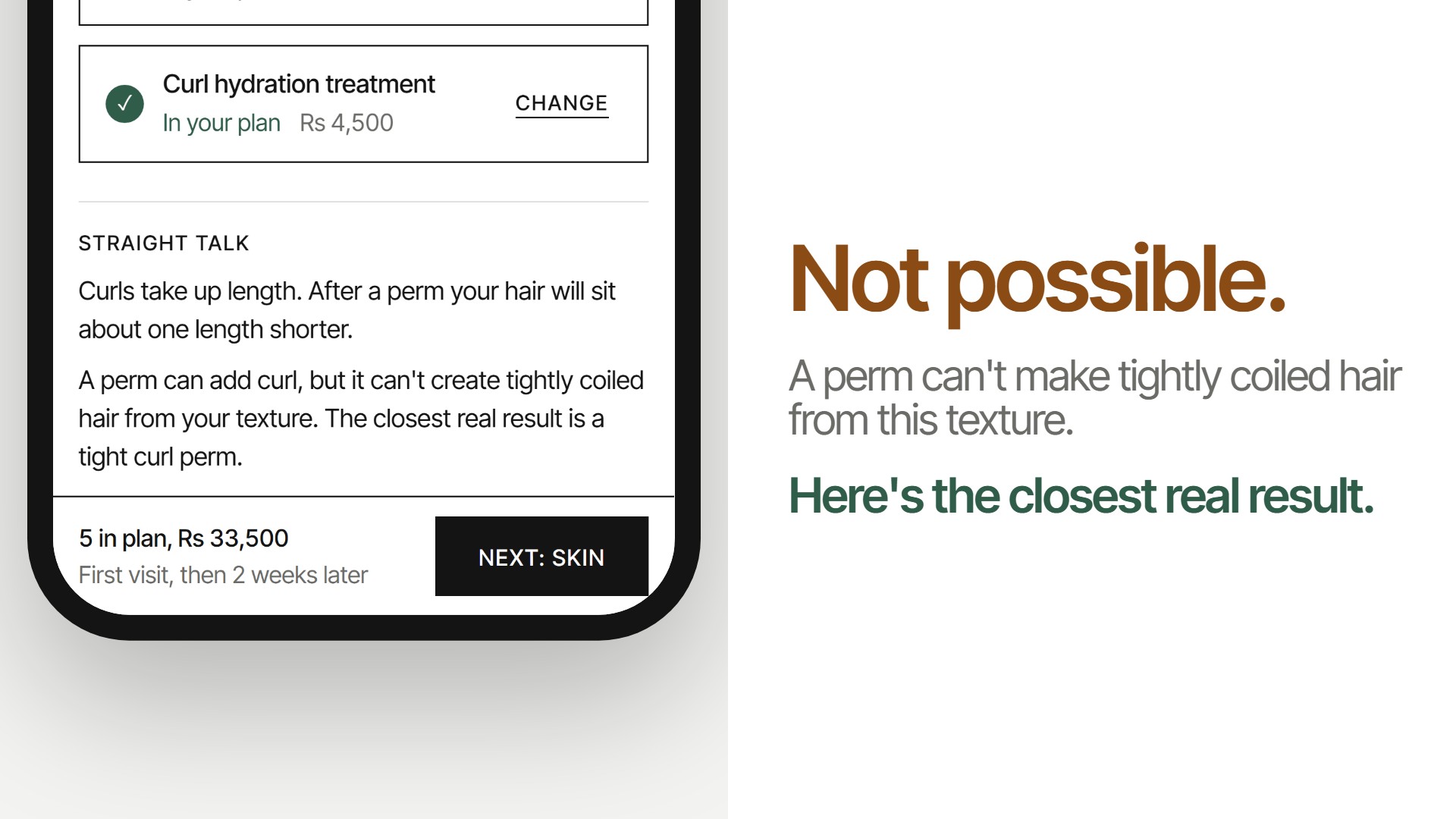
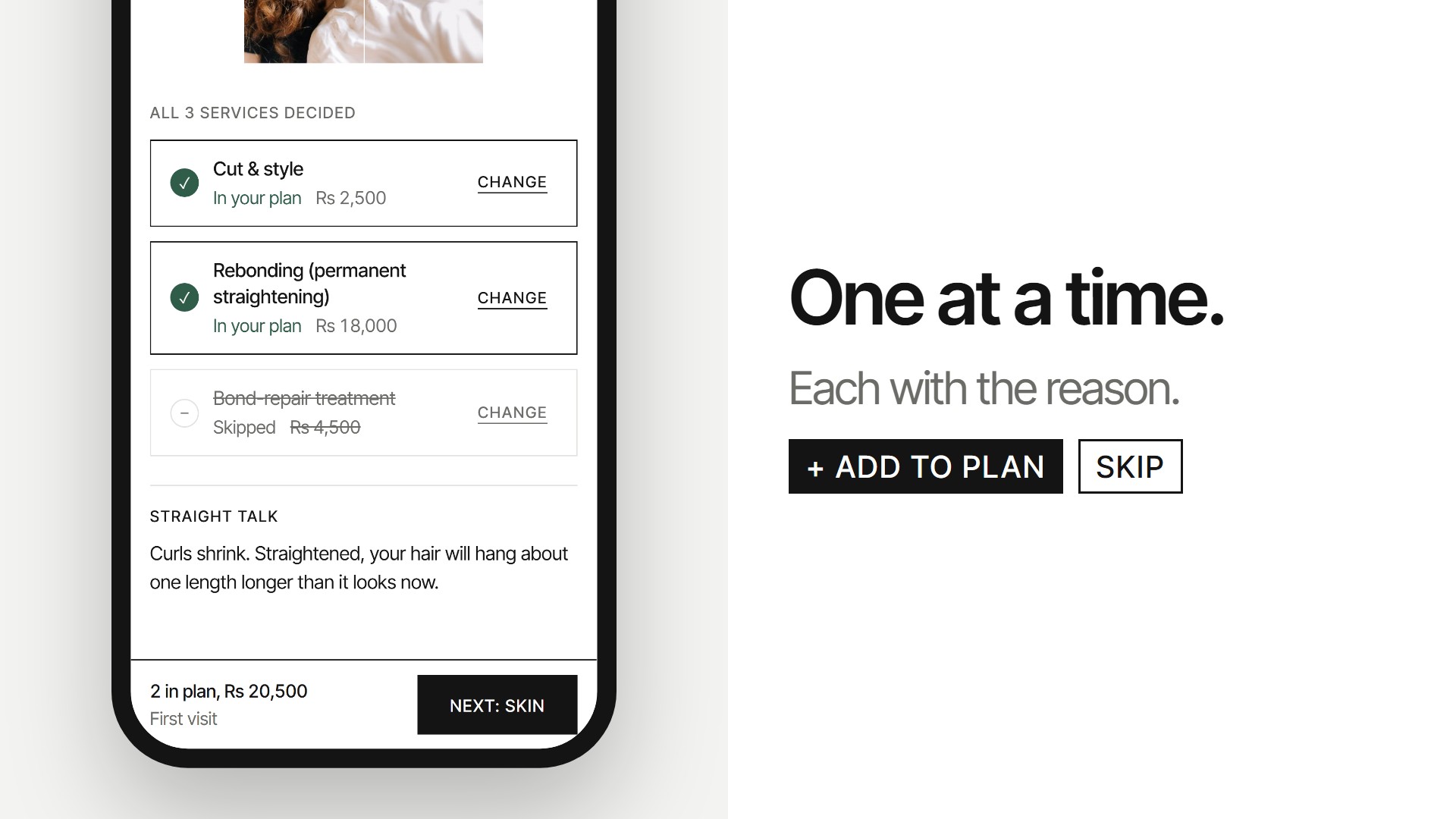
- The route. Chairside works out every service it takes to get from your hair today to that look: a cut, rebonding, a perm, keratin, colour, extensions, or months of growth. It knows that curls shrink: straightened, curly hair hangs about one length longer. When a look isn't possible, it says "not possible" instead of selling it.
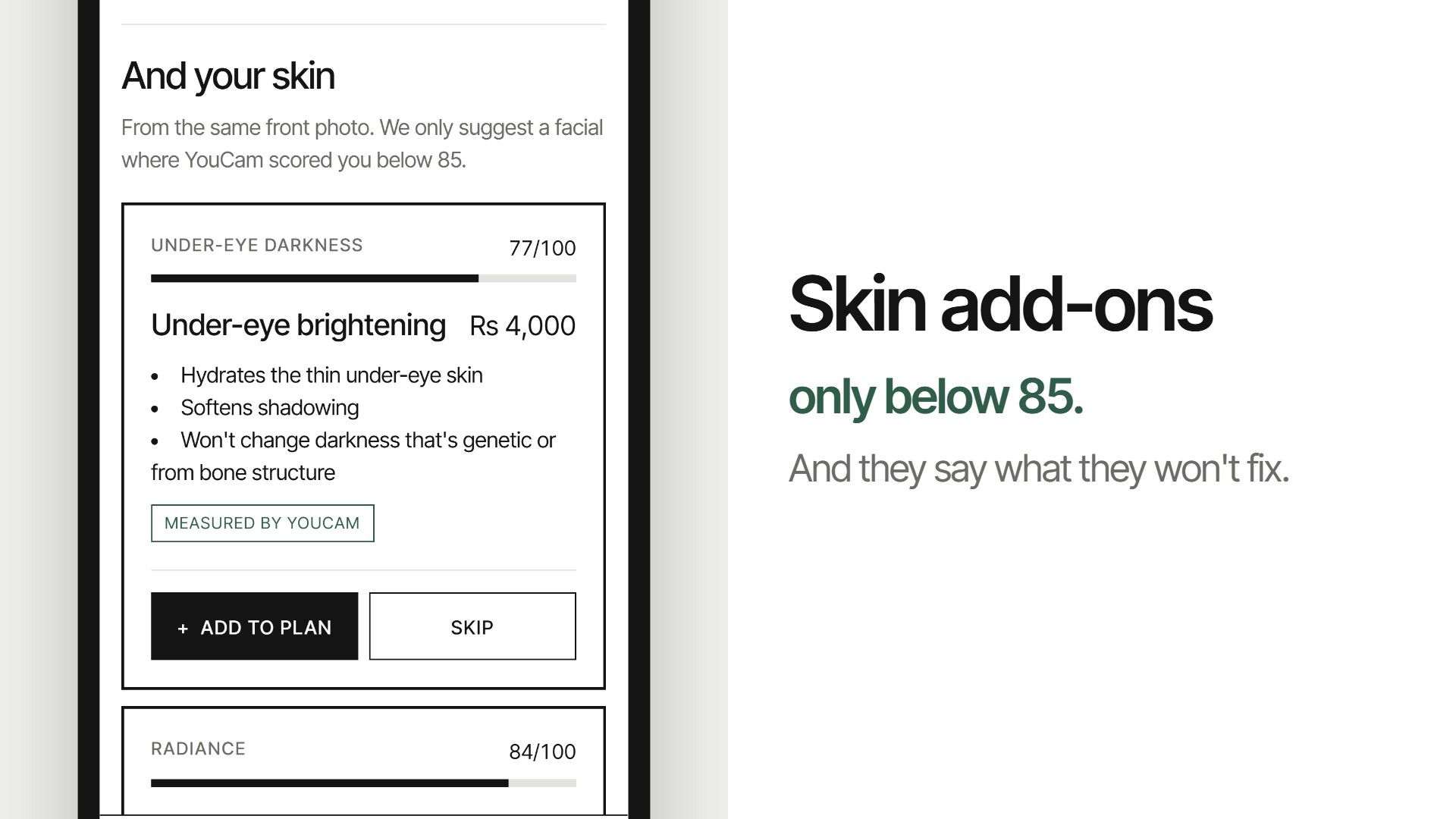
- Recommendations, one at a time, each with the reason (e.g. "YouCam read your hair as loose to medium curls; this look is straight", so rebonding) and an Add or Skip button. Treatments you can't see in a photo (anti-frizz, bond repair) show their benefits instead of a fake picture. Skin add-ons only appear when a score is below 85.
- After everything: the new look plus treated skin, via YouCam Skin Simulation.
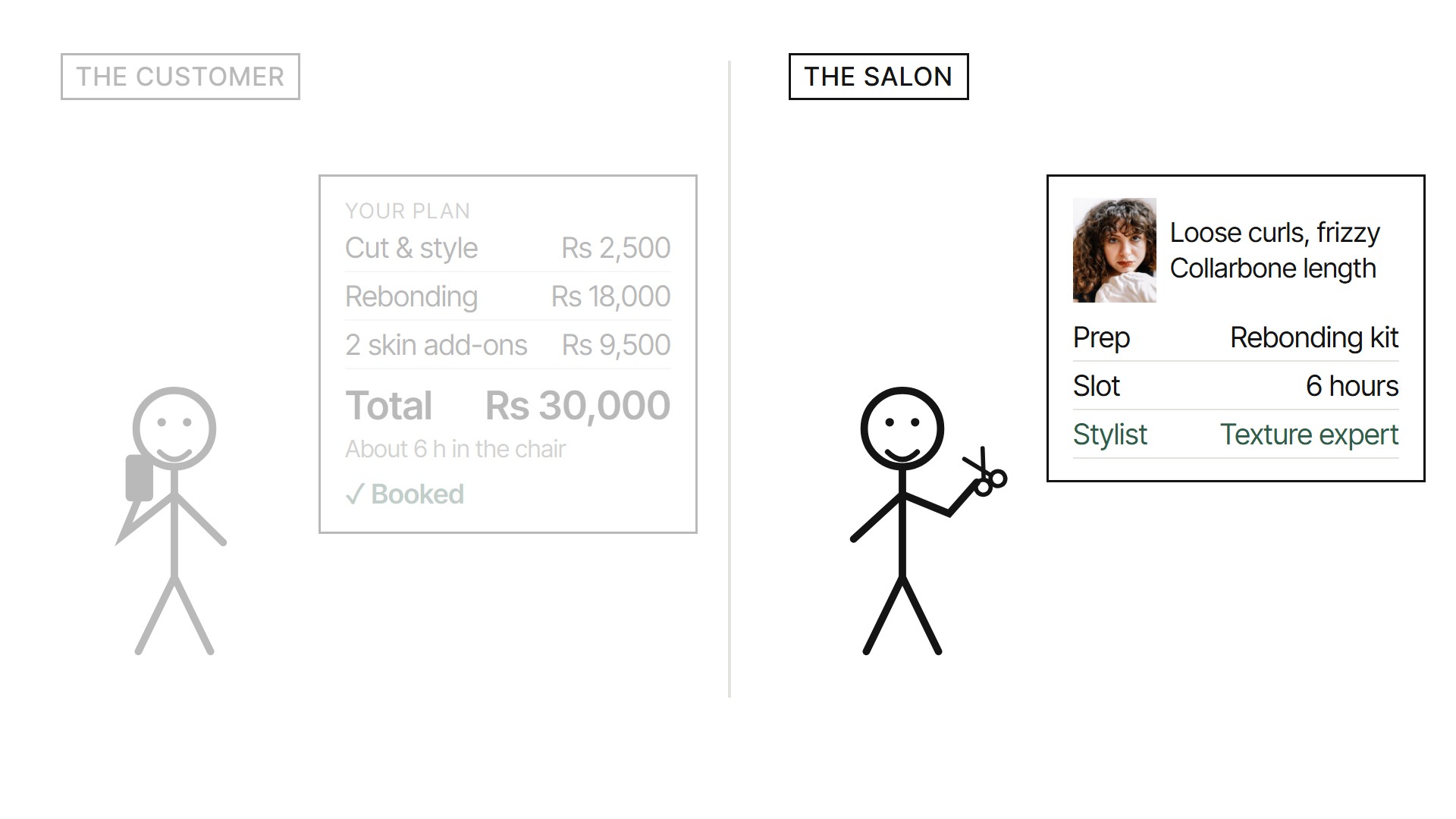
- The cart: every service, the total price and the hours, then a booking. For the sample customer going curly to long straight: cut, rebonding and two skin add-ons, Rs 30,000, about 6 hours.
For the salon
- They know who's walking in: photos, hair readings and the agreed plan come with the booking. (In this prototype the booking screen shows what the stylist gets; the salon-side dashboard is next.)
- They can prepare: the right chemicals and colour ready, and a slot booked for how long the work really takes (rebonding is 4 hours, not 45 minutes).
- The right stylist on the day: a curl specialist for a perm, a colourist for balayage.
- Bigger tickets, earned: every add-on has a reason and a skip button, so customers trust the bill.
- Fewer redos: expectations are set before the cut, with a preview the customer already agreed to.
Try it
Open the live demo (link below) on a phone. Start with my photos runs a real YouCam reading on your own face (2 per visitor per day). Try a sample customer walks the whole flow on saved real YouCam results and costs nothing. The salon embed is at /salon.
The YouCam APIs, and what each one decides
| API | What it decides in Chairside |
|---|---|
| AI Hair Type Detection (3 angles) | Curl pattern: perm vs rebonding vs keratin |
| AI Hair Frizziness Detection (3 angles) | Anti-frizz gloss or curl hydration |
| AI Hair Length Detection | Cut, extensions, or months of growth |
| AI Hair Density Detection | A soft hairline note and a dermatologist referral |
| AI Skin Analysis | Which facial, if any (only scores below 85) |
| AI Face Attributes Analyzer | "Picked for you" looks by face shape |
| AI Hairstyle Virtual Try-On v2.1 | The look on the customer's own face |
| AI Skin Simulation | The "after everything" picture |
A full live analysis costs 26 units. Every API call runs server-side, and the key never reaches the browser.
What's measured, and what's a rule (honest limits)
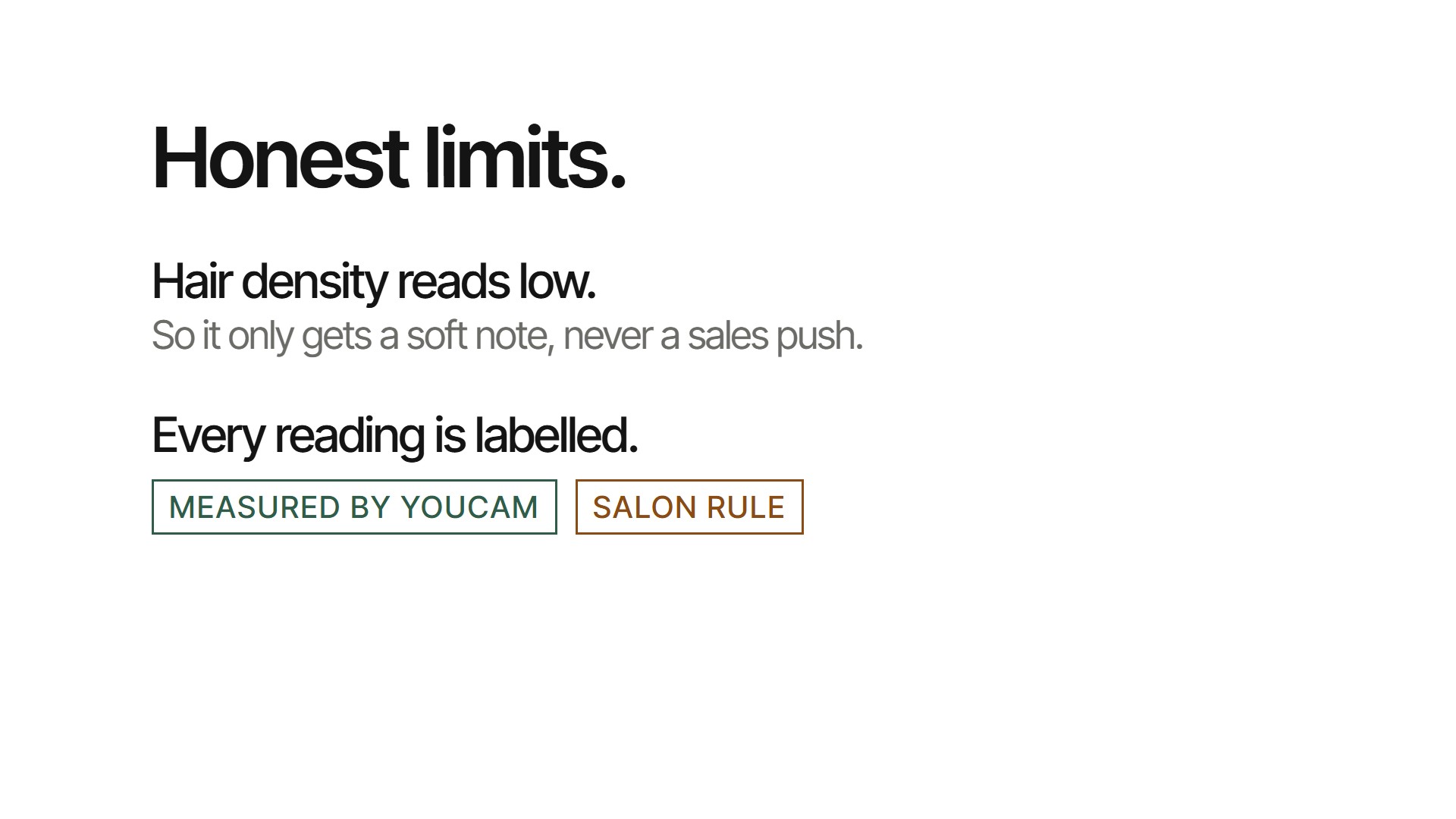
- Every reading in the UI is labelled either Measured by YouCam or Salon rule. The rules (hair grows about 1.25 cm a month, curl shrinkage, which service fixes which texture) live in one file,
src/lib/route.ts, and are tested. - Hair density is unreliable. In my tests it read thick, short hair as "Low 1.17" and an afro as only "Medium 1.97". So Chairside never sells a treatment off density. It shows a soft note and suggests a dermatologist.
- The photo rules are strict. Hair type and frizz need the face at 50 to 80% of the frame width, sides at about 45°, in the order front, right, left, and all the same size. Stock photos mostly failed until I cropped them. That's why the camera step checks every photo on the device before upload.
- Prices are a demo menu (PKR). A real salon swaps in its own menu file.
- The demo is capped so a public link can't drain the account: 2 live readings per visitor per day, 6 per hour across all visitors, 6 try-ons and 2 skin previews per session, and a hard credit floor. A sample customer runs on saved real YouCam results at 0 units.
How I built it
- Next.js 15 + React 19 + TypeScript + Tailwind 4 on Vercel. Four API routes:
analyze,tryon,afterandstatus. youcam.ts: the upload, task, poll flow for every feature, with results cached so the same photo is never paid for twice.route.ts: the planner. It maps YouCam's outputs (e.g. "3A to 3B", "above chest") to textures and length levels, then builds steps for length, texture, colour, care and skin.pose.ts: MediaPipe face landmarks in the browser for angle and face-size checks, plus an auto-swap when the left and right photos come in the wrong order.limit.ts: per-IP plus signed-cookie limits, signed session tokens (try-ons need a real analysis first) and the credit floor.embed.js: the one-line embed for a salon site, with a demo salon page at/salon.- Tests: 13 Vitest tests on the planner and the look suggestions.
Challenges I ran into
- Getting hair type to read at all. Most portraits fail the framing rules. Errors cost 0 units, which let me find the working setup (crop, angle, order) by trial before writing the camera step around it.
- Density skewing low. I'd planned a thinning-hair recommendation, then dropped it after the tests above. A wrong push here would be harmful, not just wrong.
- A public demo on 1,000 free units. Building and testing took about 190 units, so I had to make sure strangers couldn't spend the rest: hence the limits, session tokens and credit floor.
- Curl shrinkage. A naive planner says "cut" when a curly customer wants long straight hair. Straightened, their hair is about one length longer, so the right answer is often rebonding with no cut at all.
Accomplishments I'm proud of
- Eight YouCam APIs that each decide something, not eight pictures on a page.
- A planner that can say no: "not possible yet, grow for about N months".
- Skin readings that only turn into an offer when they're actually below the "excellent" band, and that say what they won't fix ("won't change darkness that's genetic or from bone structure").
- I ran it end to end on my own photos as well as the sample customer.
What I learned
YouCam's hair analysis is good when the photos are right (curl pattern, frizz and length all matched what I could see), and the try-on is excellent. The hard part wasn't calling the APIs. It was deciding what each result should and shouldn't be allowed to sell.
What's next
- A salon dashboard: today's bookings, each with photos, readings and plan.
- Re-checks after a treatment, so the customer sees frizz and skin scores change.
- Putting it in front of a real salon.
Built With
- ai-hairstyle-try-on
- ai-skin-analysis
- ai-skin-simulation
- edge-tts
- mediapipe
- next.js
- node.js
- perfect-corp
- playwright
- react
- remotion
- tailwindcss
- typescript
- vercel
- vitest
- youcam-api

Log in or sign up for Devpost to join the conversation.