CHAI — ClickHouse Agent Interface
Built for the AI Agent Hackathon — Coffee & Code Philadelphia, September 20, 2026.
CHAI is a local platform for building domain-scoped, ClickHouse-grounded AI agents — each one answers natural-language questions using only the tables you give it, with joins resolved from real dbt lineage instead of guessed from column names.
Running it locally
You'll need: Python 3.11+, a ClickHouse Cloud (or self-hosted) instance you can write to, and an OpenRouter API key (for Claude Sonnet 5).
git clone <this repo> && cd phily-hackathon-clickhouse-ai-agents

python3 -m venv .venv
source .venv/bin/activate
pip install -r requirements.txt

cp .env.example .env   # fill in CLICKHOUSE_* and OPENROUTER_API_KEY

# build the brokerage schema + seed data into your ClickHouse instance (one-time)
cd dbt && dbt seed --profiles-dir . && dbt run --profiles-dir . && cd ..

python3 main.py
Then open http://127.0.0.1:8000. LANGSMITH_* vars in .env are optional — tracing just won't
run without them.
Why another text-to-SQL layer? ClickHouse already has one.
Mature data platforms don't hand analysts one generic assistant over the whole warehouse — they build domain-specific agents grounded in a curated set of tables. That's what CHAI does, for two reasons:
- Medallion fallback. A domain agent should answer from the mart layer first, and only fall back to staging or raw if it has to. That ordering is what keeps answers trustworthy — a raw or staging table can look like a great match on column names alone and still be the wrong source for what the domain actually means.
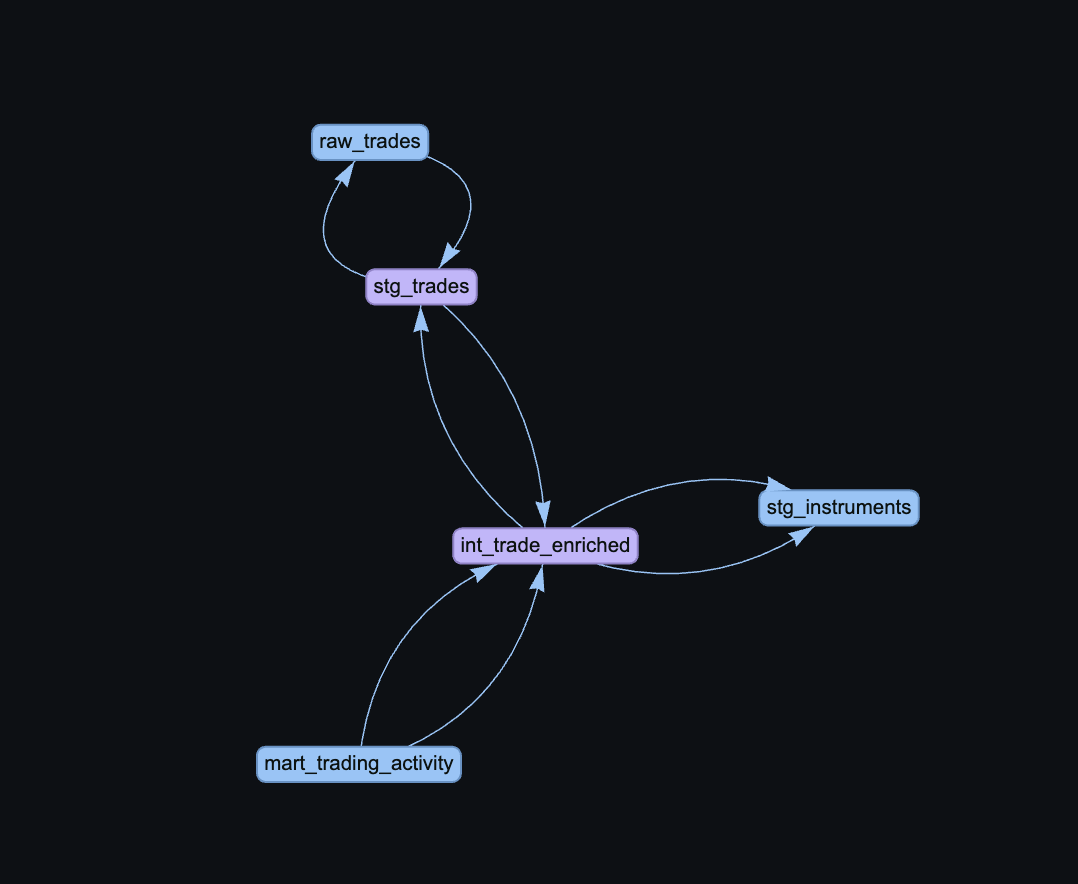
- Lineage-grounded joins. Once a question needs more than one table, the agent has to know how to join them and on what keys — not guess. ClickHouse has almost no native metadata for this (no FK constraints, minimal built-in lineage). dbt does: it's how every mart in this project was actually built, and its manifest is the one source of truth this agent uses to resolve real join paths, reporting an honest "I can't connect these" instead of guessing when it can't.
What's it built on?
A single LangChain DeepAgent per domain agent (Claude Sonnet 5 via OpenRouter), with six tools: search the agent's scoped tables → check if one table is enough → resolve the join path from lineage if not → generate SQL → validate it's in-scope and syntactically sound → execute.
flowchart LR
    Q[Question] --> V[vector_search_tables]
    V --> S[check_sufficiency]
    S -->|one table| G[generate_sql]
    S -->|needs a join| J[get_join_subgraph]
    J --> G
    G --> VA[validate_sql]
    VA --> R[run_sql]
    R --> A[Structured answer]
DeepAgents' real strength — dynamically calling a subagent again with a follow-up when its first pass is incomplete, instead of hand-coding a loop for it — is why this framework was chosen over building the control flow by hand. Today each agent is one DeepAgent with tools, not yet a supervisor over subagents; that composability is exactly the direction the roadmap below is headed.
How is it evaluated?
Every agent can carry up to 10 sample question → ground-truth-SQL pairs. Running "Evaluate" replays each question through the real agent, then compares execution results (not SQL text) against the ground truth — so a differently-formatted but equivalent query still passes. Every run is saved with full pass/fail history, so as the underlying data or the agent's instructions change, you can tell immediately whether it's still hitting the bar instead of finding out from a user.
Tech stack & data setup
- ClickHouse Cloud — the warehouse.
- dbt — staging → intermediate → mart modeling (9 → 13 → 8 models) for a synthetic
brokerage-as-a-service dataset; its
manifest.jsonis also the sole lineage source. - LangChain DeepAgents + Claude Sonnet 5 (via OpenRouter) — the agent runtime.
- Chroma (embedded, local) — per-agent table/column embeddings for retrieval.
- SQLite — platform metadata, chat history, eval history.
- FastAPI + htmx — the local web UI.
- LangSmith — tracing (see below).
What's the data, and what agents can you build on it?
A brokerage dataset: partners, customers, accounts, trades, positions, cash movements, compliance flags, and revenue, modeled through 8 marts. A few domain agents this supports out of the box:
- Trading Desk — "How many trades executed today, by asset class?" · "What's our current position value in equities?"
- Compliance & Risk — "Which accounts have an open compliance flag?" · "What's our total unrealized P&L across at-risk accounts?"
- Partner Revenue — "Which partner tier generates the most revenue?" · "How is partner X's risk score trending this month?"
- Customer Portfolio — "What's the total portfolio value for our HNW segment?" · "How many instruments does the average retail customer hold?"
How would someone connect to an agent?
Everything runs locally today. The vision is for every agent to also be its own MCP endpoint, so any external agent platform — or a future CHAI supervisor agent — can connect to it directly, the same way you'd connect to any other MCP tool.
Governance
Standard ClickHouse role/permission-based access today. Per-agent scoped, read-only execution roles and row-level enforcement are on the roadmap, not yet built.
Code layout, at a glance
dbt/            brokerage schema (staging/intermediate/marts) + lineage source of truth
lineage/        builds the join graph from dbt's manifest, resolves join paths on request
chai_platform/  agent provisioning, storage, SQL validation, evaluation
chai_agent/     the 6 DeepAgent tools + runtime
webapp/         FastAPI app + templates (dashboard, agent workspace, chat)
documents/      vision, design, and checkpoint docs written along the way
Where things are stored
Everything is local files under the repo root — no external database or object storage:
| Path | What's in it |
|---|---|
platform.db |
SQLite — agents, sample Q&A, eval runs, chat history |
agent_memory.db |
SQLite — each agent's live LangGraph reasoning memory |
agents_data/<agent_id>/versions/<id>/ |
Per-version Chroma embeddings + lineage subgraph (blue-green; old versions aren't cleaned up yet) |
sources/<source_id>/ |
Cached dbt manifest + the global lineage graph built from it |
Deploying anywhere other than a long-lived local process means putting all of this on a persistent volume, or it silently resets on restart.
Where this is going
- Let an agent span multiple engines, not just ClickHouse.
- Bring in other tools per domain — Confluence, Jira, Slack, Google Drive — so a domain agent can answer from more than just the warehouse.
- Turn on LangSmith trace analysis: a normalized layer over real usage traces so a domain owner can see how their agent is actually being used, plus an in-chat "submit feedback" tool users can reach for directly.
This app is already fully wired to LangSmith for tracing — the analysis layer on top is the next step, not the tracing itself.

Log in or sign up for Devpost to join the conversation.