-
ChatBot
🏕️ Camping Buddy AI
 **Your AI-powered camping trip planning assistant** [](https://workers.cloudflare.com/) [](https://www.typescriptlang.org/) [](https://www.cloudflare.com/developer-platform/workers-ai/)📖 Overview
Camping Buddy AI is a stateful, full-stack AI chat application designed to simplify trip planning for outdoor enthusiasts. Built on Cloudflare Workers with Durable Objects for persistent state management and powered by Workers AI (Llama 3.3 70B), it provides intelligent, context-aware camping advice.
The chatbot acts as your personal camping assistant, ready to:
- 🎒 Suggest essential camping gear based on your trip type
- 🗺️ Recommend suitable camping spots based on your preferences
- 🏃 Provide advice on outdoor activities and what to expect
- ⚠️ Share important safety tips and best practices
- 🌤️ Answer questions about weather preparation and seasonal camping
✨ Key Features
🔄 Stateful Chat Sessions
- Powered by Cloudflare Durable Objects to maintain conversation context
- Each user gets a unique session ID stored in localStorage
- Chat history persists across page refreshes and browser sessions
- Intelligent context windowing (last 5 messages) to optimize AI performance
🤖 AI-Powered Intelligence
- Utilizes Llama 3.3 70B Instruct model via Workers AI
- Specialized system prompt for camping expertise
- Real-time, context-aware responses
- Natural conversation flow with memory of previous interactions
💎 Clean, Responsive UI
- Modern gradient design with purple theme
- Mobile-friendly responsive layout
- Smooth animations and transitions
- Intuitive chat interface with visual message separation
- Loading indicators for better user experience
🚀 Edge-Optimized Performance
- Runs on Cloudflare's global edge network
- Low latency responses from anywhere in the world
- Serverless architecture with automatic scaling
- Zero cold starts with Durable Objects
🏗️ Architecture
┌─────────────────────────────────────────────────────────┐
│                    Cloudflare Edge                       │
│                                                          │
│  ┌──────────────┐         ┌────────────────────────┐   │
│  │   Worker     │◄────────┤  Durable Object        │   │
│  │  (Router)    │         │  (CampingSession)      │   │
│  │              │         │                        │   │
│  │ - Serve UI   │         │ - chatHistory array    │   │
│  │ - Route POST │         │ - Load from storage    │   │
│  │ - CORS       │         │ - Context slicing      │   │
│  └──────┬───────┘         │ - AI integration       │   │
│         │                 │ - Save to storage      │   │
│         │                 └────────────┬───────────┘   │
│         │                              │               │
│         ▼                              ▼               │
│  ┌──────────────┐         ┌────────────────────────┐   │
│  │  HTML/CSS/JS │         │   Workers AI           │   │
│  │  Chat UI     │         │   Llama 3.3 70B        │   │
│  └──────────────┘         └────────────────────────┘   │
└─────────────────────────────────────────────────────────┘
Components
Backend
Worker: TypeScript-based request handler
- Serves the chat UI on GET requests to
/ - Routes POST requests to appropriate Durable Object instances
- Manages CORS headers for cross-origin requests
- Serves the chat UI on GET requests to
CampingSession Durable Object: Manages state and chat logic
chatHistory: Private array storing conversation messagesfetch(): Handles incoming chat requests- Loads history from persistent storage on wake-up
- Adds system prompt if history is empty
- Implements context windowing (last 5 messages)
- Saves updated history after each interaction
Frontend
- Single-page application served directly from the Worker
- Clean, accessible HTML structure
- Modern CSS with gradient backgrounds and smooth animations
- Vanilla JavaScript for session management and API calls
- No external dependencies or frameworks
AI Integration
- Model:
@cf/meta/llama-3.3-70b-instruct-fp8-fast - System prompt optimized for camping expertise
- Context management to prevent token limit issues
- Streaming-ready architecture (currently synchronous)
🚀 Getting Started
Prerequisites
Before you begin, ensure you have:
- Node.js v18 or later (Download)
- npm (comes with Node.js)
- Cloudflare account with Workers AI enabled (Sign up)
- Wrangler CLI (installed via npm)
Installation
Clone the repository
git clone https://github.com/kayarecepomer/cf_ai_camping_buddy.git
cd cf_ai_camping_buddy
Install dependencies
npm installConfigure Cloudflare credentials
npx wrangler login
Development
Run the application locally with Wrangler's development server:
npm run dev
The application will be available at http://localhost:8787
Note: Workers AI will connect to your Cloudflare account even in local development, which may incur usage charges.
Building
Compile TypeScript to check for errors:
npm run build
Deployment
Deploy to Cloudflare Workers:
npm run deploy
After deployment, your application will be available at:
https://cf-ai-camping-buddy.<your-subdomain>.workers.dev
💬 Usage
Starting a Conversation
- Open the application in your web browser
- Type your camping question in the input field
- Press Send or hit Enter to submit
- Wait for the AI response (indicated by loading animation)
- Continue the conversation - the AI remembers your chat history
Example Conversations
Gear Recommendations
User: I'm planning a 3-day camping trip in the mountains. What gear do I need?
AI: For a 3-day mountain camping trip, here are the essentials:
    - 3-season tent with rain fly
    - Sleeping bag rated for expected temperatures
    - Sleeping pad for insulation
    - Backpack (50-70L capacity)
    [... continues with detailed recommendations]
Campsite Suggestions
User: Where are good camping spots for beginners near national parks?
AI: Great question! For beginners, I recommend:
    1. Developed campgrounds with amenities
    2. Look for sites with restrooms and potable water
    [... provides specific recommendations]
Session Management
- Automatic Session ID: Generated and stored in localStorage on first visit
- Persistent History: Conversation history is maintained across page refreshes
- Context Window: Last 5 messages are sent to AI for optimal performance
- Multiple Sessions: Use different browsers or clear localStorage for separate sessions
🔌 API Reference
HTTP Endpoints
GET /
Serves the chat UI HTML page.
Response: HTML document
POST /
Send a message to the AI and get a response.
Headers:
Content-Type: application/jsonX-Session-ID: <session-id>(optional, defaults to "default")
Request Body:
{
  "message": "What camping gear do I need for winter?"
}
Response:
{
  "response": "For winter camping, you'll need..."
}
Status Codes:
200 OK: Successful response405 Method Not Allowed: Non-POST request to chat endpoint
Durable Object Storage
The CampingSession Durable Object stores:
{
  "chatHistory": [
    {
      "role": "system",
      "content": "You are a helpful camping assistant..."
    },
    {
      "role": "user",
      "content": "What tent should I buy?"
    },
    {
      "role": "assistant",
      "content": "For tent selection, consider..."
    }
  ]
}
🛠️ Technology Stack
| Component | Technology | Purpose |
|---|---|---|
| Runtime | Cloudflare Workers | Serverless edge computing platform |
| State Management | Durable Objects | Persistent, strongly consistent storage |
| AI Model | Workers AI - Llama 3.3 70B | Natural language understanding and generation |
| Language | TypeScript 5.3 | Type-safe development |
| Build Tool | Wrangler | Cloudflare Workers CLI |
| Frontend | HTML5, CSS3, Vanilla JavaScript | Lightweight, dependency-free UI |
📁 Project Structure
cf_ai_camping_buddy/
├── src/
│   └── index.ts           # Main Worker code with Durable Object
├── docs/
│   └── images/            # Screenshots and documentation images
├── package.json           # Dependencies and scripts
├── tsconfig.json          # TypeScript configuration
├── wrangler.toml          # Cloudflare Workers configuration
├── .gitignore            # Git ignore rules
└── README.md             # This file
⚙️ Configuration
wrangler.toml
name = "cf-ai-camping-buddy"
main = "src/index.ts"
compatibility_date = "2024-11-15"

[ai]
binding = "AI"

[[durable_objects.bindings]]
name = "CAMPING_SESSION"
class_name = "CampingSession"

[[migrations]]
tag = "v1"
new_classes = ["CampingSession"]
Environment Variables
No environment variables required! Workers AI and Durable Objects are configured via wrangler.toml.
🎨 UI Screenshots
Main Chat Interface
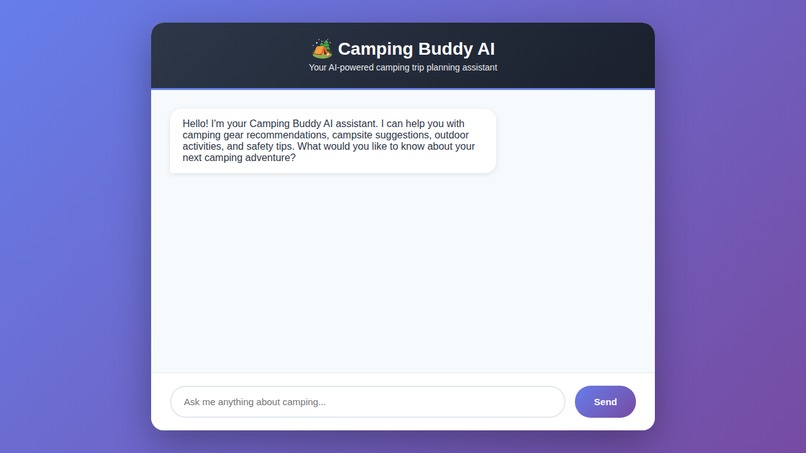
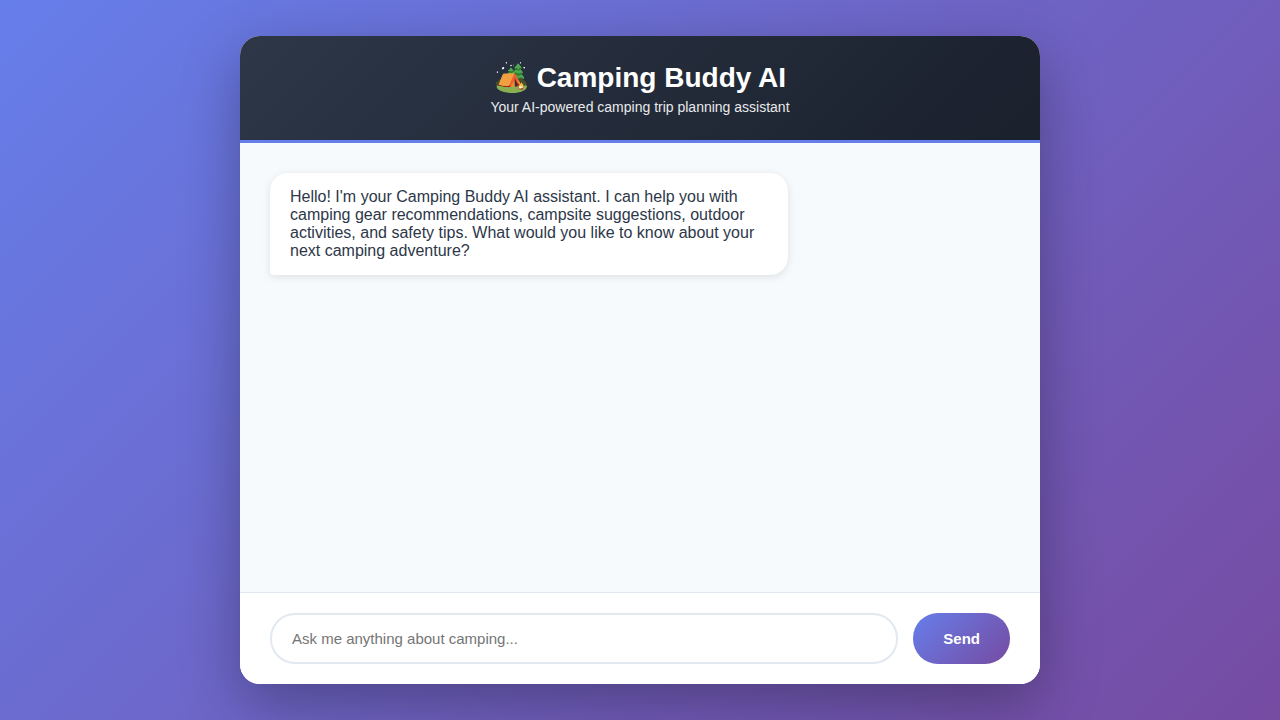
The chat interface features:
- Clean, modern gradient background (purple theme)
- Centered chat container with rounded corners
- Header with emoji and branding
- Message bubbles with distinct styling for user vs AI messages
- Input field with send button
- Responsive design that works on all devices
🔐 Security & Privacy
- No data collection: Chat history is stored only in Durable Objects tied to your session
- Edge security: Benefits from Cloudflare's DDoS protection and WAF
- CORS enabled: Allows integration with other frontends if needed
- Type safety: TypeScript prevents common runtime errors
- No external dependencies: Minimal attack surface
📊 Performance Considerations
Context Windowing
The application uses chatHistory.slice(-5) to send only the last 5 messages to the AI. This approach:
- ✅ Prevents token limit issues
- ✅ Reduces API costs
- ✅ Maintains conversation context
- ✅ Ensures fast response times
Durable Objects
- Automatically distributed across Cloudflare's network
- Low-latency access from anywhere globally
- Strongly consistent storage within a jurisdiction
- Scales automatically with usage
🤝 Contributing
Contributions are welcome! Please feel free to submit a Pull Request.
📄 License
MIT License - see LICENSE file for details
🙏 Acknowledgments
- Built with Cloudflare Workers
- Powered by Llama 3.3 via Workers AI
- Inspired by outdoor enthusiasts worldwide
📞 Support
For issues, questions, or suggestions:
- Open an issue on GitHub
- Check Cloudflare Workers Documentation
- Review Workers AI Documentation
**Happy Camping! 🏕️** Made with ❤️ using Cloudflare Workers
Built With
- cloudflare
- cloudflareworkers
- typescript


Log in or sign up for Devpost to join the conversation.