-
-
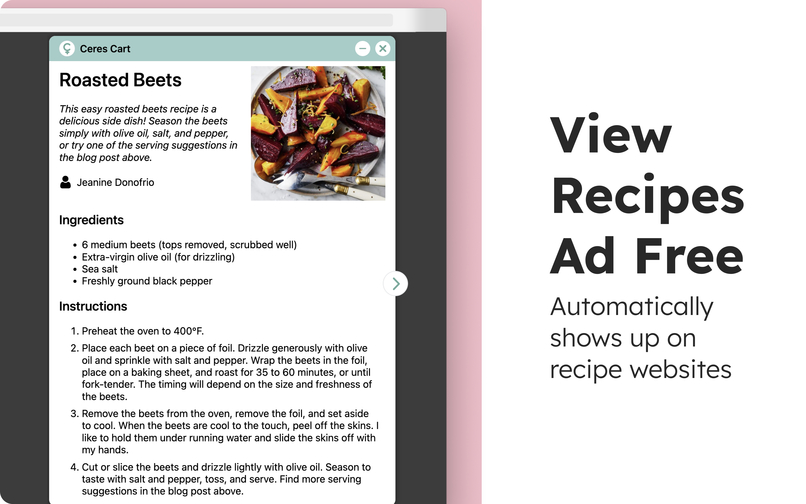
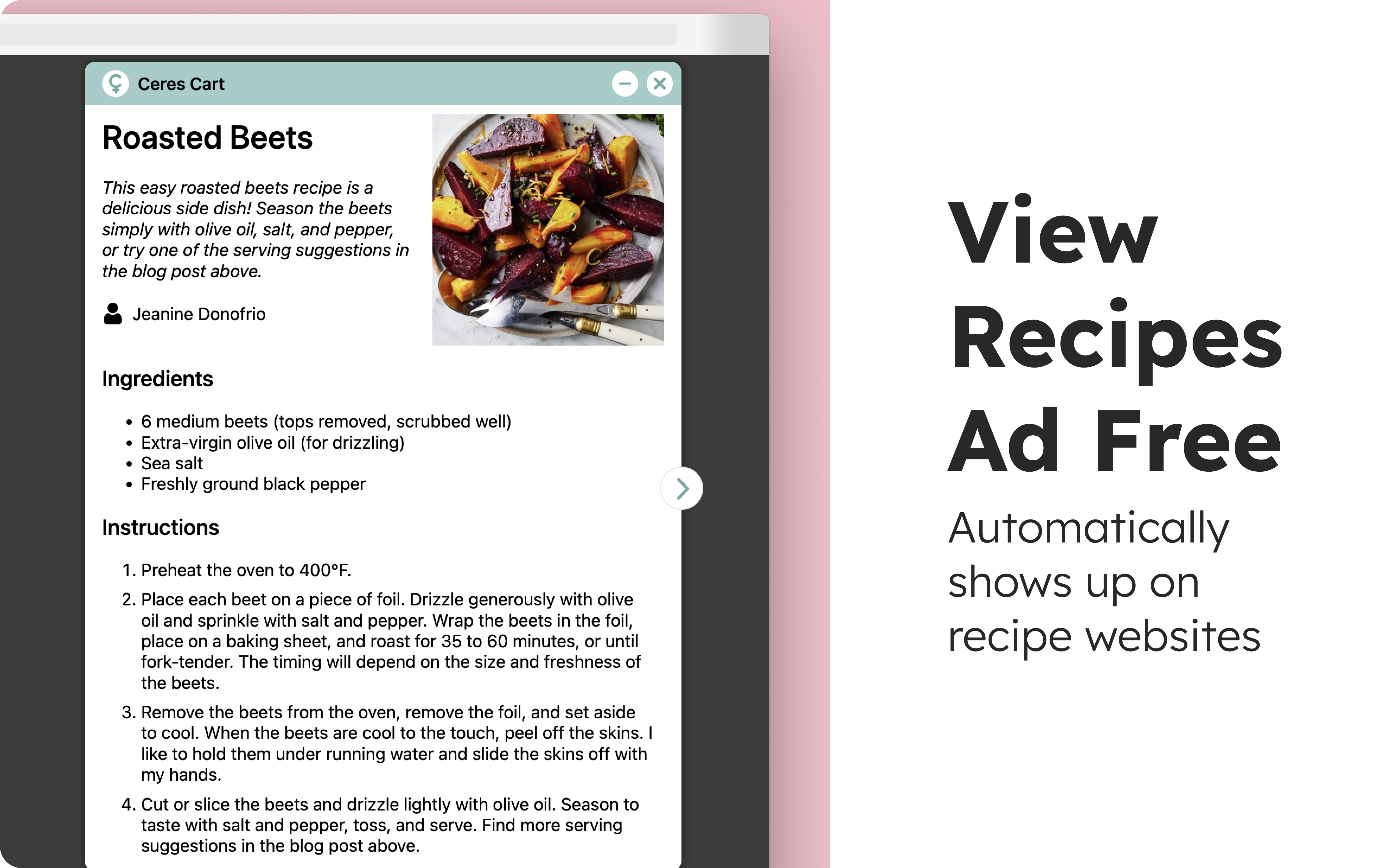
View Recipes Ad Free
-
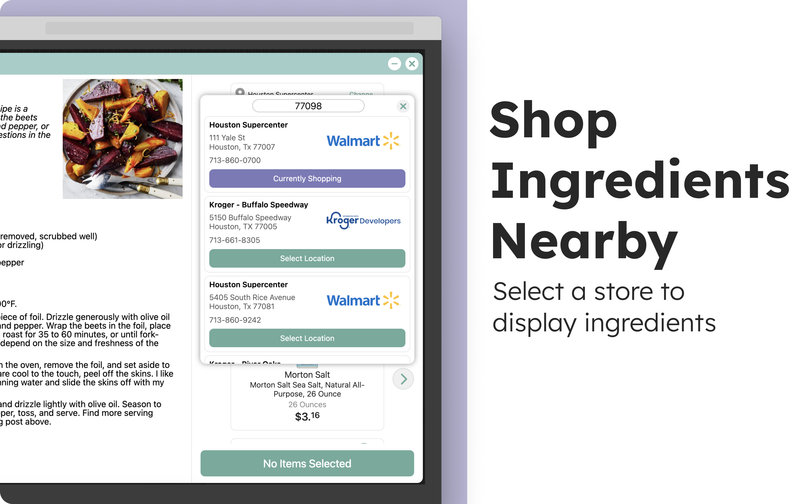
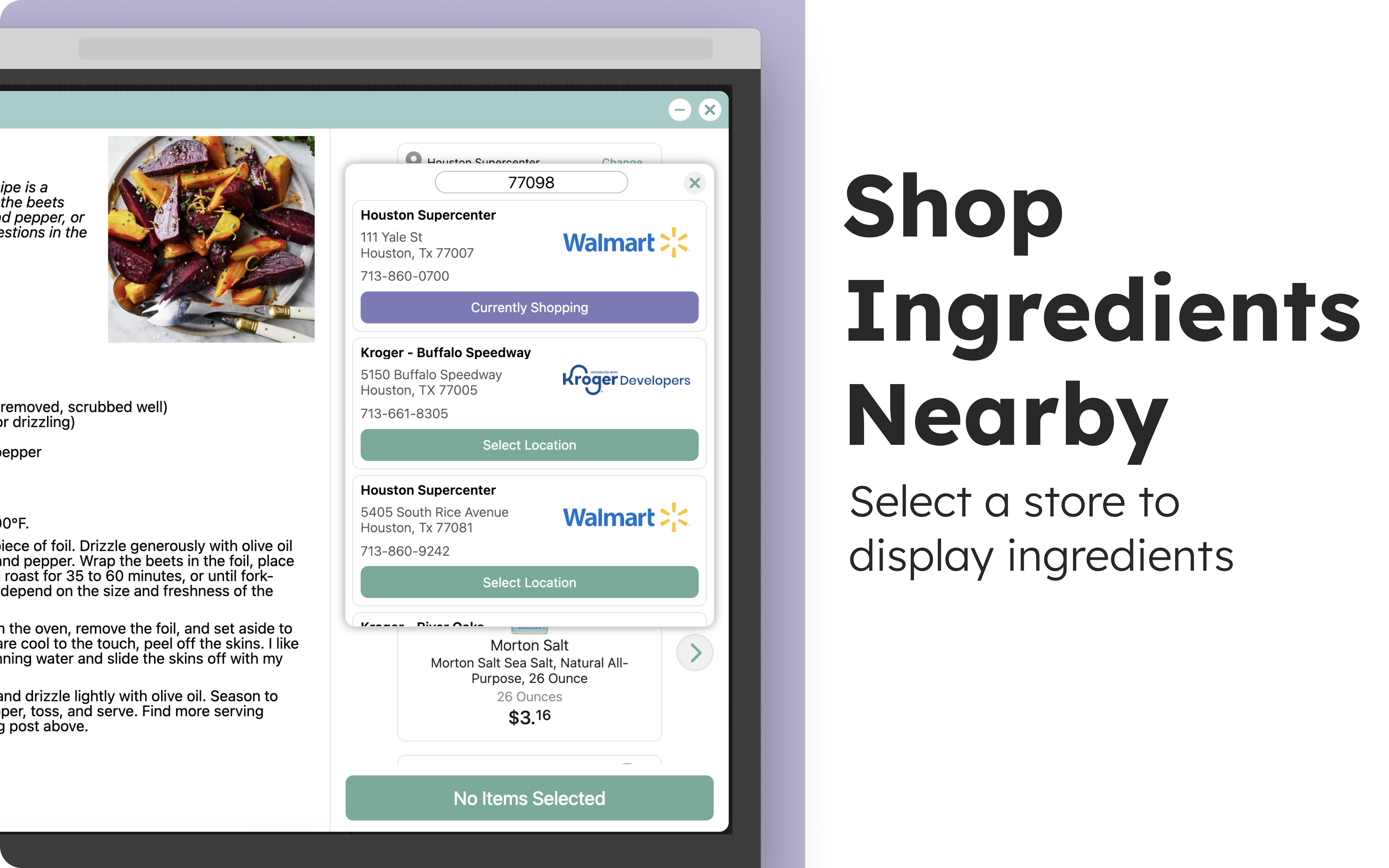
Shop for recipe ingredients at local grocery stores
-
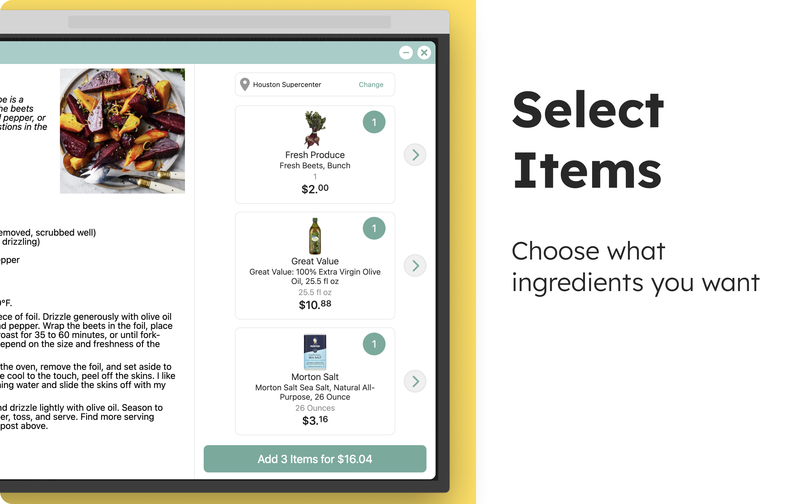
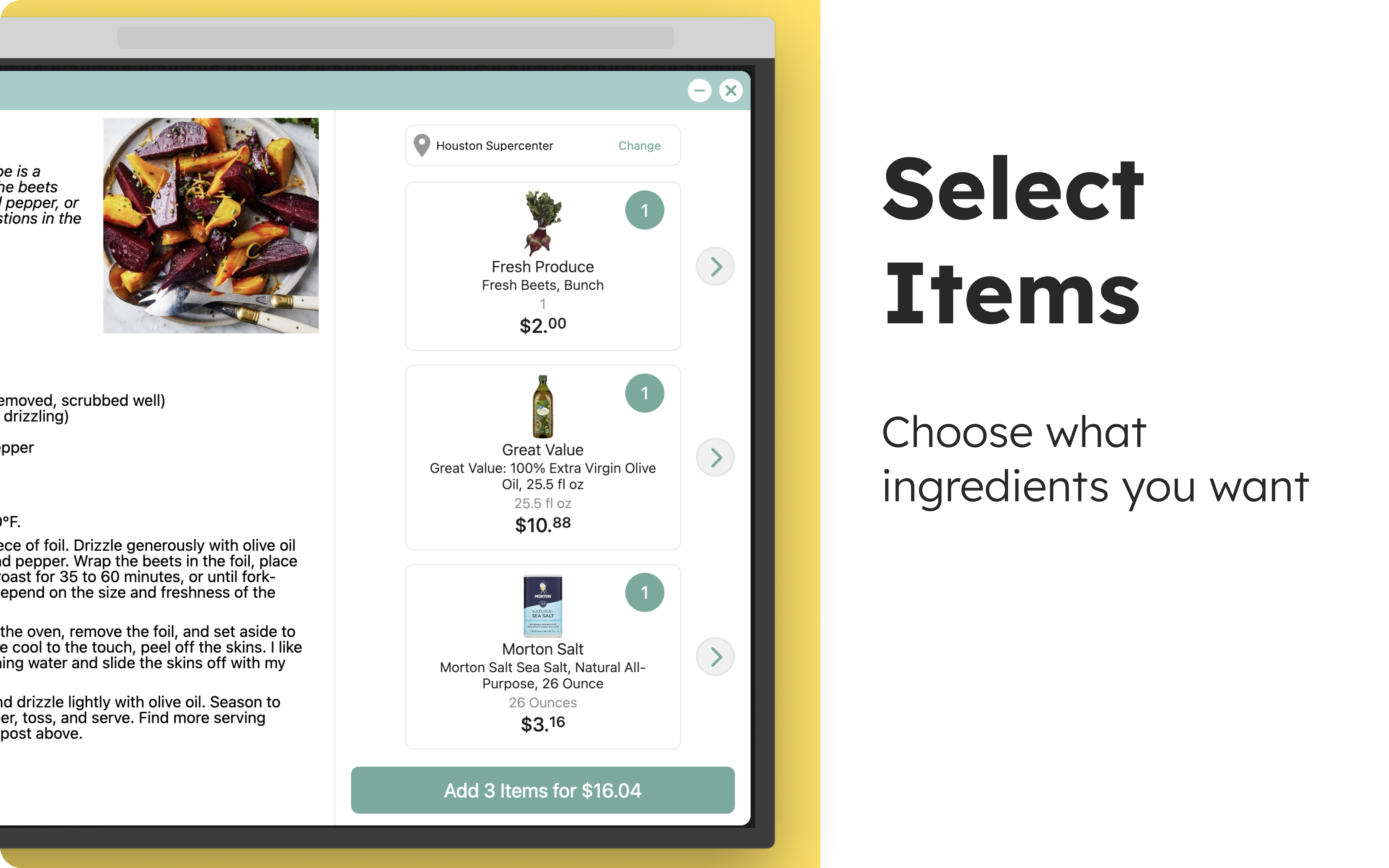
See up to date prices
-
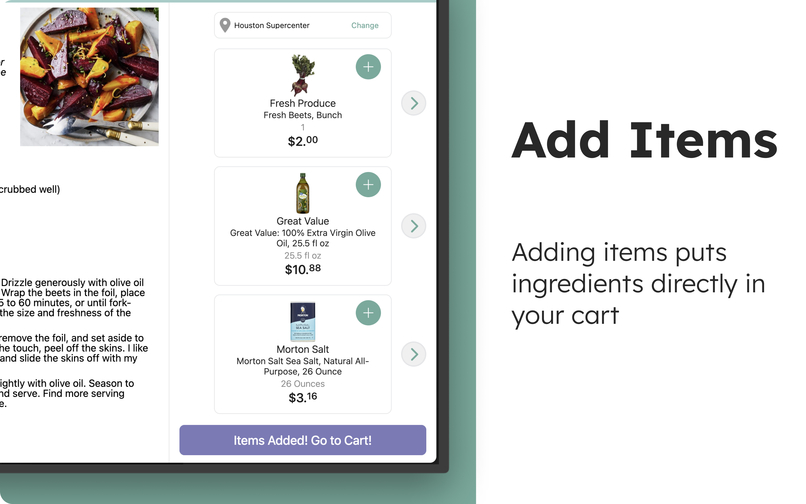
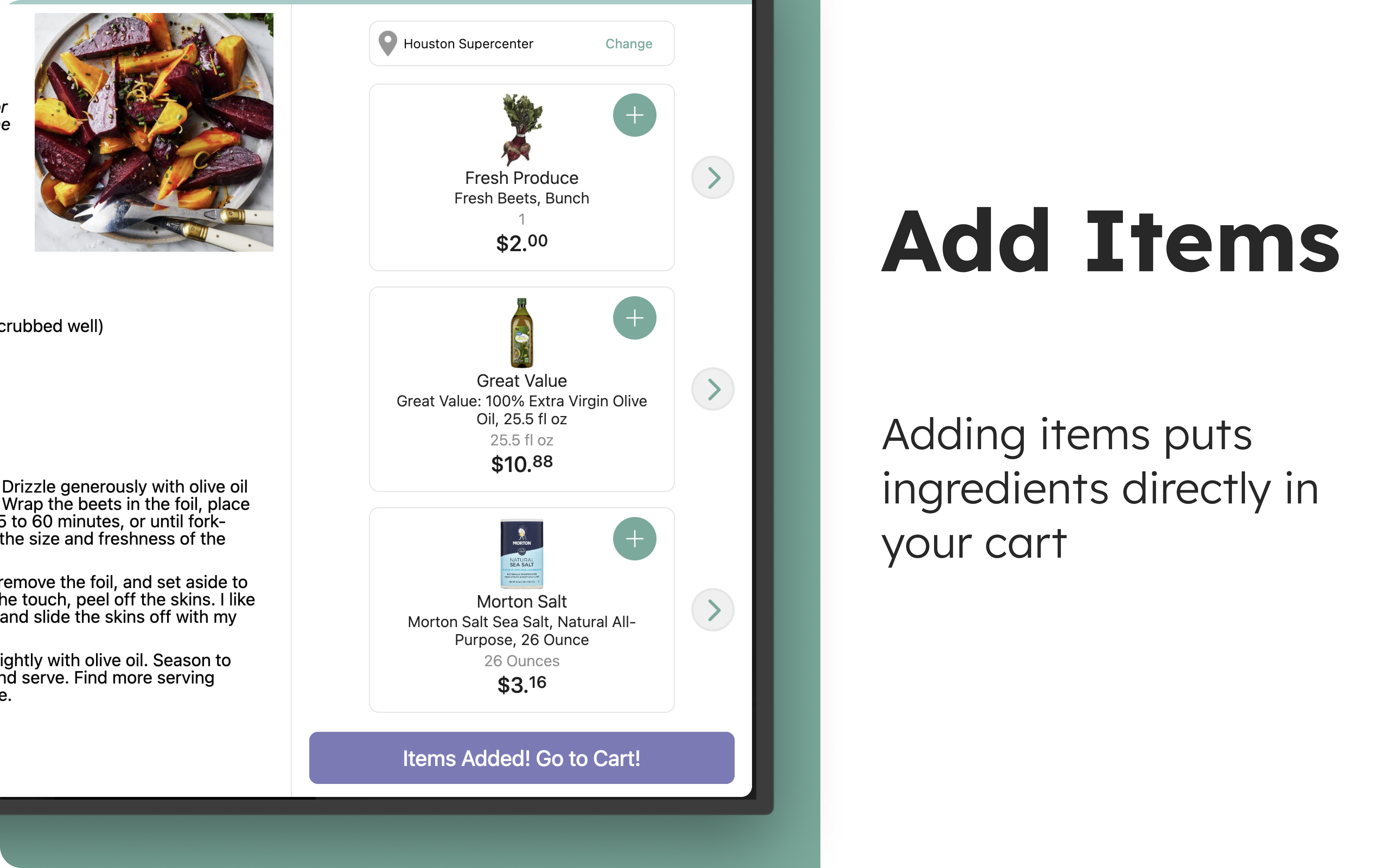
Add items to your online grocery store
Inspiration
Ceres Cart was born out of a frustration I encountered while navigating recipe websites and trying to gather ingredients for the recipes I found. The process of manually copying ingredient lists, searching for them on grocery websites, and adding them to my cart was time consuming. I wanted to create a solution that would streamline this workflow, making it easier to shop for ingredients directly from recipe pages. That’s how Ceres Cart came to life—an extension that would simplify the shopping experience and bring convenience to anyone who loves cooking with online recipes.
What it does
Ceres Cart enhances your online recipe browsing experience by allowing you to easily add ingredients from recipes directly into your shopping cart. Once the extension is installed, it detects recipe websites and displays an option to quickly add ingredients to your local grocery store. Users can browse their favorite recipe sites, view ingredient lists, and instantly transfer them to their shopping cart with just a click—saving time and effort.
How I built it
Building Ceres Cart involved integrating multiple technologies. I used HTML, CSS, and JavaScript to develop the extension’s user interface and functionality. The core of the extension is powered by JavaScript, which detects ingredients from various recipe websites by identifying recipe schema data. Once I compiled the list of ingredients, I had to parse the data to extract only the relevant ingredient. For example, “1/2 cup onions, chopped” needed to be simplified to just “onions.” The varying formats and terminologies across recipe websites made this task impossible without using AI. After AI identified the ingredients, I used APIs from Kroger and Walmart to search for products at nearby grocery stores.
Challenges I ran into
The biggest challenge I encountered was parsing the relevant product from the ingredient string, as mentioned in the previous paragraph. Initially, I tried to write a function that stripped out the quantity and unit, assuming there would be a finite number of syntax variations used across recipe websites. While I began developing this function, I kept encountering corner cases during testing on a wide range of recipe websites. I repeatedly sought help from AI tools to refine the code, but eventually realized it would be more efficient to send the entire list of ingredients to an AI API for more intelligent parsing. This is how I ended up using the built-in AI APIs!
Accomplishments that I'm proud of
I'm proud of how seamlessly Ceres Cart integrates with various recipe websites and shopping platforms. It’s a great feeling to know that it saves users time and frustration by automating the ingredient shopping process. The extension has received positive feedback from users, who appreciate the simplicity and functionality it provides. We're also proud of the user interface design, which is intuitive and easy to use, even for first-time visitors.
What I learned
Not only was this my first Chrome extension, but it was also my very first JavaScript project! Throughout the development of Ceres Cart, I gained valuable insights into web development and the process of building a Chrome extension. Most importantly, I learned how crucial it is to listen to user feedback and continuously improve based on their needs. Users expressed interest in having a Reader View in addition to the ability to checkout at grocery stores, so I added that feature. Iteration has been key to refining the extension and ensuring its continued usefulness.
What's next for Ceres Cart
In the future, I plan to expand Ceres Cart’s capabilities by integrating additional shopping platforms. I also aim to refine how the AI model identifies ingredients, potentially by training or fine-tuning the model with more data.
Built With
- css
- html
- javascript
- krogerapis
- walmartapis


Log in or sign up for Devpost to join the conversation.