

Inspiration
Staying focused shouldn’t feel like a battle you have to lose before you even notice it’s happening.
We built Centr because traditional productivity tools often miss the reality of how focus actually works, especially for students and people with ADHD. Most blockers are too rigid, too easy to disable, or only step in after you’ve already fallen into a distraction loop. We wanted to create something that feels more supportive than restrictive: a system that helps users understand their focus patterns, gently nudges them back on track, and makes their progress visible in a way that feels motivating instead of punishing.
A lot of us have had the same experience: opening one tab for work, switching to another “for a second,” and then realizing twenty minutes later that we’ve drifted far away from what we meant to do. We wanted to build a tool that catches that pattern earlier and turns invisible habits into something measurable and actionable.
That became Centr: a focus-tracking browser extension and companion dashboard that helps users stay aligned with their goals, understand where their attention goes, and reflect on their productivity over time.
What It Does
Centr is an ADHD-friendly focus tracker that monitors browsing behavior during a study or work session and turns it into meaningful feedback.
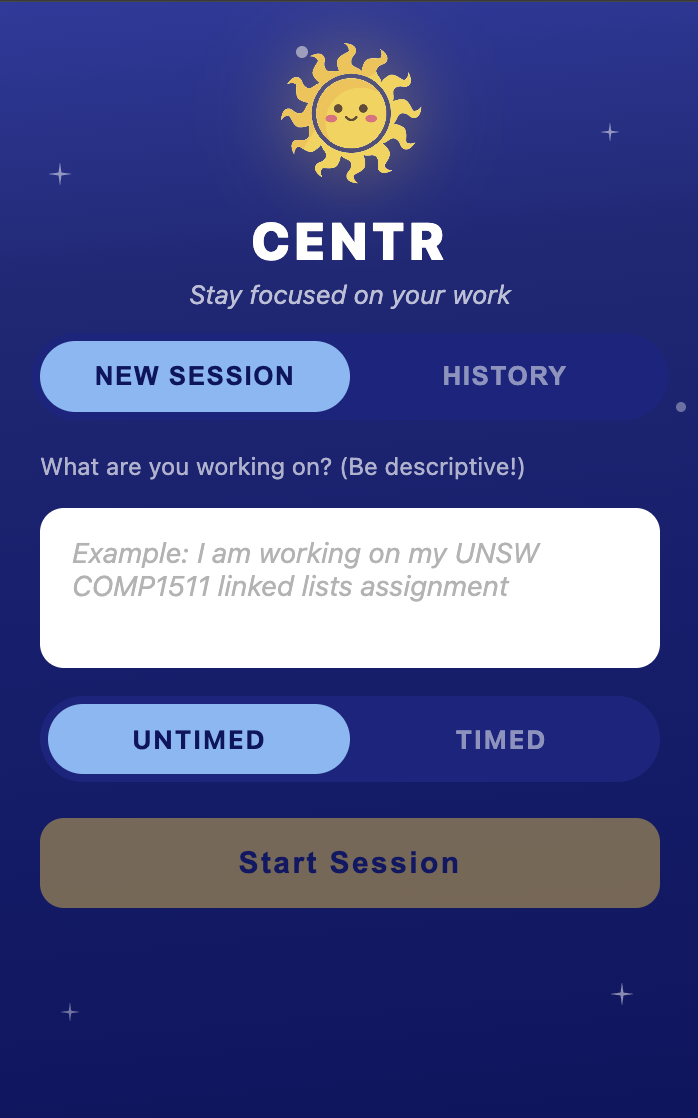
At the start of a session, the user sets a goal for what they want to work on. From there, Centr tracks the tabs they visit, stores page titles and URLs, measures how long they spend on each page, and generates a relevance score based on how closely that activity aligns with their session goal.
This powers a set of focus insights, including:
- Tab relevance over time
- Focus score tracking
- Session duration and break handling
- Identification of distracting pages and context-switching patterns
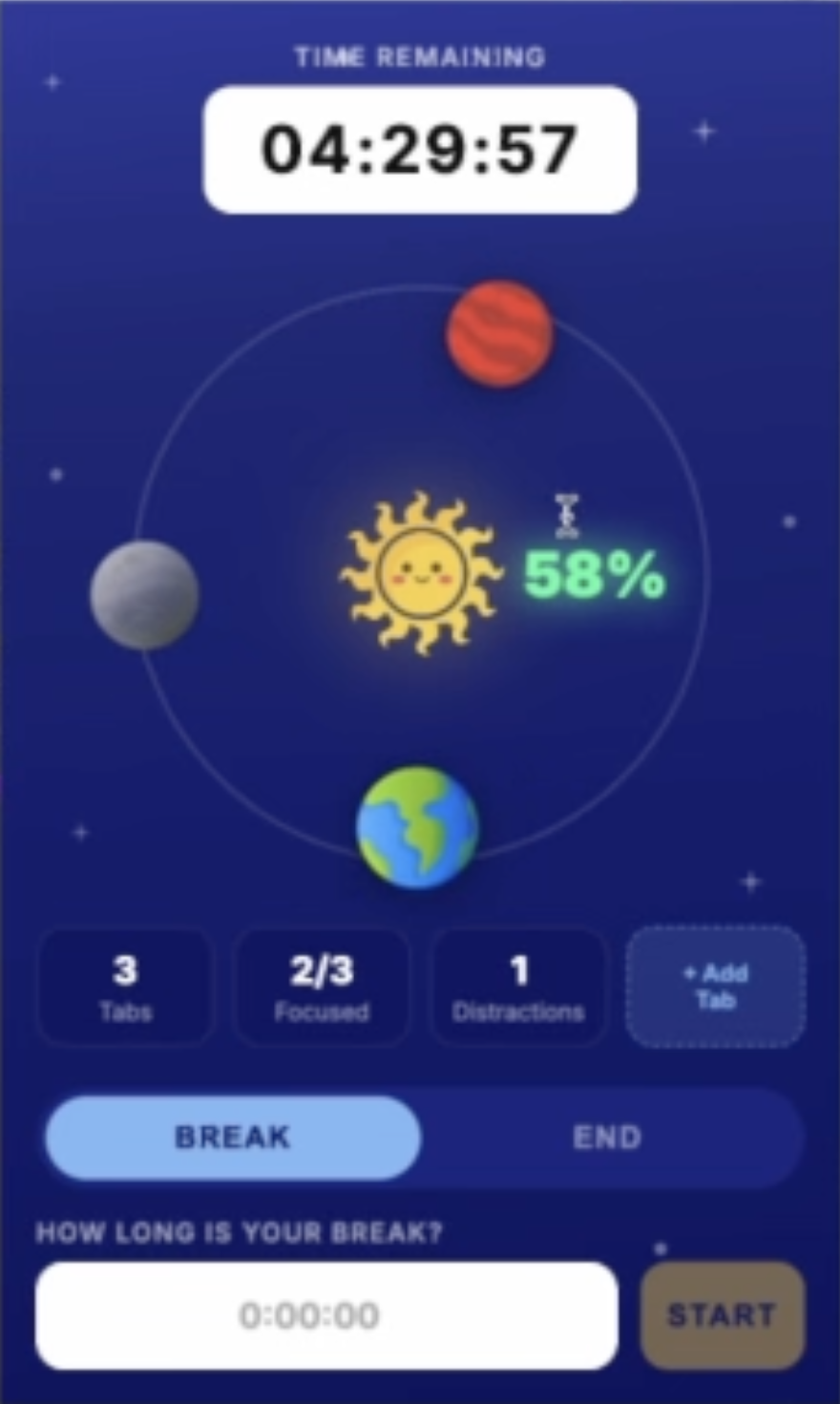
- A visual dashboard that displays browsing activity as orbiting “planets,” each representing tracked page - activity and relevance
- Instead of just blocking websites, Centr aims to help users understand their habits and make better decisions in real time.
How We Built It
We split Centr into four connected parts:
Frontend
- Built the browser extension UI with React and TypeScript
- Created the web dashboard with React, TypeScript, and Vite
- Designed a custom orbit-based visual interface where tracked pages appear as planets around a central sun
- Used modern CSS and motion-driven interactions to make the dashboard feel engaging and intuitive
Extension
- Tracks the active tab’s URL and page title
- Detects tab switching and time spent on tabs
- Stores session state locally
- Sends focus-session data to the backend for scoring and persistence
Backend
- Built with FastAPI and Python
- Handles session creation, tab event logging, time tracking, and end-of-session updates
- Stores session and tab event data, including title, URL, duration, and relevance score
- Exposes API routes used by both the extension and the dashboard
Dashboard
- Fetches backend data and visualizes stored session events
- Maps tracked pages to orbiting planets
- Shows page title, URL, duration, relevance percentage, and status inside hover modals
- Reuses the same scoring logic and categories shown in the extension
Challenges We Ran Into
One of our biggest challenges was making sure the browser extension and backend actually spoke the same language. Early on, the extension was sending the right information, but the backend routes and data handling were mismatched, which caused errors even when the inputs were valid. We had to carefully align route contracts, request bodies, headers, and stored model fields before the system worked end to end.
Another challenge was translating raw productivity data into something visual and understandable. It’s one thing to log URLs and durations, but it’s another to present that in a way that feels meaningful to a user. We spent a lot of time iterating on the dashboard so it felt less like a table of analytics and more like an experience.
We also had to balance two different goals at once: making the product functional as a browser extension, while also making the dashboard polished enough to act as a strong visual summary of a user’s focus session.
Accomplishments That We’re Proud Of
We’re proud that Centr became more than just a timer or blocker. It grew into a full focus system with:
- A working browser extension that tracks session-related tab activity.
- A backend that stores and serves real session data.
- A custom dashboard that visualizes tracked browsing behavior in a memorable and interactive way.
- A relevance-based model for classifying focus instead of simply blocking everything.
We’re also proud of how much we improved the architecture over time. We fixed broken backend processing, connected the stored tab-event data to the dashboard, and got the UI to a point where it feels cohesive across both the extension and the web app.
What We Learned
We learned that getting data from one part of a system to another is rarely the hard part. Getting it there reliably, consistently, and in a form that the UI can actually use is where the real work happens.
We also learned that interface design matters just as much as logic for a product like this. Productivity tools can easily become stressful, cold, or overly restrictive. We wanted Centr to feel supportive, visually interesting, and clear, which meant spending real time on motion, layout, and the way information is presented.
Most importantly, we learned that focus is not just about removing distractions. It’s about creating awareness. A tool becomes much more powerful when it helps users understand what happened and why.
What’s Next for CENTR
- Improve the relevance scoring model so it feels smarter and more personalized
- Add richer session analytics and focus trends over time
- Expand the dashboard into a more complete productivity hub
- Introduce gentler intervention features when users start drifting off-task
- Explore more accessibility-focused and neurodivergent-friendly workflows
Our goal is to make Centr feel less like a blocker and more like a companion for staying aligned with what matters.


Log in or sign up for Devpost to join the conversation.