-
-
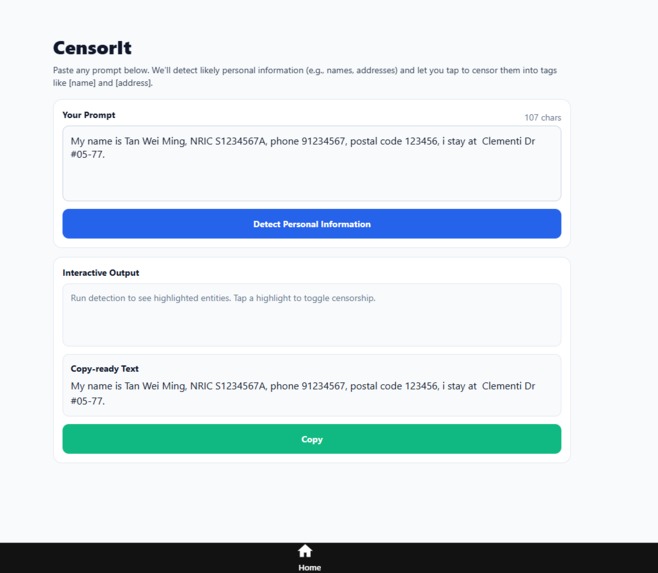
Start up page
-
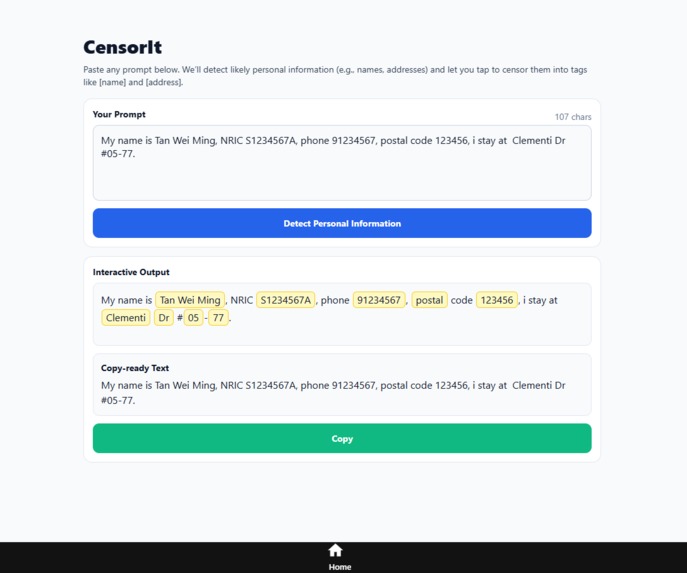
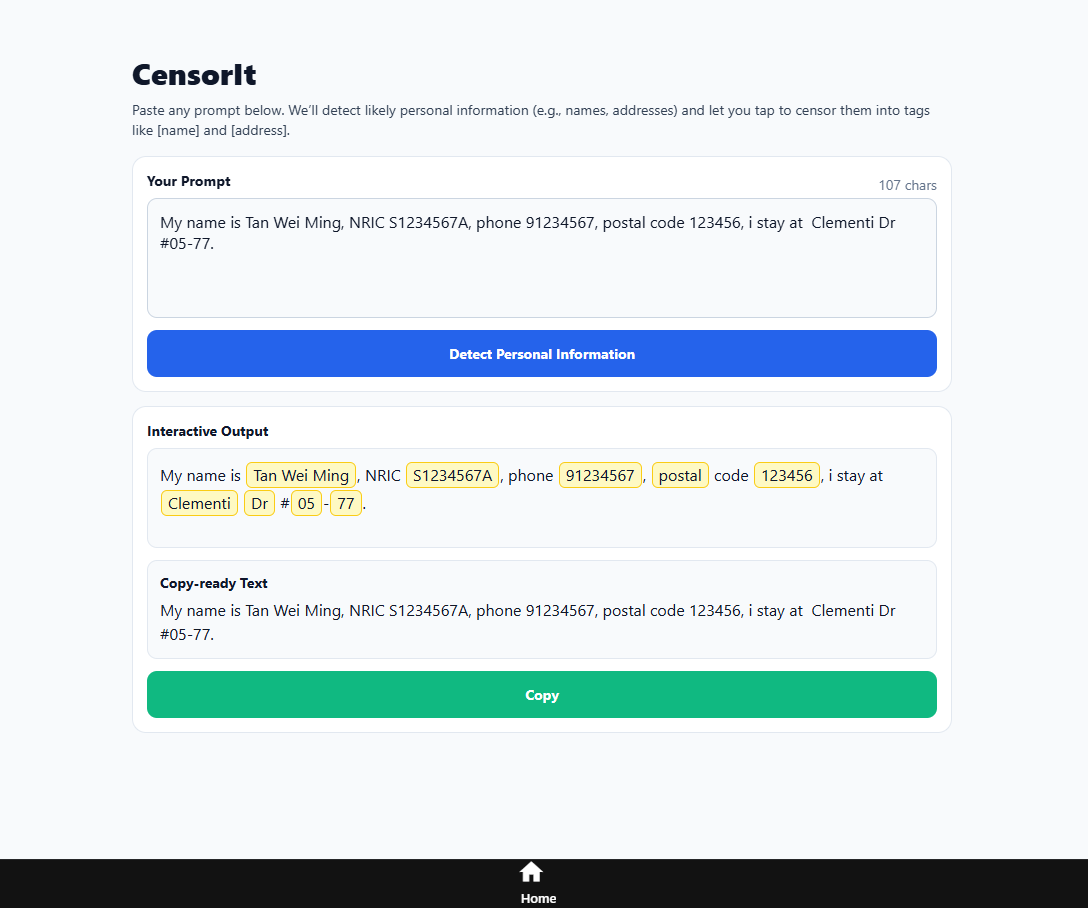
Detected PII
-
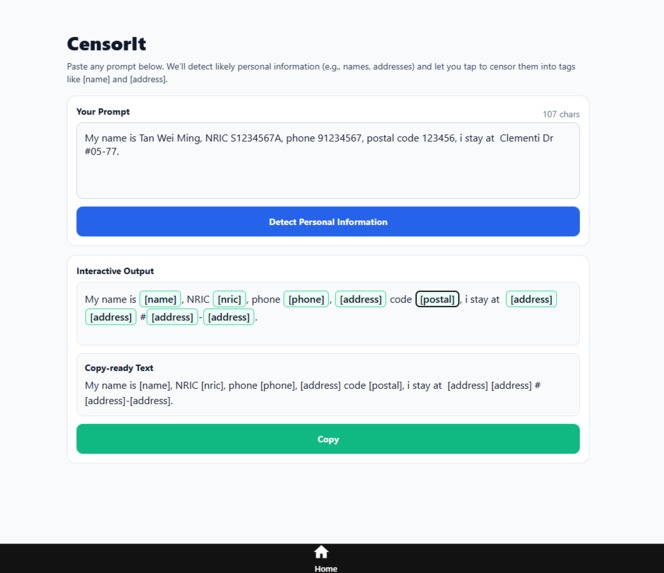
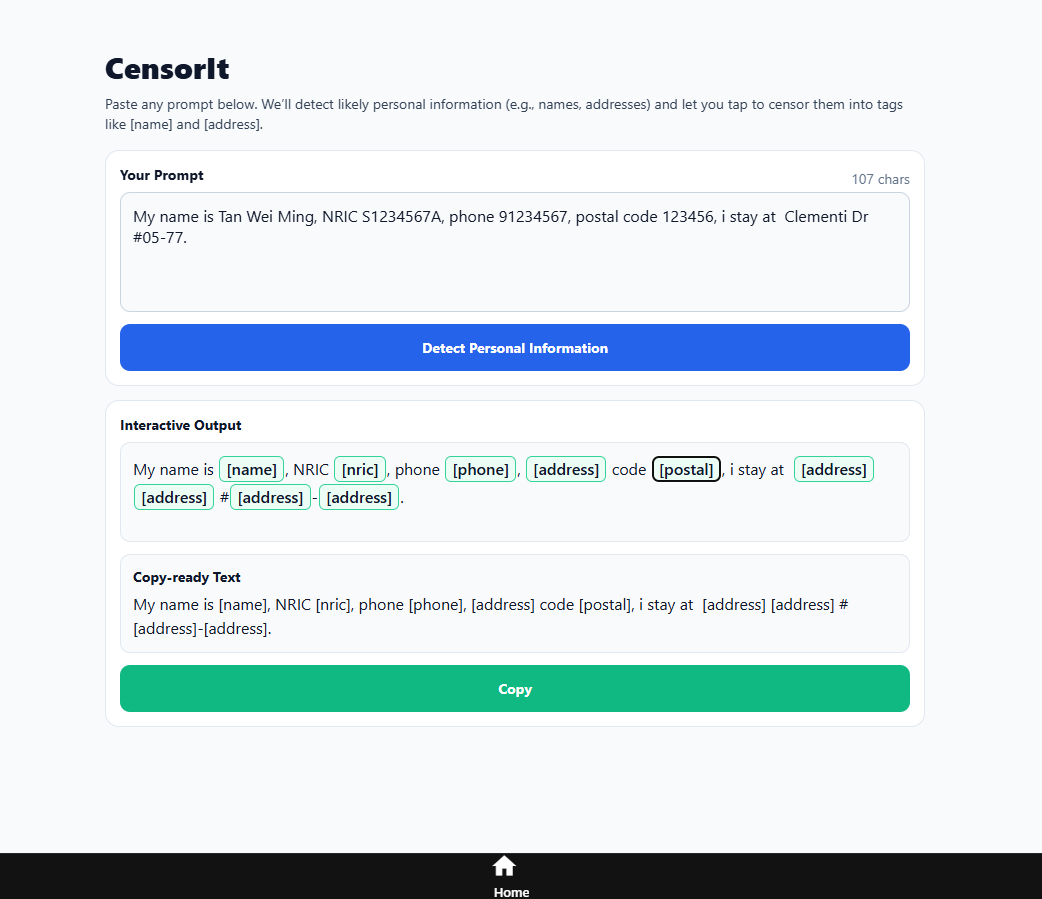
Removed PII
Problem Statement
Track 7: Privacy Meets AI: Building a Safer Digital Future
As AI technologies rapidly integrate into our daily lives, concerns about privacy and security have become more urgent than ever. With the rise of powerful generative AI models, large-scale data collection, and cloud-based deployment, users face increasing risks: sensitive data leakage, identity theft, etc.
Our Solution
Our Android application allows users to input text and highlights Personally Identifiable Information (PII), giving the user a choice to censor their information before sending it to cloud LLM services. This is done through fine-tuning a small but popular model, DistilBERT, to identify personal information such as names, addresses, postal code, phone number and NRIC. Our application is catered to Singaporeans, having fine-tuned the model to recognise common personal information in Singapore.
Project Video - Censor It
A short video demonstration projection can be found in this link.
How we have built Censor It
At its core, we fine-tuned a compact yet powerful model, DistilBERT, to recognize PII such as names, addresses, postal codes, phone numbers, and NRICs. The model was further tailored for Singaporean users by training it with dummy datasets (5,000 examples each for training and evaluation) that reflect common local contexts.
The model is deployed on Hugging Face Spaces, with a FastAPI backend handling POST requests to our model for PII detection.
Our Inspiration
With the growing use of AI tools such as Generative AI in our daily lives, many users unknowingly share their personal information with such AI tools. This puts them at a risk of identity theft, data leakage and misuse of sensitive data. We wanted to empower users to retain control over their PII, while continuing to allow them to use AI tools conveniently.
Challenges Faced
- Data Scarcity: Real PII data is sensitive and should not be used for training, so we had to generate realistic datasets based on Singapore’s context, such as fake Singaporean addresses and names.
- Deployment Issues: We initially tried deploying our backend FastAPI application on Heroku, but was unable to due to the large slug size of machine learning modules on Python. We had to source for alternatives for hosting our FastAPI application, which we then found Hugging Face Spaces.
- Token Handling: DistilBERT splits words into subwords, which makes it harder for us to regroup the words together for our frontend to highlight potential PII.
Features
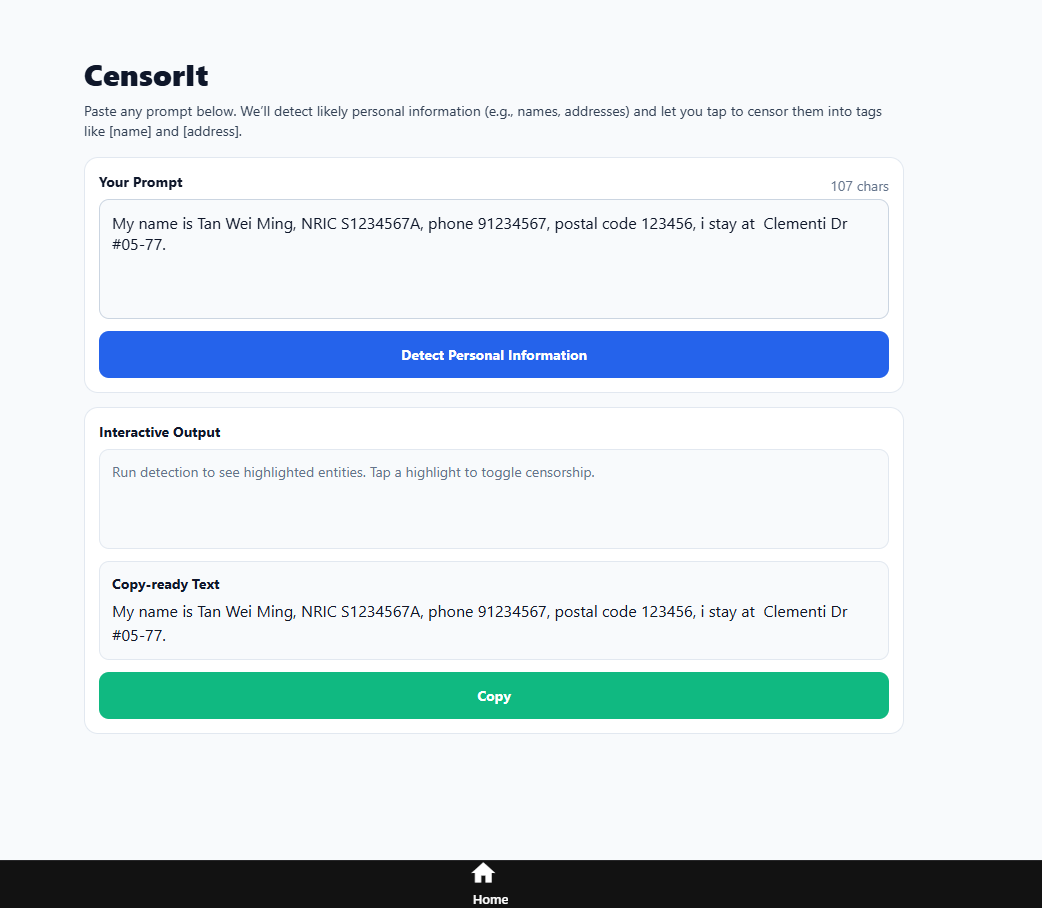
Feature 1: Input Box
Users can type or paste any prompt that they want to check for sensitive information.
Feature 2: PII Detection
A “Detect Personal Information” button sends the text to our backend model, which returns the prompt with the Personally Identifiable Information (PII) highlighted.
Feature 3: Interactive Output Box
Highlighted PII can be clicked to instantly replace it with a placeholder (eg, James Tan -> [Name])
Feature 4: Censored Output Box
A second output box mirrors the changes in real-time showing a clean version with PII removed.
Feature 5: Copy Button
Users can copy the clean, safe version to use in any LLM or app.
Deployment
- Frontend:https://expo.dev/accounts/dant0n/projects/censor-it/builds/adfc7a57-3b9f-4da6-beda-7ceb2324c1da
- Backend: https://jovanteooo-hackstreetboys-techjam.hf.space/docs
Set up Instructions
Download the APK
- Tap the link on your phone.
- When prompted, choose Download.
Open the file
- When the download finishes, tap Open in the browser,
- or open your Files / My Files → Downloads and tap the
.apkfile.
Allow installs from this source (one-time step)
- If you see “For your security, your phone is not allowed to install unknown apps”:
- Tap Settings on the prompt.
- Tap Allow from this source (for the app you’re using to open the APK—e.g., Chrome or Files).
- Go back and tap the APK again.
- Tap Settings on the prompt.
Install
- Tap Install.
- When it finishes, tap Open to launch the app (or find it in your app drawer).
Repository Links
- Frontend & Backend: https://github.com/dnt0n/censor-it
- Hugging Face: https://huggingface.co/kailermai03/techJamPII
- Hugging Face Spaces for Hosting Backend: https://huggingface.co/spaces/JovanTeooo/HackStreetBoys-TechJam
- Google Colab Python Notebook used to fine-tune DistilBERT: https://colab.research.google.com/drive/1YmKhg52D8Lg0sQ0klV5JVEHPvnuvTZhw?usp=sharing
Tech Stack & Development Tools
Frontend
Language: React + Expo Go
Framework: React Native (via Expo)
APIs: FastAPI backend for PII detection
Libraries: React-navigation, Expo
Backend
Language: Python
Framework: FastAPI
APIs: Hugging Face Transformers /
Libraries: Uvicorn, Torch, Transformers, FastAPI
Machine Learning
Language: Python
Framework: Pytorch
Base model: DistilBERT
APIs: Hugging Face Transformers
Libraries: Faker, Regex, Random
Other Tools
- Github: Hosting and collaboration
- Google Colab: Fine-tuning Distilbert from Hugging Face with dummy datasets
- Hugging face spaces: Hosting FastAPI application to handle API calls to the deployed model
Built With
- expo.io
- fastapi
- hugging-face
- python
- pytorch
- react-native


Log in or sign up for Devpost to join the conversation.