-
-
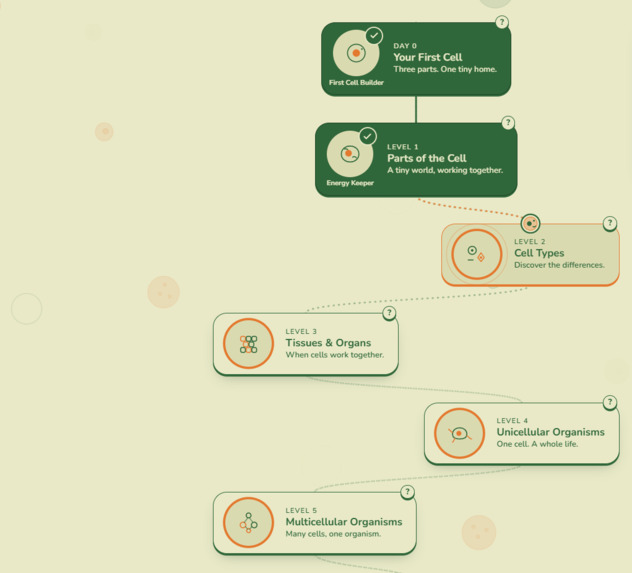
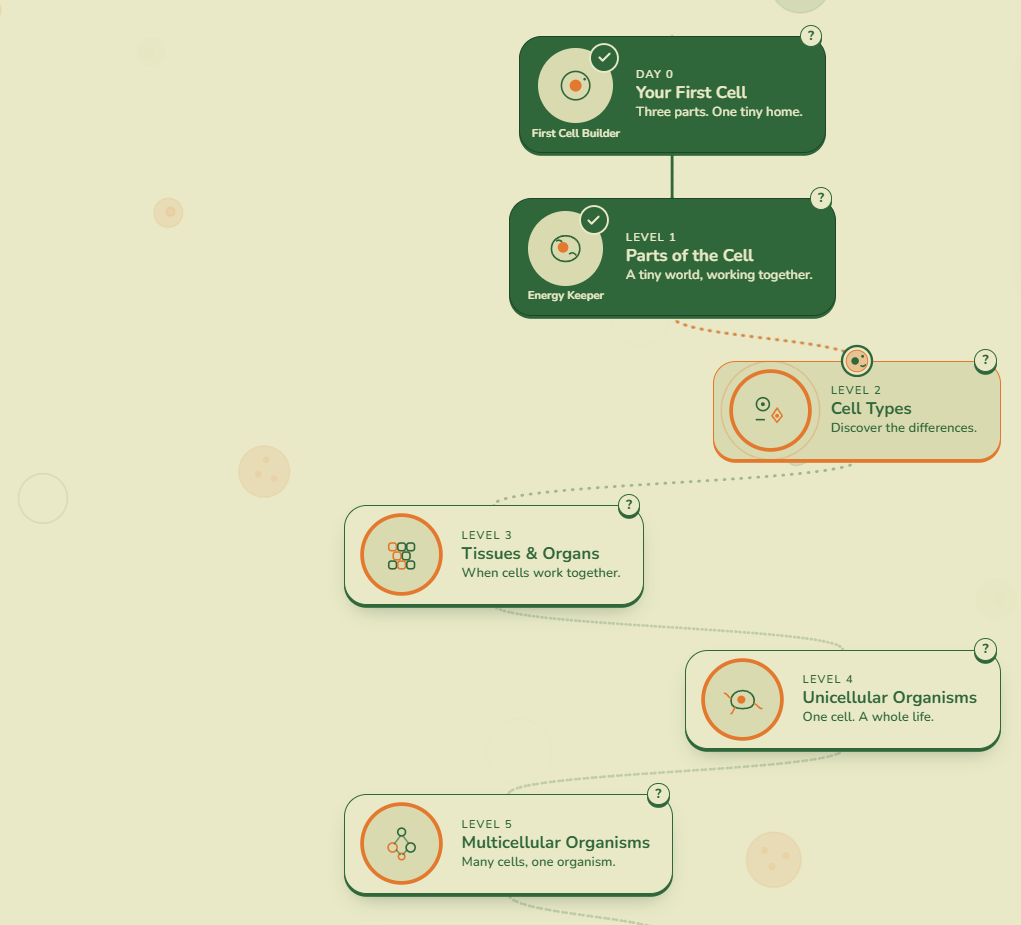
Level map: the dotted path from Day 0 to Level 5
-
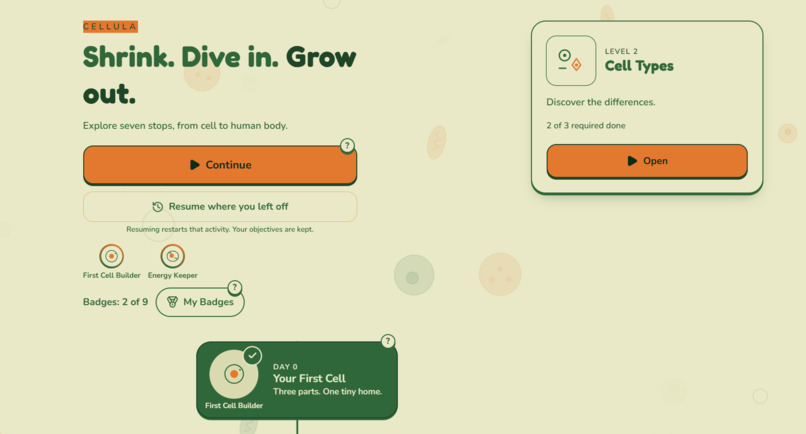
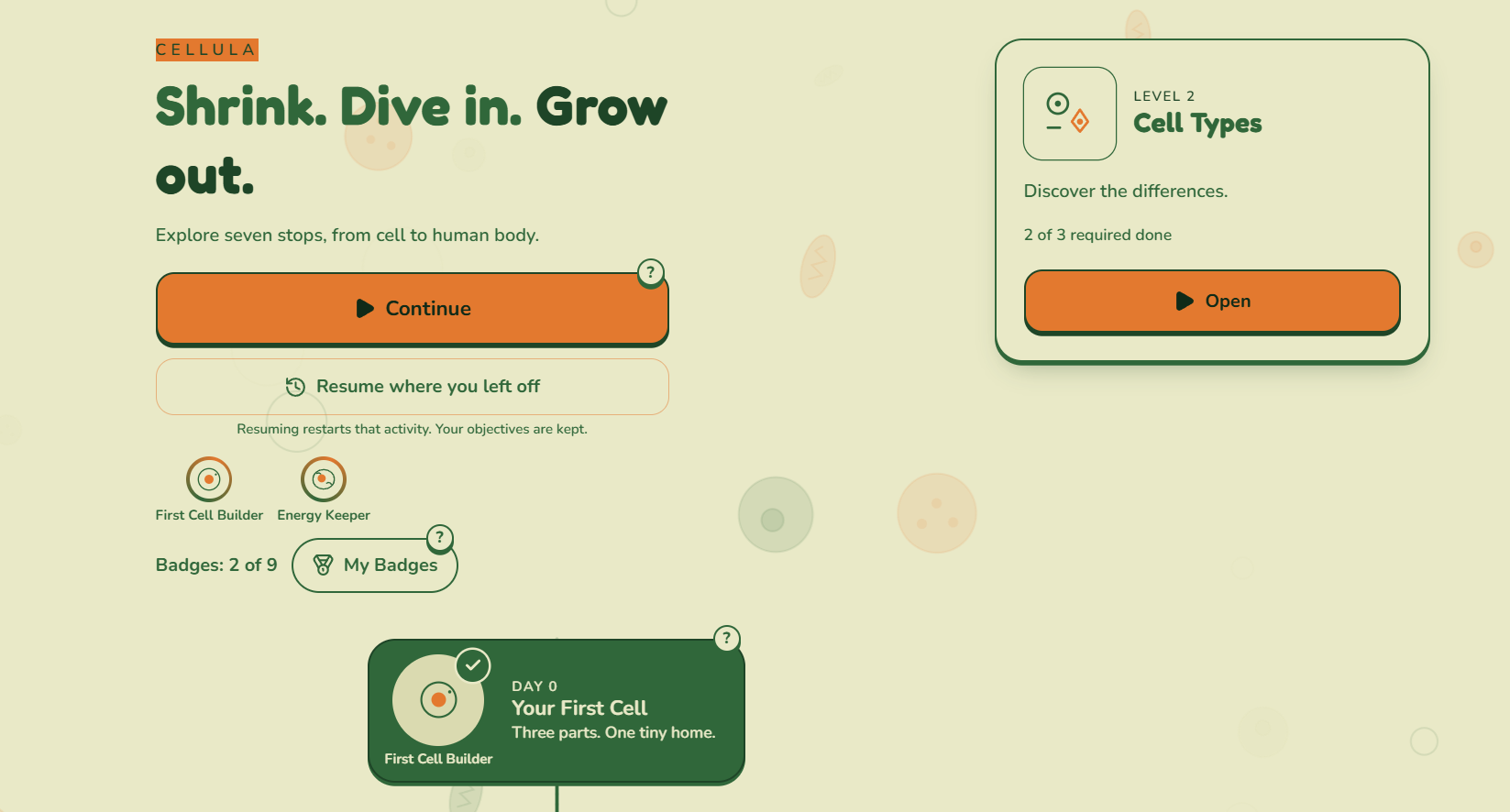
Home screen: “Shrink. Dive in. Grow out.” with Continue, Resume, and badges
-
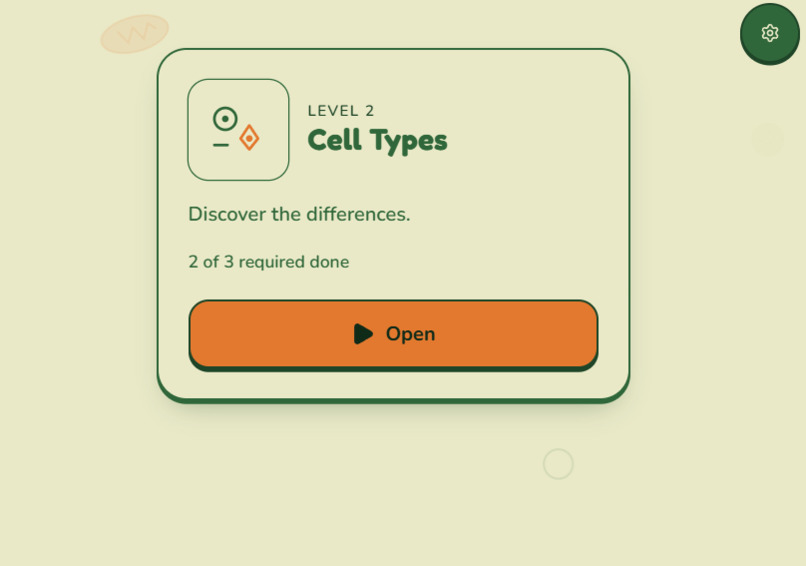
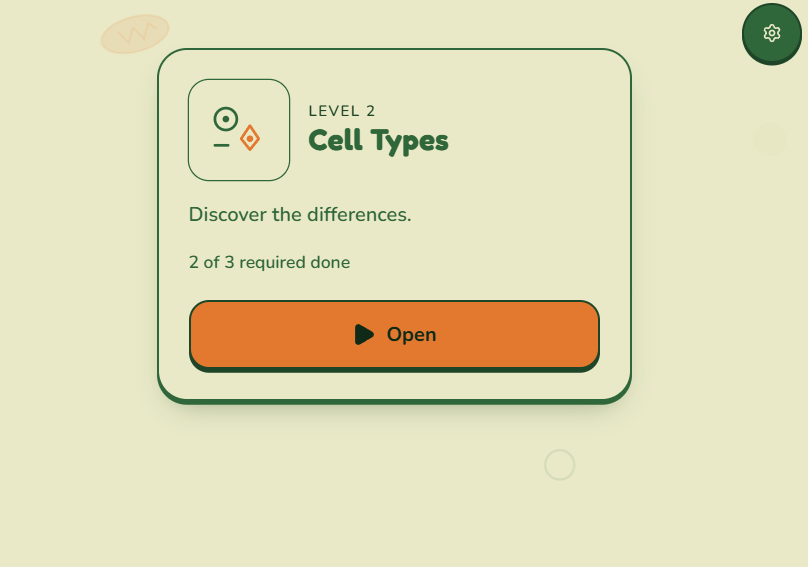
Level card: Level 2, Cell Types, 2 of 3 objectives done
-
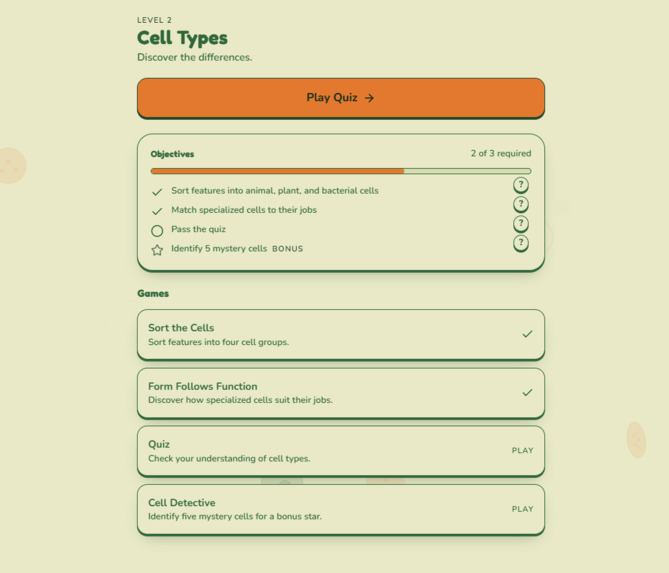
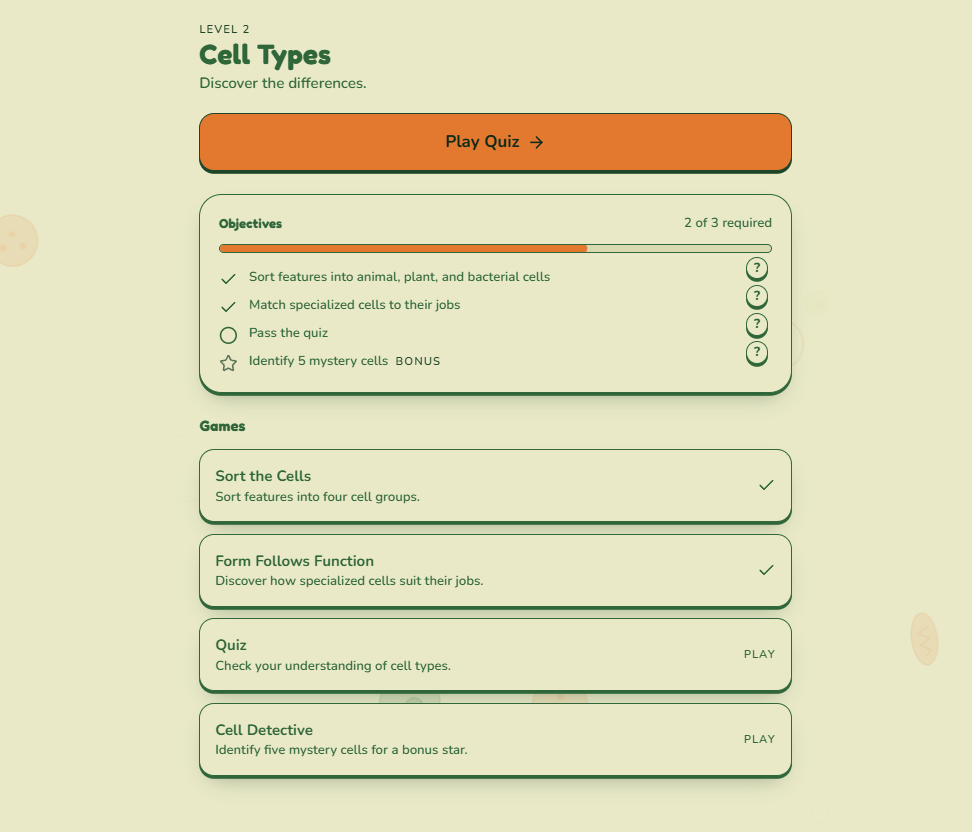
Level 2 screen: objectives and games for Cell Types
-
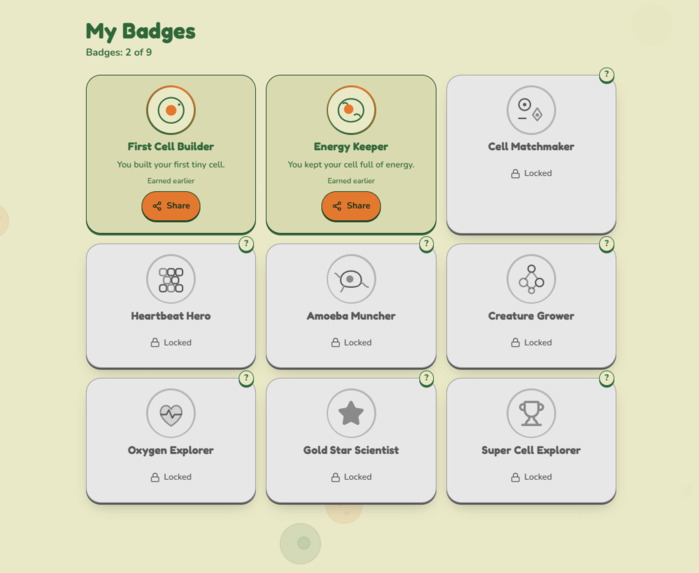
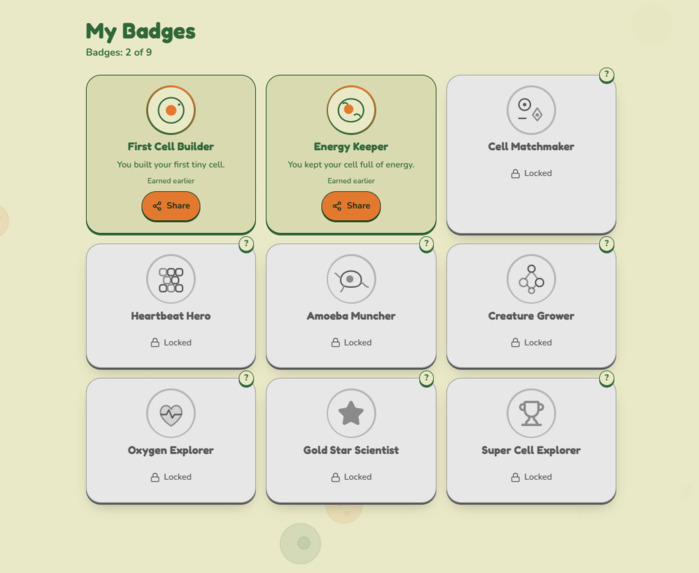
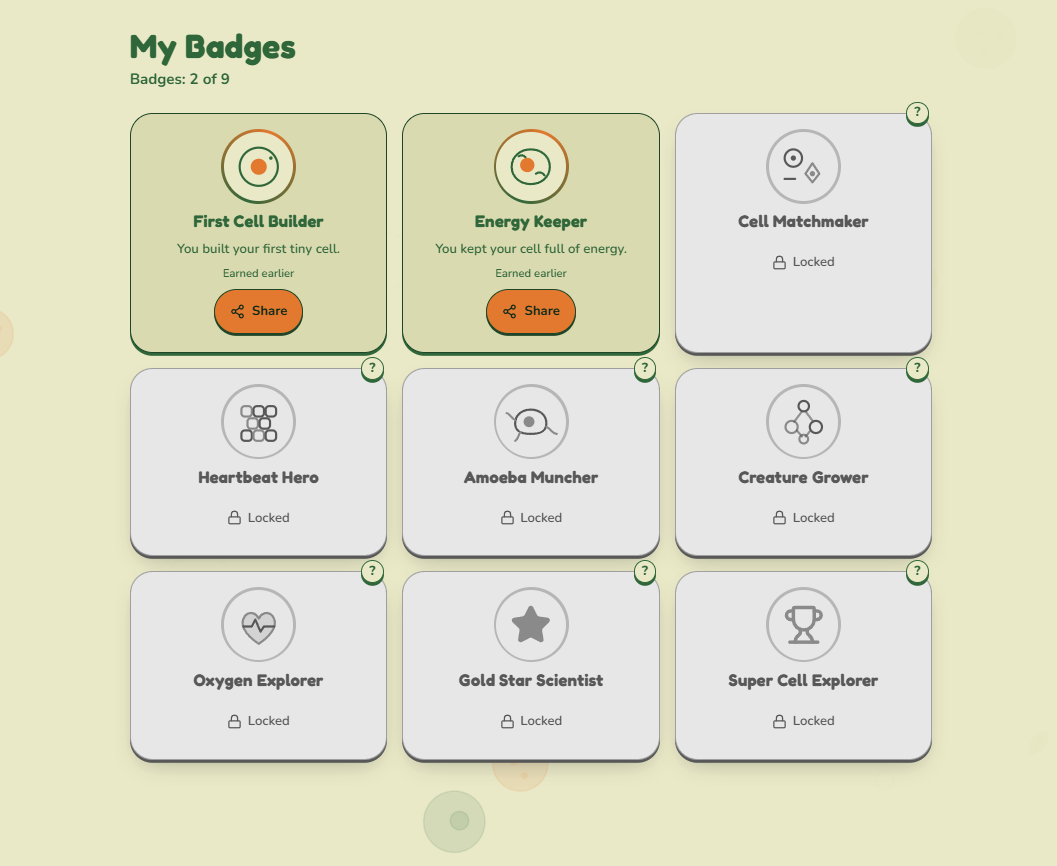
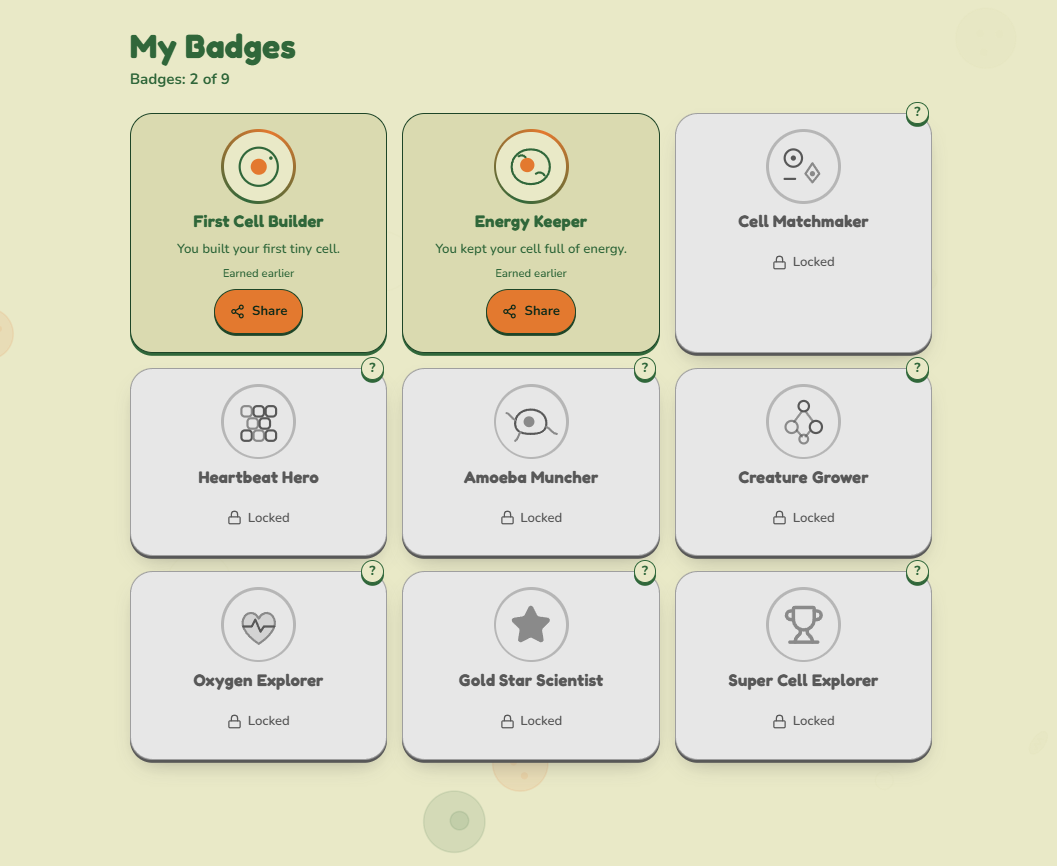
My Badges: 2 of 9 earned
-
Roadmap
Cellula
Biology you play, not memorize.
Cellula is an interactive game that takes learners from a single cell to the human body, one level at a time. Every instruction is written at a 5-year-old reading level, and each level unlocks automatically as the learner completes its goals.
Built with Replit Agent for the Bring Your Ideas to Life with Replit mini-hackathon at the University of Ghana.
Inspiration
The idea started with a Replit project that teaches circuits and coding through a story, one build a day, inside a simulated environment where the code and circuits behave like real hardware. It showed that a hard technical subject becomes approachable when you do it instead of reading about it.
That raised a question: could biology work the same way?
Biology is often taught as diagrams to memorize. Learners can label a mitochondrion and still not know why a cell stops working without one. But biology is really about how simple parts build up into complex systems: parts make cells, cells make tissues, tissues make organs, organs make a body. That natural "zoom out" structure is exactly the shape of a good game journey.
So Cellula starts inside one cell and zooms out, level by level, until you reach the human body.
The Problem
- Biology is commonly taught through static diagrams and labels.
- Learners can name parts without understanding how the parts work together.
- Learning that is memorized for a test is easy to forget.
- Many science resources assume reading skills and vocabulary that beginners and younger learners do not have yet.
Our Solution
Cellula turns the cell-to-body journey into a game map with seven stops:
| Stop | Topic |
|---|---|
| Day 0 | Your First Cell |
| Level 1 | Parts of the Cell |
| Level 2 | Cell Types |
| Level 3 | Tissues & Organs |
| Level 4 | Unicellular Organisms |
| Level 5 | Multicellular Organisms |
| Level 6 | Human Anatomy |
Each stop has learning objectives and games. Finish the required objectives and the next stop opens automatically, with a badge to celebrate.
Key Features
- Level map with a dotted path that shows where you are and where you are going.
- Objective-based unlocking. Each level lists its objectives. Required ones unlock the next level, and bonus ones earn extra stars.
- Different games per level, such as building a cell, keeping a cell alive with a live energy meter, sorting cells, and matching specialized cells to their jobs.
- Badges. Nine badges with kid-friendly labels (for example, First Cell Builder and Energy Keeper), a "My Badges" screen, and Share buttons.
- Simple, friendly language. Short sentences, no jargon, and gentle messages like "Oops! Try again!" instead of "wrong".
- Help tips (the "?" buttons) on levels, objectives, and badges.
- Continue and Resume buttons so the learner always knows what to do next.
- Retro botanical design in Tangerine, Soft Pistachio, and Retro Green, with a moving, interactive cell background and optional ambient music.
- Demo mode and reset in settings, for previewing every level and restarting progress.
What Works Today
- Home screen with Continue, Resume, and badge counter
- Level map with all seven stops and a connected path
- Day 0 and Level 1 complete, with badges earned
- Level 2 in progress: Sort the Cells and Form Follows Function are playable, with the quiz and bonus Cell Detective game next
- Automatic progress saving and unlock flow
- My Badges screen with locked and earned states
Roadmap
- Finish the games for Levels 2 to 6 (heartbeat rhythm, amoeba arcade, grow-a-creature, and an oxygen journey are planned)
- Read-aloud support for every instruction
- A traveling cell character that moves along the map path
- Telegram Mini App version, since Cellula is already a web app
- Challenge links and shareable badge images
- A teacher mode with class progress
How We Used Replit Agent
I designed the curriculum, the level progression, the game mechanics, and the unlock rules. Replit Agent built and refined the app from step-by-step prompts:
- A level map and Day 0 tutorial
- A syllabus-driven progression system with objectives and automatic unlocking
- A full visual revamp with a new color palette and an interactive animated background
- Game logic and a tooltip system
- Badges with labels, plus a codebase audit and fixes
Each step was tested, then improved with follow-up prompts when something broke.
What We Learned
- Small, specific prompts, one change at a time, give better results than one giant prompt.
- A clear structure (objectives, games, and unlock rules kept in one place) makes it easier to add new levels.
- Designing for a 5-year-old reading level makes the app easier for everyone to use.
Screenshots
- Home screen: "Shrink. Dive in. Grow out." with Continue, Resume, and badges
- Level card: Level 2, Cell Types, 2 of 3 objectives done
- Level map: the dotted path from Day 0 to Level 5
- My Badges: 2 of 9 earned
- Level 2 screen: objectives and games for Cell Types
Cellula: from one cell to the whole human body.
Built With
- clsx
- html
- javascript
- node.js
- react
- tailwind-css
- typescript/tsx
- vite

Log in or sign up for Devpost to join the conversation.