-
-
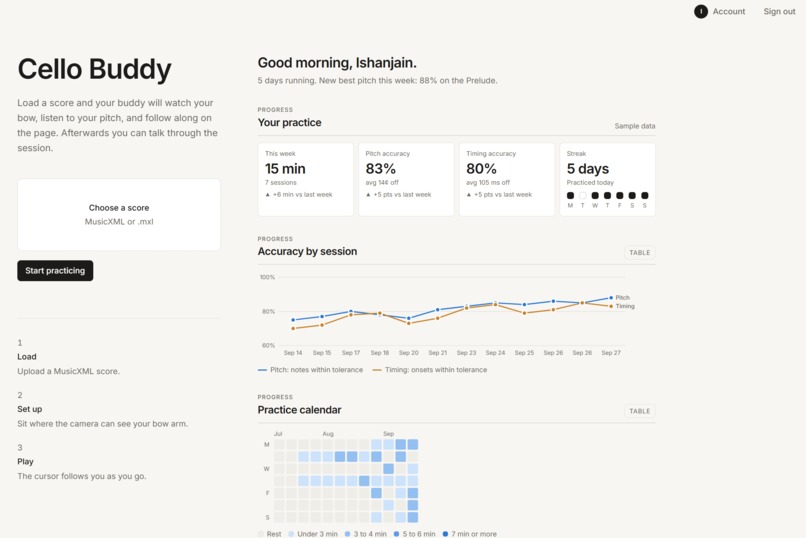
Dashboard
-
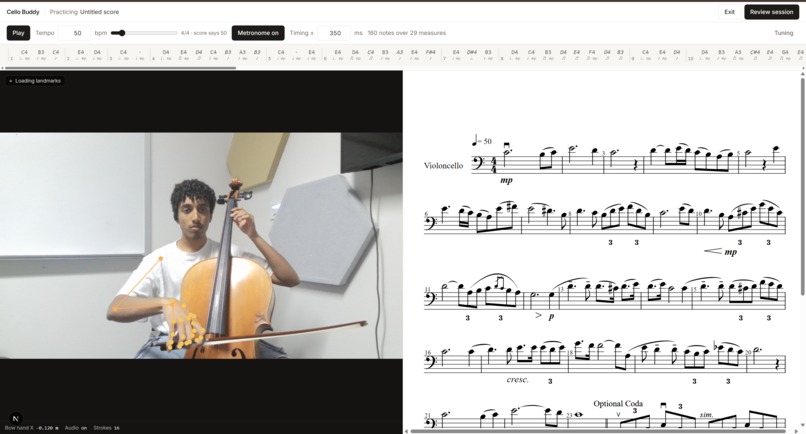
Practice Page
-
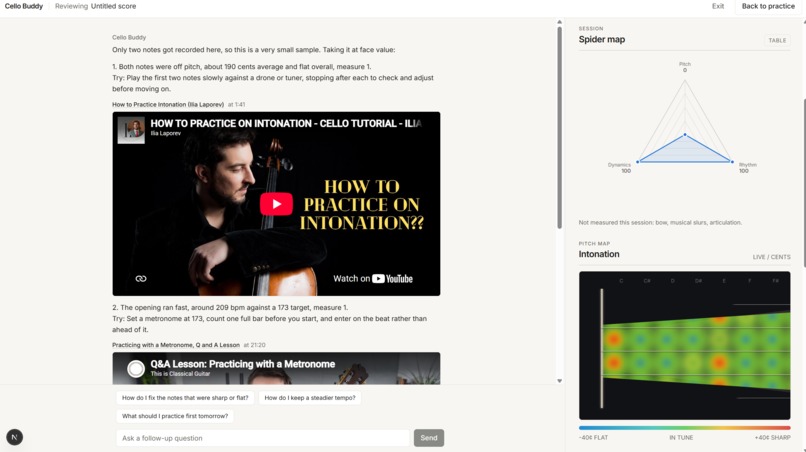
RAG-Powered Reviewer
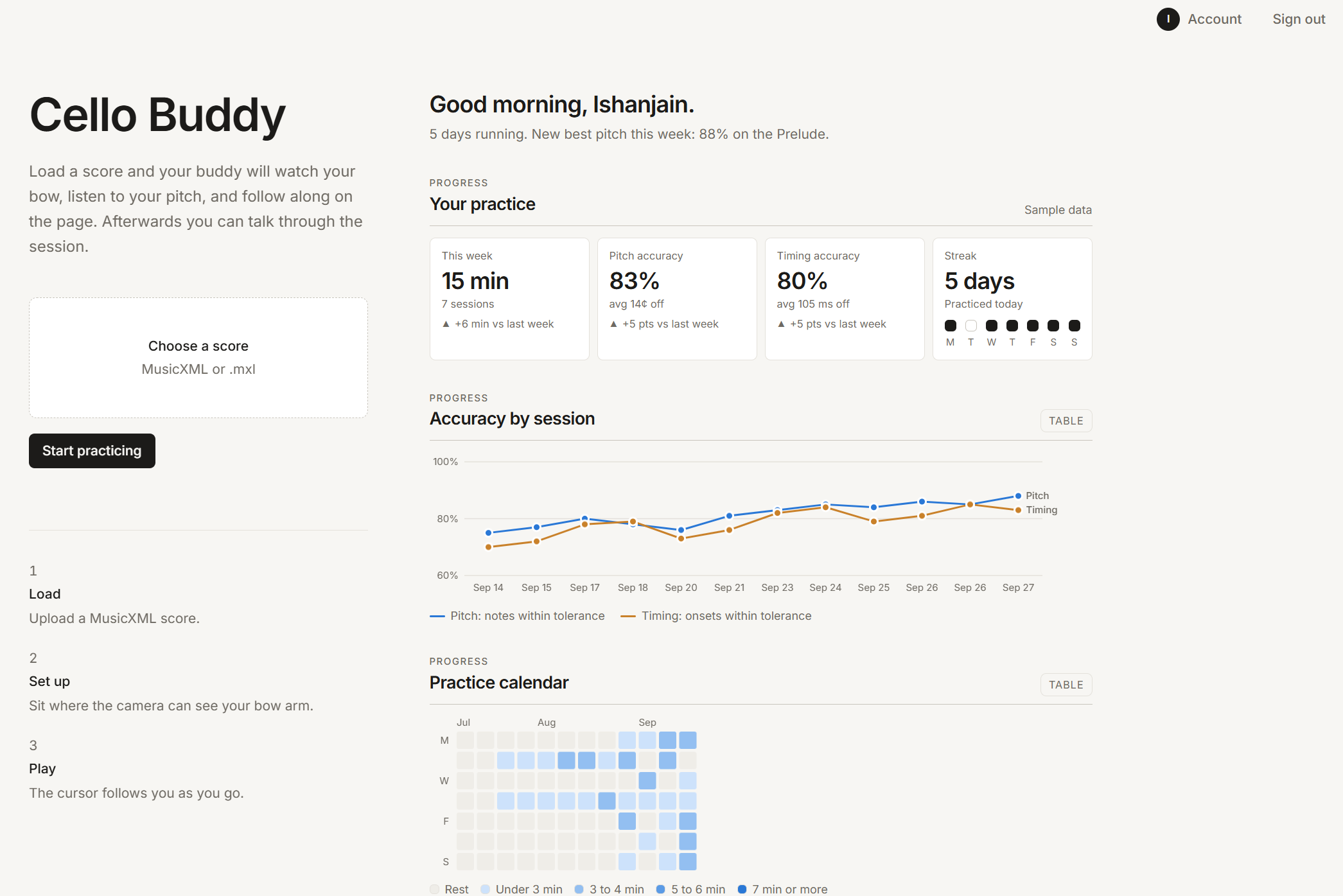
Inspiration
Private cello lessons run $45 to $85 an hour in the US, and a family paying for ongoing lessons spends $150 to $400 a month. About half of young people who take up music stop by 17, and socio-economic factors are among the most common reasons they give. We wanted to bring the teacher's ears and eyes to every student regardless of economic status using the webcam and microphone already in a student’s device.
What it does
Cello Buddy listens and watches while you play a piece, then tells you what to fix.
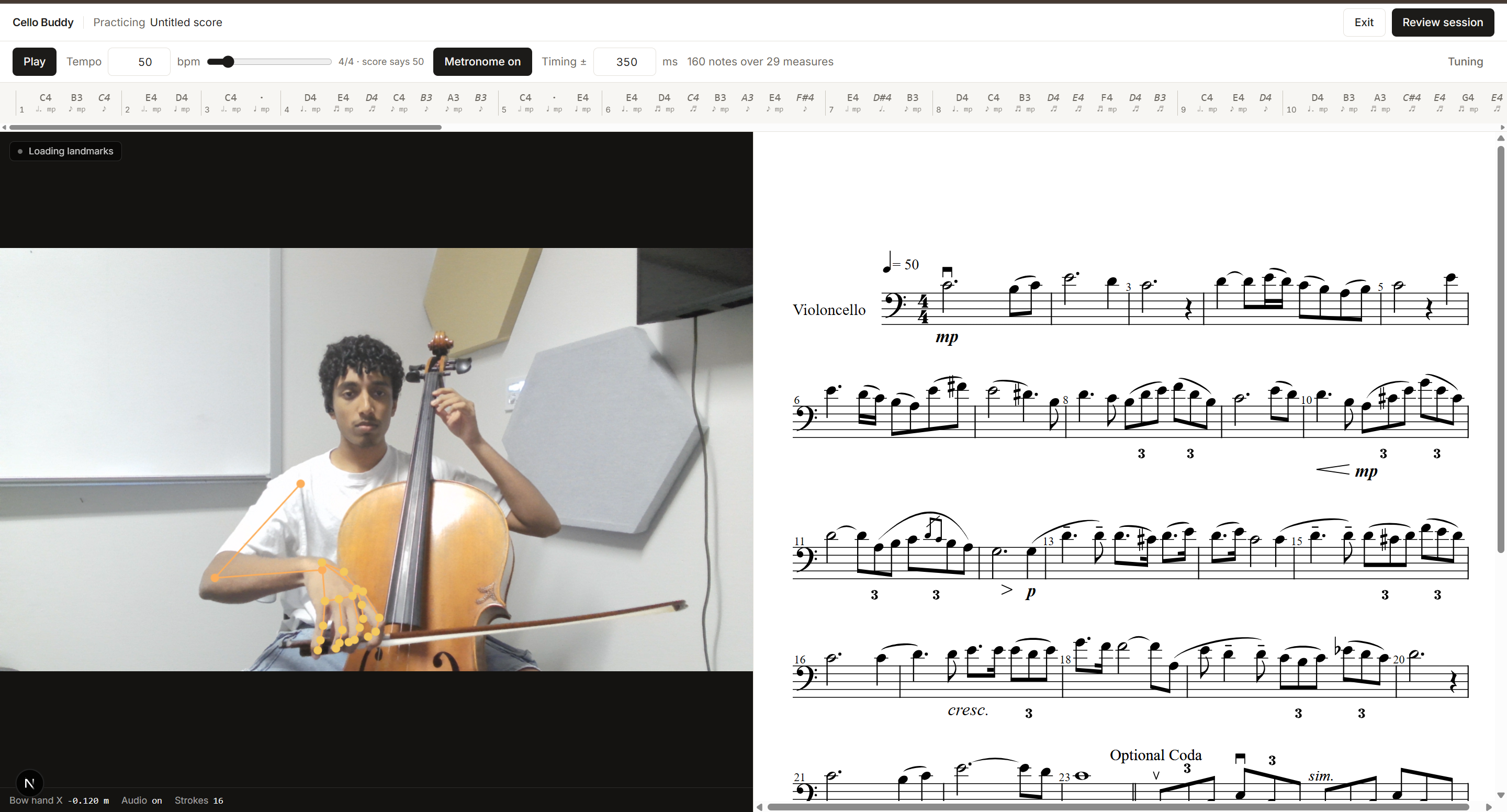
You upload a MusicXML music sheet. A free and accesible source could be MuseScore. The app renders it, counts you in with a metronome, and follows along dynamically as you play. Each note is graded from the microphone once its window has passed. Everything from pitch in cents, onset timing against the beat, dynamics against the marked level, and whether a slurred note was actually slurred. Notes light up on the score as you go, green for right, red for a wrong pitch, amber yellow for a rhythm, dynamic, or slur miss.
Your webcam tracks your bow arm at the same time. We measure whether the bow travels level across the strings or drifts up and down, count bow changes against how many the score asked for, and classify each stroke as legato, staccato, or détaché.
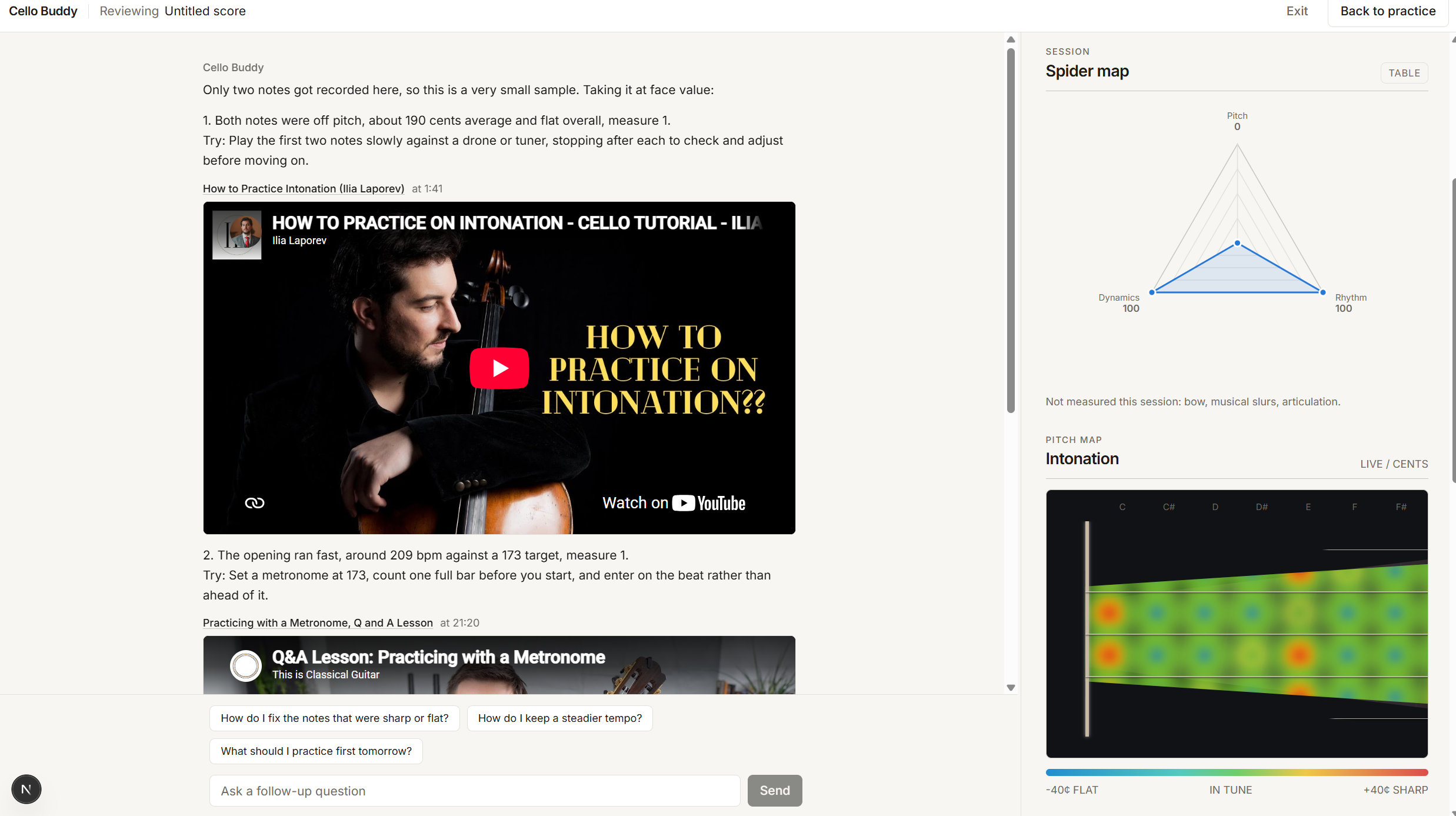
When you stop, Claude reviews the session the way a teacher would. You get at most three things to work on, each with one concrete exercise and a link to the exact timestamp in a real cello lesson video that covers it. The home dashboard keeps your history across sessions, with accuracy trends and milestones.
How we built it
Everything runs in the browser except the feedback chat.
- OpenSheetMusicDisplay renders the MusicXML. We walk the loaded score to build a timeline with one entry per sounding note (start beat, length, MIDI pitch, dynamic, slur, staccato) and map each note back to its position on screen so we can paint it.
- Raw mic samples are read on the AudioContext clock. Pitch comes from a McLeod-style normalized autocorrelation that is tuned for bowed strings, with a low clarity floor and a preference for the octave-down peak when the second harmonic dominates.
- MediaPipe pose and hand landmarkers run in a Web Worker on the GPU delegate. The right wrist landmark is stamped with score time and reduced per measure into path angle, horizontal share, and reversal count.
- For articulation, we collected labeled strokes offline with a Python script, trained a Random Forest on motion features (stroke duration, speed, acceleration, peak speed position, distance, direction), validated it leave-one-session-out, and exported it with m2cgen as plain JavaScript. It runs in the same worker with no server round trip to reduce latency and increase accessibility with older models of PCs.
- Feedback is a Next.js route that streams from Claude with the session metrics as JSON. We pulled captions from 13 cello lesson videos on YouTube, split them into chunks of about 45 seconds, embedded them with Voyage AI, and retrieve the closest chunks on every turn so the model can link a timestamp instead of describing a video.
- Next.js 16, React 19, TypeScript, and Tailwind for the app itself.
- User data is stored in a PostgresSQL database hosted on TigerData
Challenges we ran into
- The low strings fooled the pitch detector into reporting an octave up. We now grade by note name only by default, so an octave slip is not a wrong note, and we added the octave-down preference in the detector itself.
- Tracking the bow was much harder than we first anticipated. Before switching to tracking the wrist, we tried a printed ArUco marker on the stick with a crop-and-zoom search in a worker, and two pieces of colored tape with HSV thresholding.
- Pose inference runs at about 15 fps and lags the audio, so landmarks are placed on the score clock using the frame's own timestamp rather than the time they arrive.
- Getting the model to act like a teacher instead of a dashboard. Early prompts quoted every metric back at you. The final prompt caps the review at three problems, requires a "Try:" exercise for each, and forbids inventing a URL or timestamp.
What's next for Cello Buddy
- Add practice leaderboards to add friendly competition for motivation
- Incorporate Dynamic Time Warping to match users' tempo
- Increase the range of supported instruments
Try out our website!
To sign in as a user and test our website, feel free to use the following credentials!
Username: [email protected] Password: 1LoveGT
Download the following MXL file from either of the following links to view the practice page:
Ave Maria - Musescore or Ave Maria - Cello Buddy Github
If you do not have a musical instrument, singing works but does not allow bowing articulations.
Built With
- anthropic
- aruco
- claude
- computer-vision
- m2cgen
- mediapipe
- musicxml
- next.js
- numpy
- opencv
- opensheetmusicdisplay
- pandas
- python
- rag
- random-forest
- react
- scikit-learn
- signal-processing
- tailwind-css
- typescript
- voyage-ai
- web-audio-api
- web-workers
- webassembly
- youtube

Log in or sign up for Devpost to join the conversation.