-
-
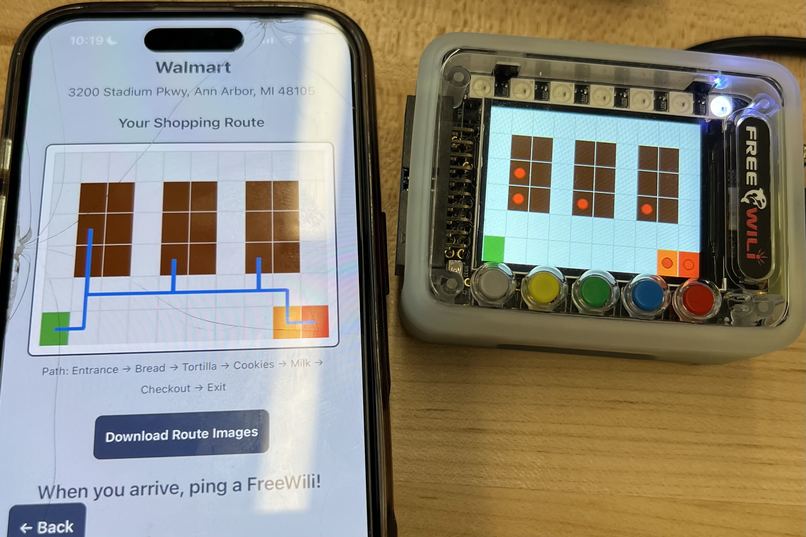
Grocery items marked as nodes
-
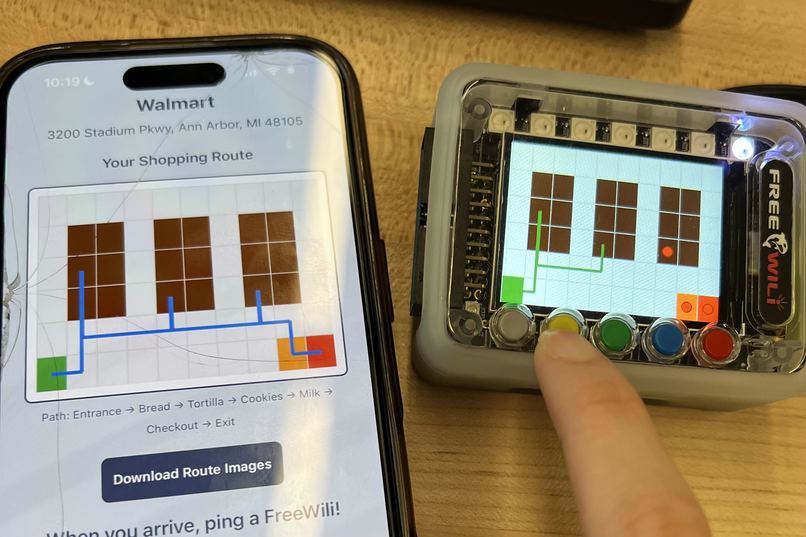
Live pathway
-
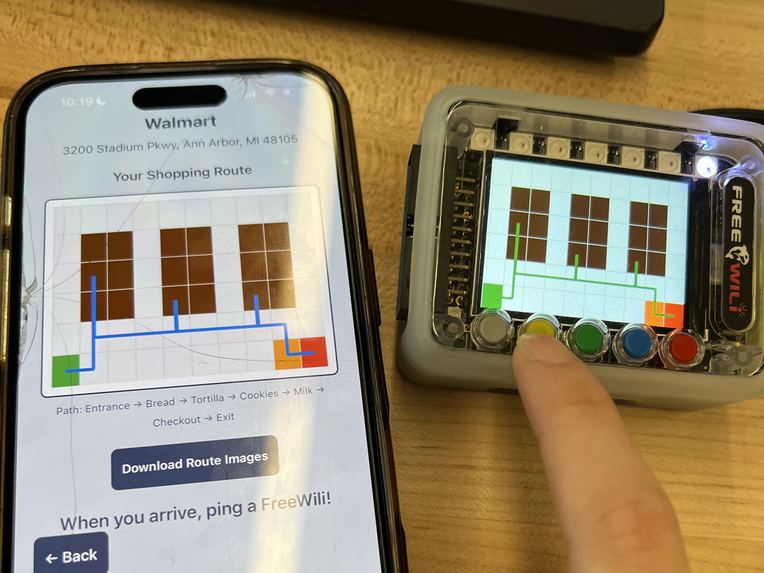
Finished pathway
-
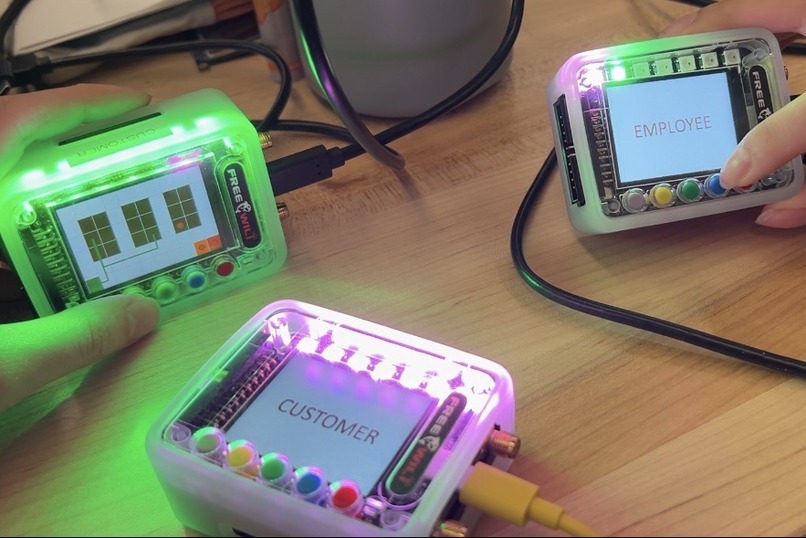
FreeWili to FreeWili communication through IR


Inspiration
We were inspired by another project in the same realm of grocery store experience improvement. Our name was inspired by the historical use of stars for navigation. Our goal is to benefit both the customer and employee, by allowing the customer to be more thoughtful about their choices and speeding up their grocery trip while streamlining customer service on the employee side.
What it does
Celestaisle is a smart shopping tool that streamlines shopping experiences from planning beforehand to in-store navigation. The app allows users to enter their zip code, provide a budget, and input their shopping list, which could include separate ingredients or potential recipes. The app looks for nearby stores and pulls item lists from each. Behind the scenes, AI is used to optimize and improve the shopping list, suggesting additional items the user may want and allowing misspellings. Options from different price ranges are given so that the user can choose between the generic brand, name brand, and organic options. Then, mapping information for a path through the store is sent to the FreeWili Compasses. Customers' pagers (attached to their shopping carts) display the map to navigate through the stores and buttons can be pressed to indicate an item has been found. In addition, customer pagers can emit an IR signal to request help from an employee, turning on the LEDs. Each customer pager has its own color ID associated. When employee pagers receive that IR request, the customer is added to the help queue and the LEDs on the FreeWili pager display the queue by color ID. Once a customer is helped, employees can mark the customer as "helped", which removes their color ID from the LED queue, and the customer LED lights turn off through a received IR signal.
How we built it
App & Backend We used React Native and Expo for the app, with a python backend. The backend utilizes Flask and the Google Gemini API.
FreeWili Compasses We programmed the FreeWili Compasses in Python using the provided interface documentation. We made use of the IR signals to communicate between FreeWili modules. We wirelessly uploaded custom images onto the screens and used the button and LED interface to allow customers to check off their path and page for help.
Challenges we ran into
We ran into big challenges with the FreeWili modules. We couldn't get CMake working at all, even with the help of the folks at FreeWili, so we ended up having to use the Python interface, which brought up some roadblocks with our initial implementation ideas, but we still managed to get the compasses working how we wanted. We were hoping to use RF to communicate long distance between the FreeWilis, however, there ended up actually being an issue with the FreeWili API, so we were unable to use that feature.
Accomplishments that we're proud of
We are proud that we were able to get over the initial roadblock we faced with the CMake issues, and to have used an AI API in a project for the first time.
What we learned
We learned how using an AI API works, and how to take advantage of the FreeWili Device. Some members worked with frontend backend integration for the first time.
What's next for celestaisle
We would seek to use the FreeWili as a standalone device by uploading wasm files to the device.
Built With
- expo.io
- gemini
- python
- reactnative
- sql
- typescript


Log in or sign up for Devpost to join the conversation.