-
-
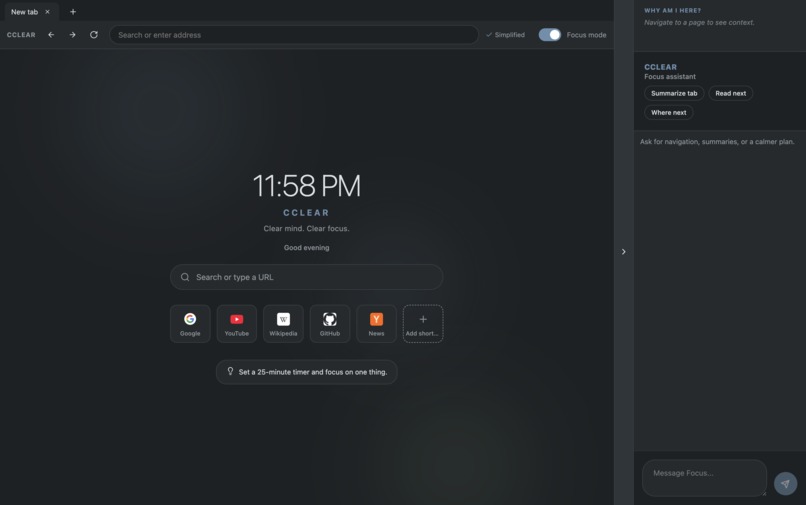
Home Page Preview
-
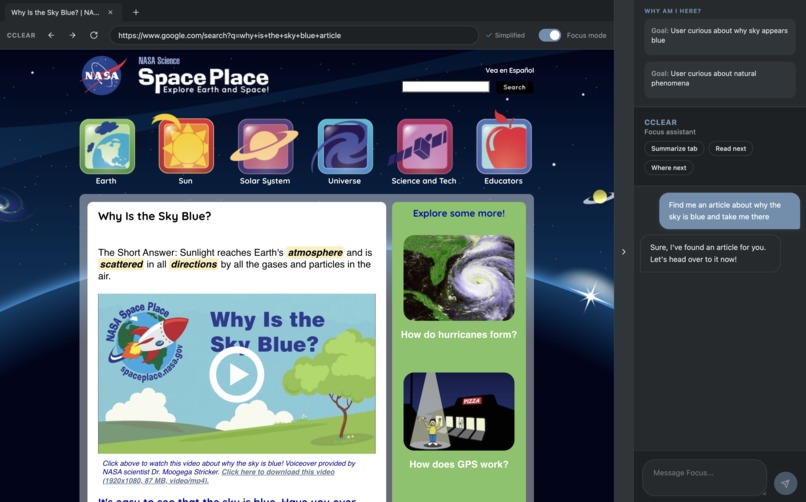
Functionality Preview
Inspiration
With this hackathon's emphasis of creativity, I wanted to build something for people who experience the world differently than I do. To come up with an idea of what to make and who to make it for, I started thinking about some qualities I had that others may not. One quality I have is staying focused, even when I was bored. This made me think about what long, repetitive, and difficult tasks were like for people who struggled to focus, like people with ADHD. I realized that creating an environment that keeps track of objectives, simplifies text, and gives people breathing room may just be the perfect solution, and what better environment to simplify than the one we use everyday... the internet!
The main problem, restated.
People with ADHD struggle to focus, which can turn a quick 5 minute homework assignment into an hour long browse across the internet with zero productivity. This problem matters because it affects them in their everyday lives, and their struggles can impact their academics, free time, productivity, mindset, and more. This problem has not yet been fully solved because it is very difficult to:
- Design a solution that matches the individual user (This could be solved with AI, but many apps haven't started yet, or found that it may raise privacy concerns)
- Simplify and bring clarity to long, repetitive, or boring tasks in an overstimulating environment.
- Help people with ADHD keep track of what they are supposed to do.
What it does
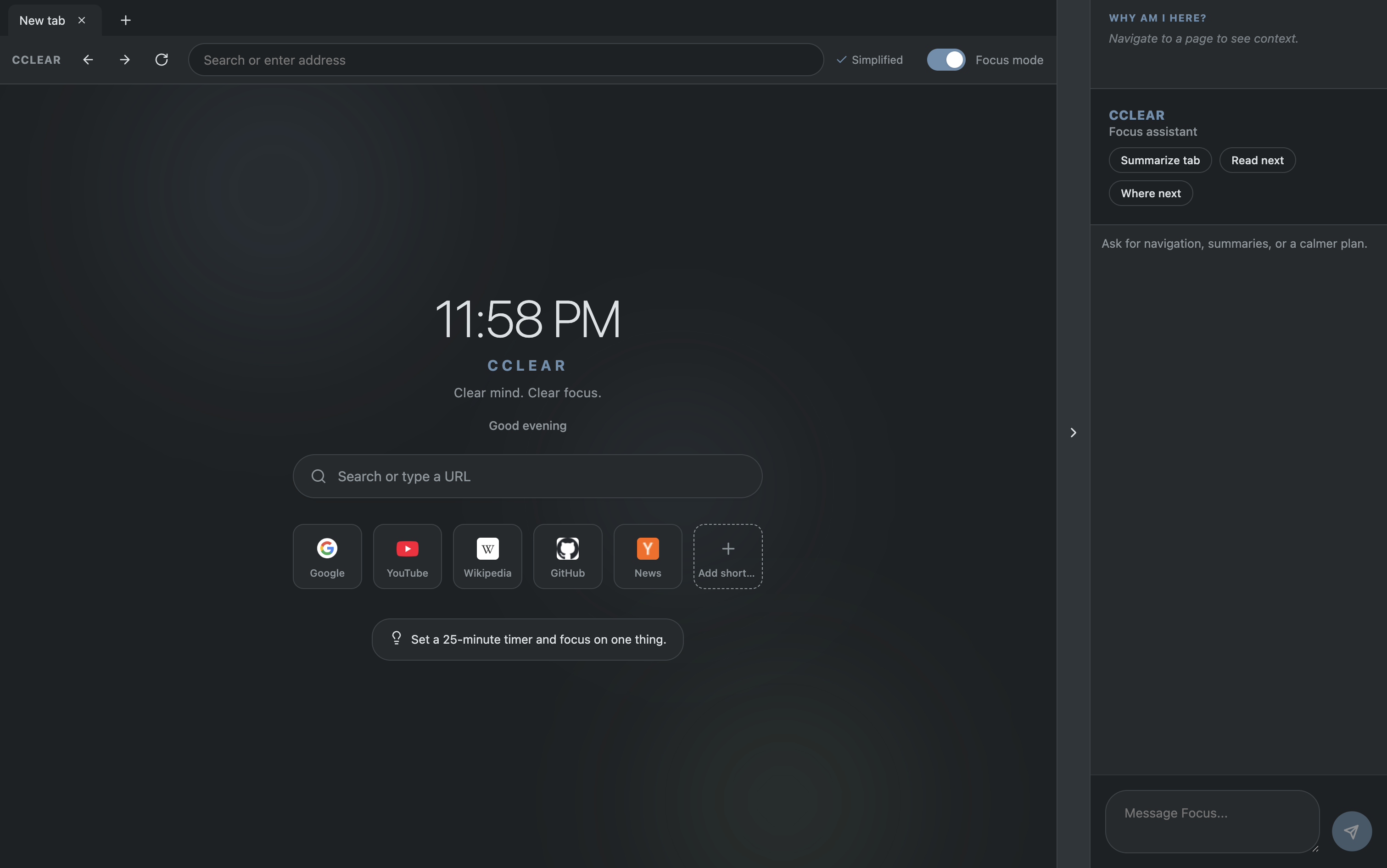
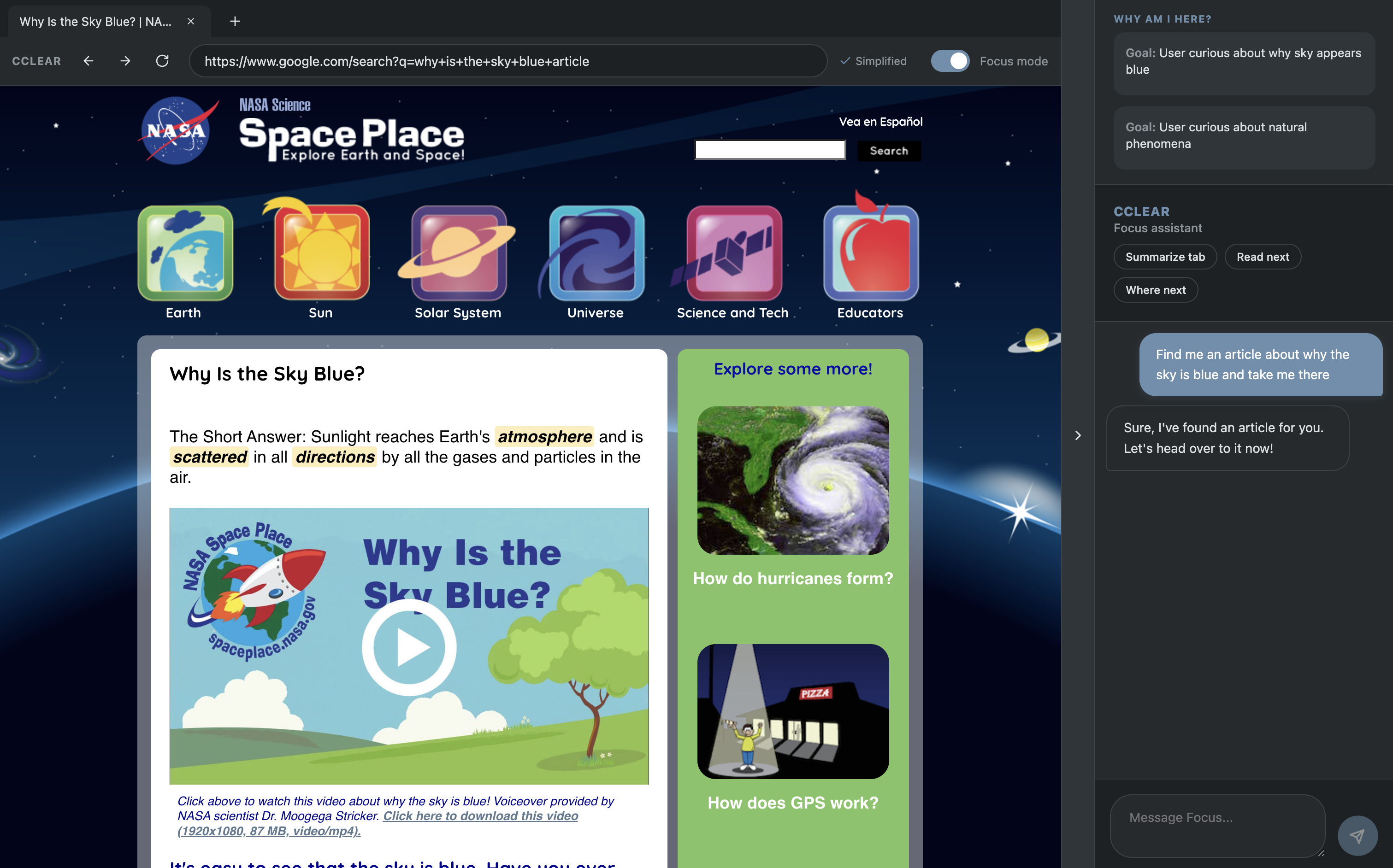
CCLEAR (pronounced like "see clear") is a browser with AI integration to allow people with ADHD to focus and browse efficiently. It is able to function as its own browser with a search engine, but with a few special touches. The most noticeable feature is called focus mode. When enabled, it scans all text on the page they are looking at, and within 5 seconds transforms huge chunks of text into easily understandable summaries, and even highlights key information. Another functionality is that on the right side there is a collapsable menu which contains 2 other key features. The first is an AI chatbot. It is able to see your screen, tabs, etc and the user can ask it anything from summarizing the page, to even having it perform tasks like finding an article. The second feature found in this menu is the objectives tracking. After researching I learned that one of the main struggles for people with ADHD is getting sidetracked over and over again and they forget what they were originally doing. Thats why. CCLEAR uses AI to keep track of objectives, and keeps track of them in an easily readable list. That way if the user gets distracted, all they have to do is glance at the top right of the menu, remember what they were doing, and simply click the objective to go back to the site they were originally supposed to be looking at. You may be thinking that an AI that can see everything you are doing may be a privacy risk, but CCLEAR uses a locally hosted AI model, which means it runs from your computer and nobody else can see what you are doing. This ensures user privacy while maintaining the most functionalities.
How I built it
Over the span of the past few weeks, I think the most important part of the development of this app was the planning phase; deciding what I was going to make and how. It took me a couple of days to come up with my idea and research what I would use and the functionalities of the app. Then I spent about 20 hours after school over the span of a week, building the app and functionalities, testing it, and polishing it. The first few days were centered around building the main browser functionality and prototype. Once I finished the browser functionality I finally pushed to github. Next I started implementing the key features and functionalities, including integrating the local model. Finally near the end I started working on polish and the user experience. I made the UI simple but very clean and appealing. During development, I used Cursor's agentic coding agent as well as Google Antigravity in collaboration with one another to turn my plan into a working product.
Challenges I ran into
Several functionalities I tried adding had to be scrapped, including a voice assistant feature, which I had spent a couple hours on before realizing it wouldn't work as efficiently as I thought it would. Also in the very beginning it took quite a while to get the browser working smoothly and properly, as requests were super delayed and buggy at first.
Accomplishments that I am proud of
I am proud to say that the product is completely functional, smooth, and fast even with the AI integration, allowing people with ADHD to focus clearly and browse the internet with ease in their everyday lives
What I learned
I learned the importance of clear planning, how to utilize local AI models, how to efficiently utilize agentic coding IDE's to implement ideas thoughtfully, and most importantly the biggest thing I learned was how to think in the perspective of someone with a different life/condition.
What's next for CCLEAR
I want to look more into the voice assistant feature, as I know its possible but it would've taken too much time to learn and implement it in a way thats fast, free, and efficient. I also want to ask people with ADHD about their feedback on the app and anything that they like/dislike and what could be changed.
Built With
- css
- electron
- electron-<webview>-tag
- electron-ipc
- electron-store
- electron-vite
- google-search-url-schemes
- html
- mac-os
- native-web-dom
- ollama
- react
- typescript
- vanilla-css
- vite

Log in or sign up for Devpost to join the conversation.