
Inspiration
What it does
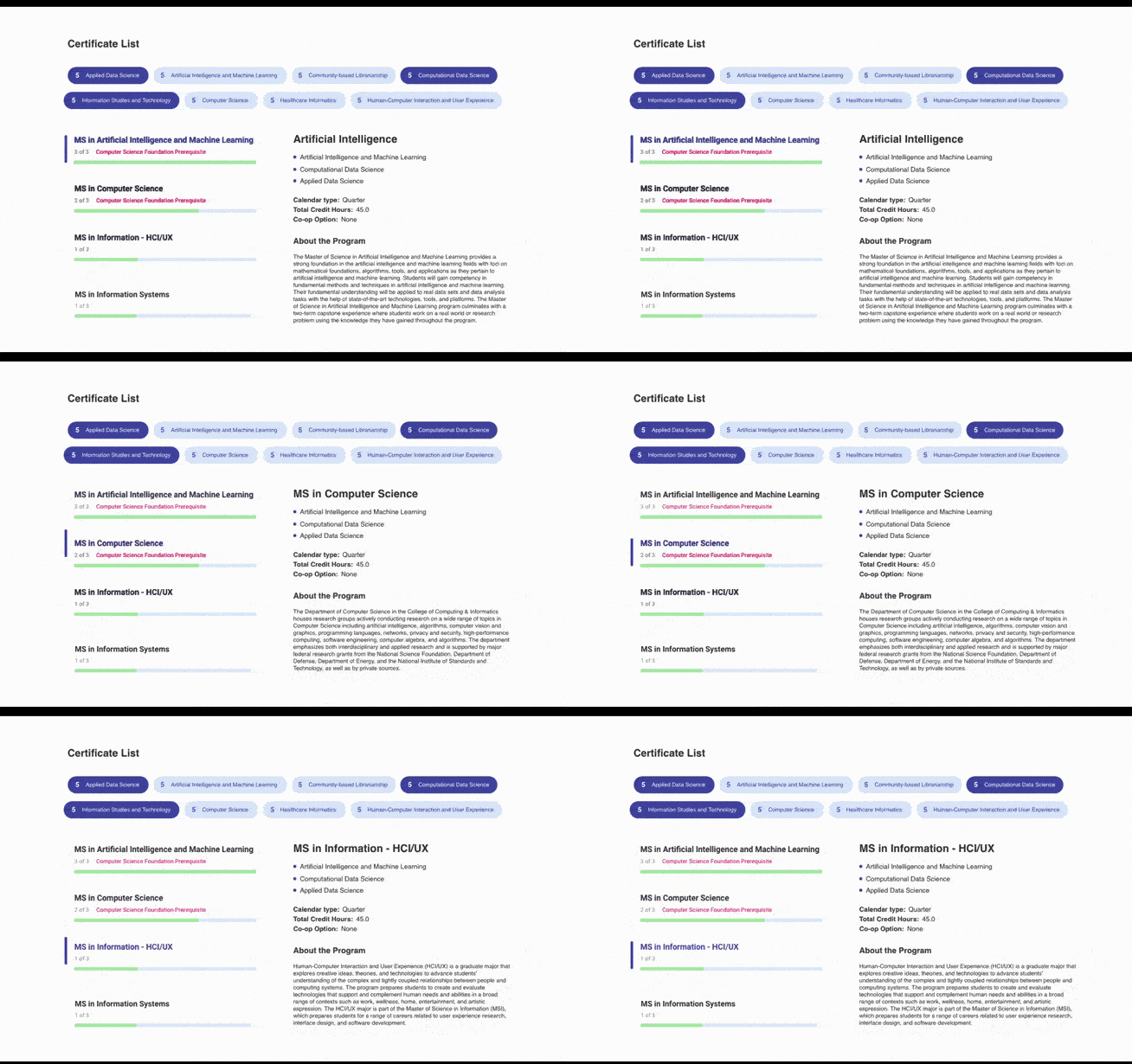
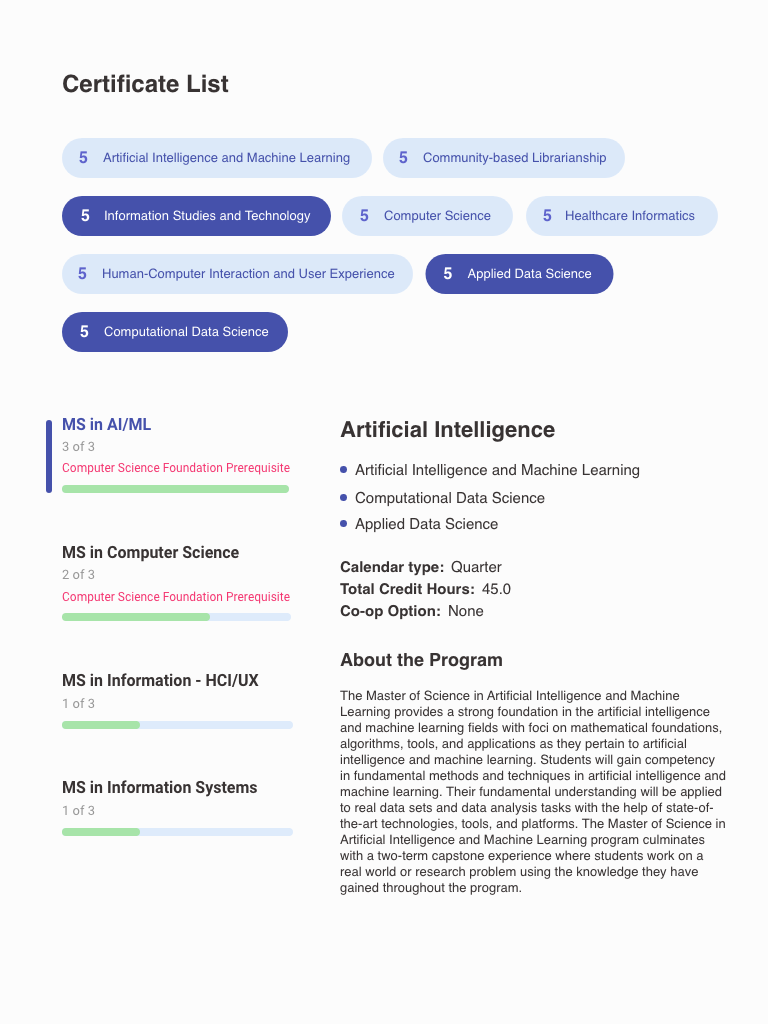
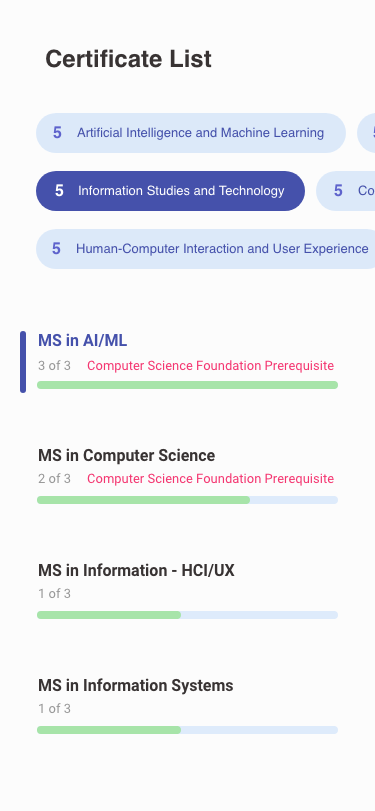
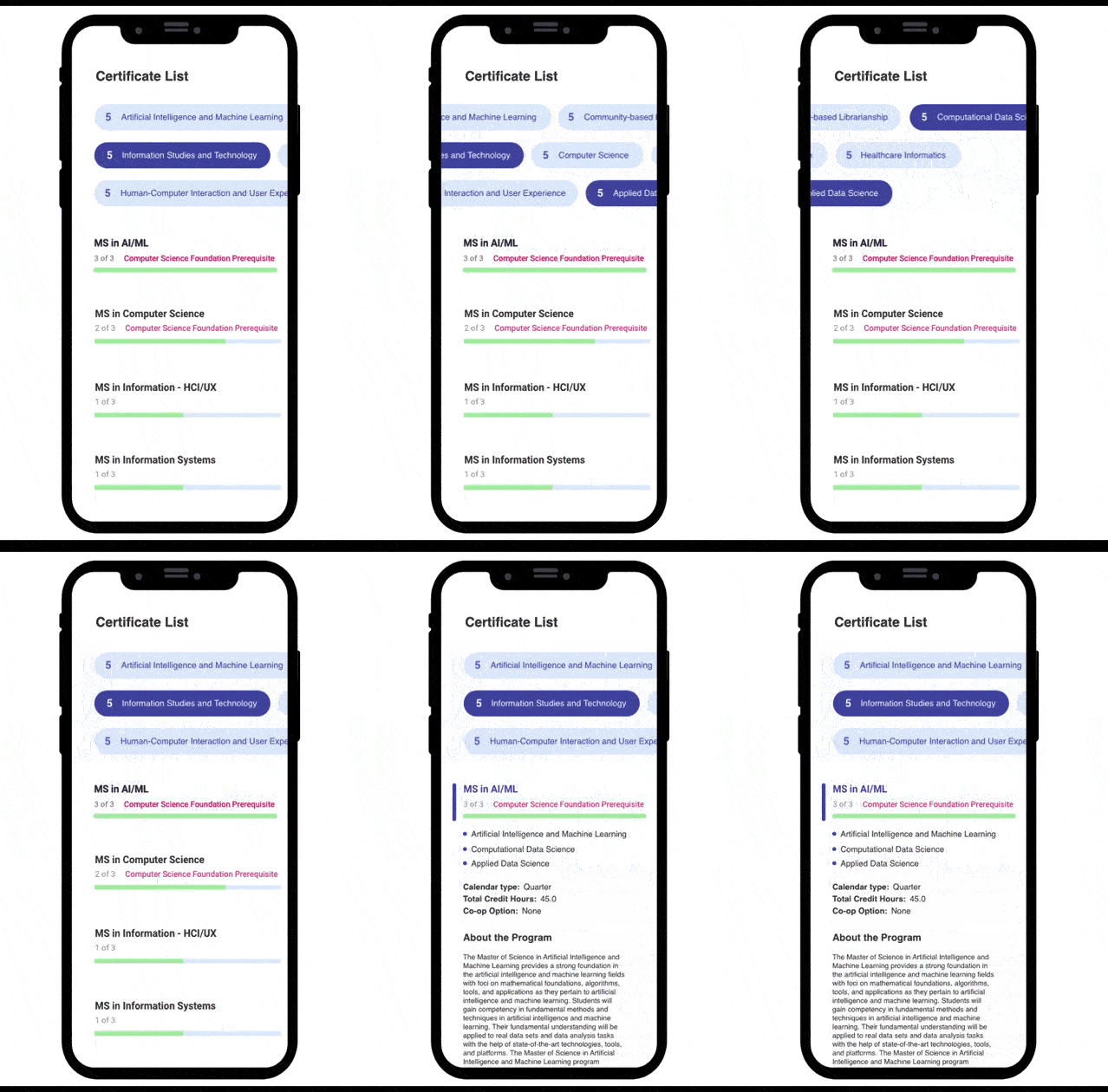
The user could choose and combine the tags by clicking on them. The most relevant programs always will be at the top of the search. Each block contains the name of the program, the progress bar, and the counter representing how many appropriate certificates out of the required amount you have selected in the tags area. The green progress bar visualizes that as well. If the user chooses the combination of certificates, which cannot exist, none of the progress bars will fill the green. There is also a prerequisite attention bar. For example, some technical certificates cannot be applied for without complete the Computer Science Certificate. There is a description of the chosen degree on the right side of the page. It also contains the required certificates.
How I built it
I created a low-fidelity prototype on paper and build the interface in the Adobe XD based on it.
Accomplishments that I'm proud of
The cooperation of the parts of the interface with each other. This combination creates a simple solution.
What I learned
Formulating surveys for user testind, Animation in Keynote
What's next for CCI Web App by Elmira Garafieva
In the next version I will add the signature “number of credits” to the numbers in the tags, the signature above the list of master's degrees, and the signature “Required Certificates” above the list of certificates in the description of the master's program. I will also make each block of master's degrees stand out completely to indicate that they are clickable.
Built With
- xd

Log in or sign up for Devpost to join the conversation.