-
-
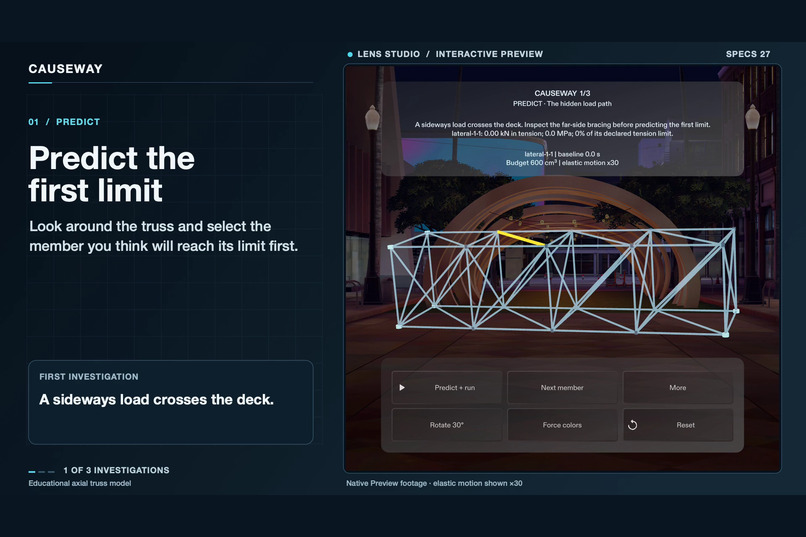
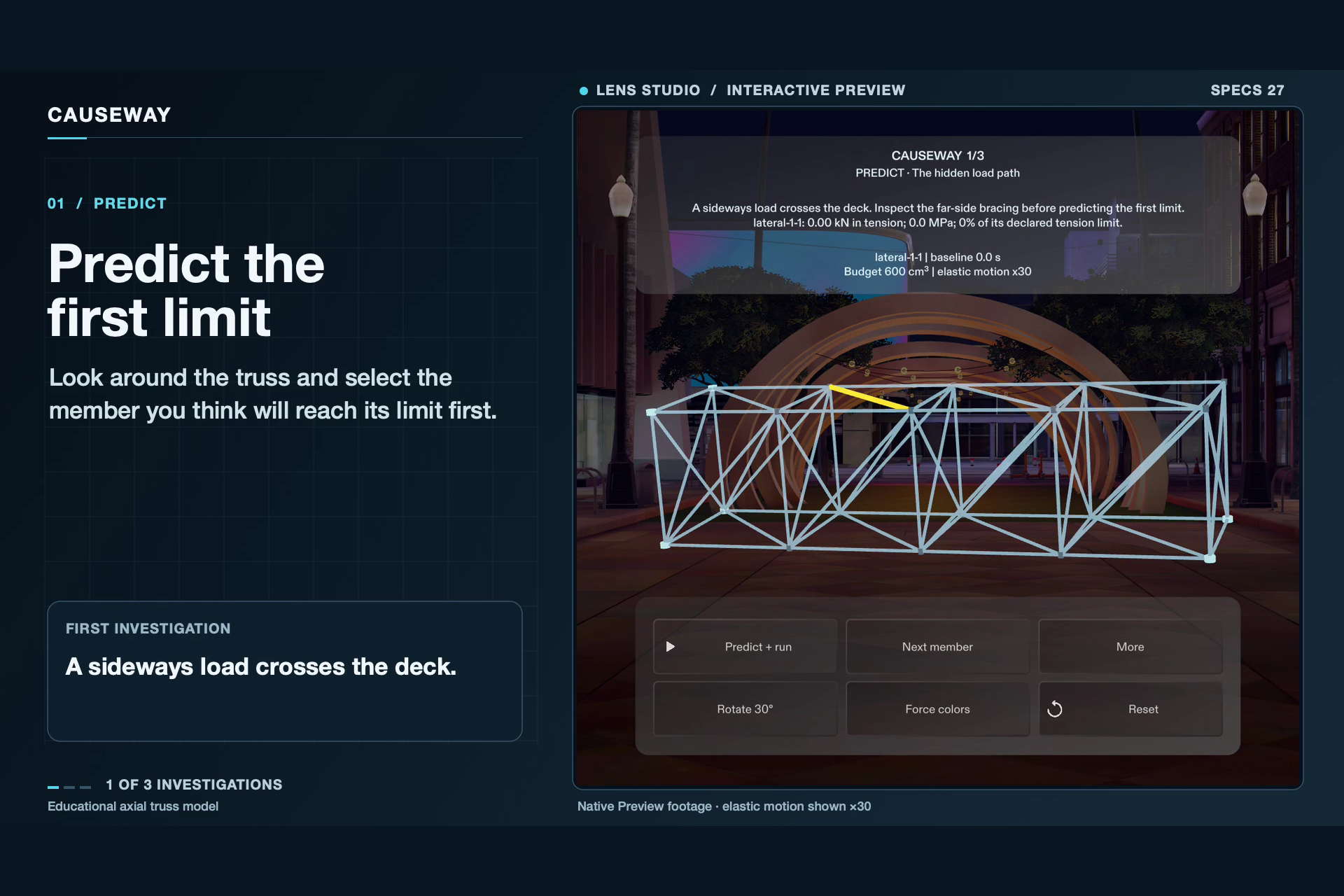
Walk around the truss and predict which member will reach its modeled capacity first.
-
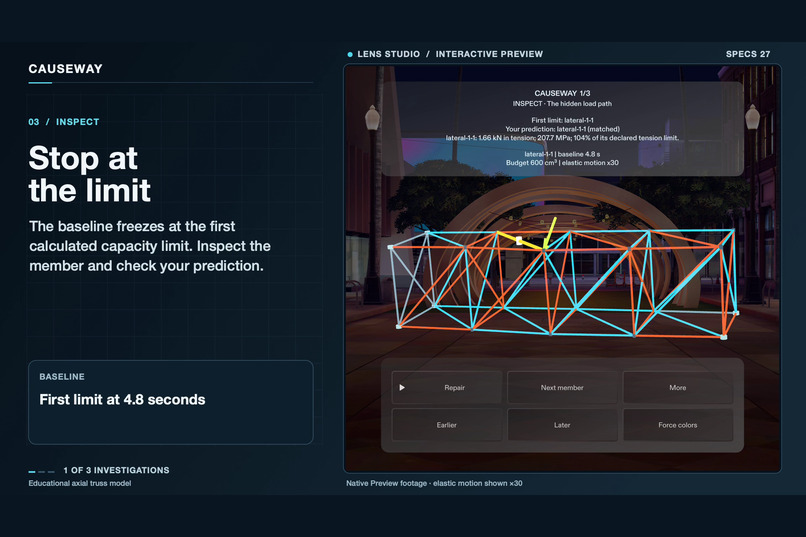
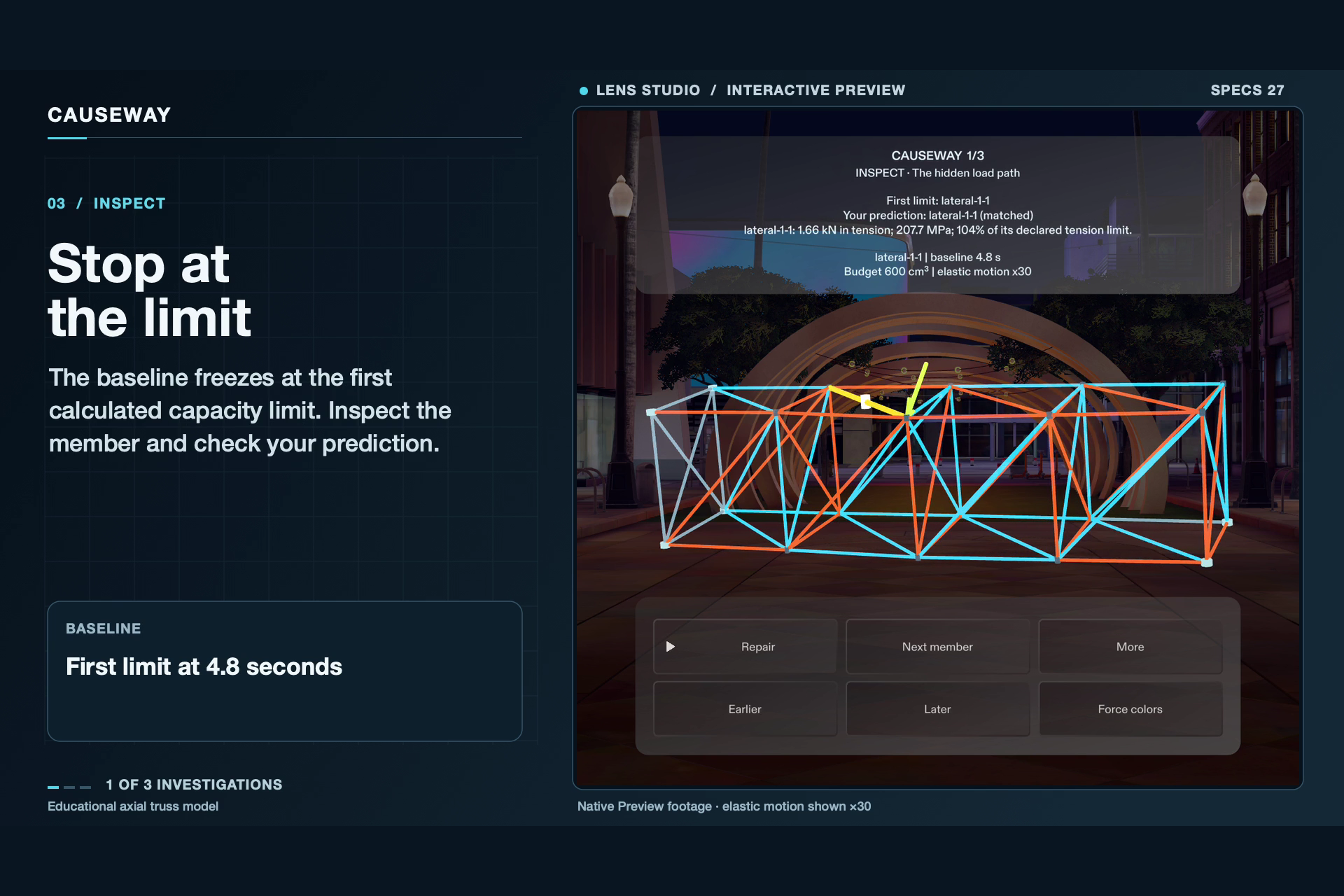
The baseline freezes at 4.8 s. Inspect member force, stress, and capacity use before choosing a repair.
-
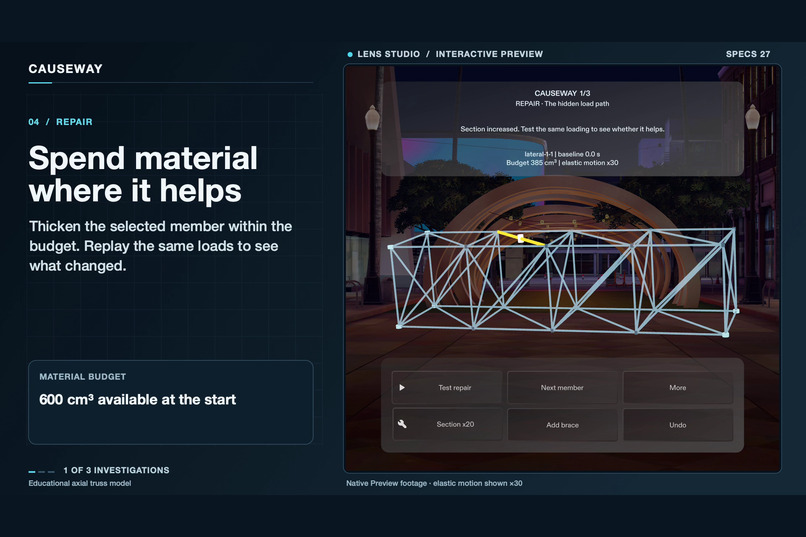
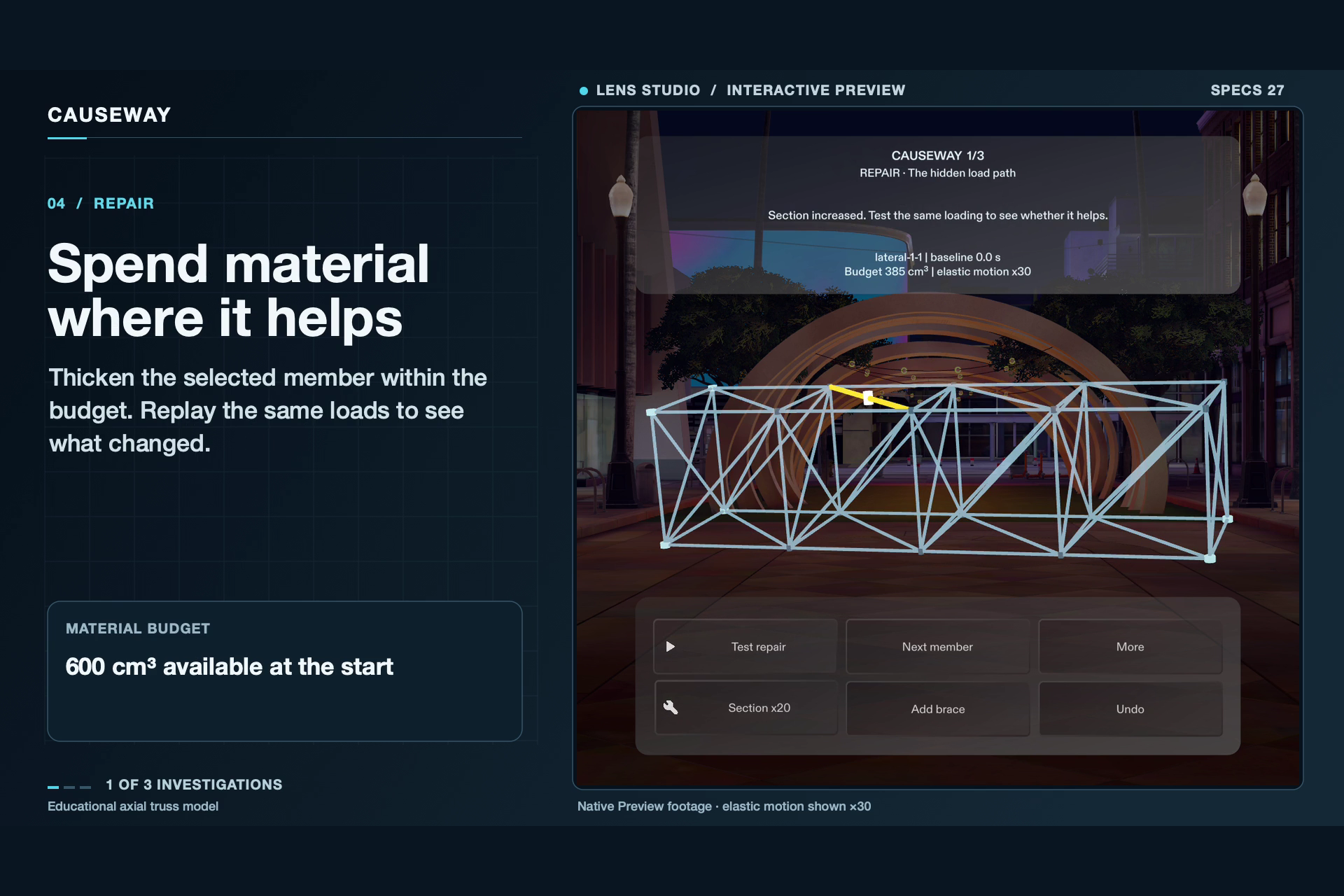
Strengthen the selected member within the material budget, then replay the same loads.
-
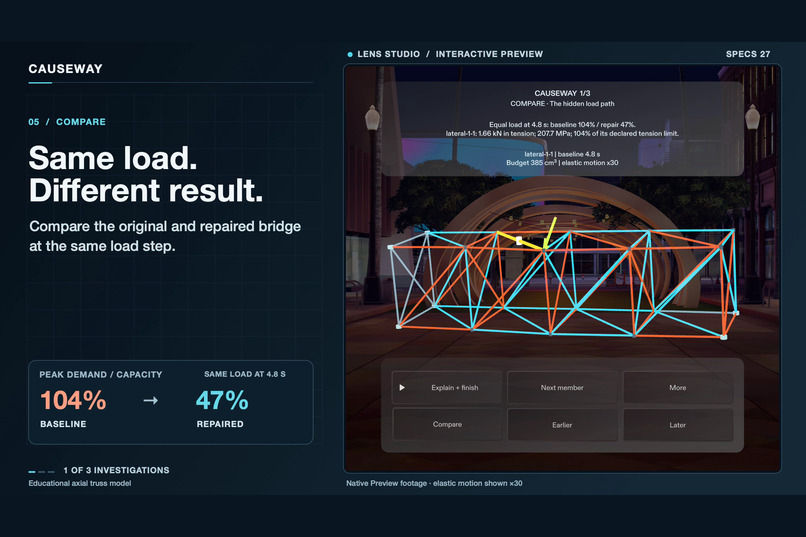
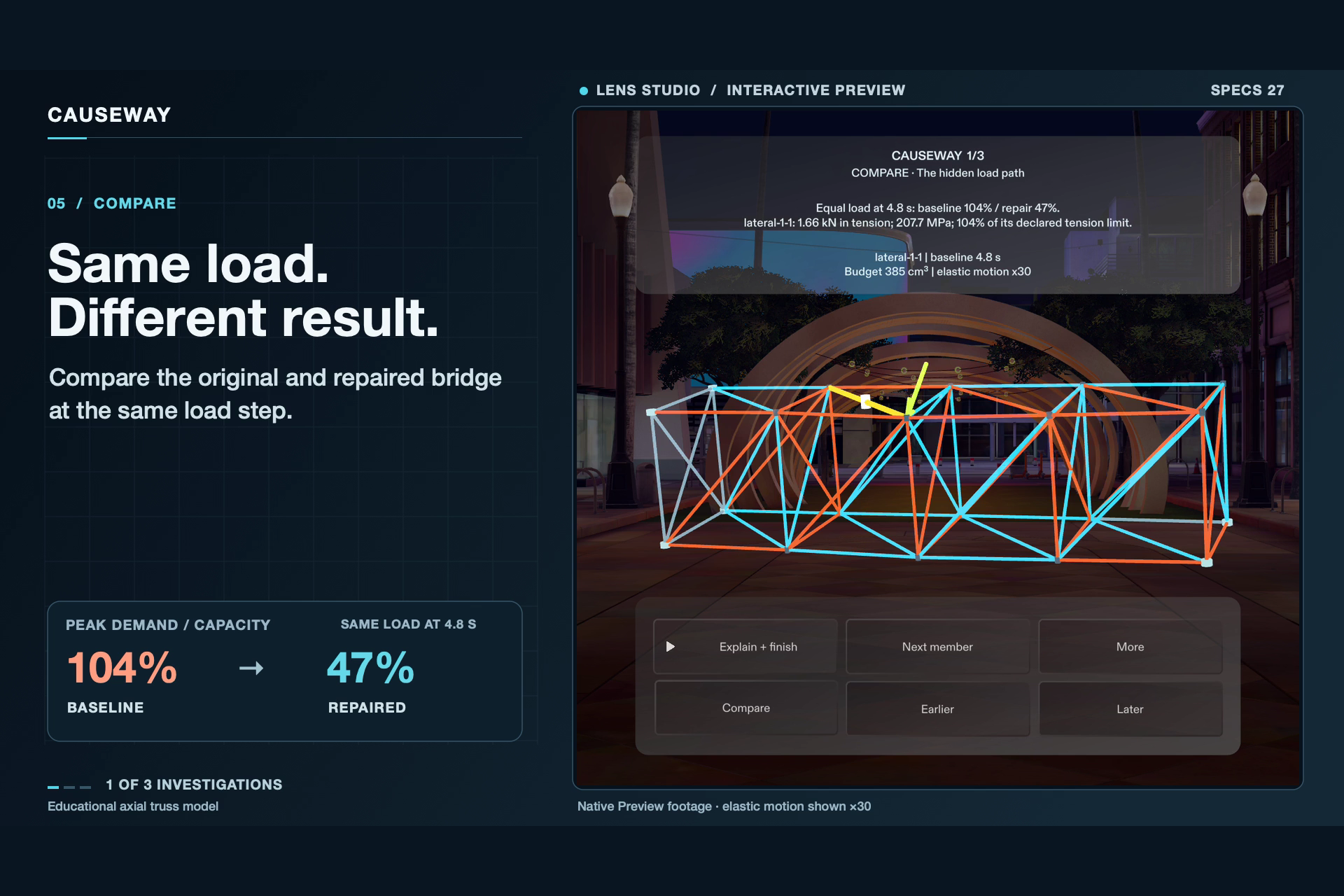
At the same 4.8 s load step, peak utilization drops from 104% to 47% after the repair.
-
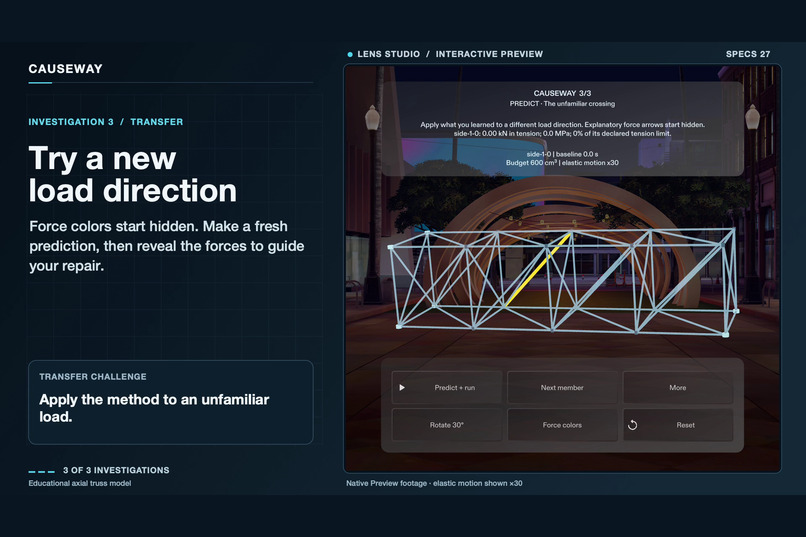
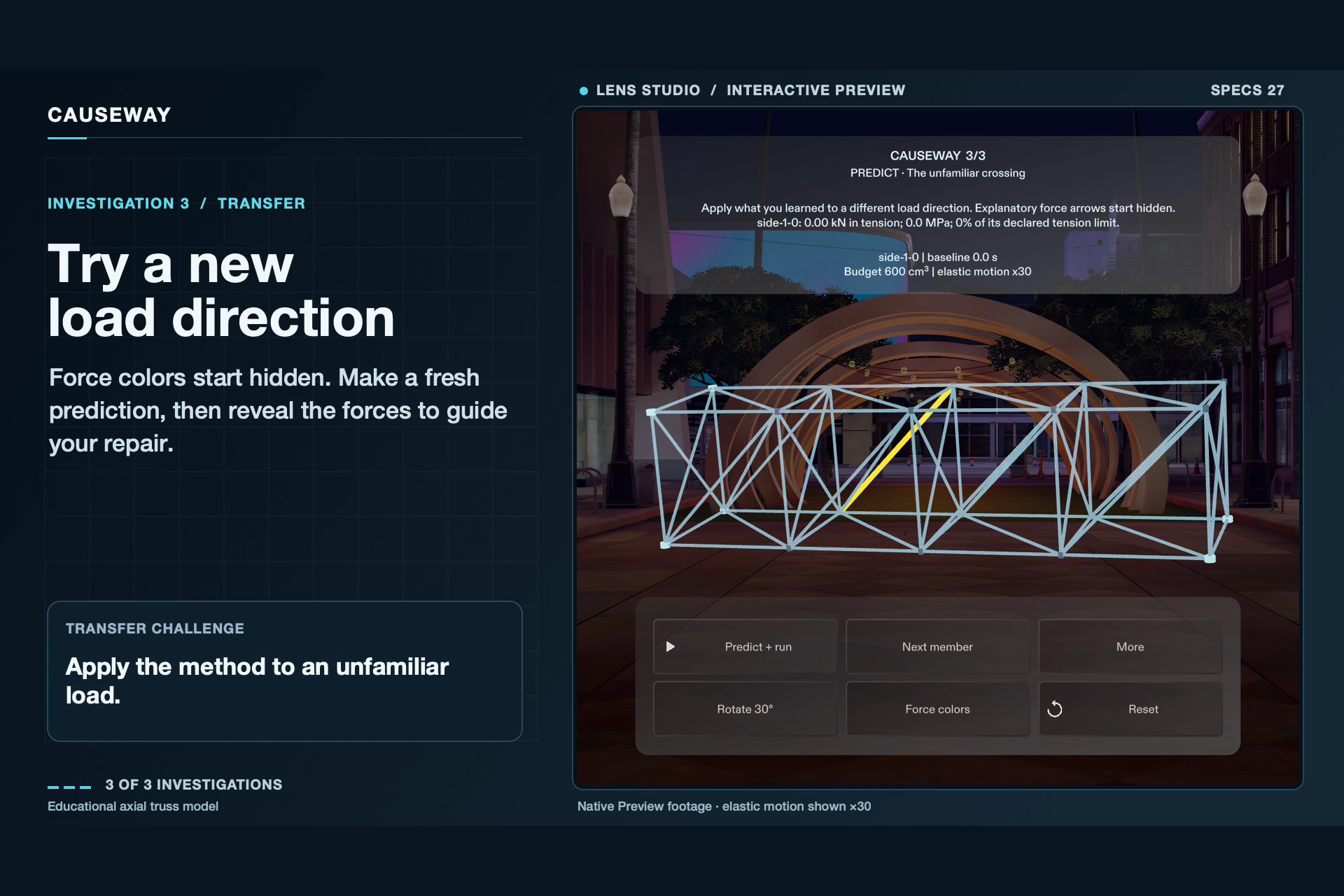
Make a fresh prediction under a new load direction with force colors hidden.
Inspiration
A bridge diagram shows how its members connect. CAUSEWAY lets introductory STEM learners investigate how forces move through those connections and what changes when they strengthen a member or add a brace.
What it does
Walk around a virtual truss and predict which member will reach its calculated capacity first. Run the load test and inspect the forces when playback freezes at that limit. Spend a limited material budget to strengthen a member or snap a brace between two joints. Then replay the original and repaired designs at the same applied load to see what the repair changed.
The Lens has three investigations. In the final one, force colors start hidden so learners make a fresh prediction under a different load. The bridge stays in place as learners change viewpoint, and they interact with its members and joints directly.
How it was built
A coding agent built the Lens through CLAD and Lens Studio MCP. A TypeScript solver calculates axial forces and capacity utilization at recorded load steps. MeshBuilder draws the truss, Spectacles Interaction Kit handles selection and dragging, and Spectacles UIKit presents the controls.
Five LEAF scenarios passed in SPECS 27 Interactive Preview, covering the solver, lesson progression, brace snapping and Undo, simulated hand reach, and all three investigations. The 92-second demo shows the Lens running in Preview.
What I learned
The first layout had four rows of controls competing with the bridge for viewing space. I reduced the layout to a compact readout and the actions needed for the current step, with secondary controls under More. The same principle helped with the experiment itself: holding the applied load constant lets the learner focus on what the repair changed.
To try it, open CAUSEWAY.esproj in Lens Studio 5.23.2 and select SPECS 27 Interactive Preview. The repository README has the controls and setup steps.
Built With
- clad
- lens-studio
- lens-studio-mcp
- specs
- spectacles-interaction-kit
- spectacles-uikit
- typescript
