Inspiration
BOO! 👻 Nope, it's not a ghost... it's the untracked calories from your Halloween candy! We made Cauldron to make sure you're not spooked by any tricks this year, meaning you can just enjoy your treats.
What it does
Cauldron keeps track of the calories you take in from this year's trick-or-treat candy. 🍬 Scan your candy wrappers before tossing them into our special Cauldron bin, and we'll track your calories against your personal limit.
How we built it
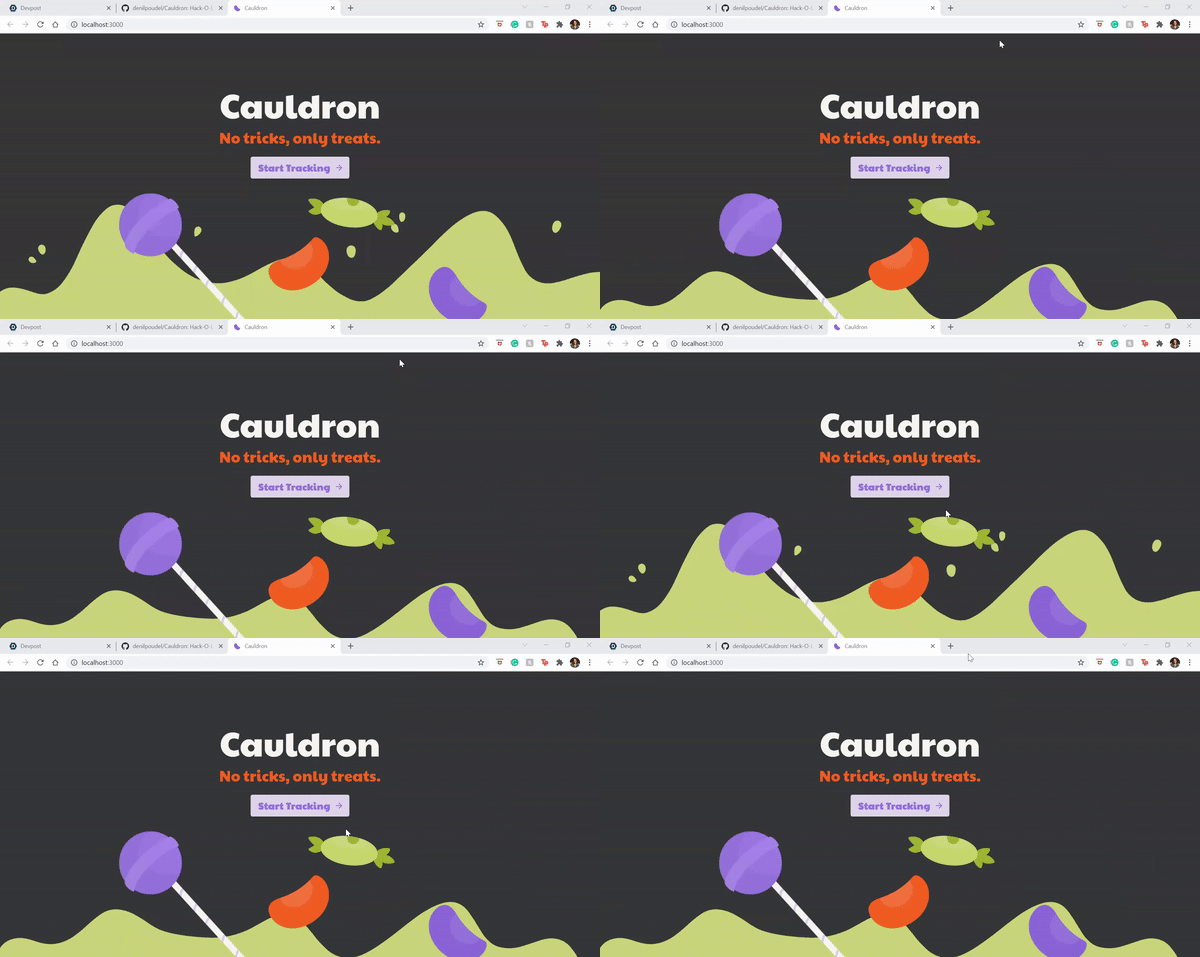
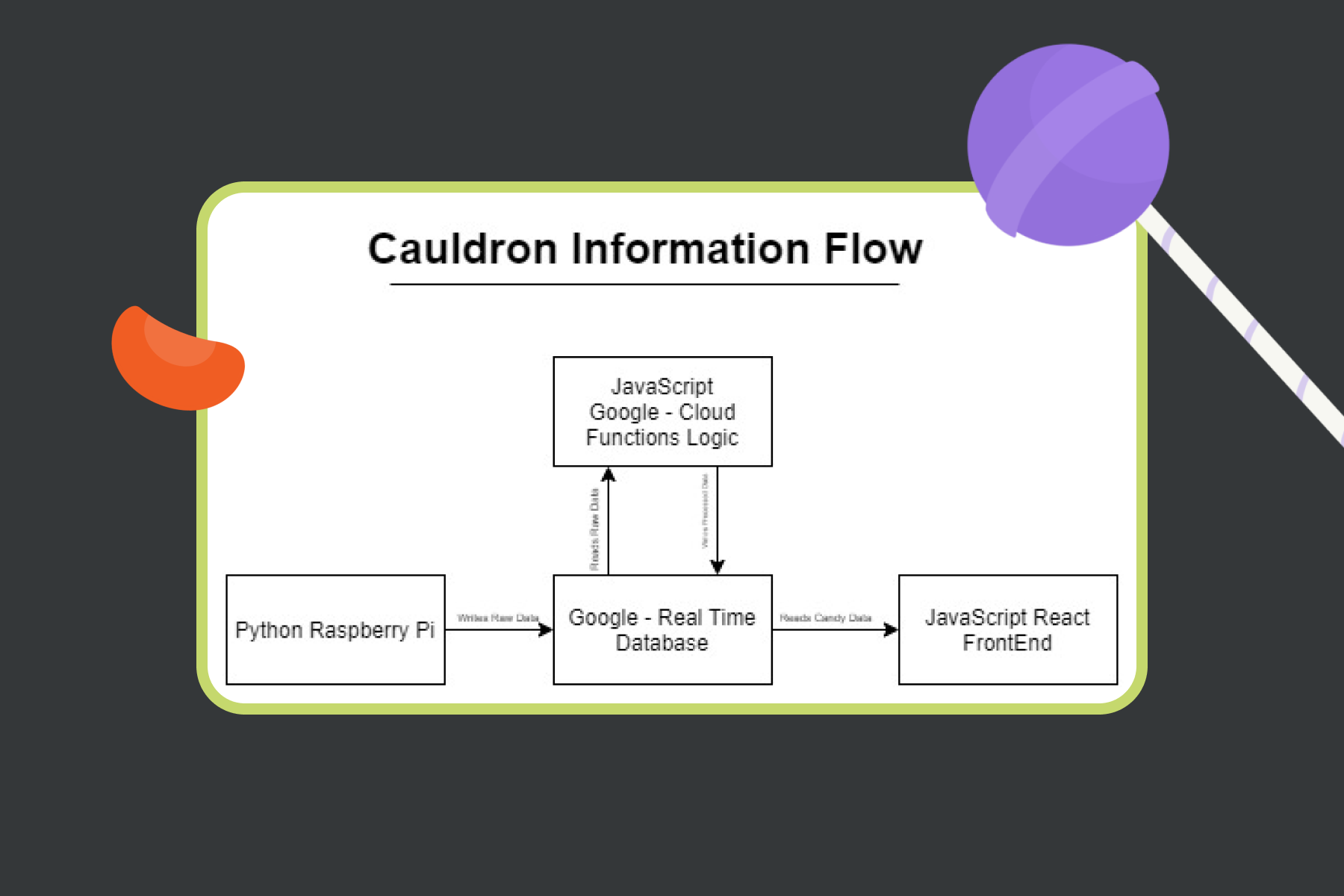
For the user-facing web app, we designed and prototyped our concept in Figma. This design prototype served as a guide for our frontend - created using React, Material-UI components, and React-Router. This frontend pulls information from our Firebase Realtime Database backend, which updates the “My Cauldron” data whenever a new candy was scanned by Cam, our spider-buddy. 🕷
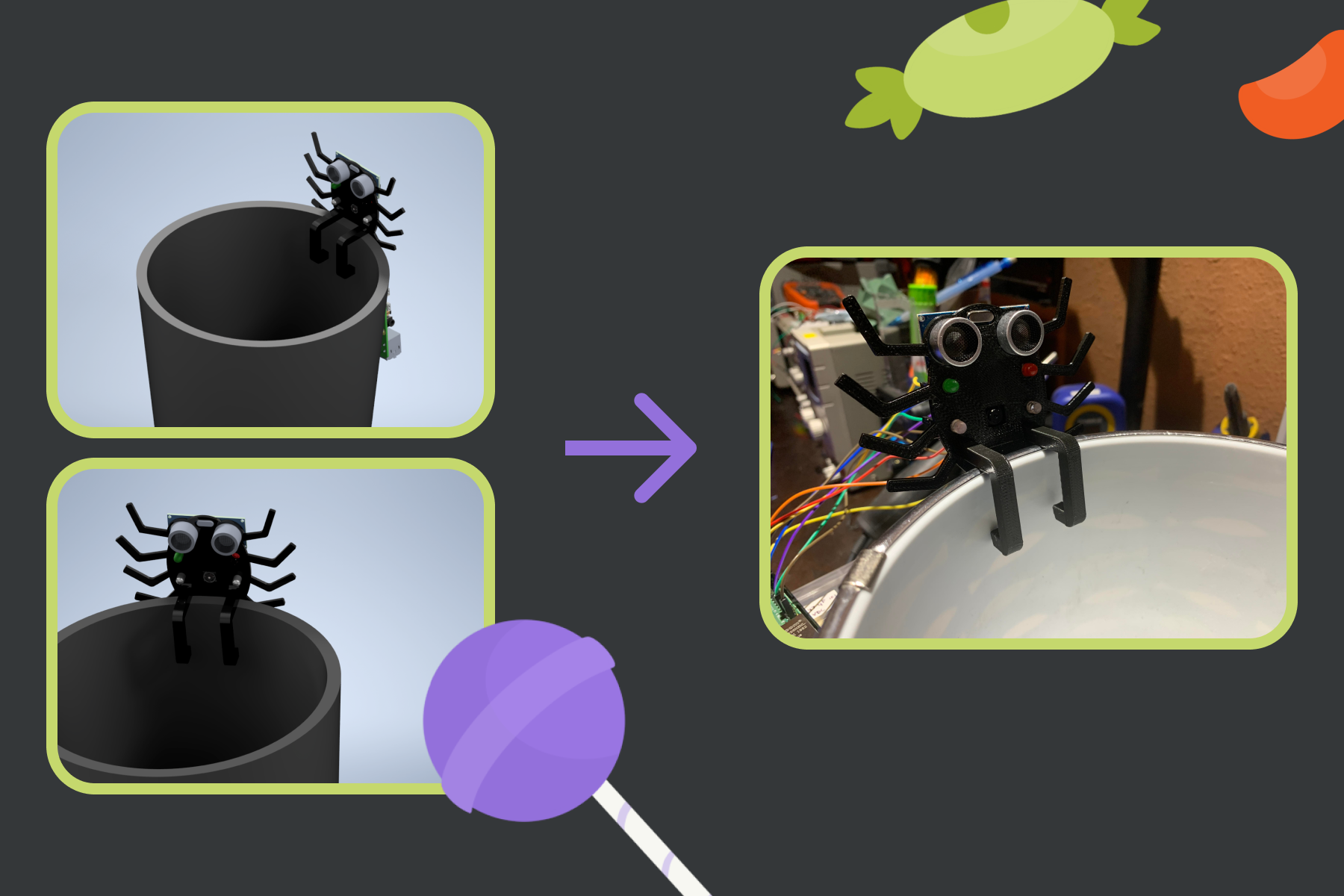
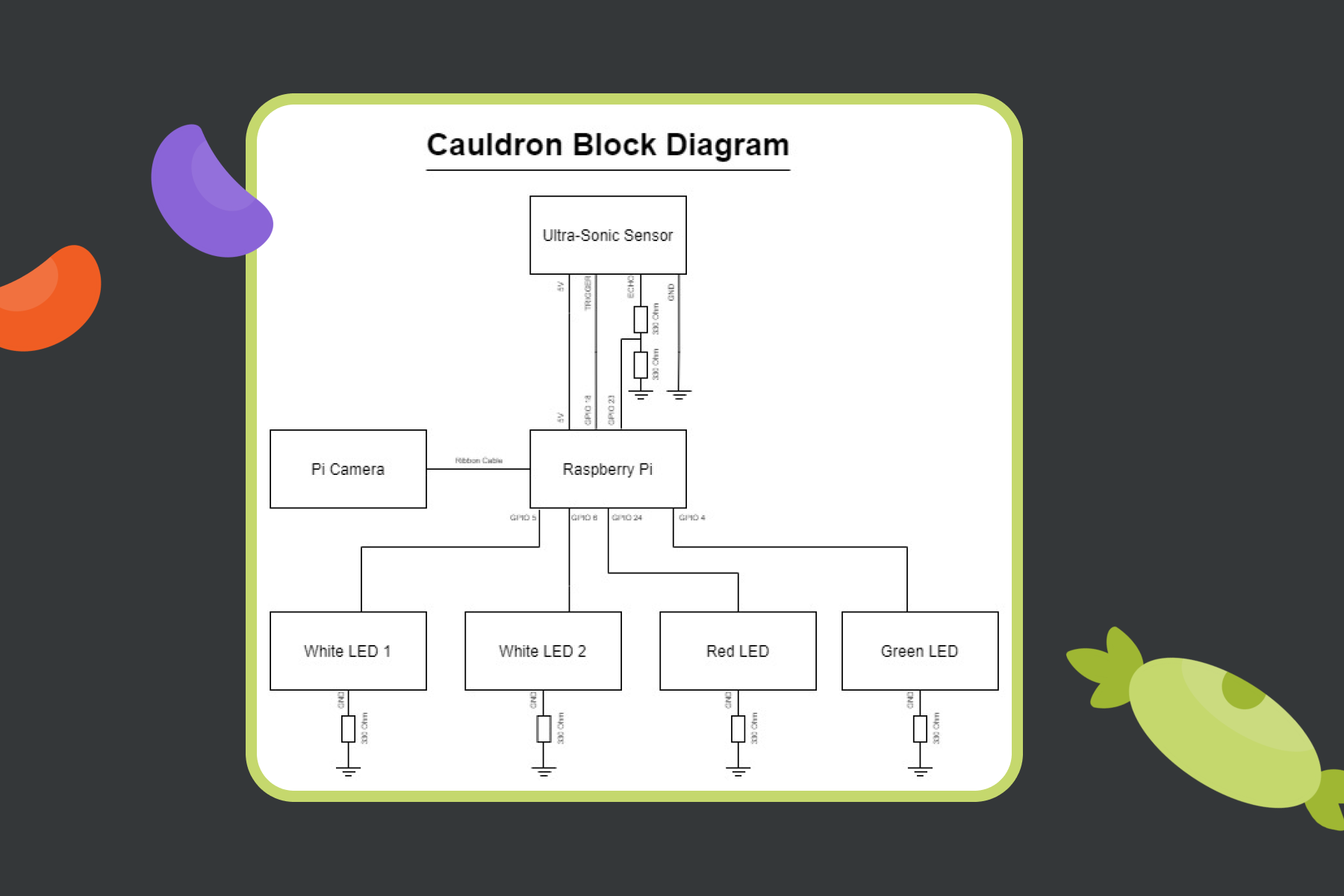
Cam is a 3D-printed, spider-shaped device consisting of a Raspberry PiCamera, an ultrasonic sensor, and LED lights. The Cauldron bin is set up with Cam sitting atop one edge, facing inward across the diameter of the bin. Cam’s ultrasonic sensor detects if a candy wrapper is present at the other end of the bin’s diameter. If detected, Cam’s white LED lights are triggered and the PiCamera takes a picture of the wrapper. Our Python script uses OpenCV to determine the most dominant color in the picture, output the RGB values, and upload those values to the Realtime Database. The type of candy, and thus the associated calorie counts, are determined by this color reading. 📊
Challenges we ran into
Frontend 💻:
- Centering and scaling background images. This was difficult because we were attempting to combine Material-UI components with base React components, which seriously did not agree with each other.
- Column scaling using Material-UI. When creating columns, it was easy to get them to scale according to screen size, but getting the text within those columns to be responsive to changing sizes was difficult.
- Material-UI component customization. This was our first time using Material-UI components, and we initially had trouble customizing their colors, fonts, etc.
Hardware/Backend 🔧:
- OpenCV compilation. We had a difficult time getting OpenCV, which was connected to the PiCamera, to compile.
- PiCamera tragedy. We accidentally plugged in the PiCamera backward and shorted it… so we had to get a replacement.
- PiCamera database connection. Getting information to route from PiCamera to the database was difficult. Originally, we wanted to connect to the Firestore, but we couldn’t get the SDKs imported for Firebase - so we switched over to Realtime Database.
Accomplishments that we're proud of
For just having one weekend, we’re pretty proud of what we accomplished! 🎉 Some of these feats include:
- Getting the web app to closely resemble the Figma prototype.
- Ensuring a scalable, consistent background across different pages (and it’s animated, too!).
- Properly connecting the backend database to the frontend. (This is the first time it’s ever worked for us, so it’s a huge accomplishment.)
- Setting up color detection with OpenCV, and getting the Raspberry PiCamera to interface with Firebase Realtime Database.
What we learned
This project allowed each of us to try things for the first time! 🤯
This was Denil’s first time using a Raspberry Pi, Katrina’s first time developing with React, both Adam and Katrina’s first time using Material-UI and React-Router, and Steven’s first time using Firebase functions.
Overall, we learned:
- How to use and adjust Material-UI React components.
- How to utilize, update, and connect Firebase Realtime Database.
- How to program hardware using Python.
- How to connect hardware to a database backend.
- How to create IoT-enabled hardware.
- How to use a Raspberry Pi.
What's next for Cauldron
Of course, a weekend-long sprint has its limits. In continuing this project, we hope to:
- Add functionality to determine the size of candy from its wrapper.
- Add functionality to account for other forms of candy measurement, such as sugar (grams).
- Work on the presentation of the physical cauldron. (The 3D render looks nice, but we’re just using a random trash bin right now.)
- Expand usability to trick-or-treat baskets, so kids can watch as their baskets fill up with candy!
- Adjust text for scaling columns within the tracker page.
Built With
- 3dprinting
- autodesk
- breadboarding
- css
- firebase
- html5
- javascript
- led-lights
- material-ui
- opencv
- picamera
- python
- raspberry-pi
- react
- react-router
- soldering
- ultrasonic-sensors





Log in or sign up for Devpost to join the conversation.