-
-
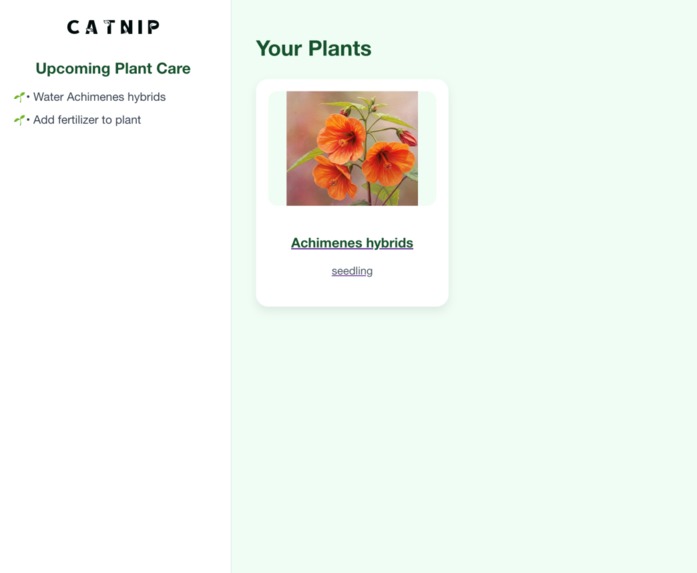
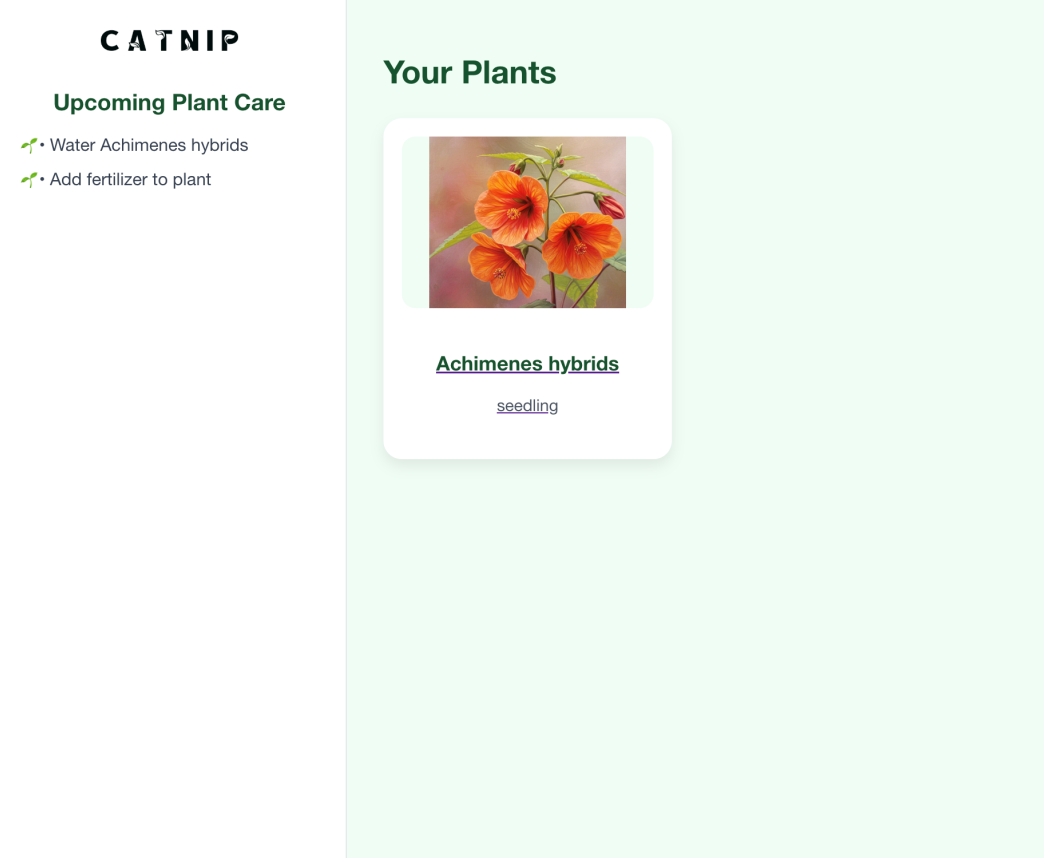
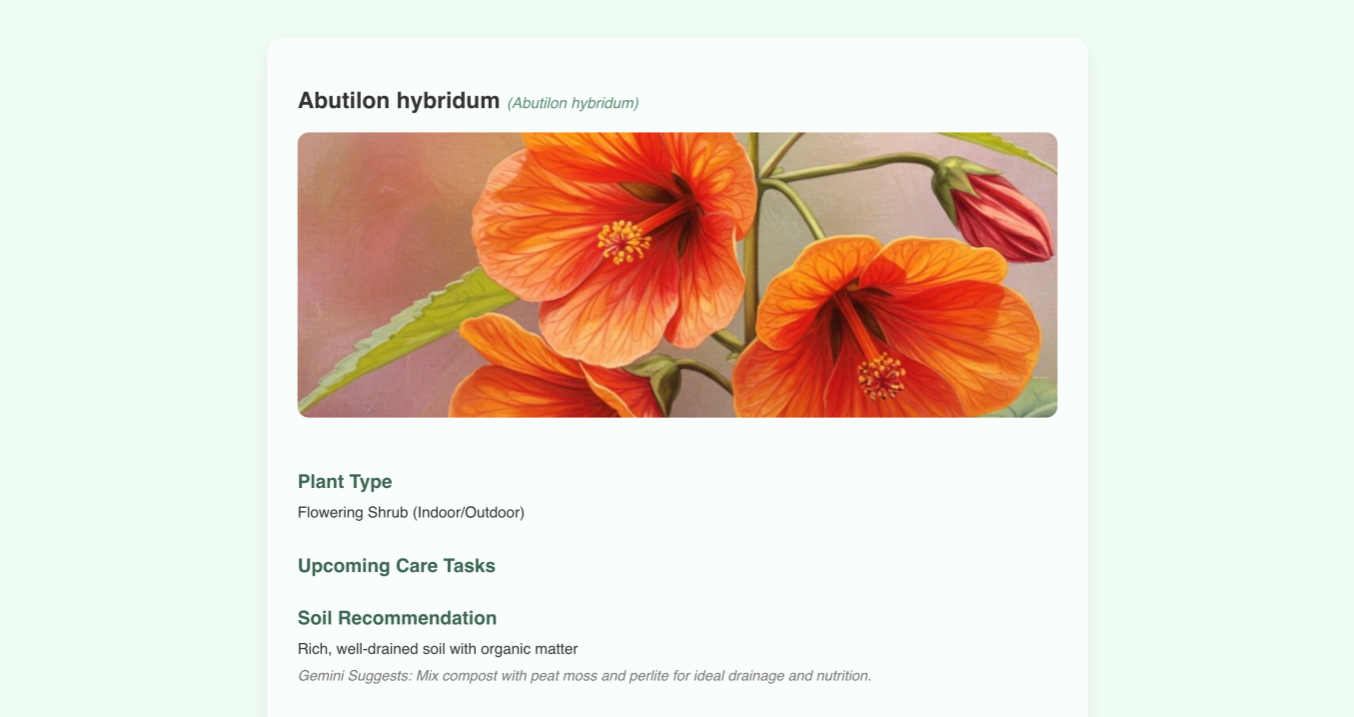
Our screen page
-
-
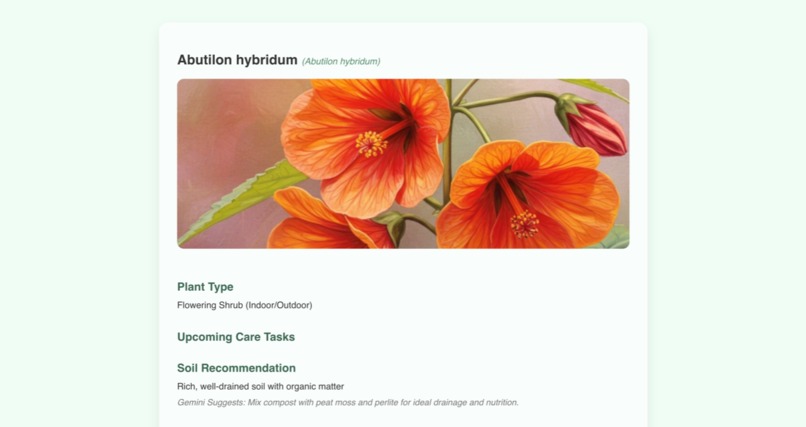
flower card
Inspiration
Inspired by challenges homegrowers face, our project tackles potential issues that arises when a beginner plant-owner wants to nurture a new plant. If you're a city dweller looking up to spice up the apartment with some green space, our website can help you think about how to start indoor horticulture in small or limited spaces.
What it does it do
Our project is an user-friendly website that helps first-time growers learn the conditions needed to successfully grow their favorite crops indoors — and track their garden’s progress over time.
How we built it
We built the app using a React frontend integrated with a scalable AWS backend to provide a personalized plant care experience. Users begin with an onboarding flow that includes account creation and a detailed questionnaire about their environment, experience, and preferences. This data is stored in AWS S3 and RDS, powering a custom ML model built in Jupyter Notebook to recommend suitable plants based on temperature, humidity, and care preferences. A second model forecasts plant health using weather data, watering frequency, and sunlight exposure. We leveraged AWS services including API Gateway, Lambda, EC2, SQS, and RDS for seamless cloud functionality. Weekly plant care tips are sent via email or SMS using AWS SQS, and users can track progress and get AI-generated suggestions—even uploading photos for diagnosis (stretch goal). Our team worked in focused sprints, balancing model development, cloud integration, and front-end design to bring the experience to life.
Challenges we ran into
Our challenges mainly include connecting the AWS backend to the React frontend to enable seamless data flow and dynamic user interaction.
Accomplishments that we're proud of
We are proud of learning React and building a functional frontend from scratch in 24 hours, while integrating services like Lambda, S3, API Gateway, RDS, and EC2. We also managed to deploy models that forecasts and recommends plants based on their health and design a user-friendly dashboard. Last but not least, we collaborated effectively across design and engineering to achieve zero merge conflicts.
What we learned
On the front end, we learned how to integrate React, AWS, EC2, RDS, and S3. We also utilized new software like Inkscape, Blender, OpenToonz, and Figma to create animations and assets within the project.
What's next for CATNIP
We hope to implement data that includes more plants to give users more recommendations beyond our current plant catalogue. In addition, we hope to utilize Gemini to generate recommendations based on the context of a plant or an image of a plant, where the user can upload an image to diagnose problems and set up routines for plant care. With more time, we’d integrate deeper ML insights, allow community features for garden-sharing, and expand our plant library.
Built With
- amazon-web-services
- api-gateway
- css
- html
- javascript
- lambda
- openweathermap
- python
- rds
- s3
- smarty
- sql


Log in or sign up for Devpost to join the conversation.