-
-
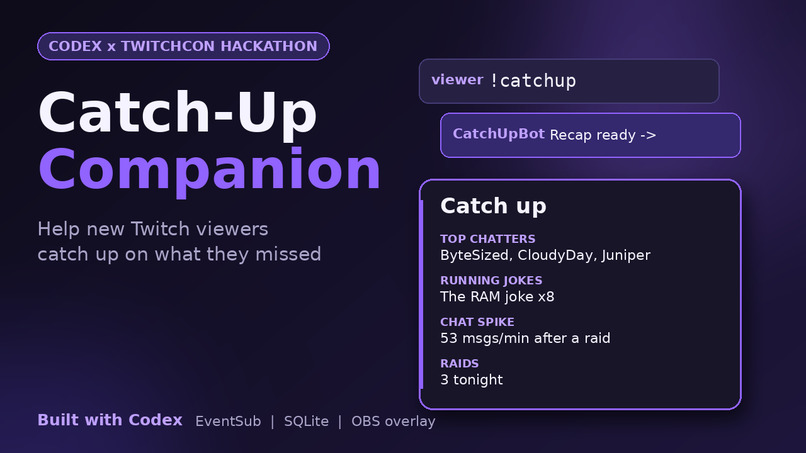
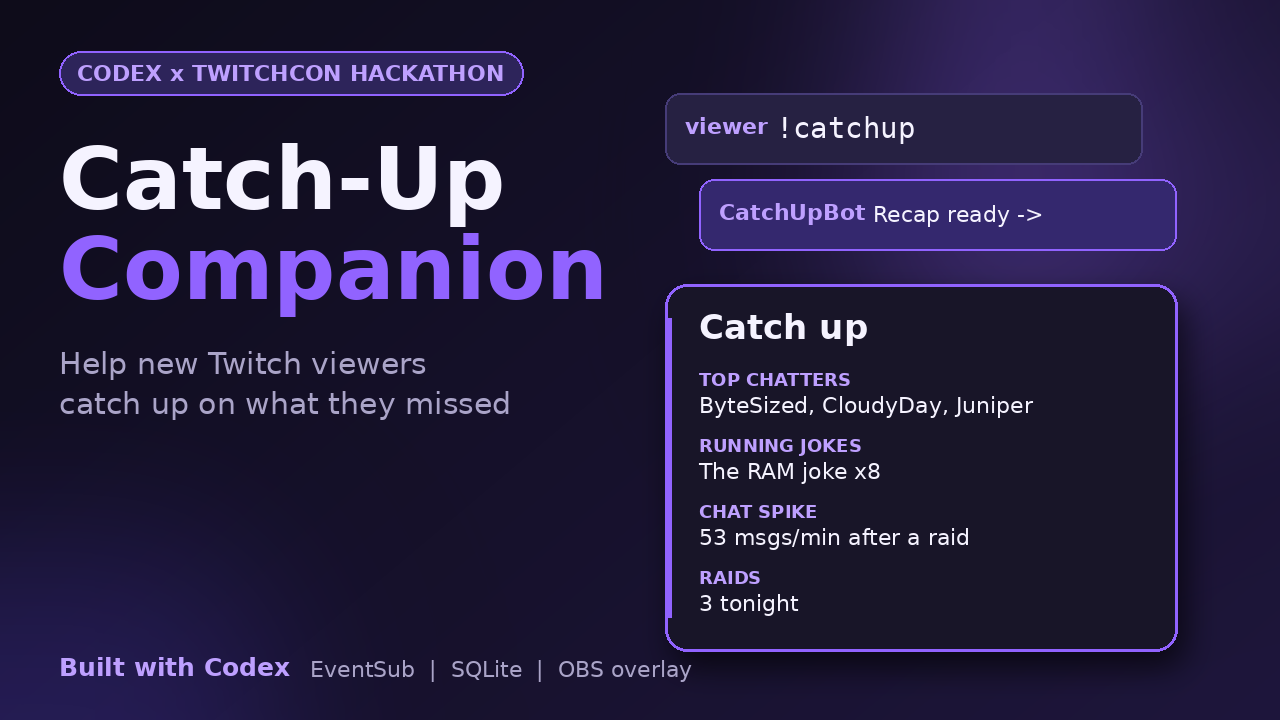
Type !catchup and the bot replies in chat while an overlay card shows top chatters, jokes, spikes and raids. Built with Codex.
-
Catch-Up Companion: a Twitch bot and overlay that tells new viewers what they missed. Built with OpenAI Codex.
-
The problem: viewers who join mid-stream see in-jokes and unfamiliar names, feel lost, and often leave.
-
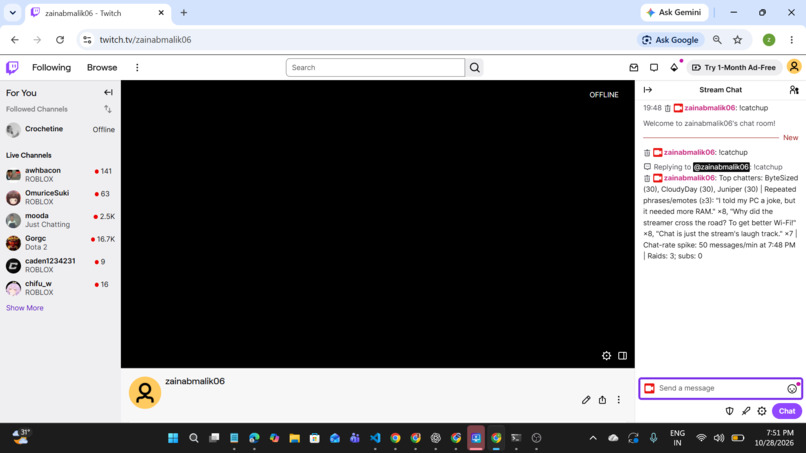
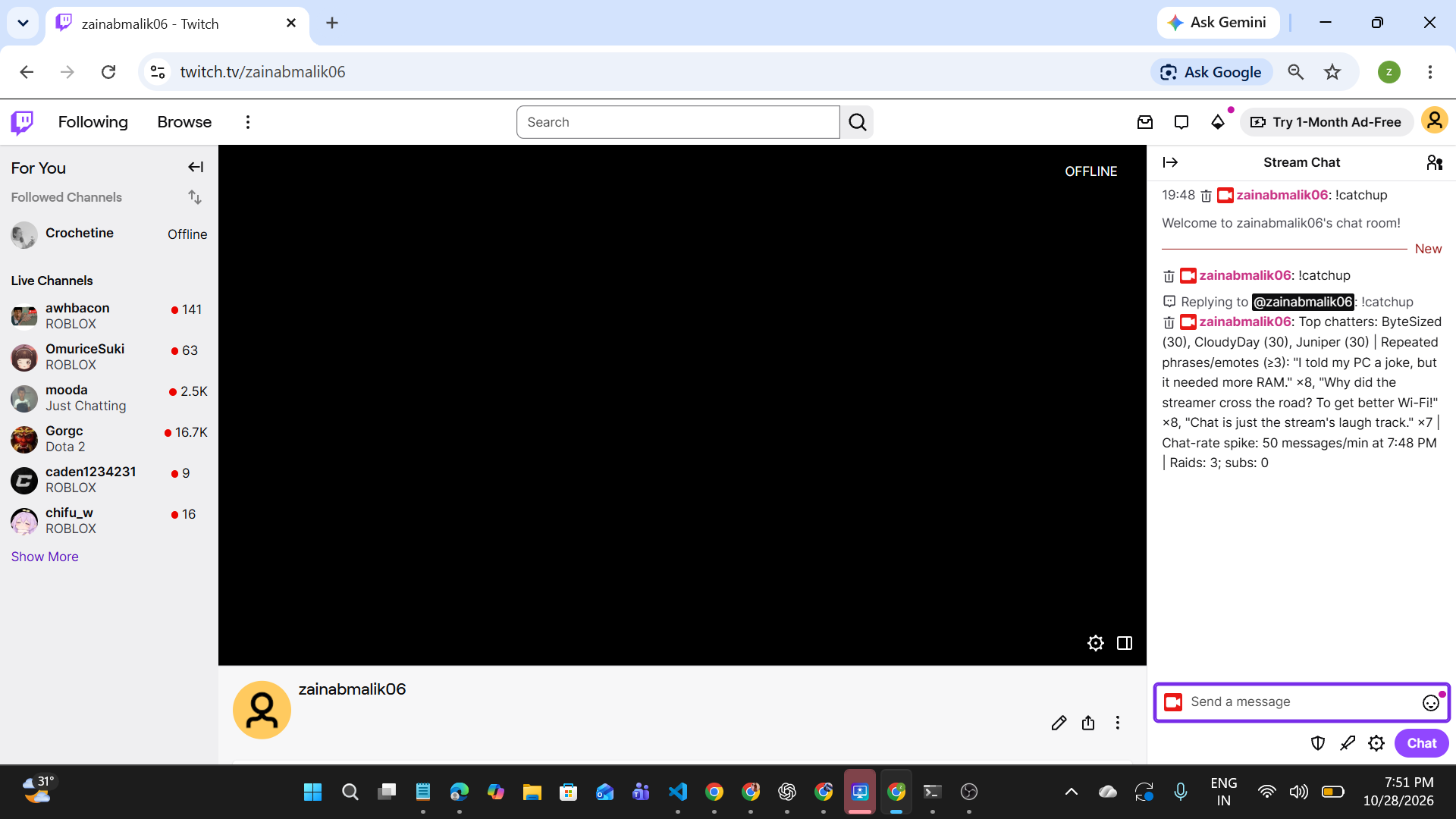
Live on Twitch: a viewer types !catchup in chat and the bot replies with a one-line recap of the stream so far.
-
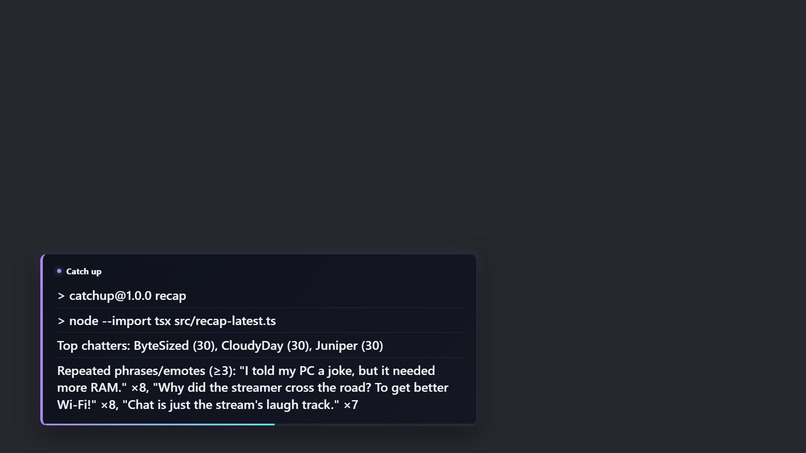
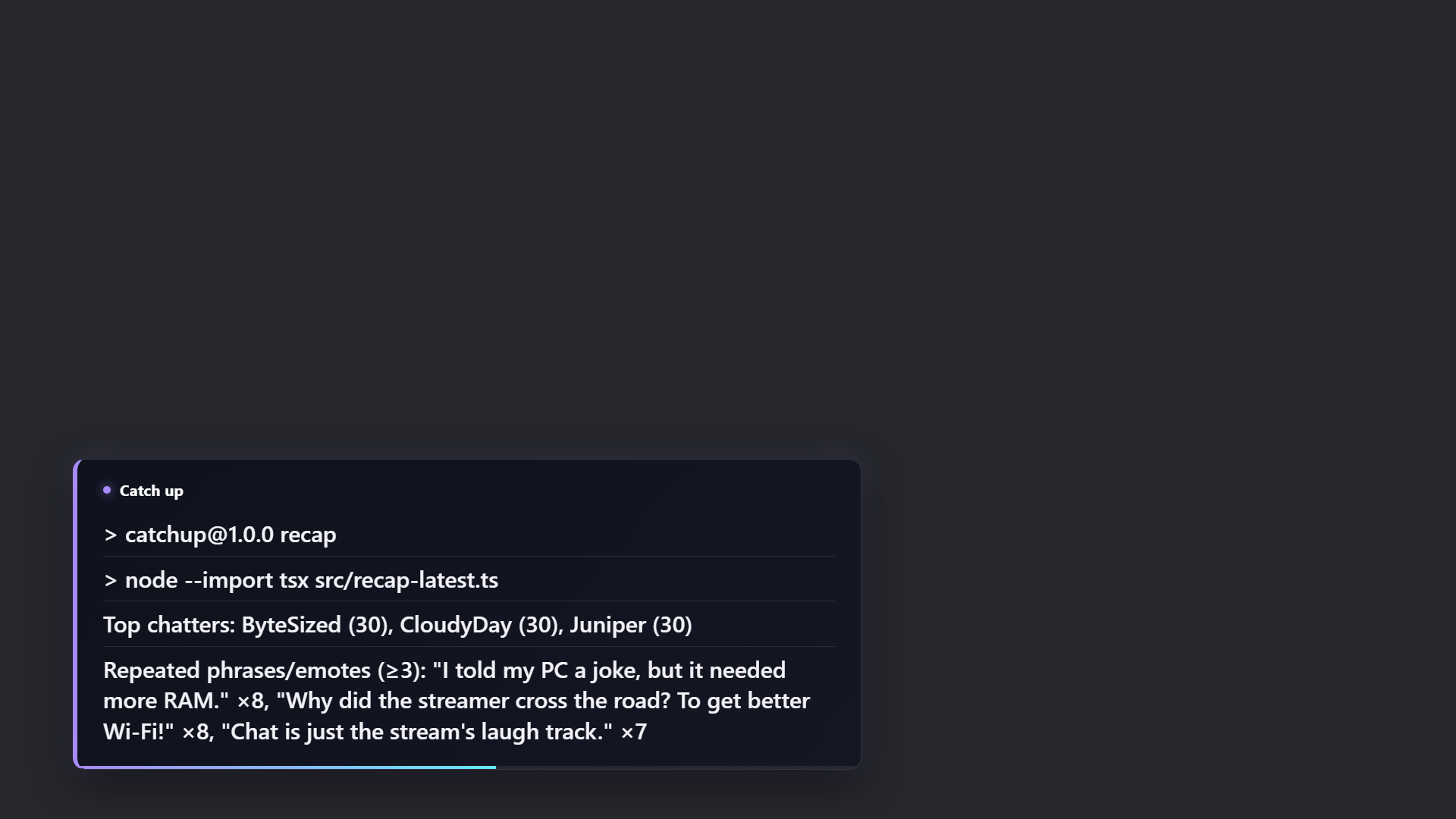
The OBS overlay card appears on stream for 15 seconds with top chatters, running jokes, chat spikes and raids. Sample chat data.
-
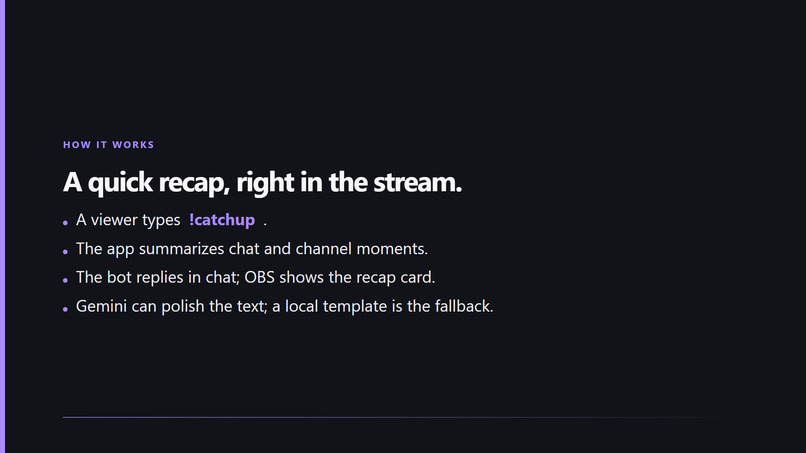
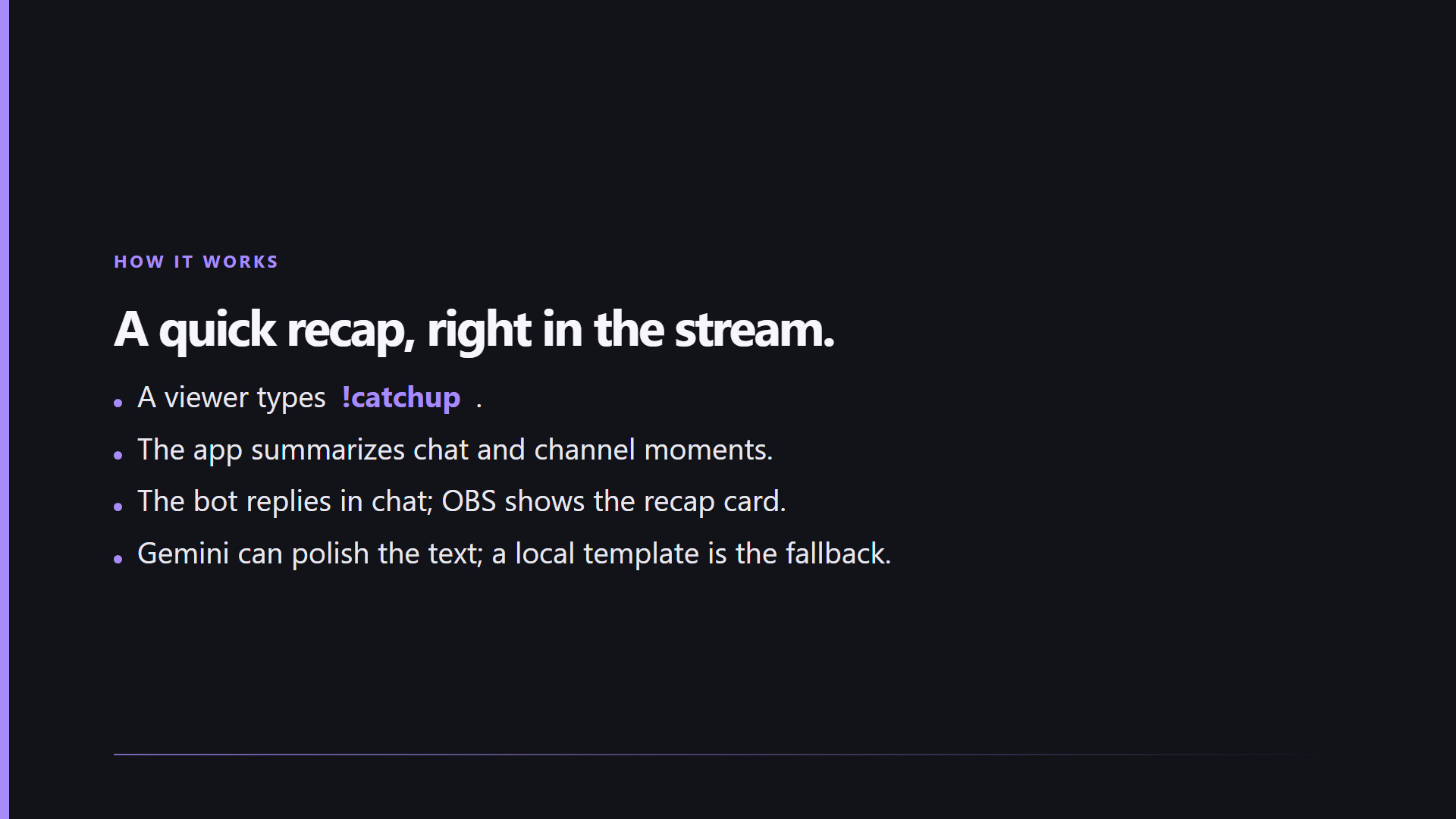
How it works: Twitch EventSub listener, SQLite storage, a recap engine, and an optional Gemini polish with a template fallback.
-
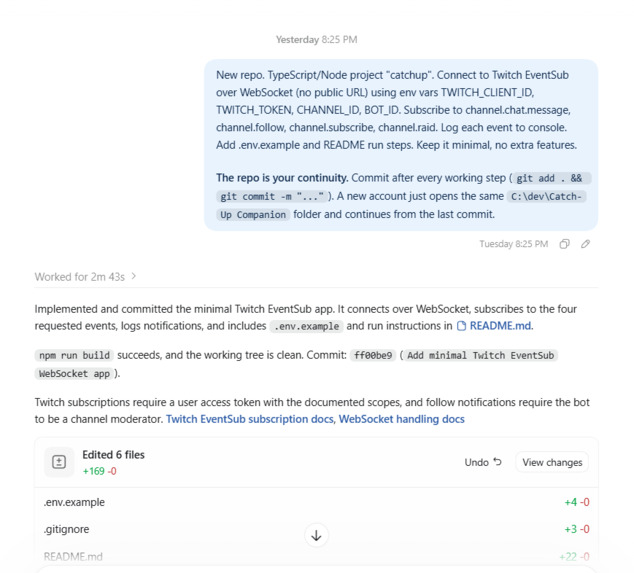
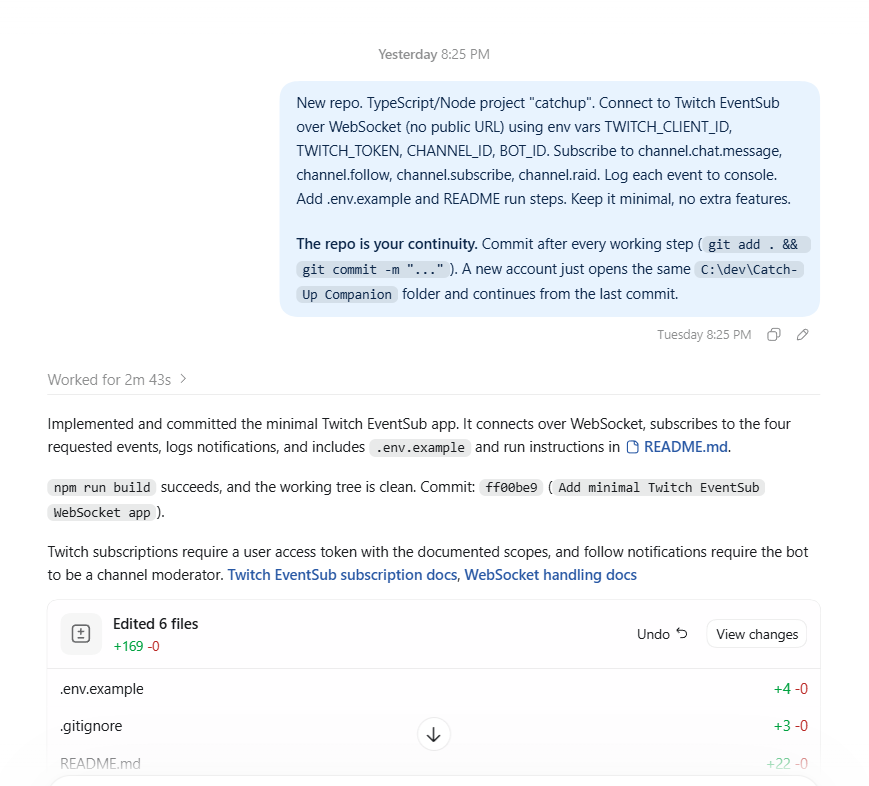
Built with Codex: the listener, storage, recap engine, !catchup command, overlay and replay mode came from step-by-step prompts.
-
Catch-Up Companion: help every viewer join the conversation. Code and run steps are on GitHub. Built with Codex
What's next for Catch-Up Companion
Inspiration
Every streamer knows the moment: a new viewer joins halfway through a stream, sees chat full of in-jokes and names they don't recognize, and leaves within a minute. Catch-Up Companion is built for that moment. It gives newcomers a short, friendly recap so they can join the conversation instead of watching from the outside.
What it does
A viewer types !catchup in chat. The bot replies with a one-line recap of the stream so far, and an overlay card shows the same recap on stream for 15 seconds. The recap covers:
- Top chatters: who the regulars are
- Running jokes: repeated phrases and emotes
- Chat spikes: moments when chat got busy
- Raids and subs: the big events of the stream
An optional AUTO_RECAP mode also shows the card automatically when someone sends their first message.
How I built it
The whole project was built with OpenAI Codex, one prompt at a time:
- A TypeScript/Node app connects to Twitch EventSub over WebSocket (no public URL or hosting needed) and listens for chat messages, follows, subs, and raids.
- Every event is stored in SQLite with a session ID.
- A recap engine counts top chatters, finds repeated phrases, and detects chat-rate spikes. It writes a plain-template recap, and an optional Gemini step polishes the wording. If Gemini is off or fails, the template is used, so the demo never breaks. Usernames are anonymized before anything is sent to Google.
- An Express server and server-sent events drive a transparent OBS browser-source overlay.
- A replay mode feeds recorded chat into the same handlers, so the project can be tested and demonstrated without a live audience.
Codex also wrote the startup checks, the tests, the README, and the scripts that assemble the demo video.
Challenges
- Getting the Twitch token, scopes, and moderator permissions right. The startup check now tells you exactly what's missing.
- Native SQLite builds failing on Windows, which I solved by moving to Node's built-in
node:sqlite. - Bugs in the generated scripts, such as a server that blocked itself while taking screenshots, which I debugged with Codex.
- Limited Codex usage, so I wrote short, focused prompts and continued the work in a second session when credits ran low.
- Being honest in the demo: the recap in the video uses seeded sample chat, while the command, bot reply, and overlay run live on Twitch.
What I learned
Small, ordered prompts work better than big ones, and every step is easier to verify when it ends with a build, a test, and a commit. I also learned how EventSub, scopes, and chat permissions fit together.
What's next
Per-stream "story so far" summaries that update as the stream goes on, streamer-defined inside jokes, support for multiple languages, and a moderator command to reset or pin the recap.
Built With
- express.js
- ffmpeg
- google-gemini
- html
- node.js
- obs
- openai-codex
- playwright
- server-sent-events
- sqlite
- twitch
- twitch-eventsub
- typescript
- websocket


Log in or sign up for Devpost to join the conversation.