Inspiration
Community health volunteers (kader posyandu) and farm extension workers across Indonesia write visit notes on paper or in chat apps, in messy shorthand, often in villages with weak signal. Weekly reports to the puskesmas or extension office are then re-typed by hand. The notes contain sensitive household details, so sending them to a cloud AI by default is the wrong design. CatatLapang was built around one question: what is the least data that ever needs to leave the device?
What it does
- The worker types a rough note right after a home visit (messy Indonesian shorthand is fine). Notes are stored only in the browser's IndexedDB — no accounts, no server.
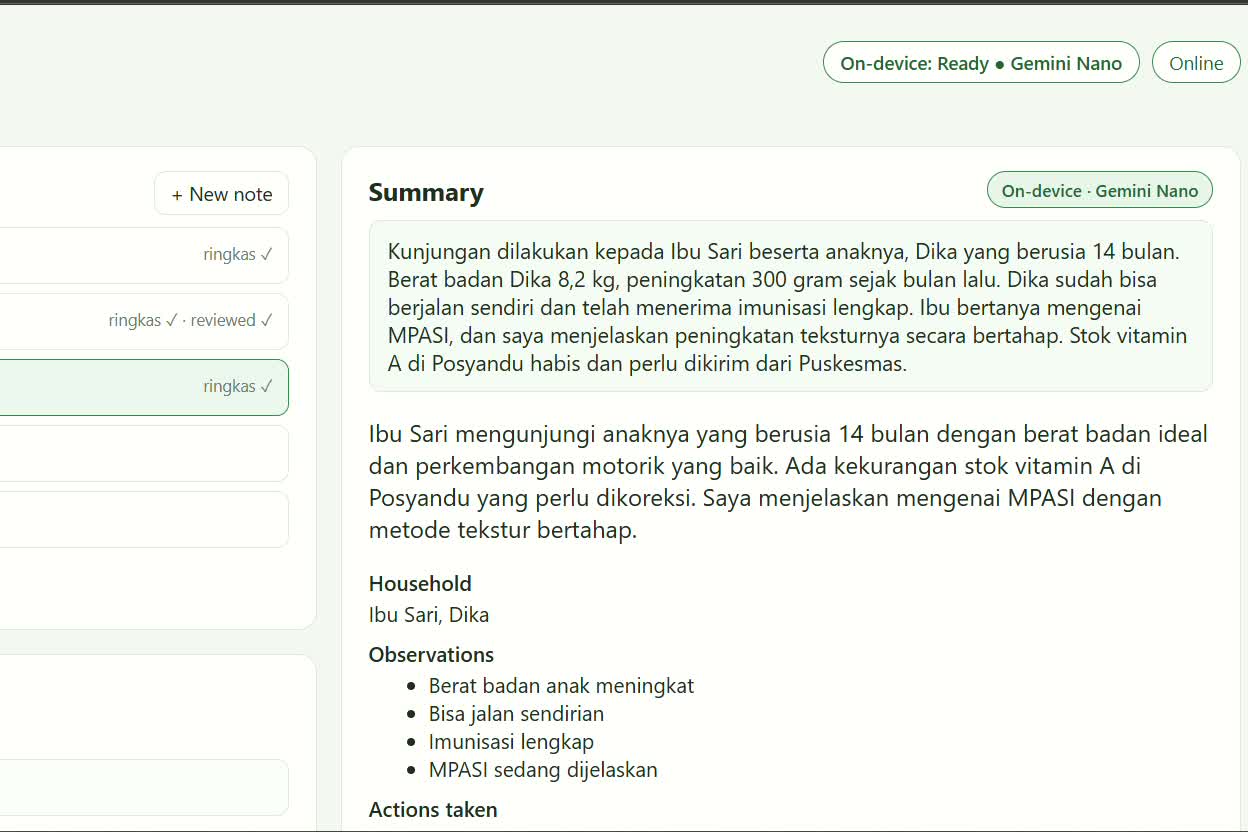
- Summarize on-device: one tap turns the rough note into a structured summary (household, observations, actions taken, follow-ups) using Gemini Nano via the Chrome Prompt API. The raw note never leaves the device; if Nano is unavailable, the app refuses to fall back to the cloud silently.
- Translate on-device (Indonesian ↔ English) for reporting.
- Review gate: the worker ticks "I have reviewed this summary" per summary. Nothing unreviewed can enter a report.
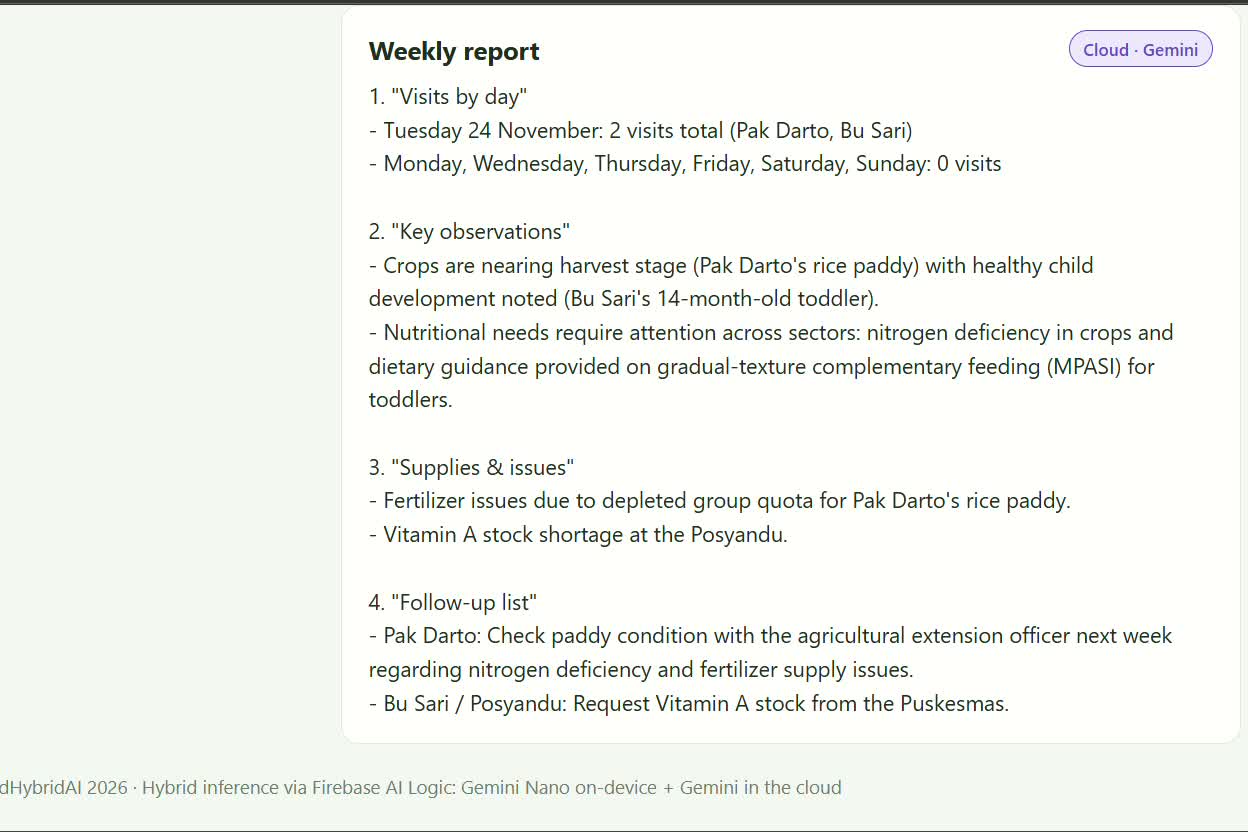
- Weekly report in the cloud: one tap sends only the reviewed summaries to Gemini via Firebase AI Logic (
ONLY_IN_CLOUD) and returns a structured report — visits by day, key observations, supplies & issues, and a specific follow-up list.
Every AI result carries an honest badge showing where it actually ran: On-device · Gemini Nano or Cloud · Gemini.
How we built it
- Vanilla JS single-page app, no build step: IndexedDB for storage, ES modules, Firebase JS SDK 12.5.0 via CDN import map.
- On-device inference: Chrome Prompt API (
LanguageModel) with structured JSON output. - Cloud inference: Firebase AI Logic with the Gemini Developer API backend (Spark plan, $0), App Check enforced with the Fraud Defense (reCAPTCHA Enterprise) provider; debug-token flow for local development.
- Two real bugs found and fixed along the way, documented in BUILDLOG.md: (1) Chrome's "Very Low" device performance class is an inference-speed class, not an eligibility gate — Nano was blocked by a single Chrome user setting being off, not by hardware; (2) in firebase-ai 12.5.0, hybrid mode ignores the top-level model name and silently defaults to a retired model (
gemini-2.0-flash-lite) unlessinCloudParamsis passed explicitly — the weekly report now runs ongemini-3.5-flash-lite.
Challenges we ran into
- Diagnosing why Gemini Nano would not finish downloading on a mid-range laptop (Ryzen 5 5500U, 16 GB RAM) — the answer was a settings toggle, not the hardware.
- App Check on a no-billing Spark project: the classic reCAPTCHA provider is deprecated mid-flow; Fraud Defense worked and also accepts typed (not pasted) site keys.
- The SDK's retired default cloud model for hybrid mode, which surfaced only as a 404 at runtime.
Accomplishments that we're proud of
- The full hybrid loop is proven end-to-end on a real mid-range laptop: on-device summary → human review → cloud weekly report with a correct follow-up list, at $0 running cost.
- A privacy model that is enforced by architecture, not by policy text: raw notes have no code path to the cloud.
What we learned
Hybrid AI is mostly a data-governance decision: choose per feature what may leave the device, and make the UI show the user where each result was computed. Also: read the SDK bundle when the docs and the runtime disagree.
What's next for CatatLapang
- More field-worker packs (midwife visit schedules, livestock checks), an export-to-PDF for the weekly report, and a PWA install path for Chromebooks used by extension offices.
Built With
- chrome-prompt-api
- firebase-ai-logic
- gemini-nano
- github
- indexeddb
- javascript