-
-
Presenting to you.. <| Catalyst Studio |>
-
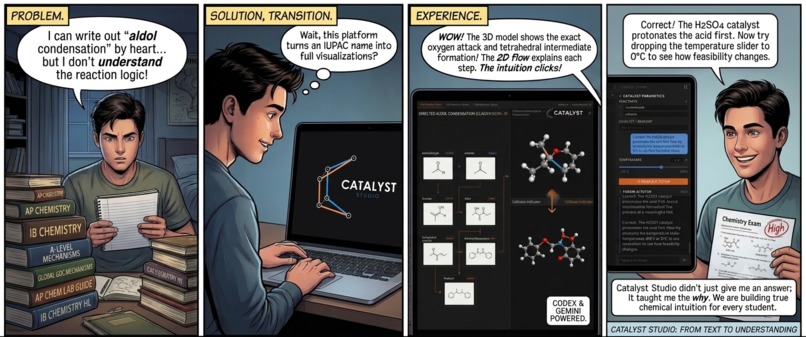
Promote building of chemical intuition for students
-
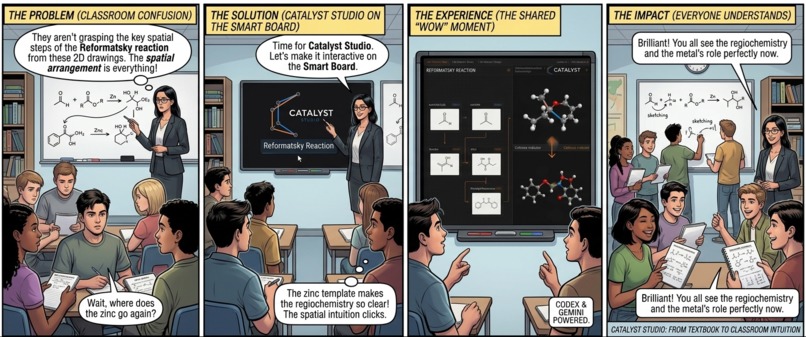
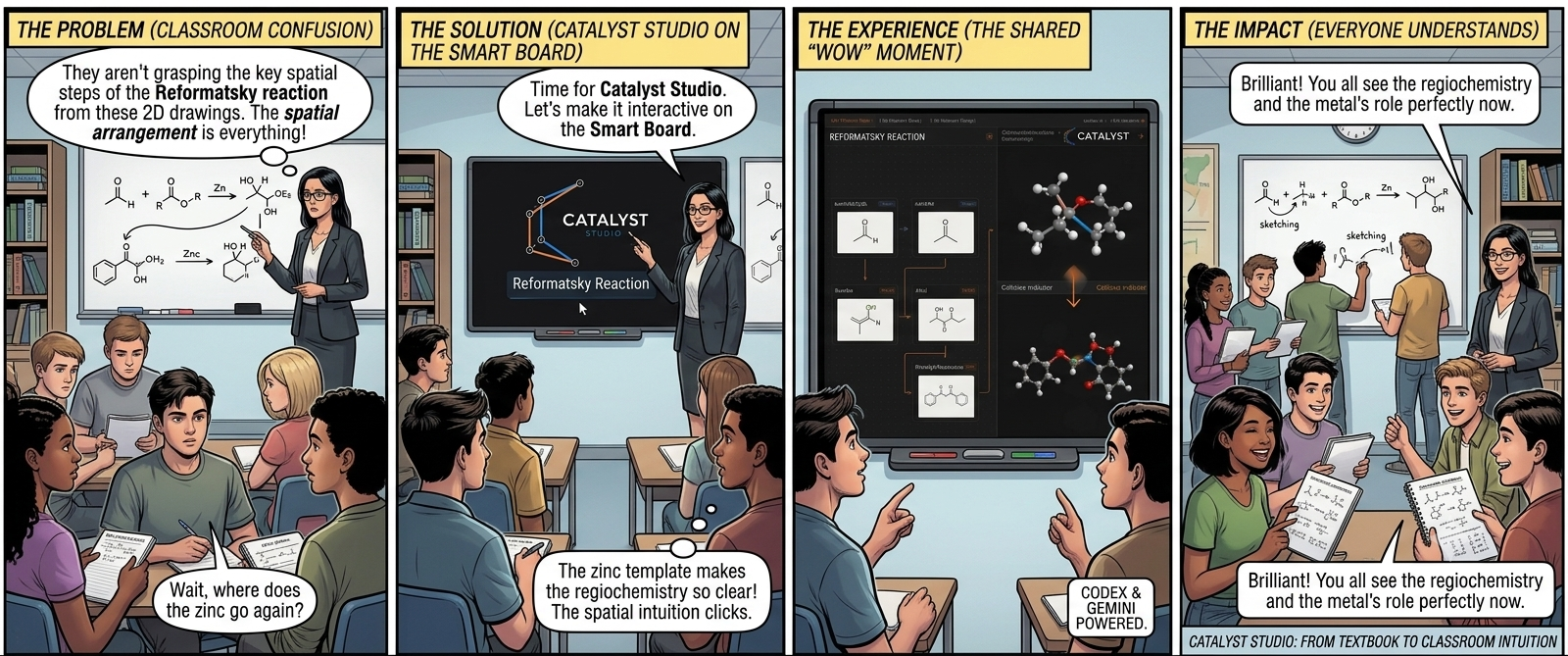
Increase understanding, retention and engagement in a classroom
-
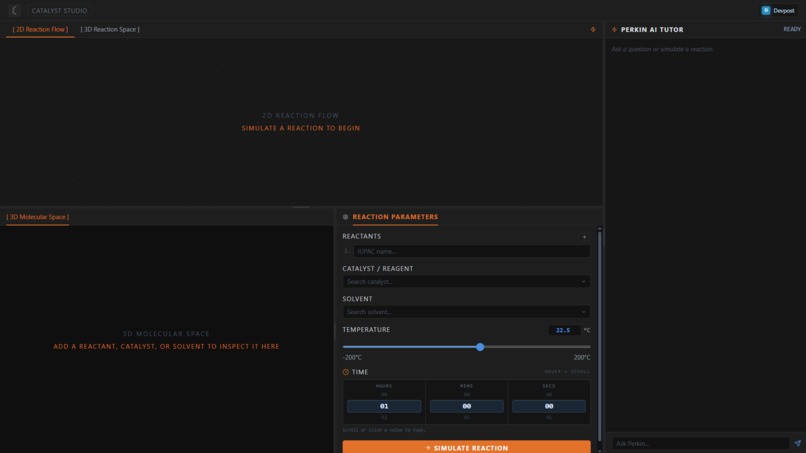
First Look !
-
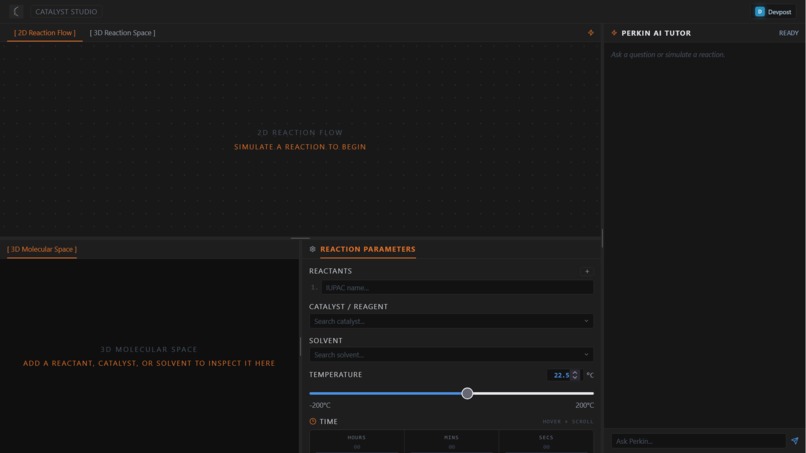
aartest
-
-
-
-
-
-
Inspiration
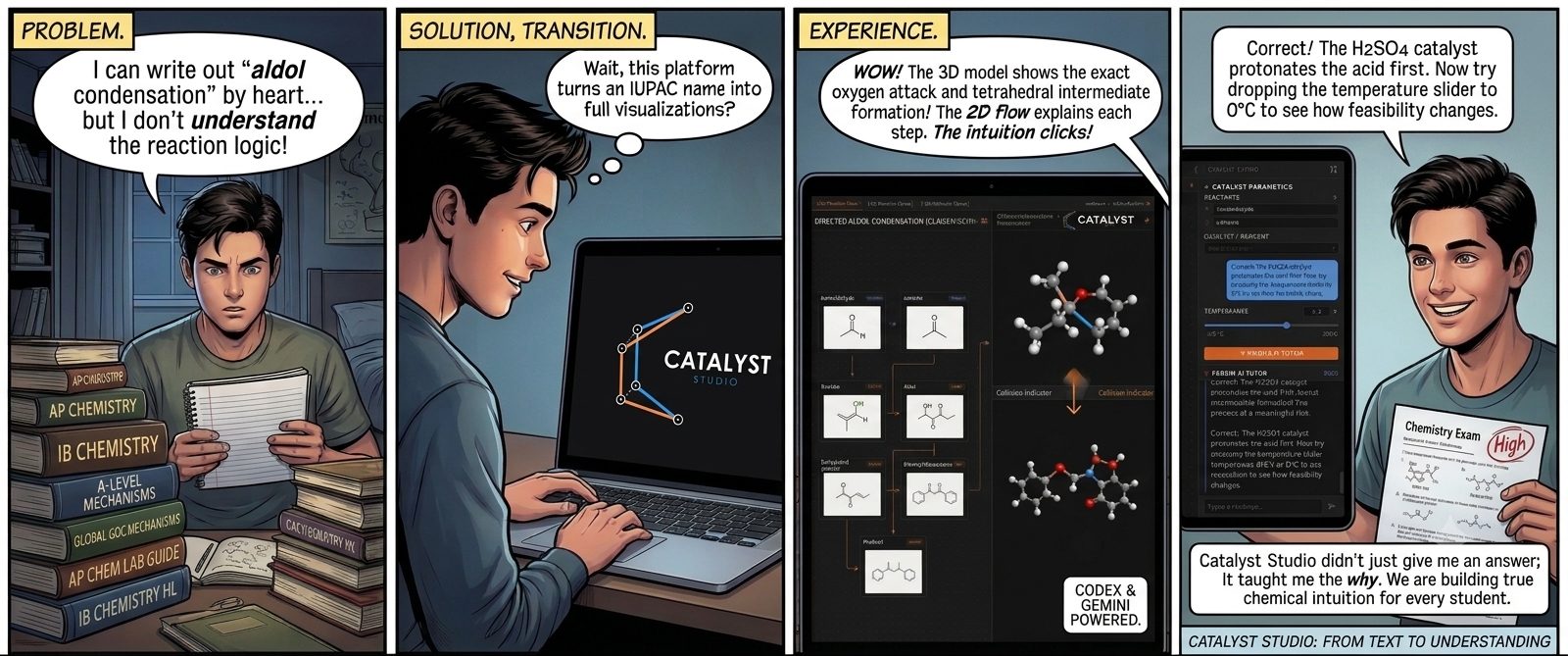
We are a team of UG Freshmen. We were students preparing for(and have qualified) the JEE-Advanced(Engineering Entrance Exam), and we know the struggles of trying to visualize and develop an intuition in Organic Chemistry and determine which reaction mechanisms to consider in which reaction conditions. There are often exceptions and alternate reaction pathways of the same reaction written under different conditions, that do contain an explanation but seem too disconnected to develop an understanding around. After talking to and surveying our friends, batchmates, and more students from various study groups, we decided that this is a problem worth solving.
We wanted to change this, to bring a solution to the students all over the world. So, this is our contribution to the student community
What it does
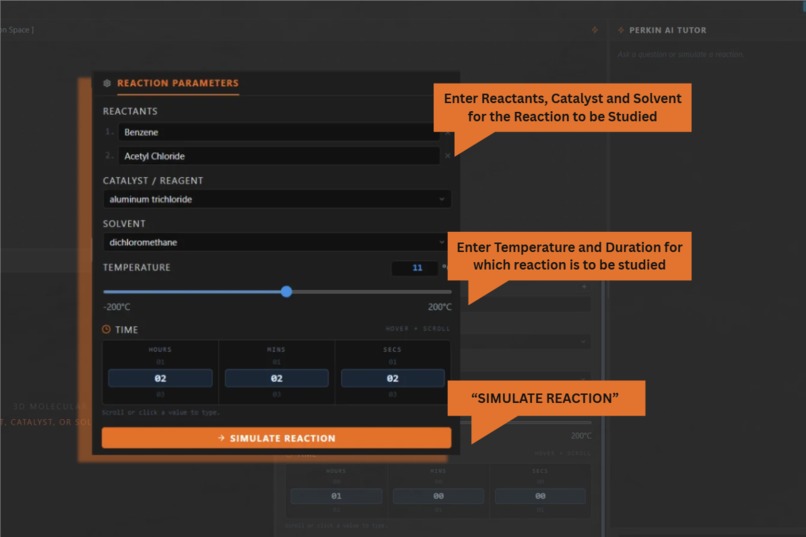
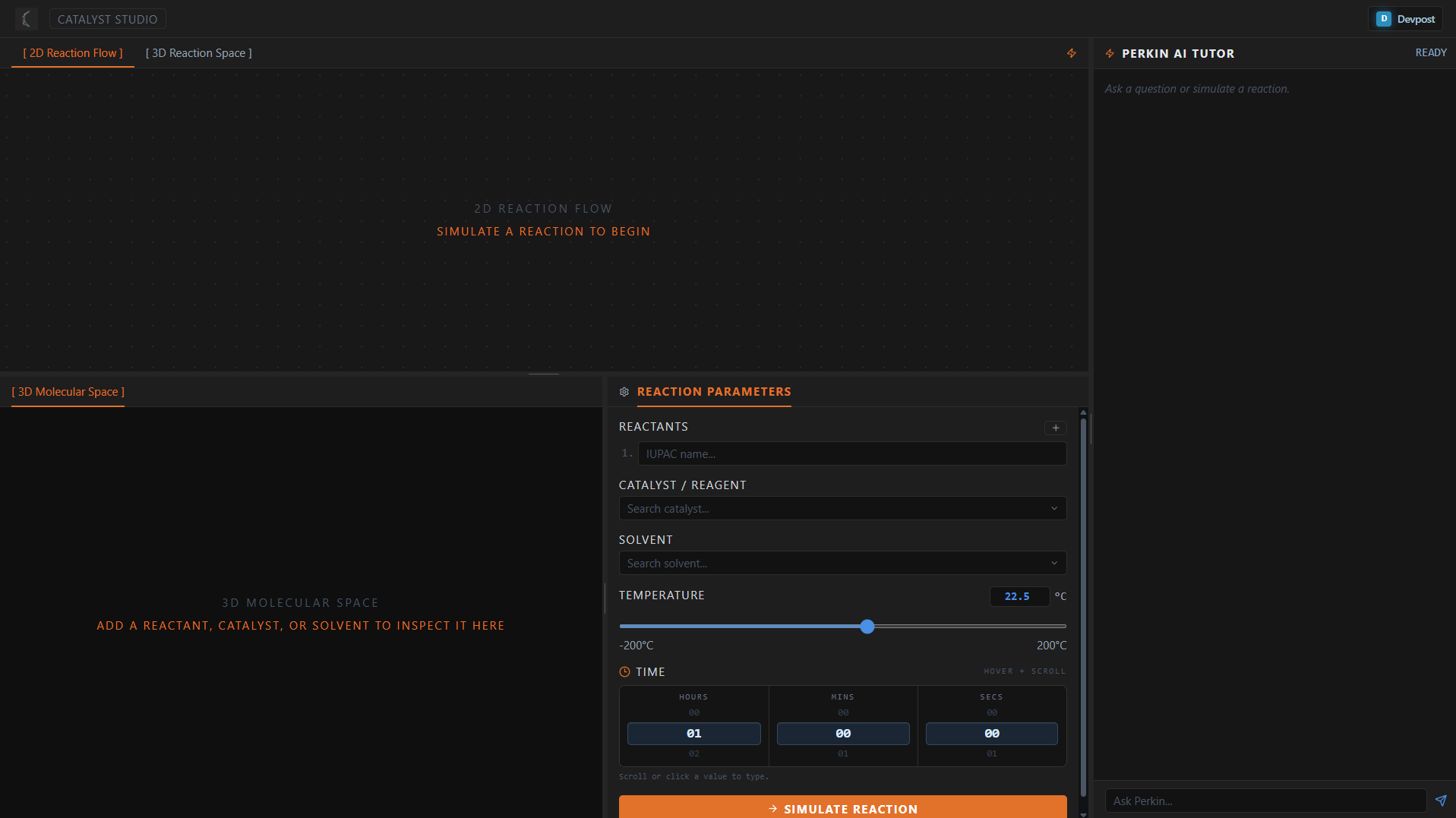
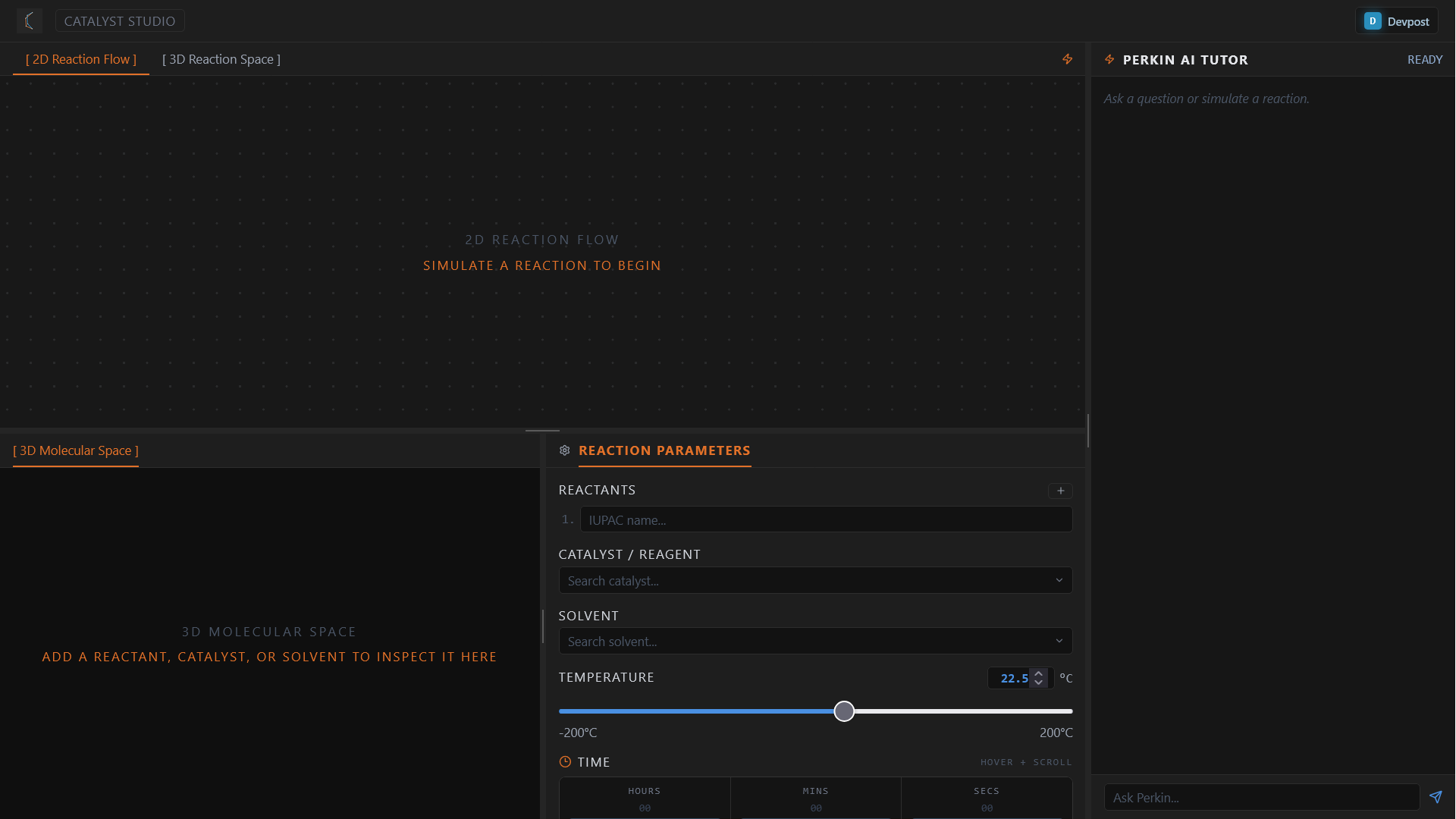
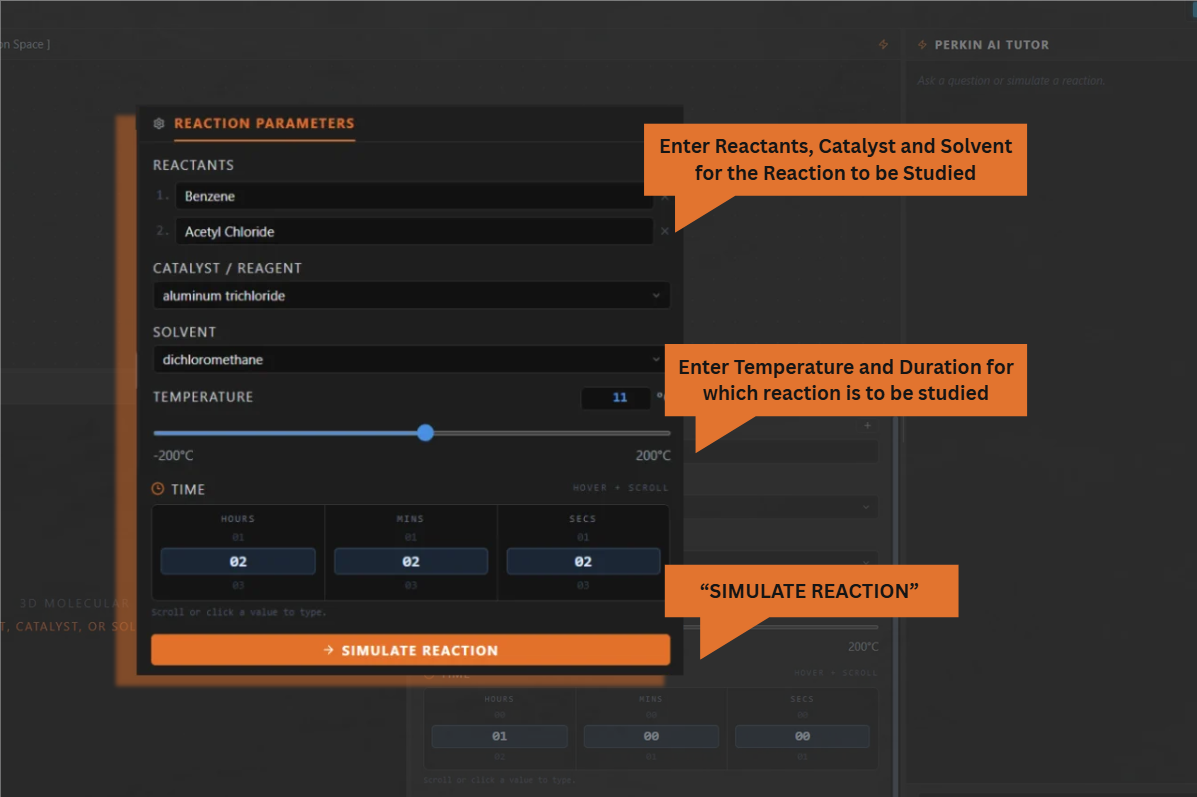
The user enters/provides reaction parameters, for experimental learning
- Reactants: Compounds that will together perform the reaction
- Catalyst: Compounds that provide an alternate pathway to the reaction, speeding up/slowing down but do not directly participate, Catalyst may not be required in every reaction
- Solvent: Medium in which the reaction is supposed to take place, if left blank the medium it is assumed to be reactant or a simple solution of one of the reactants
- Time of reaction: This shall define the duration of reaction that is being studied
- Temperature of reaction: Under what temperature the reaction is currently being studied, room temperature shall be used as default if not specified
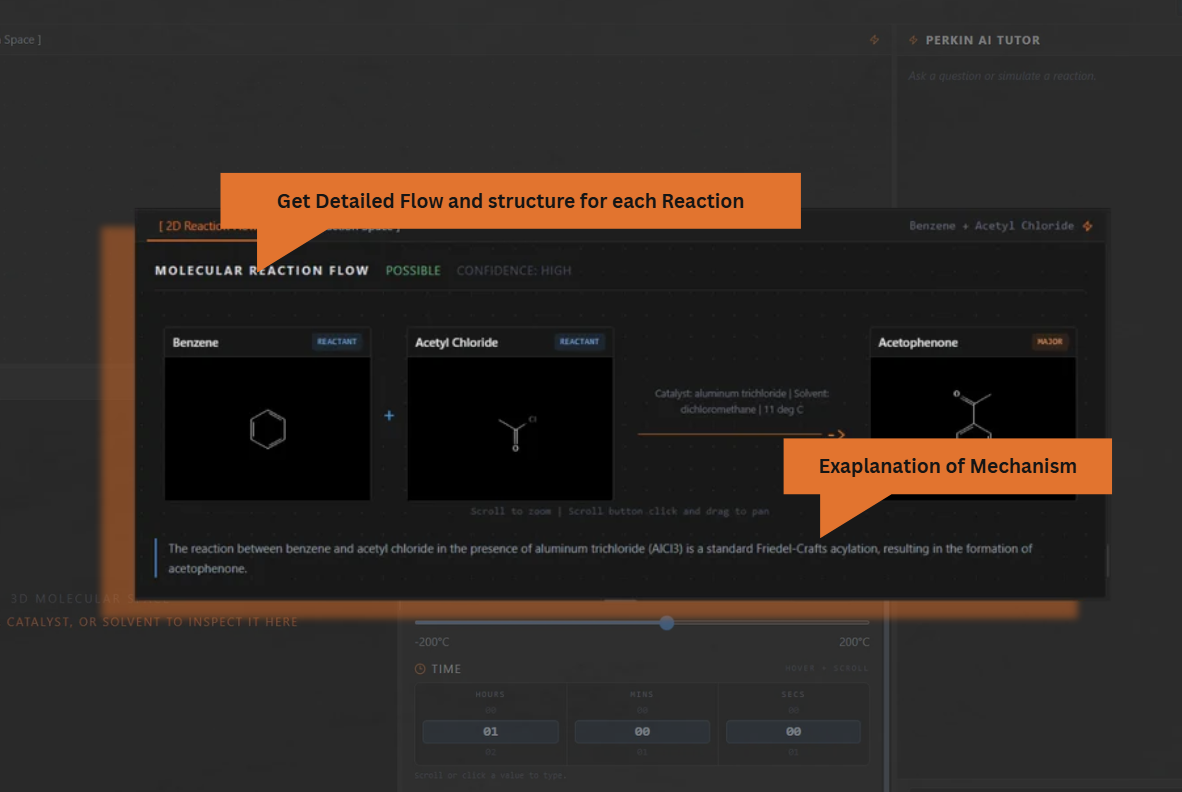
Upon simulating the reaction after feeding in all these datapoints, the following takes place:
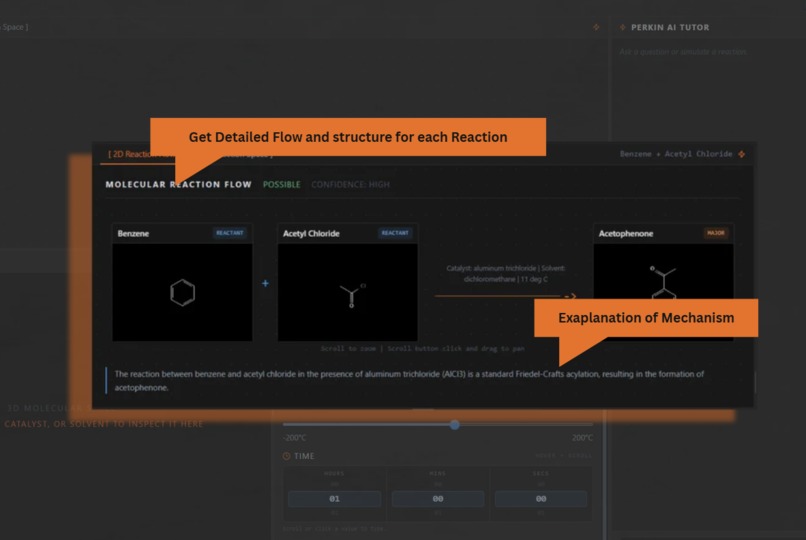
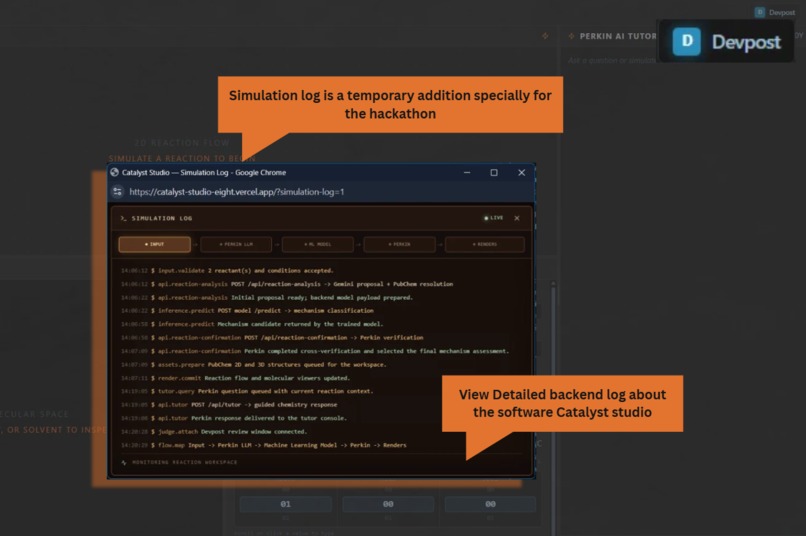
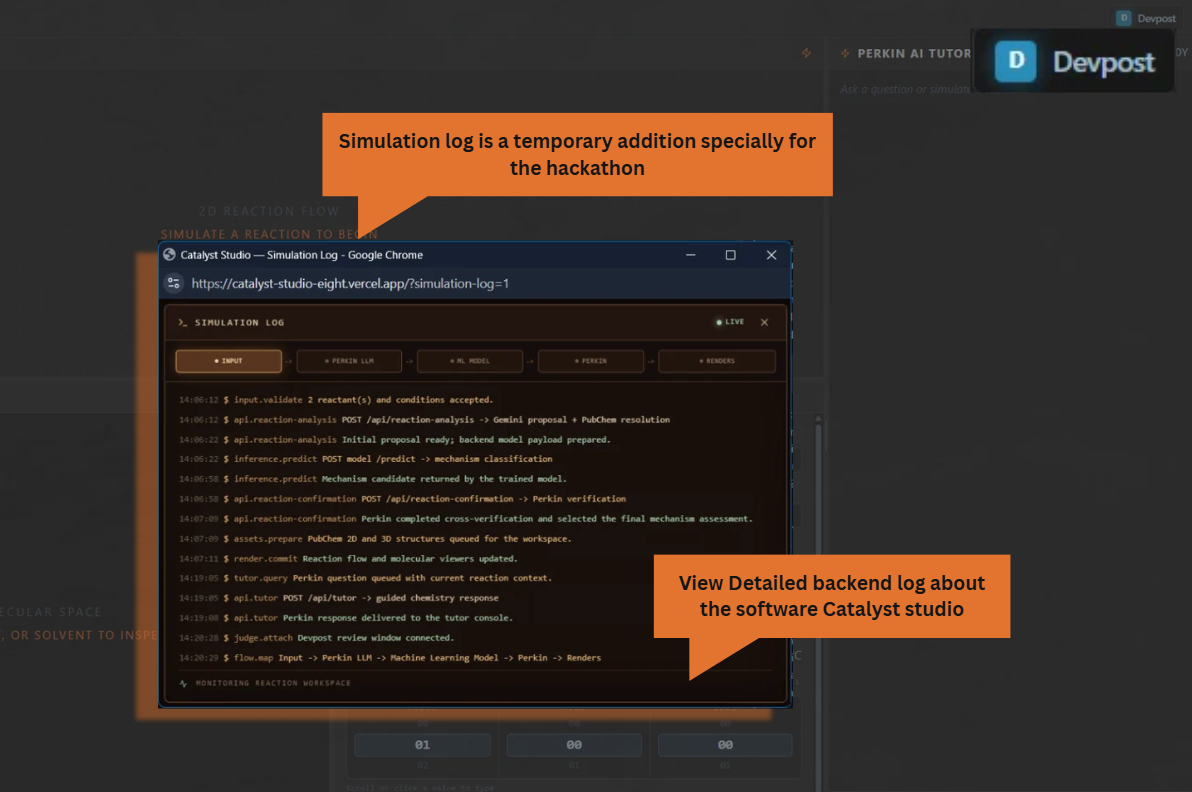
- Execution of the Machine learning Algorithm to predict mechanism of reaction
- Feeding reaction data and mechanism to an AI LLM to generate output products of reaction
- 2D Viewport - Generating a 2D Line diagram (commonly used by students to study reactions in organic chemistry) of all the compounds participating as reactants and forming as products
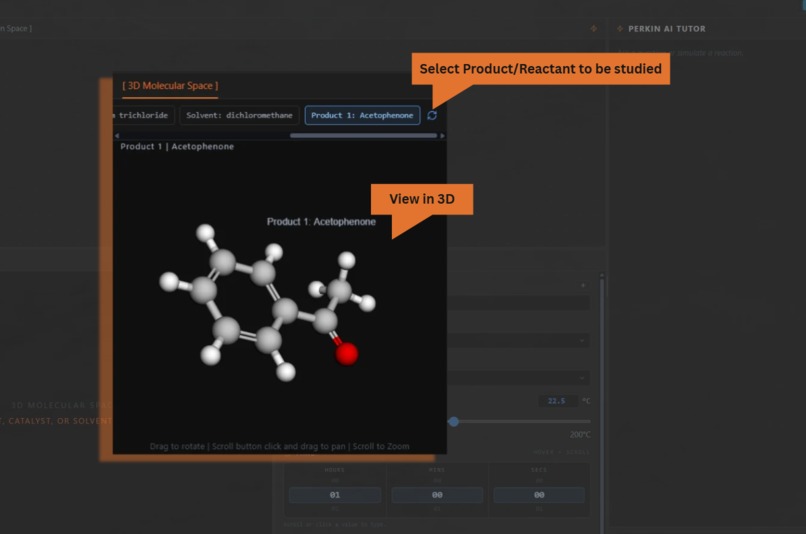
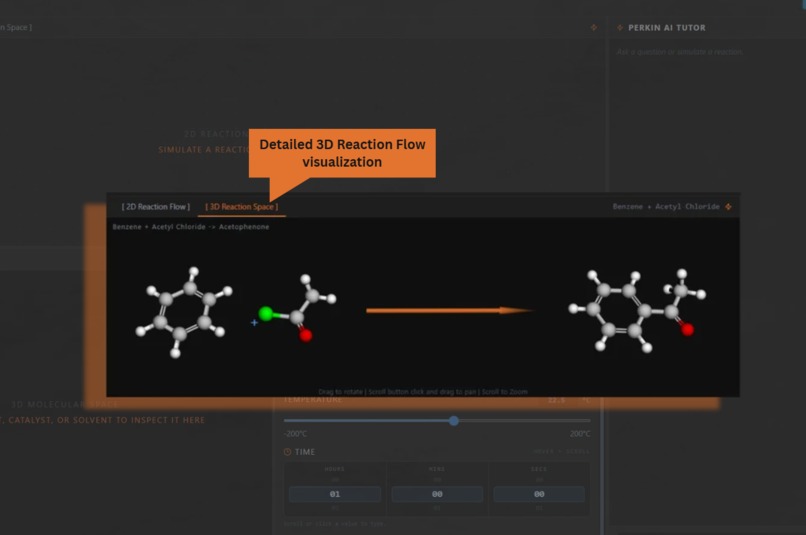
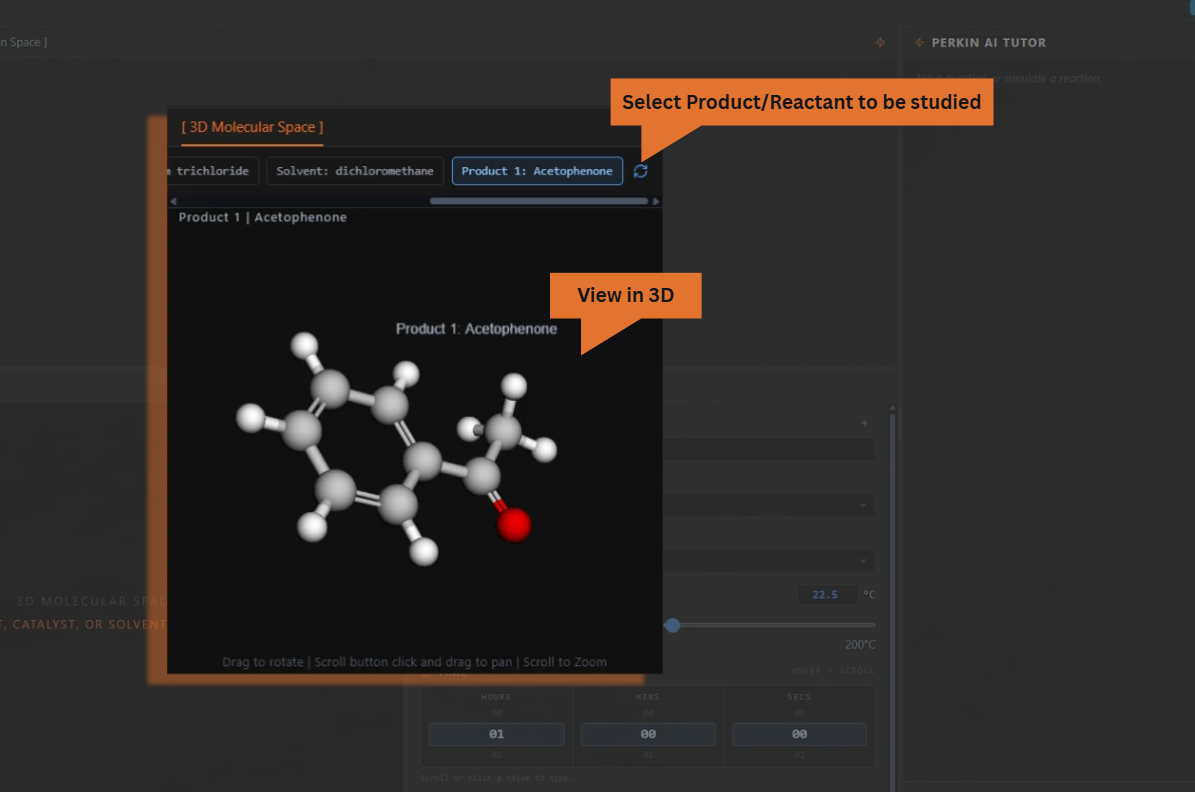
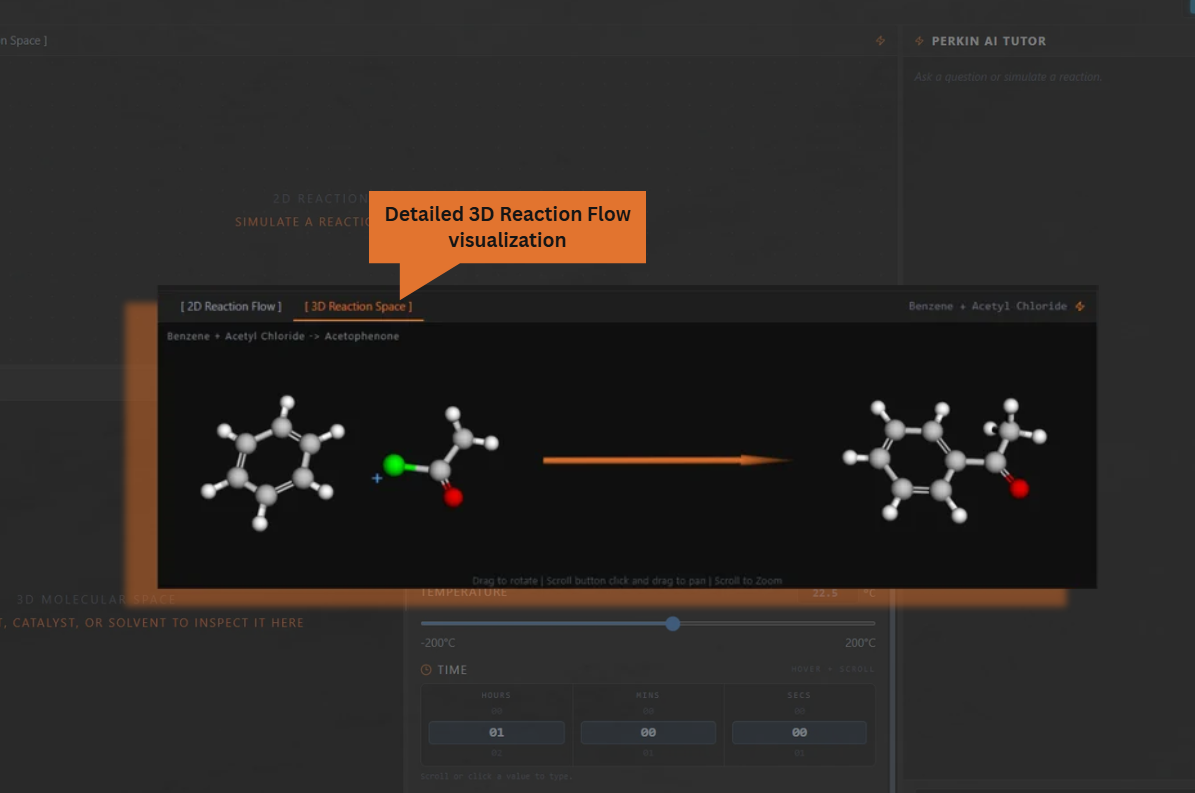
- 3D Viewport - Generating a 3D view of the entire reaction, reactants and products, further helping users visualize the molecules interacting and reacting. Students no longer think of a reaction as just some symbols on paper or topics to rote memorize. They can now develop an intuition of how molecules look/feel and behave in certain conditions.
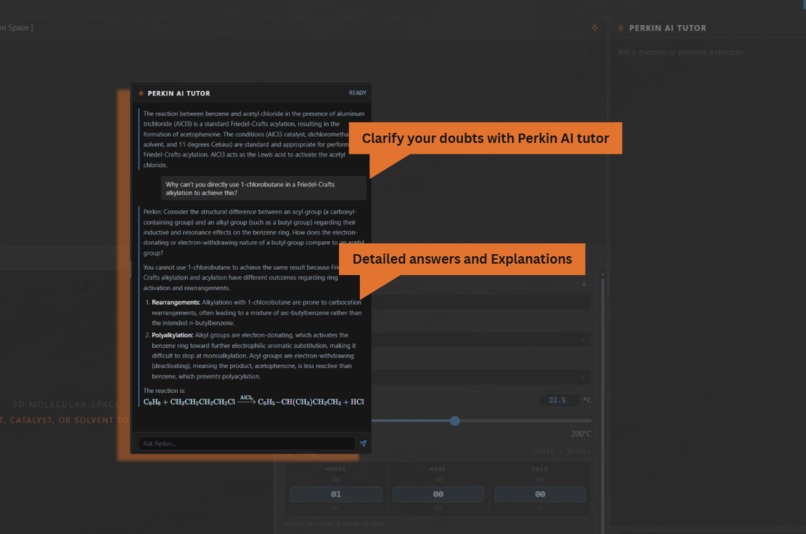
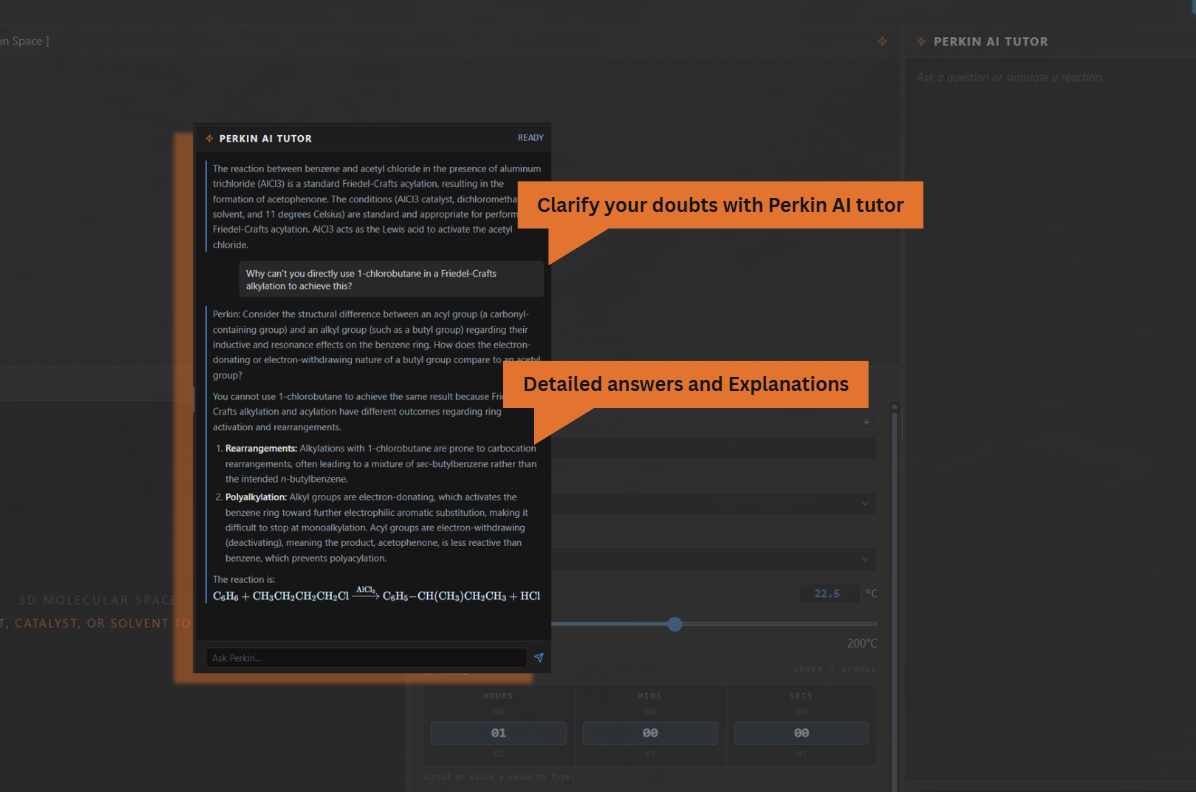
- Perkin AI tutor - Not only does our Web App do all of this, but by linking it to an LLM(Gemini API in our case) and giving all of this information and more context, the end user student can ask doubts and get clarifications in real time. Our AI tutor is better than the average AI tutor in the industry due to its Socratic Questioning ability which prompts students to learn by self discovery.
How we built it
Front end:
Tech-stack: JS, React, Vite
Design Philosophy: we took inspiration from the UI/UX interface of apps like Blender3D, Unity; optimizing for user experience and convenience and were aiming to implement an aesthetic dark mode with Dark Grey(major), and a blue-orange complimentary color scheme for the minor visuals
3D visualization system:
We utilized the opensource Pub-Chem database and Pub-Rest API to extract detailed chemical information such as 2D diagrams/ 3D model data and present it to the user in an intuitive 3D visualizer that utilizes the following workflow:
compound name(SMILES) → Pub-Chem → SDF structure file → 3Dmol.js rendering
Powered by Codex (How we used Codex)
Frontend:
We built a rough draft version of the website ourself first to set the base on which codex would eventually improvise:
Since this was our first time using an Agentic AI system, we made sure to keep giving it our creative direction to work along
We set the idea, UX concept, Vibe: Orange and Dark grey, Design Philosophy had set a high priority on easy to use and Self-explanatory UI
After getting the base ready, codex helped us optimize the aesthetics/UX by minor tweaks and features while we were working on backend and the ML Model
Features implemented partially/completely with the support of codex:
- A UI layout shift (reorganisation of panels) - we realised that the UI layout we started off with in the beginning was a little cramped and tedious to use so we reordered the panels in such a way that they were much more accessible and visible in smaller screens as well.
- A welcome/loading screen with the "Catalyst Studio" Logo reveal animation
- Increasing text/image size to optimize for better readability
- Implementing Reaction display using KaTeX blocks in Perkin UI instead of plain text
- Changing default HTML Scroll bars to more aestheic version suitable to the dark mode theme
- Optimizing the Line Diagram renderer(previously rendered on bright white background) for dark mode (using a black background)
- Major Feature: Enabling users to resize different Panels by hold and drag the borders, providing greater user control over UI while implementing sensible sizing limits
- Implemented a better Time input method, the scroll to change and click to edit interface instead of normal textbox
- 2D molecule diagrams clipped inside the cards - fixed the error by limiting scale
Backend:
Since it was our first time using Vercel to host an app, we were unsure of the errors that let to Vercel builds failing repeatedly
We gave Codex the context of our project setup about the Github Repository and how it is linked to Vercel and the error codes
Codex helped us narrow down and pin-point exact sources of error and also suggest fixes while explaining the source of error and fix for it, improving our understanding of how Vercel and hosting works:
Backend errors fixed partially/completely with the support of codex :
- PubChem Failed to resolve simple compounds like "ethane" - fixed by updating resolver to use PubChem's current SMILES properties
- Gemini Product SMILES Missing before ML prediction - fixed by restructuring coordination workflow such that Perkin returns IUPAC Name, backend resolves to SMILES before calling the ML model
- Corrupted UI Characters (errors when trying to implement special characters) - Codex replaced malformed text/encoding artefacts in the UI
- .ENV Flie error : Codex suggested us to not upload an ENV file instead let vercel build one for itself and add the API KEYS in Environment Variables
ML model:
Dataset:
We fed a dataset of 247,000 organic reactions sourced from USPTO-LLM a free and open source data set
We then trained our model around it
Tried and tested:
Random Forest Classifier
Multi-Layer Perceptron (MLP) Neural Network
HistGradientBoostingClassifier
Final Model: HistGradientBoostingClassifier
Socratic AI tutor:
Highly Specialized prompt was engineered to ensure that the LLM strictly follows the Socratic philosophy of teaching while communicating with the student
Implemented Free Tier Gemini integration via API end point into Vercel deployment
Hosting:
We utilized Vercel and Render
-Vercel handled the front end
-Render to host our ML model
Collaboration/Other Dev tools:
Github: we collaborated via open-source well known Git and Github tools, which saved us a lot of hassle since it was easy to integrate with Vercel and also let our Codex agent access the repository locally while we give direction, verify the changes and push to the online repo
Funding:
We have not utilized any paid services/dev-tools, have invested no money and utilized only open-source and free-tier software
We express deep gratitude for the Open AI team to provide us with 100$ complimentary credits which gave us a unique opportunity to try a powerful frontier AI Model
Challenges we ran into
To be candid here, things crashed a lot, yes! Builds failed, agents failed Deployment failed repeatedly in Vercel We messed up version control in Github where our zipped backups saved us We also faced a lot of challenges in Data Management, lots of sources had partial data of organic reactions. Some Datasets had all the reactions and mechanisms but no reaction conditions, some had reaction conditions but no mechanisms. We took this challenge head on by comparing various datasets and setting up algorithms to compare reactions from different datasets and compile together a final dataset mainly based off the USPTO-LLM Dataset with all the labels and features we needed.
Accomplishments that we're proud of
Developed a full stack application start to finish under a time constraint using new tools Cleaning, organizing and labelling a dataset of 247,000 organic reactions sourced from USPTO-LLM dataset. Training a complete Machine Learning HistGradientBoostingClassifier model to predict reaction mechanism from the reaction data, boosting accuracy to 95% for general mechanisms and 84% for mechanisms which are very difficult to predict and normally have to be predicted using various experimental means, reaching a net accuracy of 90%
What we learned
This was our first hackathon and it did teach us full stack app development under a time constraint We were using Codex and its agentic features for the first time, we learnt engineering prompts/providing sufficient amount of context and optimizing model settings to minimize credit usage We were familiar with Python and Javascript but tried React/Vite/Typescript stack for the first time to develop a web based demo application. We also learnt managing Github repos and optimizing for hosting frontend on Vercel and the ML backend on Render
What's next for Catalyst Studio
From a technical standpoint:
Further Improve accuracy for rare case reaction mechanism predictions.
Improve speed of the predictions through more optimizations in running the model and inter-platform communications
From an operational standpoint:
We are looking forward to reach out to major educational institutions in the world and offer them our software to be integrated in their ecosystem.


Log in or sign up for Devpost to join the conversation.