-
-
App icon (1024x1024)
-
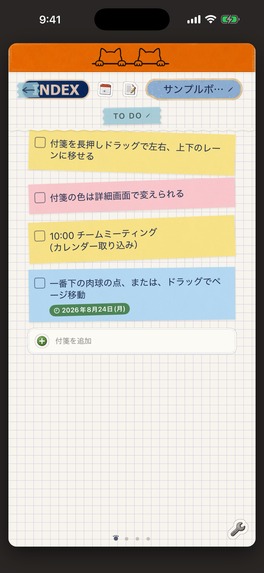
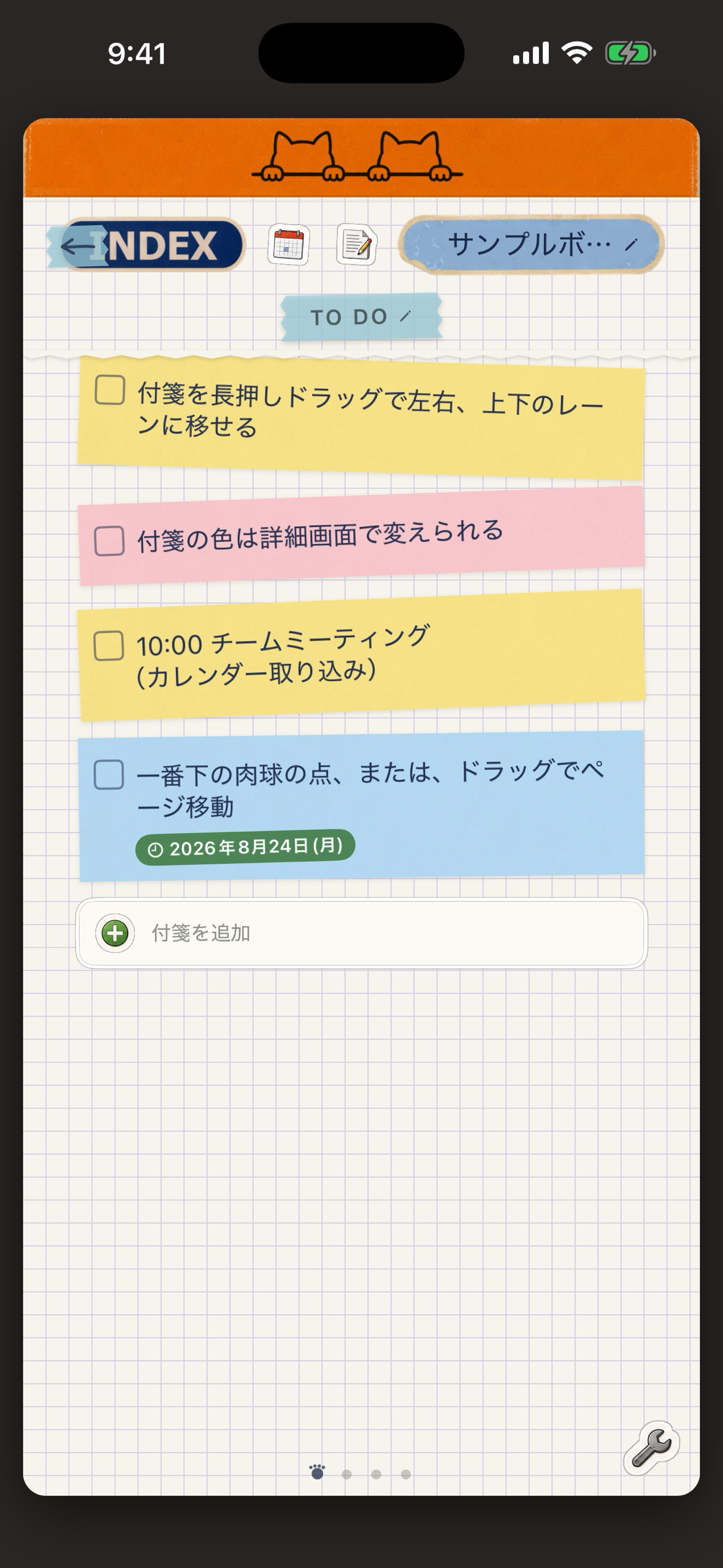
Kanban view (1179x2556, no device frame)
-
Notebook cover (1179x2556, no device frame)
What it is
Cat Scratchpad is a to-do app that looks like a grid-paper notebook. Each list is an ordinary Markdown file, and every line with a checkbox is a task. The same file can be opened as a plain list or as a Kanban board, so you can write tasks quickly in the list and then drag them between columns on the board.
Why I built it
I keep my notes in Obsidian and wanted a phone app that writes tasks in the same files, in the same format, without inventing a private database. Most task apps either lock the data inside the app or sync through their own server. I wanted the file itself to be the source of truth.
How it works
- Storage starts inside the app's own folder, so it works with no setup. If you use Obsidian, you can point the app at a folder inside your vault and the files move there. If you stop using the app, the files stay in the vault.
- Dates are written as
[due:: 2026-08-31]and priority as[priority:: high], the same dataview style used by the Obsidian Tasks plugin. Tags are#tagsin the text. Tasks written in Obsidian show up in the app, and the other way around. - The app rewrites only the task lines it edited. Everything else in the file, including settings blocks written by the Obsidian Kanban plugin, is left untouched.
- Features: list and Kanban views, due, start and scheduled dates, priority and tags, subtasks and notes, calendar import (any calendar visible in the iPhone Calendar app, including Google Calendar accounts), due-date notifications, and colored sticky notes you can reorder.
- Runs on iPhone, iPad and Mac.
Monetization with RevenueCat
The first 14 days after install are a full trial with no purchase. After that, the app stays readable and editable, but creating new items (lists, boards, tasks, cards, subtasks, calendar imports) is locked until a one-time Lifetime Access purchase ($9.99, no subscription). The purchase and the pro entitlement are handled by the RevenueCat SDK, so the unlock works across the user's iPhone, iPad and Mac.
Built with
SwiftUI, StoreKit 2 through RevenueCat, EventKit for calendar import, UserNotifications, and a small Markdown parser written for this app. The project is generated with XcodeGen and shipped through App Store Connect.
Challenges
- Writing back to a Markdown file that another program also edits, without destroying what the other program wrote. The answer was line-level editing rather than re-serializing the whole document.
- App Review asked how a reviewer could reach the post-trial state without waiting 14 days. I added a review-only URL scheme that expires the trial on demand, which is also how judges can test the paywall.
- Making a skeuomorphic paper interface that still reads clearly at small sizes.
What's next
Photo attachments on tasks, a separate calendar-import screen, and opening links from notes.

Log in or sign up for Devpost to join the conversation.