-
-
General
-
Filter by date / account
-
Click bubbles to show more details
Introduction
CashMap is a web application prototype that allows users to input their consumer identification number (an identification number linked to their Capital One account) and then view and analyze their purchasing habits as visualized on a map of the general surrounding area.
Features
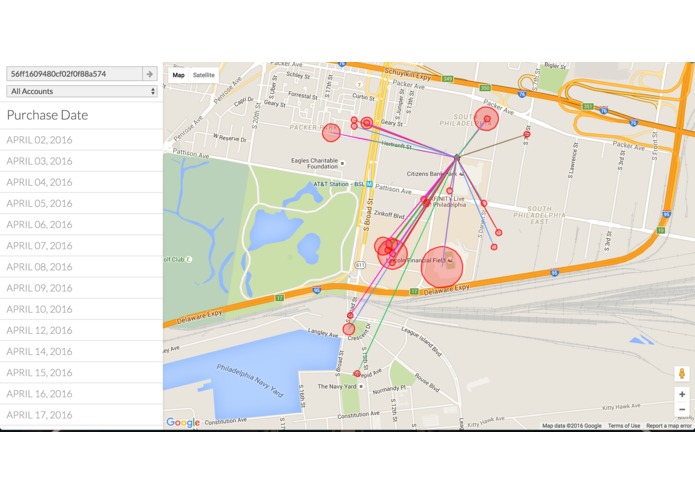
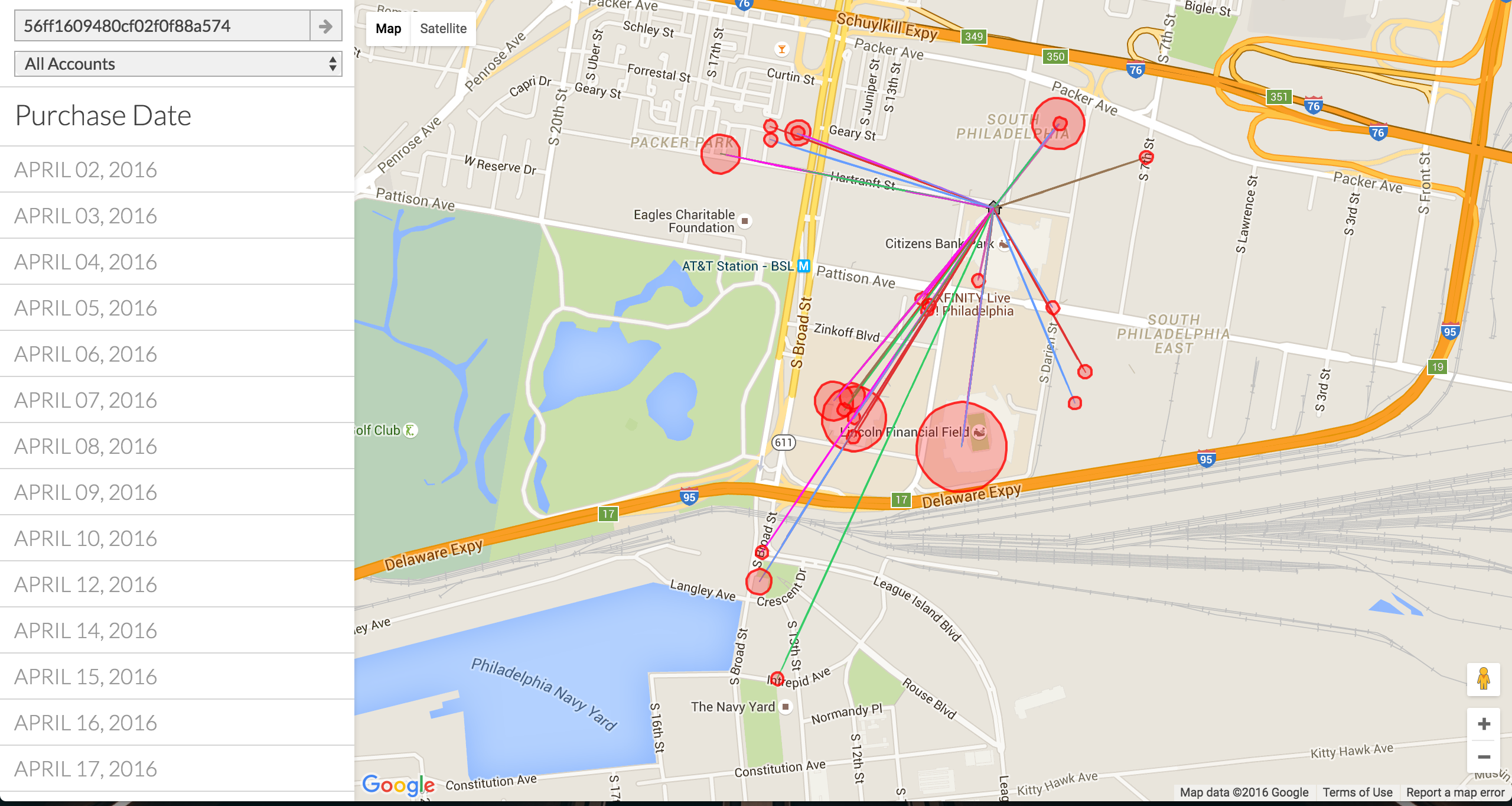
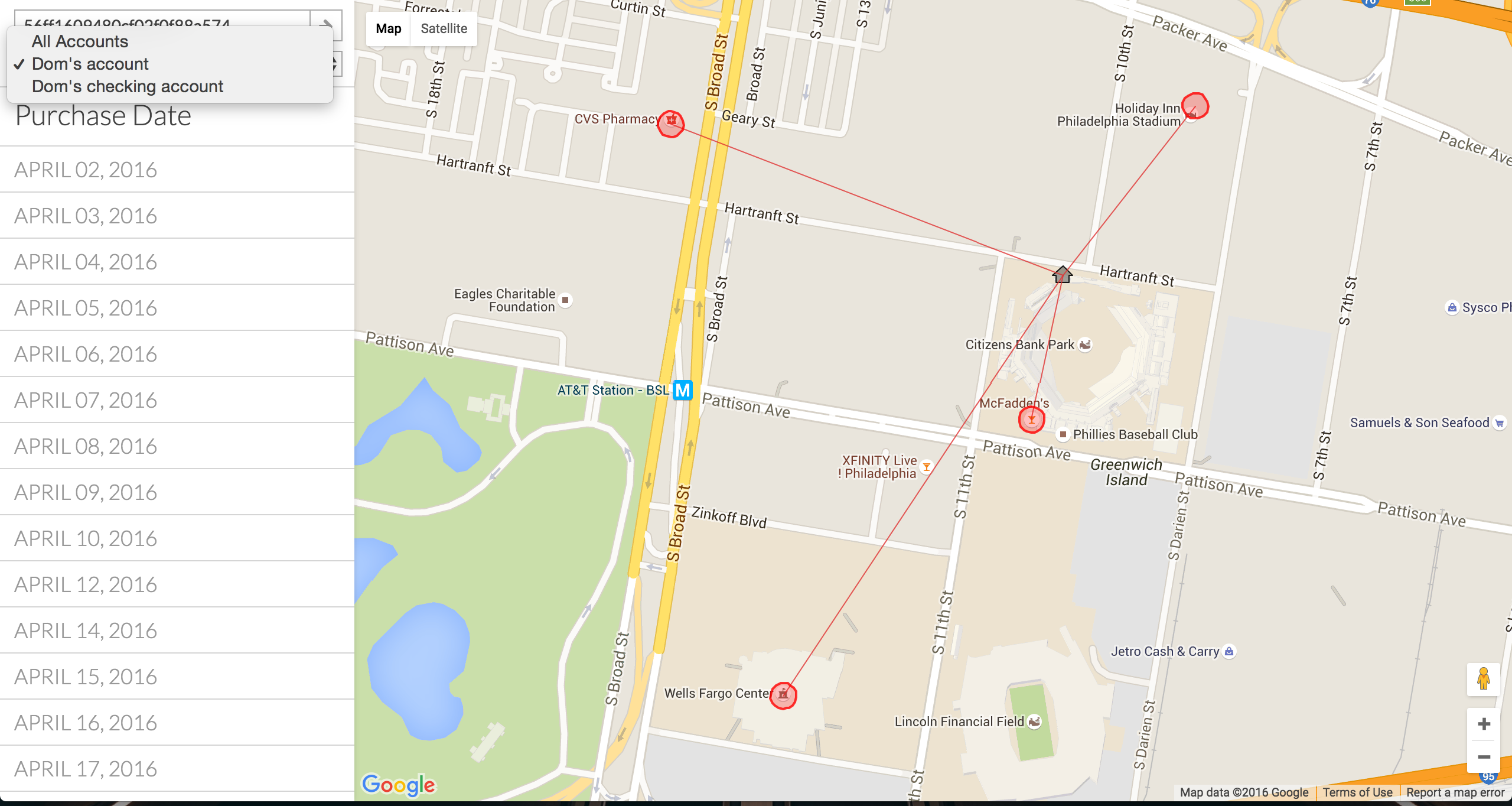
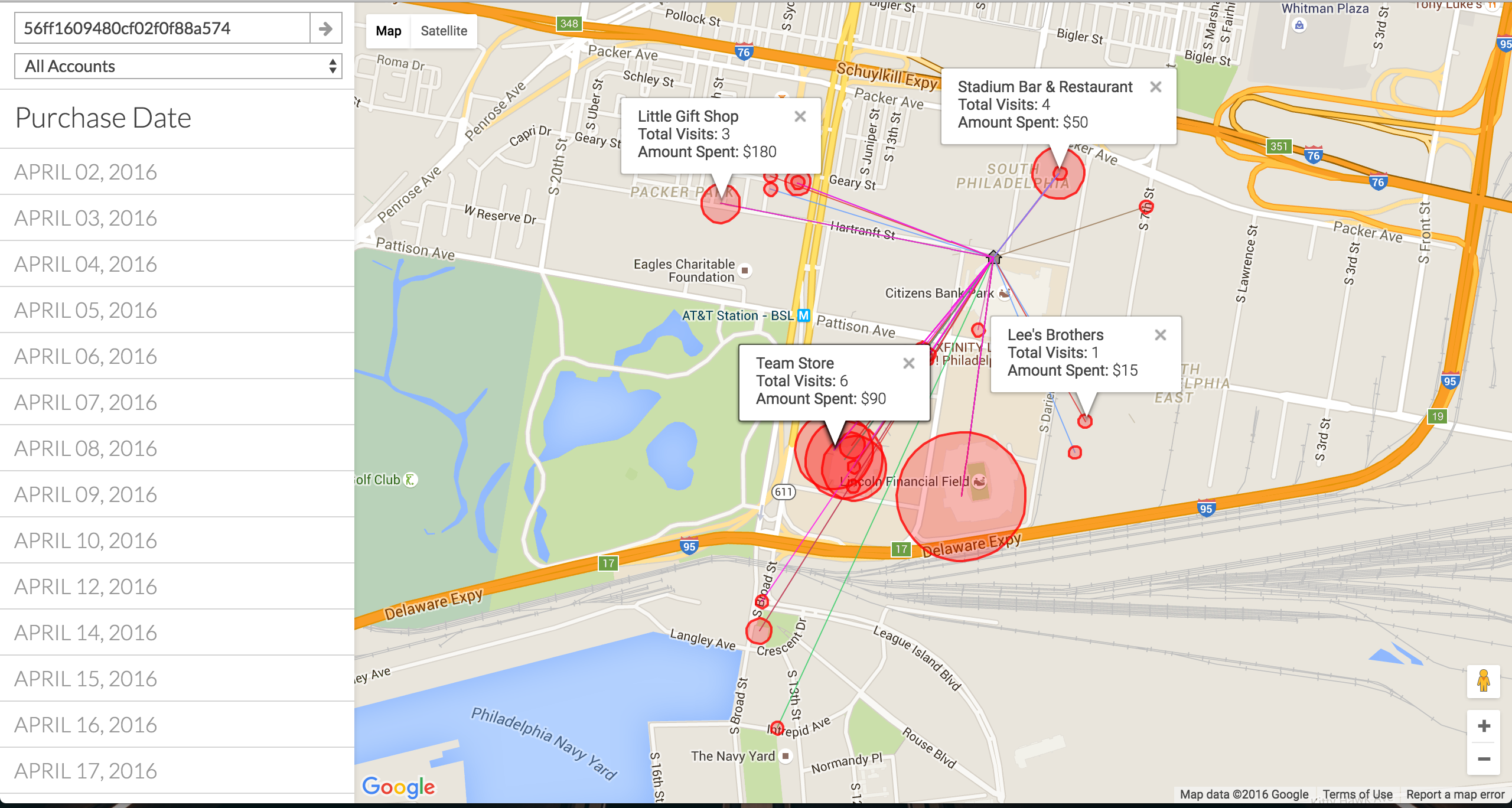
- CashMap visualizes purchasing data by displaying connections from purchase locations to the consumer location. Connection colors are dependent on the day to help differentiate day-dependent spending habits.
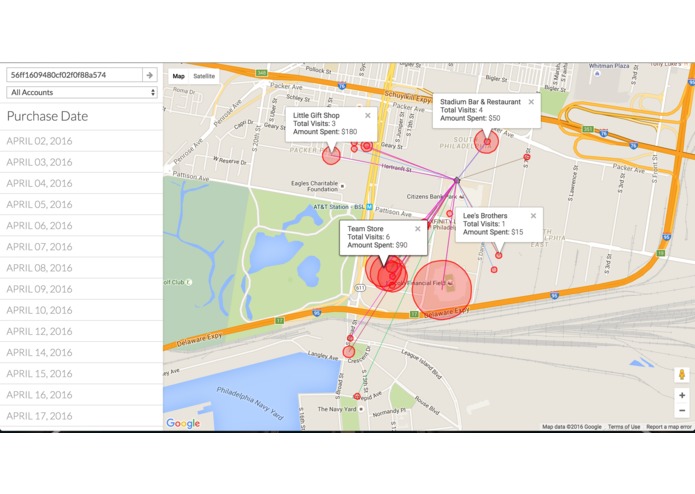
- Purchase locations are covered with bubbles with sizes correlating to the frequency of visits to the location. Location bubbles also display frequency of visits and amount spent when clicked.
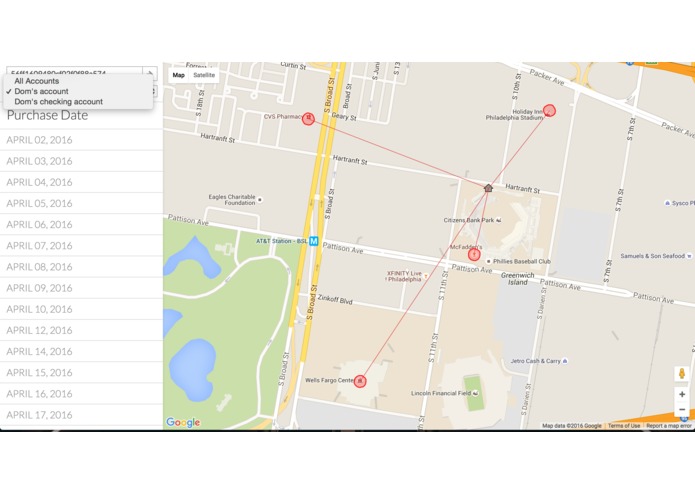
- Purchasing data can be separated by date. Users can then see spending habits on certain days or analyze their spending habits over the course of time.
- Purchasing data can be separated by account. Users can then see correlation of spending habits in particular locations with particular accounts.
The purpose
With this information, users are able to accurately depict their spending habits based on location. The data visualized shows where in the general area their spending usually occurs, on which particular days, and how it changes over the course of time - a single graph isn’t able to depict all of this data at once. The visualization of data allows for user recognition of how they make use of their money. Visualizing data on a map that depicts location and frequency is much easier to understand and analyze than numbers thrown on a graph. Relative size and location are easily understood and thus spending habits are easily defined.
Implementation
CashMap is built with JavaScript and uses Capital One's Nessie API (to aggregate data from a given consumer) and the Google Maps API (to visualize data on a map of the general area).
What's next for CashMap
Hopefully to implement more features to further visualize data in a hassle-free manner that allows for better analysis of spending habits.
Built With
- google-maps
- html/css
- javascript
- jquery
- nessie-api

Log in or sign up for Devpost to join the conversation.