-
Banner
-
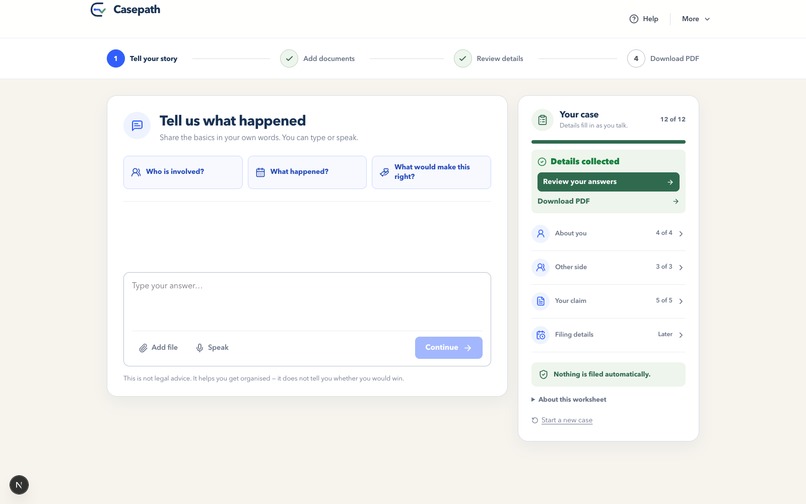
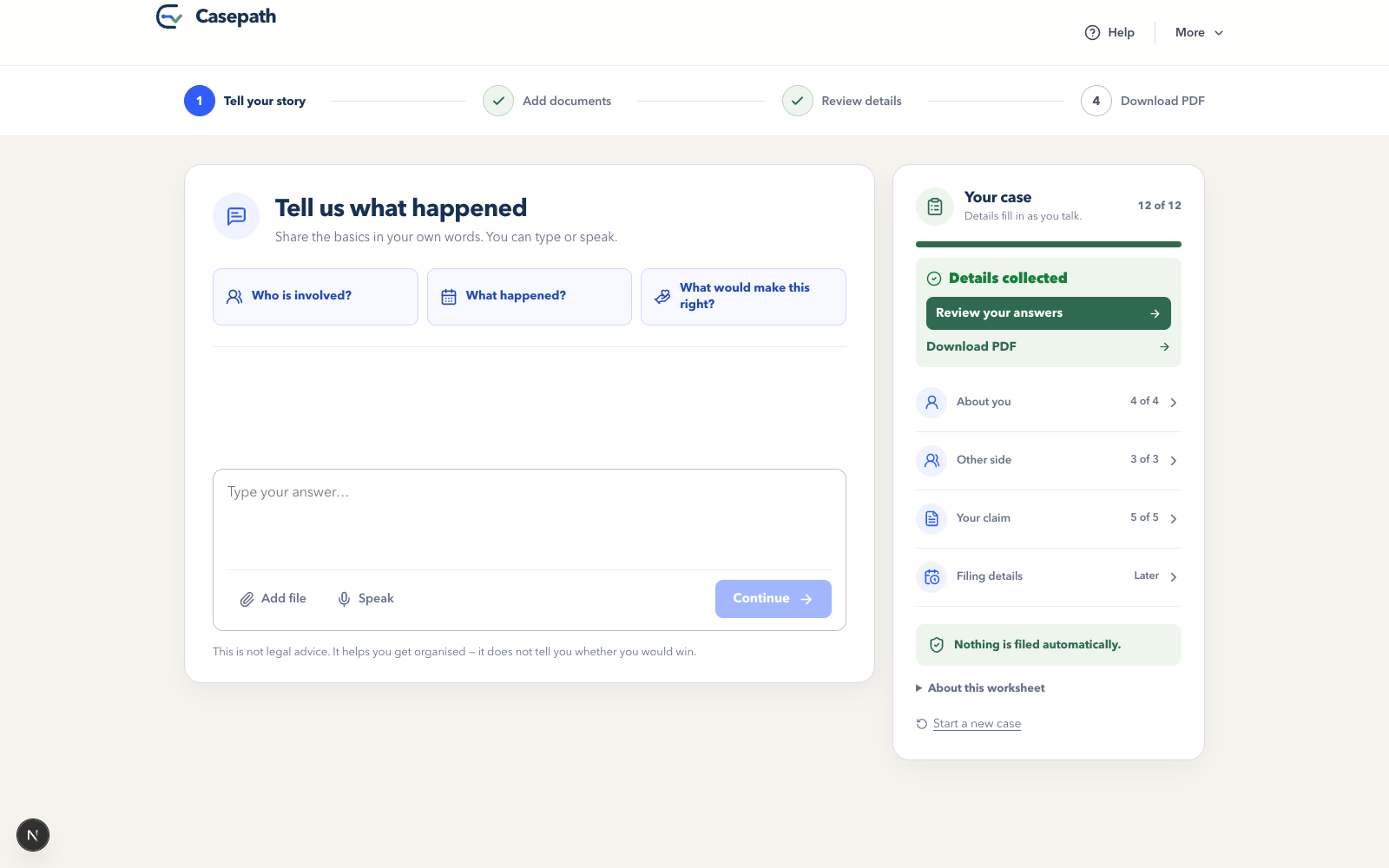
Turns a plain-language story into a structured case record the user can review and correct.
-
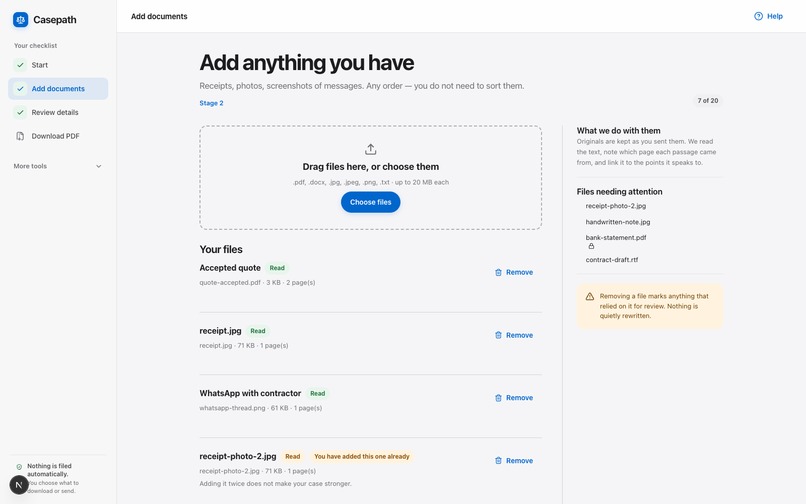
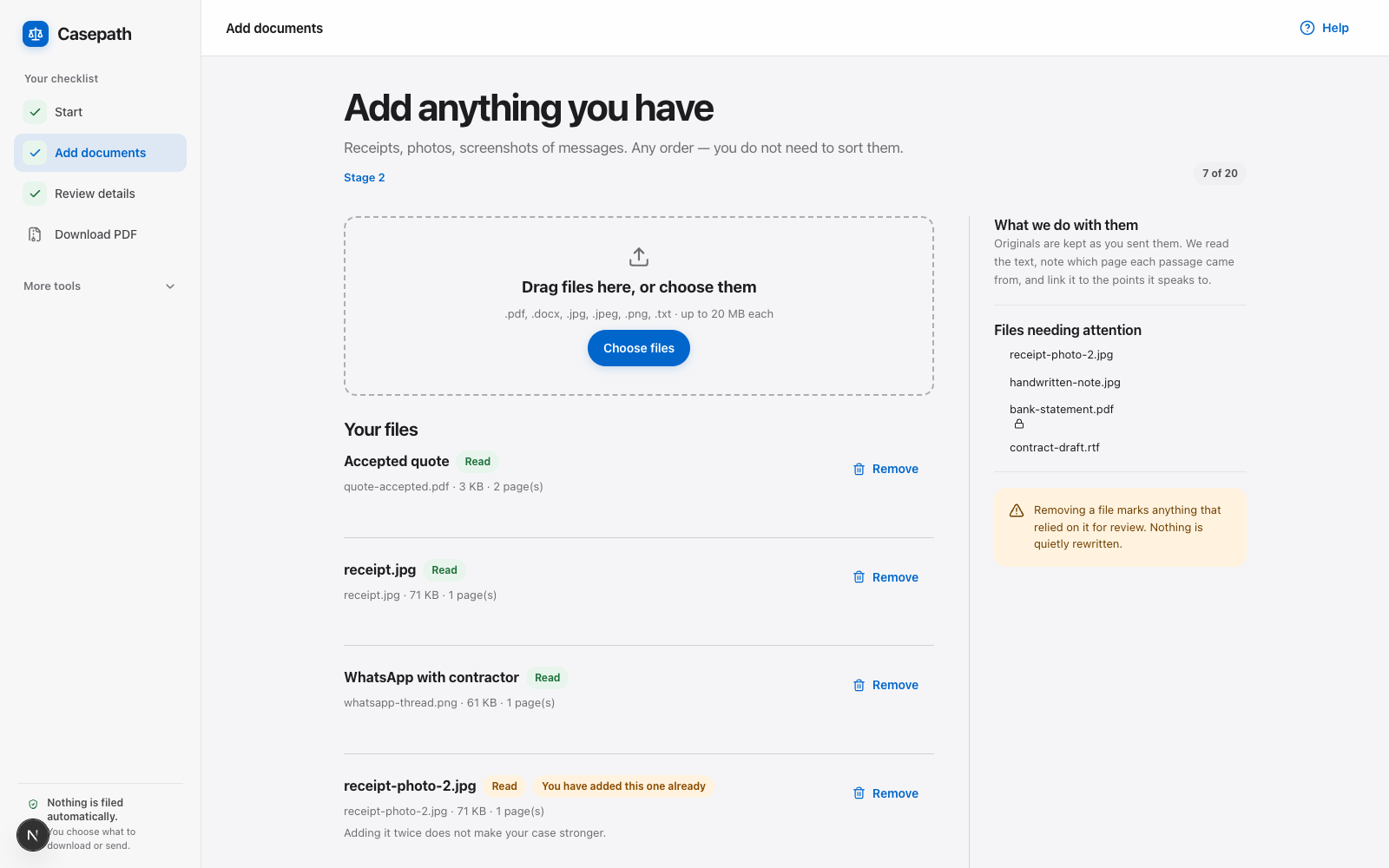
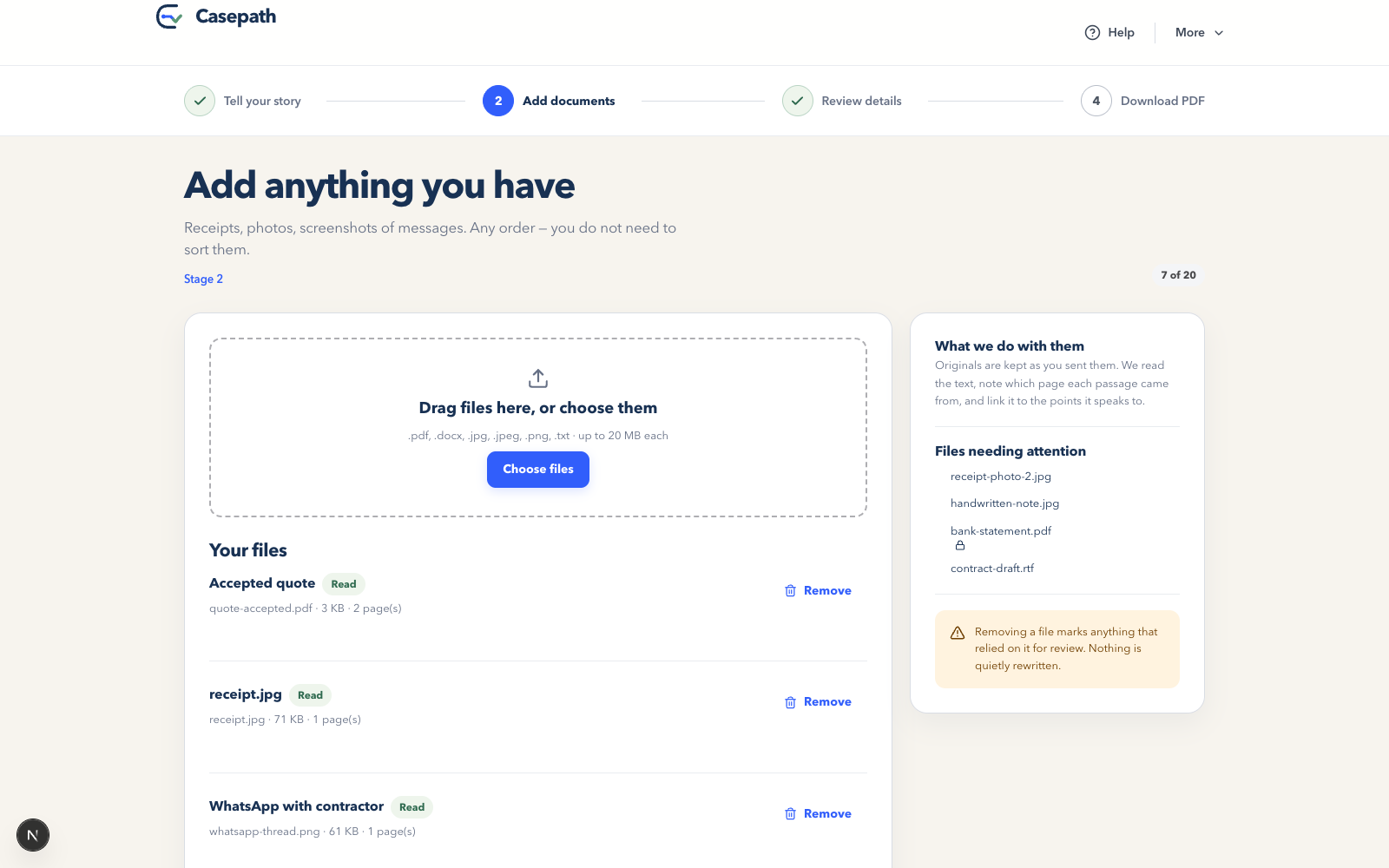
Flags readable, duplicate, locked and unsupported files so users know what needs attention.
-
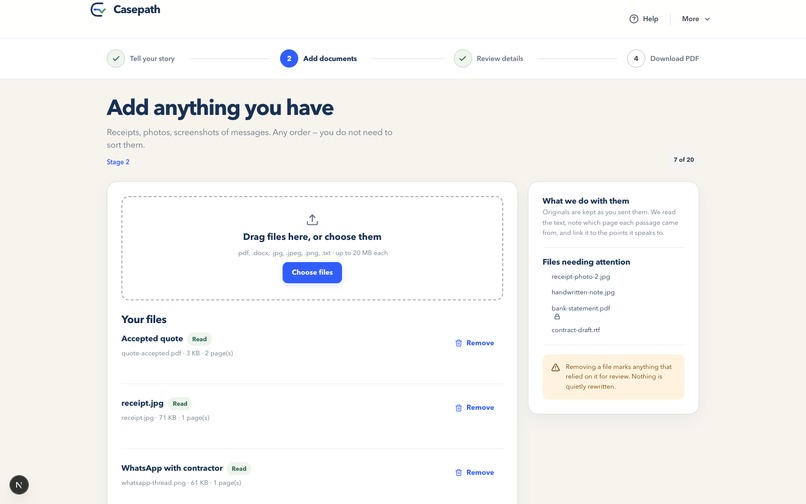
Accepts receipts, photos, chats and documents, then links readable evidence to the claim.
-
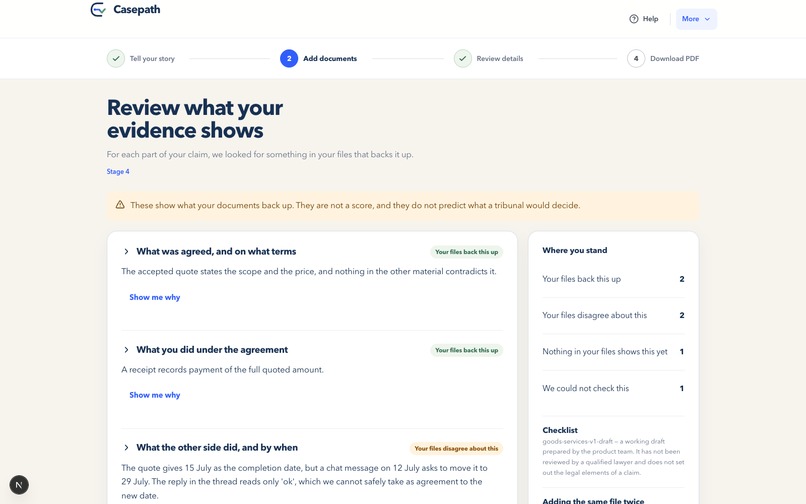
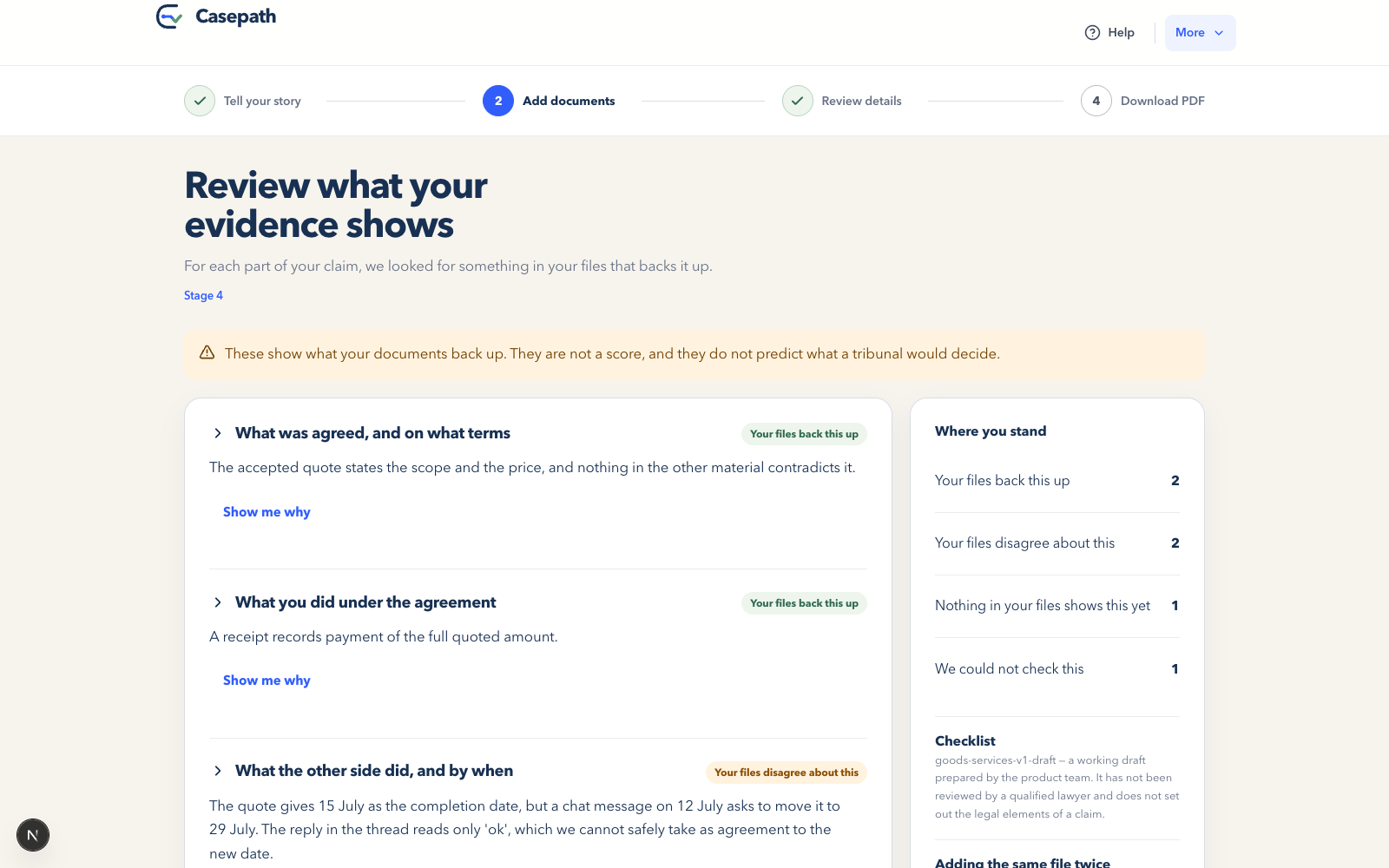
Shows what each file supports, contradicts or leaves unproven, with links to exact source passages.
-
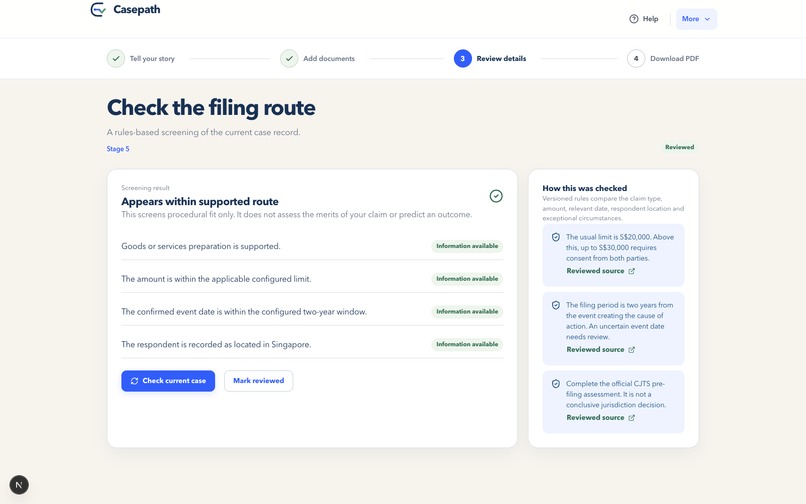
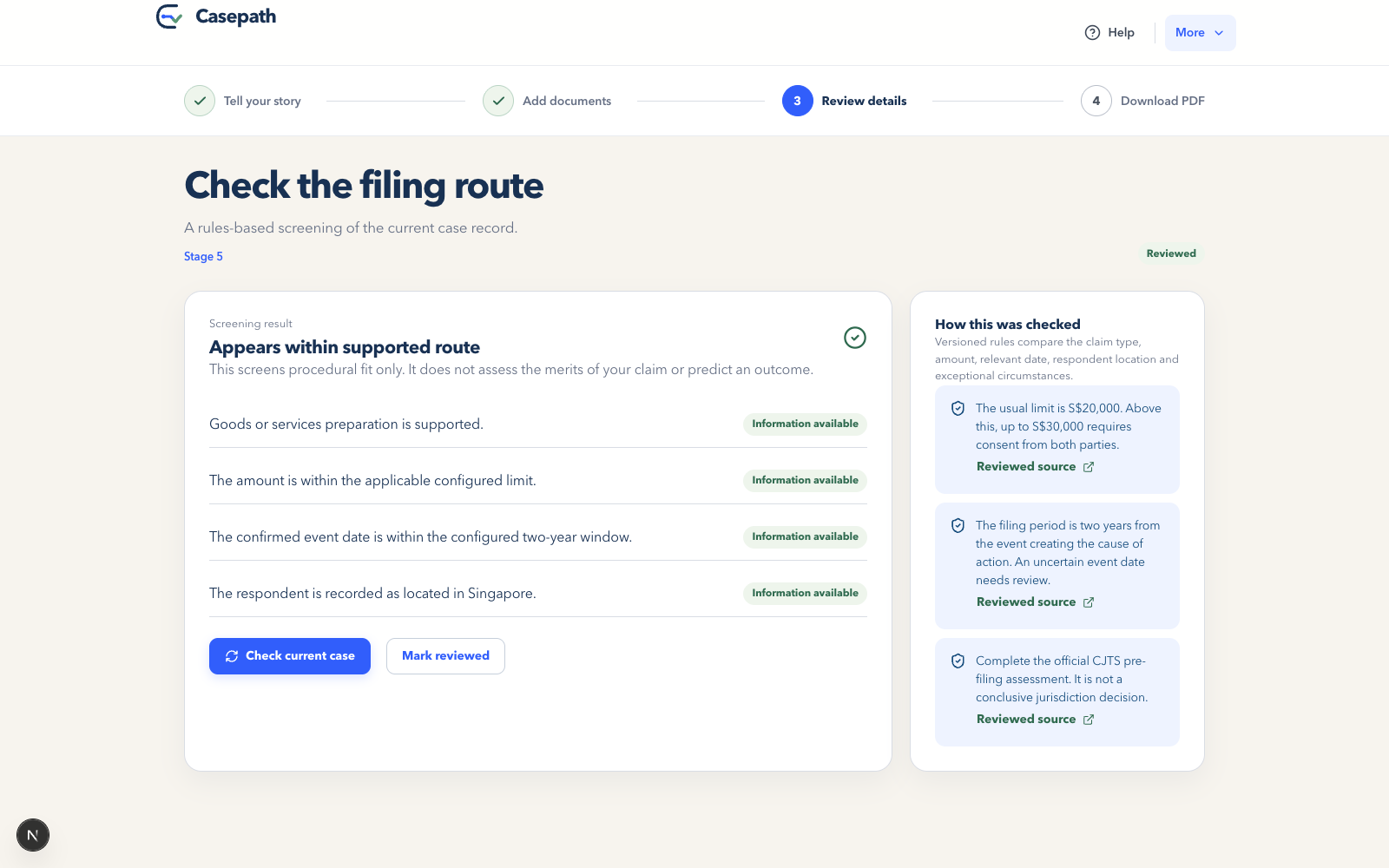
Explains whether a case fits the supported filing route using transparent rules—not outcome predictions.
-
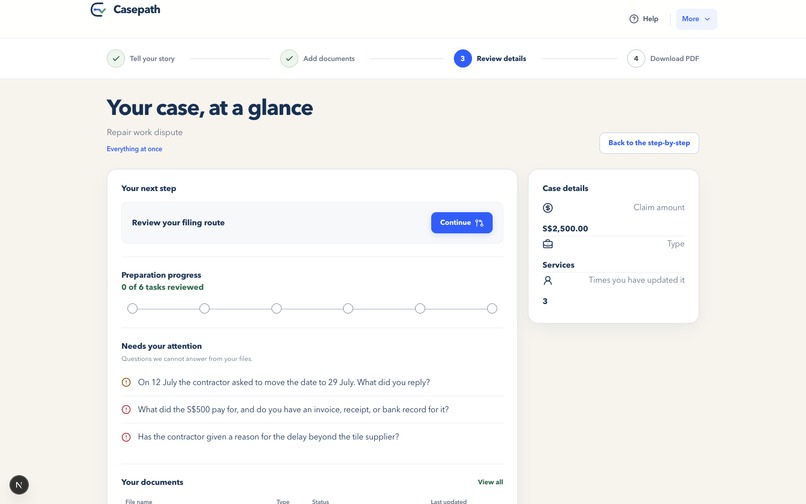
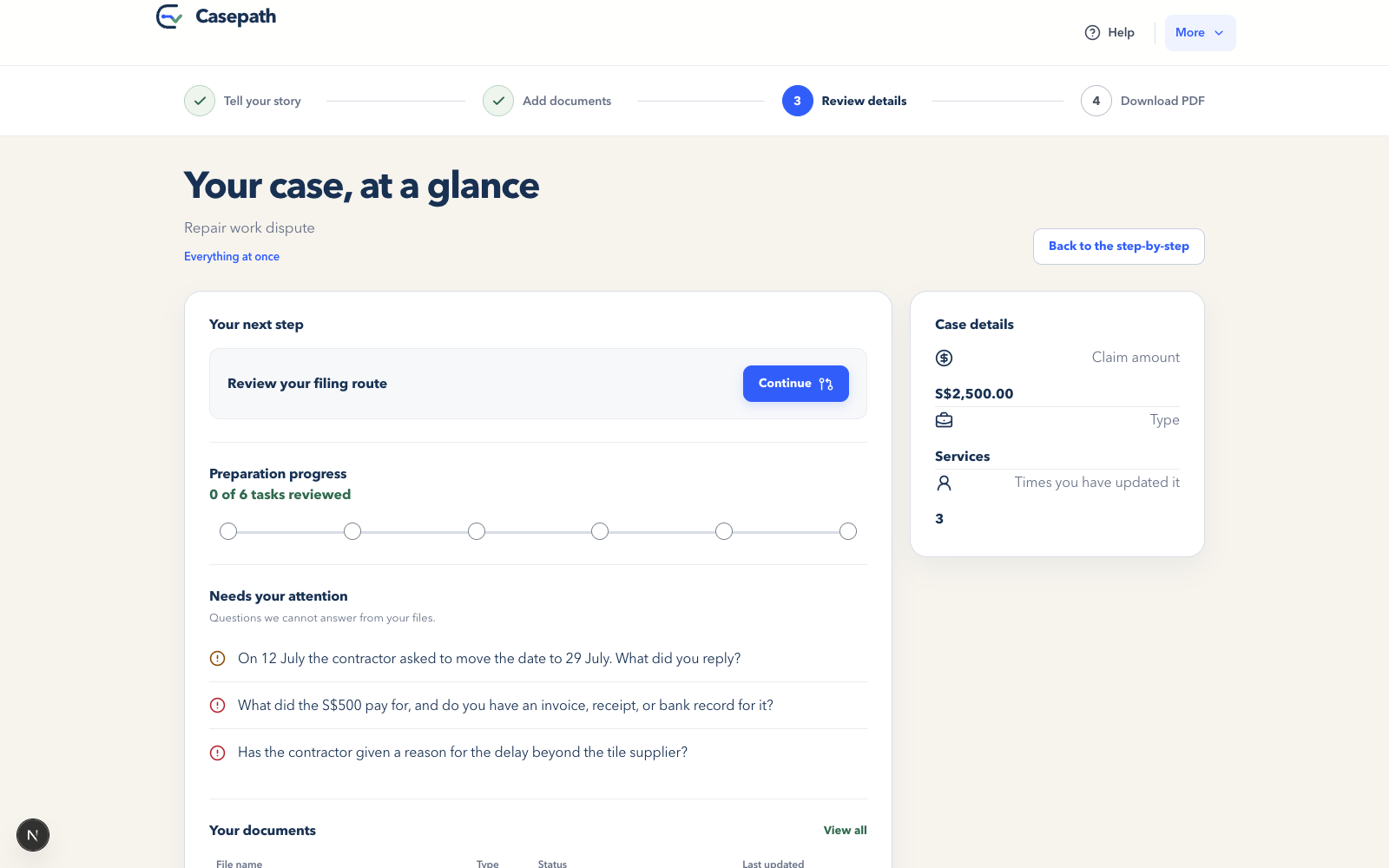
Brings the claim, progress, unresolved questions, documents and next action into one clear view.
-
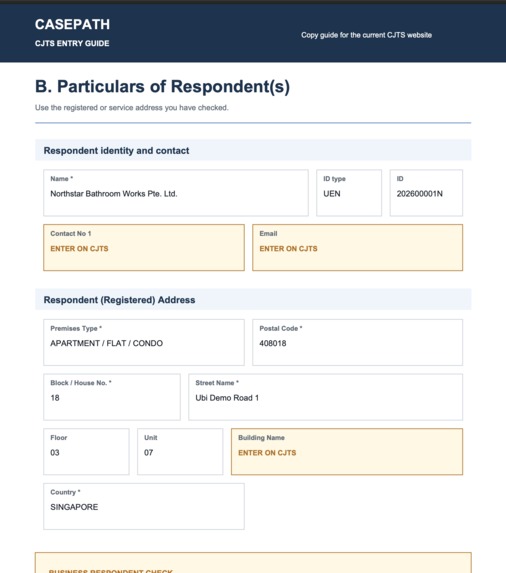
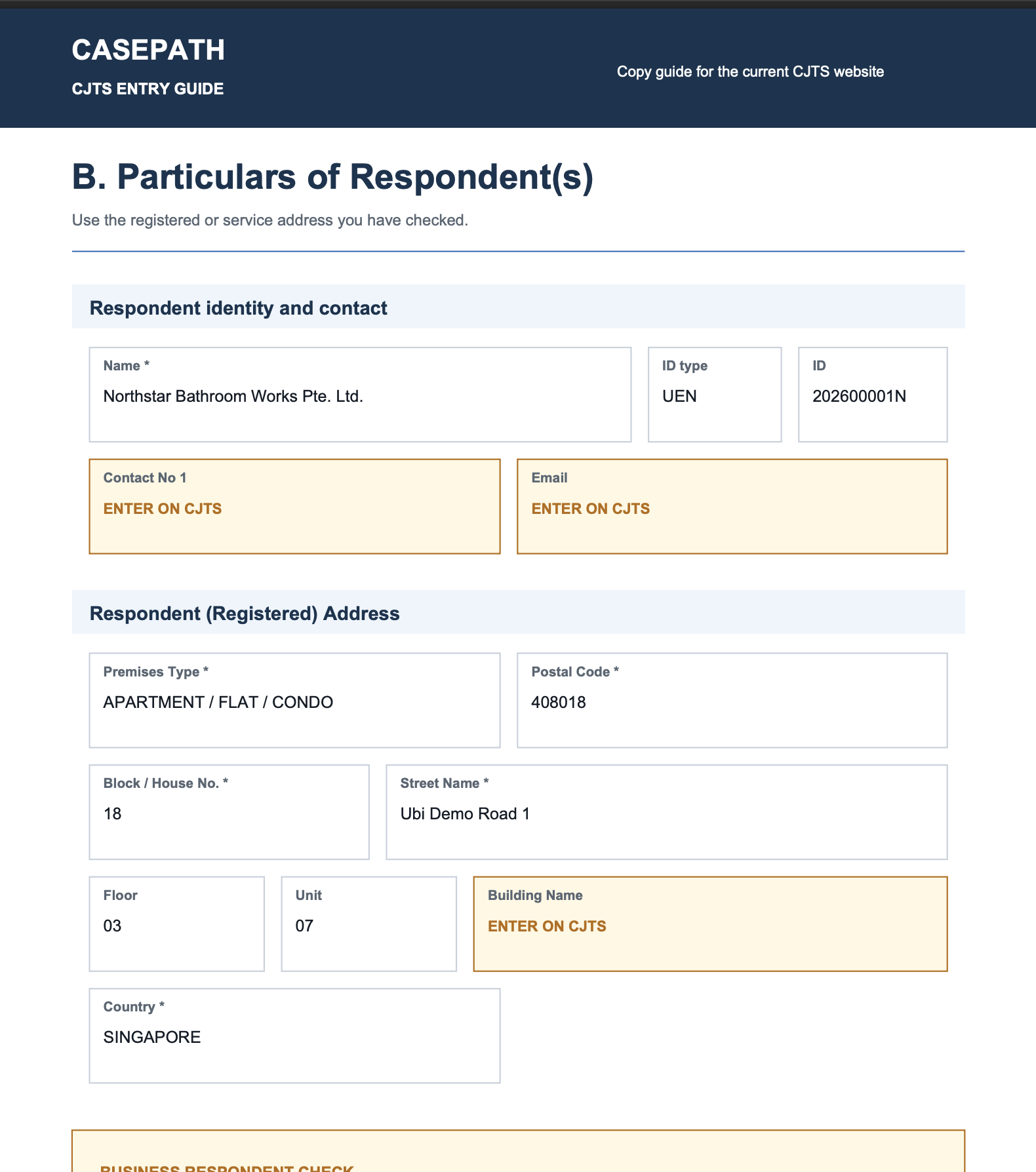
Sample of generated PDF
Casepath
Team Info
Team 4 - Big 6
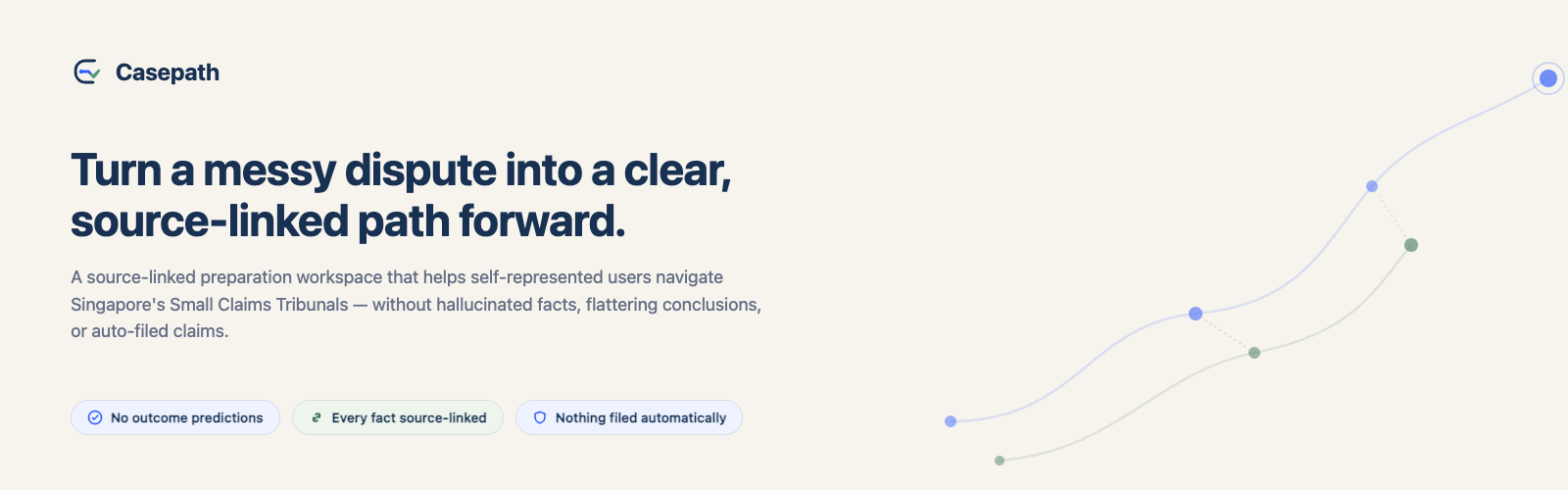
A source-linked preparation workspace for Singapore's small-claims process.
Inspiration
Small claims are meant to be accessible, but preparing one is still overwhelming — receipts, screenshots, scans, unclear dates, and a long story with no clear sense of what matters. Traditional chatbots make this worse by producing confident answers from incomplete information. We built Casepath to take a more responsible approach: help users organize and verify their own information without pretending to be a lawyer.
What it does
Casepath helps users:
- Explain their dispute naturally, through text or voice, with minimal follow-up questions.
- Upload PDFs, Word docs, images, and scans — extracted via document processing and OCR.
- Review and correct extracted names, dates, amounts, and events.
- See which statements are supported, disputed, or still missing evidence.
- Check whether their case appears to fit the supported filing route.
- Choose an appropriate next step.
- Download a structured preparation PDF and a six-page CJTS entry guide.
Casepath does not predict outcomes, give legal advice, or file anything automatically.
How it works
- Guided intake — extracts parties, claim amount, key dates, and the requested outcome from the user's own words, grouping any missing details into as few follow-up questions as possible.
- Document processing — extracts text and runs OCR on uploads; unreadable or low-confidence files are visibly flagged, never silently accepted.
- User-controlled fact review — extracted details are shown as a chronological record the user confirms, corrects, or marks unknown. The user's correction always wins.
- Evidence grounding — links statements to exact source passages, and flags conflicting dates/amounts, unsupported claims, and low-confidence OCR. These flags describe evidence support, not claim strength.
- Transparent route screening — a deterministic rules engine checks claim category, amount, date, and respondent location, returning: within supported route / needs more info / outside scope — always with reasons and sources.
- Actionable next steps — gather more info, explore settlement, seek assistance, or prepare to file. Casepath lays out trade-offs without choosing for the user.
- Structured PDF output — a six-page CJTS entry guide, a detailed preparation pack, a verification history, and a referral brief. Nothing is filed or submitted automatically.
How we built it
Next.js 16, React 19, TypeScript, OpenAI-compatible APIs, Tesseract.js, pdfjs-dist, Mammoth, JSZip, Zod, Vitest, Node's test runner.
A single versioned case record holds the user's account, documents, extracted passages, confirmations, open questions, and generated materials. LLMs handle conversational intake and extraction; deterministic functions handle contradiction detection, route screening, evidence matching, and PDF generation. Changing a key fact marks affected summaries, screening results, and PDF fields for review — nothing goes silently stale.
Responsible AI & safety
- Never invents missing information or gives win probabilities.
- Doesn't treat "more documents" as "stronger claim."
- Keeps uncertainty and contradictions visible.
- Separates extracted facts from procedural guidance, which must trace to reviewed sources.
- Treats instructions found inside uploaded documents as untrusted content.
- Leaves filing, payment, and submission entirely in the user's hands.
The demo uses entirely fictional people, documents, and disputes.
Challenges we faced
- Staying simple without hiding uncertainty — solved by narrowing the main journey to four stages while keeping deeper evidence/verification views available.
- Handling messy real-world documents (clean text vs. poor scans vs. no readable content) — solved with explicit processing states.
- Propagating corrections reliably — a single changed date can affect chronology, evidence, screening, and the PDF, so we version everything and flag outdated results for review.
- Making a useful CJTS guide that's clearly not an official court form — solved with visible Casepath branding and repeated preparation-guide labeling.
Accomplishments we're proud of
- End-to-end workflow: conversational intake → PDF generation.
- Facts and draft fields linked to their sources.
- Contradictions surfaced for review instead of auto-resolved.
- Conversational AI paired with deterministic rules.
- OCR with visible recovery paths for difficult documents.
- Four structured PDF outputs.
- Fully fictional document corpus for safe demos.
- 138 passing automated tests.
What we learned
Trustworthy AI isn't about generating more content — it's about showing users where information came from, what's still uncertain, and what they need to decide. Source links, review gates, visible gaps, and versioning improved both safety and usability.
What's next
- Test with self-represented users; get reviewed by qualified Singapore practitioners.
- Add encrypted persistence, authentication, retention controls, and user-directed deletion.
- Evaluate speech recognition across Singapore accents; support multilingual evidence.
- Improve accessibility and assisted-use modes.
- Expand to new claim categories only once their rules are properly validated.
Built With
- jszip
- mammoth
- next.js
- node.js
- openai-api
- pdfjs
- react
- react-native
- tesseract.js
- typescript
- whisper
- zod


Log in or sign up for Devpost to join the conversation.