Inspiration
Legal operations teams lose an outsized amount of time to work that isn't actually about legal judgment — it's re-reading the same case documents over and over to reconstruct what happened, hunting through contract clauses and email threads for the one sentence that sets a deadline, and manually noticing when a contract says one thing and a later email says another. None of that requires a law degree; it requires careful reading and good bookkeeping, done every single time a document lands in the case file. LexHack's Legal Automation track was the right prompt to ask: what if that bookkeeping layer was automatic, but the actual legal decisions stayed firmly with a human?
What it does
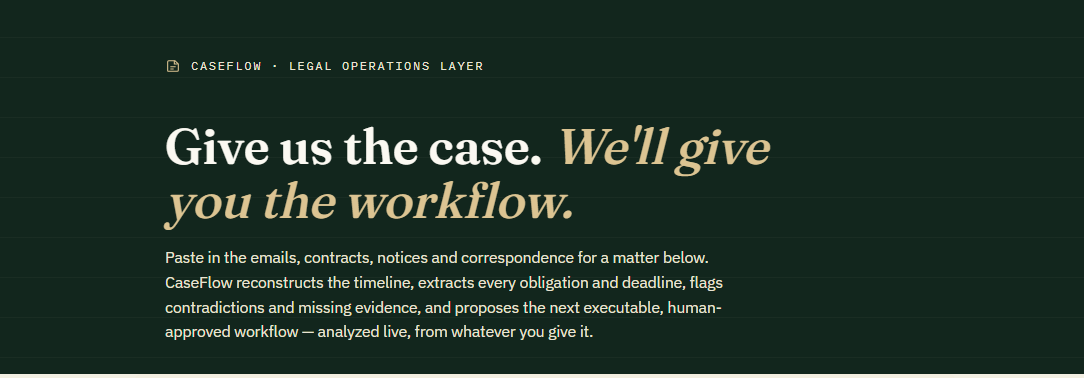
CaseFlow takes a set of case documents — contracts, emails, invoices, legal notices — and turns them into a structured, source-linked case workspace: a reconstructed timeline, extracted obligations with computed due dates, a conflict detector that flags contradictions between documents instead of silently picking one, a missing-evidence tracker, a risk dashboard, an editable workflow of next steps, and draft communications gated behind a "Human Review Required" flag wherever real legal judgment is involved. Every fact in the dashboard is clickable back to the excerpt and confidence score it came from.
How we built it
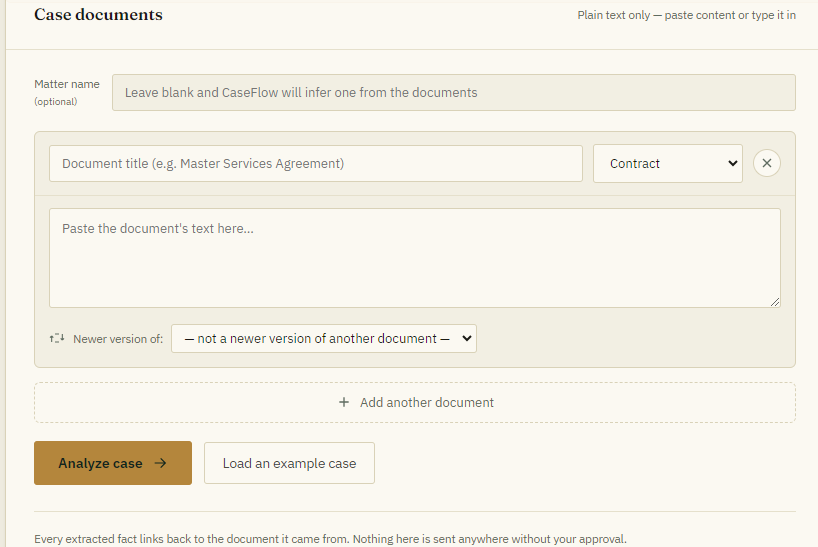
We deliberately built this three times, and each version taught us something. The first pass was a static, beautifully designed mock — good for showing the idea, but it was faking the intelligence with one hardcoded case. We scrapped that reflex and rebuilt it as a genuinely dynamic app: an intake screen where you paste real documents, wired to a live call to Claude that returns strict structured JSON covering parties, timeline, obligations, conflicts, evidence, risk, workflow steps, and drafts — grounded with an explicit "cite your source, lower your confidence rather than guess, never invent facts" instruction set. From there we built a second, self-hosted version — a small Node/Express server holding an API key server-side — so the tool isn't locked to any one platform. Throughout, we used headless-browser screenshot testing to catch real rendering bugs rather than eyeballing code.
Challenges we ran into
Getting the model to reliably return a large, deeply nested JSON schema — timeline events, obligations, conflicts with paired sources, workflow steps, drafts — without silently dropping or malforming fields took real prompt iteration. Screenshot testing caught a good bug early: unsized SVG icons were defaulting to their browser-native 300×150px box and blowing the workflow view up to 11,000 pixels tall. And moving from the platform-hosted version to the self-hosted one surfaced a real-world API wrinkle — Anthropic Admin API keys aren't scoped to a workspace and need an extra header, which isn't obvious until you hit the error.
Accomplishments that we're proud of
Getting an honest end-to-end loop working: paste raw, messy documents in, and get back a coherent, internally-consistent case graph with nothing hardcoded — including a payment-term conflict that gets caught and held for human review instead of quietly resolved. We're also proud of not overselling it: every "Human Review Required" gate is real, blocking the send action in the UI, not just a label.
What we learned
A demo that fakes intelligence undersells an AI product more than it helps — the moment CaseFlow could actually read your documents instead of one canned case, it became a different, more convincing thing. We also learned how much of "trustworthy AI for legal work" comes down to interface discipline: showing sources and confidence, refusing to auto-resolve contradictions, and making the human-approval step impossible to skip in the UI — not just in the prompt.
What's next for CaseFlow
Real document ingestion (PDF/DOCX/OCR, not just pasted text), persistent per-user case storage instead of browser-local state, and a workflow engine that can actually execute approved steps — calendar holds, e-signature requests, filed evidence requests — rather than just proposing them. Longer term: a second verification pass on conflict detection specifically, since that's the highest-stakes judgment call in the pipeline, and integrations with the practice-management tools legal teams already use.

Log in or sign up for Devpost to join the conversation.